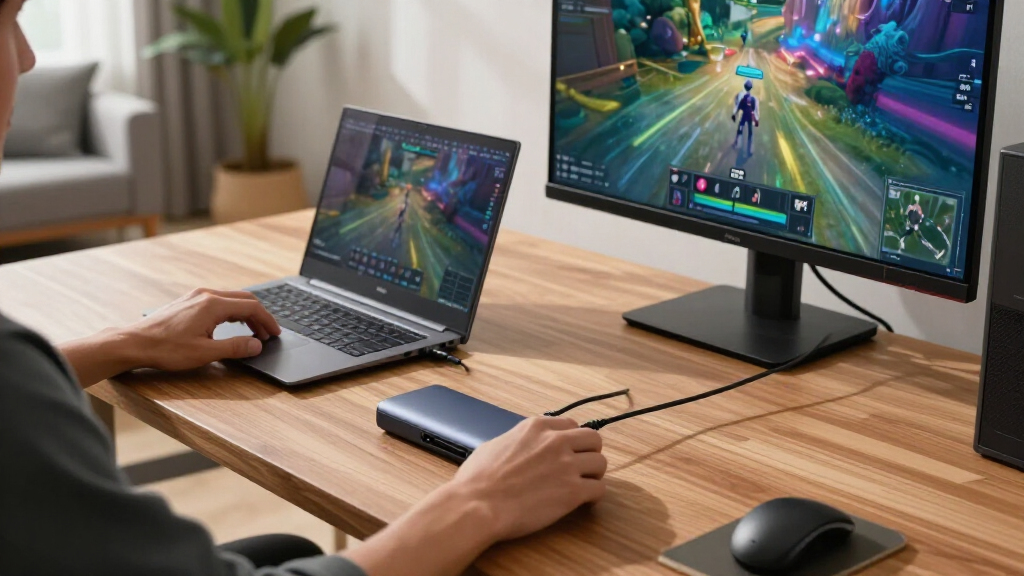

Capture cards are essential tools for gamers, streamers, and content creators who want to record or broadcast high-quality video from consoles or PCs. The best models balance 4K support, low latency, and ease of use, but choosing the right one depends on your specific needs and setup. The Elgato 4K S Capture Card stands out for its 4K quality and compatibility, while the AVerMedia Capture Card offers excellent passthrough and low latency for serious gamers. Many options struggle with either high cost, limited resolution, or complex setup. Keep reading for a full breakdown of the top capture cards to help you make an informed decision.
Key Takeaways
- The best capture cards balance 4K capabilities with low latency for smooth streaming.
- Price often correlates with features like HDMI pass-through and microphone input quality.
- Compatibility varies widely, so matching your console or PC setup is critical.
- Build quality and driver stability are often overlooked but vital for long-term use.
- Higher-end models tend to offer better passthrough and fewer lag issues, justifying their cost for serious streamers.
| 4K HDMI Capture Card for Streaming, Full HD 1080P 60FPS USB 3.0 Cam Link Game Audio Video Capture Card |  | Best for Budget HD Streaming and Easy Setup | Resolution: 1080p at 60FPS | Input: HDMI | Output: USB 3.0 | VIEW LATEST PRICE | See Our Full Breakdown |
| Elgato 4K S Capture Card for PS5, Xbox Series X/S, Switch 2 |  | Best for 4K Gaming and High-Quality Recording | Resolution: 4K60 | HFR Support: 1440p120 or 1080p240 | HDR10 Support: Yes | VIEW LATEST PRICE | See Our Full Breakdown |
| AVerMedia Capture Card for Streaming, 4K60 HDR Passthrough, 1080p60 Video Recording, Ultra-Low Latency Game Streaming for Switch 2, Xbox, PS5, PC |  | Best for Low-Latency, High-Quality Gameplay Streaming | Video Resolution: 4K60 HDR passthrough, 1080p60 recording | Latency: Ultra-low | Compatibility: Switch 2, Xbox, PS5, PC | VIEW LATEST PRICE | See Our Full Breakdown |
| Audio Express AXHDCAP 4K HDMI Video Capture Card |  | Best for Versatile 4K Capture with Broad OS Compatibility | Input resolution: 3840×2160@30Hz | Output resolution: 1920×1080@30Hz | Video output: USB 2.0 | VIEW LATEST PRICE | See Our Full Breakdown |
| Guermok Video Capture Card, 4K USB3.0 HDMI to USB C, 1080P 60FPS & 2K 30FPS |  | Best for Portable 4K Input and On-the-Go Streaming | Input Resolution: 4K@30Hz | Output Resolution: 2K@30Hz or 1080P@60Hz | Interface: USB 3.0, USB-C | VIEW LATEST PRICE | See Our Full Breakdown |
| XIIXMASK USB 3.0 HDMI Capture Card, 1080P 60FPS Capture, 4K Pass-Through |  | Best Overall for Flexibility and Compatibility | Video Input: HDMI 4K 60Hz | Loop-out: 4K 60Hz | Capture Resolution: 1080P 60FPS, 2K 30FPS | VIEW LATEST PRICE | See Our Full Breakdown |
| Fifine AmpliGame Video Capture Card, HD 1080p 60fps, 4K HDMI to USB |  | Best for Gamers and Streamers Who Value Customization | Video Resolution: 1080p/60fps, 4K/30fps HDMI loop-out | Compatibility: PS4, PS5, Xbox, Switch, Windows, Mac | Connection: USB 3.0, HDMI | VIEW LATEST PRICE | See Our Full Breakdown |
| 4K HDMI Video Capture Card, 1080P 60FPS Game Capture Device with HDMI Loop-Out and Microphone Input |  | Best for Versatile, High-Quality Capture on a Budget | Resolution: 1080p at 60FPS | Input Support: 4K30/60Hz, 1080p120/144Hz | Output Support: up to 2K30Hz | VIEW LATEST PRICE | See Our Full Breakdown |
| 4K HDMI Video Capture Card for Streaming and Recording |  | Best for Portability and Broad Compatibility | Video Resolution: 4K HDMI input, 1080P 60FPS output | Frame Rate: 1080P 60FPS | Connectivity: USB 3.0 | VIEW LATEST PRICE | See Our Full Breakdown |
| Acer USB 3.0 HDMI Capture Card, 4K HDMI Loop-Out, 1080P 60Hz for Streaming |  | Best for High-Quality Input and Compatibility | Video Input: 4K HDMI | Video Output: 1080P@60Hz | Technology: YUY2 | VIEW LATEST PRICE | See Our Full Breakdown |
| capture card | Compatibility |
|---|---|
| 4K HDMI Capture Card for Strea | Windows, Mac OS |
| Elgato 4K S Capture Card for P | PS5, Xbox Series X/S, Switch 2, Windows |
| AVerMedia Capture Card for Str | Switch 2, Xbox, PS5, PC |
| Audio Express AXHDCAP 4K HDMI | — |
| Guermok Video Capture Card | Windows, Mac, Android, Xbox, PlayStation |
| XIIXMASK USB 3.0 HDMI Capture | Windows 7/8/10, Mac OS, Linux, Android, Xbox One, PS3/PS4/PS5, Switch, DSLR, Webcams |
| Fifine AmpliGame Video Capture | PS4, PS5, Xbox, Switch, Windows, Mac |
| 4K HDMI Video Capture Card | Windows, Mac OS |
| 4K HDMI Video Capture Card for | PS5, Xbox, Switch, DSLR, PC |
| Acer USB 3.0 HDMI Capture Card | Switch, PS5, PS4, Xbox, DSLR, PC, macOS, Android |
More Details on Our Top Picks
4K HDMI Capture Card for Streaming, Full HD 1080P 60FPS USB 3.0 Cam Link Game Audio Video Capture Card
This capture card stands out for delivering reliable 1080p at 60FPS, making it a solid choice for streamers who prioritize smooth video without the higher cost of 4K options like the Elgato 4K S. Its plug-and-play design means no driver fuss, and the microphone input adds versatility for commentary. However, despite the ‘4K’ branding, it maxes out at 1080p, which could disappoint those wanting true 4K capture. Compared to higher-end models, it sacrifices resolution for affordability and simplicity, but that tradeoff makes it less suitable for professional 4K content. This pick makes the most sense for newcomers or casual streamers who want quality without complexity.Pros:- High-quality 1080p video capture at 60FPS
- Plug-and-play setup with no driver installation
- Compatible with Windows and Mac
Cons:- Limited to 1080p resolution despite ‘4K’ branding
- Requires USB 3.0 for optimal performance
- Microphone input only supports 3.5mm TRS headsets
Best for: Beginners or casual streamers who need straightforward HD capture with minimal setup
Not ideal for: Professional content creators demanding 4K recording or advanced features
- Resolution:1080p at 60FPS
- Input:HDMI
- Output:USB 3.0
- Compatibility:Windows, Mac OS
- Microphone Input:3.5mm TRS
Our verdict“A budget-friendly, easy-to-use choice for streamers focused on HD quality rather than 4K resolution.”
Elgato 4K S Capture Card for PS5, Xbox Series X/S, Switch 2
This Elgato model excels at capturing 4K60 gameplay with vivid colors, making it ideal for gamers who want crisp, high-fidelity recordings, especially compared to the AVerMedia’s 1080p focus. Its HDR10 support enhances visual depth, and compatibility with major consoles like PS5 and Xbox Series X/S broadens its appeal. The main tradeoff is the setup complexity—it’s not as plug-and-play as simpler cards, and specific hardware is needed for full functionality. Unlike the more budget-oriented options, it’s better suited for serious content creators or streamers aiming for professional-grade output. This makes it a prime pick for high-end gaming setups with the space for more advanced equipment.Pros:- Supports 4K60 recording with vivid color accuracy
- Compatible with multiple platforms including PS5, Xbox Series X/S, Switch 2
- HDR10 support for enhanced visuals
- Includes analog audio input for commentary
Cons:- Requires specific hardware and software setup
- Limited to high frame rate options, potentially overkill for some users
- No bundled accessories, additional purchases may be needed
Best for: Hardcore gamers and professional streamers prioritizing 4K quality and HDR support
Not ideal for: Casual streamers or those on a tight budget who don’t need 4K resolution
- Resolution:4K60
- HFR Support:1440p120 or 1080p240
- HDR10 Support:Yes
- Compatibility:PS5, Xbox Series X/S, Switch 2, Windows
- Audio Input:3.5mm
Our verdict“Best suited for gamers who demand high-resolution, high-quality recordings and are comfortable with setup complexity.”
AVerMedia Capture Card for Streaming, 4K60 HDR Passthrough, 1080p60 Video Recording, Ultra-Low Latency Game Streaming for Switch 2, Xbox, PS5, PC
This AVerMedia card features impressive 4K60 HDR passthrough, making it perfect for gamers who want to enjoy immersive visuals while streaming in 1080p60. Its ultra-low latency ensures real-time gameplay without lag, which sets it apart from some cheaper options like the Guermok. While it doesn’t record in 4K, its seamless passthrough supports 4K gaming, and recording at 1080p is sufficient for most streaming needs. Compared to the Elgato, it offers lower latency but doesn’t support as many high-end recording features. It’s best for gamers who value smooth, responsive streaming over maximum resolution recording.Pros:- Supports 4K60 HDR passthrough for immersive gaming visuals
- Ultra-low latency for real-time gameplay
- Plug-and-play with minimal setup
- Compatible with major consoles and PCs
Cons:- Limited to 1080p60 recording, not 4K
- Requires compatible streaming software for full features
- Higher price point compared to basic models
Best for: Streamers and gamers needing ultra-low latency for competitive gameplay
Not ideal for: Content creators who need 4K recording or detailed post-production editing
- Video Resolution:4K60 HDR passthrough, 1080p60 recording
- Latency:Ultra-low
- Compatibility:Switch 2, Xbox, PS5, PC
- Connections:USB
Our verdict“Ideal for gamers who prioritize real-time responsiveness and high-quality passthrough over 4K recording.”
Audio Express AXHDCAP 4K HDMI Video Capture Card
The Audio Express AXHDCAP provides a versatile solution with support for 4K input at 60FPS and 1080P recording at 30FPS, standing out for its compatibility across Windows, MacOS, and Linux—more flexible than many USB 2.0 options like the Guermok. Its durable, thermal dissipation design offers a reliable, long-lasting build. However, its USB 2.0 interface limits recording resolution to 1080p at 30FPS, which may disappoint users seeking higher frame rates or 4K recording. Compared to the Elgato, it’s more affordable but less capable of high-end 4K capture. Suitable for streamers and educators who need broad device support and high-quality HDMI input.Pros:- Supports 4K HDMI input at 60FPS
- Broad OS compatibility including Linux
- Durable construction with thermal management
- Plug-and-play simplicity
Cons:- Limited to 1080P at 30FPS recording via USB 2.0
- Cannot output HDMI, only capture
- No 4K recording at higher frame rates
Best for: Content creators and educators needing reliable 4K input with broad OS support
Not ideal for: High-end gamers or streamers seeking 4K60 recording or ultra-low latency
- Input resolution:3840×2160@30Hz
- Output resolution:1920×1080@30Hz
- Video output:USB 2.0
- Supported systems:Windows, MacOS, Linux
- Max input:4K 60FPS
Our verdict“A dependable, versatile capture card best suited for educational and professional use with broad OS support.”
Guermok Video Capture Card, 4K USB3.0 HDMI to USB C, 1080P 60FPS & 2K 30FPS
The Guermok capture card supports 4K input at 30Hz, outputting up to 2K at 30Hz or 1080p at 60Hz, making it a flexible option for users who need portability and moderate high-res capabilities. Its USB 3.0 and USB-C interfaces ensure fast data transfer, and the lightweight, aluminum design makes it suitable for mobile streaming setups. However, it’s limited to HDMI-to-USB-C transmission, and some users might face signal issues with certain cables or disconnections, especially during more demanding workflows. Compared to the more dedicated streaming cards, it offers portability at the expense of some stability and resolution consistency. This is best for outdoor content creators or those who prioritize mobility over max resolution.Pros:- Supports 4K input at 30Hz and 1080p60 output
- Lightweight, portable aluminum alloy design
- USB 3.0 and USB-C compatibility for fast transfer
- Plug-and-play with wide device support
Cons:- Limited to HDMI to USB-C transmission only
- Possible signal loss with certain cables or disconnections
- No support for direct HDMI output or pass-through
Best for: Traveling streamers, on-the-go gamers, and portable content creators
Not ideal for: Stationary professional broadcasters requiring stable, high-resolution feeds
- Input Resolution:4K@30Hz
- Output Resolution:2K@30Hz or 1080P@60Hz
- Interface:USB 3.0, USB-C
- Compatibility:Windows, Mac, Android, Xbox, PlayStation
- Material:Aluminum alloy
Our verdict“A handy, portable capture option for creators needing flexibility and moderate high-res input capability.”
XIIXMASK USB 3.0 HDMI Capture Card, 1080P 60FPS Capture, 4K Pass-Through
This capture card stands out for supporting 4K pass-through while capturing at 1080P 60FPS, making it a versatile choice for streamers and content creators who want both high quality and broad device compatibility. Compared with the Fifine AmpliGame, it offers more stable performance and includes microphone input, a key feature for live commentary. However, it’s less straightforward when it comes to audio setup—requiring a restart in OBS—and doesn’t record party chats, which could be a limitation for some users. Its support for multiple operating systems and device types makes it a flexible addition to any streaming setup, especially for those who need a reliable USB 3.0 connection with minimal latency.
Pros:- Supports 4K pass-through and 1080P 60FPS capture for high-quality streaming
- Wide compatibility with Windows, Mac, Linux, Android, and gaming consoles
- Low latency and stable performance suitable for live streaming
Cons:- Does not record party chats, limiting some streaming options
- Requires software restart after audio setup in OBS, which can disrupt workflow
Best for: Streamers and content creators seeking high-quality, multi-platform compatibility with professional-grade stability
Not ideal for: Casual gamers or beginners who prefer plug-and-play simplicity without audio configuration quirks
- Video Input:HDMI 4K 60Hz
- Loop-out:4K 60Hz
- Capture Resolution:1080P 60FPS, 2K 30FPS
- Compatibility:Windows 7/8/10, Mac OS, Linux, Android, Xbox One, PS3/PS4/PS5, Switch, DSLR, Webcams
- Connectivity:USB 3.0, USB C
- Includes:Capture card, USB cable, user manual
Our verdict“This pick makes the most sense for streamers and professionals who prioritize compatibility and stability over plug-and-play simplicity.”
Fifine AmpliGame Video Capture Card, HD 1080p 60fps, 4K HDMI to USB
The Fifine AmpliGame excels with high-quality 1080P 60FPS capture and a 4K HDMI loop-out, making it ideal for gamers who want crisp footage and seamless gameplay. Its plug-and-play design is especially appealing for users who dislike driver installations, and the customizable RGB lighting adds to the aesthetic appeal of streaming setups. Compared with the Acer USB 3.0 HDMI, it offers more device compatibility and a broader feature set, including line-in and headset ports. On the downside, the need for the original USB cable and the absence of bundled accessories can complicate setup, especially for newcomers. Still, for gamers looking to upgrade their streaming visuals with aesthetic flair, this is a solid choice.
Pros:- High-quality 1080P/60FPS video with 4K HDMI loop-out
- Easy plug-and-play setup without drivers
- Customizable RGB lighting enhances streaming ambiance
Cons:- Requires the original USB cable for optimal performance
- HDMI and other cables are not included, adding to setup complexity
Best for: Gaming enthusiasts and streamers who want visual customization and easy setup
Not ideal for: Users who prefer an all-in-one package with included cables and accessories or require professional-grade stability
- Video Resolution:1080p/60fps, 4K/30fps HDMI loop-out
- Compatibility:PS4, PS5, Xbox, Switch, Windows, Mac
- Connection:USB 3.0, HDMI
- RGB Lighting:Variable RGB modes with 9 options
- Additional Ports:HDMI Output, Line In, Headset Port
Our verdict“This device makes the most sense for gamers wanting vibrant streaming visuals and straightforward setup without professional-grade features.”
4K HDMI Video Capture Card, 1080P 60FPS Game Capture Device with HDMI Loop-Out and Microphone Input
This capture card offers a reliable way to record or stream high-quality 1080P footage at 60FPS, supporting a wide range of HDMI devices. Its plug-and-play design makes it accessible for users who want quick setup without driver fuss. The HDMI loop-out ensures smooth gameplay, and the microphone input allows for live commentary, making it suitable for streamers who don’t need 4K recording. Compared to the Acer model, it provides similar performance but at a more affordable price point, albeit with some limitations in output resolution—limited to 2K30Hz. The absence of detailed bundled accessories and the lack of support for 4K120Hz inputs might be drawbacks for more demanding users.
Pros:- Supports high-quality 1080P 60FPS capture with stable performance
- Plug-and-play with no driver installation needed
- Includes HDMI loop-out for seamless gameplay
Cons:- Limited to 2K30Hz output, not supporting higher refresh rates
- Microphone input only accepts 3.5mm TRS headsets, limiting microphone options
Best for: Streamers and gamers who need dependable 1080P capture with microphone support at an affordable price
Not ideal for: High-end content creators requiring 4K recording or higher output resolutions
- Resolution:1080p at 60FPS
- Input Support:4K30/60Hz, 1080p120/144Hz
- Output Support:up to 2K30Hz
- Interface:USB 3.0
- Microphone Input:3.5mm TRS
- Compatibility:Windows, Mac OS
Our verdict“This device is best suited for budget-conscious gamers and streamers who prioritize ease of use and reliable 1080P capture.”
4K HDMI Video Capture Card for Streaming and Recording
This lightweight capture card provides 1080P at 60FPS with an input capable of 4K HDMI signals, making it a versatile choice for on-the-go streamers and content creators. Its simple, plug-and-play operation supports a wide array of devices, from gaming consoles to cameras. Unlike higher-end options like the Elgato 4K S, it doesn’t offer 4K recording but excels in delivering excellent 1080P footage with minimal latency. The device’s portability is a key advantage, especially for those who need a compact solution for different streaming environments. The main tradeoff is that it supports only 1080P for recording, despite accepting 4K input, which might disappoint users seeking 4K recording quality.
Pros:- High-quality 1080P 60FPS capture with low latency
- Plug-and-play with broad device compatibility
- Lightweight and portable for mobile streaming
Cons:- Limited to 1080P recording despite 4K input support
- No mention of bundled accessories or extended warranty
Best for: Traveling streamers and content creators needing a portable, easy-to-use capture device with broad device compatibility
Not ideal for: Producers who require 4K recording or advanced features for professional workflows
- Video Resolution:4K HDMI input, 1080P 60FPS output
- Frame Rate:1080P 60FPS
- Connectivity:USB 3.0
- Compatibility:PS5, Xbox, Switch, DSLR, PC
- Portability:Lightweight and portable
- Plug-and-Play:Yes
Our verdict“This device is best suited for portable streaming setups and content creators who prioritize simplicity and high-quality 1080P footage.”
Acer USB 3.0 HDMI Capture Card, 4K HDMI Loop-Out, 1080P 60Hz for Streaming
The Acer USB 3.0 HDMI Capture Card provides a robust option for streamers requiring 4K HDMI input and smooth 1080P output at 60Hz. Its plug-and-play design simplifies setup, and broad device support includes consoles, PCs, and cameras. Compared with the other options, like the XIIXMASK, it emphasizes ease of use and wide compatibility, while its output resolution remains capped at 1080P. For users who don’t need 4K recording but want a reliable, high-quality input stream, this model offers a strong balance of performance and simplicity. The lack of bundled accessories and no explicit warranty details could be a concern for some buyers, but overall, it’s a straightforward choice for general streaming needs.
Pros:- High-quality 4K HDMI input with smooth 1080P output
- Plug-and-play setup with no driver installation
- Wide compatibility with various devices and streaming platforms
Cons:- Limited to 1080P output resolution, not supporting 4K recording
- No mention of bundled accessories or extended warranty
Best for: Streamers and content creators wanting reliable 4K input with consistent 1080P output and broad device support
Not ideal for: Professionals seeking 4K recording or advanced features beyond basic streaming and capture
- Video Input:4K HDMI
- Video Output:1080P@60Hz
- Technology:YUY2
- Microphone-in:Yes
- Compatibility:Switch, PS5, PS4, Xbox, DSLR, PC, macOS, Android
- Power:Plug and Play
Our verdict“This device is best suited for streamers needing a simple, reliable high-input-quality device with broad device compatibility.”
How We Picked
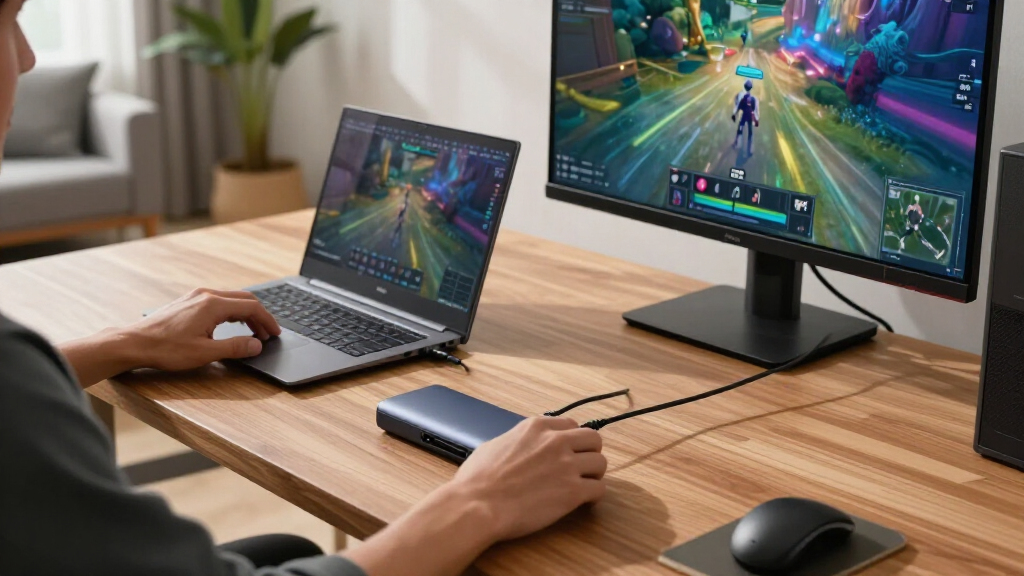
These capture cards were selected based on a combination of performance, usability, build quality, and value. We prioritized models that offer reliable 1080p and 4K recording and streaming, along with low latency for live gameplay. Ease of setup and compatibility with popular platforms like PS5, Xbox Series X/S, and PC also played a key role. Cost was a factor, but we focused on products that deliver a good balance of features versus price. Our ranking reflects these factors, aiming to recommend options suitable for both casual streamers and professional content creators.Factors to Consider When Choosing Capture Cards
Choosing the right capture card involves understanding several key factors that impact your streaming or recording experience. Beyond just resolution, latency, and compatibility, other aspects such as build quality, input/output options, and software support can influence your overall satisfaction. Making an informed decision requires balancing these features with your specific setup and budget to avoid common pitfalls like lag, poor image quality, or complex installation processes.Resolution and Frame Rate Support
Higher resolution and frame rate support are crucial if you want crisp, smooth streams or recordings. Most modern capture cards offer 1080p at 60fps as a baseline, but 4K support is increasingly common for high-end models. Consider your target platform and streaming quality—if you play on a 4K console or want future-proofing, a 4K-capable card makes sense. However, remember that higher resolutions demand more powerful hardware and may increase your system’s processing load, so match the card’s specs with your setup.
Latency and Passthrough Features
Low latency is essential for real-time gameplay without noticeable delay, especially for competitive gaming or live interactions. Passthrough features—allowing you to see the game on your monitor while streaming—are equally important to avoid lag and synchronization issues. Some cards include HDMI pass-through with 4K or 1080p support, which can help maintain a seamless experience. Be wary of models with high latency or limited passthrough capabilities, as they can disrupt gameplay or reduce stream quality.
Compatibility and Ease of Use
Ensure the capture card supports your devices—whether it’s a PS5, Xbox Series X/S, Switch, or PC—and check for driver stability and software compatibility. Some cards are plug-and-play, while others require more complex setup or driver installations. User-friendly interfaces and software that support multiple streaming platforms or recording formats can save time and frustration. Avoid overly complex models if you’re just starting out, but consider higher-end options if you need advanced features and reliable operation.
Build Quality and Connectivity
Robust construction and durable connections contribute to long-term reliability, especially if you plan to transport or set up multiple times. Look for well-made USB or HDMI ports, and check if the device offers additional features like microphone inputs or looping outputs. Some models include features like 4K HDMI loop-out, which can streamline your setup. Poor build quality can lead to connection issues or device failure over time, so investing in a reputable brand can pay off.
Price and Value
Price varies widely based on features, resolution support, and brand reputation. Higher-end models with 4K HDR, low latency, and advanced passthrough tend to be more expensive but offer better performance and future-proofing. Budget options can still deliver 1080p streaming at a lower cost but may lack some features like reliable passthrough or multi-platform support. Consider your actual needs—if you’re just starting or streaming casually, a mid-range card may be sufficient; for professional use, investing in a premium model can provide significant benefits.
Frequently Asked Questions
Do I need a capture card if I only want to record gameplay on my PC?
In most cases, if you’re recording gameplay directly on your PC, a capture card isn’t necessary because your PC can record using software. Capture cards are primarily beneficial when capturing external sources like consoles or multiple devices, or when you want to offload recording from your PC’s CPU. However, if you want to record or stream from a console or other external device, a capture card becomes essential for high-quality video capture and live streaming.
Can I use a cheaper capture card without sacrificing too much quality?
Cheaper capture cards can be suitable for casual streaming or recording at 1080p 60fps, but they often struggle with higher resolutions or low latency. They might also have issues with driver stability or compatibility, leading to dropped frames or audio sync problems. If you’re just starting out or on a budget, a mid-range card can offer a good balance, but for professional-quality streams, investing in a higher-end model with better passthrough and software support is worth considering.
Are there particular brands I should trust more?
Brands like Elgato, AVerMedia, and Razer are generally regarded for their build quality and software support, making them safer bets for reliable operation. These companies have years of experience designing capture devices tailored for gamers and streamers. Lesser-known brands may offer lower prices but can sometimes lack driver stability or long-term support, so if you prioritize reliability, sticking with reputable brands usually pays off.
Is 4K support necessary for streaming or recording?
Not necessarily. While 4K support provides future-proofing and the potential for higher-quality recordings, most viewers still prefer 1080p streams, especially on smaller screens or limited bandwidth. If your setup can handle 4K, and you want the highest quality for future projects, a 4K capture card makes sense. However, for casual or regular streaming, 1080p 60fps is often sufficient and more manageable in terms of hardware demands.
What should I do if my capture card causes lag or drops frames?
If you experience lag or dropped frames, check your system’s processing load, USB port stability, and the capture card’s drivers. Using a direct USB 3.0 port and closing unnecessary background apps can improve performance. Also, ensure your software settings match your hardware capabilities and that your system meets the recommended specifications. In some cases, firmware updates or replacing a faulty cable can resolve persistent issues, so troubleshooting step-by-step helps maintain a smooth streaming experience.
Conclusion
Choosing the right capture card depends on your specific needs and budget. The Elgato 4K S Capture Card remains the best overall option for serious streamers who want high-quality 4K support and reliable performance. For those seeking a balance between cost and features, the AVerMedia Capture Card offers excellent passthrough and low latency at a more accessible price. Beginners or casual streamers will benefit from simpler, plug-and-play options like the Fifine AmpliGame. For professional setups, investing in premium models with advanced features can provide the best long-term value. Ultimately, matching your streaming goals with the right features will lead to the best experience.