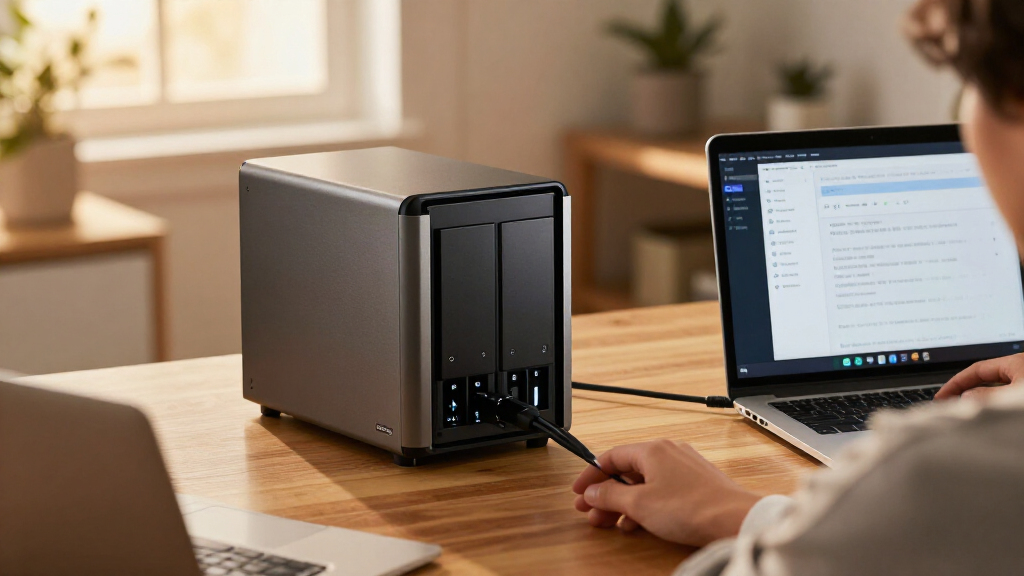

The UGREEN NAS DXP4800 Pro is a four-bay NAS built for households and small teams that want more than basic file storage: its Intel Core i3-1315U, expandable memory, and 10GbE networking give it room for demanding transfers and self-hosted services. That makes it unusually capable for a home-focused NAS, but also more machine than many people need. Drives are not stated as included, and the advertised capacity depends on what you install. The early verdict: worth buying for buyers who will use its speed and flexibility; a simpler two-bay unit is a better fit for straightforward backups and shared folders.

Get business pricing on tech for your team
- Business-only prices and quantity discounts
- Tax-exempt purchasing
- Multiple users, one account, clear invoices

UGREEN NAS DXP4800 Pro 4-Bay Network Attached Storage
- ✔ Processor: Intel Core i3-1315U, 6 cores, 8 threads, up to 4.5GHz
- ✔ Memory: 8GB DDR5, expandable to 96GB
- ✔ Graphics: 13th Gen Intel UHD Graphics
Why This Product Stands Out
The DXP4800 Pro sits above the basic NAS tier. A four-bay enclosure is already a more flexible starting point than a two-bay model: it gives buyers more room to add drives and choose among RAID configurations as their storage needs change. Here, that storage foundation is paired with an Intel Core i3-1315U and support for Docker and virtual machines. The result is a system that can serve files while also running services, rather than being limited to a network folder and backup jobs.
Its network options reinforce that more ambitious role. The combination of 10GbE and 2.5GbE is unusually capable for buyers whose computers and switches can use those connections. The port speeds can make a difference when moving large video files or serving several users, though they do not make every home network faster on their own. Against simpler options such as the Synology DS223 or DS223j, the UGREEN offers more bays and a higher-speed, more expandable hardware platform. Those two-bay models can still be the more sensible choice for compact backup and file-sharing needs.
The notable compromise is that the hardware specification is more compelling than a simple out-of-box storage proposition. The unit’s 144TB ceiling depends on the drives installed, and the listing does not say drives are included. Buyers need to plan the storage array and network around the NAS. For someone seeking a flexible home server, that is part of the appeal; for someone seeking a ready-to-use backup appliance, it adds expense and setup decisions.
Key Features and What They Mean
The Intel Core i3-1315U has six cores and eight threads, with a stated maximum frequency of 4.5GHz. This gives the NAS enough processing headroom to serve files while running Docker services or virtual machines, allowing home-lab users to consolidate several tasks on one device instead of adding a separate server. Buyers using it only for automatic backups are unlikely to notice that extra capacity.
The system comes with 8GB of DDR5 memory and can be expanded up to 96GB. More memory gives active services and virtual machines room to run together, while the upgrade ceiling offers a way to accommodate a growing setup without replacing the NAS. The included amount is a reasonable starting point for lighter use; buyers planning several virtual machines should consider an upgrade so memory does not limit them.
Networking pairs a 10GbE port with 2.5GbE, with a stated maximum transfer speed of 1.25GB/s. A compatible 10GbE network can shorten transfers of large video files and make shared project storage more practical for creators and teams. The 2.5GbE connection offers a more accessible step up from gigabit for buyers with compatible equipment. The client computer, cabling, switches, storage, and workload all need to keep pace; on an ordinary gigabit network, the faster ports will not deliver their headline potential.
There are four 3.5-inch drive bays and two PCIe 4.0 M.2 slots, with up to 144TB listed across four hard drives and two M.2 SSDs. The bays give growing photo, video, or business libraries room to add storage and allow more choices for balancing capacity with redundancy through RAID 0, 1, 5, or 10. The M.2 slots provide additional room for SSD use. RAID can help maintain access to data after some drive failures, but it does not replace a separate backup. The 144TB figure describes a possible configuration, not included storage, so buyers need to choose and purchase drives.
UGOS Pro includes media, photo, and cloud-sync features, and the NAS can organize photos using on-device AI. These tools can help users manage a growing image or media library on their own NAS, reducing the need to rely on separate services when the software suits their workflow. Tool-free trays make installing or replacing drives simpler, which helps during initial setup and later expansion, though buyers still need to plan and supply the storage themselves.
Performance and Real-World Use
For day-to-day file storage, the DXP4800 Pro has more hardware headroom than most basic household uses demand. That can be helpful when several tasks happen at once, such as syncing files while serving media or running a container. The fastest transfers require a compatible 10GbE path; without one, the NAS can still operate, but the network will limit how much the port’s extra capacity matters. The 2.5GbE connection gives buyers another faster-than-gigabit option where the rest of the setup supports it.
Setup involves more choices than buying a preloaded external drive. Buyers need to choose drives, decide how to arrange them, and configure network and storage settings for their needs. The tool-free trays reduce the physical effort, while the four bays and RAID options call for some planning around future capacity and drive redundancy. Buyers new to NAS systems should expect to spend time learning the setup and the UGOS Pro features before relying on the device as their main shared storage.
The aluminum chassis, expandable DDR5 memory, and two-year warranty are useful parts of the package, but the supplied facts do not establish long-term reliability or noise levels. A NAS is commonly kept running to provide ongoing access, so placement and drive choice will shape the day-to-day experience as much as the enclosure itself. The clearest practical advantage is flexibility as needs grow; the tradeoff is the work and added hardware required to make full use of it.
Who Should Buy This
Buy the DXP4800 Pro if you are a home-lab user running Docker or virtual machines, a creator who regularly moves large files across a network, or a small team that wants a shared four-bay storage system with room to grow. It is especially well matched to buyers who already have, or intend to build, a 2.5GbE or 10GbE network and are comfortable selecting their own drives and configuring storage. Its stronger case is for people who will use both the storage capacity and the server-like features, rather than paying for unused headroom.
Who Should Skip This
Skip this model if your main goal is a straightforward backup destination, a family folder, or basic media storage and you do not expect to run additional services. A two-bay Synology DS223j may suit a tighter, simpler backup setup, while the Synology DS223 is a relevant alternative for buyers who want a two-bay diskless NAS for general storage. Consider the BUFFALO LinkStation 210 4TB if a one-bay NAS with listed storage better matches a simple, fixed-capacity requirement. The DXP4800 Pro is also a poor match if you expect a fast network experience without upgrading compatible network equipment.
Value for Money
The DXP4800 Pro is worth its premium price for buyers who will use its four bays, server features, or faster networking. Its Intel CPU, memory expansion, M.2 slots, and dual faster network ports combine storage and home-server capability in one enclosure, which can justify the added cost for home-lab users, creators, and small teams with demanding workloads. The value is much weaker for basic backups or shared folders, where much of that hardware would go unused and a simpler two-bay NAS is likely a better buy. Since drives are not stated as included, factor their cost into the purchase; using 10GbE may also require compatible network equipment. The 144TB maximum describes a possible drive configuration, not storage supplied in the box.
UGREEN NAS DXP4800 Pro 4-Bay Network Attached Storage
The DXP4800 Pro sits above the basic NAS tier. A four-bay enclosure is already a more flexible starting point than a two-bay model: it gives buyers more room to add drives and choose among RAID configurations as their storage needs change.
Pros:
- The six-core, eight-thread Intel Core i3-1315U gives Docker containers and virtual machines more processing headroom than a basic file server typically needs.
- A 10GbE port can support much faster transfers on a compatible network, which benefits large media projects and shared work between capable computers.
- Four drive bays and two PCIe 4.0 M.2 slots offer several ways to grow storage or add SSD capacity as a library and workload expand.
- Memory can grow from 8GB DDR5 to as much as 96GB, giving users a path to support more services or virtual machines over time.
- Tool-free drive trays make installing or replacing drives less awkward, while on-device photo organization can help users sort a growing image library.
Cons:
- The listing does not state that drives are included, so buyers should budget for and select their own storage before the NAS can serve its main purpose.
- The 144TB maximum is conditional on installed drives and supported configurations; it is not usable capacity supplied with the enclosure.
- The 10GbE port only pays off when the rest of the network supports it, so many ordinary home setups will not see the headline transfer potential.
- A capable processor, expandable memory, and virtualization support add complexity that basic backup users may never use.
Best for: Home-lab users, creators, and small teams who want four drive bays, fast local networking, and room for Docker or virtual machines.
Not ideal for: People who only need a basic backup target or shared folder and do not have compatible fast networking or plans to expand storage.
Bottom line: The UGREEN NAS DXP4800 Pro is worth buying when its server features and network speed solve a real need.
Frequently Asked Questions
Does the UGREEN DXP4800 Pro include hard drives?
The product data does not state that drives are included. Plan to select and install the drives you need, and check the specific listing before purchase. The 144TB figure depends on the installed drives.
Do I need 10GbE networking to use this NAS?
No. The NAS also has a 2.5GbE port, and it can be used on a network that does not support 10GbE. To approach the stated 1.25GB/s maximum, the connected devices and network path need compatible 10GbE support, and actual results depend on the workload and storage.
Is the DXP4800 Pro suitable for Docker and virtual machines?
It is designed to support both, and its Core i3 processor and expandable memory make it a better fit for those workloads than a basic file-only NAS. The included 8GB of memory may not suit every multi-service or virtual-machine plan, so consider the workload before deciding whether to expand it.
Should I choose this over a two-bay NAS?
Choose the DXP4800 Pro if you need four bays, faster networking, or server features. For basic backups, shared folders, or a smaller storage setup, a two-bay option such as the Synology DS223j or DS223 may be more appropriate and easier to justify.
Final Thoughts
The UGREEN NAS DXP4800 Pro is worth buying when its server features and network speed solve a real need. Its combination of four bays, expandable memory, Docker and virtual machine support, and 10GbE gives it a stronger hardware foundation than an entry-level NAS. Choose it if you plan to run services, manage a growing storage array, or move large files over a compatible network—and are prepared to supply drives and configure the system. If you only want dependable basic backups or a shared home folder, choose a simpler NAS such as the Synology DS223j or DS223 instead. The DXP4800 Pro earns its premium place for ambitious workloads, not for storage alone.