

Small businesses comparing AI automation software are often choosing between getting a useful workflow running quickly and gaining more control over how it works. Zapier and Make both connect apps and can place AI services inside automated processes, but they suit different levels of technical comfort. Zapier favors a straightforward setup and a large integration catalog; Make favors visual workflow design, branching, and detailed data handling. Choose Zapier when staff need to build common automations with little training. Choose Make when workflows have several conditions or when the business wants to inspect and refine each step. Neither tool makes an unreliable process reliable by itself, and AI features still need human review where errors have real costs.

Get business pricing on tech for your team
- Business-only prices and quantity discounts
- Tax-exempt purchasing
- Multiple users, one account, clear invoices

AI Automation for Small Businesses: Build Semi-Passive Income Systems Without Hiring or Coding
- ✔ Format: Book or guide; exact format not specified
- ✔ Primary topic: AI automation for small businesses
- ✔ Approach stated: Systems designed without hiring or coding

AI for Small Business: Using Artificial Intelligence for Marketing, Sales, HR, and Operations
- ✔ Format: Book or guide; exact format not specified
- ✔ Primary topic: Applying AI in small businesses
- ✔ Marketing coverage: Named in the title
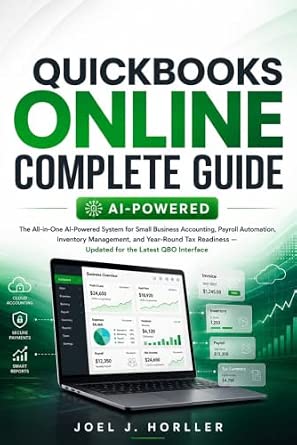
QuickBooks Online Complete Guide
- ✔ Format: Book or guide; exact format not specified
- ✔ Primary topic: QuickBooks Online
- ✔ Accounting: Small-business accounting
At a Glance
| Criteria | Zapier | Make | Winner |
|---|---|---|---|
| Ease of setup | Simpler, familiar trigger-and-action builder | More to learn; visual canvas exposes workflow structure | A |
| App integrations | Broad catalog across common business apps | Strong coverage, with availability varying by app and action | A |
| Complex workflow control | Good for linear workflows; less visual control for intricate paths | Visual branching, routers, and data transformations suit complex flows | B |
| AI workflow flexibility | Convenient for adding AI steps to app workflows | Flexible multi-step orchestration, though configuration takes care | B |
| Maintenance and troubleshooting | Generally approachable for nontechnical owners and staff | More visibility for diagnosing complex scenarios; requires familiarity | Depends |
| Value as usage grows | Convenience may justify higher costs for simpler setups | Can offer attractive value for high-volume or intricate scenarios | Depends |
AI Automation for Small Businesses: Build Semi-Passive Income Systems Without Hiring or Coding
This title most directly matches an owner who wants to explore AI automation without hiring or coding. Its stated focus on building income systems gives it a more specific promise than the broad departmental coverage of AI for Small Business, and it speaks more directly to automation than the accounting-centered QuickBooks Online Complete Guide. That makes it our first pick by topical fit, not by verified depth: the listing does not explain which tools, workflows, or business models the book covers.The appeal is the stated ambition to help small businesses create systems that may reduce ongoing manual effort. For a time-constrained owner, a no-code framing can make experimentation feel more accessible than a technical implementation project. But “semi-passive” should be read as an aspiration, not a guaranteed outcome. AI workflows still need setup, supervision, and maintenance, and the supplied information does not show whether the book explains those responsibilities in concrete terms.Compared with the cross-functional AI guide, this one appears narrower and more action-oriented around automation. Compared with the QuickBooks guide, it is less tied to a known business system, which could make its advice more flexible but also less immediately useful if the reader needs accounting instructions. We would choose it to investigate no-code possibilities, then verify that its contents include practical examples relevant to our own business before relying on it as an implementation manual.
Pros:
- Directly focuses on AI automation for small businesses.
- Explicitly frames its approach around avoiding coding.
- Addresses systems intended to reduce repeated work.
- Its topic is the closest match to the roundup’s automation intent.
Cons:
- The available description provides no chapter list, tools, or workflow examples.
- The semi-passive income framing may set expectations the listing does not substantiate.
- No specific integrations or maintenance guidance are confirmed.
Best for: Small-business owners looking for a no-code introduction to AI automation and income-system concepts.
Not ideal for: Readers who need confirmed tool-by-tool instructions, named integrations, or a dependable accounting workflow reference.
Bottom line: We rank it first for its direct no-code automation focus, while recommending buyers verify its practical detail before expecting a step-by-step playbook.
“We rank it first for its direct no-code automation focus, while recommending buyers verify its practical detail before expecting a step-by-step playbook.”
AI for Small Business: Using Artificial Intelligence for Marketing, Sales, HR, and Operations
Where our top pick emphasizes automation systems, AI for Small Business surveys potential uses across marketing, sales, human resources, and operations. That broad scope suits owners who are not yet sure where AI could help most. It gives this guide a different role: a starting point for identifying candidate processes across departments, rather than a clearly documented no-code build manual.For a small team, the breadth can be useful because repetitive work rarely sits in just one function. A business might first consider marketing tasks, then discover that sales follow-up or internal operations offers a better opportunity. The description, however, provides no further detail about methods, tools, examples, or implementation steps. We cannot tell whether it compares automation options or simply introduces AI concepts, so readers seeking a specific workflow may find the scope too general.Compared with AI Automation for Small Businesses, this guide signals wider functional coverage but less explicit attention to building systems without coding. Compared with the QuickBooks title, it offers a broader business lens while lacking that book’s named focus on accounting, payroll, inventory, and tax preparation. We would choose it when the first job is to map opportunities across a company; if the goal is to implement a particular process, the narrower alternative may be easier to evaluate against that task.
Pros:
- Names four distinct small-business functions as areas of coverage.
- Can support early-stage planning across a company.
- Broader departmental scope than the automation-systems title.
- Its focus is AI in small-business contexts rather than general enterprise use.
Cons:
- The description supplies no methods, tools, or examples.
- No specific automation workflows or implementation depth are confirmed.
- Its breadth may be less useful than a focused guide for a defined task.
Best for: Owners and small teams surveying where AI may fit across marketing, sales, HR, and operations.
Not ideal for: Readers who need confirmed no-code tutorials, specific integrations, or detailed instructions for accounting software.
Bottom line: We recommend it as a broad AI opportunity-mapping guide, with the caveat that the listing does not establish hands-on automation instruction.
“We recommend it as a broad AI opportunity-mapping guide, with the caveat that the listing does not establish hands-on automation instruction.”
QuickBooks Online Complete Guide
This is the specialist in the group. Rather than covering AI across a business or promising no-code income systems, QuickBooks Online Complete Guide concentrates on a defined operational hub: accounting. Its description names small-business accounting, payroll automation, inventory management, and year-round tax readiness, giving buyers more concrete subject areas to compare with their needs than the other listings provide.That specificity matters when administrative work is the problem. A business already using QuickBooks Online may value a guide that brings bookkeeping and adjacent processes into one learning path. The stated update for the latest version is a useful signal, though the listing does not identify the version date or explain how frequently the material will be revised. Nor does it claim to be an AI guide, so we should not treat its payroll automation coverage as evidence of AI-powered workflows.Against the other two, this guide sacrifices breadth for practical relevance to finance. It is less suitable than AI for Small Business for exploring marketing or HR, and less aligned than AI Automation for Small Businesses with a general no-code automation search. Still, for a QuickBooks user seeking to organize bookkeeping, payroll, inventory, and tax preparation, its focused scope may be the most immediately applicable of the three. Buyers using other accounting software should look elsewhere.
Pros:
- Covers small-business accounting in a named software environment.
- Includes payroll automation and inventory management topics.
- Addresses year-round tax readiness.
- Described as updated for the latest QuickBooks Online version.
Cons:
- Its subject is QuickBooks Online rather than broad AI automation.
- The supplied description does not identify the version or update date.
- No AI features, integrations, or step-by-step workflow detail are confirmed.
Best for: Small businesses using QuickBooks Online that want a focused reference for accounting and related administrative workflows.
Not ideal for: Owners seeking a general AI automation strategy, no-code tools across multiple apps, or guidance for another accounting platform.
Bottom line: We place it third overall because it is a strong fit for QuickBooks-centered admin work but a narrower answer to a general AI automation search.
“We place it third overall because it is a strong fit for QuickBooks-centered admin work but a narrower answer to a general AI automation search.”
As an Amazon Associate we earn from qualifying purchases.
Key Differences
The biggest difference is how much workflow design the tools put in front of the user. Zapier is oriented around connecting an event in one app to actions in others, which makes common jobs such as sending a lead to a spreadsheet and notifying a salesperson relatively easy to understand. Make lays out the workflow visually and exposes more ways to branch, reshape information, and decide what happens next. That control matters when a process has exceptions; it adds a learning cost when the task is simply moving data between two apps.
For AI use, neither product should be treated as a substitute for a defined business process. Either can connect AI steps with other software, but the business still has to decide what information the AI receives, what output is acceptable, and when a person checks it. Make is a stronger fit for workflows that need several conditions or transformations around an AI step. Zapier is easier to favor when a team wants to add a simple AI-assisted step to an existing app sequence.
Cost depends on the plan, task volume, and workflow design, so compare current plan limits against a realistic month of use. Make may be better value for teams that need more steps and control per scenario. Zapier can be worth paying more for when its simpler setup saves staff time or avoids relying on a specialist. Start with one recurring task, estimate monthly usage, and include the cost of monitoring failures and reviewing AI output.
Detailed Comparison
Ease of setup (Zapier wins — moderate)
Zapier wins by a moderate margin for owners and employees who want to build a familiar trigger-and-action workflow with little technical preparation. Make’s visual canvas is useful, but understanding modules, routes, and data passing takes more practice. For a small shop automating appointment reminders or lead notifications, Zapier can get a first version running with less training. Make pays off when the builder needs that extra control.
App integrations (Zapier wins — moderate)
Zapier has the edge, usually a moderate one, when the priority is finding a ready-made connection for a common business app. Make also supports many services, but the exact actions available can differ and should be checked before committing. A business built around mainstream email, forms, sales, and productivity tools is more likely to find a direct path in Zapier. Verify the specific trigger and action required; a listed app alone does not guarantee the needed operation.
Complex workflow control (Make wins — major)
Make wins by a major margin for workflows that need multiple branches, conditions, or data transformations. Its visual scenario can make these paths easier to inspect and adapt as exceptions appear. Zapier handles many business routines well, especially linear ones, but intricate logic can become less comfortable to manage. If a process has frequent exceptions, Make’s added learning curve can reduce later rework.
AI workflow flexibility (Make wins — moderate)
Make has a moderate advantage when AI is one part of a longer process with checks, routing, and data shaping. That structure can help send different outputs to different destinations or hold uncertain results for review. Zapier is the more approachable choice for a simple workflow, such as summarizing an incoming request before notifying a team member. Neither tool guarantees accurate AI results; define review rules before automating customer-facing or consequential decisions.
Maintenance and troubleshooting (moderate difference)
This is a genuine tradeoff. Zapier’s simpler construction makes routine workflows easier for nontechnical staff to understand, a minor to moderate advantage for teams without an automation owner. Make’s visual representation can make complex routes easier to diagnose, but only if someone understands how the scenario is configured. Whichever tool is chosen, assign an owner, monitor failed runs, and revisit workflows when connected apps change.
Value as usage grows (moderate difference)
There is no universal winner because pricing and usage limits change by plan and workload. Make can offer better value when a business needs intricate scenarios or processes a high number of operations, while Zapier may justify a higher bill when its setup reduces staff time or avoids specialist support. The practical comparison is monthly spend plus setup, monitoring, and error correction. Estimate actual volume and check current plan limits before moving important work.
Zapier: Pros and Cons
Pros:
- Approachable for common trigger-and-action workflows
- Broad app integration catalog
- A practical fit for teams with little automation experience
Cons:
- Less comfortable for heavily branched workflows
- Convenience may cost more at higher usage
- A listed integration may not include the exact action required
Make: Pros and Cons
Pros:
- Visual control over branches and conditions
- Useful tools for transforming data between apps
- Strong fit for multi-step AI orchestration
Cons:
- Takes longer to learn
- Integration actions should be checked for each required app
- Complex scenarios still need an assigned owner and monitoring
Who Should Choose What
Choose Zapier if:
- You want to automate familiar tasks quickly without training a technical specialist.
- Your workflow connects popular small business apps in a mostly linear sequence.
- Staff need to understand and edit simple automations themselves.
Choose Make if:
- Your processes include many conditions, exceptions, or alternate paths.
- You need to reshape data or coordinate several AI and app steps.
- You can invest time in learning the visual builder to gain more workflow control.
Skip both if: Skip both if the process is not stable, the required app action is unavailable, or a mistaken automated decision could cause harm without a human review step.
Value for Money
Paying more for Zapier makes sense when the simpler setup lets staff automate a recurring task without hiring help or losing time to workflow upkeep. That premium is harder to justify for a team that needs elaborate routing and can use Make’s visual controls confidently. Make can deliver stronger value for high-volume or complex work, but only if someone can build and maintain it. Check current plan prices, included usage, and overage rules against measured workflow volume; a low advertised tier is not useful if the actual workload quickly exceeds it.
Final Verdict
For most small businesses starting with a few routine automations, choose Zapier. Its easier setup and broad integrations make it the safer default when the goal is to connect everyday apps and let nontechnical staff manage the result. Choose Make when workflow complexity is the central problem: multiple routes, exceptions, or data transformations can make its learning curve worthwhile. The deciding factor is not the presence of AI in either product, but how much control the process needs around the AI. Before scaling, test one low-risk workflow, measure its usage, and assign someone to review failures and AI output.
Frequently Asked Questions
Which is easier for a small business to learn, Zapier or Make?
Zapier is generally easier for a first automation because its trigger-and-action structure is straightforward. Make suits users willing to learn a visual canvas in exchange for more control over routes and data.
Can both tools include AI in automated workflows?
Yes. Both can connect AI services with other apps, subject to the integrations and plan capabilities available at the time. Define what outputs require human review, especially before customer communication or business decisions.
Is Make always cheaper than Zapier?
No. The better value depends on the current plan, how usage is counted, and how many workflow steps run. Estimate a typical month’s activity and include the cost of staff time and troubleshooting before comparing plans.
Should a small business automate customer decisions with AI?
Only with clear limits and review. Use automation first for low-risk support tasks such as sorting or summarizing requests, and route uncertain or consequential outputs to a person.


