
TL;DR

Get business pricing on tech for your team
- Business-only prices and quantity discounts
- Tax-exempt purchasing
- Multiple users, one account, clear invoices
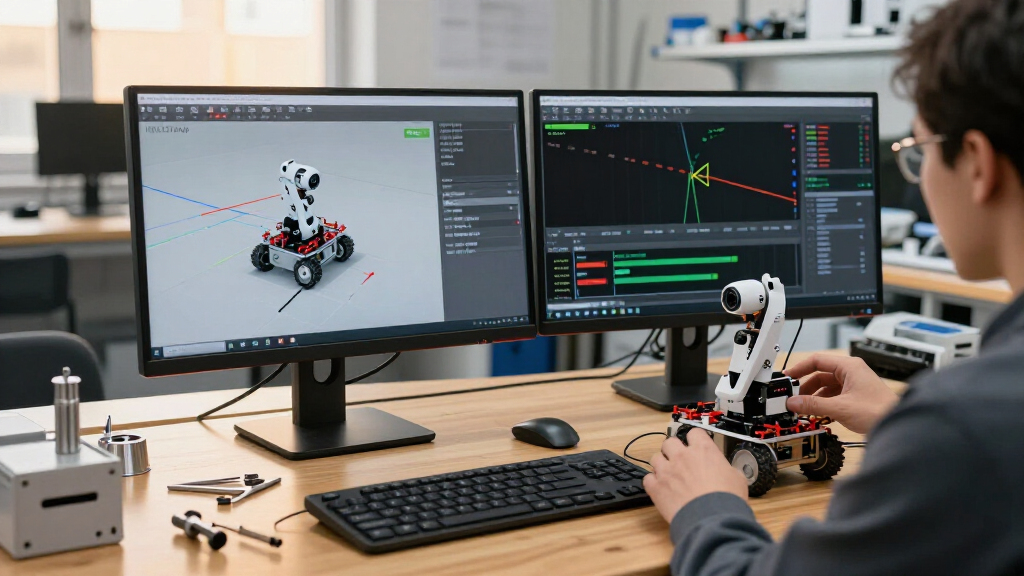
Hugging Face’s second article in its State of Simulation for Physical AI series demonstrates moving an SO-101 follower arm from a familiar MuJoCo workflow to as many as 2,048 parallel environments with MuJoCo Warp (MJWarp). The article covers setup and validation, not policy training, and the stated environment count is a demonstrated scale rather than a reported speed benchmark.
Hugging Face’s second State of Simulation for Physical AI article shows how to move an SO-101 follower arm from a standard MuJoCo workflow into MuJoCo Warp (MJWarp), with up to 2,048 parallel simulation environments. The tutorial focuses on preparing and scaling the simulation on GPUs; it does not train a robot policy or report a measured speedup.
The guide describes a division of work between MuJoCo and NVIDIA Warp. MuJoCo loads and compiles the MJCF robot model, while MJWarp implements compatible MuJoCo physics using Warp kernels compiled for NVIDIA GPUs. Running many copies of a scene in batches can suit learning workloads that need experience from varied starting states, although the article presents the environment count without a quantified throughput comparison.
Warp is a Python framework for writing GPU or CPU kernels. Its Python code specifies parallel work, while Warp compiles kernels for execution; the first launch builds and caches a native module, and later launches reuse it. The article also explains that copying a CUDA array to NumPy synchronizes and transfers data to the CPU. Keeping data on the device requires Warp’s framework adapters or DLPack-compatible sharing.
The SO-101 walkthrough is an environment preparation exercise, not a full learning pipeline. Hugging Face positions it between the earlier overview of robot simulation and later installments on Newton and Isaac Lab, which are intended to cover further integration layers. Warp features such as differentiable kernels and deterministic execution are discussed as framework capabilities, not as guarantees for every MJWarp rollout.
How to Use NVIDIA Warp and MJWarp for Robotics Simulation
Hugging Face’s SO-101 walkthrough maps a familiar MuJoCo model into batched GPU simulation. It demonstrates scale and setup, while leaving policy training and measured speed comparisons for another day.
What the tutorial actually demonstrates
01 / ScopeThe practical contribution is an implementation path: start with a familiar MuJoCo description, prepare a compatible scene, then advance many copies in batches on the GPU. The article does not claim that every task or robot will run faster.
Keep MuJoCo in the loop
MuJoCo loads and compiles the MJCF robot model. MJWarp then implements compatible MuJoCo physics through Warp kernels.
Scale across worlds
The SO-101 scene is prepared for as many as 2,048 parallel environments, useful to explore for workloads sampling varied states.
Simulation, not learning
The walkthrough prepares and scales an environment. It does not train a policy or report task success rates.
From robot model to GPU worlds
02 / Technology stackEach layer has a distinct job. Warp supplies the kernel language and device execution; MJWarp supplies batched MuJoCo physics; robot assets and scene geometry define the world being simulated.
SO-101 model and task geometry from sources such as Menagerie or Robot Studio.
MuJoCo compiles the model; MJWarp advances compatible physics in batches.
Python describes parallel kernels, which Warp compiles for GPU or CPU execution.
Load the model
Build the robot and scene through the MuJoCo workflow.
Check compatibility
Confirm the model fits the supported MJWarp path.
Batch environments
Prepare repeated worlds and initialize their states.
Run and inspect
Validate the simulation before connecting a learning loop.
Many worlds change the scaling question
03 / Workload fitWorld count is not throughput
Parallel environments can suit workloads that need experience from varied starting states. But the demonstrated count alone says nothing about how quickly each world advances, what hardware it requires, or whether learning improves.
Choose the tool around the job
04 / Practical fitThe article’s guidance is workload-specific. A GPU batch path is one option in a broader simulation landscape, not a universal replacement for a familiar CPU workflow.
| Workflow | Good fit when… | What to expect |
|---|---|---|
| CPU MuJoCo | Running single-robot MPC or teleoperation | Familiar, direct workflow |
| MJWarp / mjlab | Exploring batched MuJoCo physics throughput | Check model and task compatibility |
| MuJoCo Playground / MJX + Warp | Following JAX-oriented training recipes | Match the training stack to the recipe |
| Newton | Seeking broader multi-solver APIs and Isaac Lab integration | Covered in a later series installment |
Keep data close to the device
05 / Data pathFirst launch builds; later launches reuse
Warp compiles Python-described kernels for execution. The first launch builds and caches a native module. Copying a CUDA array to NumPy synchronizes and transfers data to the CPU; Warp adapters or DLPack-compatible sharing can keep data on the device.
Read the limits alongside the promise
06 / Evidence checkThe source presents a useful scale demonstration, but leaves key evidence for future measurement. Warp framework features do not automatically guarantee the same behavior for every MJWarp rollout.
No quantified speedup
No GPU model, simulation rate, workload settings, or CPU baseline is supplied for the 2,048-world figure.
Compatible models only
Scene complexity, contact conditions, and model changes may affect whether a workflow fits MJWarp.
Not a rollout guarantee
Warp offers autodifferentiation and deterministic modes; a complete MJWarp rollout is not automatically differentiable or deterministic.
A measured next step
07 / What comes nextHugging Face positions this installment between an overview of robot simulation and later coverage of Newton and Isaac Lab. To judge the performance case, teams still need reproducible throughput comparisons that name the GPU, scene, timestep, contact load, and baseline—followed by policy-training results.
Promising path to test
The SO-101 example makes batched simulation concrete. The 2,048-world marker is meaningful scale context, but without measured throughput or learning outcomes, MJWarp is best treated as an option to evaluate for a team’s workload—not a proven universal replacement for CPU MuJoCo.
Scaling Robot Worlds for Learning
Robot-learning workloads often need to evaluate many candidate actions or starting conditions. A single simulation that runs quickly may still limit how much experience can be generated at once. MJWarp’s batched GPU approach addresses that scaling question by advancing multiple compatible worlds while simulation data can remain near the accelerator.
The practical choice depends on the job. The article recommends familiar CPU MuJoCo for single-robot model-predictive control or teleoperation, MJWarp or mjlab for raw MuJoCo physics throughput, and MuJoCo Playground or MJX with the Warp implementation for JAX-oriented training recipes. Teams seeking a broader multi-solver API and Isaac Lab integration are pointed toward Newton, covered in a later article.
The tutorial’s value is therefore an implementation path and a scale demonstration, rather than proof that every robot task will run faster. The number of environments alone does not establish frame rate, hardware cost, compatibility, or training quality.
Top picks for "nvidia warp mjwarp"
As an affiliate, we earn on qualifying purchases.
From MuJoCo Models to Warp
MuJoCo is used for robot simulation and control, including workloads that parallelize sampling across CPU cores. MJWarp builds on NVIDIA Warp to execute compatible MuJoCo physics in batched GPU environments. In the tutorial’s stack, Warp supplies the kernel language and device execution, MJWarp supplies MuJoCo physics, and Menagerie or Robot Studio assets provide the SO-101 model and task geometry.
The article is the second entry in Hugging Face’s series on simulation for physical AI. Its stated scope is to prepare and scale a simulation, while later Newton and Isaac Lab installments address additional integration layers. The supplied source does not give a publication date, detailed hardware configuration, or a comparative benchmark for the SO-101 example.
““Here, we prepare and scale the simulation environment; we do not train a policy.””
— Hugging Face, describing the article’s scope
Performance and Compatibility Limits
The supplied material does not state the GPU model, measured simulation rate, workload settings, or comparison baseline behind the 2,048-environment figure. It is not clear how performance changes across different robot scenes, contact conditions, or hardware, or which MuJoCo models may require changes before they work with MJWarp. The article describes compatible models rather than claiming universal compatibility.
It also does not provide policy-training results, task success rates, or evidence that a GPU setup improves learning outcomes. Warp’s autodifferentiation and deterministic modes are described as available capabilities, but the source cautions that these do not make an entire MJWarp rollout differentiable or deterministic by default.
Training and Integration Ahead
Hugging Face says later articles in the series will cover Newton and Isaac Lab, extending the discussion to multi-solver APIs, USD, sensors, managers, and training loops. Those steps would show how a prepared MJWarp scene connects with larger robotics and learning systems.
For readers assessing whether to adopt the workflow, the next useful evidence would be reproducible throughput measurements with hardware and task details, model compatibility guidance, and results from an actual policy-training run. Those data are not included in the supplied article material.
Where I land
I read this as a useful engineering tutorial that makes the GPU scaling path concrete: it connects a familiar MJCF model to a batched simulation workflow and names the limits of what the walkthrough covers. The 2,048-world demonstration is a meaningful scale marker, but by itself it does not tell readers how quickly those worlds run or whether the setup improves a learning task.
The strongest counterargument is that raw benchmark data may not be the tutorial’s purpose; a clear setup path can help teams decide what to measure on their own hardware. I would place more weight on the performance case if Hugging Face or independent teams publish reproducible comparisons that name the GPU, scene, timestep, contact load, throughput, and CPU or alternative-simulator baseline, followed by policy-training results. Until then, I see MJWarp as a promising route to test for batched workloads, not a demonstrated universal replacement for CPU MuJoCo.
Key Questions
What does the tutorial demonstrate?
It describes moving an SO-101 follower-arm scene from MuJoCo into MJWarp and scaling it to as many as 2,048 parallel environments. It prepares a simulation environment; it does not train a policy.
What is MJWarp?
MJWarp applies MuJoCo physics through NVIDIA Warp, which compiles kernels for GPU execution. MuJoCo loads and compiles the MJCF model, and MJWarp advances compatible simulation states in batches.
Does the 2,048 figure prove a speedup?
No speedup is quantified in the supplied material. The figure describes the number of parallel environments shown, but no hardware, simulation rate, or baseline comparison is provided.
When should a team use CPU MuJoCo instead?
The article points to CPU MuJoCo for single-robot tasks such as model-predictive control and teleoperation. MJWarp is presented as an option when batched physics throughput is the priority.
Source: Hugging Face
Fall Picks
fall essentials
As an affiliate, we earn on qualifying purchases.