
TL;DR

Get business pricing on tech for your team
- Business-only prices and quantity discounts
- Tax-exempt purchasing
- Multiple users, one account, clear invoices
AI-powered spooky decor combines artificial intelligence with Halloween displays to create custom visuals, voices, stories, or responsive effects. Some decorations marketed as AI use only a motion sensor and prerecorded audio, so check what a product actually does. A well-timed light and sound cue can feel more convincing than a complicated setup, and safety, privacy, and offline reliability deserve a place in your plan.
A plastic skeleton that remembers what you said sounds like a Halloween prop from the future. But sometimes the “smart” part is just a motion sensor and a recording on a loop.
AI-powered spooky decor can mean custom-generated art, responsive character dialogue, or a network of lights and props that react together. This guide helps you tell those options apart, choose effects that fit your space, and keep your display safe and enjoyable for visitors.
A motion-triggered recording is automation; AI usually means a system generates or interprets content.
Use generated art, voices, or dialogue to personalize a scene, then review the results and usage terms.
Plan one clear visitor moment before choosing sensors, lights, speakers, or controllers.
Test offline behavior, sensor timing, audio, cable placement, and outdoor protection before Halloween night.
Tell visitors when a display processes faces or voices, limit collection, and provide a way to pass without interacting.
Know what “AI-powered” actually means before you buy
AI-powered spooky decor uses artificial intelligence for tasks such as creating media, recognizing speech, or adapting a character’s response. A motion sensor that triggers a prerecorded shriek can still make an excellent scare, but by itself it is ordinary automation. That distinction matters because it tells you what the product can do after the first trigger: a recording repeats the same way, while an AI feature may interpret input or create different content. The latter can feel more personal, but it can also be less predictable and require more setup.
Think of the label as a toolbox with different compartments. Generative AI can create a haunted portrait or draft a witch’s lines, while voice recognition can respond to spoken phrases and computer vision can analyze camera images. For instance, a porch gargoyle that plays the same growl whenever someone walks by is sensor-triggered; one that uses a speech system to respond to a visitor’s question adds another layer. Each layer has a different cost: generated content needs review, speech recognition can fail in noise, and image analysis may raise privacy concerns. Picking the capability that serves the scene helps avoid paying for complexity that guests will barely notice.
Marketing language does not always spell out which features a device uses, and product details can change. Before buying, check current availability, capabilities, pricing, and privacy settings. Look for whether the feature works locally or sends data to an online service, since that affects both reliability and what information leaves your home. A convincing effect depends more on timing and atmosphere than on a label.
Choose an effect that fits your Halloween setup
AI-powered spooky decor works best when each feature has a clear job, such as making a portrait speak or giving a character several possible replies. You can combine artificial intelligence with Halloween displays, but you do not need to make every part interactive. One striking moment often lands better than a yard full of competing sounds and lights because visitors need time to notice and understand a cue. More effects can add variety, but they also create more opportunities for delays, conflicting triggers, and troubleshooting.
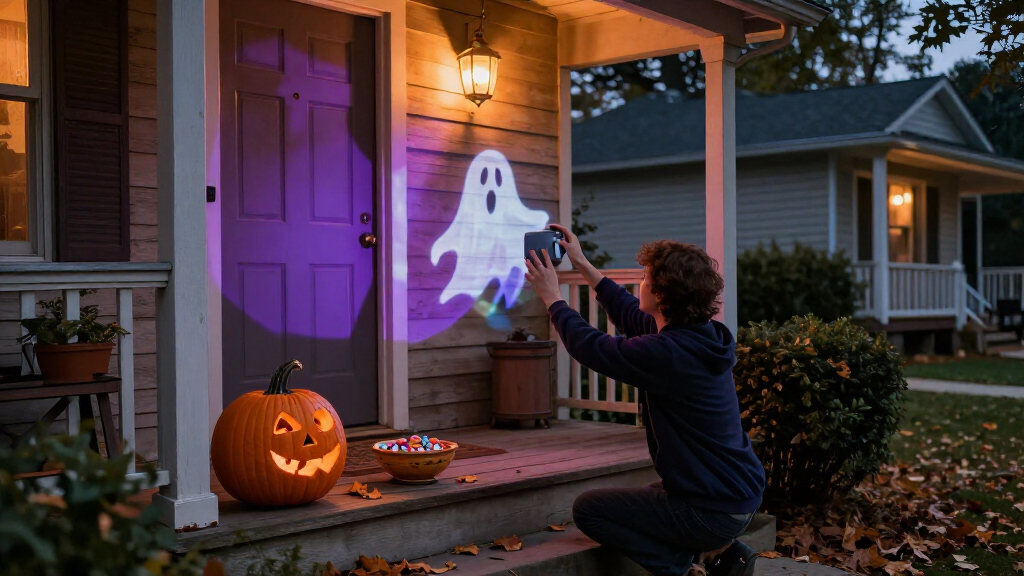
Picture a dim entryway with a portrait that whispers a short welcome as guests approach. Generated visuals might give the portrait a cracked, candlelit look; a speaker supplies the voice; and a smart bulb shifts from warm amber to cold blue. If the bulb needs internet access and the Wi-Fi drops, though, the color cue may stall just as guests reach the door. That is the core tradeoff in connected scenes: coordination can make the moment feel deliberate, but each online dependency can weaken the timing. A local recording or a simple fallback light cue can preserve the scene even if the more flexible feature fails.
| Approach | What it does | Good fit |
|---|---|---|
| Motion-triggered prop | Plays a set sound or moves when someone approaches | A simple jump scare |
| Generated media | Creates custom art, dialogue, or audio for you to edit | A themed backdrop or character |
| Responsive character | Uses speech tools to vary a reply | A short porch conversation |
| Connected effects | Coordinates lights, speakers, or plugs | A timed scene across a room |
Check what runs locally and what depends on a service online. Local playback usually offers less variation, but it can be faster and more dependable; online tools can adapt or generate more, while relying on connectivity and sometimes transmitting data. When a display needs to work through a crowded evening, a simple local trigger can prove more dependable than a cloud feature.
Build a memorable scene in four manageable steps
AI-powered spooky decor is easier to plan when you start with a short visitor experience and add tools only as needed. You can make a modest display with a smart light, speaker, and trigger; more elaborate builds may call for hobby electronics, coding, and extra troubleshooting. Start with one scene you can test from the visitor’s point of view. This keeps the creative goal in charge: every device should improve the moment enough to justify the setup and failure points it adds.
- Pick one moment. Decide what a guest should see or hear. For example, a silent scarecrow might turn its head and whisper when someone reaches the gate. A single clear cue gives the visitor a chance to register the reveal; several simultaneous cues can compete for attention.
- Create the content. Use an image or audio tool to draft a face, background, or line of dialogue, then edit it. Generated voices and visuals can need cleanup, and their licenses may limit commercial use or sharing. Review also matters for tone and context: a technically polished line can still sound out of character or be inappropriate for the audience.
- Choose the trigger and output. A motion detector can start a recording; a microphone and speech tool may support changing replies. A smart bulb, speaker, and controller can add light and sound, but confirm they work together. A fixed trigger is easier to test and more predictable; variable replies add surprise, but ambient noise or recognition errors can make the interaction awkward.
- Test the whole scene. Walk through it at the time and volume guests will encounter. Check for lag, false triggers, poor audio, and any cable that crosses a path. Testing the full chain reveals timing problems that checking each device alone will miss.
A small test run can expose the problems a desk setup hides. If your scarecrow responds after the guest has already passed, shorten the delay or move the sensor before adding more effects. The aim is a scene that works consistently for real visitors, not just a demonstration that succeeds once.
Make the scare feel polished, even without fancy AI
Good timing, clear sound, and purposeful lighting can make a basic prop feel alive. AI can help you personalize a scene, but technical complexity does not guarantee a stronger scare. Like a punchline that arrives a beat late, a great effect loses its force if guests hear it before they see it. A simple cue also gives you more control over the visitor’s attention, while a highly responsive setup may create surprises you cannot time as precisely.
For instance, put a small speaker behind a cardboard crypt and let a low whisper begin a second after the path light dims. That brief pause gives visitors time to lean in. You can use generated audio for a custom voice, or record a human voice yourself and keep the whole effect offline. The human recording takes more effort to change, but it avoids network delays and lets you tune the delivery exactly to the space.
Leave room for visitors who do not want a sudden fright. A quiet route around the display, steady lighting, and a visible note about strobes or loud sounds can help families choose their own pace. If your setup uses flashing lights, intense volume, or moving props, test how it feels from a child’s height and from the sidewalk. This helps you catch effects that seem mild from the control point but feel overwhelming at close range.
Protect guests, equipment, and their privacy
A safe display keeps props stable, cables out of walking paths, and sensitive data off the table unless you truly need it. Outdoor power connections need protection from weather, while moving parts and crowded paths call for extra care. A camera or microphone also changes the experience: guests may not expect a decoration to record them. These choices affect more than compliance; they shape whether people feel comfortable approaching the display.
If a talking pumpkin processes voices, tell visitors what it captures and how the system handles that information. Limit collection, avoid keeping recordings you do not need, and check the privacy rules that apply where you live. Be especially careful with generated voices or faces resembling real people; use them responsibly and review the tool’s usage terms. An always-listening microphone may make replies feel immediate, but it also captures more ambient conversation than a push button or motion trigger, so choose the least intrusive method that still supports the effect.
A good scare should end when the visitor walks away. Design effects so guests can pass, opt out, and enjoy the display without being recorded or startled without warning.
For a practical example, place a “talking pumpkin” away from the public sidewalk, secure its cables beneath a mat designed for outdoor use, and offer a non-interactive path past it. Keep a simple manual switch handy in case the network or trigger misbehaves. That fallback gives you a way to stop the interaction quickly and keep the display usable if a sensor or service behaves unpredictably.
Keep your display working when Wi-Fi or sensors fail
Offline playback and a fallback trigger can keep a Halloween scene running when a network connection drops or a sensor fires at the wrong time. Internet-dependent features may add flexibility, but they also add another point of failure. The best choice depends on how much variation your scene needs and how reliably your connection reaches the yard. For a short, repeated scare, a local recording may be enough; an online character can offer more varied exchanges, but only while its service and connection respond promptly.
Try the display during the busiest hour, when nearby networks and household devices may be active. If a speaker pauses while loading a cloud-generated line, save a short version locally if your tools allow it. If your porch light reacts to passing cars, adjust the sensor’s angle or limit its range. These small changes reduce interruptions that can make a scene feel accidental rather than intentional.
Before the event, walk the route, check the sound from several spots, and look for loose wires or damp connections. Keep the effect simple enough that a manual switch or backup recording can restore the scene quickly. Then let the atmosphere do its work: one blue flicker in the fog can linger longer than a dozen random effects.
Frequently Asked Questions
Can you make interactive Halloween decor without coding?
Yes. A motion sensor, speaker, smart bulb, or plug can create a useful scene without custom code, depending on compatibility. If you want changing dialogue or more complex interactions, check whether your chosen tools support them and plan for setup time.
Does AI-powered spooky decor need Wi-Fi?
Some features, especially cloud-based generation or voice services, may need an internet connection. Basic sensors and prerecorded audio can often work locally, depending on the equipment. Test your display with the connection off if you need it to run reliably outdoors.
Can AI characters respond naturally to visitors?
Speech tools can produce varied replies, but results depend on the software, microphone, noise, and connection. A windy porch or crowd can make recognition unreliable. Keep responses short and have a fixed fallback line ready.
How do you make AI Halloween decor safe for children and crowds?
Secure props, protect outdoor electrical connections, and keep cables out of walking paths. Give visitors a way to bypass loud, flashing, or moving effects, and test the scene at a child’s height. If cameras or microphones process visitors, explain what they capture and limit collection.
Conclusion
Start with one scene you can describe in a sentence, then choose only the tools that make that moment better. A whisper from a dark porch, timed just right, can turn a plain skeleton into the story guests remember on the walk home.
Fall Picks
fall essentials
As an affiliate, we earn on qualifying purchases.