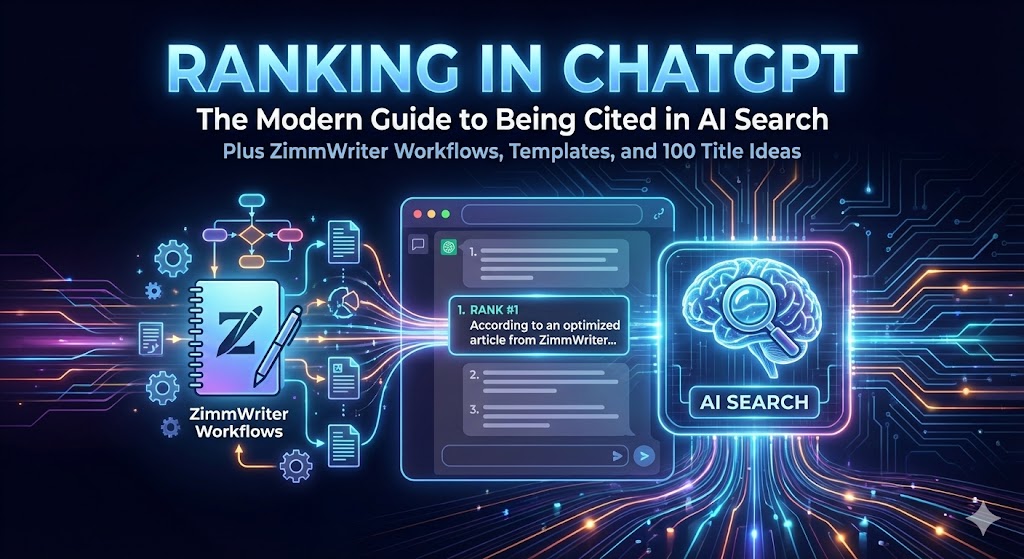

“Ranking in ChatGPT” is less like classic SEO (blue links + position #1) and more like earning selection inside an answer engine.
Your best outcome is that ChatGPT:
- finds your page when it searches,
- trusts it enough to use it,
- and cites it (or features it as a source) in the response.
That’s the new “rank.”
Below is a complete playbook covering:
- what “ranking in ChatGPT” actually means,
- how ChatGPT Search works at a high level,
- the technical requirements (crawling, robots, noindex, tracking),
- a practical research process (a “citation map” system),
- and how to scale content production with ZimmWriter (SEO CSV + Deep Research + WordPress publishing).
At the end you’ll also get:
- a ZimmWriter SEO CSV template (download + copy/paste),
- a citation tracking spreadsheet template (download),
- and 100 prompt-shaped title ideas you can adapt to any niche.
1) What “Ranking in ChatGPT” Means (and Where You Can Show Up)
The main surface: ChatGPT Search with citations
ChatGPT can search the web and return answers with links to sources, including a Sources sidebar. OpenAI
ChatGPT can also automatically decide to search the web if your question might benefit from web information. OpenAI Help Center
So “ranking” is basically: being retrieved and cited when ChatGPT Search runs.
A second surface: being included even if not cited
You might appear in the Sources list even if the main response doesn’t cite you yet. That still matters—because follow-up questions often pull from the same pool of sources.
A third surface: shopping/product results (if relevant)
If the user’s query suggests shopping intent, ChatGPT may show product carousels. OpenAI says product results are selected independently (not ads) and based on relevance to intent, considering factors like structured metadata and third-party content. OpenAI Help Center
Top picks for "rank chatgpt modern"
Open Amazon search results for this keyword.
As an affiliate, we earn on qualifying purchases.
2) How ChatGPT Search Works (What You’re Optimizing For)
OpenAI’s help documentation explains that ChatGPT Search may partner with other search providers and rewrites your query into targeted queries sent to those providers. OpenAI Help Center
It also uses general location information based on IP and may share that general location with third-party search providers to improve results (it states it does not share your IP address itself with those providers). OpenAI Help Center
Practical implications:
- Small wording changes can produce different results (because the rewritten query changes).
- Local intent (“near me”, city names, service areas) is a distinct game.
- Freshness matters more in AI search because users ask “latest”, “best right now”, and AI systems prefer newer information when it’s relevant.
3) The First Ranking Factor Is Eligibility: Can ChatGPT Crawl and Index You?
Before content, you must be “eligible” to appear.
Know the bots: OAI-SearchBot vs GPTBot vs ChatGPT-User
OpenAI documents three important user agents:
- OAI-SearchBot: “for search,” used to surface websites in ChatGPT search results. Sites that opt out won’t be shown in ChatGPT search answers (though they can still appear as navigational links). OpenAI Platform
- GPTBot: used to crawl content that may be used for training OpenAI’s generative AI foundation models. OpenAI Platform
- ChatGPT-User: used when users ask ChatGPT (or Custom GPTs) to visit a page; it’s not an automatic crawler, and OpenAI notes robots.txt rules may not apply to these user-initiated actions. Also, ChatGPT-User is not used to determine whether content appears in Search. OpenAI Platform
Also: OpenAI states each setting is independent—you can allow search while disallowing training. OpenAI Platform
A simple robots.txt approach (search visibility on, training off)
If your goal is “rank in ChatGPT Search” but you want to opt out of training, this is the typical pattern (verify it matches your preferences):
User-agent: OAI-SearchBot
Allow: /

User-agent: GPTBot
Disallow: /
That aligns with OpenAI’s “independent settings” approach for OAI-SearchBot vs GPTBot. OpenAI Platform
Robots changes aren’t instant
OpenAI notes it can take ~24 hours from a robots.txt update for search systems to adjust. OpenAI Platform
Noindex matters (for controlling what’s surfaced)
OpenAI’s publisher FAQ says that if they obtain a URL of a disallowed page from a third-party search provider (or other crawling) and think it’s relevant, they may surface just the link and page title—and if you don’t want that, you should use a noindex meta tag (and allow the crawler to read it). OpenAI Help Center
Track traffic from ChatGPT Search
OpenAI states ChatGPT includes utm_source=chatgpt.com in referral URLs, which enables tracking in analytics platforms. OpenAI Help Center
4) The New Content Game: Make Pages “Citable,” Not Just “Readable”
When ChatGPT cites a page, it’s typically because the page is:
- directly relevant,
- structured clearly,
- and contains high-confidence, easy-to-summarize information.
Here’s what consistently improves “citation likelihood.”
A) Put the answer first (AI loves fast clarity)
Lead with:
- definition / direct answer
- key criteria
- short, actionable steps
Think: a human should get value in 10 seconds.
B) Build “answer blocks” inside the article
ChatGPT often composes answers from multiple chunks. Make chunks obvious:
- short sections with descriptive H2/H3s
- lists and tables (when they clarify tradeoffs)
- mini “If you only remember one thing…” callouts
C) Win by being the best explainer, not the loudest marketer
AI search tends to favor clarity over hype. Pages that include:
- tradeoffs,
- “who this is for / not for,”
- failure modes,
- and decision criteria
are easier for an AI to trust and summarize.
D) Freshness is a ranking weapon
If “recency” is relevant to the topic, update:
- your intro summary,
- your comparison table,
- your recommendation list,
- and your “last updated” date.
E) Internal linking becomes a “knowledge map”
A site with a clean hub-and-spoke structure is easier for systems (and humans) to interpret:
- Hub: “Complete guide to X”
- Supports: “X vs Y”, “How to choose X for Z”, “Troubleshooting X”, “Costs of X”, “Best X for Y”
5) How to Research “Ranking in ChatGPT”: Build a Citation Map
Classic SEO research asks: “What keywords should I target?”
For ChatGPT, ask:
“What does ChatGPT cite today for the questions I want to own?”
Step-by-step research workflow
- Make a prompt list (30–200 prompts)
Use your niche plus real user language:- “best X for Y”
- “X vs Y”
- “how to choose X”
- “how much does X cost”
- “is X worth it”
- “how to fix X”
- Run each prompt in ChatGPT Search
ChatGPT Search can automatically search the web when it benefits your question. OpenAI Help Center
Log:- citations/sources,
- the angle of the answer,
- and the format (did it reward a table? a how-to list? a definition?)
- Classify what’s being cited
Create buckets:- brand/manufacturer
- major media
- niche blogs
- government/standards bodies
- forums/communities
- Identify your “citation gap”
A gap is when:- sources are outdated,
- the page is shallow,
- the answer lacks steps or clear criteria,
- or there’s no single “best page.”
- Build a cluster plan
For each topic:- create 1 hub + 6–20 supports
- interlink them
- keep each page extremely specific
- Retest monthly
Because ChatGPT Search can rewrite queries and partner with third-party search providers, results can shift. OpenAI Help Center
Your job is to keep improving until your pages become the easiest “building blocks” for answers.
6) How to Use ZimmWriter to Rank in ChatGPT (The Practical Production System)
ZimmWriter can help you scale content—but scaling alone doesn’t earn citations.
Your system must produce content that is:
- structured,
- research-informed,
- and consistently updated.
The ZimmWriter features that matter most for ChatGPT visibility
A) Bulk creation + SEO CSV control
ZimmWriter’s Bulk Blog Writer supports large batches (it describes entering up to 1,000 titles). Ranking Tactics
More importantly, its SEO CSV workflow lets you control each article with fields like:
- title,
- outline focus,
- background,
- outline,
- SEO keywords,
- category. Ranking Tactics
The official Google Sheet template for the Bulk SEO CSV shows the exact columns:
“ARTICLE TITLE, OUTLINE FOCUS, BACKGROUND, OUTLINE, SEO KEYWORDS, ONE WORDPRESS CATEGORY, SLUG”. Google Docs
It also explains:
- each row requires an article title; other columns are optional,
- background can be ~1,200 words or include 1–3 URLs (each on its own line) to scrape,
- SEO keywords have a max (150),
- outline must be in the accepted ZimmWriter outline format,
- and the slug/category columns control WordPress settings. Google Docs
B) Deep Research for higher-confidence drafts
ZimmWriter’s Deep Research documentation says:
- it only works in the Bulk Writer,
- it uses specific online/citation-capable models (it notes Perplexity Online via OpenRouter),
- it does not work with SERP scraping (you choose one or the other),
- and it can scrape/summarize citation URLs (it recommends using a scraping API for citations). Ranking Tactics
This matters for ChatGPT ranking because “citable content” is usually:
- more factual,
- more specific,
- and less generic.
C) WordPress integration for consistent publishing
ZimmWriter’s WordPress integration documentation says you can connect up to 999 WordPress sites and automatically upload finished posts. Ranking Tactics
It also walks through using WordPress application passwords for secure access. Ranking Tactics
D) Scraping providers and SERP workflows (for research)
ZimmWriter’s changelog indicates scraping capabilities and provider options evolve (e.g., it notes adding DataForSEO and Serper as scraping API providers and changes related to SERP scraping). Ranking Tactics
So treat scraping/research as configurable—and keep an eye on the tool’s updates.
7) A ZimmWriter Workflow Built Specifically for ChatGPT Search Citations
Here’s a clean, repeatable system:
Phase 1: Build your “citation map” first
- Run 30–100 prompts in ChatGPT Search
- Log citations, formats, and gaps
- Convert gaps into a content cluster plan
Phase 2: Create an SEO CSV for cluster publishing
Use the Bulk SEO CSV template columns (title, outline focus, background URLs, outline, keywords, category, slug). Google Docs
Best practice: Put the quality control into the CSV:
- “Outline focus” should force decision criteria and tradeoffs
- Background should include 2–3 authoritative sources (URLs) for Deep Research / scraping
- Outline should include an answer-first intro + FAQ every time
Phase 3: Choose either Deep Research or SERP scraping (don’t mix)
Deep Research docs explicitly say it doesn’t work with SERP scraping—you choose one. Ranking Tactics
For “rank in ChatGPT,” Deep Research is often the better default for informational/buyer content because it’s designed to pull real-time research + citations. Ranking Tactics
Phase 4: Publish to WordPress + build internal links
- Publish hubs first, then supports
- Add “Related guides” sections
- Use clean slugs and categories (the template supports that) Google Docs
Phase 5: Human edit for “citation readiness”
Even with research, do a fast editorial pass:
- remove vague fluff
- tighten the first 10 lines
- add a comparison table (when useful)
- add “who it’s for / not for”
- add a short FAQ
- add an “Updated: YYYY-MM-DD”
Phase 6: Retest monthly + update what wins
- identify which pages start getting ChatGPT traffic (
utm_source=chatgpt.com) OpenAI Help Center - expand and refresh those pages first
8) The 30-Day Execution Plan
Days 1–3: Eligibility + tracking
- Confirm OAI-SearchBot is allowed if you want to appear in ChatGPT Search results. OpenAI Platform
- Add noindex where you truly never want pages surfaced (and allow crawling so tags can be read). OpenAI Help Center
- Create analytics segment for
utm_source=chatgpt.com. OpenAI Help Center
Days 4–10: Citation map research
- Collect 50 prompts
- Run ChatGPT Search tests
- Pick 5 clusters to build
Days 11–21: Produce with ZimmWriter SEO CSV
- 1 hub + 8 supports per cluster
- Use Deep Research or SERP scraping (choose one) Ranking Tactics
- Publish to WordPress (or schedule) Ranking Tactics
Days 22–30: Optimize what gets traction
- Improve answer-first intro
- Add tradeoff tables
- Strengthen internal linking
- Update dates and key claims
Deliverables You Asked For
A) Downloadable templates
Download the ZimmWriter SEO CSV template
B) ZimmWriter SEO CSV template (copy/paste version)
The official Bulk SEO CSV template columns are:
ARTICLE TITLE, OUTLINE FOCUS, BACKGROUND, OUTLINE, SEO KEYWORDS, ONE WORDPRESS CATEGORY, SLUG. Google Docs
And the template notes:
- only Article Title is required; other columns are optional
- Background can include 1–3 URLs on separate lines (or a written brief)
- SEO keywords have a max of 150
- Outline format must follow the ZimmWriter outline format
- Slug and category control WordPress settings. Google Docs
Example CSV (minimal, clean):
ARTICLE TITLE,OUTLINE FOCUS,BACKGROUND,OUTLINE,SEO KEYWORDS,ONE WORDPRESS CATEGORY,SLUG
How to choose {PRODUCT} for {USE-CASE} in {YEAR},"Focus on decision criteria, tradeoffs, and common mistakes. Include a short FAQ at the end.","https://example.com/source-1
https://example.com/source-2","1. What it is and why it matters
2. Key criteria
3. Step-by-step: how to choose
4. Common mistakes
5. FAQ","{product}, best {product}, {product} for {use-case}","{Category Name}",choose-{product}-for-{use-case}
{PRODUCT} vs {ALTERNATIVE}: Which should you buy?,"Compare by use-case, price, reliability, and total cost of ownership. Keep it neutral and evidence-based.",,, "{product} vs {alternative}, {product} comparison","{Category Name}",{product}-vs-{alternative}
C) “Citable” outline template (use in ZimmWriter OUTLINE or as a reusable structure)
Use this structure for most informational/buyer pages:
- The answer (short)
- Who this is for / not for
- Decision criteria (3–7 factors)
- Step-by-step method
- Tradeoffs and common mistakes
- Examples / scenarios
- FAQ
- Key takeaways
This template “reads well to humans” and produces strong answer blocks for AI to cite.
D) Monthly citation tracking sheet format (simple + effective)
You can use this column structure (it’s already in the downloadable spreadsheet):
- Date tested
- Query / prompt
- Intent (info/buyer/local)
- Market / location
- ChatGPT tool used (Search?)
- Our site cited? (Y/N)
- Our cited URL (if any)
- Other cited sources (URLs)
- Source types (brand/media/gov/forum/etc.)
- Notes (why they were cited)
- Action to take
- Priority
- Next test date
(That exact layout is in the tracking spreadsheet you can download.)
E) 100 prompt-shaped title ideas to “rank in ChatGPT” (adaptable to any niche)
Use placeholders like {PRODUCT} {CATEGORY} {USE-CASE} {BUDGET} {BRAND} {YEAR} {PROBLEM}.
Definitions & basics (1–15)
- What is {PRODUCT} and how does it work?
- {PRODUCT} explained: simple definition + real examples
- Do you really need {PRODUCT}? Here’s how to decide
- The difference between {PRODUCT} and {ALTERNATIVE} (in plain English)
- {PRODUCT} terminology: a beginner’s glossary
- The 7 most common {PRODUCT} myths (and what’s actually true)
- {PRODUCT} safety basics: what to avoid and why
- The hidden costs of owning {PRODUCT} (what people forget)
- How long does {PRODUCT} last? Lifespan, wear, and replacement signs
- What size {PRODUCT} do I need? A simple sizing guide
- {PRODUCT} maintenance checklist (daily / monthly / yearly)
- What to look for in a high-quality {PRODUCT}
- {PRODUCT} accessories: which ones matter and which are hype
- {PRODUCT} for beginners: the fastest path to competence
- The biggest mistakes people make with {PRODUCT}
Buyer guides (16–40)
- Best {PRODUCT} for {USE-CASE} (with tradeoffs)
- Best {PRODUCT} under {BUDGET} (what you give up at this price)
- Best {PRODUCT} for apartments / small spaces
- Best {PRODUCT} for families (durability + ease of use)
- Best {PRODUCT} for professionals (what actually matters)
- Best budget {PRODUCT}: what “good enough” looks like
- Best premium {PRODUCT}: who should pay more and why
- Best {PRODUCT} for travel: weight, durability, and setup time
- Best {PRODUCT} for beginners: simple, reliable picks
- Best {PRODUCT} for advanced users: performance-focused picks
- Best {PRODUCT} for {REGION/CLIMATE}: what changes and why
- {PRODUCT} buying checklist: 12 things to verify before purchase
- How to choose {PRODUCT}: a step-by-step decision framework
- {PRODUCT} comparison table: what to compare (and what not to)
- Cheapest vs best value {PRODUCT}: which is smarter long-term?
- {PRODUCT} warranty guide: what terms actually matter
- New vs used {PRODUCT}: how to evaluate risk
- Where to buy {PRODUCT}: online vs local stores
- How to avoid scams when buying {PRODUCT}
- Best time of year to buy {PRODUCT} (and why)
- {PRODUCT} returns and refunds: what to check before ordering
- Best {PRODUCT} brands: which ones are consistently reliable?
- Are store-brand {PRODUCT}s worth it? A practical test
- {PRODUCT} for {SPECIAL NEED}: accessibility and ease-of-use factors
- The “right” {PRODUCT} for you: a quiz-style decision guide
Comparisons (41–60)
- {PRODUCT A} vs {PRODUCT B}: which should you buy?
- {BRAND A} vs {BRAND B} {PRODUCT}: differences that actually matter
- {PRODUCT} vs {ALTERNATIVE}: who should choose what?
- {PRODUCT} vs DIY: cost, quality, and risk comparison
- New model vs last year’s {PRODUCT}: what really changed?
- Cheap vs premium {PRODUCT}: the real-world differences
- Small vs large {PRODUCT}: what you gain and what you lose
- Manual vs automatic {PRODUCT}: which is better for {USE-CASE}?
- {MATERIAL A} vs {MATERIAL B} {PRODUCT}: durability, feel, and maintenance
- The top 5 {PRODUCT}s compared (specs + best for who)
- Most popular {PRODUCT}s: what they get right (and what they don’t)
- {PRODUCT} for {USE-CASE 1} vs {USE-CASE 2}: different priorities
- {PRODUCT} subscriptions vs ownership: which is better long-term?
- Entry-level vs pro-level {PRODUCT}: when upgrading makes sense
- The most reliable {PRODUCT}s: what reliability actually means
- The quietest {PRODUCT}s: what to look for beyond marketing
- Fastest vs most efficient {PRODUCT}: picking the right tradeoff
- {FEATURE A} vs {FEATURE B}: which matters more for {PRODUCT}?
- {PRODUCT} vs refurbished: how to spot a good deal
- Which {PRODUCT} is easiest to use? A beginner-first ranking
How-to & troubleshooting (61–85)
- How to set up {PRODUCT} the right way (step-by-step)
- How to use {PRODUCT} for {USE-CASE} (real-world workflow)
- How to clean {PRODUCT} without damaging it
- How to store {PRODUCT} so it lasts longer
- How to fix {PROBLEM} with {PRODUCT} (common causes + solutions)
- Why {PRODUCT} isn’t working (diagnostic checklist)
- {PRODUCT} maintenance schedule (printable)
- How to improve performance of {PRODUCT} (safe upgrades)
- How to make {PRODUCT} safer around kids/pets
- How to reduce noise/odor/issues with {PRODUCT}
- The fastest way to learn {PRODUCT}: a 7‑day plan
- How to choose settings for {PRODUCT} (beginner to advanced)
- {PRODUCT} troubleshooting: error codes / common failures
- What to do when {PRODUCT} breaks: repair vs replace
- How to avoid {PROBLEM} when using {PRODUCT}
- The most common {PRODUCT} mistakes (and how to avoid them)
- How to check if {PRODUCT} is authentic / not counterfeit
- How to calibrate {PRODUCT} (why it matters)
- How to measure {RESULT} with {PRODUCT} correctly
- How to improve results with {PRODUCT} using small changes
- How to make {PRODUCT} last 2x longer (maintenance that matters)
- How to safely dispose of / recycle {PRODUCT}
- How to upgrade from {OLD PRODUCT} to {NEW PRODUCT} smoothly
- A beginner’s workflow for {PRODUCT} (no jargon, no fluff)
- Advanced workflow for {PRODUCT} (efficiency + consistency)
Costs, data, and trust-building pages (86–100)
- How much does {PRODUCT} cost in {YEAR}? (ranges + what drives price)
- The true cost of {PRODUCT} ownership (purchase + maintenance)
- {PRODUCT} ROI: is it worth it for {USE-CASE}?
- {PRODUCT} checklist: what to verify before buying (printable)
- {PRODUCT} checklist: what to verify after delivery/installation
- {PRODUCT} statistics: what the data says (with interpretation)
- {PRODUCT} safety standards explained (what they mean for buyers)
- {PRODUCT} warranties explained (what actually protects you)
- {PRODUCT} reviews decoded: how to spot fake vs real reviews
- {PRODUCT} red flags: when to walk away from a deal
- Best practices for choosing {PRODUCT} (from pros)
- The most common questions about {PRODUCT} (answered clearly)
- {PRODUCT} FAQ: quick answers to 20 real questions
- {PRODUCT} mistakes that cost the most money (and how to avoid them)
- The complete guide to {CATEGORY}: everything you need to know
If you tell me your main niche (just one phrase like “coffee gear,” “home renovation,” “outdoor power,” “AI tools,” etc.), I’ll take this one step further and generate:
- a full 5‑cluster topical map (hub + support pages),
- a ready-to-import ZimmWriter SEO CSV for your first 30 posts,
- and a “citation gap report” showing which prompts to prioritize first.