By Thorsten Meyer | November 13, 2026 | ThorstenMeyerAI.com

Get business pricing on tech for your team
- Business-only prices and quantity discounts
- Tax-exempt purchasing
- Multiple users, one account, clear invoices
On November 6, 2026, I gave an AI coding agent a one-sentence brief: build me my own Acrobat clone that I can use. The first working version of what I now call Docestra was committed that same evening, at 21:47 Central European Time. It opened PDFs, let me highlight, draw, add notes, sign, fill in forms, reorder pages and save a real PDF.
That part was fast, and it is the part everyone talks about. What I want to describe here is what came after: six days of versions, from v1 on November 6 to v1.5.1 on November 12, in which real files broke things that the first version seemed to handle well. My conclusion: vibe coding gets you a working tool quickly. Turning it into a tool you can rely on is the real work. For a tool that sits in the middle of your daily workflow, that work is worth doing.
Key takeaways
- Fast start, real gaps: the first version worked on the files it was tried on. A test run over 930 real PDFs found a save bug in which markups disappeared from a file, before I ever hit it in daily use.
- Real files define “working”: 52 of 69 encrypted PDFs I tested did not allow annotations, and an early “white-out” tool only painted over text instead of removing it. Both needed honest decisions, not quick patches.
- Review changes the design: an independent AI reviewer found 14 and then 13 problems in my first real redaction feature. Instead of patching further, I switched to a simpler design.
- Enhance, do not throw away: a practical checklist below, for companies and for individual users who rely on a tool they had an AI build for them.
- What is not measured: I have not measured time or cost savings. Docestra is private and not available to download. Version 2.0 has been in development since November 13, 2026, and is not finished.
Docestra · Nov 6–13, 2026
From one prompt to a tool I can rely on
What the first version gave me, what real files broke, and what it took to fix it, from my project log.
What the tool rests on (schematic)
Built bottom up. The top layer is a plan, not a finished feature.
What happened, by date
- Nov 6One-sentence brief; first working version committed the same evening
- Nov 6Test over 930 real PDFs finds a save bug that dropped markups
- Nov 752 of 69 encrypted PDFs forbid annotations: unlock only into a new copy
- Nov 8Real redaction: review finds 14, then 13 problems; simpler design, 0 leaks in 917 PDFs
- Nov 12Version 1.5.1: 745 unit tests, 32 browser test suites
- Nov 13Version 2.0 starts: one shared PDF engine for our AI agents (in development)
Source: Docestra project records (development log, plans for versions 1 and 2.0, commit history), Nov 6–13, 2026. The layer stack is a schematic, not a measurement.
Graphic: Powered by Thorsten Meyer AI
Products Worth Considering
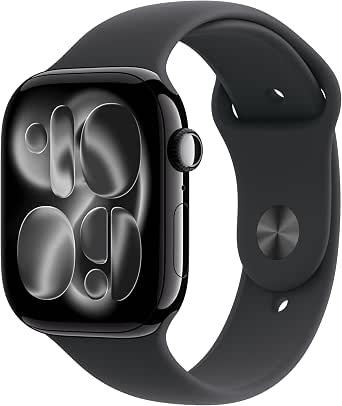
Apple Watch Series 11 GPS + Cellular, 46mm Jet Black Aluminum Case with Black Sport Band (M/L)

Logitech MX Mechanical Wireless Illuminated Keyboard, Clicky Switches

Samsung Galaxy Tab A11 8.7-Inch Wi-Fi Tablet, 64GB, 4GB RAM, 90Hz, Gray, with 20W Charger
As an affiliate, we earn on qualifying purchases.
What vibe coding gave me in one day
By vibe coding I mean building software mainly by describing what you want to an AI model in plain language and letting it write the code, rather than writing the code yourself. That is how Docestra started. The code was written by AI coding agents (Anthropic’s Claude Code, running Claude Opus), and from day one a second model, OpenAI’s Codex, reviewed it.
The first version was a local web app in TypeScript. It runs on my own Mac, in the browser, and files never leave the machine. On day one it could view, search, highlight, draw, add text boxes, notes, shapes and a signature, fill in form fields, rotate, delete and reorder pages, combine PDFs, extract pages, print, undo and save.
This is what it looks like today, in version 1.5.1, with a sample document I made for the screenshot.

For a personal tool that is remarkable. It is also exactly the point where many vibe-coded tools stop: it works on the three files you tried, so it is “done”.
What broke when real files arrived
The most useful thing I did on day one was not a feature. It was a robustness run over 930 real PDFs. It found that the way the PDF library saved files could write a broken cross-reference table for a real file produced by a common PDF generator. The visible result: markups vanished from the saved file. A demo file would never have shown that. The fix was a deliberate decision to save without compressed object streams.
The same run raised a question the brief never asked. Of 69 encrypted PDFs, 52 did not allow annotations, according to the restrictions their authors had set, and the library I used could not encrypt a file again after editing. Simply saving them without protection would have been wrong. The next day I decided what I actually wanted: Docestra now unlocks such a file only after a confirmation that names the author’s restrictions, and it always saves an unprotected copy. The original is never overwritten. All 69 encrypted test files then unlocked.
Then there was redaction. Version 1 had a “white-out” tool, and the plan said plainly that it only covers content: the text underneath stays in the PDF. That is a big difference if you think you have removed a name or an account number from a contract. On November 8, I built real redaction. The first design removed content in place. The independent review found 14 problems in round one, and 13 in round two, mostly gaps in the fixes from round one. That is a repair chain, and our rule for that is to stop patching and choose a simpler path. The second design turns every page that has a redaction into an image, fills the marked areas in the pixels, and adds an invisible, searchable text layer without the lines that touch a mark. On 917 real PDFs, that test found 0 leaks.
Licences came up too. The PDF viewer library ships fonts under the GPL-2.0 licence. Docestra does not ship them, because our rules exclude GPL code. Later, when I wanted text recognition and true text editing, I approved each bundled library’s licence explicitly before it went in.
The honest cost: for several packages, my notes record that testing and rework took longer than building. That is not a failure of vibe coding. It is what reliability costs.
Why I enhanced it instead of starting over
Each problem above had the same choice: throw the tool away and look for something else, or make it better. I kept improving it, for three reasons.
First, the tool already fit my workflow. Every fix made the version I actually use better, and the features came from my own daily work: on November 7, I wrote “I want to be able to mark it edit it” about an encrypted PDF, and that became the unlock feature.
Second, the tests and reviews accumulate. Every real problem found by a review now has a test that fails on the old code, so the same mistake cannot quietly return. The number of automated unit tests grew from 17 in the first version to 745 in version 1.5.1.

Third, the tool got honest about itself. The README lists what Docestra cannot do, in plain words. A count of tests does not prove quality, but a written list of limits is something I can check every day.
A checklist for enhancing a vibe-coded tool
This is what I would recommend to a business, or to anyone who now relies on a tool an AI built for them.
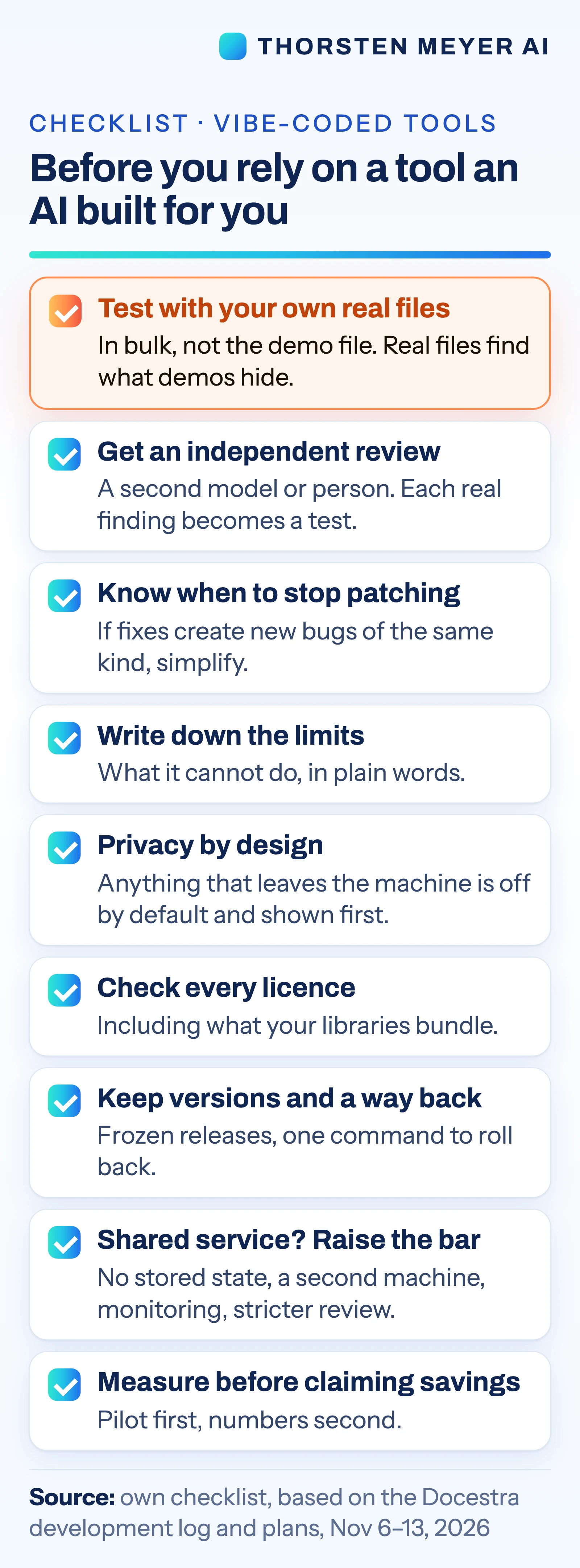
- Test with your own real files, in bulk. Not the demo file. The save bug and the encryption question only showed up across hundreds of real documents.
- Get an independent review. A second model or a second person, separate from the one that wrote the code. Turn every real finding into a test that fails on the old version, and write down findings that only appear with deliberately broken input, instead of patching everything.
- Know when to stop patching. If a review round mostly finds problems in the last round’s fixes, choose a simpler design.
- Write down the limits. What the tool cannot do, where the edge cases are, which browsers or file types are not covered.
- Design for privacy from the start. In Docestra, the one feature that sends anything off the machine, an AI assistant, is off by default. When switched on, it sends only the text of the pages I choose to a language model on one of my own machines, never the file, and it shows exactly what will be sent before every request. Text that is covered or cropped on the page is read from the page image instead of the hidden text layer, so only what is visible goes out.
- Check every licence. Including the libraries your libraries bundle.
- Keep versions and a way back. Docestra installs each release as a frozen copy and can switch back to the previous release with one command. When a deploy failed on November 9, the deploy script was changed to wait and retry instead.
- Plan the step from personal tool to shared service. Once other apps or people depend on it, the bar rises: the 2.0 plan calls for a stateless service on two always-on machines that take over for each other, monitoring, and the strictest review level, because the service parses PDFs it did not create.
- Measure before you claim savings. I have no measured time savings for Docestra. The 2.0 plan starts with a pilot that measures the benefit first.
Where Docestra goes next
Version 2.0 has been in development since November 13, 2026. None of it is finished, and the following describes the plan, not shipped features. The idea is to turn Docestra’s engine into one shared PDF component for our AI agents and apps, with three ways in: a command line, a service and a connection for AI agents. The plan’s goals:
- Facts with page references: text extracted with its page and position, so a figure taken from a report can point to the exact page.
- Concealed text flagged: text that is covered, cropped or the same colour as the background is reported, not silently used. The plan’s guide for agents says extracted text is data, never instructions.
- Always available: the service runs on two machines; if one fails, the other answers. Both are built to hold no state, so either can answer any request.
- Nothing stored: PDFs are deleted after each request, and the service fetches no URLs.
- Measure first: a pilot with the PDF sources from our own research kits, counting how many figures can be backed with a page reference before and after.
The personal editor stays separate and keeps its privacy promise.
What it means for businesses
- The first version is a prototype, whatever it looks like. If a vibe-coded tool touches contracts, invoices or customer files, budget for testing with real files and an independent review before people depend on it.
- Some differences only matter on bad days. White-out versus real redaction, or a save that silently drops markups, look identical in a demo. They decide whether the tool is safe for real work.
- Ownership is the advantage. A tool you have built can be fitted exactly to your workflow and your rules on privacy and licences. That only pays off if someone keeps improving it.
What it means for users
- Treat a new AI-built tool as untested. Keep the original file, work on copies, and check the result in a second app before you send it.
- Look for a limits section. A tool that says what it cannot do is easier to trust than one that claims to do everything.
- Know what leaves your machine. Any feature that uploads text or files should say so, and should be off until you switch it on.
What is not known, and the limits
- No measured savings. I have not measured time or money saved with Docestra, and I am not claiming any.
- Not a product. Docestra is my private tool. It is not available to download or buy.
- Feature limits, per its README: no certificate-based digital signatures; text recognition only for German and English and only on pages without any text; edited text can only use characters the line’s font already contains; scanned or outlined text cannot be edited; saving straight back into the opened file needs Chrome installed as an app (in Safari and Firefox, saving downloads a copy), and the version history works only in Chrome and Edge.
- Tested on my files. The real-file tests used my test sets. Other people’s documents may expose problems these tests did not.
- Version 2.0 is a plan in progress. Failover, the shared service and the agent features are not finished.
Sources
- Docestra project records (private repository): README, development log (DEVLOG), plan for version 1 (November 6, 2026), plan for version 1.5.0 (November 12, 2026), plan for version 2.0 (November 13, 2026), and the commit history from November 6 to November 13, 2026.
Researched and drafted with AI assistance, including Anthropic’s Claude. Docestra itself was built with Anthropic’s Claude (Claude Code, Claude Opus) and reviewed with OpenAI’s Codex.