
TL;DR

Get business pricing on tech for your team
- Business-only prices and quantity discounts
- Tax-exempt purchasing
- Multiple users, one account, clear invoices
SenseTime has released a mobile version of Xiao Huanxiong, its AI office agent. According to the company’s announcement, users can send instructions from their phone and the agent continues executing tasks on the computer. Details on availability and capabilities are still limited.
SenseTime has released a mobile version of Xiao Huanxiong (Little Raccoon), its AI office agent, according to an announcement reported by AIBase. The company says the new version lets users send instructions from their phone while the agent continuously executes tasks on a computer — an approach designed to keep office workflows running without requiring the user to sit at their desk.
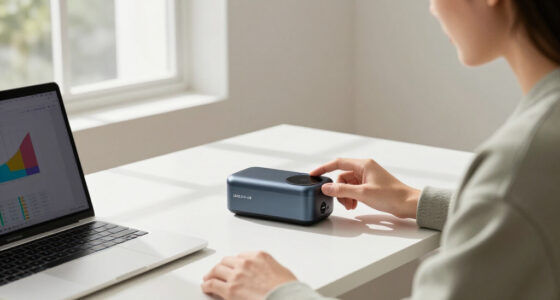
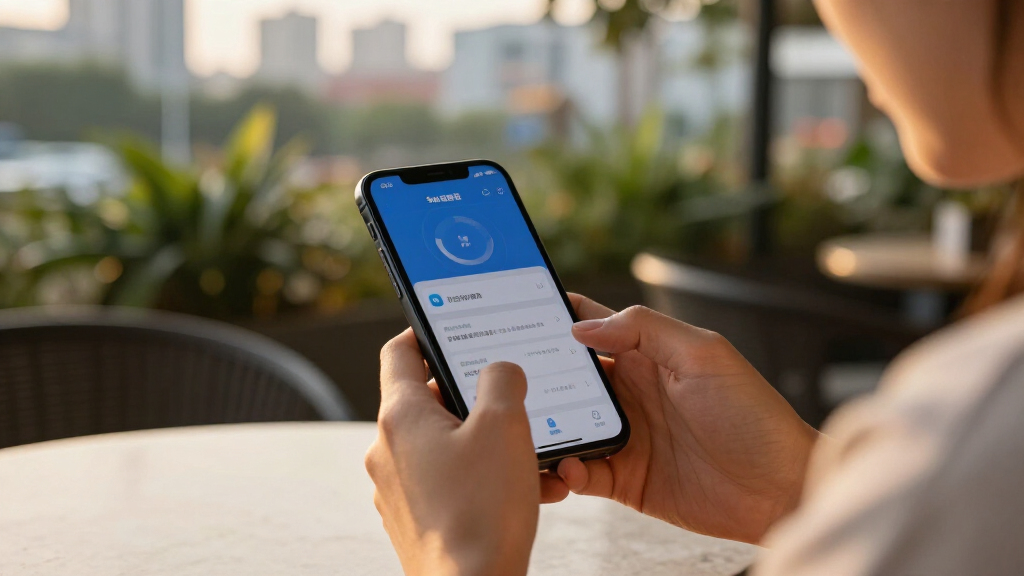
The core feature SenseTime is highlighting is cross-device task delegation. Instead of interacting with the agent only on the desktop where the work happens, a user can dispatch an instruction from a mobile device — for example, while commuting or away from the office — and the desktop agent carries out the task on the computer. SenseTime describes this as continuous execution: the work proceeds on the machine even when the user’s attention is elsewhere.
Xiao Huanxiong belongs to a growing category of AI office agents that go beyond chatbots. Rather than only generating text or answering questions, these agents are built to operate software, complete multi-step office tasks, and act on a user’s behalf inside desktop applications. SenseTime positions the mobile release as a way to extend that capability beyond a single device.
The announcement was headline-level, and specific product details remain sparse. SenseTime has not, in the material available, spelled out the full list of supported applications, pricing, supported operating systems, or how the phone-to-computer connection is authenticated and secured. Those details will determine how practical the feature is for everyday office use.
Xiao Huanxiong Goes Mobile: Command From Anywhere, Execute at the Desk
SenseTime has released a mobile version of Xiao Huanxiong (“Little Raccoon”), its AI office agent. Users send instructions from a phone; the desktop agent continuously executes tasks on the computer — office work no longer requires sitting at the desk.
The Phone-to-Desktop Delegation Loop
The core pattern: a task is dispatched remotely while an agent anchored to the workplace computer carries it out — designed so work proceeds even when the user’s attention is elsewhere.
Dispatch
User sends an instruction from the mobile app — while commuting or away from the office.
Relay
The command reaches the Xiao Huanxiong agent anchored to the user’s desktop computer.
Execution
The agent operates software and completes multi-step office tasks on the machine, end-to-end.
Continuity
Work continues unattended; a task started on a commute can be finished by arrival.
From Copilots to Autonomous Agents
Xiao Huanxiong belongs to a growing category of AI office agents that go beyond chatbots — built to operate software, complete multi-step tasks, and act on a user’s behalf inside desktop applications.
SenseTime’s repositioning
Originally known for computer vision and facial recognition, SenseTime has spent recent years rebuilding around large AI models — and the commercial products built on top of them.
Desktop agent first
The desktop version of Xiao Huanxiong was positioned as software that takes over repetitive office tasks. The mobile release extends control to the phone, completing the remote-delegation loop.
Monetizing the model
Office agents map directly onto measurable productivity tasks — one of the most direct ways Chinese AI firms can monetize large-model capabilities amid intense enterprise competition.
What the Headline Leaves Unconfirmed
The announcement was headline-only. These points will determine how practical the feature is for everyday office use.
| Question | Status in announcement | Why it matters | Confirmed? |
|---|---|---|---|
| Platforms supported | Not specified | iOS vs. Android; Windows vs. macOS; whether SenseTime’s own desktop client is required | ✗ No |
| Supported applications | Full list not published | Determines real coverage of everyday office workflows | ✗ No |
| Pricing | Not disclosed | Unknown whether consumer, subscription, or enterprise tiers | ✗ No |
| Rollout timing | “Recently announced” | Broad availability date and regions still unspecified | ~ Partial |
| Security model | Not detailed | How phone-to-computer access is authenticated and safeguarded | ✗ No |
| Core delegation feature | Stated by SenseTime | Phone-issued instructions with continuous desktop execution | ✓ Claimed |
Milestones That Will Settle the Question
Claims come from SenseTime’s own marketing. Independent evidence — not announcement-stage enthusiasm — will decide whether remote execution is dependable.
Meaningful — but Incremental
A measured read on the announcement, and what would change it.
The measured take
The phone-as-remote-control pattern addresses a genuine pain point: office tasks are tied to computers while people increasingly are not. If executed well, it is exactly the kind of convenience feature that drives adoption. But a headline announcement is not proof of a working product — unattended, remote task execution is technically hard, and agents still fail often on multi-step office work.
The strongest counterargument
Cross-device delegation could quickly become a baseline expectation, and being early with a usable version may matter more than polish. Rivals in the AI-agent space will likely respond with comparable cross-device control if the concept gains traction.
What would change my mind
Concrete evidence: independent testing of task completion rates, clear documentation of the security model, and signs of enterprise uptake rather than announcement-stage enthusiasm.
What is Xiao Huanxiong?
Xiao Huanxiong (“Little Raccoon”) is SenseTime’s AI office agent — software designed to carry out office tasks on a computer on a user’s behalf, rather than only answering questions in a chat.
What does the mobile version add?
Users can send instructions from a phone while the agent keeps executing the task on the computer — so work continues without the user being at their desk.
Is it available now?
SenseTime has announced the release, but availability details — platforms, regions, and rollout timing — have not been fully specified in the materials available so far.
How is this different from a chatbot app?
A chatbot responds within a conversation; an office agent is built to operate software and complete multi-step tasks on a machine, acting on the user’s behalf inside desktop applications.
Why Phone-to-Desktop Delegation Matters
The release speaks to a broader shift in how AI assistants are being delivered. The dominant model so far has been a conversation in a single app; SenseTime’s pitch is instead an agent anchored to a workplace computer that accepts remote commands. If it works reliably, that pattern could change where and when knowledge work gets done — a task could be started from a phone during a commute and finished on the office machine by the time the user arrives.
For SenseTime specifically, the mobile version is part of its effort to build commercial products on top of its AI research, at a time when Chinese AI companies are competing intensely to land practical enterprise tools rather than just models. Office agents are one of the most direct ways to monetize large-model capabilities, because they map onto measurable productivity tasks.
The competitive stakes are real: major Chinese and international vendors are all pushing agents that can operate software on a user’s behalf. SenseTime’s differentiation, according to its own framing, is the mobile-command, desktop-execution split — but whether that is a durable advantage or a feature rivals can quickly copy remains to be seen.
Products Worth Considering

DJI Osmo Mobile 8 Standard Combo Gimbal Stabilizer for Phone

Jackery Explorer 500 v2 Portable Power Station, 512Wh, 500W

DJI Osmo Mobile 8 3-Axis Phone Gimbal Stabilizer
As an affiliate, we earn on qualifying purchases.
SenseTime’s Path to Office Agents
SenseTime, originally known for computer vision and facial recognition systems, has spent recent years repositioning itself around large AI models and the applications built on them. Xiao Huanxiong is one of the company’s consumer- and office-facing products in that push, joining a wave of Chinese AI offerings that aim to act as working assistants rather than simple chat interfaces.
The desktop version of the agent was positioned as software that could take over repetitive office tasks. The newly announced mobile version extends control to the phone, completing the loop of remote delegation. The release fits a wider industry trend — sometimes described as moving from copilots to autonomous agents — in which AI tools are expected to complete work end-to-end with limited supervision.
“Send instructions via phone, the computer continuously executes.”
— SenseTime (announcement as reported by AIBase)
What the Announcement Leaves Open
The announcement was headline-only, meaning several important points are unconfirmed. It is not yet clear when the mobile version becomes broadly available, which platforms it supports (iOS, Android, Windows, macOS), whether it requires SenseTime’s own desktop client, or what it costs. SenseTime has also not detailed which applications the agent can operate, how it handles errors during unattended execution, or what safeguards exist for remote access to a work computer.
Claims about the agent’s capabilities come from SenseTime’s own marketing. Independent testing of how well the phone-to-desktop workflow performs in real office settings has not been reported, so reliability, speed, and accuracy remain open questions.
Questions the Rollout Must Answer
Watch for SenseTime to publish fuller documentation — supported apps, device requirements, pricing tiers, and security model — as the mobile version reaches users. Early user reviews and hands-on testing will indicate whether remote execution is dependable enough for unattended office work, which is the feature’s central promise.
Competitively, expect rivals in the AI-agent space to respond with comparable cross-device control if the concept gains traction. The next concrete milestones are the public availability of the app, any enterprise deployment announcements, and evidence of real-world task performance.
Where I land
I read this as a meaningful but incremental step. The phone-as-remote-control pattern for desktop agents addresses a genuine pain point — office tasks are tied to computers while people increasingly are not — and if SenseTime executes it well, it is the kind of convenience feature that drives adoption. But I’d caution against treating a headline announcement as proof of a working product; unattended, remote task execution is technically hard, and agents still fail often on multi-step office work.
The strongest counterargument to my measured take: cross-device delegation could become a baseline expectation quickly, and being early with a usable version may matter more than polish. If hands-on reviews show reliable execution across common office applications, I would revise my assessment upward.
What would change my mind either way is concrete evidence: independent testing of task completion rates, clear documentation of the security model, and evidence of enterprise uptake rather than announcement-stage enthusiasm.
Source: SenseTime
Key Questions
What is Xiao Huanxiong?
Xiao Huanxiong (“Little Raccoon”) is SenseTime’s AI office agent, software designed to carry out office tasks on a computer on a user’s behalf rather than only answering questions in a chat.
What does the mobile version add?
According to SenseTime, the mobile version lets users send instructions from a phone while the agent keeps executing the task on the computer, so work can continue without the user being at their desk.
Is the mobile version available now?
SenseTime has announced the release, but availability details — platforms, regions, and rollout timing — have not been fully specified in the announcement materials available so far.
How is this different from a chatbot app?
A chatbot responds within a conversation; an office agent like Xiao Huanxiong is built to operate software and complete multi-step tasks on a machine. The mobile version adds remote control over that desktop execution.
Are there security concerns?
Remote command of a work computer raises legitimate questions about authentication and access control. SenseTime has not yet published details on how the phone-to-computer connection is secured.
Source: SenseTime