For IT leaders, CTOs, and security-conscious quality teams in regulated industries.
Here is a question that comes up in every regulated company evaluating AI-powered quality tools: where does our data go?
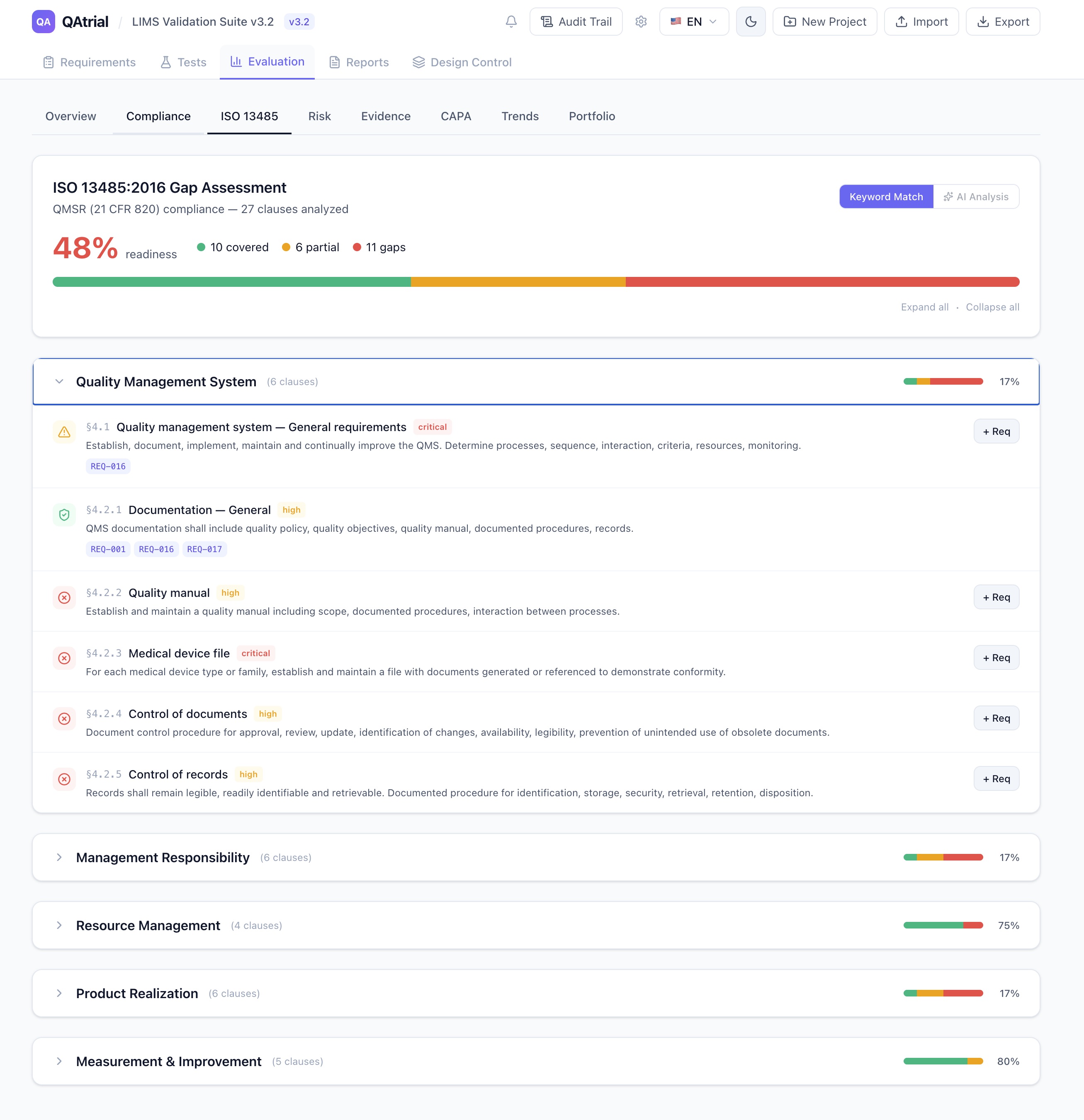
When a quality engineer uses an AI feature to analyze a gap in their CAPA process, or to generate test cases from a design requirement, or to classify risk for a product complaint — the underlying data includes proprietary manufacturing processes, product specifications, supplier names, patient-adjacent information, and regulatory strategy. This is exactly the kind of data that pharmaceutical and medical device companies classify as confidential or restricted.
Most AI-powered quality management tools do not give you a choice. The vendor picks the AI provider, the data flows to the vendor’s cloud, and you get a privacy policy and a BAA (if you are lucky). Your security team reviews it, your legal team negotiates it, and three months later you might have approval to use a single feature.
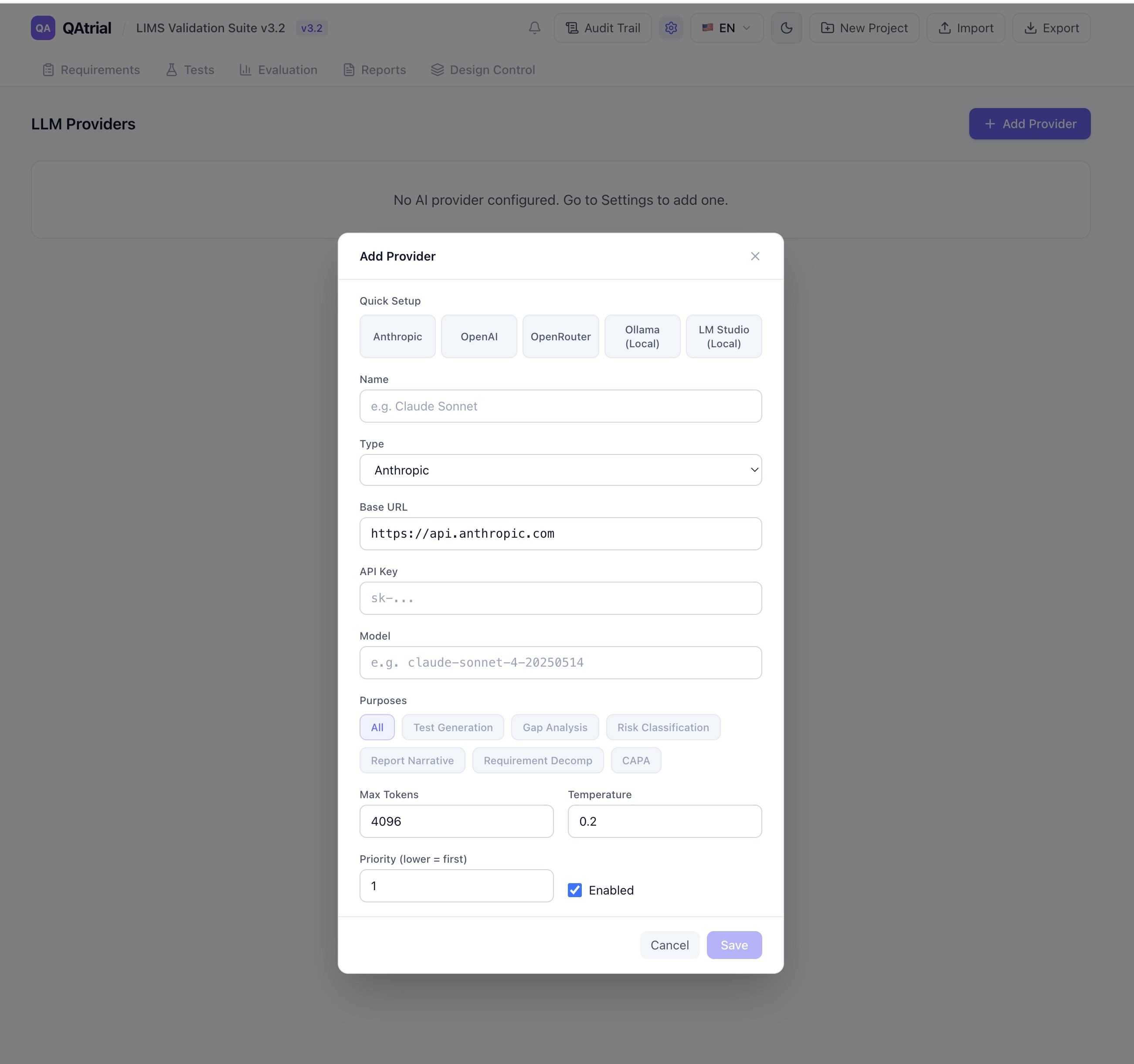
QAtrial v3.0 takes a fundamentally different approach: you choose the AI provider, the model, and the infrastructure. The application ships with five provider presets, supports any OpenAI-compatible API, and works with fully local models that never touch a network.
The Five Provider Presets
When you open QAtrial’s AI settings, you see five one-click presets that auto-configure all provider fields. Each is designed for a different operational context.
Anthropic (Claude)
- Default model: Claude Sonnet 4
- Available models: Claude Sonnet 4, Claude Opus 4, Claude Haiku 4
- Temperature: 0.2
- Max tokens: 4,096
- API key required: Yes
Claude models excel at regulatory precision and structured output. When QAtrial asks Claude to perform a gap analysis against ISO 13485 clauses, the response consistently follows the expected schema with evidence citations and actionable recommendations. The 0.2 temperature setting means Claude prioritizes accuracy over creativity — which is exactly what you want when the output feeds into a compliance report.
Anthropic’s Claude is the default recommendation for companies that can use cloud AI and want the highest quality regulatory analysis.
OpenAI (GPT-4.1)
- Default model: GPT-4.1
- Available models: GPT-4.1, GPT-4.1 Mini, GPT-4.1 Nano, GPT-4o, GPT-4o Mini, o3-mini
- Temperature: 0.2
- Max tokens: 4,096
- API key required: Yes
OpenAI offers the broadest model range, from the flagship GPT-4.1 down to the lightweight GPT-4.1 Nano. For companies already invested in the OpenAI ecosystem — with existing API keys, usage policies, and security approvals — this is the path of least resistance. The Mini and Nano variants are significantly cheaper per token and handle routine tasks (test case generation, risk classification) adequately, while the full GPT-4.1 handles complex gap analysis.
OpenRouter
- Default model: anthropic/claude-sonnet-4
- Available models: Claude Sonnet 4, Claude Haiku 4, GPT-4.1, GPT-4o, Gemini 2.5 Pro, Gemini 2.5 Flash, Llama 4 Maverick, DeepSeek R1, Qwen3 235B
- Temperature: 0.2
- Max tokens: 4,096
- API key required: Yes
OpenRouter is a unified API that routes to over 200 models from different providers. One API key, one billing relationship, access to Claude, GPT, Gemini, Llama, DeepSeek, Qwen, and dozens more. The pay-per-token model with no subscription commitment makes it ideal for teams that want to experiment with different models for different tasks without managing multiple vendor relationships.
The practical advantage: you can test whether Claude or GPT-4.1 produces better gap analysis for your specific requirements, then route that purpose to the winner — all through a single API.
Ollama (Local)
- Default model: Llama 3.1 8B
- Available models: Llama 3.1 8B, Llama 3.1 70B, Qwen 2.5 14B, Mistral 7B, Gemma 2 9B, DeepSeek R1 14B
- Temperature: 0.3
- Max tokens: 2,048
- API key required: No
This is the preset that changes the data sovereignty conversation entirely. Ollama runs open-source language models on your own hardware — a workstation, a server, an on-premise GPU cluster. The model runs at localhost:11434. No API key. No cloud. No data leaves your network.
For pharmaceutical companies operating under strict data classification policies, for medical device companies with trade secrets in their design specifications, for any regulated company where sending quality data to a third-party API requires months of security review — Ollama makes AI-powered quality management possible today.
The temperature is set slightly higher (0.3 vs 0.2 for cloud providers) because smaller local models benefit from a touch more sampling diversity to produce useful output. Max tokens are set to 2,048 to account for the memory constraints of running models locally.
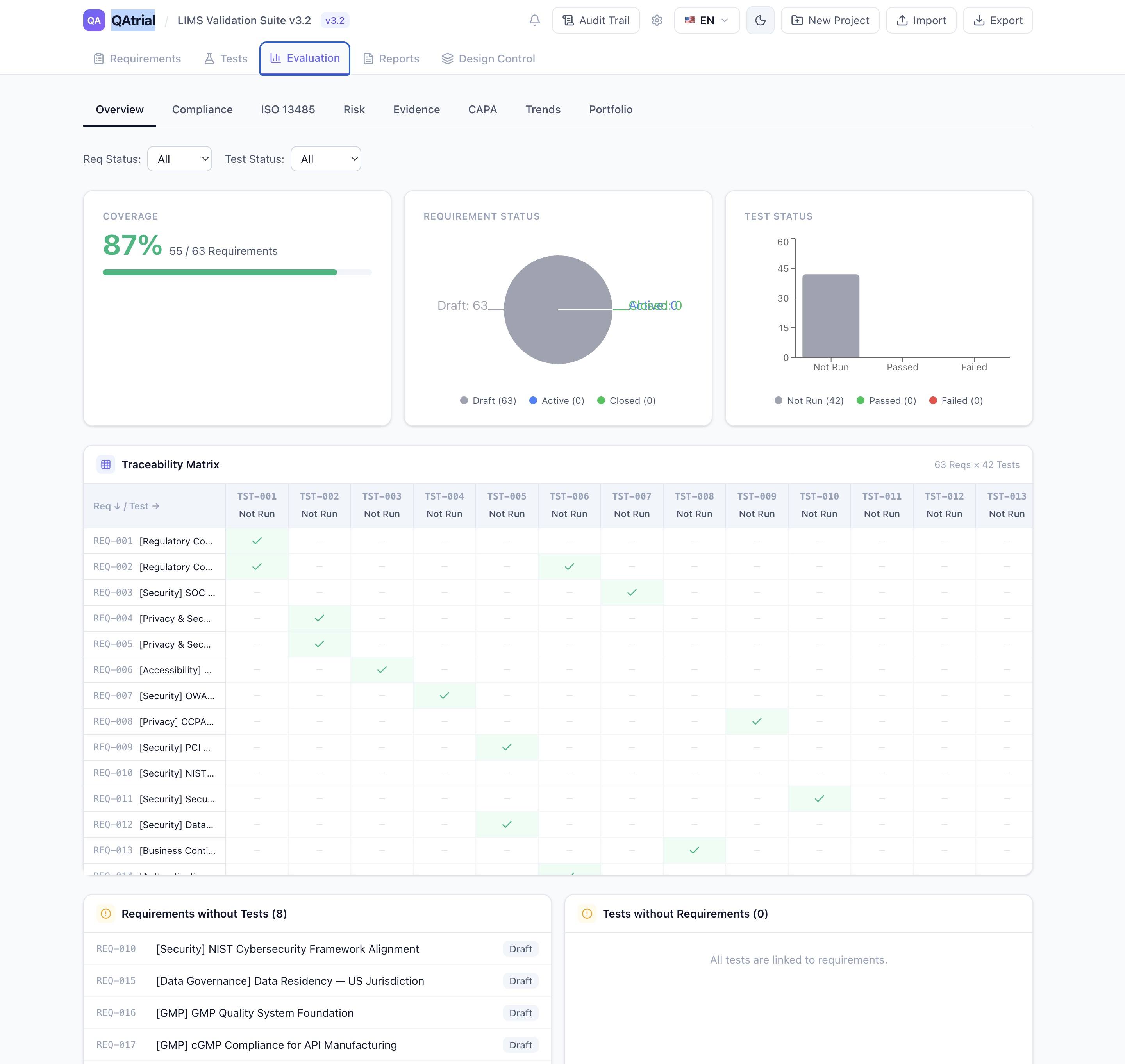
The trade-off is quality. Llama 3.1 8B is capable but not in the same tier as Claude Opus 4 for nuanced regulatory analysis. For straightforward tasks — generating test cases from well-defined requirements, classifying risk from structured data — local models perform well. For complex gap analysis against multi-clause regulatory standards, larger models (Llama 3.1 70B, Qwen 2.5 14B) or cloud providers will produce more reliable results.
LM Studio (Local)
- Default model: local-model (depends on what you have loaded)
- Temperature: 0.3
- Max tokens: 2,048
- API key required: No
LM Studio provides a desktop application for running local models with a user-friendly interface. It exposes an OpenAI-compatible API at localhost:1234. For teams that want local AI but prefer a GUI for model management over Ollama’s command line, LM Studio is the simpler path.

Domain-Specific Small Language Models: Efficient AI for local deployment
As an affiliate, we earn on qualifying purchases.
As an affiliate, we earn on qualifying purchases.
Purpose-Scoped Routing: The Right Model for Each Job
QAtrial does not limit you to one provider. You can configure multiple providers and route them to specific purposes:
- Gap Analysis — Route to Claude (highest regulatory precision)
- Test Generation — Route to GPT-4.1 Mini (fast, cheaper, adequate for structured output)
- Risk Classification — Route to Ollama/Llama 3.1 locally (sensitive data stays on-premise)
- CAPA Suggestions — Route to Claude (needs deep analytical capability)
- Report Narrative — Route to OpenRouter/Gemini 2.5 Pro (strong at long-form text)
Each provider has a purpose selector with seven options: All, Test Generation, Gap Analysis, Risk Classification, Report Narrative, Requirement Decomposition, and CAPA. Providers also have a priority setting (lower number = higher priority), so if your primary provider is unavailable, QAtrial falls back to the next one.
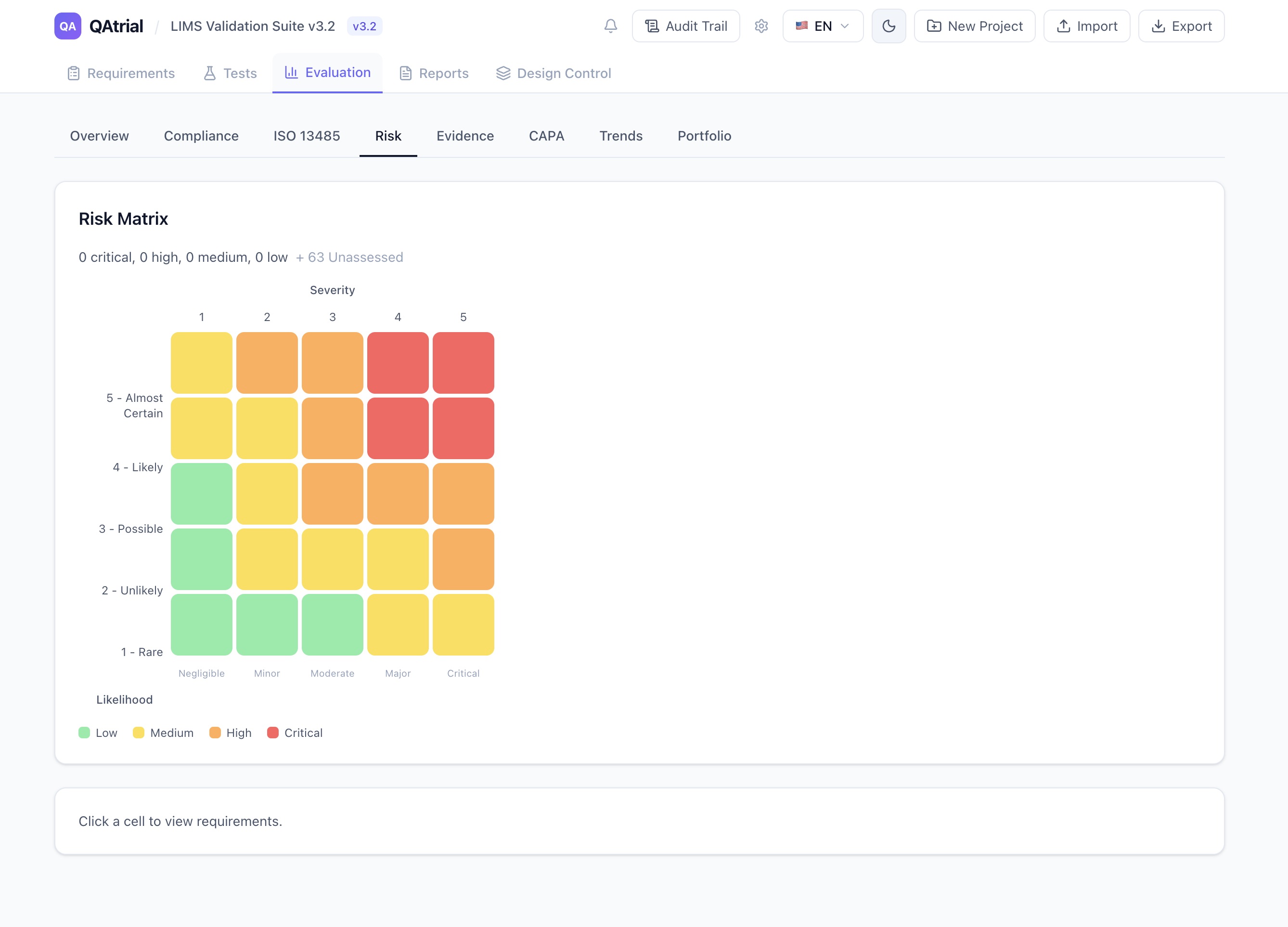
This is not theoretical flexibility. It maps directly to how regulated companies think about data classification. Patient-related data might require local processing, while general regulatory gap analysis against publicly available ISO standards can go to a cloud provider. QAtrial lets you implement that distinction at the provider level.
AI Leadership Handbook: A Practical Guide to Turning Technology Hype into Business Outcomes
As an affiliate, we earn on qualifying purchases.
As an affiliate, we earn on qualifying purchases.
Temperature Settings: Why 0.2 for Regulatory Content
Temperature controls randomness in LLM output. At temperature 0, the model always picks the most probable next token — completely deterministic but sometimes repetitive. At temperature 1.0, the model samples more broadly — more creative but less predictable.
QAtrial defaults to 0.2 for cloud providers. This is a deliberate choice for GxP work:
- Gap analysis needs to consistently identify the same gaps given the same requirements. If you run the assessment twice, you expect the same results. Low temperature delivers that.
- Test case generation needs to produce valid, testable assertions — not creative variations that might sound plausible but miss the regulatory point.
- Risk classification needs to apply the correct severity/likelihood framework (ISO 14971 for devices, ICH Q9 for pharma) consistently.
- CAPA suggestions need to reference actual root cause methodologies and regulatory expectations, not improvise new ones.
For local models (Ollama, LM Studio), the default is 0.3. Smaller models have a narrower “capability band” — the range of temperatures where they produce useful output. A slight increase in temperature helps local models explore enough of their token space to generate complete, coherent responses rather than getting stuck in repetitive patterns.
You can adjust temperature per provider. But the defaults are tuned for GxP work, and for most use cases, they should be left alone.

Data Science on the Google Cloud Platform: Implementing End-to-End Real-Time Data Pipelines: From Ingest to Machine Learning
As an affiliate, we earn on qualifying purchases.
As an affiliate, we earn on qualifying purchases.
The Air-Gapped Deployment
Here is the deployment scenario that no commercial AI-powered quality tool supports: the air-gapped network.
Some pharmaceutical manufacturing facilities, some defense contractors building medical devices, and some clinical research organizations operate networks that are physically disconnected from the internet. For these environments, cloud AI is not a security concern — it is simply impossible.
QAtrial plus Ollama runs entirely on local infrastructure. Install QAtrial (it is a static web application that runs in any browser). Install Ollama on a machine with a GPU. Download a model file. Point QAtrial at http://[ollama-host]:11434/v1. Everything works. The gap assessment, the test generation, the risk classification — all of it runs without an internet connection.
No other quality management platform with AI capabilities can make this claim.

Trust.: Responsible AI, Innovation, Privacy and Data Leadership
As an affiliate, we earn on qualifying purchases.
As an affiliate, we earn on qualifying purchases.
Smart Defaults That Respect the Domain
The preset system is not just about convenience. It encodes domain knowledge:
- Model dropdowns instead of free-text input: when you select the Anthropic preset, you pick from Claude Sonnet, Opus, or Haiku — not guess at model name strings. When you select OpenAI, you see GPT-4.1, GPT-4.1 Mini, GPT-4.1 Nano, GPT-4o, GPT-4o Mini, and o3-mini. No typos, no failed connections because you wrote
gpt4.1instead ofgpt-4.1. - API key hints: local presets show “Not required” on the API key field. Cloud presets expect
sk-...format. Small detail, big reduction in setup friction. - Preset descriptions: each preset shows a one-line description below the selection buttons. “Run models locally — no API key needed, data stays on your machine” for Ollama. “Claude models — best for regulatory precision and structured output” for Anthropic. These help non-technical quality team members make informed choices.
- Auto-detection on edit: when editing an existing provider, QAtrial matches the base URL against known presets and shows the appropriate model dropdown. You do not lose the guided experience when modifying a configuration.
How This Compares to Vendor-Locked AI
Veeva Vault QMS recently introduced AI features powered by a single, Veeva-selected cloud provider. MasterControl’s AI co-pilot works exclusively through MasterControl’s infrastructure. Greenlight Guru’s AI capabilities use their chosen backend. In every case: one vendor, one model, one data path, no alternatives.
These are not bad products. But they force a binary choice: accept the vendor’s AI infrastructure or do not use AI at all. For companies where that infrastructure cannot be approved — due to data sovereignty laws (GDPR, China’s PIPL), corporate security policies, or air-gapped deployment requirements — the answer defaults to “no AI.”

QAtrial eliminates that false choice. Use the most capable cloud models when your data classification permits it. Use local models when it does not. Route different data types to different providers based on sensitivity. Run the entire stack on your own infrastructure if that is what your security team requires.
The AI features are the same regardless of provider. The gap analysis prompt, the test generation logic, the risk classification framework — all of it works identically whether the backend is Claude Opus 4 running on Anthropic’s servers or Llama 3.1 70B running on a GPU in your server room.
Your data. Your models. Your infrastructure. Your choice.
QAtrial is open-source software licensed under AGPL-3.0. AI provider configurations and API keys are stored locally in your browser. QAtrial never transmits credentials or quality data to QAtrial’s own servers. Visit github.com/MeyerThorsten/QAtrial for documentation and source code.