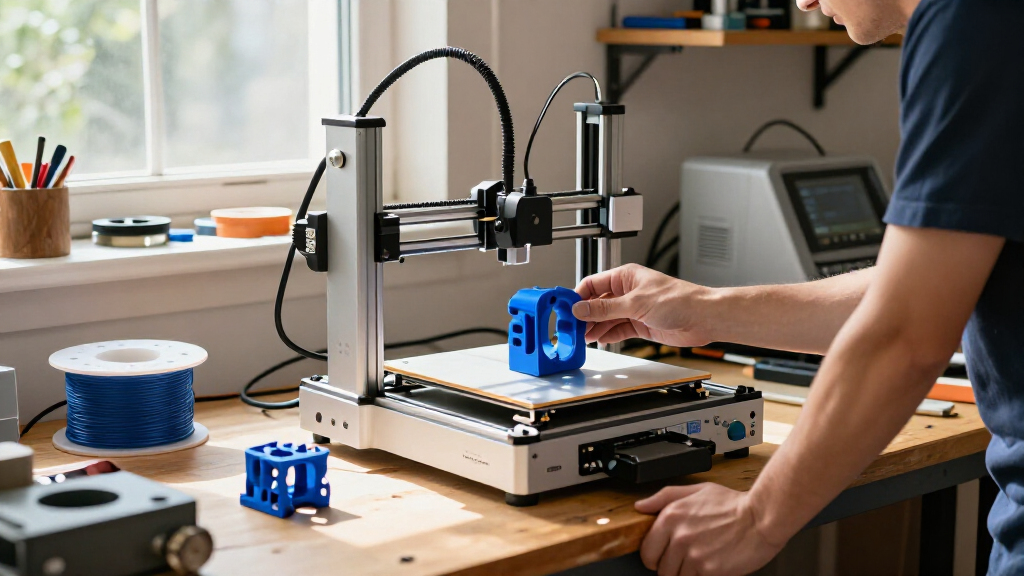

Among these 3D printers, I’d name the Bambu Lab P1S Combo the best overall for pairing an enclosed printer with an included multicolor system. The Bambu Lab A1 is a simpler fit for buyers who want an accessible machine, while the Snapmaker U1 stands out for its four-toolhead approach to multicolor printing. The main tradeoffs are whether to prioritize ease of use, enclosure and material flexibility, or fewer color-change compromises. Small beginner models can take up less space, but they are a different fit from faster, more capable machines. Read on for how all 10 options compare and which one fits your projects.

Get business pricing on tech for your team
- Business-only prices and quantity discounts
- Tax-exempt purchasing
- Multiple users, one account, clear invoices
Complete the kit


Key Takeaways
- The P1S Combo is the strongest all-around match for buyers seeking an enclosed printer and multicolor capability in one package.
- The P1S and P1S Combo serve different budgets and workflows: the standard P1S keeps the enclosed CoreXY platform, while the Combo adds the AMS multicolor system.
- Multicolor designs use different strategies. The Snapmaker U1 has four toolheads, while the Bambu Lab Combo models and FLASHFORGE AD5X use their own multicolor systems; buyers should weigh workflow and waste, not just color count.
- Beginner-friendly mini printers trade capacity for approachability. The HEPHI3D TINA2C and Entina Tina2C suit smaller projects and limited space better than larger machines.
- Speed claims are only one part of the decision. The Adventurer 5M and other CoreXY options may suit faster production, but usable build area, materials, setup, and maintenance still shape day-to-day results.
| HEPHI3D TINA2C Mini 3D Printer |  | Best for First-Time Makers | Dimensions: 8.27 × 6.7 × 9.84 inches | Weight: 5.46 pounds | Setup: Fully assembled; factory preset; auto leveling | VIEW LATEST PRICE | See Our Full Breakdown |
| Bambu Lab P1S Combo 3D Printer with AMS |  | Best Enclosed Multi-Color Pick | Printing speed: Up to 500 mm/s | Acceleration: 20,000 mm/s² | Multi-color printing: Up to 16 colors with AMS | VIEW LATEST PRICE | See Our Full Breakdown |
| Snapmaker U1 3D Printer with Four Toolheads and 5-Second Tool Changer |  | Best for Large Multi-Material Prints | Toolheads: 4 independent toolheads | Tool change time: About 5 seconds | Maximum print speed: 500 mm/s | VIEW LATEST PRICE | See Our Full Breakdown |
| Entina Tina2C Mini 3D Printer for Beginners |  | Best Compact Printer for Home Projects | Printer type: FDM 3D printer | Build volume: 3.9 × 3.9 × 3.9 inches | Dimensions: 8 × 6.5 × 10 inches | VIEW LATEST PRICE | See Our Full Breakdown |
| ELEGOO Centauri 2 Combo 3D Printer |  | Best for Automated Four-Color Printing | Printing technology: FDM | Maximum speed: 500 mm/s | Acceleration: 20,000 mm/s² | VIEW LATEST PRICE | See Our Full Breakdown |
| Bambu Lab P1S Enclosed FDM 3D Printer |  | Best Enclosed Printer for Filament Range | Printer type: FDM | Design: Enclosed CoreXY | Maximum print speed: 500 mm/s | VIEW LATEST PRICE | See Our Full Breakdown |
| Bambu Lab P2S Combo 3D Printer with AMS 2 Pro |  | Best Ready-to-Run Multicolor Combo | Printer type: FDM | Maximum print speed: 600 mm/s | Included system: AMS 2 Pro | VIEW LATEST PRICE | See Our Full Breakdown |
| Bambu Lab A1 FDM 3D Printer |  | Best for Straightforward Single-Color Printing | Printer type: FDM | Acceleration: 10,000 mm/s² | Calibration: Automatic | VIEW LATEST PRICE | See Our Full Breakdown |
| FLASHFORGE Adventurer 5M High-Speed 3D Printer |  | Best Fast Single-Color CoreXY | Build volume: 220 × 220 × 220 mm | Maximum printing speed: 600 mm/s | Acceleration: 20,000 mm/s² | VIEW LATEST PRICE | See Our Full Breakdown |
| FLASHFORGE AD5X Multi-Color CoreXY 3D Printer |  | Best Four-Color CoreXY Pick | Build volume: 220 × 220 × 220 mm | Maximum print speed: 600 mm/s | Acceleration: 20,000 mm/s² | VIEW LATEST PRICE | See Our Full Breakdown |
| 3d printer | Acceleration |
|---|---|
| HEPHI3D TINA2C Mini 3D Printer | — |
| Bambu Lab P1S Combo 3D Printer | 20,000 mm/s² |
| Snapmaker U1 3D Printer with F | — |
| Entina Tina2C Mini 3D Printer | — |
| ELEGOO Centauri 2 Combo 3D Pri | 20,000 mm/s² |
| Bambu Lab P1S Enclosed FDM 3D | 20,000 mm/s² |
| Bambu Lab P2S Combo 3D Printer | — |
| Bambu Lab A1 FDM 3D Printer | 10,000 mm/s² |
| FLASHFORGE Adventurer 5M High- | 20,000 mm/s² |
| FLASHFORGE AD5X Multi-Color Co | 20,000 mm/s² |
More Details on Our Top Picks
HEPHI3D TINA2C Mini 3D Printer
The HEPHI3D TINA2C puts low-friction setup ahead of capacity: it arrives assembled, uses auto leveling, and offers app-based one-tap printing from a library of more than 3,500 models. That makes it a simpler starting point than the larger, more capable Snapmaker U1, which is built for speed, bigger prints, and multi-material work. Wi-Fi, TF card, and USB-C give new users several ways to send a print, while Cura and Wiibuilder support more hands-on design as skills grow. The tradeoff is its compact footprint and an unspecified build volume, so buyers cannot readily judge project limits from the listed specs. I’d choose it for learning and small household prints, not for ambitious parts or material experimentation.
Pros:- Fully assembled setup with factory presets and auto leveling
- App control and access to more than 3,500 ready-to-print models
- Wi-Fi, TF card, and USB-C provide flexible print-transfer options
- Includes starter PLA, tools, and a TF card
Cons:- Compact design limits the scale of practical projects
- Build volume and supported materials are not specified
Best for: First-time makers, families, and STEM learners who want an assembled printer with guided app-based projects.
Not ideal for: Buyers planning larger functional prints or comparing printers by precise build volume and material capability.
- Dimensions:8.27 × 6.7 × 9.84 inches
- Weight:5.46 pounds
- Setup:Fully assembled; factory preset; auto leveling
- Model library:More than 3,500 ready-to-print models
- Connectivity:Wi-Fi, TF card, USB-C
- Compatible software:Wiibuilder, Cura
- Included accessories:Starter PLA filament, essential tools, TF card
Our verdict“Choose the TINA2C if easy setup and guided small prints matter more than a clearly documented build area or advanced capability.”
Bambu Lab P1S Combo 3D Printer with AMS
The P1S Combo is the more versatile enclosed option here for buyers who want fast printing plus multi-color capability. Its AMS setup supports up to 16 colors, while the Snapmaker U1 takes a different route with four independent toolheads and quick tool changes. The P1S’s enclosure and listed filament range—from PLA and PETG through ABS and ASA—make it a stronger fit than either compact Tina2C for users exploring more demanding materials. Automatic bed leveling and a setup time of about 15 minutes also help keep the initial workload manageable. The tradeoff is that multi-color printing depends on the AMS, and carbon- or glass-fiber-reinforced filaments are not recommended. I’d pick it for an enclosed, adaptable setup, not for reinforced composites.
Pros:- AMS supports multi-color printing with up to 16 colors
- Enclosed design suits a broader range of listed filaments, including ABS and ASA
- Maximum listed speed of 500 mm/s with 20,000 mm/s² acceleration
- Automatic bed leveling and about 15-minute setup
Cons:- Multi-color printing requires the AMS
- Carbon- and glass-fiber-reinforced polymer filaments are not recommended
Best for: Makers who want an enclosed printer for fast single-color work and multi-color projects across a broad range of listed filaments.
Not ideal for: Users who need carbon- or glass-fiber-reinforced filament support, or who want multi-color printing without the AMS system.
- Printing speed:Up to 500 mm/s
- Acceleration:20,000 mm/s²
- Multi-color printing:Up to 16 colors with AMS
- Design:Fully enclosed
- Bed leveling:Automatic
- Setup time:About 15 minutes
- Ideal filaments:PLA, PETG, TPU, PVA, PET, ABS, ASA
- Capable filaments:PA, PC
- Not recommended:Carbon- or glass-fiber-reinforced polymer
Our verdict“Pick the P1S Combo for enclosed, high-speed printing and broad AMS color capability, but skip it if reinforced filament is a requirement.”
Snapmaker U1 3D Printer with Four Toolheads and 5-Second Tool Changer
The Snapmaker U1 stands out for combining a 270 × 270 × 270 mm build volume with four independent toolheads, making it the choice here for larger multi-color or multi-material jobs. Its roughly five-second tool changes are designed to reduce the waits and filament waste associated with switching materials; the Bambu Lab P1S Combo, by contrast, offers up to 16 colors through its AMS and an enclosure suited to its listed filament range. The U1 also lists a broad selection of supported materials, including PA and PC, alongside a 500 mm/s maximum speed. Automatic calibration, AI-powered monitoring, remote app control, and a touchscreen add convenience, but the product data omits nozzle temperatures and material-specific requirements. I’d favor it for scale and toolhead flexibility, while checking those details before planning demanding materials.
Pros:- Four independent toolheads support multi-color and multi-material workflows
- About five-second tool changes can limit changeover time and filament waste
- 270 × 270 × 270 mm build volume accommodates larger parts than the mini printers
- Automatic calibration, monitoring, and remote app control support easier operation
Cons:- Nozzle temperatures and material-specific printing requirements are not specified
- A feature-rich multi-tool setup may be more than beginners need
Best for: Makers who need a generous build area and regularly print projects combining several colors or materials.
Not ideal for: Buyers who want clearly stated nozzle-temperature limits and material-specific setup guidance before choosing a printer.
- Toolheads:4 independent toolheads
- Tool change time:About 5 seconds
- Maximum print speed:500 mm/s
- Build volume:270 × 270 × 270 mm
- Motion system:CoreXY
- Supported materials:PLA, PVA, TPU, PETG, PCTG, ABS, ASA, PA, PC, and more
- Display:3.5-inch touchscreen
- Warranty:1 year
Our verdict“Choose the U1 for larger prints and frequent multi-material work, provided you can confirm the settings required for your intended filaments.”
Entina Tina2C Mini 3D Printer for Beginners
This Entina Tina2C earns its place as a compact home printer by stating its limits clearly: the 3.9-inch cubic build volume suits small models and learning projects, not large functional parts. Compared with the HEPHI3D TINA2C, it adds documented build dimensions, a flexible magnetic build plate, power-loss recovery, and a quick-swap printhead. Its app pairs Wi-Fi control with more than 3,500 models and over 25 creative modules, while TF card printing offers an offline route. Auto leveling helps simplify setup, but Wi-Fi is limited to 2.4 GHz. That small build area is the main compromise, especially beside the Snapmaker U1’s much larger capacity. I’d choose the Entina for a desk-friendly learning machine with useful recovery and maintenance features, not for prints that need substantial room.
Pros:- Fully assembled with auto leveling for a simpler first setup
- Flexible magnetic build plate supports easier print removal
- Power-loss recovery can help resume interrupted jobs
- App, 2.4 GHz Wi-Fi, and TF card support offer connected and offline printing
Cons:- 3.9-inch cubic build volume limits project size
- Wi-Fi supports 2.4 GHz only
Best for: Families, students, and hobbyists who want a small, fully assembled FDM printer for models and basic home projects.
Not ideal for: Makers who need to print large objects or rely on a 5 GHz Wi-Fi network.
- Printer type:FDM 3D printer
- Build volume:3.9 × 3.9 × 3.9 inches
- Dimensions:8 × 6.5 × 10 inches
- Weight:5.28 pounds
- Connectivity:2.4 GHz Wi-Fi and TF card
- Features:Auto leveling, power-loss recovery, flexible magnetic build plate, quick-swap printhead, LED lighting
- Compatible operating systems:Windows, macOS, Linux, Chromebook
- Compatible software:Cura, Simplify3D
Our verdict“Choose the Entina Tina2C for compact learning projects and beginner-friendly maintenance, but look to the Snapmaker U1 for larger prints.”
ELEGOO Centauri 2 Combo 3D Printer
The Centauri 2 Combo focuses on making four-color printing approachable: CANVAS uses independent motors, and RFID filament recognition is designed to identify filament and manage color changes. That gives it a different balance from the Bambu Lab P1S Combo, whose AMS supports up to 16 colors, and the Snapmaker U1, which instead offers four independent toolheads and a larger specified build volume. The Centauri pairs color features with a 500 mm/s CoreXY system, full auto-calibration, 22 sensors, and pre-print checks—useful if you want automation without starting from a bare-bones machine. Its 350°C nozzle rating broadens its stated capability, though the supplied data does not name supported materials. At 33 pounds, it is also less convenient to move, and its feature set may take time for absolute beginners to learn.
Pros:- CANVAS supports four-color printing with independent motors
- RFID filament recognition supports automated filament identification and color transitions
- CoreXY system lists speeds up to 500 mm/s and acceleration of 20,000 mm/s²
- Full auto-calibration, 22 sensors, and smart pre-print checks add automation
Cons:- At 33 pounds, it is less convenient to relocate than the mini printers
- Advanced features may require a learning period for absolute novices
- Supported materials are not specified in the provided product data
Best for: Makers who want automated four-color FDM printing, sensor-assisted checks, and a touchscreen-led workflow.
Not ideal for: Buyers who need a lightweight printer to move often or want a clearly listed supported-material range before choosing.
- Printing technology:FDM
- Maximum speed:500 mm/s
- Acceleration:20,000 mm/s²
- Color capability:4-color
- Nozzle temperature:350°C
- Frame material:Aluminum
- Display:5-inch touchscreen
- Dimensions:19.69 × 18.9 × 23.23 inches
- Weight:33 pounds
Our verdict“Pick the Centauri 2 Combo if automated four-color printing is your priority and you have room for a heavier, feature-rich machine.”
Bambu Lab P1S Enclosed FDM 3D Printer
The enclosed CoreXY design makes the P1S a better fit than the open-frame Bambu Lab A1 for buyers planning to print materials such as ABS or ASA, which benefit from a more contained environment. Automatic bed leveling and a setup time of about 15 minutes also keep preparation manageable, while the listed maximum speed of 500 mm/s supports quick production. Its filament range is broad, though carbon- and glass-fiber-reinforced filaments are not recommended. The P1S can reach up to 16 colors or materials, but only with a separately connected Bambu Lab AMS, so it is not a standalone multicolor choice. I’d pick it over the FLASHFORGE Adventurer 5M for an enclosure and broader material options; the Adventurer offers a larger stated speed ceiling and a defined 220 mm cube build area.
Pros:- Enclosed CoreXY build suits a wider range of listed filaments, including ABS and ASA.
- Automatic bed leveling reduces manual setup work.
- Maximum speed of 500 mm/s and acceleration of 20,000 mm/s² support fast printing.
- Optional AMS connection enables up to 16 colors or materials.
Cons:- AMS is required for multicolor or multi-material printing and is not included with this model.
- Carbon- and glass-fiber-reinforced polymer filaments are not recommended.
- The supplied product data does not specify a build volume.
Best for: Makers who want an enclosed printer for PLA, PETG, ABS, or ASA and may add Bambu Lab’s AMS for multicolor work.
Not ideal for: Buyers who need multicolor printing out of the box, reinforced-fiber filament support, or a clearly stated build volume.
- Printer type:FDM
- Design:Enclosed CoreXY
- Maximum print speed:500 mm/s
- Acceleration:20,000 mm/s²
- Bed leveling:Automatic
- Supported filaments:PLA, PETG, TPU, PVA, PET, ABS, ASA; capable of PA and PC
- Color printing:Up to 16 colors with Bambu Lab AMS, required
- Dimensions and weight:15.31 × 18.03 × 15.31 inches; 38.9 pounds
Our verdict“Choose the P1S if you want an enclosed, fast printer for a varied filament lineup and can treat multicolor printing as an optional add-on.”
Bambu Lab P2S Combo 3D Printer with AMS 2 Pro
The P2S Combo is the most complete multicolor package in this group: its AMS 2 Pro is included, unlike the optional AMS for the Bambu Lab P1S or AMS lite for the Bambu Lab A1. That bundled system also dries filament at up to 65 °C, a practical addition for users managing moisture-sensitive spools. The printer reaches a stated 600 mm/s and adds automatic calibration, AI failure detection, quick-swap nozzles, and adaptive airflow. A chamber temperature up to 50 °C distinguishes it from the open A1, though the provided details do not give a build volume or exact material compatibility list. I’d favor this Combo for buyers who want multicolor and filament handling in one package; the FLASHFORGE AD5X also supports multiple colors but is limited to four.
Pros:- AMS 2 Pro is included for multi-color and multi-material printing.
- Filament drying reaches up to 65 °C.
- Automatic calibration and AI failure detection reduce hands-on oversight.
- Maximum speed of 600 mm/s, with quick-swap nozzles and adaptive airflow.
Cons:- Multi-color printing is tied to the Combo configuration rather than the printer alone.
- The supplied product data does not state the build volume.
- The feature-rich bundled system may be unnecessary for buyers who print only one material or color.
Best for: Makers who want multicolor and multi-material printing with filament drying included, plus automated calibration and failure detection.
Not ideal for: Buyers who only need single-color prints, want a published build volume before choosing, or prefer a simpler printer without an included multi-spool system.
- Printer type:FDM
- Maximum print speed:600 mm/s
- Included system:AMS 2 Pro
- Filament drying temperature:Up to 65 °C
- Chamber temperature:Up to 50 °C
- Setup time:Approximately 15 minutes
- Automation and monitoring features:AI failure detection and automatic calibration
- Other features:Quick-swap nozzles, adaptive airflow, carbon filter
Our verdict“Pick the P2S Combo if you want an included multicolor system with filament drying and automation, rather than adding those capabilities later.”
Bambu Lab A1 FDM 3D Printer
The A1 is the straightforward pick for buyers who want automated setup and print-flow controls without starting with an enclosed printer or bundled multicolor system. Its automatic calibration and active flow rate compensation are aimed at more consistent output, while the touchscreen and one-clip nozzle change make routine adjustments less involved. Compared with the enclosed Bambu Lab P1S, the A1 has less emphasis on advanced-filament use; the P1S lists ABS, ASA, and capability for PA and PC. The A1’s acceleration reaches 10,000 mm/s², below the 20,000 mm/s² figures stated for the P1S and FLASHFORGE Adventurer 5M. Multicolor work is possible, but requires a separately available AMS lite. The supplied details do not state its build volume, so buyers planning large parts should confirm that before choosing.
Pros:- Automatic calibration simplifies printer setup.
- Active flow rate compensation is designed to support consistent extrusion.
- Touchscreen interface makes common controls accessible.
- One-clip quick-swap nozzle helps reduce nozzle-change effort.
Cons:- AMS lite is required for multicolor printing and is sold separately.
- The supplied product data does not state a maximum print speed or build volume.
- Unlike the enclosed P1S, the listed design does not provide an enclosure for advanced-filament printing.
Best for: First-time or occasional makers who want automatic calibration, a touchscreen, and easy nozzle swaps for mostly single-color projects.
Not ideal for: Users who need an enclosed printer for advanced filaments, want multicolor hardware included, or need a stated build volume to plan large prints.
- Printer type:FDM
- Acceleration:10,000 mm/s²
- Calibration:Automatic
- Flow rate compensation:Active
- Nozzle:1-clip quick swap
- Multicolor printing:Requires AMS lite, sold separately
- Interface:Touchscreen
- Noise feature:Active motor noise cancellation
Our verdict“Choose the A1 for approachable, mostly single-color printing with useful automation, but look to the P1S if an enclosure or broader advanced-filament use matters more.”
FLASHFORGE Adventurer 5M High-Speed 3D Printer
The Adventurer 5M pairs a 600 mm/s speed ceiling with a defined 220 mm cube build area, making it a more specified fast-printing choice than the Bambu Lab models here whose supplied details omit build volume. Its CoreXY structure, automatic bed leveling, vibration compensation, and direct-drive extruder are geared toward quick jobs without making bed setup a regular chore. The three-second nozzle change also makes switching between the standard 0.4 mm nozzle and compatible sizes more convenient. Unlike the FLASHFORGE AD5X, this model is not presented as a multicolor printer, so it suits single-color production better than color-separated projects. Its 220 × 220 × 220 mm area limits one-piece parts, and the 280 °C extruder specification is less than the AD5X’s 300 °C maximum.
Pros:- CoreXY system reaches a stated maximum speed of 600 mm/s.
- Automatic bed leveling reduces manual calibration work.
- Nozzle changes take a stated three seconds, with sizes from 0.25 to 0.8 mm supported.
- Remote monitoring and controls are available through the Flash Studio app.
Cons:- The 220 × 220 × 220 mm build area limits the size of one-piece prints.
- The product is not listed with multicolor printing capability, unlike the AD5X.
- Its 280 °C extruder maximum is below the AD5X’s stated 300 °C.
Best for: Makers who prioritize fast single-color printing, a known 220 mm cube build area, and quick nozzle changes for varied part detail.
Not ideal for: Buyers who need multicolor output, need to print parts larger than 220 mm in any dimension, or want the AD5X’s higher stated extruder temperature.
- Build volume:220 × 220 × 220 mm
- Maximum printing speed:600 mm/s
- Acceleration:20,000 mm/s²
- Extruder temperature:280 °C
- Nozzle flow rate:32 mm³/s
- Nozzle options:Standard 0.4 mm; compatible sizes 0.25–0.8 mm
- Bed leveling:Automatic
- Dimensions and weight:15.83 × 14.29 × 17.64 inches; 22 pounds
Our verdict“Choose the Adventurer 5M for fast, single-color CoreXY printing with a clearly stated build area and quick nozzle changes.”
FLASHFORGE AD5X Multi-Color CoreXY 3D Printer
The AD5X makes multicolor printing part of its core proposition: it supports up to four colors while retaining a CoreXY layout and a stated maximum speed of 600 mm/s. That gives it a clear role beside the single-color-focused FLASHFORGE Adventurer 5M, which shares the 220 mm cube build size and speed ceiling but is not listed with color printing. One-click auto leveling, automatic filament feeding and retraction, power-loss recovery, and app-based monitoring add practical workflow support. The AD5X also lists a 300 °C direct-drive extruder, higher than the Adventurer 5M’s 280 °C maximum. Its tradeoff is capacity: four colors is less than the P1S’s potential 16 with an optional AMS, and the build volume remains limited to 220 mm per side. The provided data does not specify a filament drying system.
Pros:- Supports up to four colors for multicolor projects.
- CoreXY design reaches a stated maximum speed of 600 mm/s.
- One-click auto leveling and automatic filament feeding and retraction simplify operation.
- Power-loss recovery and Flash Maker app monitoring support longer print jobs.
Cons:- The 220 × 220 × 220 mm build volume limits large single-piece parts.
- Four-color support is below the P1S’s potential 16 colors with an optional AMS.
- The supplied product details do not specify a filament-drying system.
Best for: Makers who want up to four-color prints, fast CoreXY motion, and recovery and monitoring features in a 220 mm cube format.
Not ideal for: Users who need more than four colors, larger one-piece prints, or a documented filament-drying system.
- Build volume:220 × 220 × 220 mm
- Maximum print speed:600 mm/s
- Acceleration:20,000 mm/s²
- Maximum extruder temperature:300 °C
- Color support:Up to 4 colors
- Nozzle sizes:0.25 mm, 0.4 mm, 0.6 mm, 0.8 mm
- Auto leveling:One-click
- Dimensions and weight:16 × 14 × 18 inches; 24.2 pounds
Our verdict“Pick the AD5X if four-color printing matters more than a larger build area or the P1S’s higher optional color count.”
How We Picked
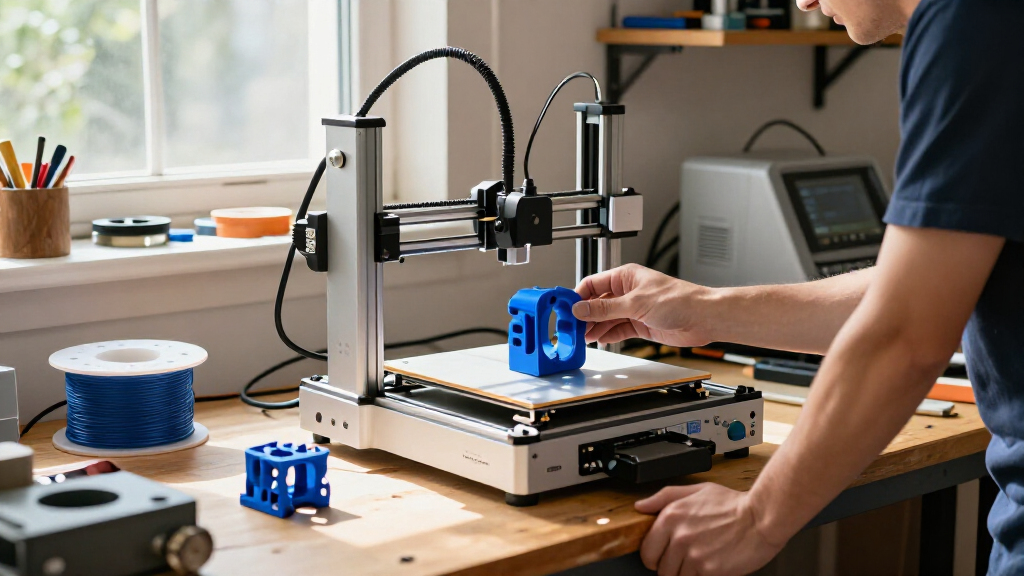
I compared these 10 3D printers around the decisions that shape ownership: setup and day-to-day usability, print format and enclosure, multicolor workflow, versatility, and the likely demands of maintenance. I also looked at whether a model’s design matches its intended buyer, from compact beginner machines to enclosed CoreXY systems. A feature mattered most when it could change what someone can print or how much effort a project takes.
The ranking favors broad usefulness first, then more specialized strengths. The Bambu Lab P1S Combo leads because it combines an enclosed platform with an included multicolor system; the standard P1S follows for buyers who do not need that bundle. The A1 and compact Tina2C models address easier entry and smaller projects, while the Snapmaker U1, Centauri 2 Combo, P2S Combo, and FLASHFORGE multicolor models appeal to specific workflow priorities. The Adventurer 5M earns consideration for speed-focused buyers, but no single feature outweighs fit, capability, and tradeoffs together.
Factors to Consider When Choosing 3d Printers
Before choosing among 3D printers, I’d start with the projects you expect to make and the amount of hands-on setup you are willing to manage. A machine with more features can add capability, but it can also bring a more involved workflow. These broader questions help separate a useful upgrade from extras that may sit unused.
Match the Build Area to Your Real Projects
Think about the largest object you are likely to print, not an imagined future project. A compact machine can handle useful parts, toys, and small prototypes, but larger models may need to be split into pieces and assembled. Splitting can affect strength, surface finish, and design time, so repeated large prints may justify a bigger build area. At the same time, a larger printer takes more room and may encourage wasted material if most jobs are small. Check the actual build volume and allow space around the machine for access and maintenance. I would not pay for a larger format unless your regular designs need it.
Choose an Enclosure for Materials and Your Workspace
An enclosure can help stabilize printing conditions and reduce exposure to drafts, which matters for some materials and taller prints. It is not a guarantee that every filament will print well, and material compatibility depends on the printer’s hotend, bed, and recommended operating limits. For PLA-focused household projects, an open design may be easier to access and sufficient. In a shared room, an enclosure may also help contain noise and moving parts, but it does not make a printer silent or remove the need for ventilation. Check the manufacturer’s material guidance before buying filament. Pick enclosure features for a real material or workspace need rather than treating them as automatic upgrades.
Compare Multicolor Workflows, Not Just Color Counts
Multicolor printing can make signs, figures, and labeled parts more expressive, but the method affects setup and print time. Systems that swap filament may create purge waste during color changes, while multiple toolheads take a different mechanical approach and can have their own setup demands. A high stated color capacity does not tell you how convenient a system is for a design with frequent changes. Consider how often you will print multicolor objects and whether you can design around fewer color swaps. For mostly single-color functional parts, a bundled color system may add complexity without much benefit. If color is central to your work, compare the full workflow, including loading, material management, and cleanup.
Treat Speed as a System-Level Tradeoff
Advertised maximum speed is not the same as the time needed to finish a clean, usable part. Print settings, geometry, material, cooling, and the printer’s ability to manage motion all affect the result. A machine that suits rapid prototyping can still need careful tuning for fine detail or demanding materials. Consider whether your work involves many quick iterations or a few detailed pieces; those needs can point to different priorities. Also check whether faster printing changes noise levels in your planned workspace. I’d compare typical operating modes and workflow support rather than choosing on a headline speed figure alone.
Budget for the Whole Setup, Not Just the Printer
The printer is only one part of a working setup. Filament, spare nozzles, build plates, storage, and any multicolor accessories can affect the total cost and the space required. A bundle may be convenient if you already want its included accessories, but it is poor value if those features will go unused. Beginner-friendly software and guided setup can also save time, even if they do not appear on a spec sheet. Before choosing, check what is included and which consumables are specific to the model. A simpler printer plus a small supply of suitable filament can be a better start than a feature-heavy package.
Plan for Maintenance and Support
Every 3D printer needs some routine care, from cleaning the build surface to checking wear parts and keeping the motion system in good order. More complex systems can add extra components to understand, so look at how replacement parts, troubleshooting instructions, and software updates are handled. A low-maintenance promise should not replace a check of the manufacturer’s support resources. If a printer is for a classroom or shared home, downtime may matter more than advanced features. Consider whether you are comfortable diagnosing basic print failures or prefer a guided ecosystem. Easy access to documentation and common consumables can make ownership less frustrating over time.
Frequently Asked Questions
Should I buy a multicolor printer if I mainly plan to print functional parts?
Usually, not unless color serves a practical purpose such as labeling, indicating assembly order, or making parts easier to identify. Multicolor systems can add loading steps and, depending on the design, material waste and longer print times. A reliable single-color workflow may be more useful for brackets, housings, and replacement parts. You can still make functional parts in several colors by printing separate pieces and assembling them. If you expect color to be an occasional experiment, compare the cost and complexity of an add-on system with that of buying it built into the printer.
Is an enclosed 3D printer worth choosing over an open model?
An enclosure makes more sense if you want to print materials that benefit from steadier conditions or if the printer will sit in a space where access to moving parts should be limited. It can also help shield prints from drafts, but it does not automatically provide ventilation or make every filament suitable. Open printers can be easier to reach, inspect, and maintain, which suits many basic PLA projects. Consider your intended materials, available room, and the manufacturer’s safety guidance before deciding. If you do not need enclosure-related benefits, a simpler open model may be the more practical fit.
How much printer should a beginner buy?
I’d choose a machine that makes the first projects manageable without adding features you are unlikely to use. A compact beginner model can be a sensible starting point for small prints, while a more capable printer may be worthwhile if you already know you need a larger build area or enclosed printing. Look for clear setup instructions, approachable software, and accessible replacement parts. Do not assume that the most advanced model will teach you faster; extra systems can add more settings to learn. Start from the objects you want to make and the time you want to spend troubleshooting.
Does a faster printer automatically save time?
No. A higher speed ceiling can shorten some jobs, but actual print time depends on the model, material, layer settings, and how the printer manages motion and cooling. A fast machine may still need slower settings for fine details or consistent results. Preparation, failed prints, and post-processing also contribute to the time a project takes. If you print frequent prototypes, faster iteration may matter a lot; for occasional decorative prints, ease of use may be more valuable. Compare the workflow you will use most often rather than relying on a maximum speed claim.
Is it better to buy a printer bundle or add accessories later?
A bundle can be a good fit when you already want its included system, such as a multicolor accessory, and prefer a single setup path. Buying the printer alone can make more sense if you expect to print mostly one color or want to learn the basics before adding complexity. Check exactly what the bundle contains, what is required for normal printing, and whether any included items limit your choice of materials or workspace. Accessories can also take up room and add maintenance tasks. I’d pay for the bundle only when its features match projects you expect to make regularly.
Conclusion
For the broadest mix of enclosure and multicolor capability, I’d choose the Bambu Lab P1S Combo as best overall. Buyers who want the enclosed platform without the included multicolor system should look at the Bambu Lab P1S as a more focused alternative. For a beginner with small projects and limited space, the HEPHI3D TINA2C or Entina Tina2C is the better-sized starting point; the Bambu Lab A1 is a stronger fit if you want a more capable open-frame option. For buyers prioritizing multicolor toolhead flexibility, the Snapmaker U1 is the standout specialized choice, while the Bambu Lab P2S Combo suits those seeking a more feature-rich bundled setup. If speed is the main goal, compare the FLASHFORGE Adventurer 5M with your expected print types before choosing. In short, match the printer to your projects: compact for small first prints, enclosed for a broader material workflow, and multicolor only when you will use it often.
Halloween Picks
halloween
As an affiliate, we earn on qualifying purchases.