Shopping for home theater projectors in 2026 means choosing between three very different machines: dedicated cinema models, ultra-bright laser units, and do-everything smart projectors. After comparing six of the strongest options, I give the top spot to the Epson Home Cinema 980, because its 3LCD chip delivers the most accurate, rainbow-free color for movies at a price most buyers can justify. If you watch in a bright room or split time between films and gaming, the Optoma HZ41 and its 4,600-lumen laser engine is the upgrade worth paying for, while the Optoma HD146X remains the budget pick I’d hand to anyone building a first theater on a tight ceiling. The core tradeoffs come down to color accuracy versus raw brightness, lamp versus laser longevity, and built-in streaming versus image fidelity. Below, I break down what separated these six models and who each one actually suits.

Get business pricing on tech for your team
- Business-only prices and quantity discounts
- Tax-exempt purchasing
- Multiple users, one account, clear invoices
Key Takeaways
- Color processing separated the winners from the rest: the Epson Home Cinema 980’s 3-chip 3LCD engine produces full color brightness with no rainbow effect, which single-chip DLP models like the HD146X and PX700HDH can’t fully match for dark-room movies.
- The Optoma HZ41’s laser light source is the biggest dividing line in this lineup — rated for up to 30,000 hours, it removes lamp-replacement costs entirely, but only heavy daily viewers will recoup the premium over cheaper lamp models.
- Brightness numbers were misleading across brands: the HAPPRUN lists an honest 1,500 ANSI lumens, while several rivals quote inflated ‘light source’ lumen figures that overstate what actually reaches the screen.
- Smart platforms came at the expense of picture quality — the VIDAA X9 PRO and HAPPRUN add built-in streaming and auto setup, yet neither matches the contrast or color accuracy of the dedicated cinema models.
- Input lag emerged as a hidden spec: the HZ41’s enhanced gaming mode makes it the only pick here I’d pair with a PS5 or Xbox, while the smart projectors lag too much for serious console play.
| Optoma HD146X 1080P Full HD Home Theater Projector |  | Best for Beginners | Resolution: Full HD 1080p (1920 x 1080) | Brand: Optoma | Game mode: Dedicated game display mode | VIEW LATEST PRICE | See Our Full Breakdown |
| VIDAA X9 PRO 4K Outdoor Projector |  | Best Smart Outdoor Projector | Resolution: Native 1080p, 4K decoding | Brightness: 920 ANSI lumens | HDR: HDR10 | VIEW LATEST PRICE | See Our Full Breakdown |
| Optoma HZ41 4600-Lumen Full HD Laser DLP Home Theater and Gaming Projector |  | Best Premium Pick | Brightness: 4,600 lumens | Light source: Laser DLP | Resolution: Full HD 1080p | VIEW LATEST PRICE | See Our Full Breakdown |
| Epson Home Cinema 980 3-Chip 3LCD 1080p Movie Projector |  | Best Overall | Brightness: 4,000 lumens | Resolution: 1080p Full HD | Display technology: 3-chip 3LCD | VIEW LATEST PRICE | See Our Full Breakdown |
| ViewSonic PX700HDH 3700 Lumens 1080p Projector with SuperColor Technology |  | Best Value | Resolution: 1920 x 1080 Full HD | Brightness: 3,700 ANSI lumens | Throw ratio: 1.5 to 1.6 | VIEW LATEST PRICE | See Our Full Breakdown |
| HAPPRUN 1500 ANSI Lumens Outdoor Projector with Google TV |  | Best Smart All-in-One | Brightness: 1500 ANSI lumens | Native Resolution: Full HD 1080p (accepts 4K input) | Smart Platform: Google TV built in | VIEW LATEST PRICE | See Our Full Breakdown |
| home theater projector | Resolution | Brightness | Intended use |
|---|---|---|---|
| Optoma HD146X 1080P Full HD Ho | Full HD 1080p (1920 x 1080) | — | Home theater |
| VIDAA X9 PRO 4K Outdoor Projec | Native 1080p, 4K decoding | 920 ANSI lumens | — |
| Optoma HZ41 4600-Lumen Full HD | Full HD 1080p | 4,600 lumens | Home theater and gaming |
| Epson Home Cinema 980 3-Chip 3 | 1080p Full HD | 4,000 lumens | Movies, sports, casual gaming |
| ViewSonic PX700HDH 3700 Lumens | 1920 x 1080 Full HD | 3,700 ANSI lumens | — |
| HAPPRUN 1500 ANSI Lumens Outdo | — | 1500 ANSI lumens | — |
More Details on Our Top Picks
Optoma HD146X 1080P Full HD Home Theater Projector
The Optoma HD146X is the projector I’d hand to someone building their first dedicated movie room. Its native 1080p resolution delivers the sharp, clean image that makes a 100-inch screen feel cinematic rather than blurry, and Optoma’s color tuning leans warm and film-friendly out of the box. A dedicated game display mode means it doubles for casual console nights without tweaking. Compared with the ViewSonic PX700HDH, it trades setup flexibility for simplicity — there’s less zoom range to play with, so placement takes a bit more planning. And against the VIDAA X9 PRO, there’s no smart platform at all, so you’ll need a streaming stick. The bigger caveat: Optoma publishes little brightness or connectivity data for this model, so buyers who need a bright-room performer should look higher up this list. For a darkened room and a first big screen, though, this option stands out as the low-risk starting point.
Pros:- Full HD 1080p resolution keeps a 100-inch image sharp
- Game display mode suits casual console play
- Straightforward installation and setup for beginners
- Warm, film-friendly color tuning out of the box
Cons:- No published brightness or contrast figures, so bright-room performance is a gamble
- No smart platform or listed connectivity — plan on an external streaming device
Best for: First-time projector owners setting up a dedicated dark room who want cinema-style 1080p without a learning curve
Not ideal for: Bright living rooms or streaming-first buyers — brightness specs are unlisted and there’s no built-in smart platform
- Resolution:Full HD 1080p (1920 x 1080)
- Brand:Optoma
- Game mode:Dedicated game display mode
- Setup:Easy installation
- Intended use:Home theater
- Smart platform:None — external streamer required
Our verdict“The safest first projector for a dark-room movie setup, as long as you bring your own streaming stick.”
VIDAA X9 PRO 4K Outdoor Projector
Where the Optoma HD146X needs a streaming stick and a dark room, the VIDAA X9 PRO arrives with everything built in. The VIDAA smart OS carries the major streaming apps, and AI auto focus with 6D keystone correction means the image squares itself up in seconds — the difference between fiddling with settings and actually watching the movie on a patio night. Twin 20W Dolby-certified speakers are loud enough that I wouldn’t call an external soundbar mandatory, which is rare in this lineup. The tradeoff worth weighing: despite the 4K badge, the native panel is 1080p, so 4K content downscales, and 920 ANSI lumens is fine after sunset but no match for the Optoma HZ41’s 4,600 lumens indoors. This pick makes the most sense for buyers who value convenience and portability over raw light output.
Pros:- Built-in VIDAA smart OS with major streaming apps
- AI auto focus, 6D keystone, obstacle avoidance, and screen fit automate setup
- Dual 20W Dolby-certified speakers fill a backyard without extra gear
- WiFi 6, AirPlay 2, and HomeKit integration for easy casting
Cons:- Native 1080p panel downscales 4K content despite the 4K branding
- 920 ANSI lumens demands darkness — weak for daytime or bright rooms
- Smart projector menus add a learning curve for less tech-savvy users
Best for: Backyard movie hosts and renters who want an all-in-one projector they can carry outside and set up in minutes
Not ideal for: Daylight viewers and 4K purists — 920 ANSI lumens fades in bright light and the panel is native 1080p
- Resolution:Native 1080p, 4K decoding
- Brightness:920 ANSI lumens
- HDR:HDR10
- Speakers:2 x 20W Dolby-certified
- Smart OS:VIDAA OS with cloud storage
- Connectivity:WiFi 6, Bluetooth 5.4, HDMI ARC/CEC, USB, 3.5mm
- Auto features:Auto focus, 6D keystone, obstacle avoidance, screen fit
- Warranty:3 years
Our verdict“Buy this if you want a grab-and-go smart projector for outdoor nights; skip it if your room is bright or you insist on true 4K.”
Optoma HZ41 4600-Lumen Full HD Laser DLP Home Theater and Gaming Projector
The Optoma HZ41 is the model I’d put at the top of this roundup on hardware alone. Its laser light source rated at 4,600 lumens is nearly double what the Epson Home Cinema 980 and ViewSonic PX700HDH manage, which means sports and movies stay punchy even with the lights on — no blackout curtains required. Gamers get a 120 Hz refresh rate and 8.6 ms input lag, figures none of the other picks here publish, so fast-paced play feels responsive rather than smeared. The catch is the cost structure: laser projection carries a premium, and Optoma shares no contrast ratio or speaker details, so audio will likely need an external solution anyway. Compared with the lamp-based Optoma HD146X, you’re paying for longevity and brightness rather than resolution gains — both are 1080p. This model is better suited to buyers building a permanent, high-end setup.
Pros:- 4,600-lumen laser output holds up in well-lit rooms
- 120 Hz refresh rate with 8.6 ms input lag suits serious gaming
- Laser light source outlasts traditional lamps with no bulb swaps
- Full HD resolution keeps images crisp at large sizes
Cons:- Laser technology pushes the price well above lamp-based rivals
- No published contrast ratio or speaker specs — expect to add external audio
Best for: Dedicated home theater and gaming enthusiasts with ambient light who want laser longevity and fast, responsive play
Not ideal for: Budget buyers and casual viewers — the laser premium is hard to justify for occasional dark-room movie nights
- Brightness:4,600 lumens
- Light source:Laser DLP
- Resolution:Full HD 1080p
- Throw ratio:1.48 to 1.62:1
- Refresh rate:120 Hz
- Input lag:8.6 ms
- Intended use:Home theater and gaming
Our verdict“The pick for a permanent, premium theater-and-gaming room where brightness and speed matter more than price.”
Epson Home Cinema 980 3-Chip 3LCD 1080p Movie Projector
If I had to recommend one projector here without knowing the buyer’s room, it would be the Epson Home Cinema 980. The reason is balance: 4,000 lumens is bright enough for living rooms with some ambient light, and the 3-chip 3LCD design produces equal color and white brightness, so sports jerseys and animated films look saturated instead of washed out — a weakness single-chip DLP rivals like the Optoma HD146X can show in bright scenes. Setup is forgiving, with two HDMI ports, a USB power port for a streaming stick, and a built-in speaker that gets you watching the same night. The tradeoffs are honest ones: no 4K, no lens shift, and that speaker is a convenience rather than a sound system. Against the pricier Optoma HZ41, you give up laser longevity and gaming specs, but keep most of the real-world performance for far less money.
Pros:- 4,000 lumens keeps images watchable with lights on
- 3LCD technology delivers equal color and white brightness
- Two HDMI ports plus USB power for a streaming stick
- Built-in speaker enables same-night setup
Cons:- Caps at 1080p with no 4K support
- No lens shift or zoom data, so placement flexibility is limited
- Built-in speaker won’t satisfy anyone chasing theater sound
Best for: Families and mixed-use households who split time between movies, sports, and casual gaming in rooms they can’t fully darken
Not ideal for: Competitive gamers and 4K upgraders — there’s no high-refresh mode, and resolution tops out at 1080p
- Brightness:4,000 lumens
- Resolution:1080p Full HD
- Display technology:3-chip 3LCD
- Inputs:2x HDMI, 1x USB power
- Built-in speaker:Yes
- Intended use:Movies, sports, casual gaming
- Design:Portable for flexible placement
Our verdict“The safest all-rounder for most living rooms — bright, color-accurate, and ready out of the box.”
ViewSonic PX700HDH 3700 Lumens 1080p Projector with SuperColor Technology
The ViewSonic PX700HDH is where I’d send buyers who want the biggest screen for the least money without dropping to no-name brands. Its 3,700 ANSI lumens sits just below the Epson Home Cinema 980, and SuperColor with a high contrast ratio gives it deeper blacks than you’d expect at this price — in a dark room, movie nights look genuinely rich rather than gray. Setup flexibility is the quiet win: a 1.1x optical zoom, vertical keystone, and a 1.5–1.6 throw ratio that fills up to 150 inches from under 16 feet back. The compromises mirror its price tag. Like the Epson, it’s 1080p only, it skews bulky for shelf-hopping portability, and despite the lumen rating it still performs best with the lights down. This pick makes the most sense when budget leads the decision but picture quality can’t come last.
Pros:- 3,700 ANSI lumens at a lower price than most rivals here
- SuperColor and high contrast produce deep blacks for movies
- 1.1x optical zoom plus keystone eases placement
- Projects up to 150 inches for a true theater scale
Cons:- Still wants a dark room despite the brightness rating
- 1080p only, with no smart platform built in
- Bulky chassis limits grab-and-go portability
Best for: Budget-conscious movie fans with a dedicated or dimmable room who want a 150-inch picture from an established brand
Not ideal for: Anyone needing a portable or smart projector — it’s bulky, has no built-in OS, and still prefers darkness
- Resolution:1920 x 1080 Full HD
- Brightness:3,700 ANSI lumens
- Throw ratio:1.5 to 1.6
- Screen size:80 to 150 inches
- Projection distance:8.7 to 16.2 ft
- Zoom:1.1x optical, 0.8x to 2.0x digital
- Keystone:Vertical
- Color technology:SuperColor
Our verdict“The value play: near-Epson brightness and big-screen scale for less, if you can control the light.”
HAPPRUN 1500 ANSI Lumens Outdoor Projector with Google TV
The HAPPRUN’s pitch is simplicity: everything lives inside one box. With built-in Google TV, auto focus, and auto keystone, I’d call it the lowest-friction route to a 100-plus-inch picture — no streaming stick to buy, no geometry to dial in by hand, both of which the lamp-based Optoma HD146X and Epson Home Cinema 980 still ask of you. Against the VIDAA X9 PRO, its closest smart rival, the HAPPRUN leans on Google’s app library, which I find broader and better maintained than VIDAA’s store.
The tradeoffs are real. At 1500 ANSI lumens it’s far dimmer than the ViewSonic PX700HDH’s 3700 lumens, so this is a lights-off machine, full stop. It’s also native 1080p — 4K signals get downscaled — and the brand’s support track record is thinner than Epson’s or Optoma’s. For casual streaming, convenience carries the day.
Pros:- Google TV built in, so Netflix, YouTube, and other apps run without a separate streaming stick
- Auto focus and auto keystone make setup close to instant, even for first-time projector owners
- 1500 ANSI lumens is strong brightness for an all-in-one smart projector at this tier
- WiFi 6 and Bluetooth 5.2 keep wireless mirroring and audio connections stable
Cons:- Needs a dark room or nighttime use — it can’t fight ambient light the way 3700-lumen lamp models can
- 4K is input support only; the panel renders at native 1080p
- No published weight or dimensions, and a lesser-known brand means a thinner support and warranty track record
Best for: Streamers who want a single-box setup for backyard movie nights and casual living-room viewing, with no extra streaming hardware to buy
Not ideal for: Owners of light-controlled dedicated theater rooms, who’d get a brighter, sharper picture from the Optoma HZ41 laser or the Epson Home Cinema 980
- Brightness:1500 ANSI lumens
- Native Resolution:Full HD 1080p (accepts 4K input)
- Smart Platform:Google TV built in
- Connectivity:WiFi 6, Bluetooth 5.2, HDMI, USB, 3.5mm audio jack
- Audio:Dual Hi-Fi speakers with Dolby Audio
- Setup:Auto focus and auto keystone correction
- Screen Size:40 to 300 inches
- Zoom:50%–100%
Our verdict“Buy this if streaming convenience and grab-and-go setup matter more to you than reference-level brightness or true 4K sharpness.”
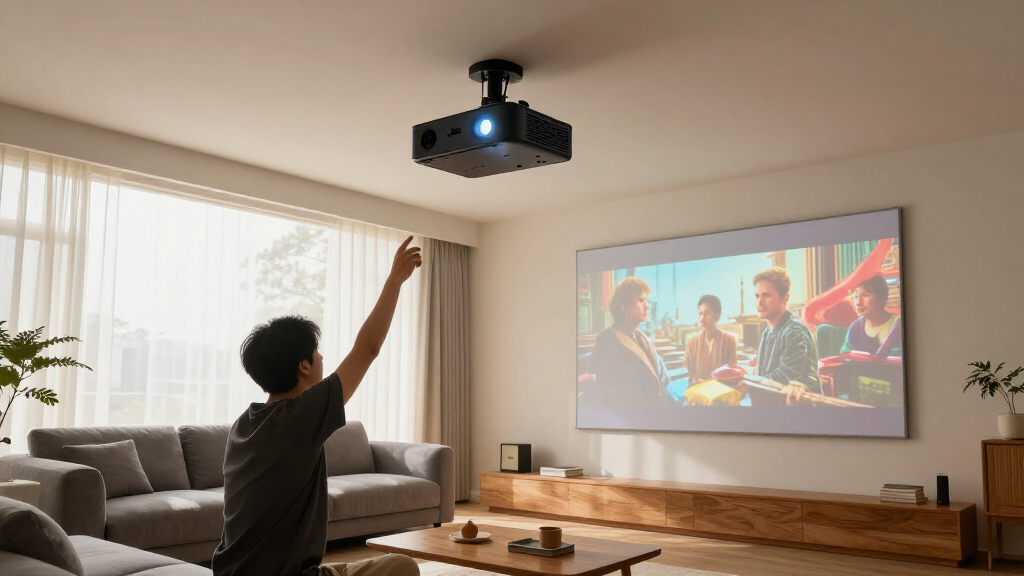
How We Picked
I evaluated all six projectors on the factors that decide long-term satisfaction with a home theater setup: color accuracy and contrast, real usable brightness (weighted toward ANSI lumen ratings over marketing numbers), light-source lifespan and replacement cost, setup flexibility, built-in sound, and price. Because this roundup targets movie watching first, picture quality carried the most weight — a projector can have every app and auto-focus trick on the market and still lose to a model that renders skin tones and shadow detail correctly.
That weighting explains the order. The Epson Home Cinema 980 leads because its 3LCD engine is the most color-accurate here at a mid-range price. The Optoma HZ41 ranks second as the premium option: its laser and 4,600 lumens are objectively stronger hardware, but the price jump only pays off for bright rooms and daily use. The Optoma HD146X and ViewSonic PX700HDH follow as the value tier — genuinely good 1080p pictures with small compromises — while the VIDAA X9 PRO and HAPPRUN close the list because their smart, go-anywhere designs trade away the contrast and dark-room performance this category is judged on.
| home theater projector | Intended use |
|---|---|
| Optoma HD146X 1080P Full HD Ho | Home theater |
| VIDAA X9 PRO 4K Outdoor Projec | — |
| Optoma HZ41 4600-Lumen Full HD | Home theater and gaming |
| Epson Home Cinema 980 3-Chip 3 | Movies, sports, casual gaming |
| ViewSonic PX700HDH 3700 Lumens | — |
| HAPPRUN 1500 ANSI Lumens Outdo | — |
Factors to Consider When Choosing Home Theater Projectors
The reviews above tell you which projector to buy; this section explains how to make that decision for your own room. These are the factors I see buyers get wrong most often, and the places where spending more actually changes what you see on screen.Match Brightness to Your Room, Not the Spec Sheet
Brightness is the most abused spec in this category. Many projectors — especially budget smart models — quote ‘LED lumens’ or ‘light source lumens’ that can run two to three times higher than the standardized ANSI lumens figure, which is the only number you should compare across brands. A light-controlled room with blackout curtains only needs around 1,500 to 2,000 ANSI lumens for a 100-inch image, so even a modest projector looks rich and punchy there. A living room with windows or lamps on is a different story: below roughly 3,000 lumens, the picture washes out into gray. The most common mistake I see is buyers choosing a convenient, dim smart projector for a bright family room and then wondering why movies look faded with the kitchen light on. Decide where the projector will live, be honest about how dark that room gets, and buy brightness for your worst-case scenario — you can always dim a projector, but you can’t brighten one past its lamp.
Lamp vs. Laser: The Real Cost Over Five Years
Every projector here uses one of two light sources, and the choice changes what ownership actually costs. Traditional lamp models like the HD146X and PX700HDH are cheaper upfront, but their bulbs dim over time and typically need a $100 to $200 replacement somewhere between 4,000 and 10,000 hours, depending on the mode you run. Laser units like the HZ41 are rated for up to 30,000 hours — at two movies a week, that’s decades of use with no maintenance and no gradual dimming. The math is simple: if you watch a film every weekend, a lamp projector will likely outlast your interest in it, and the cheaper model is the smarter buy. If the projector is replacing a TV and running four or more hours a day, the laser pays for itself within a few years and holds its brightness the whole time. Buy the lamp for occasional use, the laser for daily duty — the premium only makes sense at high mileage.
1080p vs. 4K, and Why the Chip Matters More
It’s easy to fixate on 4K, but at normal seating distances the difference is smaller than spec sheets suggest. Sit ten feet or more from a 100-inch screen and most viewers can’t reliably tell a sharp 1080p image from a pixel-shifted 4K one — contrast and color accuracy change the picture far more than extra pixels do. That’s why the imaging chip matters: single-chip DLP models create color with a spinning wheel, which some viewers perceive as brief rainbow flashes in high-contrast scenes, while 3-chip 3LCD designs like the Epson’s render all colors simultaneously with none of that artifact. If you’re sensitive to the rainbow effect, no resolution bump will fix it — you need a different chip. Resolution starts to matter at screen sizes above roughly 120 inches or if you sit unusually close. Prioritize the chip and contrast first, then let your screen size decide whether 4K is worth the premium.
Measure Throw Distance Before You Buy Anything
More projectors get returned over placement than over picture quality. Every model has a throw ratio that dictates how far back it must sit to fill a given screen, and most standard-throw units need roughly 9 to 13 feet of distance for a 100-inch image. Measure your room and check the manufacturer’s throw calculator before you buy, not after. Digital keystone correction and auto focus — heavily advertised on smart models — are rescue tools, not setup plans: keystone correction works by discarding pixels, so a heavily corrected image is visibly softer than a squared-up one. Optical zoom and lens shift, when available, reposition the image with no quality loss and are worth paying for if your mounting options are awkward. Plan the mount, cable runs, and power first — a projector that fits your room on paper is the one you’ll actually enjoy living with.
Built-In Smart Platforms Are a Convenience, Not a Reason to Pay More
Built-in streaming is the feature buyers overvalue most. A projector with Google TV or a similar platform is convenient — one remote, no extra box — but the operating system is often the first part of the product to age, with apps losing support years before the lamp does. A $30 streaming stick plugged into any projector’s HDMI port gives you a faster interface, broader app support, and a cheap upgrade path every few years. That said, there’s one case where built-in smarts genuinely earn their keep: portable and backyard use, where every extra device, cable, and power outlet adds friction to what should be a grab-and-go movie night. For a permanent indoor setup, treat the smart platform as a bonus rather than a buying reason. Pay for optics, not apps — the picture has to last a decade, and the software won’t.
Budget for Sound and a Screen, Not Just the Projector
The projector is only about two-thirds of a working home theater. Built-in speakers on these models range from passable to anemic, and none of them reproduce movie dialogue and bass the way even an entry-level soundbar does — set aside at least $100 to $200 for audio, or route sound to speakers you already own via Bluetooth or the audio-out jack. The screen deserves the same honesty: a smooth white wall works to get started, but painted drywall has texture and off-white tints that skew color and soften detail. A basic fixed-frame or pull-down screen in the $100 to $150 range visibly tightens the image, and in rooms with ambient light, an ambient light rejecting (ALR) screen can do more for perceived contrast than a brighter projector. Add these costs up before you compare prices — a cheaper projector plus a screen and soundbar often beats a pricier projector fighting a bare wall and its own speaker.
Frequently Asked Questions
Is 1080p good enough for a home theater projector in 2026?
For most setups, yes. On a 100-inch screen viewed from nine or ten feet back, the human eye struggles to resolve the gap between a good 1080p panel and pixel-shifted 4K, which is why the 1080p Epson Home Cinema 980 tops this list over the 4K-capable VIDAA X9 PRO. What you notice at that distance is contrast, black level, and color accuracy — areas where resolution doesn’t help. Stepping up to 4K starts paying off when your screen passes roughly 120 inches or you sit closer than about eight feet, because that’s when individual pixels become visible. My advice: if your budget forces a choice between higher resolution and a better light source or a brighter image, take the brightness or the laser — you’ll see that difference every single night.
How many lumens do I need if my room isn’t fully dark?
More than the spec sheet’s headline suggests, and only trust ANSI lumens when comparing. For a room with a few lamps on or moderate window light, you want at least 3,000 lumens at the screen; for daytime sports or a space you can’t darken at all, 3,500 to 4,600 lumens — the territory of the ViewSonic PX700HDH and Optoma HZ41 — keeps the picture from washing out. In a properly dark room, by contrast, anything above about 2,000 lumens is plenty, and extra brightness mostly just lets you run eco modes for longer lamp life. One workaround worth knowing: pairing a mid-brightness projector with an ALR screen can reclaim a lot of contrast in ambient light without paying for a laser. Match the number to your brightest realistic viewing scenario, not your ideal one.
Is a laser projector worth the extra money over a lamp model?
It depends entirely on how many hours you’ll rack up. A lamp bulb costs roughly $100 to $200 and lasts several years at movie-night usage, so a weekend viewer might spend $300 on bulbs over a decade — far less than the price gap to a laser model like the Optoma HZ41. The equation flips for daily use: at four-plus hours a day, you’ll burn through two or three lamps in the time a laser keeps running at full brightness, and the HZ41’s up-to-30,000-hour light source never needs service. Laser also brings practical perks — near-instant on and off, no warm-up, and brightness that stays consistent for years instead of slowly fading. Casual viewers should pocket the savings; daily viewers should pay the premium — it’s one of the few upgrades in this category with a clean break-even point.
Can a smart outdoor projector double as my main home theater?
You can, but go in with clear eyes about the tradeoff. Models like the VIDAA X9 PRO and HAPPRUN are built around convenience — auto focus, auto keystone, and streaming baked in — and their optics are tuned for flexibility rather than dark-room precision, so black levels and fine shadow detail trail the dedicated cinema models on this list. The auto-setup features also mean the image is rarely perfectly squared, and digital correction softens the picture slightly. For a household that watches a movie in the living room on Friday and projects onto the side of the garage on Saturday, that compromise is absolutely worth it. If the projector will live permanently in one dark room, though, a traditional model like the HD146X plus a cheap streaming stick gives you a clearly better picture for similar money. Buy the smart projector for what it does that others can’t — move easily — not as a shortcut to theater quality.
Do I need a projector screen, or is a white wall enough?
A wall is a fine starting point, and I’d rather see a buyer put the whole budget into the projector first. Flat white or very light gray paint on a smooth wall can produce a perfectly watchable image, and it costs nothing to try on day one. The limits show up gradually: drywall texture softens fine detail, off-white paint shifts color, and there’s no black border to frame the image, which makes contrast look worse than it is. A fixed-frame screen around $100 to $150 fixes all three issues and is the single cheapest visible upgrade after the projector itself. In rooms with ambient light, an ALR screen goes further by reflecting the projector’s light toward you while rejecting light from windows and lamps — in some living rooms it buys you more usable contrast than stepping up to a brighter model. Start with the wall and upgrade when the compromises start bothering you — most buyers know within a month whether they need the screen.
Conclusion
If I had to give one answer to most readers, it’s the Epson Home Cinema 980 — the best balance of movie-accurate color, price, and reliability in this group, and my best overall pick. Buyers on a strict budget should take the Optoma HD146X, the best value here, which delivers a genuinely cinematic 1080p image for the least money in the lineup. If your theater doubles as a daily-driver TV or you want gaming-grade response with no lamp anxiety, the Optoma HZ41 is the best premium choice and the one I’d pick for bright living rooms. First-time buyers who want the simplest possible setup — auto focus, auto keystone, streaming built in — will be happiest with the HAPPRUN, my best for beginners pick. And if your movie nights move between the living room and the backyard, the VIDAA X9 PRO‘s 4K-capable smart package is the flexible choice, while sports fans watching in daylight should grab the bright ViewSonic PX700HDH. Pick the row that matches your room and habits, and you’ll land on the right machine.
Halloween Picks

26.2ft Giant Inflatable Halloween Pumpkin Outdoor Yard Decoration

3 ft. Halloween Groundbreaker Skeleton for Outdoor Decoration

Outdoor Halloween Fog Machine, 1500W 20000CFM Smoke Machine with LED Lights
As an affiliate, we earn on qualifying purchases.