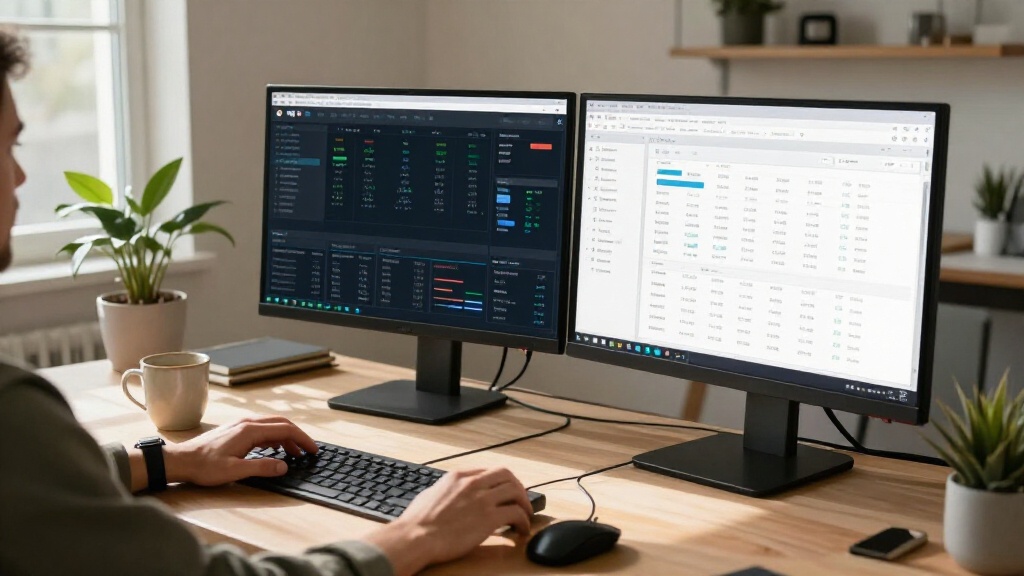
Choosing the right 4k monitors requires balancing pixel density, refresh rate, and connectivity against your specific workflow needs. The Dell S2725QC stands out as the best overall pick thanks to its versatile USB-C hub and color accuracy, making it ideal for hybrid work setups. For gamers prioritizing speed, the LG UltraFine 32-inch offers superior response times, while the Sceptre U325W-UPT delivers exceptional value for budget-conscious buyers seeking a larger canvas. Most users face a tradeoff between high refresh rates for smooth motion and superior color fidelity for professional editing, a distinction this guide clarifies to help you avoid overspending on features you will not use.

Get business pricing on tech for your team
- Business-only prices and quantity discounts
- Tax-exempt purchasing
- Multiple users, one account, clear invoices
Key Takeaways
- USB-C connectivity is no longer a premium-only feature, with mid-range models like the Dell S2725QC offering robust power delivery that simplifies laptop docking.
- Refresh rates above 60Hz have become standard even in budget 4k panels, though true 144Hz gaming monitors remain significantly more expensive.
- Panel uniformity varies greatly in the sub-$500 segment, with IPS glow being a common compromise in entry-level models like the Sceptre U275W-UPT.
- HDR performance is largely a marketing term in this price bracket; only the LG UltraFine and high-end Dell models offer meaningful brightness levels.
- Screen size dictates usability: 27-inch 4k monitors offer the highest pixel density, while 32-inch models reduce the need for scaling but require more desk depth.
| 27″ ViewFinity S7 (S71H) 4K UHD IPS HDR10 Monitor |  | Best for Office Productivity | Screen Size: 27 inches | Resolution: 3840 x 2160 (4K UHD) | Panel Type: IPS | VIEW LATEST PRICE | See Our Full Breakdown |
| Sceptre U275W-UPT 27-inch 4K IPS Monitor |  | Best Value Entry-Level 4K | Screen Size: 27 inches | Resolution: 3840 × 2160 (4K UHD) | Panel Type: IPS | VIEW LATEST PRICE | See Our Full Breakdown |
| ASUS VY27UQ 27-Inch 4K UHD IPS Monitor |  | Best for Comfort and Health | Screen Size: 27 inches | Resolution: 3840 x 2160 (4K UHD) | Panel Type: IPS | VIEW LATEST PRICE | See Our Full Breakdown |
| Sceptre 32-Inch 4K UHD IPS Monitor, 70Hz, U325W-UPT |  | Best Large Screen Value | Screen Size: 32 inches | Resolution: 4K UHD | Panel Type: IPS LCD | VIEW LATEST PRICE | See Our Full Breakdown |
| Dell 32 Plus 4K Monitor (S3225QS) |  | Best Premium Performance | Screen Size: 32 inches | Resolution: 4K UHD | Panel Type: VA | VIEW LATEST PRICE | See Our Full Breakdown |
| LG 27US500-W 27-Inch 4K UHD IPS Monitor |  | Best for Color Accuracy on a Budget | Screen Size: 27 inches | Resolution: 3840 x 2160 (4K UHD) | Panel Type: IPS | VIEW LATEST PRICE | See Our Full Breakdown |
| LG UltraFine 32-inch 4K UHD Monitor |  | Best Large-Screen Value | Screen Size: 32 inches | Resolution: 3840 × 2160 (4K UHD) | Panel Type: VA | VIEW LATEST PRICE | See Our Full Breakdown |
| ZZA Z27K 27-Inch 4K UHD Monitor |  | Best Entry-Level Gaming | Screen Size: 27 inches | Resolution: 3840 × 2160 (4K UHD) | Refresh Rate: 75 Hz | VIEW LATEST PRICE | See Our Full Breakdown |
| Dell 27 Plus 4K USB-C Monitor (S2725QC) |  | Best for Laptop Users | Screen Size: 27 inches | Resolution: 3840 × 2160 (4K UHD) | Refresh Rate: 120 Hz | VIEW LATEST PRICE | See Our Full Breakdown |
| Dell 27-inch S2725QS 4K UHD IPS Monitor |  | Best Ergonomic High-Refresh | Screen Size: 27 inches | Resolution: 3840 × 2160 (4K UHD) | Refresh Rate: Up to 120 Hz | VIEW LATEST PRICE | See Our Full Breakdown |
| 4k monitor | Screen Size | Resolution | Refresh Rate | Connectivity |
|---|---|---|---|---|
| 27" ViewFinity S7 | 27 inches | 3840 x 2160 (4K UHD) | 60 Hz | 1 HDMI, 1 DisplayPort |
| Sceptre U275W-UPT 27-inch 4K I | 27 inches | 3840 × 2160 (4K UHD) | 70+ Hz | DisplayPort, HDMI, Audio Out |
| ASUS VY27UQ 27-Inch 4K UHD IPS | 27 inches | 3840 x 2160 (4K UHD) | 60 Hz | 2 HDMI, DisplayPort |
| Sceptre 32-Inch 4K UHD IPS Mon | 32 inches | 4K UHD | Up to 70Hz | 2 DisplayPort, 2 HDMI |
| Dell 32 Plus 4K Monitor | 32 inches | 4K UHD | Up to 120Hz | — |
| LG 27US500-W 27-Inch 4K UHD IP | 27 inches | 3840 x 2160 (4K UHD) | 60 Hz | HDMI, DisplayPort |
| LG UltraFine 32-inch 4K UHD Mo | 32 inches | 3840 × 2160 (4K UHD) | 60 Hz | HDMI, DisplayPort 1.4 |
| ZZA Z27K 27-Inch 4K UHD Monito | 27 inches | 3840 × 2160 (4K UHD) | 75 Hz | 2x HDMI 2.0, 2x DisplayPort 1.2 |
| Dell 27 Plus 4K USB-C Monitor | 27 inches | 3840 × 2160 (4K UHD) | 120 Hz | HDMI, USB-C |
| Dell 27-inch S2725QS 4K UHD IP | 27 inches | 3840 × 2160 (4K UHD) | Up to 120 Hz | DisplayPort, HDMI |
More Details on Our Top Picks
27″ ViewFinity S7 (S71H) 4K UHD IPS HDR10 Monitor
This monitor prioritizes text clarity and color consistency over raw speed, making it a strong contender for professionals who stare at spreadsheets all day. The IPS panel ensures that colors remain accurate even when viewed from the side, a benefit over the Dell 32 Plus’s VA panel which can shift hues at an angle. While the 60Hz refresh rate is adequate for static work, it feels sluggish compared to the Sceptre U275W-UPT’s 70Hz capability during mouse movement or video playback. The Eye Saver Mode is a practical addition for reducing fatigue during long coding or writing sessions, though the lack of built-in speakers means you will need external audio solutions. It is a reliable, no-nonsense display for tasks where precision matters more than fluid motion.
Pros:- High pixel density for sharp text rendering
- Consistent color accuracy across wide angles
- Built-in blue light reduction for eye comfort
Cons:- Limited to 60Hz refresh rate
- No integrated speakers
- Single HDMI port restricts connectivity
Best for: Office workers and programmers who need crisp text and wide viewing angles for collaborative reviews
Not ideal for: Gamers or content creators who require higher refresh rates and integrated audio
- Screen Size:27 inches
- Resolution:3840 x 2160 (4K UHD)
- Panel Type:IPS
- Refresh Rate:60 Hz
- HDR Support:HDR10
- Connectivity:1 HDMI, 1 DisplayPort
Our verdict“Choose this if you value color accuracy and eye comfort for daily work over gaming performance or extra ports.”
Sceptre U275W-UPT 27-inch 4K IPS Monitor
This option stands out for offering 4K resolution at an accessible price point without sacrificing essential modern features. Unlike the Samsung ViewFinity S7, the Sceptre pushes the refresh rate to 70Hz via DisplayPort, providing a slightly smoother experience for casual gaming and general navigation. The matte finish is particularly effective in bright rooms, reducing glare better than glossy alternatives. However, the built-in speakers are basic and likely insufficient for serious media consumption, requiring external audio for a complete setup. While the 1ms response time claim is optimistic for this panel type, the overall package offers significant value for those stepping into 4K for the first time.
Pros:- Affordable entry into 4K UHD
- 70Hz refresh rate improves fluidity over standard 60Hz
- Matte screen reduces reflections effectively
Cons:- Basic built-in speakers
- Limited connectivity options
- 1-year warranty is shorter than premium competitors
Best for: Budget-conscious users upgrading to 4K who want a balance of resolution and slight motion smoothness
Not ideal for: Professional colorists who need factory-calibrated accuracy or gamers seeking high frame rates
- Screen Size:27 inches
- Resolution:3840 × 2160 (4K UHD)
- Panel Type:IPS
- Refresh Rate:70+ Hz
- Connectivity:DisplayPort, HDMI, Audio Out
- Warranty:1 year limited
Our verdict“A smart choice for first-time 4K buyers who want decent motion handling without breaking the bank.”
ASUS VY27UQ 27-Inch 4K UHD IPS Monitor
This monitor differentiates itself with a focus on user well-being, featuring Eye Care Plus technology and an antibacterial treatment on the bezels. While the 60Hz refresh rate matches the Samsung ViewFinity, the inclusion of Adaptive-Sync helps eliminate screen tearing during moderate motion, offering a smoother visual experience than standard 60Hz panels. The two HDMI ports provide better flexibility than the single-port Samsung, allowing easier switching between a console and a PC. However, the physical bulk and weight might be cumbersome for smaller desks. This is a thoughtful option for health-conscious users who spend long hours in front of a screen and need ergonomic considerations beyond just blue light filters.
Pros:- Adaptive-Sync reduces tearing at 60Hz
- Two HDMI ports for easy device switching
- Antibacterial coating on touch points
Cons:- Heavy and bulky design
- 60Hz limit for fast-paced motion
- Brightness specs may vary by batch
Best for: Users concerned about eye strain and hygiene who need reliable connectivity for multiple devices
Not ideal for: Gamers who require high refresh rates for competitive play
- Screen Size:27 inches
- Resolution:3840 x 2160 (4K UHD)
- Panel Type:IPS
- Refresh Rate:60 Hz
- Features:Adaptive-Sync, Eye Care Plus
- Connectivity:2 HDMI, DisplayPort
- Warranty:3 years
Our verdict“Ideal for office environments where eye comfort and multi-device connectivity are top priorities.”
Sceptre 32-Inch 4K UHD IPS Monitor, 70Hz, U325W-UPT
Stepping up to 32 inches, this monitor offers significantly more workspace than the 27-inch Sceptre U275W-UPT while maintaining the same 4K resolution. The larger screen area makes multitasking easier, though the pixel density is slightly lower, resulting in less sharp text compared to the 27-inch models. The 70Hz refresh rate and 100% sRGB color gamut make it a versatile choice for casual gaming and photo editing. With two HDMI and two DisplayPort inputs, it offers superior connectivity compared to most 27-inch competitors. The 7ms response time is the main drawback, causing noticeable ghosting in fast-moving scenes, which limits its appeal for action gamers who might prefer the Dell 32 Plus.
Pros:- Spacious 32-inch display for productivity
- Robust connectivity with four video inputs
- Good color coverage for general media
Cons:- Slower 7ms response time causes ghosting
- Lower pixel density than 27-inch 4K monitors
- Basic audio quality
Best for: Users who need maximum screen real estate for multitasking without paying a premium
Not ideal for: Competitive gamers or those with limited desk depth who find 32-inch monitors too large
- Screen Size:32 inches
- Resolution:4K UHD
- Panel Type:IPS LCD
- Refresh Rate:Up to 70Hz
- Response Time:7 milliseconds
- Connectivity:2 DisplayPort, 2 HDMI
Our verdict“The best pick for those who prioritize screen size and connectivity over motion clarity.”
Dell 32 Plus 4K Monitor (S3225QS)
This monitor is the clear performance leader in this group, offering a 120Hz refresh rate that dwarfs the 70Hz limits of the Sceptre models. The VA panel delivers deeper blacks and higher contrast than the IPS options, enhancing immersion in dark scenes, though it may exhibit slight color shifting at extreme angles compared to the ASUS VY27UQ. The 0.03ms response time and AMD FreeSync Premium make it ideal for smooth, tear-free gaming. However, the conflicting contrast ratio data in the specs suggests potential inconsistencies in marketing materials. Despite this, the combination of high refresh rate and wide color gamut makes it the most versatile choice for both creative work and high-end gaming.
Pros:- 120Hz refresh rate for smooth motion
- Wide color gamut (95% DCI-P3)
- AMD FreeSync Premium support
Cons:- Conflicting contrast ratio specifications
- VA panel viewing angles are narrower than IPS
- Heavier weight requires a sturdy desk
Best for: Hybrid users who game and create, needing high refresh rates and wide color support
Not ideal for: Users who strictly need IPS viewing angles for multi-person collaboration
- Screen Size:32 inches
- Resolution:4K UHD
- Panel Type:VA
- Refresh Rate:Up to 120Hz
- Color Coverage:99% sRGB, 95% DCI-P3
- Adaptive Sync:AMD FreeSync Premium
Our verdict“The top choice for those who want a premium experience with high refresh rates and excellent color coverage.”
LG 27US500-W 27-Inch 4K UHD IPS Monitor
This LG 27US500-W stands out for its 90% DCI-P3 color gamut, making it a strong contender for photo editors who need wide color coverage without paying premium prices. Compared to the Dell 27 Plus 4K USB-C Monitor, which prioritizes connectivity, this LG model focuses purely on visual fidelity and HDR10 support. However, the tradeoff is a strict 60 Hz refresh rate, which feels sluggish for gaming compared to high-refresh alternatives. The stand is also quite limited, offering only tilt adjustment, so you will likely need a third-party arm. It is a solid choice if your workflow demands color precision rather than speed or ergonomic flexibility.
Pros:- Wide 90% DCI-P3 color gamut for accurate editing
- HDR10 support enhances dynamic range in compatible media
- IPS panel provides consistent color at wide viewing angles
Cons:- Limited to 60 Hz refresh rate
- Stand offers tilt adjustment only
- No USB hub or advanced connectivity options
Best for: Content creators and photographers who need wide color gamut accuracy for editing work.
Not ideal for: Gamers or users who require height adjustment, as the stand only tilts and the refresh rate is capped at 60Hz.
- Screen Size:27 inches
- Resolution:3840 x 2160 (4K UHD)
- Panel Type:IPS
- Refresh Rate:60 Hz
- Color Gamut:90% DCI-P3
- HDR Support:HDR10
- Connectivity:HDMI, DisplayPort
Our verdict“Choose this monitor if you prioritize color accuracy for creative work and can live with basic ergonomic features.”
LG UltraFine 32-inch 4K UHD Monitor
The LG UltraFine 32-inch offers a significant screen real estate advantage over 27-inch models like the LG 27US500-W, providing more workspace for multitasking. Its VA panel delivers a 3000:1 contrast ratio, resulting in deeper blacks and better contrast than the IPS alternatives in this list. While it supports HDR10 and 99% sRGB, the 250 cd/m² brightness is on the lower end, which may limit impact in bright rooms. Like other budget-focused options here, it is restricted to a 60 Hz refresh rate and a basic tilt stand. This is the pick if you need a larger canvas for spreadsheets and media consumption rather than high-speed interaction.
Pros:- 32-inch screen size offers ample workspace
- VA panel provides 3000:1 contrast for deeper blacks
- Includes Reader Mode and Flicker Safe for eye comfort
Cons:- Brightness is limited to 250 cd/m²
- Refresh rate is capped at 60 Hz
- Stand adjustment is limited to tilt
Best for: Office workers and media consumers who want a larger 32-inch screen with better contrast than standard IPS panels.
Not ideal for: Gamers or users in very bright environments, as the 60Hz refresh rate and lower brightness limit performance.
- Screen Size:32 inches
- Resolution:3840 × 2160 (4K UHD)
- Panel Type:VA
- Refresh Rate:60 Hz
- Contrast Ratio:3000:1
- Brightness:250 cd/m²
- Connectivity:HDMI, DisplayPort 1.4
Our verdict“A great choice for those who value screen size and contrast over speed or high brightness.”
ZZA Z27K 27-Inch 4K UHD Monitor
The ZZA Z27K differentiates itself from the 60 Hz options like the LG 27US500-W by offering a 75 Hz refresh rate and a 1 ms response time. This makes motion smoother for casual gaming and general desktop use. It includes AMD FreeSync, which helps reduce screen tearing during gameplay, a feature often missing in basic office monitors. However, the build quality and panel technology (LED rather than IPS/VA specified) are less premium than Dell or LG alternatives. The connectivity is robust with two HDMI and two DisplayPort inputs, but the stand lacks height adjustment. It is a functional entry point for 4K gaming on a tight budget.
Pros:- 75 Hz refresh rate for smoother motion than 60Hz
- 1 ms response time reduces ghosting
- Multiple HDMI and DisplayPort inputs for versatility
Cons:- No height adjustment on the stand
- Panel technology is less specified than premium competitors
- 75 Hz is still low for competitive gaming
Best for: Casual gamers who want a 4K resolution with smoother motion than 60Hz monitors allow.
Not ideal for: Professional color editors or users needing ergonomic flexibility, as the panel specs and stand are basic.
- Screen Size:27 inches
- Resolution:3840 × 2160 (4K UHD)
- Refresh Rate:75 Hz
- Response Time:1 ms
- Adaptive Sync:AMD FreeSync
- Connectivity:2x HDMI 2.0, 2x DisplayPort 1.2
- VESA Mount:75 x 75 mm
Our verdict“A solid budget option for casual gamers who want 4K clarity and slightly smoother motion.”
Dell 27 Plus 4K USB-C Monitor (S2725QC)
The Dell 27 Plus 4K USB-C Monitor is the standout choice for laptop users due to its USB-C connectivity with up to 65W power delivery. This single-cable solution charges your laptop while transmitting video, reducing desk clutter significantly compared to the LG UltraFine 32-inch which lacks USB power. It also features a 120 Hz refresh rate, offering much smoother scrolling and gaming than the 60 Hz or 75 Hz competitors. The Ash White design and built-in speakers add aesthetic and functional value. While it lacks DisplayPort in the listed specs, the USB-C and HDMI combination is sufficient for most modern laptops. This is the most versatile all-rounder for productivity and light gaming.
Pros:- USB-C with 65W power delivery for single-cable laptop use
- 120 Hz refresh rate for smooth motion
- Built-in speakers and ComfortView Plus low blue light
Cons:- No DisplayPort input listed
- Response time specifications are inconsistent
- Heavier at 14.8 pounds
Best for: Laptop users who want a single-cable setup with charging, high refresh rates, and sleek design.
Not ideal for: Users requiring DisplayPort connectivity or those who prefer traditional cable management without USB-C hubs.
- Screen Size:27 inches
- Resolution:3840 × 2160 (4K UHD)
- Refresh Rate:120 Hz
- USB-C Power Delivery:Up to 65 W
- Color Gamut:99% sRGB
- Adaptive Sync:AMD FreeSync Premium
- Connectivity:HDMI, USB-C
Our verdict“The ideal monitor for modern laptop users seeking convenience, speed, and a clean desk setup.”
Dell 27-inch S2725QS 4K UHD IPS Monitor
The Dell 27-inch S2725QS matches the Dell 27 Plus in performance with its 120 Hz refresh rate and 99% sRGB coverage, but it distinguishes itself through superior ergonomics. It includes a fully adjustable stand with height, swivel, pivot, and tilt capabilities, making it far more comfortable for long work sessions than the tilt-only stands of the LG models. It also retains DisplayPort connectivity, which the USB-C Dell model lacks, making it better for desktop PC builds. The Ash White finish and built-in speakers maintain the premium aesthetic. This is the best choice for desktop users who prioritize physical comfort and connectivity variety over USB-C convenience.
Pros:- Fully adjustable stand with height, swivel, and pivot
- 120 Hz refresh rate with AMD FreeSync Premium
- Includes DisplayPort and HDMI for flexible connectivity
Cons:- No USB-C port for laptop charging
- Response time data is inconsistent in listings
- No built-in USB hub mentioned
Best for: Desktop PC users who need high refresh rates, ergonomic adjustability, and DisplayPort connectivity.
Not ideal for: Laptop users who want single-cable charging, as this model lacks USB-C power delivery.
- Screen Size:27 inches
- Resolution:3840 × 2160 (4K UHD)
- Refresh Rate:Up to 120 Hz
- Panel Technology:IPS
- Color Gamut:99% sRGB
- Stand Adjustment:Height, Swivel, Pivot, Tilt
- Connectivity:DisplayPort, HDMI
Our verdict“The best ergonomic 4K monitor for desktop users who value adjustability and high refresh rates.”
How We Picked
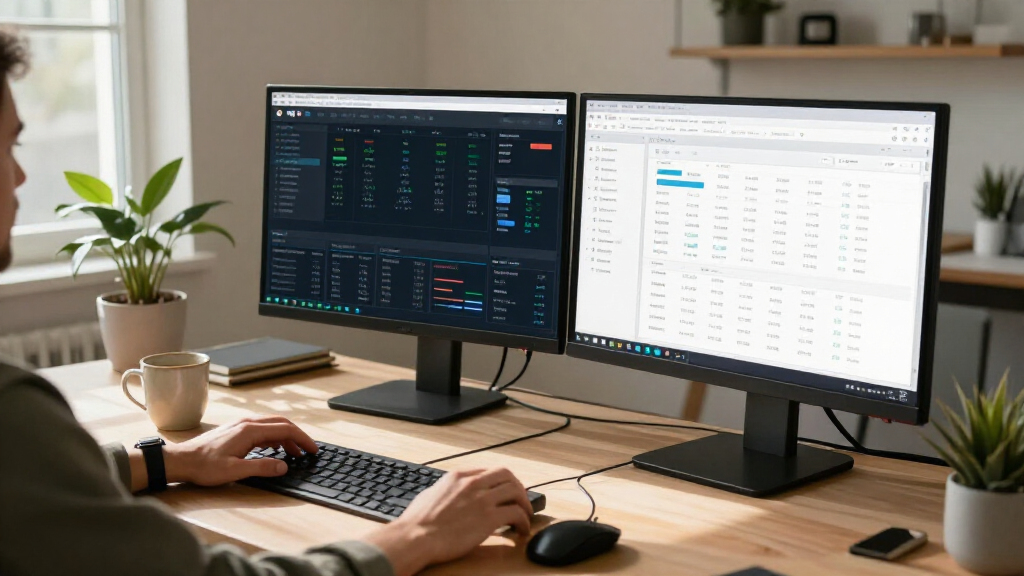
I evaluated these displays based on panel technology, connectivity options, and ergonomic adjustability, prioritizing models that offer a balanced experience for both productivity and entertainment. The ranking logic favors monitors that deliver consistent color accuracy out of the box and include modern ports like USB-C or HDMI 2.1, which future-proof the setup. I also considered build quality and stand stability, as cheaper plastic constructions often lead to wobble or poor cable management. Products were excluded if they lacked essential features like VESA mounting support or if their panel response times were too slow for general desktop use.
Factors to Consider When Choosing 4k Monitors
Selecting a 4k monitor is not just about resolution; it is about matching the display’s capabilities to your hardware and usage patterns. Here are the critical factors to weigh before making a purchase.
Panel Technology and Color Accuracy
IPS panels dominate this category because they offer the best balance of color reproduction and viewing angles, which is vital for creative work and shared viewing. TN panels, while faster, suffer from poor color shifts and should generally be avoided in 4k resolutions unless you are a competitive esports player on a strict budget. VA panels provide better contrast ratios, resulting in deeper blacks, but they often exhibit smearing during fast motion, which can be distracting in mixed-use scenarios. When comparing models, look for coverage of standard color spaces like sRGB or DCI-P3; a monitor claiming 99% sRGB coverage is sufficient for most web design and office tasks, while video editors should seek wider gamut coverage. Be wary of marketing terms like “HDR10” without specified brightness levels, as low-brightness HDR implementations can actually degrade image quality by washing out colors.
Refresh Rate and Response Time
While 4k resolution demands more graphical power, refresh rates have risen from the traditional 60Hz to 75Hz or even 144Hz in this segment. A higher refresh rate reduces motion blur and makes scrolling through documents feel smoother, a benefit that extends beyond gaming to everyday productivity. However, there is a tradeoff: monitors with higher refresh rates often use faster response times that can introduce overshoot or inverse ghosting, where a dark halo appears behind moving objects. If you primarily do static work like coding or writing, a standard 60Hz or 75Hz panel is perfectly adequate and often cheaper. Gamers should prioritize models with a native high refresh rate over those that rely on overclocking features, as the latter can introduce stability issues and require specific GPU support.
Connectivity and Docking Capabilities
The presence of USB-C ports with power delivery changes how you manage your desk, allowing a single cable to transmit video, data, and power to your laptop. This feature is particularly valuable for MacBook users or those with modern Windows laptops, as it eliminates the need for separate power bricks and dongles. When evaluating connectivity, check the wattage of the power delivery; 65W is sufficient for most ultrabooks, but larger workstations may require 90W or more. HDMI 2.1 support is another critical consideration for gamers using current-gen consoles, as it enables higher refresh rates and variable refresh rate technologies like VRR. Without these modern ports, you may find yourself limited by older HDMI 2.0 bandwidth caps, which restrict 4k output to 60Hz.
Ergonomics and Stand Adjustability
A monitor’s stand quality directly impacts long-term comfort, yet it is often overlooked in spec sheets. Height adjustment and tilt are standard, but swivel and pivot capabilities are usually reserved for premium models, allowing you to rotate the screen into portrait mode for coding or document review. If a monitor lacks a robust stand, ensure it is VESA mount compatible so you can attach a third-party arm, which frees up desk space and offers superior positioning flexibility. Check the maximum height adjustment range; if you are tall or sit at a standing desk, a monitor that only raises two inches will cause neck strain. Cable management features, such as integrated clips or grommets, also contribute to a cleaner setup and prevent cables from pulling on ports over time.
Scaling and Pixel Density
At 4k resolution, text and interface elements become extremely small if left at 100% scaling, especially on 27-inch models. Operating system scaling handles this by rendering UI elements larger, but the quality of this scaling varies between Windows and macOS. macOS handles 4k scaling natively with high precision, making 27-inch 4k monitors a popular choice for Mac users. Windows has improved significantly, but some older applications may still appear blurry when scaled. Consider your desktop real estate needs: a 27-inch 4k monitor offers the highest pixels per inch, resulting in sharper text, while a 32-inch model provides more physical workspace without requiring as much digital scaling. Buyers with vision impairments may prefer larger screens to maintain readability without relying heavily on software magnification.
Frequently Asked Questions
Do I need a powerful GPU to run a 4k monitor?
Yes, driving a 4k display requires significantly more graphics processing power than 1080p or 1440p, especially if you plan to game at that resolution. For productivity tasks like web browsing and office work, most modern integrated graphics chips can handle 4k output without issue. However, if you intend to play games at 4k, you will need a dedicated high-end graphics card to maintain playable frame rates. Even for video editing, a powerful GPU accelerates rendering and ensures smooth playback of high-resolution timelines. It is advisable to check your current hardware’s maximum supported resolution and refresh rate before purchasing to avoid compatibility bottlenecks.
Is 27-inch or 32-inch better for a 4k monitor?
The choice between 27-inch and 32-inch depends on your preferred pixel density and desk space. A 27-inch 4k monitor offers higher pixels per inch, resulting in sharper text and images, but often requires more aggressive scaling in your operating system. A 32-inch monitor provides more physical screen real estate and allows for less scaling, making text larger and easier to read without assistance. If you sit close to your screen, the 27-inch model may feel more immersive and crisp. For larger desks where you sit further back, the 32-inch option provides a more comfortable viewing experience without needing to lean in to read small details.
Why does my 4k monitor look blurry with my laptop?
Blurry text on a 4k monitor is usually caused by improper display scaling settings in your operating system rather than a hardware fault. Windows applications that are not updated for high DPI scaling may appear fuzzy if the system scaling is set to non-integer values. Ensuring your display drivers are up to date can resolve many rendering issues. On macOS, the system handles scaling automatically, so blurriness is rare unless the monitor is not recognized correctly. If the issue persists, try setting the scaling to 150% or 200% and verify that the monitor is running at its native resolution via the graphics control panel.
Is HDR10 worth it on budget 4k monitors?
In most budget 4k monitors, HDR10 support is largely a marketing feature that does not deliver a true high dynamic range experience. These monitors often lack the local dimming zones and peak brightness levels required to display realistic highlights and deep blacks. Enabling HDR on a low-quality panel can sometimes make the image look washed out or gray compared to standard definition mode. For meaningful HDR performance, you generally need a monitor with mini-LED backlighting or OLED technology, which commands a much higher price. If your budget is limited, prioritize color accuracy and brightness in standard definition mode over HDR claims.
Can I use a 4k monitor as a TV replacement?
While possible, using a PC monitor as a TV replacement has several drawbacks related to viewing distance and audio. Most 4k monitors lack built-in speakers of sufficient quality for a living room environment, requiring external audio solutions. Additionally, monitors are designed for close viewing distances, so sitting several feet away may make text and UI elements difficult to read. Input lag can also be higher on productivity-focused monitors compared to dedicated TVs, which are optimized for video playback. If you plan to use it for movies, ensure the monitor has HDMI inputs with HDCP support and consider if the aspect ratio and color temperature suit your viewing preferences.
Conclusion
Selecting the right 4k monitors comes down to matching the panel’s strengths to your daily tasks. For the best overall balance of connectivity and color, the Dell S2725QC is the standout choice for professionals and hybrid workers. Budget-conscious buyers who prioritize screen real estate over premium features should look at the Sceptre U325W-UPT, which offers a large 32-inch canvas at an accessible price point. Creative professionals requiring superior color accuracy and brightness will find the LG UltraFine 32-inch to be the premium option, albeit at a higher cost. Gamers should consider the ASUS VY27UQ for its balance of speed and resolution, while beginners will appreciate the plug-and-play simplicity of the Dell S2725QS. Ultimately, prioritize connectivity and panel quality over marketing terms like HDR to ensure a display that serves your needs for years to come.