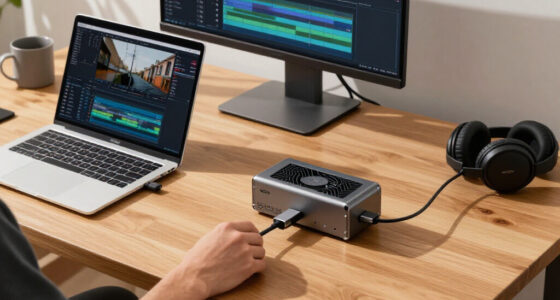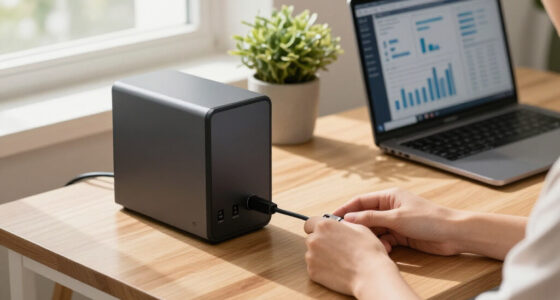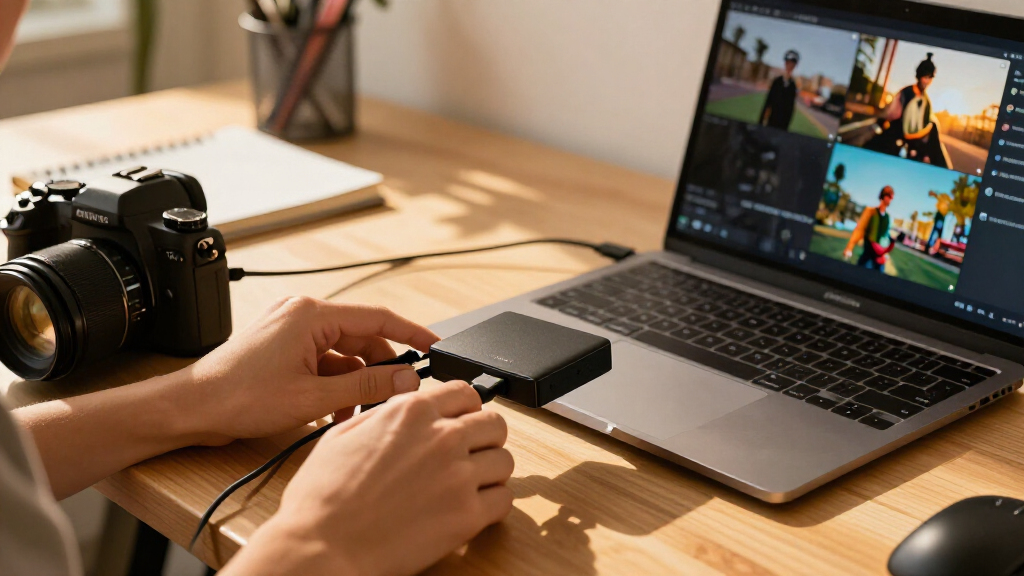

For most console streamers, the Elgato 4K S is the best overall capture card in this roundup, while the UGREEN HDMI Capture Card stands out for its mix of 2K capture and 4K30 loop-out. Camera users have a different strong option in the Elgato Cam Link 4K, which is built for connecting a camera to a computer. The main tradeoff is between higher-resolution pass-through, the resolution and frame rate actually recorded, and the simplicity of a basic USB card. Check your source device and computer connections before choosing, then read on for the full breakdown of all 10 capture cards.

Get business pricing on tech for your team
- Business-only prices and quantity discounts
- Tax-exempt purchasing
- Multiple users, one account, clear invoices
Key Takeaways
- Capture resolution and pass-through are different: Several cards advertise 4K loop-out while recording at 1080p, so a 4K signal to a monitor does not mean a 4K recording.
- The Elgato 4K S is the clearest console-focused pick: Its stated support for PS5, Xbox Series X/S, and Switch 2 makes it a more purpose-built choice than the generic HDMI-to-USB models.
- UGREEN offers a distinct middle ground: Its 2K30 capture and 4K30 loop-out separate it from the many 1080p60 options, though buyers should match those limits to their recording goals.
- Camera capture needs a different connection: The Elgato Cam Link 4K is aimed at DSLR, camcorder, and action-camera setups, rather than being a general-purpose console card.
- Most of the lineup centers on 1080p60: For the generic USB 3.0 cards, source compatibility, USB bandwidth, and dependable setup may matter more than small differences in product naming.
| 4K HDMI Capture Card with 1080p 60fps Recording |  | Best for Simple 1080p Streaming | Maximum video input: 4K at 30Hz | Capture resolution: 1080p at 60fps | Maximum loop-out: 1080p at 60Hz | VIEW LATEST PRICE | See Our Full Breakdown |
| UGREEN HDMI Capture Card with 4K30 Loop-Out, 2K30 Capture, and USB 3.0 |  | Best for Higher-Resolution Capture on a Flexible Connection | Capture resolutions: 1080p at 60fps; 2K at 30fps | HDMI input and loop-out: Up to 4K at 30Hz | Hardware interface: USB 3.0; USB-A or USB-C connection | VIEW LATEST PRICE | See Our Full Breakdown |
| Acer USB 3.0 HDMI Capture Card with 4K Loop-Out and 1080p 60Hz Capture |  | Best for Mic-Connected 1080p60 Streaming | HDMI input: Up to 4K | Capture resolution: Up to 1080p at 60Hz | Video formats: YUY2, MJPEG | VIEW LATEST PRICE | See Our Full Breakdown |
| Newhope USB 3.0 HDMI Capture Card with 4K Pass-Through |  | Best for iPadOS Capture | Capture resolution: Up to 1080p at 60fps | Pass-through: 4K | Interface: USB 3.0 | VIEW LATEST PRICE | See Our Full Breakdown |
| XIIXMASK USB 3.0 HDMI Capture Card with 4K Pass-Through |  | Best for 4K60 Pass-Through | HDMI input and pass-through: Up to 4K at 60Hz | Capture resolutions: 1080p at 60fps; 1440p at 30fps | Hardware interface: USB 3.0 | VIEW LATEST PRICE | See Our Full Breakdown |
| HDMI Video Capture Card with USB 3.0 |  | Best for Commentary on a Budget | Capture resolution: Up to 1080p | Supported input: Up to 4K at 60Hz; 1080p at 120/144Hz | Output resolution: Up to 2K at 30Hz | VIEW LATEST PRICE | See Our Full Breakdown |
| Elgato 4K S Capture Card for PS5, Xbox Series X/S, and Switch 2 |  | Best for High-Refresh Gameplay | Supported capture modes: 4K60, 1440p120, 1080p240 | Listed video capture resolution: 1080p | HDR support: HDR10 capture on Windows | VIEW LATEST PRICE | See Our Full Breakdown |
| 4K HDMI USB 3.0 Capture Card, 1080p 60fps |  | Best Simple 1080p60 Pick | Capture resolution: 1080p at 60fps | HDMI input: 4K | Interface: USB 3.0 | VIEW LATEST PRICE | See Our Full Breakdown |
| Elgato Cam Link 4K Capture Card for DSLR, Camcorder, and Action Cameras |  | Best for Camera-Based Streaming | Video capture modes: 1080p60; up to 4K60 with a compatible camera and latest model | Hardware interface: USB 3.0 | Compatible devices: PC, Mac, iPad | VIEW LATEST PRICE | See Our Full Breakdown |
| Guermok 4K HDMI to USB-C/USB 3.0 Video Capture Card, 1080p 60FPS |  | Best Compact Multi-Platform Pick | HDMI input: Up to 4K at 30Hz | Capture output: Up to 1080p at 60 FPS or 2K at 30 FPS | Interfaces: HDMI, USB 3.0, USB-C | VIEW LATEST PRICE | See Our Full Breakdown |
| capture card | Capture resolution | Compatible devices | Operating systems |
|---|---|---|---|
| 4K HDMI Capture Card with 1080 | 1080p at 60fps | — | — |
| UGREEN HDMI Capture Card with | — | Nintendo Switch, PS4, PS5, Xbox Series X, Meta Quest 3/2, laptops, monitors, iPads, cameras | — |
| Acer USB 3.0 HDMI Capture Card | Up to 1080p at 60Hz | — | Linux, Windows; compatible with Mac systems |
| Newhope USB 3.0 HDMI Capture C | Up to 1080p at 60fps | Gaming consoles, DSLR cameras, set-top boxes, PCs, laptops | Windows 7/8/8.1/10, macOS, Linux, iPadOS 17+ |
| XIIXMASK USB 3.0 HDMI Capture | — | Laptop, PS4/PS5, Xbox, Switch 1/2, PC, Mac, camera | Windows 7/8/8.1/10, macOS, Linux, Android, iPadOS 17+ |
| HDMI Video Capture Card with U | Up to 1080p | — | — |
| Elgato 4K S Capture Card for P | — | — | Windows 11, macOS 13 or later, compatible iPadOS devices |
| 4K HDMI USB 3.0 Capture Card | 1080p at 60fps | PS5, PS4, Nintendo Switch, Xbox, PC, cameras | Windows, macOS |
| Elgato Cam Link 4K Capture Car | — | PC, Mac, iPad | — |
| Guermok 4K HDMI to USB-C/USB 3 | — | — | — |
More Details on Our Top Picks
4K HDMI Capture Card with 1080p 60fps Recording
This card suits buyers who want a straightforward 1080p at 60fps capture setup without adding a separate power supply or installing drivers. Its 3.5mm microphone input and headphone output make it more self-contained for commentary than the Newhope USB 3.0 HDMI Capture Card, which lists a mic input but no headphone output. It accepts 4K at 30Hz and passes video through at up to 1080p at 60Hz, so the source can be higher resolution than the recorded stream, but the display output remains capped at 1080p. The tradeoff is a direct USB 3.0 connection: hubs and extension cables are discouraged, which limits flexible desk placement. This is a practical fit for console and camera streaming, not a choice for 4K monitoring or high-frame-rate capture.
Pros:- Captures video and audio together at up to 1080p60.
- Includes both a 3.5mm microphone input and headphone output.
- Works without external power or driver installation.
- Supports a broad range of consoles, computers, and cameras.
Cons:- Maximum loop-out resolution is 1080p at 60Hz, not 4K.
- Requires a direct USB 3.0 connection; hubs and extensions are not recommended.
Best for: Console streamers and camera users who want 1080p60 capture, direct microphone and headphone connections, and a driver-free setup.
Not ideal for: Buyers who need 4K display pass-through, capture above 1080p, or must connect through a USB hub or extension cable.
- Maximum video input:4K at 30Hz
- Capture resolution:1080p at 60fps
- Maximum loop-out:1080p at 60Hz
- Interface:USB 3.0
- Audio ports:3.5mm microphone input and headphone output
- Supported operating systems:Windows, Linux, macOS
- Power:No external power required
- Warranty:One year
Our verdict“Choose this for a simple 1080p60 stream with convenient audio ports, but skip it if 4K pass-through is part of your setup.”
UGREEN HDMI Capture Card with 4K30 Loop-Out, 2K30 Capture, and USB 3.0
The UGREEN stands apart from most 1080p-focused options here by supporting capture up to 2K at 30fps, giving recorded footage more resolution at the cost of a lower frame rate than 1080p60 models such as the Acer USB 3.0 HDMI Capture Card. Its 4K at 30Hz loop-out lets a connected display show the incoming signal while the card sends a lower-resolution feed to recording software. USB-A and USB-C connection options also make it easier to fit different host devices than a card limited to one connector type. The tradeoff is clear: it does not capture 4K, and 2K capture is capped at 30fps. It also excludes Fire TV Stick and cannot use an iPhone as a capture source, so check your exact source device before choosing it.
Pros:- Offers capture at up to 2K30 as well as 1080p60.
- Provides 4K30 HDMI input and loop-out for monitoring.
- Supports USB-A and USB-C connections.
- Runs without external power or driver installation.
Cons:- Does not capture 4K, and its 2K mode is limited to 30fps.
- Does not support Fire TV Stick or iPhone capture.
Best for: Streamers and creators who want 4K30 monitoring and the option of 2K30 recording across USB-A or USB-C hosts.
Not ideal for: Buyers who need 4K recording, 1080p60 at every capture setting, iPhone capture, or Fire TV Stick compatibility.
- Capture resolutions:1080p at 60fps; 2K at 30fps
- HDMI input and loop-out:Up to 4K at 30Hz
- Hardware interface:USB 3.0; USB-A or USB-C connection
- Video formats:MJPEG, YUY2
- Supported operating systems:Windows, macOS, Linux, Android
- Compatible devices:Nintendo Switch, PS4, PS5, Xbox Series X, Meta Quest 3/2, laptops, monitors, iPads, cameras
- Power and setup:Plug and play; no external power required
- Weight:88.2 g
Our verdict“Pick the UGREEN when 2K30 capture and flexible USB connectivity matter more than 4K recording or 1080p60 at higher resolutions.”
Acer USB 3.0 HDMI Capture Card with 4K Loop-Out and 1080p 60Hz Capture
The Acer is a focused pick for anyone who wants 1080p60 recording with 4K loop-out and a direct place to connect a microphone or headset. That combination makes it a stronger match for full-resolution monitoring than the 4K HDMI Capture Card with 1080p 60fps Recording, whose loop-out tops out at 1080p. It also lists both USB Type-A and Type-C interfaces, though USB 3.0 remains a system requirement. YUY2 and MJPEG format support gives capture software options, while plug-and-play operation keeps setup simple. The main limit is its capture ceiling: it records up to 1080p, unlike the UGREEN HDMI Capture Card, which offers a 2K30 mode. Choose the Acer for smooth 1080p footage and voice input, not for higher-resolution recording.
Pros:- Combines 4K HDMI input and loop-out with capture up to 1080p60.
- Includes a 3.5mm microphone or headset input.
- Supports YUY2 and MJPEG video formats.
- Works with common streaming software without extra drivers or external power.
Cons:- Capture resolution is limited to 1080p.
- USB 3.0 is required for USB 3.0 operation.
Best for: Streamers using a 4K monitor who want 1080p60 capture and a 3.5mm input for microphone or headset audio.
Not ideal for: Creators who need 2K or 4K recording, or whose computer lacks a USB 3.0 port.
- HDMI input:Up to 4K
- Capture resolution:Up to 1080p at 60Hz
- Video formats:YUY2, MJPEG
- Hardware interfaces:HDMI, USB 3.0 Type-A, USB 3.0 Type-C
- Audio input:3.5mm microphone or headset
- Operating systems:Linux, Windows; compatible with Mac systems
- System requirement:USB 3.0 port
Our verdict“Choose the Acer for 4K monitoring and microphone-ready 1080p60 streaming, but choose the UGREEN if 2K recording matters more.”
Newhope USB 3.0 HDMI Capture Card with 4K Pass-Through
The Newhope earns a distinct place for its stated support of iPadOS 17 and later, alongside Windows, macOS, and Linux. That makes it a useful option for buyers planning a tablet-based capture workflow, while still providing 1080p60 capture and 4K pass-through for a conventional console or camera setup. Compared with the Acer USB 3.0 HDMI Capture Card, its supplied HDMI and USB cables plus USB adapter may reduce the need to source connection accessories separately. It also includes a 3.5mm mic input, but that port accepts a standard TRS microphone headset, which narrows audio-device flexibility. Capture remains capped at 1080p, so the XIIXMASK USB 3.0 HDMI Capture Card offers more headroom with its 1440p30 mode. The Newhope is best for compatible tablet use, not higher-resolution recording.
Pros:- Supports capture up to 1080p60 with 4K pass-through.
- Lists compatibility with iPadOS 17 and later as well as desktop operating systems.
- Includes a 3.5mm microphone input.
- Comes with HDMI and USB cables plus a USB adapter.
Cons:- Capture resolution is limited to 1080p.
- Microphone input is specified for a standard 3.5mm TRS microphone headset.
Best for: Creators who want to capture console or camera video using compatible capture software on iPadOS 17 or later, as well as desktop systems.
Not ideal for: Buyers seeking capture above 1080p or those using a microphone setup that is not a standard 3.5mm TRS headset.
- Capture resolution:Up to 1080p at 60fps
- Pass-through:4K
- Interface:USB 3.0
- Microphone input:3.5mm TRS
- Operating systems:Windows 7/8/8.1/10, macOS, Linux, iPadOS 17+
- Compatible devices:Gaming consoles, DSLR cameras, set-top boxes, PCs, laptops
- Included accessories:HDMI cable, USB cable, USB adapter, English instruction manual
- Weight:0.2 kg
Our verdict“Choose the Newhope for a supplied-cable 1080p60 setup that can work with compatible iPadOS devices, not for 1440p capture.”
XIIXMASK USB 3.0 HDMI Capture Card with 4K Pass-Through
Among these five cards, the XIIXMASK is the clearest fit for a display setup built around 4K at 60Hz pass-through. It records at up to 1080p60 or 1440p30, giving buyers a higher-resolution capture option than the Acer and Newhope, though 1440p comes with a lower frame rate. The USB-A/USB-C cable and 3.5mm mic input also suit mixed-device streaming desks. Compared with the UGREEN, the XIIXMASK offers 4K60 rather than 4K30 pass-through, while the UGREEN specifies 2K30 capture. The tradeoffs are practical: it does not record party chat, and OBS may need a restart after audio setup. It is not a 4K capture card; its strength is keeping a 4K60 display signal while recording at a lower resolution.
Pros:- Supports 4K60 HDMI input and pass-through.
- Captures up to 1080p60 or 1440p30.
- Includes USB-A/USB-C connectivity and a 3.5mm mic input.
- Supports Windows, macOS, Linux, Android, and iPadOS 17 or later.
Cons:- Does not record party chat.
- OBS may need to be restarted after audio setup.
- Capture does not reach 4K.
Best for: Console streamers who want 4K60 display pass-through while recording at 1080p60 or 1440p30, with USB-A and USB-C host options.
Not ideal for: Buyers who need 4K recording, party-chat capture, or an audio setup that must work in OBS without restarting after configuration.
- HDMI input and pass-through:Up to 4K at 60Hz
- Capture resolutions:1080p at 60fps; 1440p at 30fps
- Hardware interface:USB 3.0
- Audio input:3.5mm microphone/headset input
- Operating systems:Windows 7/8/8.1/10, macOS, Linux, Android, iPadOS 17+
- Compatible devices:Laptop, PS4/PS5, Xbox, Switch 1/2, PC, Mac, camera
- Weight:0.15 kg
- In the box:Capture card, user manual, USB 3.0 to USB-A/USB-C cable
Our verdict“Pick the XIIXMASK when 4K60 monitoring and 1440p30 capture matter, but skip it if you need 4K recording or party-chat audio.”
HDMI Video Capture Card with USB 3.0
This card suits streamers who want 1080p capture and a direct way to connect a headset mic without adding a separate audio interface. Its HDMI loop-out lets gameplay continue to a display while the computer handles capture, a useful distinction from the Guermok card, which does not directly pass video to a monitor or TV. It accepts signals up to 4K at 60Hz, but that is input support, not 4K recording: captured video tops out at 1080p. The extra support for 1080p at 120/144Hz can accommodate faster source signals, though the capture resolution remains the ceiling. Plug-and-play support across Windows, Mac, and Linux adds flexibility. The tradeoff is MJPEG video and a 3.5mm TRS-only mic input, so buyers with a different microphone setup may need extra gear.
Pros:- HDMI loop-out allows gameplay to reach a display while capture runs
- Accepts input up to 4K at 60Hz and 1080p at 120/144Hz
- 3.5mm TRS input supports headset commentary
- Plug-and-play compatibility with Windows, Mac, and Linux
Cons:- Capture is limited to 1080p, even with a 4K source
- Does not support 4K input at 120Hz or 144Hz
- Microphone input requires a 3.5mm TRS headset
Best for: Console streamers who want HDMI loop-out, 1080p capture, and a 3.5mm TRS headset mic connection in a compact card.
Not ideal for: Creators who need 4K recordings, 4K120/144Hz input, or microphone support beyond a 3.5mm TRS headset.
- Capture resolution:Up to 1080p
- Supported input:Up to 4K at 60Hz; 1080p at 120/144Hz
- Output resolution:Up to 2K at 30Hz
- Interfaces:HDMI, USB 3.0 Type-A, USB 3.0 Type-C, 3.5mm audio
- Video format:MJPEG
- Compatibility:Windows, Mac OS, Linux
- Microphone input:3.5mm TRS
- Dimensions and weight:3 x 2 x 1 inches; 0.18 kg
Our verdict“Choose this card if you want loop-out and a straightforward headset-mic connection, but skip it if your recordings need to exceed 1080p.”
Elgato 4K S Capture Card for PS5, Xbox Series X/S, and Switch 2
The Elgato 4K S is the strongest fit here for creators who want to preserve high-refresh gameplay options while capturing. It supports 4K60 capture alongside 1440p120 and 1080p240 modes, with near-zero-latency passthrough and VRR support. That gives it a broader performance ceiling than the HDMI Video Capture Card with USB 3.0, whose capture tops out at 1080p. HDR10 capture is available on Windows, but that platform limit matters: Mac and iPad users should not assume they get the same HDR recording feature. Its USB-C connection and compatibility with current consoles and selected computers and tablets suit a modern setup, though the required port and system support may rule out older equipment. The listed capture-resolution field says 1080p, while the supported modes list includes 4K60; check the mode details against your intended setup.
Pros:- Supports capture modes up to 4K60, 1440p120, and 1080p240
- Near-zero-latency passthrough supports responsive play
- VRR passthrough accommodates compatible variable-refresh setups
- Works with compatible Windows, macOS, and iPadOS devices
Cons:- HDR10 capture is limited to Windows
- Requires a USB 3.0 Type-C port and compatible host system
- Product data lists 1080p as capture resolution despite also specifying 4K60 capture modes
Best for: Console creators with a compatible USB-C system who want high-refresh passthrough and capture modes up to 4K60.
Not ideal for: Users with older systems lacking USB 3.0 Type-C, or Mac and iPad creators whose workflow depends on HDR10 capture.
- Supported capture modes:4K60, 1440p120, 1080p240
- Listed video capture resolution:1080p
- HDR support:HDR10 capture on Windows
- Passthrough:Near-zero latency; VRR supported
- Hardware interface:USB 3.0 Type-C
- Audio input:3.5mm analog audio input
- Operating systems:Windows 11, macOS 13 or later, compatible iPadOS devices
- Dimensions and weight:0.67 x 4.41 x 2.83 inches; 0.09 kg
Our verdict“Pick the 4K S for high-refresh console capture and passthrough, provided your computer supports its USB-C connection and the mode you need.”
4K HDMI USB 3.0 Capture Card, 1080p 60fps
This is a straightforward choice for a first capture setup: connect an HDMI source over USB 3.0, open software such as OBS Studio, and record at 1080p60. Its 4K HDMI input accommodates a 4K source, but does not raise the recording ceiling, a key difference from the Elgato 4K S, which lists capture modes up to 4K60. The card’s plug-and-play design and support for Windows and macOS keep setup requirements simple, while compatibility with consoles, computers, and cameras makes it useful beyond gameplay. Real-time preview is handy for checking a signal in software, but this model does not list HDMI loop-out for sending gameplay to a separate display. Its appeal is uncomplicated 1080p recording, not advanced passthrough or high-resolution capture.
Pros:- Records HDMI video at 1080p60
- Plug-and-play operation requires no drivers
- Works with consoles, computers, and cameras
- Compact design weighs 0.21 kg
Cons:- Capture is limited to 1080p at 60fps
- 4K input does not provide 4K recording
- No HDMI loop-out is listed for direct display passthrough
Best for: New streamers and casual console or camera users who want a simple USB 3.0 path to 1080p60 recording on Windows or macOS.
Not ideal for: Creators seeking 4K recording, high-refresh capture modes, or HDMI loop-out to a separate gameplay display.
- Capture resolution:1080p at 60fps
- HDMI input:4K
- Interface:USB 3.0
- Output formats:HDMI, YUY2
- Operating systems:Windows, macOS
- Compatible devices:PS5, PS4, Nintendo Switch, Xbox, PC, cameras
- Minimum system requirement:USB 3.0 port
- Dimensions and weight:1 x 1 x 2.7 inches; 0.21 kg
Our verdict“Choose this for uncomplicated 1080p60 capture, not if you need 4K recording or a dedicated passthrough connection.”
Elgato Cam Link 4K Capture Card for DSLR, Camcorder, and Action Cameras
Cam Link 4K has a different job from the other HDMI capture cards here: it turns a compatible camera into a USB video source for a computer. That makes it a better fit for DSLR, mirrorless, camcorder, action-camera, or iPhone workflows than the Guermok card, which is framed around capturing HDMI sources such as consoles. The small USB 3.0 adapter works with apps including OBS Studio, Zoom, and Discord, and the listed modes include 1080p60 and, with a compatible camera and the latest model, 4K60. That 4K qualification is important; it is not a guarantee for every camera or Cam Link version. The product information also leaves operating-system requirements less clear than the other options, specifying Mac compatibility while mentioning Windows in minimum requirements. Check your computer and camera before choosing it.
Pros:- Supports 1080p60 and compatible-camera 4K60 capture
- Connects a range of cameras and iPhone to a computer
- Low-latency video and audio suit live communication
- Works with apps including OBS Studio, Zoom, and Discord
Cons:- 4K60 requires a compatible camera and the latest Cam Link 4K model
- Operating-system requirements are inconsistent in the provided product information
- Designed as a camera-to-computer link rather than a listed HDMI loop-out solution
Best for: Streamers and remote presenters who want to connect a compatible DSLR, mirrorless camera, camcorder, action camera, or iPhone to a computer.
Not ideal for: Console players who need HDMI loop-out, or buyers who cannot confirm camera compatibility, Cam Link version, and host operating-system support.
- Video capture modes:1080p60; up to 4K60 with a compatible camera and latest model
- Hardware interface:USB 3.0
- Compatible devices:PC, Mac, iPad
- Compatible sources:DSLR, mirrorless camera, camcorder, action camera, iPhone
- Compatible software:OBS Studio, Zoom, Discord
- Included items:Cam Link 4K, USB 3.0 extension cable, Quick Start Guide
- Dimensions:3.19 x 1.22 x 0.47 inches
- Weight:20.14 g
Our verdict“Choose Cam Link 4K for a compatible camera-based streaming setup, but confirm the camera, device support, and required resolution before buying.”
Guermok 4K HDMI to USB-C/USB 3.0 Video Capture Card, 1080p 60FPS
Guermok earns its place for buyers who want a small, USB-powered card that can connect across Windows, macOS, Linux, and Android. It captures at 1080p60 or 2K30 from HDMI sources up to 4K30, giving it a 2K option absent from the simpler 4K HDMI USB 3.0 Capture Card, though neither card records 4K. USB-C and USB 3.0 connectivity, plus the included USB-A-to-USB-C adapter, make it easier to fit into different device setups. Unlike the HDMI Video Capture Card with USB 3.0, Guermok does not list HDMI loop-out, so it is not the pick for direct monitor passthrough during play. Capture software is required, USB 3.0 is recommended for stable performance, and video decoding introduces latency; those limits matter for anyone prioritizing responsive gameplay.
Pros:- Captures up to 1080p60 or 2K30
- USB-powered design needs no external power supply
- Supports Windows, macOS, Linux, and Android
- Includes a USB 3.0-to-USB-C adapter
Cons:- Requires capture software and does not directly send video to a monitor or TV
- USB 3.0 is recommended for stable performance
- Video decoding introduces latency
Best for: Traveling creators or multi-platform users who need compact HDMI capture for a USB-C, USB 3.0, Linux, or Android setup.
Not ideal for: Players who need HDMI loop-out or minimal latency, and creators whose target is 4K recording or reliable performance over a slower USB connection.
- HDMI input:Up to 4K at 30Hz
- Capture output:Up to 1080p at 60 FPS or 2K at 30 FPS
- Interfaces:HDMI, USB 3.0, USB-C
- Power:USB-powered; no external power supply required
- Compatibility:Windows, macOS, Linux, Android
- Included accessories:USB 3.0 to USB-C adapter, user manual
- Minimum system requirements:Windows 10/11 or macOS 10.15 or later; Intel Core i3 or AMD Ryzen 3 equivalent; 4 GB RAM; USB 3.0 port
Our verdict“Pick Guermok for compact, multi-platform capture with a 2K30 option, but choose a loop-out model for direct display passthrough.”
How We Picked
I ranked these capture cards by how clearly their stated capabilities meet common recording and streaming needs. I weighed capture resolution and frame rate separately from pass-through, then considered connection type, named device compatibility, and whether a model appears suited to console gameplay, camera video, or a basic HDMI workflow. Those details shape the result a buyer sees, not just the signal sent to a display.
The ranking favors products with a clear use case and useful performance details over generic listings with sparse specifications. The Elgato 4K S leads for its console focus, while UGREEN earns a strong position for its stated 2K capture and 4K30 loop-out. Camera-specific Cam Link 4K ranks highly for camera users but not as a universal option. The remaining USB cards offer accessible 1080p60-style capture or 4K pass-through, but limited distinguishing details make them harder to recommend ahead of more clearly specified choices.
| capture card | Compatible devices | Operating systems |
|---|---|---|
| 4K HDMI Capture Card with 1080 | — | — |
| UGREEN HDMI Capture Card with | Nintendo Switch, PS4, PS5, Xbox Series X, Meta Quest 3/2, laptops, monitors, iPads, cameras | — |
| Acer USB 3.0 HDMI Capture Card | — | Linux, Windows; compatible with Mac systems |
| Newhope USB 3.0 HDMI Capture C | Gaming consoles, DSLR cameras, set-top boxes, PCs, laptops | Windows 7/8/8.1/10, macOS, Linux, iPadOS 17+ |
| XIIXMASK USB 3.0 HDMI Capture | Laptop, PS4/PS5, Xbox, Switch 1/2, PC, Mac, camera | Windows 7/8/8.1/10, macOS, Linux, Android, iPadOS 17+ |
| HDMI Video Capture Card with U | — | — |
| Elgato 4K S Capture Card for P | — | Windows 11, macOS 13 or later, compatible iPadOS devices |
| 4K HDMI USB 3.0 Capture Card | PS5, PS4, Nintendo Switch, Xbox, PC, cameras | Windows, macOS |
| Elgato Cam Link 4K Capture Car | PC, Mac, iPad | — |
| Guermok 4K HDMI to USB-C/USB 3 | — | — |
Factors to Consider When Choosing Capture Cards
Before picking a card, I would match its signal path to the job: what your console or camera outputs, what your display needs, and what your computer can accept. A headline resolution alone does not tell you what the saved video will look like or how smoothly the setup will run.
Separate Capture Resolution From Pass-Through
Capture resolution describes the video sent to your computer for recording or streaming; pass-through describes the signal sent onward to a display. A card can pass a 4K signal through while recording at 1080p, which may suit a 4K gaming display paired with a 1080p stream. If you want a 4K recording, look for an explicit 4K capture specification rather than relying on a 4K label in the product name. Check the supported frame rate at the resolution you plan to use, since a higher resolution may come with a lower frame rate. This distinction is especially relevant here: UGREEN specifies 2K30 capture with 4K30 loop-out, while several other options emphasize 1080p60 capture alongside 4K pass-through. Choose for the finished video, not just the display signal.
Match Frame Rate to Your Content
1080p60 is a common target for fast gameplay and smooth motion, but it is not automatically the right setting for every creator. A talking-head video, tutorial, or slower-paced game may benefit more from resolution, lighting, and clear audio than from a higher frame rate. Check whether the card supports your desired resolution and frame rate at the same time; specifications sometimes describe separate maximums. A mismatch can leave you recording at a lower setting than expected or relying on your computer to scale the video. Also check the capture software and computer requirements, since the card does not handle the entire recording workflow by itself. Pick a setting your computer can encode reliably, not merely one the card lists.
Check the Whole Connection Chain
Every link must fit: source output, capture-card input, computer port, and display connection. USB 3.0 models need a compatible high-speed port and may behave differently when connected through hubs or shared adapters. USB-C describes a connector shape, not a guarantee of faster video capture, so verify the actual interface and supported connection method. Console users should check whether their source can send a clean HDMI signal; cameras may need an output setting that avoids menus or status overlays. A capture card also cannot fix incompatible cables, copy-protection restrictions, or incorrect system settings. Mapping the setup before buying can prevent a card from arriving only to reveal a port or signal mismatch.
Choose a Card for the Source, Not Just the Resolution
Console and camera workflows differ even when both use HDMI. A console-focused card needs to fit gameplay pass-through and the console’s output formats, while a camera connection may depend on a clean HDMI feed, power management, and a suitable cable. The Cam Link 4K is explicitly aimed at DSLR, camcorder, and action-camera use; that makes it a more natural starting point for camera video than a generic capture dongle. Conversely, buyers streaming a console should favor clear console compatibility, as listed for the Elgato 4K S. For older sources, confirm that the device outputs HDMI at all; analog equipment may need a separate converter. Let the source device decide the shortlist before comparing headline specs.
Decide When Premium Features Are Worth It
Pay more for a real workflow benefit, not a longer feature list. A dedicated console card can make sense if its supported devices, capture modes, and pass-through match a regular streaming setup. A camera-oriented option is easier to justify when a DSLR or camcorder is central to your work. For occasional clips or basic gameplay, a straightforward USB 3.0 card may be enough if it supports the needed resolution and frame rate. Avoid paying for 4K pass-through when your display and source use 1080p, but do not mistake pass-through for 4K recording if the saved file matters. The right upgrade is the one that removes a limitation you actually encounter.
Plan for Software, Audio, and Setup
A capture card is one part of a recording system, not a complete streaming kit. Confirm that your preferred recording or streaming software recognizes the device, and check how audio travels from your console or camera into the computer. Some setups need separate audio routing, a microphone, or software configuration to avoid echo and sync problems. A simple USB card can reduce hardware complexity, but it still depends on compatible drivers or software and a capable computer. Before committing to a more advanced setup, decide whether you need local recording, live streaming, or both, since each can affect computer workload and storage needs. A short compatibility check can save more time than chasing extra specifications.
Frequently Asked Questions
Does 4K pass-through mean the capture card records in 4K?
No. Pass-through and capture describe separate outputs: pass-through sends a signal to your display, while capture describes what reaches your computer. A card may pass 4K to a monitor and record at 1080p or another resolution. In this lineup, UGREEN specifies 4K30 loop-out and 2K30 capture, making that distinction especially clear. Check the capture resolution and frame rate directly if the saved file is your priority. Do not rely on a product title that only says “4K.”
Will these capture cards work with my console and computer?
Compatibility depends on the complete setup, not just the capture card. Confirm that your console sends an HDMI signal supported by the card, and that your computer has the required USB connection and can run your recording software. The Elgato 4K S names PS5, Xbox Series X/S, and Switch 2, while many generic listings provide less source-specific detail. Check your console’s output settings and any restrictions on capturing protected video. If you plan to use a USB hub, verify that it supports the card’s required data speed.
Can I use a capture card to turn a DSLR into a webcam?
Yes, if the camera provides a compatible HDMI output and the card is recognized by your computer’s video software. The Elgato Cam Link 4K is the camera-oriented option in this roundup, with DSLR, camcorder, and action-camera use named in its listing. Before buying, check whether your camera can output a clean feed without menus or focus boxes and whether it can stay powered during a long session. You will also need a suitable HDMI cable and a USB connection to the computer. The capture card does not replace camera power, lighting, or microphone planning.
Is a USB 3.0 capture card enough for smooth 1080p60 gameplay?
It can be enough when the card, computer, and source all support the intended mode. Several options here list 1080p60 capture over USB 3.0, but that specification alone does not confirm how well a particular setup will run. Use a compatible high-speed computer port, check the card’s supported signal formats, and confirm that your software can record at the chosen settings. A crowded USB hub or a computer under heavy load can create problems even when the card’s headline specification looks suitable. If smooth viewing while recording matters, check the pass-through details separately from the capture mode.
Should I choose a generic capture card or a model made for my device?
A device-specific model makes sense when compatibility and workflow are your main concerns, especially for console streaming or camera capture. The Elgato 4K S names supported consoles, and Cam Link 4K is aimed at camera sources, so their intended roles are easier to judge. A generic USB card may fit a simpler HDMI setup, but its listing can leave more unanswered questions about supported modes or source behavior. Compare the exact input signal, capture settings, and computer connection rather than assuming a familiar connector guarantees compatibility. Choose the generic option only when its published specifications cover your whole setup.
Conclusion
For the broadest console-focused recommendation, I would choose the Elgato 4K S as best overall because its supported consoles are clearly named. The UGREEN HDMI Capture Card is my best value-style pick for buyers who want stated 2K30 capture alongside 4K30 loop-out, while the Elgato Cam Link 4K is the best fit for DSLR, camcorder, and action-camera video. Beginners with a basic HDMI source can start with a straightforward USB 3.0 model that explicitly matches their target resolution and frame rate; among these, compare the listings carefully because their specifications are less differentiated. For a specific need such as console compatibility or camera input, favor the model designed around that source over a generic card. Before choosing, confirm capture resolution, pass-through, USB requirements, and software compatibility against your own setup.
Halloween Picks
halloween
As an affiliate, we earn on qualifying purchases.