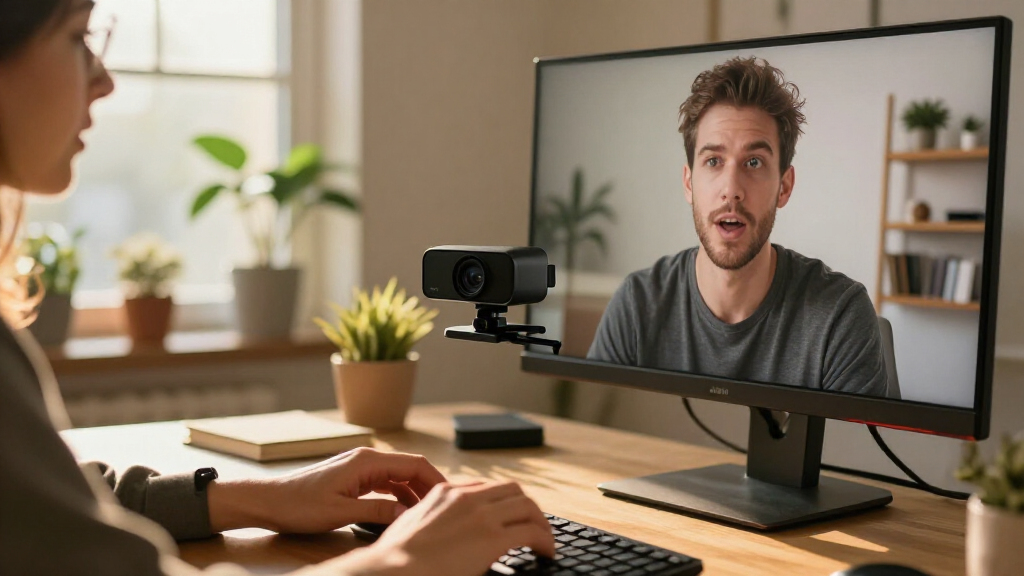

Choosing the right 4K webcams depends heavily on whether you prioritize image sharpness, low-light performance, or integrated lighting solutions. The Logitech MX Brio Ultra HD stands out as the best overall pick for professionals needing reliable color accuracy and robust software support, while the NexiGo N680E Pro offers a compelling alternative for users who struggle with poor lighting by including a built-in ring light. Buyers often face a tradeoff between compact design and advanced features like AI tracking or dual-lens systems, which can increase size and cost. Understanding these differences is key to avoiding overpaying for features you will never use. Continue reading for a detailed breakdown of how these ten models compare in real-world scenarios.

Get business pricing on tech for your team
- Business-only prices and quantity discounts
- Tax-exempt purchasing
- Multiple users, one account, clear invoices
Complete the kit



Key Takeaways
- Integrated lighting, like the ring light on the NexiGo N680E Pro, significantly reduces the need for external accessories but adds bulk to the setup.
- Phase Detection Autofocus (PDAF), found in the EMEET NOVA and S600, provides smoother focus transitions than contrast-based systems, which is critical for dynamic presentations.
- AI-powered tracking and spatial audio, as seen in the OBSBOT Tiny 3, justify a premium price only for creators who move around or require high-fidelity audio capture.
- Privacy shutters are no longer a luxury; models without them, such as some basic 4K options, pose a security risk for remote workers handling sensitive information.
- Dual-camera systems like the EMEET C60E offer versatile framing but often suffer from seam issues or software complexity compared to single-sensor high-end models.
| EMEET NOVA 4K Webcam with PDAF Autofocus and Dual Microphones |  | Best for Simple, Flexible Setup | Maximum resolution: 4K UHD | Frame rate: 30 fps | Autofocus: PDAF | VIEW LATEST PRICE | See Our Full Breakdown |
| Philips 4K USB Webcam with Microphone and Privacy Shutter |  | Best for Plug-and-Play Basics | Resolution: 4K (3840 pixels) | Sensor: CMOS | Focus: Autofocus | VIEW LATEST PRICE | See Our Full Breakdown |
| AOC AC310 4K Webcam with Noise-Reducing Microphone and Privacy Cover |  | Best for Flexible Framing | Resolution: 4K UHD | Field of view: Listed as 80° in description and 90° in product details | Focus: Autofocus | VIEW LATEST PRICE | See Our Full Breakdown |
| Acer A640 4K Webcam with AI Noise-Canceling Microphone |  | Best for Flexible Frame Rates | Sensor: CMOS, 1/2.8 inch | Video modes: 4K at 30 fps; 2K or 1080p at 60 fps | Focus: PDAF autofocus | VIEW LATEST PRICE | See Our Full Breakdown |
| NexiGo N680E Pro 4K Webcam with Ring Light |  | Best for Built-In Lighting | Sensor: Sony 1/2.5-inch CMOS 4K | Video modes: 4K; 1080p at 60 fps | Autofocus: PDAF | VIEW LATEST PRICE | See Our Full Breakdown |
| EMEET S600 4K Webcam with Sony Sensor and PDAF Autofocus |  | Best Value for Image Clarity | Sensor: Sony CMOS, 1/2.55 inch | Maximum Resolution: 4K (3840 × 2160) at 30 fps | Video Resolution: 1080p at 60 fps | VIEW LATEST PRICE | See Our Full Breakdown |
| OBSBOT Tiny 3 AI-Powered 4K Webcam with Spatial Audio and AI Tracking |  | Best for Streaming and Dynamic Framing | Sensor: 1/1.28-inch CMOS | Video resolution and frame rate: 4K at 30 fps; 1080p at 120 fps | Microphones: Triple-mic array | VIEW LATEST PRICE | See Our Full Breakdown |
| Logitech MX Brio Ultra HD 4K Webcam, Graphite |  | Best for Professional Office Use | Sensor: CMOS | Resolution: UHD 4K at 30 fps; 1080p at 60 fps | Connectivity: USB-C | VIEW LATEST PRICE | See Our Full Breakdown |
| Logitech Brio Ultra HD 4K Webcam with Microphones, Black |  | Best for Flexibility and Zoom | Maximum resolution: 4K UHD | Maximum frame rate: 30 fps | Digital zoom: 5x | VIEW LATEST PRICE | See Our Full Breakdown |
| EMEET C60E Dual-Camera 4K Webcam with Wide-Angle and Telephoto Lenses |  | Best for Multi-Angle Content Creation | Sensor: 1/2.8-inch CMOS, 4K | Zoom: Up to 11x hybrid zoom; unavailable in 4K, 60FPS, or YUY2 modes | Focus: PDAF autofocus | VIEW LATEST PRICE | See Our Full Breakdown |
| 4k webcam | Connectivity | Microphones | Sensor | Focus |
|---|---|---|---|---|
| EMEET NOVA 4K Webcam with PDAF | USB 2.0, USB Type-A | 2 built-in omnidirectional; up to 8 feet | — | — |
| Philips 4K USB Webcam with Mic | USB | — | CMOS | Autofocus |
| AOC AC310 4K Webcam with Noise | USB-C with USB-A adapter | — | — | Autofocus |
| Acer A640 4K Webcam with AI No | USB; USB-A to USB-C adapter included | — | CMOS, 1/2.8 inch | PDAF autofocus |
| NexiGo N680E Pro 4K Webcam wit | USB-A | Dual noise-reducing | Sony 1/2.5-inch CMOS 4K | — |
| EMEET S600 4K Webcam with Sony | USB | Dual noise-canceling | Sony CMOS, 1/2.55 inch | — |
| OBSBOT Tiny 3 AI-Powered 4K We | USB-C; no Wi-Fi or Bluetooth | Triple-mic array | 1/1.28-inch CMOS | Autofocus and manual focus |
| Logitech MX Brio Ultra HD 4K W | USB-C | Dual noise-reducing microphones | CMOS | Autofocus |
| Logitech Brio Ultra HD 4K Webc | USB-A and USB-C | Dual omnidirectional, noise-canceling | — | Autofocus |
| EMEET C60E Dual-Camera 4K Webc | USB 2.0 Type-A | 2 omnidirectional microphones | 1/2.8-inch CMOS, 4K | PDAF autofocus |
More Details on Our Top Picks
EMEET NOVA 4K Webcam with PDAF Autofocus and Dual Microphones
The EMEET NOVA makes sense for buyers who want 4K resolution without a complicated setup. Its PDAF autofocus and automatic light correction can keep a speaker clear as they move slightly or lighting changes, while the adjustable mount and tripod support give it more placement flexibility than the Philips SPL6418. Two built-in microphones and a physical cover add useful basics for calls from a desk.
The tradeoff is that 4K is not the default: you may need to select it in software. Focus and the 73° field of view are also fixed, so this is less adaptable than a camera with manual framing controls. Its microphones are best for someone sitting close by in a quiet room, not a shared or noisy space.
Pros:- Captures up to 4K at 30 fps with PDAF autofocus.
- Automatic light correction helps adapt to changing room brightness.
- Two built-in microphones and a physical privacy cover.
- Adjustable mount, 360° horizontal rotation, and tripod support.
Cons:- Video defaults to 1080p, so 4K must be selected in software.
- Autofocus and the 73° field of view cannot be manually adjusted.
- Microphones work best at close range in a quiet environment.
Best for: Desk-based remote workers who want autofocus, a privacy cover, and flexible mounting in a straightforward USB-A webcam.
Not ideal for: People who need configurable framing, strong pickup across a room, or a camera that starts in 4K without a software setting change.
- Maximum resolution:4K UHD
- Frame rate:30 fps
- Autofocus:PDAF
- Field of view:73°
- Microphones:2 built-in omnidirectional; up to 8 feet
- Connectivity:USB 2.0, USB Type-A
- Privacy:Physical privacy cover
- Mount adjustment:360° horizontal rotation; 15° vertical adjustment; tripod support
Our verdict“Choose the NOVA for a flexible, easy-to-place 4K desk camera, but skip it if you need hands-off 4K defaults or adjustable framing.”
Philips 4K USB Webcam with Microphone and Privacy Shutter
The Philips SPL6418 is the no-frills choice in this group: it pairs 4K capture with autofocus, a built-in microphone, and a physical shutter, then connects over USB for plug-and-play use on Windows or macOS. That simple feature set suits routine meetings and classes better than the more specialized NexiGo N680E Pro, whose built-in ring light and 60 fps 1080p mode are useful but add features some callers may not need.
Philips provides little detail about its field of view, frame rates, or microphone performance, making it harder to judge whether it fits a particular desk setup. Its three-month warranty is also a notable limitation compared with buyers seeking longer stated coverage. I’d choose it for basic calls, not for streaming or carefully controlled framing.
Pros:- Captures video at up to 4K resolution.
- Autofocus supports straightforward use during calls.
- Built-in microphone for basic meeting audio.
- Physical privacy shutter and USB plug-and-play setup.
Cons:- Product details do not specify field of view or frame rate.
- Microphone performance is not described in enough detail to judge for noisy rooms.
- Warranty is limited to three months.
Best for: Windows or macOS users who want a basic 4K webcam with autofocus and a physical shutter for everyday meetings or classes.
Not ideal for: Streamers and buyers who need stated frame-rate options, detailed framing specifications, stronger audio details, or longer warranty coverage.
- Resolution:4K (3840 pixels)
- Sensor:CMOS
- Focus:Autofocus
- Microphone:Built-in
- Connectivity:USB
- Privacy:Physical privacy shutter
- Compatibility:Windows and macOS
- Warranty:3 months
Our verdict“Pick the Philips for uncomplicated 4K calls and a physical shutter, not for streaming features or well-documented performance.”
AOC AC310 4K Webcam with Noise-Reducing Microphone and Privacy Cover
The AOC AC310 stands out for placement flexibility: its mount tilts 180° and swivels 360°, and the included USB-A adapter broadens its connection options. That makes it a stronger fit for desks where the camera needs frequent repositioning than the more fixed-frame EMEET NOVA. It also combines 4K video, autofocus, automatic light correction, a sliding lens cover, and a noise-reducing microphone for a capable everyday-call setup.
The main uncertainty is its field of view: the product information lists both 80° and 90°. That discrepancy makes it difficult to predict how much of a room or desk will appear in frame. The microphone is described as noise-reducing, but no pickup range is given. I’d favor it for adjustable mounting, while buyers who need predictable framing should choose a webcam with clearer lens specifications.
Pros:- 4K UHD video with autofocus and automatic light correction.
- Mount supports 180° tilt and 360° swivel.
- Built-in noise-reducing microphone and sliding lens cover.
- USB-A adapter included for broader computer compatibility.
Cons:- Field of view is listed as both 80° and 90° in the product information.
- No microphone pickup range is specified.
- No water resistance is listed.
Best for: People who reposition a webcam between monitors, work areas, or shared desks and want a flexible mount with USB-A compatibility.
Not ideal for: Buyers who need a reliably specified field of view or detailed microphone pickup information before choosing a camera.
- Resolution:4K UHD
- Field of view:Listed as 80° in description and 90° in product details
- Focus:Autofocus
- Microphone:Built-in noise-reducing
- Connectivity:USB-C with USB-A adapter
- Privacy:Sliding lens cover
- Mount adjustment:180° tilt and 360° swivel
- Weight:0.16 kg
Our verdict“Choose the AC310 if mounting flexibility matters more than precisely documented framing specifications.”
Acer A640 4K Webcam with AI Noise-Canceling Microphone
The Acer A640 is the most adaptable pick here for buyers choosing between image detail and motion smoothness: it records 4K at 30 fps, or 2K and 1080p at 60 fps. That makes it better suited to presentations or streaming with more movement than the 4K-at-30-fps EMEET NOVA. Its Sony 1/2.8-inch sensor, PDAF autofocus, and AI noise-canceling microphone round out a useful work-and-streaming setup, while the physical shutter handles privacy.
There is no built-in speaker, so audio playback still depends on a separate device. Acer also notes that the camera performs best in a well-lit environment; automatic low-light correction may help, but it does not remove that limitation. I’d pick it for its resolution and frame-rate choices rather than as a fix for dim rooms.
Pros:- Offers 4K at 30 fps and 2K or 1080p at 60 fps.
- Sony 1/2.8-inch sensor and PDAF autofocus.
- AI noise cancellation can improve voice clarity.
- Physical privacy shutter and USB-A to USB-C adapter included.
Cons:- Best image quality requires a well-lit environment.
- No built-in speakers for audio playback.
Best for: Remote workers and streamers who want 4K detail for calls and smoother 60 fps video at 1080p or 2K.
Not ideal for: People working in dim rooms who expect consistently strong image quality, or anyone seeking built-in speakers.
- Sensor:CMOS, 1/2.8 inch
- Video modes:4K at 30 fps; 2K or 1080p at 60 fps
- Focus:PDAF autofocus
- Microphone:AI noise cancellation
- Low-light feature:Automatic low-light correction and exposure adjustment
- Connectivity:USB; USB-A to USB-C adapter included
- Privacy:Physical shutter
- Weight:4.64 ounces
Our verdict“Choose the A640 if you want a choice between 4K detail and higher-frame-rate video, provided your room is well lit.”
NexiGo N680E Pro 4K Webcam with Ring Light
The NexiGo N680E Pro is the clearest pick for callers whose lighting needs help: its built-in tri-tone ring light has stepless brightness control, letting you adjust illumination without adding a separate desk lamp. It also offers a Sony 1/2.5-inch 4K sensor, PDAF autofocus, dual noise-reducing microphones, and a privacy shutter. Compared with the Acer A640, which has automatic low-light correction but works best in a well-lit room, the NexiGo gives you a direct lighting adjustment at the camera.
Its 1080p 60 fps mode offers smoother motion, but 4K output depends on the camera software, so setup may take an extra step. The USB-A connection also means Switch 2 users need a separate USB-C-to-USB-A adapter. Choose it for lighting control, not for a completely adapter-free setup.
Pros:- Sony 1/2.5-inch CMOS sensor captures 4K video.
- Built-in tri-tone ring light has stepless brightness control.
- PDAF autofocus and dual noise-reducing microphones.
- Supports 1080p at 60 fps and includes a privacy shutter.
Cons:- 4K output depends on the camera software.
- Switch 2 requires a separate USB-C-to-USB-A adapter.
- USB-A connectivity may require an adapter on devices without a matching port.
Best for: Remote workers and streamers who want adjustable on-camera lighting alongside 4K video and built-in microphones.
Not ideal for: Buyers who need guaranteed 4K output without configuring camera software, or Switch 2 owners without a USB-C-to-USB-A adapter.
- Sensor:Sony 1/2.5-inch CMOS 4K
- Video modes:4K; 1080p at 60 fps
- Autofocus:PDAF
- Field of view:80°
- Microphones:Dual noise-reducing
- Lighting:Tri-tone ring light with stepless brightness control
- Connectivity:USB-A
- Privacy and mounting:Built-in privacy shutter; flexible clip and 1/4-inch tripod mount
Our verdict“Choose the N680E Pro if adjustable built-in lighting matters more than a no-configuration 4K setup.”
EMEET S600 4K Webcam with Sony Sensor and PDAF Autofocus
The EMEET S600 stands out by leveraging a Sony 1/2.55-inch sensor, a component often reserved for higher-tier devices. This hardware choice results in noticeably sharper detail and better low-light performance compared to generic CMOS sensors found in budget options like the AOC AC310. The inclusion of PDAF autofocus ensures the camera locks onto your face quickly, avoiding the hunting behavior common in contrast-detection systems. However, buyers should note that the field of view becomes fixed at 73 degrees when recording in 4K, limiting flexibility for wide shots. While it offers 1080p at 60 fps for smoother motion, the audio relies on software for advanced noise cancellation tuning, which may frustrate users preferring hardware-only controls. It is a strong contender for those prioritizing visual fidelity over advanced streaming features.
Pros:- Sony sensor delivers superior color accuracy and low-light performance
- PDAF autofocus provides fast and accurate focus locking
- Built-in privacy cover offers physical security without extra accessories
- 1080p at 60 fps option provides smooth motion for gaming or high-motion content
Cons:- Field of view is fixed at 73 degrees when recording in 4K
- Advanced noise cancellation settings require installing EMEETLINK software
- Plastic build feels less premium than metal-bodied competitors
Best for: Remote workers and streamers who prioritize image sharpness and reliable autofocus over complex streaming controls.
Not ideal for: Users needing wide-angle 4K shots, as the field of view is locked at 73 degrees in this mode.
- Sensor:Sony CMOS, 1/2.55 inch
- Maximum Resolution:4K (3840 × 2160) at 30 fps
- Video Resolution:1080p at 60 fps
- Autofocus:PDAF
- Field of View:40°–73° at 1080p; fixed at 73° at 4K
- Microphones:Dual noise-canceling
- Connectivity:USB
- Privacy Cover:Built-in
Our verdict“This pick makes the most sense for buyers who want premium sensor quality at an accessible price point.”
OBSBOT Tiny 3 AI-Powered 4K Webcam with Spatial Audio and AI Tracking
The OBSBOT Tiny 3 redefines what a webcam can do by integrating AI tracking and mechanical PTZ (pan-tilt-zoom) capabilities. Unlike static options like the Logitech Brio, this device physically moves to keep you centered, even if you walk across the room. The 1/1.28-inch CMOS sensor is significantly larger than most webcams, capturing more light for cleaner 4K footage. While it supports 1080p at 120 fps for ultra-smooth video, the device requires a wired USB-C connection and lacks wireless options. Its triple-microphone array offers spatial audio, a feature absent in standard dual-mic setups. However, the reliance on software for gesture controls and the higher weight (310g) mean it demands a sturdy monitor or tripod, making it less ideal for quick, casual setups.
Pros:- AI tracking automatically pans and tilts to follow movement
- Large 1/1.28-inch sensor captures exceptional detail and low-light clarity
- Triple-mic array supports spatial audio for immersive sound
- 1080p at 120 fps provides incredibly smooth motion capture
Cons:- Requires a USB-C connection with no wireless backup
- Heavier weight (310g) may require a tripod for stability
- Advanced features rely heavily on proprietary software installation
Best for: Content creators and presenters who move around during recordings and need automated framing.
Not ideal for: Minimalists or users with limited desk space, as the motorized base requires stability and extra room.
- Sensor:1/1.28-inch CMOS
- Video resolution and frame rate:4K at 30 fps; 1080p at 120 fps
- Microphones:Triple-mic array
- Connectivity:USB-C; no Wi-Fi or Bluetooth
- Digital zoom:4x
- Focus:Autofocus and manual focus
- Weight:310 g
- Compatibility:Windows 10 (64-bit) or later; macOS 11 or later
Our verdict“This model is better suited to professional streamers who need automated camera movement and high-end audio integration.”
Logitech MX Brio Ultra HD 4K Webcam, Graphite
The Logitech MX Brio targets the corporate professional with its refined design and practical features like Show Mode. This tilt-down functionality allows users to display documents or sketches by rotating the camera downward, a utility missing in the purely digital zoom of the Logitech Brio. The AI-enhanced image adjustments work well to brighten faces in dim meeting rooms, though the 4K recording is capped at 30 fps, which may feel less fluid than the 60 fps offered by the EMEET S600. Its build quality is robust, and the USB-C connectivity ensures compatibility with modern laptops. While it lacks the AI tracking of the OBSBOT Tiny 3, its stability and plug-and-play reliability make it a dependable choice for daily business calls where consistency matters more than flair.
Pros:- Show Mode allows easy sharing of physical documents via tilt-down mechanism
- AI-enhanced image processing improves visibility in poor lighting
- USB-C connectivity ensures broad compatibility with modern devices
- Premium graphite finish blends seamlessly with professional setups
Cons:- 4K recording is limited to 30 fps, lacking high-frame-rate options
- Lacks automatic AI tracking found in motorized competitors
- Heavier weight may strain thin laptop hinges without a stand
Best for: Business professionals who frequently share physical documents or notes during virtual meetings.
Not ideal for: Gamers or motion-heavy streamers, as the 4K mode is limited to 30 fps.
- Sensor:CMOS
- Resolution:UHD 4K at 30 fps; 1080p at 60 fps
- Connectivity:USB-C
- Color:Graphite
- Microphones:Dual noise-reducing microphones
- Focus:Autofocus
- Compatible operating systems:Windows, macOS, Chrome OS, Linux
- Weight:13.12 ounces
Our verdict“This option stands out for office workers who value physical document sharing and reliable corporate-grade build quality.”
Logitech Brio Ultra HD 4K Webcam with Microphones, Black
The Logitech Brio remains a versatile staple in the 4K webcam market, offering a 5x digital zoom and three adjustable field-of-view presets (65°, 78°, 90°). This flexibility allows users to frame themselves tightly or capture a wider background, unlike the fixed 73-degree limit of the EMEET S600 in 4K mode. The Windows Hello support is a significant advantage for enterprise users needing secure, password-free login integration. However, the image quality in low light trails behind newer sensors like those in the OBSBOT Tiny 3. Additionally, many advanced features require the Logitech G Hub or Capture software, which can be bloatware for minimalists. It is a solid, if aging, choice for users who prioritize zoom and compatibility over cutting-edge sensor technology.
Pros:- Adjustable field of view (65°, 78°, 90°) offers flexible framing options
- Windows Hello support enables secure biometric login on compatible devices
- 5x digital zoom allows for close-ups without moving physically
- Dual omnidirectional microphones provide clear voice pickup
Cons:- Maximum frame rate is limited to 30 fps even at 1080p in some modes
- Image quality suffers noticeably in low-light conditions
- Advanced features are locked behind Logitech software installation
Best for: Users who need adjustable field-of-view options and Windows Hello integration for secure logins.
Not ideal for: Streamers seeking high-frame-rate 4K, as the maximum frame rate is capped at 30 fps.
- Maximum resolution:4K UHD
- Maximum frame rate:30 fps
- Digital zoom:5x
- Field of view:65°, 78°, or 90° diagonal
- Microphones:Dual omnidirectional, noise-canceling
- Connectivity:USB-A and USB-C
- Focus:Autofocus
- Weight:2.22 ounces
Our verdict“This pick makes the most sense for enterprise users who need secure login features and flexible framing presets.”
EMEET C60E Dual-Camera 4K Webcam with Wide-Angle and Telephoto Lenses
The EMEET C60E differentiates itself with a dual-camera system, combining wide-angle and telephoto lenses to switch between full-scene views and detailed close-ups. This setup mimics a multi-cam production without requiring multiple devices, unlike the single-lens approach of the Logitech MX Brio. It supports up to 11x hybrid zoom, though this feature is unavailable when recording in 4K or 60 fps, a significant tradeoff for high-quality footage. The PDAF autofocus ensures sharp focus during transitions between lenses. While the RGB lighting adds visual flair for streamers, the telephoto lens requires a specific distance (13.8 inches) to work effectively, limiting its utility for casual desk setups. It is a niche tool for creators who need dynamic angle switching on a budget.
Pros:- Dual-camera system allows seamless switching between wide and close-up angles
- 11x hybrid zoom provides significant magnification capabilities
- RGB lighting indicates status and adds aesthetic appeal to streams
- PDAF autofocus maintains sharpness during lens transitions
Cons:- Zoom features are disabled in 4K, 60 fps, and YUY2 modes
- Telephoto lens requires a minimum distance of 13.8 inches to focus
- USB 2.0 connectivity may limit data transfer speeds for high-bitrate video
Best for: Streamers and educators who want to switch between wide shots and close-ups without multiple cameras.
Not ideal for: Users wanting zoom capabilities in 4K resolution, as hybrid zoom is disabled in this mode.
- Sensor:1/2.8-inch CMOS, 4K
- Zoom:Up to 11x hybrid zoom; unavailable in 4K, 60FPS, or YUY2 modes
- Focus:PDAF autofocus
- Cameras:Wide-angle and telephoto
- Microphones:2 omnidirectional microphones
- Connectivity:USB 2.0 Type-A
- Compatibility:Windows 10/11 (64-bit), macOS 10.14 and later
- Mount:1/4-inch tripod mount
Our verdict“This model is better suited to content creators who prioritize multi-angle versatility over pure 4K zoom performance.”
How We Picked
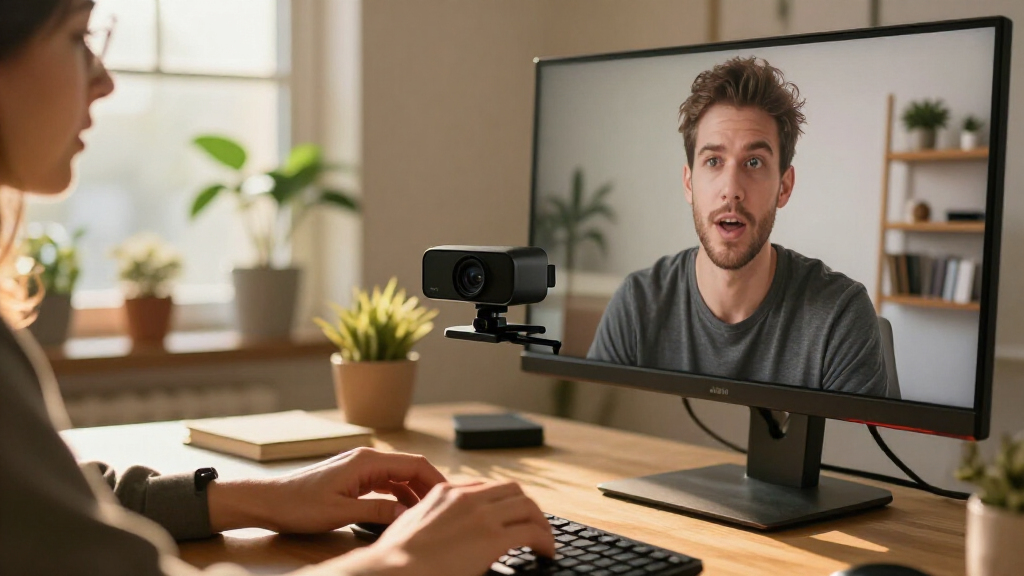
I evaluated these 4K webcams based on image clarity, color reproduction, and low-light performance, as these factors directly impact how professional you appear on camera. I also weighed usability features such as autofocus speed, microphone quality, and privacy mechanisms, because a great sensor is useless if the mic picks up background noise or if the lens lacks protection. Ranking logic prioritized models that offer the best balance of hardware quality and software support, ensuring that the recommendation works out of the box for most users without requiring extensive manual tweaking.
| 4k webcam | Focus |
|---|---|
| EMEET NOVA 4K Webcam with PDAF | — |
| Philips 4K USB Webcam with Mic | Autofocus |
| AOC AC310 4K Webcam with Noise | Autofocus |
| Acer A640 4K Webcam with AI No | PDAF autofocus |
| NexiGo N680E Pro 4K Webcam wit | — |
| EMEET S600 4K Webcam with Sony | — |
| OBSBOT Tiny 3 AI-Powered 4K We | Autofocus and manual focus |
| Logitech MX Brio Ultra HD 4K W | Autofocus |
| Logitech Brio Ultra HD 4K Webc | Autofocus |
| EMEET C60E Dual-Camera 4K Webc | PDAF autofocus |
Factors to Consider When Choosing 4k Webcams
Buying a 4K webcam is not just about resolution; it is about understanding how your environment and workflow interact with the hardware. This guide helps you cut through the spec sheets to find the model that fits your specific needs.
Sensor Size and Low-Light Performance
Most people assume 4K resolution automatically means better image quality, but sensor size matters more for clarity in dim rooms. A larger sensor captures more light, reducing grain and noise without needing aggressive software correction that can make your skin look waxy. When comparing models, look for specs mentioning large pixels or specific low-light modes. If you work in a home office with limited windows, a webcam with a smaller sensor will likely struggle, producing a muddy image even at 4K. Prioritize sensors known for high dynamic range if your background includes bright windows or harsh overhead lights.
Autofocus Technology: PDAF vs. Contrast
The type of autofocus system determines how quickly the camera locks onto your face when you lean forward or hold up documents. Phase Detection Autofocus (PDAF) is generally faster and less prone to ‘hunting’ (where the image blurs and refocuses repeatedly) than traditional contrast-detection systems. For presenters who move frequently or handle props, PDAF is a worthwhile upgrade. Conversely, if you sit perfectly still at a desk, a simpler contrast-based system may suffice and keep costs down. Check reviews for mentions of ‘focus hunting’ to avoid models that distract your audience during calls.
Integrated Lighting and Power Requirements
Webcams with built-in ring lights, like the NexiGo N680E Pro, simplify setups by eliminating the need for a separate lamp. However, this convenience comes with tradeoffs: these units often draw more power, which can strain laptop USB ports, and they tend to be bulkier. If you already have a good desk lamp, paying extra for integrated lighting might be unnecessary. Additionally, consider the color temperature control; fixed cool-white lights can wash you out, while adjustable warm/cool settings offer better skin tone accuracy. Evaluate whether you have the desk space and power capacity for these all-in-one solutions.
Privacy Mechanisms and Data Security
A physical privacy shutter is a simple sliding cover that blocks the lens, offering peace of mind against remote hacking or accidental activation. While software indicators exist, a physical barrier is the only guarantee that no image is being captured. Some premium models include electronic shutters that disconnect the sensor entirely, which is more secure than a mechanical flap. If you handle confidential client data or work in a shared space, prioritize models with robust privacy features. Avoid webcams that lack any form of physical or electronic lens blocking, as this leaves you vulnerable to privacy breaches.
Software Ecosystem and Driver Support
Hardware is only half the equation; the software controls how you adjust zoom, framing, and color balance. Logitech and EMEET offer mature apps that allow fine-tuned control, whereas some budget brands rely on generic drivers with limited customization. Good software lets you save presets for different lighting conditions or meeting types, saving you time before every call. Poor software can lead to compatibility issues with newer operating systems or specific conferencing platforms. Check if the manufacturer provides regular firmware updates to fix bugs and improve compatibility, as this affects the longevity of your purchase.
Frequently Asked Questions
Do I need a 4K webcam if my internet connection is slow?
Not necessarily, but it does provide flexibility. Most video conferencing platforms compress 4K footage down to 1080p or 720p for transmission, so your bandwidth usage might not change drastically. However, a high-quality 4K sensor captures more detail, which means the compressed image still looks sharper than one originating from a lower-resolution source. If your internet is very unstable, a 4K webcam won’t fix the lag, but it will ensure that when the connection is strong, you look your best. For most users, the investment in 4K is future-proofing for platforms that will eventually support higher bitrates natively.
Is the built-in microphone on a 4K webcam good enough for professional calls?
Generally, no. While some high-end models like the OBSBOT Tiny 3 feature spatial audio or noise-canceling arrays, built-in microphones are usually positioned too far from your mouth to capture rich, clear voice tones. They often pick up room echo and keyboard clicks. For professional use, I recommend pairing any webcam with a dedicated USB microphone or a headset. If you must use the webcam’s mic, look for models with multiple microphone elements and active noise cancellation, but treat this as a fallback option rather than a primary audio source.
What is the difference between HDR and standard 4K recording?
HDR (High Dynamic Range) expands the range of light and dark details the camera can capture simultaneously. In a standard 4K webcam, if you sit in front of a bright window, your face will appear dark while the window is blown out. HDR balances these extremes, keeping your face visible and the background detailed. This is particularly useful for home offices with mixed lighting. However, HDR processing can sometimes introduce a slight delay or ‘ghosting’ effect if the software isn’t optimized, so check for reviews mentioning processing latency if you are on live calls.
Are AI tracking features useful for remote workers?
For most remote workers sitting at a desk, AI tracking is often an unnecessary expense. Features like the auto-framing in the OBSBOT Tiny 3 are designed for content creators who move around the room or present whiteboards. If you stay seated, a static wide-angle lens with digital zoom controls is more reliable and less distracting. AI tracking can also accidentally zoom in on your face when you lean back, which can be awkward during meetings. Prioritize AI features only if your workflow genuinely involves movement or dynamic presentation styles.
How important is the field of view (FOV) for a 4K webcam?
Field of view determines how much of your surroundings are visible. A wider FOV (90-120 degrees) is good for showing your environment or multiple people, but it can cause distortion at the edges and make you appear smaller. A narrower FOV (60-70 degrees) frames you tightly, which is ideal for professional headshots but requires precise positioning. Some models, like the EMEET C60E, offer dual lenses to switch between wide and narrow views, providing versatility. Choose a fixed FOV that matches your typical seating distance, or opt for a model with digital zoom if you need flexibility.
Conclusion
Choosing the right 4K webcams comes down to matching the hardware to your specific environment and budget. For the majority of professionals, the Logitech MX Brio Ultra HD is the best overall choice due to its reliable autofocus and excellent software ecosystem. If you are on a tighter budget but still want sharp image quality, the EMEET NOVA offers impressive value with its PDAF system. Beginners or those with poor lighting should consider the NexiGo N680E Pro for its integrated ring light, which simplifies setup. For premium users needing advanced AI capabilities, the OBSBOT Tiny 3 stands out, though it is overkill for static desk work. Finally, if privacy is your top concern, the Philips 4K Webcam provides a robust physical shutter and solid build quality. Assess your lighting, movement, and security needs to pick the model that truly enhances your video presence.
Halloween Picks
halloween
As an affiliate, we earn on qualifying purchases.