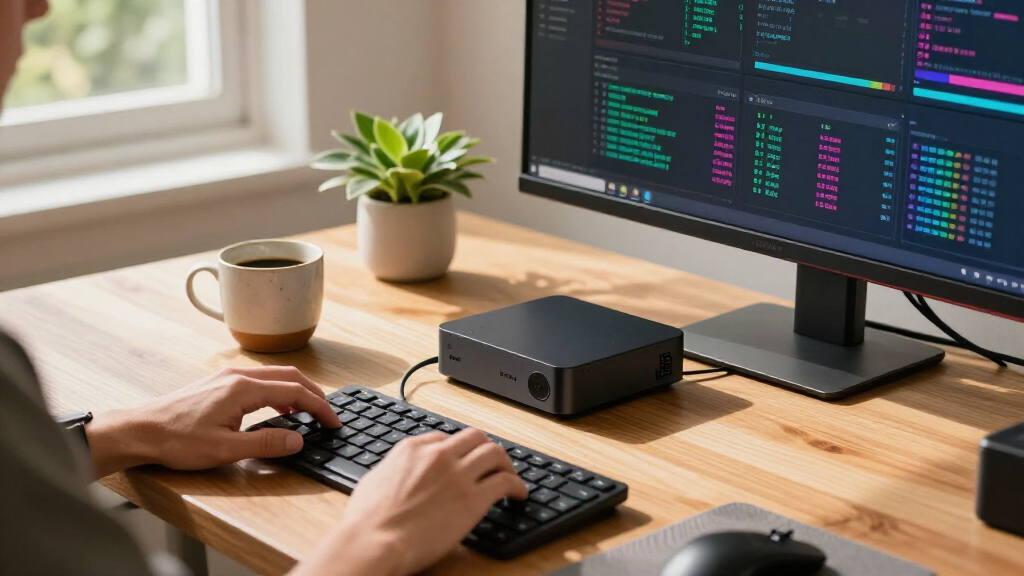

For an AI mini PC that balances capable hardware with a ready-to-use memory and storage setup, my best overall pick is the GEEKOM A9 Max, with its Ryzen AI 9 HX 470, 32GB of DDR5, and 2TB SSD. The GMKtec EVO-X3 stands apart for buyers who need 128GB of memory, while the GMKtec K15 with Oculink suits people who want a route to external graphics. The main tradeoff is between a powerful integrated system and a smaller, more flexible setup that may need upgrades for demanding AI tasks. Processor labels alone do not tell the whole story: memory capacity, memory type, cooling, and connectivity shape what each compact PC can handle. Read on for my full comparison and guidance on choosing the right fit.

Get business pricing on tech for your team
- Business-only prices and quantity discounts
- Tax-exempt purchasing
- Multiple users, one account, clear invoices
Key Takeaways
- The GEEKOM A9 Max is my best overall pick for its Ryzen AI 9 HX 470 paired with 32GB of DDR5 and a 2TB SSD, a balanced out-of-box configuration among these options.
- The EVO-X3 is the memory leader with 128GB of LPDDR5X, giving it a distinct role for workloads that need large models or datasets in memory.
- The GMKtec K15 with Oculink prioritizes future graphics flexibility; its 512GB SSD is smaller than the other K15 configuration’s 1TB drive, so buyers should weigh expansion plans against space needs.
- Two Intel Core Ultra 5 125U K15 configurations make different compromises: the NucBox K15 lists a 1TB SSD, while the K15 with Oculink lists 512GB and adds that external graphics connection.
- Several premium processor options arrive with 32GB RAM, including the GEEKOM GT15 Max, IT15, and MINISFORUM AI X1 Pro; buyers should match that capacity to their workload rather than assume the highest-tier processor is always the best fit.
| GEEKOM A9 Max Mini PC with AMD Ryzen AI 9 HX 470, 32GB DDR5 RAM, 2TB SSD |  | Best Overall | Processor: AMD Ryzen AI 9 HX 470, 12 cores / 24 threads, up to 5.2 GHz | Graphics: AMD Radeon 890M | AI performance: Up to 86 TOPS total; NPU up to 55 TOPS | VIEW LATEST PRICE | See Our Full Breakdown |
| GEEKOM GT15 Max Mini PC with Intel Core Ultra 9 285H, 32GB DDR5 RAM, and 1TB SSD |  | Best for Intel AI Workloads | Processor: Intel Core Ultra 9 285H, 16 cores, up to 5.4 GHz | AI performance: Up to 99 TOPS | Graphics: Intel Arc 140T integrated GPU, 8 Xe-cores | VIEW LATEST PRICE | See Our Full Breakdown |
| GMKtec EVO-X2 AI Mini PC with AMD Ryzen AI Max+ 395 |  | Best for Integrated Graphics | Processor: AMD Ryzen AI Max+ 395, 16 cores / 32 threads, up to 5.1 GHz | L3 cache: 64MB | AI engine: XDNA 2 NPU, 50+ peak AI TOPS | VIEW LATEST PRICE | See Our Full Breakdown |
| GMKtec NucBox K15 Mini PC, Intel Core Ultra 5 125U, 32GB DDR5 RAM, 1TB PCIe 4.0 SSD |  | Best for eGPU Expansion | Processor: Intel Core Ultra 5 125U, up to 4.3 GHz; source also lists conflicting core counts | AI NPU: Up to 13 TOPS | Graphics: Intel Arc 140T, 8 Xe cores | VIEW LATEST PRICE | See Our Full Breakdown |
| GMKtec K15 Mini PC with Intel Core Ultra 5 125U, 32GB DDR5 RAM, 512GB SSD, and Oculink |  | Best for Storage Expansion | Processor: Intel Core Ultra 5 125U | Memory: 32GB DDR5-4800, 2 × 16GB SO-DIMM | Storage: 512GB PCIe 4.0 SSD | VIEW LATEST PRICE | See Our Full Breakdown |
| GMKtec EVO-X3 Mini PC with AMD Ryzen AI Max+ 395, 128GB LPDDR5X, and 2TB PCIe 4.0 SSD |  | Best for Local AI Workloads | Processor: AMD Ryzen AI Max+ 395, 16 cores / 32 threads, up to 5.1GHz | Memory: 128GB onboard LPDDR5X, up to 8000MT/s | Storage: 2TB PCIe 4.0 SSD; two M.2 2280 slots, up to 16TB total | VIEW LATEST PRICE | See Our Full Breakdown |
| MINISFORUM AI X1 Pro Mini PC with AMD Ryzen AI 9 HX 370, 32GB DDR5, and 1TB SSD |  | Best for Expandable AI Desktops | Processor: AMD Ryzen AI 9 HX 370, 12 cores / 24 threads, up to 5.1GHz | Graphics: AMD Radeon 890M | Memory: 32GB 5600MHz DDR5, removable; expandable up to 128GB | VIEW LATEST PRICE | See Our Full Breakdown |
| GEEKOM IT13 Max Mini PC, Intel Core Ultra 9 185H, 24GB LPDDR5, 500GB SSD |  | Best for Compact Multi-Display Setups | Processor: Intel Core Ultra 9 185H | Memory: 24GB LPDDR5, 5600MT/s | Storage: 500GB SSD | VIEW LATEST PRICE | See Our Full Breakdown |
| Glorlin Mini PC with AMD Ryzen 7 Pro 8845HS, 16GB DDR5 RAM, and 1TB SSD |  | Best for AI-Ready Business Desktops | Processor: AMD Ryzen 7 Pro 8845HS, 8 cores / 16 threads, listed as 3.8–5.1 GHz | Graphics: AMD Radeon 780M | Memory: 16GB DDR5, 4800MHz; expandable up to 256GB | VIEW LATEST PRICE | See Our Full Breakdown |
| GEEKOM IT15 Mini PC, Intel Core Ultra 9 285H, 32GB DDR5 RAM, 1TB SSD |  | Best for Quiet, Balanced AI Computing | Processor: Intel Core Ultra 9 285H | AI performance: 99 TOPS | Graphics: Intel Arc 140T | VIEW LATEST PRICE | See Our Full Breakdown |
| ai mini pc | Processor | Memory | Storage | Graphics |
|---|---|---|---|---|
| GEEKOM A9 Max Mini PC with AMD | AMD Ryzen AI 9 HX 470, 12 cores / 24 threads, up to 5.2 GHz | 32GB DDR5, expandable to 128GB | 2TB SSD; dual PCIe Gen4 NVMe slots, up to 8TB total | AMD Radeon 890M |
| GEEKOM GT15 Max Mini PC with I | Intel Core Ultra 9 285H, 16 cores, up to 5.4 GHz | 32GB DDR5, expandable to 128GB | 1TB SSD; dual NVMe slots, up to 6TB total | Intel Arc 140T integrated GPU, 8 Xe-cores |
| GMKtec EVO-X2 AI Mini PC with | AMD Ryzen AI Max+ 395, 16 cores / 32 threads, up to 5.1 GHz | Onboard LPDDR5X, up to 8000 MT/s | — | — |
| GMKtec NucBox K15 Mini PC | Intel Core Ultra 5 125U, up to 4.3 GHz; source also lists conflicting core counts | 32GB DDR5-4800 SO-DIMM | 1TB PCIe 4.0 SSD | Intel Arc 140T, 8 Xe cores |
| GMKtec K15 Mini PC with Intel | Intel Core Ultra 5 125U | 32GB DDR5-4800, 2 × 16GB SO-DIMM | 512GB PCIe 4.0 SSD | — |
| GMKtec EVO-X3 Mini PC with AMD | AMD Ryzen AI Max+ 395, 16 cores / 32 threads, up to 5.1GHz | 128GB onboard LPDDR5X, up to 8000MT/s | 2TB PCIe 4.0 SSD; two M.2 2280 slots, up to 16TB total | Integrated AMD Radeon RX 8060S, 40 RDNA 3.5 compute units (as listed) |
| MINISFORUM AI X1 Pro Mini PC w | AMD Ryzen AI 9 HX 370, 12 cores / 24 threads, up to 5.1GHz | 32GB 5600MHz DDR5, removable; expandable up to 128GB | 1TB PCIe 4.0 SSD; up to three SSDs and 12TB total | AMD Radeon 890M |
| GEEKOM IT13 Max Mini PC | Intel Core Ultra 9 185H | 24GB LPDDR5, 5600MT/s | 500GB SSD | — |
| Glorlin Mini PC with AMD Ryzen | AMD Ryzen 7 Pro 8845HS, 8 cores / 16 threads, listed as 3.8–5.1 GHz | 16GB DDR5, 4800MHz; expandable up to 256GB | 1TB M.2 PCIe 4.0 SSD | AMD Radeon 780M |
| GEEKOM IT15 Mini PC | Intel Core Ultra 9 285H | 32GB DDR5, upgradeable to 128GB | 1TB NVMe Gen 4 SSD | Intel Arc 140T |
More Details on Our Top Picks
GEEKOM A9 Max Mini PC with AMD Ryzen AI 9 HX 470, 32GB DDR5 RAM, 2TB SSD
The GEEKOM A9 Max is my best all-round fit for buyers who want strong local AI capability alongside a mini PC for demanding desktop work. Its Ryzen AI 9 HX 470 pairs a 55 TOPS NPU with Radeon 890M graphics, while the included 32GB memory and 2TB SSD mean it is ready for a broad range of tasks without an immediate upgrade. Compared with the GEEKOM GT15 Max, it offers more included storage and a higher stated NPU ceiling; the Intel model claims more total AI performance and has dual USB4 ports. The A9 Max also has room to grow through expandable memory and a second NVMe slot. Its integrated graphics still do not replace a discrete GPU, and its strongest gaming claims depend on supported settings and upscaling.
Pros:- Ryzen AI 9 HX 470 includes an NPU rated up to 55 TOPS
- 32GB DDR5 memory and a 2TB SSD are included
- Memory can expand to 128GB and dual NVMe slots support up to 8TB total
- Supports four displays, Wi-Fi 7, and dual 2.5GbE LAN
Cons:- Radeon 890M is integrated graphics, not a discrete GPU
- Gaming performance claims depend on optimized settings and supported upscaling or frame generation
- The included SSD occupies one of the two NVMe slots
Best for: AI developers and power users who want a ready-to-use Windows mini PC with substantial storage, multi-display support, and room to expand.
Not ideal for: Buyers who need discrete graphics for demanding games or GPU-heavy creative work, or who specifically need two USB4 ports.
- Processor:AMD Ryzen AI 9 HX 470, 12 cores / 24 threads, up to 5.2 GHz
- Graphics:AMD Radeon 890M
- AI performance:Up to 86 TOPS total; NPU up to 55 TOPS
- Memory:32GB DDR5, expandable to 128GB
- Storage:2TB SSD; dual PCIe Gen4 NVMe slots, up to 8TB total
- Display support:Up to four displays; 8K output
- Connectivity:USB4, HDMI 2.1, dual 2.5GbE LAN, Wi-Fi 7
- Warranty:3-year limited warranty
Our verdict“Choose the A9 Max if you want a well-equipped AI mini PC with strong expansion options and broad everyday performance.”
GEEKOM GT15 Max Mini PC with Intel Core Ultra 9 285H, 32GB DDR5 RAM, and 1TB SSD
For buyers drawn to Intel’s AI platform, the GEEKOM GT15 Max combines a Core Ultra 9 285H with an advertised 99 TOPS total AI performance. That makes it a strong fit for users comparing AI-capable desktops by platform and workload support, while 32GB of upgradeable DDR5 and four-display output suit a busy workstation. Against the GEEKOM A9 Max, the GT15 Max has the higher stated total TOPS figure and dual USB4, but comes with half the SSD capacity and a lower listed NPU ceiling is not specified here. Its Arc 140T graphics are integrated, so buyers should not mistake the compact system for a discrete-GPU workstation. Storage can grow through a second NVMe slot, though the maximum depends on adding compatible drives.
Pros:- Core Ultra 9 285H has 16 cores and boosts up to 5.4GHz
- Advertised total AI performance reaches up to 99 TOPS
- Dual USB4 and dual 2.5G LAN ports
- 32GB DDR5 memory is expandable to 128GB
Cons:- Intel Arc 140T is integrated graphics
- The included SSD is 1TB, below the A9 Max’s 2TB
- Reaching the stated 6TB storage capacity requires adding compatible drives
Best for: Windows users who prefer Intel’s Core Ultra platform and need a compact multi-display desktop with dual USB4 and upgradeable memory.
Not ideal for: Buyers who need 2TB of storage out of the box or expect discrete-GPU performance for demanding graphics work.
- Processor:Intel Core Ultra 9 285H, 16 cores, up to 5.4 GHz
- AI performance:Up to 99 TOPS
- Graphics:Intel Arc 140T integrated GPU, 8 Xe-cores
- Memory:32GB DDR5, expandable to 128GB
- Storage:1TB SSD; dual NVMe slots, up to 6TB total
- Ports:Dual USB4, dual HDMI 2.0, Mini DisplayPort 1.4, dual 2.5G LAN
- Display support:Up to four displays
- Warranty:3-year limited warranty
Our verdict“Pick the GT15 Max if Intel’s AI platform, dual USB4, and four-display support matter more to you than included storage capacity.”
GMKtec EVO-X2 AI Mini PC with AMD Ryzen AI Max+ 395
The GMKtec EVO-X2 is the graphics-oriented choice in this group: its Ryzen AI Max+ 395 pairs 16 CPU cores with Radeon RX 8060S integrated graphics featuring 40 compute units. That configuration gives it a different emphasis from the GEEKOM A9 Max, which lists a 55 TOPS NPU and includes clearly specified memory and storage. The EVO-X2 has an XDNA 2 NPU rated at 50+ peak TOPS and selectable 54W, 85W, and 140W modes, giving buyers a way to choose between quieter operation and higher power. However, the provided product details do not state the included memory or storage capacity, and its LPDDR5X is onboard, limiting upgrade flexibility. Its one-year warranty is also shorter than the GEEKOM options’ three years.
Pros:- 16-core, 32-thread Ryzen AI Max+ 395 processor
- Radeon RX 8060S integrated graphics with 40 compute units
- Three selectable power modes from 54W to 140W
- Wi-Fi 7, 2.5GbE, four-display support, and an SD/TF card reader
Cons:- LPDDR5X memory is onboard and not described as upgradeable
- Included memory and storage capacities are not specified
- One-year limited warranty is shorter than the GEEKOM A9 Max and GT15 Max warranties
Best for: Compact workstation buyers who prioritize powerful integrated graphics and adjustable performance modes for mixed creative and AI workloads.
Not ideal for: Buyers who need a specified included memory and SSD configuration, upgradeable system memory, or a longer warranty.
- Processor:AMD Ryzen AI Max+ 395, 16 cores / 32 threads, up to 5.1 GHz
- L3 cache:64MB
- AI engine:XDNA 2 NPU, 50+ peak AI TOPS
- Integrated graphics:AMD Radeon RX 8060S, 40 RDNA 3.5 compute units, up to 2.9 GHz
- Memory:Onboard LPDDR5X, up to 8000 MT/s
- Display support:Up to four displays; HDMI 2.1, DisplayPort 1.4, and dual USB4
- Networking:2.5GbE, Wi-Fi 7, Bluetooth 5.4
- Performance modes:Quiet 54W, Balanced 85W, Performance 140W
- Warranty:1-year limited warranty
Our verdict“Choose the EVO-X2 if integrated graphics and selectable power modes are your priorities and the unspecified memory and storage configuration suits your buying process.”
GMKtec NucBox K15 Mini PC, Intel Core Ultra 5 125U, 32GB DDR5 RAM, 1TB PCIe 4.0 SSD
The GMKtec NucBox K15 suits buyers who want a modestly specified AI mini PC with a clear path to external graphics. Its OCuLink PCIe x4 port supports an eGPU setup, so graphics capability can be expanded beyond the integrated Arc 140T; that makes it more adaptable for graphics work than the similarly configured GMKtec K15 Mini PC, which also lists OCuLink but starts with a smaller 512GB SSD. The NucBox includes 32GB DDR5 and 1TB PCIe 4.0 storage, plus three M.2 slots and four-display output. Its listed NPU ceiling is 13 TOPS, below the AI figures given for the GEEKOM and EVO-X2 options, and the processor core-count details conflict in the source. The one-year warranty is another limitation.
Pros:- 32GB DDR5 and a 1TB PCIe 4.0 SSD are included
- OCuLink PCIe x4 supports an eGPU setup
- Three M.2 slots provide substantial stated storage expansion
- Supports up to four displays and includes 2.5GbE
Cons:- Listed NPU performance is up to 13 TOPS, below the AI figures stated for several alternatives
- Source processor core-count details conflict
- One-year limited warranty
Best for: Tinkerers and workstation users who want 32GB memory, a 1TB SSD, and OCuLink for a future eGPU setup.
Not ideal for: Buyers focused on stronger stated NPU performance, a clearly consistent processor specification, or a longer warranty.
- Processor:Intel Core Ultra 5 125U, up to 4.3 GHz; source also lists conflicting core counts
- AI NPU:Up to 13 TOPS
- Graphics:Intel Arc 140T, 8 Xe cores
- Memory:32GB DDR5-4800 SO-DIMM
- Storage:1TB PCIe 4.0 SSD
- M.2 expansion:3 × M.2 2280 slots; up to 8TB per slot, 24TB maximum stated
- Display support:Up to four displays; HDMI 2.1 up to 8K at 60Hz
- Networking:2.5GbE Ethernet, Wi-Fi 6, Bluetooth 5.2
- Expansion and warranty:OCuLink PCIe x4; 1-year limited warranty
Our verdict“Choose the NucBox K15 if you value its included 1TB SSD and OCuLink eGPU path more than a higher stated NPU ceiling.”
GMKtec K15 Mini PC with Intel Core Ultra 5 125U, 32GB DDR5 RAM, 512GB SSD, and Oculink
The GMKtec K15 is aimed at buyers who expect to add drives or attach an eGPU over time. Its three M.2 slots and OCuLink port give this configuration a flexible upgrade path, while dual 2.5GbE, Wi-Fi 6E, and support for up to four displays help it serve as a connected home lab or compact office machine. Compared with the GMKtec NucBox K15, it starts with half the listed SSD capacity and uses dual fans rather than three; its dual 2.5GbE and Wi-Fi 6E are useful connectivity distinctions. The Core Ultra 5 125U is shared across the two K15 listings, so neither should be chosen for a stronger stated AI engine. The product data also includes an inconsistent Ryzen reference, which makes careful spec checking sensible.
Pros:- Three M.2 2280 slots with up to 24TB total capacity stated
- OCuLink PCIe x4 provides an eGPU expansion path
- Dual 2.5GbE Ethernet and Wi-Fi 6E
- Supports up to four displays, including HDMI 2.1 8K output
Cons:- Included 512GB SSD is smaller than the NucBox K15’s 1TB drive
- Core Ultra 5 125U has a lower stated NPU ceiling than the AI-focused GEEKOM and EVO-X2 models
- Product description contains an inconsistent Ryzen processor reference
Best for: Home lab builders and expandable-storage users who plan to add NVMe drives or use OCuLink for an eGPU.
Not ideal for: Buyers who want a larger included SSD or a fully consistent product specification without checking the listing details.
- Processor:Intel Core Ultra 5 125U
- Memory:32GB DDR5-4800, 2 × 16GB SO-DIMM
- Storage:512GB PCIe 4.0 SSD
- M.2 expansion:3 × M.2 2280 slots; up to 8TB per slot, 24TB total stated
- Display output:Up to four displays; HDMI 2.1 up to 8K at 60Hz, DisplayPort 1.4, USB-C with DP 1.4
- Networking:Dual 2.5GbE Ethernet, Wi-Fi 6E
- Bluetooth:5.2
- Expansion and cooling:OCuLink PCIe x4; dual fans and heatpipes
- Warranty:1-year limited warranty
Our verdict“Pick this K15 if you plan to use its three M.2 slots and OCuLink expansion, and can work with a 512GB starting SSD.”
GMKtec EVO-X3 Mini PC with AMD Ryzen AI Max+ 395, 128GB LPDDR5X, and 2TB PCIe 4.0 SSD
The GMKtec EVO-X3 is the most specialized pick here for buyers who want to run demanding AI workloads locally. Its 128GB of onboard LPDDR5X gives large models and creative applications more room than the MINISFORUM AI X1 Pro’s 32GB starting configuration, while the 16-core Ryzen AI Max+ 395 targets heavy parallel work. OCuLink also leaves a path to an external GPU. Those strengths come with a fixed memory ceiling: the RAM is onboard and isn’t described as upgradeable. The listing also gives conflicting graphics and AI performance details, so I’d verify the exact configuration before relying on those figures. Choose it for its memory capacity and AI focus; the more expandable MINISFORUM is a safer fit if upgrade flexibility matters more.
Pros:- 128GB onboard LPDDR5X supports memory-heavy local workloads.
- 16-core, 32-thread processor is suited to parallel compute tasks.
- OCuLink provides an external GPU expansion route.
- Two M.2 slots allow storage expansion up to 16TB.
Cons:- Onboard memory is not described as upgradeable.
- The listed graphics model and AI performance figures are inconsistent.
- A one-year limited warranty provides less coverage than the GEEKOM IT13 Max listing.
Best for: Local AI developers and creators who need high memory capacity in a compact desktop and can work with fixed RAM.
Not ideal for: Buyers who expect to upgrade system memory later or need clear, consistent graphics and AI specifications before choosing.
- Processor:AMD Ryzen AI Max+ 395, 16 cores / 32 threads, up to 5.1GHz
- Memory:128GB onboard LPDDR5X, up to 8000MT/s
- Storage:2TB PCIe 4.0 SSD; two M.2 2280 slots, up to 16TB total
- Graphics:Integrated AMD Radeon RX 8060S, 40 RDNA 3.5 compute units (as listed)
- AI performance:Up to 126 TOPS stated; XDNA 2 NPU with 50+ peak AI TOPS stated
- Expansion:OCuLink PCIe 4.0 x4
- Networking:Wi-Fi 7, Bluetooth 5.4, 2.5GbE Ethernet
- Power and cooling:54 watts; dual cooling fans
Our verdict“Choose the EVO-X3 for memory-intensive local AI work if its fixed RAM and listed hardware details fit your plans.”
MINISFORUM AI X1 Pro Mini PC with AMD Ryzen AI 9 HX 370, 32GB DDR5, and 1TB SSD
The MINISFORUM AI X1 Pro suits buyers who want a capable AI mini PC they can upgrade over time. Its removable DDR5 memory can grow from 32GB to 128GB, and the system supports up to three SSDs, giving it more upgrade flexibility than the fixed-memory GMKtec EVO-X3. A Ryzen AI 9 HX 370 and Radeon 890M make it a versatile choice for development, multitasking, and lighter graphics work; the EVO-X3 is the stronger fit for a buyer whose priority is a much larger memory pool for local AI. USB4, OCuLink, and dual 2.5Gbps LAN add useful options for displays, networking, and external graphics. The tradeoff is listed full-load noise of up to 45dB, which may be noticeable in a quiet workspace.
Pros:- Removable DDR5 memory supports upgrades up to 128GB.
- Three SSD support allows storage expansion up to 12TB.
- OCuLink and two USB4 ports broaden external device options.
- Supports up to four 4K displays and dual 2.5Gbps LAN.
Cons:- Listed full-load noise reaches up to 45dB.
- The included 32GB is far below the EVO-X3’s 128GB configuration for memory-heavy local AI.
- Integrated Radeon 890M graphics are not a substitute for a dedicated GPU in demanding graphics workloads.
Best for: Developers and home-lab users who want a capable AI desktop with room to expand memory, storage, and graphics.
Not ideal for: Quiet-room users running sustained heavy workloads, or buyers who need 128GB of memory included from the outset.
- Processor:AMD Ryzen AI 9 HX 370, 12 cores / 24 threads, up to 5.1GHz
- Graphics:AMD Radeon 890M
- Memory:32GB 5600MHz DDR5, removable; expandable up to 128GB
- Storage:1TB PCIe 4.0 SSD; up to three SSDs and 12TB total
- Display support:Up to four 4K displays
- Ports:2x USB4, HDMI 2.1, DisplayPort 2.0, OCuLink
- Networking:Dual 2.5Gbps LAN, Wi-Fi 7, Bluetooth 5.4
- Cooling and noise:Independent CPU and SSD fans; full-load noise listed as low as 45dB
Our verdict“Pick the AI X1 Pro if you want an upgradeable AI mini PC with broad connectivity and can accept its listed full-load noise.”
GEEKOM IT13 Max Mini PC, Intel Core Ultra 9 185H, 24GB LPDDR5, 500GB SSD
The GEEKOM IT13 Max is the space-conscious pick for AI-assisted productivity and multi-screen work, rather than the lineup’s most ambitious local AI machine. Its 4.6 x 4.4 x 1.9-inch body is smaller than the larger-memory GMKtec EVO-X3 configuration, and it can drive up to four displays. Windows 11 and support for major Linux distributions give buyers flexibility across common desktop and development setups. By comparison, the MINISFORUM AI X1 Pro offers removable RAM and OCuLink; this GEEKOM’s 24GB onboard memory limits future upgrades, and the listed 500GB SSD is the smallest included drive among these five picks. I’d favor it for a compact desk or multi-display productivity station, but skip it if your AI work needs substantial memory or storage headroom.
Pros:- Compact 4.6 x 4.4 x 1.9-inch footprint weighs 1.4 pounds.
- Supports up to four displays, including 8K over USB-C and 4K over HDMI.
- Listed support for Windows 11 and major Linux distributions.
- Three-year warranty is longer than the one-year coverage listed for the Glorlin.
Cons:- 24GB LPDDR5 memory is onboard and limits upgrade flexibility.
- 500GB SSD offers less included storage than the other four products in this batch.
- Product details omit some hardware interface information.
Best for: Desk-space-conscious professionals who want a compact Windows or Linux system for productivity across several displays.
Not ideal for: Local AI users who need large memory capacity, upgradeable RAM, or more than the included 500GB of storage.
- Processor:Intel Core Ultra 9 185H
- Memory:24GB LPDDR5, 5600MT/s
- Storage:500GB SSD
- Operating systems:Windows 11; supports major Linux distributions
- Display support:Up to four simultaneous displays; up to 8K via USB-C and 4K via HDMI
- Networking:Dual Ethernet
- Dimensions and weight:4.6 x 4.4 x 1.9 inches; 1.4 pounds
- Cooling and warranty:IceBlast 3.0 cooling; 3-year warranty
Our verdict“Choose the IT13 Max for a compact multi-display productivity setup if its fixed memory and 500GB SSD meet your workload needs.”
Glorlin Mini PC with AMD Ryzen 7 Pro 8845HS, 16GB DDR5 RAM, and 1TB SSD
The Glorlin Mini PC is aimed at buyers who want a business-oriented Windows desktop with an AI engine, security features, and room to expand memory. Its Ryzen 7 Pro 8845HS and Radeon 780M provide a capable base for general productivity and lighter AI-assisted tasks, while Windows 11 Pro and TPM address common managed-PC needs. Compared with the GEEKOM IT13 Max, it starts with less memory but has an upgrade path to 256GB; the MINISFORUM AI X1 Pro is the more feature-rich option for a wider range of external expansion and newer wireless connectivity. The Glorlin’s 16GB single-module configuration may limit memory bandwidth until another module is added, and the supplied processor speed units are inconsistent. I’d choose it for business basics, not as a high-memory local AI workstation.
Pros:- Windows 11 Pro and TPM suit business desktop deployments.
- DDR5 memory can be expanded up to 256GB.
- Four-display support and dual 2.5 Gigabit Ethernet serve multi-screen and wired-network setups.
- Two USB4 ports add fast peripheral connectivity.
Cons:- Ships with one 16GB memory module, which may limit memory bandwidth until expanded.
- Processor speed units in the supplied product text are inconsistent.
- One-year warranty is shorter than the three-year coverage listed for both GEEKOM systems.
Best for: Small-business buyers who need Windows 11 Pro, TPM security, multiple display outputs, and a path to higher memory capacity.
Not ideal for: AI developers who need high included memory, verified processor specifications, or Wi-Fi 7 connectivity out of the box.
- Processor:AMD Ryzen 7 Pro 8845HS, 8 cores / 16 threads, listed as 3.8–5.1 GHz
- Graphics:AMD Radeon 780M
- Memory:16GB DDR5, 4800MHz; expandable up to 256GB
- Storage:1TB M.2 PCIe 4.0 SSD
- Operating system and security:Windows 11 Pro; TPM
- Display support:Up to four 4K monitors
- Ports:2 USB4 Type-C, 2 USB 3.2, 2 USB 2.0, HDMI 2.1, DisplayPort 1.4
- Networking:Dual 2.5 Gigabit Ethernet, Wi-Fi 6, Bluetooth 5.3
Our verdict“Choose the Glorlin for a business-focused Windows mini PC with extensive memory expansion, provided you can verify its processor details and add RAM if needed.”
GEEKOM IT15 Mini PC, Intel Core Ultra 9 285H, 32GB DDR5 RAM, 1TB SSD
The GEEKOM IT15 is a balanced choice for buyers who want an AI-capable desktop with substantial everyday memory and a quieter operating profile. Its 32GB upgradeable DDR5 and 1TB Gen 4 SSD give it more headroom than the GEEKOM IT13 Max’s fixed 24GB and 500GB setup, while the listed AI performance reaches 99 TOPS. The under-35dB cooling and three-year warranty also make it attractive for a shared or quiet workspace. It supports up to four displays and external GPU expansion, though the listing does not specify Windows, and the integrated Arc 140T is not aimed at demanding gaming. Compared with the GMKtec EVO-X3, it offers less included memory for large local models, but it adds a clear memory upgrade path and avoids the EVO-X3 listing’s conflicting AI and graphics details.
Pros:- 32GB DDR5 is upgradeable to 128GB.
- Listed AI performance of 99 TOPS and Intel Arc 140T graphics.
- Supports up to four displays and external GPU expansion.
- Cooling is listed under 35dB, with a three-year warranty.
Cons:- No Windows operating system is specified.
- Integrated graphics may constrain demanding games and graphics-heavy workloads.
- The included 32GB is far below the EVO-X3’s 128GB for large local AI workloads.
Best for: Professionals who want a quiet AI-capable desktop for multitasking, multi-display work, and moderate local AI tasks with room to upgrade RAM.
Not ideal for: Buyers who need Windows included, the very large memory pool of the EVO-X3, or dedicated graphics for demanding games.
- Processor:Intel Core Ultra 9 285H
- AI performance:99 TOPS
- Graphics:Intel Arc 140T
- Memory:32GB DDR5, upgradeable to 128GB
- Storage:1TB NVMe Gen 4 SSD
- Wireless and Ethernet:Wi-Fi 7, Bluetooth 5.4, 2.5Gbps Ethernet
- Video output:Dual HDMI and two USB4 Type-C ports; up to four displays, two 8K and two 4K
- Noise and warranty:Under 35dB; 3-year warranty
Our verdict“Pick the IT15 for quiet, upgradeable AI-capable computing if you are comfortable choosing your own operating system and using integrated graphics.”

How We Picked
I compared these mini PCs around the factors that change what a buyer can do with AI locally: processor class, installed memory, memory type, storage capacity, and expansion options. A fast processor may help with general compute, but the system’s available memory can set a harder limit on model size and multitasking. I also looked at how ready each listed configuration is for use, since a large SSD or high memory capacity can save an immediate upgrade.
The ranking gives priority to balanced capability and practical fit for AI-related work, then recognizes models that serve a clear need such as unusually high memory or Oculink expansion. The A9 Max leads as the most balanced listed package; the EVO-X3 earns a specialist position for memory-heavy tasks, while less powerful or less fully equipped configurations rank lower for demanding local AI use. Product names and specifications alone do not establish benchmark performance, cooling behavior, or software compatibility, so I avoid treating those as proven advantages.
| ai mini pc | Graphics |
|---|---|
| GEEKOM A9 Max Mini PC with AMD | AMD Radeon 890M |
| GEEKOM GT15 Max Mini PC with I | Intel Arc 140T integrated GPU, 8 Xe-cores |
| GMKtec EVO-X2 AI Mini PC with | — |
| GMKtec NucBox K15 Mini PC | Intel Arc 140T, 8 Xe cores |
| GMKtec K15 Mini PC with Intel | — |
| GMKtec EVO-X3 Mini PC with AMD | Integrated AMD Radeon RX 8060S, 40 RDNA 3.5 compute units (as listed) |
| MINISFORUM AI X1 Pro Mini PC w | AMD Radeon 890M |
| GEEKOM IT13 Max Mini PC | — |
| Glorlin Mini PC with AMD Ryzen | AMD Radeon 780M |
| GEEKOM IT15 Mini PC | Intel Arc 140T |
Factors to Consider When Choosing Ai Mini Pcs
Choosing an AI mini PC starts with the workload you actually expect to run. Compact systems can be useful for development, inference, and everyday AI-assisted tasks, but their limits depend on memory, cooling, and upgrade paths as much as processor branding. These factors can help you avoid paying for capability you will not use—or buying a small system that runs out of room too soon.
Match memory capacity to model size
For local AI, system memory often decides whether a model or dataset fits before processor speed becomes the main concern. Check the workload’s memory needs, including room for the operating system, applications, and context, rather than comparing RAM figures in isolation. The EVO-X3’s 128GB is a standout here, while many of the listed 32GB configurations are better suited to lighter or more constrained tasks. A large memory figure does not guarantee a particular model will run well, since software, memory bandwidth, and processing method also matter. Check whether memory is replaceable before buying; compact PCs that use soldered memory can leave little room to adapt later.
Read the processor name alongside the whole system
AI branding and processor tiers can make compact PCs sound interchangeable, but their actual capabilities vary by chip and software support. Look for specific information about the AI accelerators or GPU features used by the applications you plan to run. A processor with a newer name may not help if your chosen tools do not support its acceleration features. Compare the chip generation and full configuration rather than relying on labels such as Ultra 9 or Ryzen AI alone. When vendor information does not include independent workload results, treat performance claims as a reason to investigate, not as a guarantee of speed.
Choose storage for models, datasets, and updates
Local models and datasets can consume storage quickly, and space is also needed for operating system updates, projects, and application files. The 2TB configurations in this lineup offer more room from the start than the 500GB and 512GB options, though actual needs depend on what you store locally. Estimate space for the models you expect to keep available at once, not only the first model you plan to try. Check whether the SSD can be replaced or supplemented and what drive formats the chassis supports. A smaller boot drive can still make sense when external storage is part of your plan, but it adds setup and cable clutter.
Treat Oculink as a specific expansion decision
Oculink can provide a path to an external graphics setup on systems that support it, which may appeal to buyers whose workloads benefit from more graphics capacity. That path involves extra hardware, desk space, and setup, so it does not make every Oculink mini PC a better purchase. Confirm support for the graphics enclosure and card you intend to use, along with the connection and power requirements. In this roundup, the K15 with Oculink pairs the connection with a smaller listed SSD than the NucBox K15, making the choice a tradeoff between expansion and included storage. If you have no plan to add external graphics, prioritize the configuration and ports you will use every day.
Plan for heat, noise, and sustained work
A small chassis has less room for cooling than a desktop tower, so sustained workloads can put more pressure on its thermal design. Short bursts of activity and long model runs place different demands on a mini PC; think about which pattern describes your use. Look for detailed information on fan behavior, cooling design, and performance under sustained load, since processor specifications alone cannot answer those questions. Placement matters too: a cramped shelf or blocked vent can restrict airflow. If quiet operation or long-running compute is central to your setup, seek reliable thermal and noise measurements before deciding.
Check the configuration and upgrade limits before buying
Two systems with a similar processor can arrive with very different memory and storage, as the K15 pair in this roundup illustrates. Confirm the exact RAM type and capacity, SSD size, available slots, ports, and included power supply for the configuration you plan to buy. Be cautious about assuming that an advertised maximum reflects the memory or drive installed in the specific model. Upgradeability can matter more than a modest difference in the starting configuration if you expect your workload to grow. Paying for a higher tier makes sense when it adds a capacity or connection you will use; otherwise, a better-balanced configuration may serve you longer.
Frequently Asked Questions
Is 32GB of memory enough for a local AI mini PC?
It can be enough for experimentation, smaller models, and general use alongside AI tools, but it is not a universal target. Model size, quantization, context length, and other applications running at the same time all affect memory needs. The 32GB systems in this roundup offer a common starting configuration, while the EVO-X3’s 128GB targets workloads with much larger memory demands. Before choosing, check the requirements for the software and models you intend to run. Also confirm whether the memory can be upgraded later.
Should I choose the GMKtec K15 with Oculink or the 1TB NucBox K15?
Choose based on whether external graphics expansion is part of your plan. The Oculink K15 lists a 512GB SSD, while the NucBox K15 lists 1TB; both use the Intel Core Ultra 5 125U and 32GB of DDR5. Oculink may be useful if you are prepared to add compatible external graphics hardware, but the connection alone does not provide that hardware. If you expect to use the mini PC as configured and need more room for local files, the NucBox’s larger listed SSD may be the more practical fit. Verify expansion and upgrade details for the exact configuration before purchase.
Does an AI-branded processor mean a mini PC can run AI models quickly?
No single processor label guarantees a particular model will run quickly. Results depend on the model, software support, memory capacity and bandwidth, and which processor or graphics features the application can use. AI accelerators can help with supported tasks, but your tools may not take advantage of every feature. Check compatibility notes and workload-specific results for the software you plan to run. If those details are missing, use the listed specifications to narrow choices rather than treating the branding as a performance promise.
Is an AI mini PC a good choice for long-running workloads?
It can be, but a compact form factor makes cooling worth checking before purchase. Long-running workloads put more sustained demand on the cooling system than brief everyday tasks, and performance can vary with temperature and fan behavior. Look for independent measurements under extended load for the exact model where available. Leave room around the chassis so vents can move air freely. If you expect continuous heavy compute, compare the mini PC with larger systems that have more cooling space.
When does it make sense to choose the EVO-X3 over the A9 Max?
The EVO-X3 is the stronger fit when the listed 128GB of LPDDR5X addresses a real need for large models, datasets, or memory-heavy multitasking. The A9 Max offers a more balanced configuration for buyers who want a high-end Ryzen AI processor with 32GB of DDR5 and a 2TB SSD. More memory does not automatically mean faster results for every workload, and the A9 Max’s configuration may suit users whose tasks fit comfortably within its capacity. Compare the memory requirements of your target software and check upgrade options before deciding. If you do not need the EVO-X3’s extra capacity, that feature may not improve your day-to-day work.
Conclusion
For the broadest balance among the listed configurations, I recommend the GEEKOM A9 Max as best overall. The GMKtec K15 with Oculink is my value-minded expansion pick for buyers who plan to build around external graphics, while the GMKtec EVO-X3 is the premium choice for workloads that can use its 128GB of memory. Beginners who want a straightforward setup can start with the GMKtec NucBox K15 and its listed 32GB RAM and 1TB SSD, provided its processor suits their intended tasks. For specific needs, compare the GT15 Max and IT15 for Intel Core Ultra 9 285H configurations, or the MINISFORUM AI X1 Pro for Ryzen AI 9 HX 370. Choose by the workload, memory requirement, and expansion path you expect to use—not the AI label alone.
Fall Picks
fall essentials
As an affiliate, we earn on qualifying purchases.