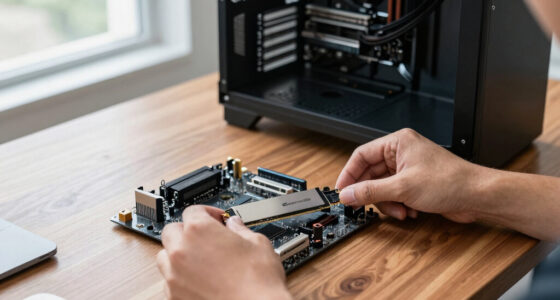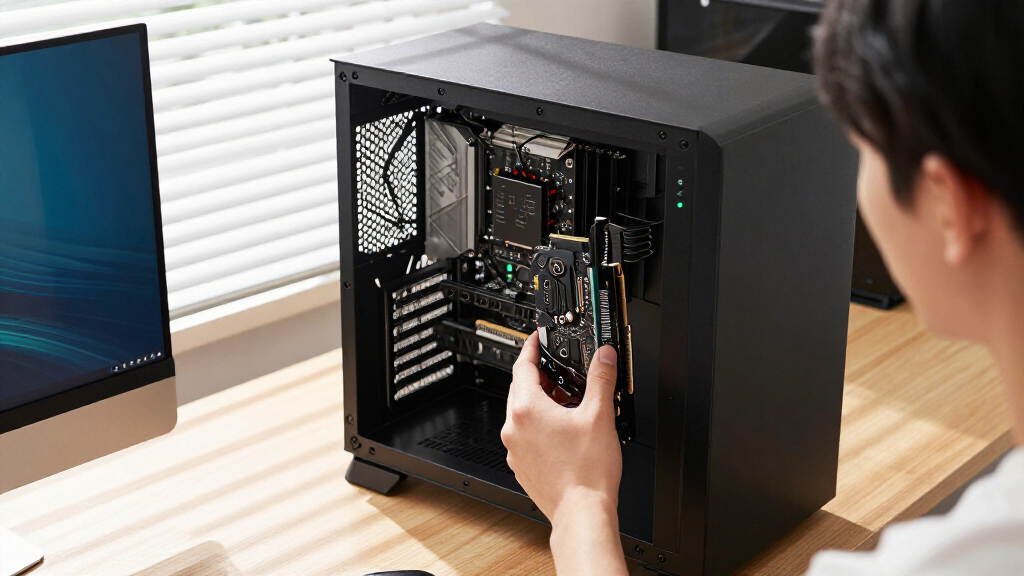

For most gaming PCs, I’d start with the GIGABYTE Radeon RX 9070 XT Gaming OC 16G, which pairs a current-generation GPU with 16GB of memory. The ASUS Prime GeForce RTX 5070 is a more measured option, while the RTX 5080 models target buyers building for higher performance and premium features. The main tradeoffs are gaming capability, memory, card size, power needs, and whether you need modern gaming hardware or simply extra display outputs. Older GT 730, GT 740, and RX 580 cards serve narrower upgrade needs and are not direct substitutes for the newer GPUs. Read on for how I’d match each card to a build and buyer.

Get business pricing on tech for your team
- Business-only prices and quantity discounts
- Tax-exempt purchasing
- Multiple users, one account, clear invoices
Key Takeaways
- The RX 9070 XT and RTX 5080 cards form the high-performance group: they have 16GB of graphics memory, while the RTX 5070 is a step down in memory capacity and positioning.
- The ASUS Prime RX 9070 XT and GIGABYTE Gaming OC RX 9070 XT share the same GPU class: differences in cooler design, card dimensions, and system fit matter more than the name alone.
- The three RTX 5080 options are premium variants of the same GPU: compare their cooler and physical fit, since the ROG Astral White emphasizes a distinctive build appearance.
- The GT 730 and GT 740 serve display and compact-PC needs: their multiple outputs or low-profile format do not make them current gaming alternatives.
- The RX 580 sits between the legacy display cards and newer gaming GPUs: its 8GB of memory may suit an older budget system, but its age makes platform condition and game expectations key.


More Details on Our Top Picks
GT 730 4GB DDR3 Graphics Card with Dual HDMI, DisplayPort, and VGA
Four-display support and a single-slot, low-profile design make this GT 730 a fit for office desktops that need more screens but have limited space. It also draws power through the PCIe slot, so there is no extra power cable to route. Compared with the AISURIX GT 740 4GB GDDR5 elsewhere in this roundup, the GT 730 offers a mix of HDMI, DisplayPort, and VGA connections, while that card lists four HDMI ports. This is a display expansion card, not a gaming upgrade: its older Kepler architecture and DDR3 memory are aimed at basic desktop tasks. The VGA output is removable, which may matter in older monitor setups, and buyers should confirm it is present if they need it.
Pros:- Supports up to four displays
- Low-profile, single-slot form fits compact cases
- Requires no additional power connector
- Offers HDMI, DisplayPort, and VGA outputs
Cons:- DDR3 memory and Kepler architecture suit basic tasks rather than gaming
- VGA output is removable, so its availability should be confirmed
Best for: Office users adding up to four monitors to a small-form-factor PC without an available auxiliary power connector
Not ideal for: PC gamers or users seeking a meaningful graphics-performance upgrade, since this card is designed for basic display and office workloads
- Memory:4GB DDR3
- Memory interface:64-bit
- Architecture:Kepler
- CUDA cores:384
- Outputs:2 HDMI, DisplayPort, VGA
- Maximum displays:4
- Form factor:Single-slot, low-profile
- Power connector:Not required
Our verdict“Choose this GT 730 to add several screens to a compact office PC; skip it for gaming or graphics-heavy work.”
AISURIX RX 580 8GB GDDR5 Graphics Card
The RX 580 and 8GB of GDDR5 put this card in a different class from the office-focused GT 730, making it the more relevant pick here for an older gaming PC. Its semi-automatic fans can stop at low load, which can reduce fan noise while browsing or handling light desktop tasks. The tradeoff is a 185W maximum draw and a required 8-pin connector, so the power supply and case cooling need to be up to the job. Compared with the much newer ASUS Prime Radeon RX 9070 XT, this is a far more modest option with an older PCIe 3.0 interface and no listed advanced cooling features. Its output details are inconsistent: the title and description differ, while the specs list two DisplayPort outputs and one HDMI.
Pros:- 8GB of GDDR5 memory
- Supports displays up to 4K resolution
- Semi-automatic fans can stop under low load
- PCIe 3.0 x16 connection fits compatible older systems
Cons:- Requires an 8-pin power connector and can draw up to 185W
- Dual-slot design takes more case room than the GT 730
- Output configuration is inconsistently described across the product data
Best for: Builders upgrading an existing PC with an 8-pin-capable power supply for entry-level gaming and 4K display output
Not ideal for: Small-form-factor PC owners or buyers with low-wattage power supplies, because the dual-slot card draws up to 185W and needs an 8-pin connector
- GPU:RX 580 (Polaris 20 XTX)
- Memory:8GB GDDR5
- Memory speed:1750 MHz
- Stream processors:2048
- Interface:PCIe 3.0 x16
- Video outputs:2 x DisplayPort, 1 x HDMI (listed specs)
- Maximum resolution:4K
- Power draw:185 W maximum; 1 x 8-pin connector
Our verdict“Consider this RX 580 for an older gaming PC with adequate power and cooling, after checking the exact output configuration.”
ASUS Prime Radeon RX 9070 XT 16GB GDDR6 OC Edition Graphics Card
This RX 9070 XT OC pairs 16GB of GDDR6 with cooling features and two BIOS profiles, giving builders a way to choose between a quieter setup and a performance-focused one. Its 0dB technology can keep the fans off during light gaming, while the phase-change GPU thermal pad and Axial-tech fans are built to manage heat when the card is working harder. Compared with the GIGABYTE Radeon RX 9070 XT Gaming OC 16G, ASUS lists Quiet and Performance BIOS profiles and a 2.5-slot design; the supplied GIGABYTE specs instead emphasize WINDFORCE cooling and RGB. This ASUS model makes sense for someone who wants a configurable card from the same GPU family, but the provided data gives no dimensions or power requirements, so case and PSU fit need checking before purchase.
Pros:- 16GB of GDDR6 memory
- Quiet and Performance BIOS profiles let users select a cooling and performance mode
- 0dB technology supports fan-stop operation during light gaming
- Phase-change GPU thermal pad and Axial-tech fans target heat management
Cons:- A 2.5-slot card still needs room for a wide cooler
- Power connector and power draw are not specified in the supplied data
- No listed output configuration to confirm monitor compatibility
Best for: PC builders choosing an RX 9070 XT who want selectable cooling behavior and a stated 2.5-slot fit
Not ideal for: Buyers who need confirmed card dimensions or power requirements before checking fit, since those details are absent from the supplied specs
- GPU:AMD Radeon RX 9070 XT
- Memory:16GB GDDR6
- Edition:OC
- Boost clock:Up to 3030 MHz (OC mode)
- Game clock:Up to 2480 MHz (OC mode)
- Design:2.5-slot
- BIOS profiles:Quiet and Performance
- Cooling features:Axial-tech fans, phase-change GPU thermal pad, dual-ball fan bearings
Our verdict“Pick this ASUS RX 9070 XT if configurable fan behavior and its 2.5-slot cooler suit your build, after confirming power and display connections.”
ASUS Prime NVIDIA GeForce RTX 5070 OC Edition Graphics Card
The RTX 5070 OC is the NVIDIA choice here for builders looking for Blackwell features in a card described as SFF-ready. Its 2.5-slot width, Axial-tech fans, and phase-change thermal pad make cooling and case fit central parts of the decision; dual BIOS profiles let owners favor quiet or performance behavior. DLSS 4 and 12GB of GDDR7 distinguish it from the ASUS Prime Radeon RX 9070 XT, which has 16GB of GDDR6 and its own Quiet and Performance profiles. That makes the RTX 5070 the option to weigh when NVIDIA-specific features matter, while the ASUS Radeon offers more listed memory capacity. The RTX 5070’s 12GB may be a constraint for workloads that benefit from more memory, and the supplied data does not include card dimensions or power requirements.
Pros:- 12GB of GDDR7 memory
- DLSS 4 and NVIDIA Blackwell architecture
- SFF-ready, 2.5-slot design
- Dual BIOS and 0dB technology support configurable, quieter operation
Cons:- 12GB of memory is less than the 16GB listed for both RX 9070 XT cards here
- A 2.5-slot cooler can still limit fit in especially narrow cases
- Power draw and exact card dimensions are not provided
Best for: Small-form-factor PC builders who want an NVIDIA Blackwell card with DLSS 4 and can accommodate a 2.5-slot cooler
Not ideal for: Buyers whose workloads need more than 12GB of graphics memory or who need confirmed dimensions and power requirements before selecting a card
- GPU:NVIDIA GeForce RTX 5070 (Blackwell)
- Memory:12GB GDDR7
- Interface:PCIe 5.0
- Boost clock:2587 MHz (OC mode); 2557 MHz (default mode)
- Slot width:2.5 slots
- AI performance:1005 AI TOPS
- Display outputs:HDMI and DisplayPort 2.1
- Warranty:3 years
Our verdict“Choose this RTX 5070 for its NVIDIA feature set in a compact build, provided its 12GB capacity and cooler fit your needs.”
GIGABYTE Radeon RX 9070 XT Gaming OC 16G Graphics Card
GIGABYTE’s RX 9070 XT Gaming OC adds a distinct cooler and lighting approach to the same GPU family as the ASUS Prime RX 9070 XT. WINDFORCE cooling, Hawk fans, and server-grade thermal conductive gel are intended to handle heat, while RGB lighting gives this card a visible role in a windowed build. Its listed 16GB of GDDR6 matches the ASUS model’s memory capacity; the supplied clock figure is 3060 MHz, though no comparable clock figure is given for the ASUS card’s default mode. The major practical uncertainty is connectivity: the product data lists only DisplayPort, even though monitor setups may require other outputs. The card is also 11.34 inches long, so it needs more room than the compact GT 730. Confirm the full port list and case clearance before choosing it.
Pros:- 16GB of GDDR6 memory
- WINDFORCE cooling with Hawk fans
- Server-grade thermal conductive gel is part of the cooling design
- RGB lighting suits visible, windowed builds
Cons:- 11.34-inch length may rule it out for shorter cases
- Only DisplayPort is listed in the supplied output specifications
- The stated memory clock unit is reported as GHz and may need confirmation
Best for: RX 9070 XT buyers building a windowed desktop who want a substantial cooling system and RGB lighting
Not ideal for: Users with tight cases or monitor setups that depend on HDMI, since the listed dimensions are sizable and only DisplayPort is specified
- GPU:AMD Radeon RX 9070 XT
- Memory:16GB GDDR6
- GPU clock speed:3060 MHz
- Memory clock speed:2600 GHz (as listed)
- Interface:PCIe 5.0, PCI-Express x16
- Video output interface:DisplayPort (listed)
- Maximum resolution:7680 × 4320
- Dimensions:11.34 × 5.2 in
Our verdict“Choose this GIGABYTE RX 9070 XT for its cooling and RGB in a roomy build, after confirming its complete port configuration.”
GIGABYTE GeForce RTX 5080 Gaming OC 16G Graphics Card
The GIGABYTE RTX 5080 Gaming OC is my balanced pick for buyers who want a high-end card for demanding games and creative workloads without the more elaborate cooling design of the ASUS ROG Astral. Its 16 GB of GDDR7, Blackwell architecture, and DLSS 4 support give it a modern feature set, while the three-fan WINDFORCE cooler is built to manage heat under sustained loads. The listed 2.73 GHz GPU clock makes this a factory-overclocked option, though clock figures alone do not establish how it performs against other cards. Like the ASUS TUF RTX 5080, it has a sizeable footprint, so buyers should check case clearance. The tradeoff is that the supplied details give less information about its outputs and power requirements than the TUF listing, making build planning less straightforward.
Pros:- 16 GB of GDDR7 memory
- DLSS 4 support and Blackwell architecture
- Three-fan WINDFORCE cooling system
- Listed 2.73 GHz GPU clock speed
Cons:- Large 13.46-inch length can limit case compatibility
- Provided specifications do not state a power-supply requirement
- Provided specifications do not specify the number of display outputs
Best for: PC builders seeking a high-end NVIDIA card for demanding gaming and creative work who have room for a full-size triple-fan GPU.
Not ideal for: Small-case builders or shoppers who need clearly listed power and display-output requirements before choosing components.
Our verdict“Choose this RTX 5080 for a capable, feature-rich gaming and creative build if your case can fit it and you can confirm its power and output requirements.”
ASUS TUF Gaming GeForce RTX 5080 16GB GDDR7 OC Edition Graphics Card
The ASUS TUF RTX 5080 OC suits builders who value detailed connectivity and a reinforced design alongside RTX 5080 performance. Its five video outputs—three DisplayPort 2.1a and two HDMI 2.1b—offer more connection flexibility than the three DisplayPort and two HDMI ports listed for the ASUS ROG Astral. A phase-change GPU thermal pad, three Axial-tech fans, protective PCB coating, and military-grade components are intended to support cooling and durability. The tradeoffs are practical: ASUS specifies an 850W power supply with a 16-pin connector, and this 3.6-slot card measures 13.7 inches long. That makes it harder to fit in compact builds than the 2.5-slot ASRock RX 9070 Challenger. Check both case space and power delivery before choosing it.
Pros:- Three DisplayPort 2.1a and two HDMI 2.1b outputs
- Three Axial-tech fans and phase-change GPU thermal pad
- Protective PCB coating and military-grade components
- OC and default boost modes are specified
Cons:- Requires an 850W power supply with a 16-pin connector
- 3.6-slot design can obstruct adjacent expansion slots
- 13.7-inch length restricts case choices
Best for: Enthusiast PC builders who need several display connections and have a spacious case with the specified power supply and connector.
Not ideal for: Compact PC builders or anyone whose existing power supply lacks the required 850W capacity and 16-pin connector.
Our verdict“Pick the TUF RTX 5080 if you need its five outputs and reinforced construction and can accommodate its power and space requirements.”
ASUS ROG Astral GeForce RTX 5080 16GB GDDR7 White OC Graphics Card
The ASUS ROG Astral RTX 5080 White OC is aimed at builders who want an elaborate cooling assembly and a white finish for a high-end system. Its quad-fan design, vapor chamber, and phase-change thermal pad give it a more extensive cooling setup on paper than the three-fan GIGABYTE Gaming OC or ASUS TUF. It also lists a higher 2.79 GHz OC-mode clock than those cards, though clock speed by itself does not settle real-world performance. This card’s 3.8-slot form factor is the biggest tradeoff: it needs substantial case and slot clearance, more than the 3.6-slot TUF. The supplied specification lists a cooling setup but notes a conflicting fan count, so buyers should verify the exact configuration before planning around it.
Pros:- 16 GB of GDDR7 and DLSS 4 support
- Vapor chamber and phase-change GPU thermal pad
- Reinforced metal frame and GPU Guard mounting protection
- Three DisplayPort 2.1b and two HDMI 2.1b outputs
Cons:- 3.8-slot form factor needs substantial clearance
- Listed fan count conflicts with the quad-fan product description
- Provided details do not state a power-supply requirement
Best for: Enthusiasts building a spacious, white-themed PC who want the Astral’s listed cooling hardware and OC-mode clock.
Not ideal for: Small-case builders, buyers with limited expansion-slot space, or anyone who needs the fan configuration confirmed from the listing.
Our verdict“Choose the ROG Astral for a spacious white build where its cooling hardware is a priority and you can confirm the fan configuration.”
ASRock Radeon RX 9070 Challenger 16GB OC Graphics Card
The ASRock Radeon RX 9070 Challenger gives buyers an AMD RDNA 4 alternative to the three RTX 5080 cards in this batch. Its 16 GB of GDDR6 and 256-bit memory bus pair with hardware for ray tracing and AI, while the listed triple-fan cooler includes a 0dB silent mode for quieter, lighter use. Compared with the ASUS TUF RTX 5080, it uses two 8-pin power connectors and has a narrower 2.5-slot profile, which may simplify an existing build. The tradeoff is that its listed memory type and platform differ from the RTX 5080 models’ GDDR7 and NVIDIA Blackwell features, including DLSS 4. Buyers should compare the software and game support they rely on rather than choosing by clock speed alone. Its 290 mm length still calls for a case-clearance check.
Pros:- 16 GB of GDDR6 memory on a 256-bit bus
- RDNA 4 hardware accelerators for ray tracing and AI
- Triple-fan cooling with 0dB silent mode
- 2.5-slot design with two 8-pin power connectors
Cons:- Requires two 8-pin connectors and a recommended 700W power supply
- 290 mm length may exceed smaller case clearance
- Does not offer the NVIDIA Blackwell and DLSS 4 feature set of the RTX 5080 picks
Best for: Builders who prefer an AMD GPU, want 16 GB of memory, and need a less bulky card than the 3.6-slot ASUS TUF RTX 5080.
Not ideal for: Buyers specifically seeking NVIDIA Blackwell and DLSS 4 features, or compact-case owners who cannot fit a 290 mm card.
Our verdict“Choose the ASRock RX 9070 Challenger if you want an AMD-based 16 GB card with a slimmer profile than the ASUS TUF RTX 5080.”
AISURIX GT 740 4GB GDDR5 Low-Profile Graphics Card with 4 HDMI Ports
The AISURIX GT 740 fills a different role from the RTX 5080 and RX 9070 cards: it adds display connections to a basic desktop rather than targeting demanding modern graphics workloads. Its four HDMI ports can serve a multi-screen workstation, and the low-profile design plus included half-height and full-height brackets makes it easier to fit into some small-form-factor PCs than the full-size GIGABYTE RTX 5080. The ceiling is just as clear: it has 4 GB of GDDR5, a 903 MHz GPU clock, and a maximum listed resolution of 2560 × 1600. The supplied description points to everyday tasks and 1080p video, not intensive gaming or creative work. Choose it for display expansion; skip it if graphics performance is the goal.
Pros:- Four HDMI outputs support up to four displays
- Low-profile design for compatible small-form-factor PCs
- Includes half-height and full-height brackets
- PCIe 3.0 x16 interface and Windows and Linux compatibility are listed
Cons:- 4 GB of GDDR5 and the GT 740 GPU limit demanding workloads
- Listed maximum resolution is 2560 × 1600
- PCIe 3.0 platform is older than the PCIe 5.0 cards in this batch
Best for: Owners of basic or small-form-factor desktops who need up to four HDMI display connections for office work and video.
Not ideal for: Gamers or creators running demanding graphics applications, who should look at the RX 9070 or RTX 5080 options instead.
Our verdict“Choose this GT 740 for adding several HDMI displays to a basic PC, not for modern gaming or graphics-heavy work.”
How We Picked
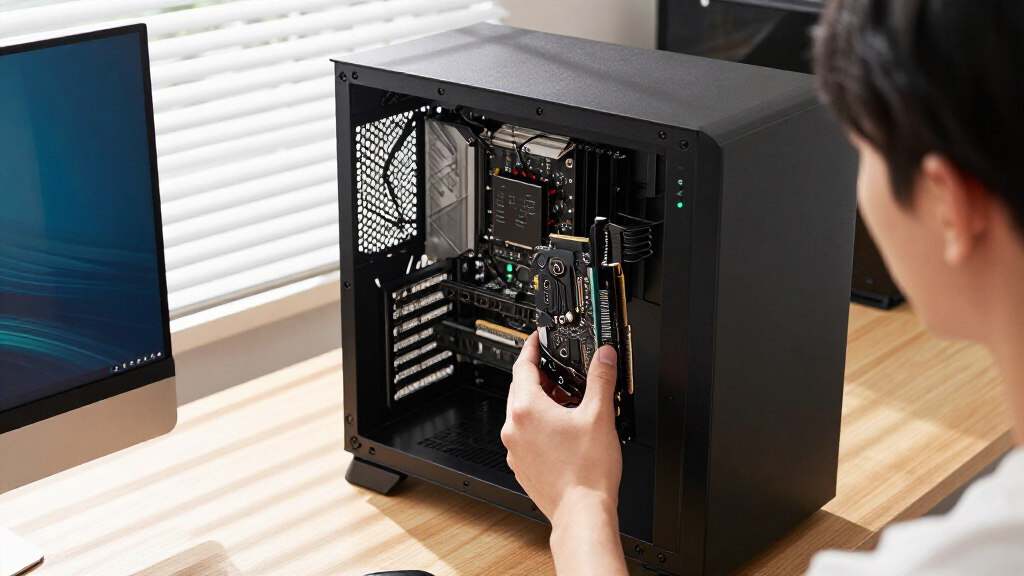
I ranked these cards by how well they suit the likely job implied by a graphics-card purchase: current gaming, upgrading an older PC, or adding display support. For gaming picks, I gave more weight to GPU generation, memory capacity, and the card’s place in its product family. I also considered cooler and form-factor cues, since a powerful card is a poor fit if it cannot fit the case or the system cannot support it.
The ranking favors useful capability for a broad range of buyers, then separates premium variants by their likely build appeal and specialized fit. The RX 9070 XT and RTX 5080 models lead because they are the most capable classes represented here; the RTX 5070 offers a more restrained current-generation route. The RX 580, GT 730, and GT 740 rank lower because they address older or narrower needs, despite features such as extra display connections or a low-profile design.
Factors to Consider When Choosing Graphics Cards
I’d choose a graphics card by starting with the system and the work it needs to do. A useful decision comes from matching gaming targets, physical fit, power support, and display requirements before comparing cooler variants.
Match the GPU to Your Games and Display
Choose around the games you play, the resolution of your display, and the level of visual detail you expect. Higher resolutions and demanding graphics settings generally call for a more capable GPU, but a fast card can be underused with lighter games or a modest monitor. Think about the next display you may buy, too, since a card intended for a future screen can be a sensible upgrade if the rest of the PC can keep up. A common mistake is to compare model names without checking performance tests for the particular games and resolution that matter to you. The RX 9070 XT and RTX 5080 groups in this roundup target more demanding gaming than the older RX 580, GT 730, and GT 740. I’d treat those older cards as targeted upgrades rather than assume they can meet modern gaming expectations.
Check Case Fit Before Choosing a Cooler
Graphics cards vary in length, thickness, and slot coverage, even when they use the same GPU. Measure the available space from the rear expansion slots to nearby obstructions, and check whether adjacent slots must stay free for other cards or airflow. Cooler size can affect noise and temperatures, but a larger cooler also narrows the cases it can fit. The ASUS Prime and GIGABYTE Gaming OC RX 9070 XT are worth comparing as separate board designs, not as interchangeable packages. For small cases, the GT 740’s low-profile format addresses a physical constraint that a full-size gaming card does not. Confirm the exact dimensions of the specific model before ordering, since the GPU name alone does not tell you whether it will fit.
Confirm Power Supply and Connectors
A graphics card upgrade can require a stronger power supply and different power connectors than the card it replaces. Check the manufacturer’s recommended supply, the available connector leads, and the age and quality of the existing unit. Leave reasonable headroom for the processor and the rest of the system rather than matching the power supply to the graphics card alone. Powerful RTX 5080 and RX 9070 XT cards deserve particular attention here, since an otherwise compatible PC may still need a power supply upgrade. Avoid relying on improvised adapters without checking the card and power supply guidance. Planning the full system cost before choosing a card can prevent a stalled build or an unstable upgrade.
Choose Memory for the Workload, Not the Largest Number
Graphics memory holds assets and data that the GPU needs while rendering, so capacity can matter more as resolution, texture detail, and workload size rise. This roundup ranges from 4GB cards to modern 16GB models, with the RX 580 offering 8GB. More memory alone does not make an older GPU fast, and a newer card’s GPU capability remains central to gaming performance. For gaming, look for tests that show frame rates and settings in the titles you care about, including whether memory limits cause stutter. For creative applications, check the software’s own hardware guidance and typical project needs. That gives a more useful answer than selecting a card from its memory figure alone.
Decide Whether You Need Gaming Performance or Display Outputs
Not every graphics-card purchase is for gaming; some buyers need to connect several monitors or replace a failed display adapter. The GT 730’s mix of HDMI, DisplayPort, and VGA, and the GT 740’s four HDMI outputs, point toward display flexibility rather than current gaming capability. Before buying for multiple screens, confirm the maximum supported resolution and refresh rate for each output and whether the ports can run simultaneously in your desired setup. A port count does not guarantee the exact multi-monitor arrangement you need. If gaming is the main goal, prioritize the GPU and independent performance results over the number of connectors. Separating these two jobs helps avoid paying for a gaming GPU when outputs are the real requirement, or expecting an older display card to handle demanding games.
Pay More for a Real Build Benefit
Premium variants make the most sense when their physical design, cooling approach, or appearance solves a need in your build. The RTX 5080 choices here share the same GPU class, so the ASUS TUF and ROG Astral White should be compared on their specific dimensions, cooler details, and visual fit rather than presumed to deliver a different tier of graphics performance. A premium board design may suit a quiet or carefully styled PC, but it cannot compensate for an undersized power supply or poor case airflow. Check independent measurements if noise and temperature matter to you. For a straightforward gaming build, a less elaborate version of the same GPU may be the more sensible choice. Spend extra when the model’s design addresses a preference or constraint you actually have.
Frequently Asked Questions
Should I choose an RX 9070 XT or an RTX 5080 for a new gaming PC?
I’d compare independent game benchmarks at your target resolution before deciding, since both groups sit among the higher-performance options in this lineup. The RTX 5080 models are the premium choices here, while the RX 9070 XT cards offer another current 16GB option. Check the specific features and software support you rely on, along with the power supply and case requirements for each model. Board dimensions and cooler design can separate two cards using the same GPU. The better pick is the one that meets your performance target and fits your system without forcing unwanted compromises elsewhere.
Is the ASUS Prime RTX 5070 enough for a first gaming PC?
It can be a reasonable current-generation starting point if its benchmark results match your games, display resolution, and preferred settings. Compared with the RX 9070 XT and RTX 5080 cards here, it occupies a less demanding position in the lineup and has less graphics memory. That can make it easier to pair with a more modest build, though the full PC balance still matters. Check the card’s dimensions and power requirements before buying, then compare frame-rate results for the games you play. If you plan to target a high-resolution display or demanding settings for several years, compare stronger cards before settling.
Can the GT 730 or GT 740 handle modern games?
I would choose either mainly for display support or a specific older-PC upgrade, not as a modern gaming card. The GT 730 offers several kinds of display connections, while the GT 740’s low-profile design and four HDMI ports suit particular compact or multi-screen setups. Neither feature indicates the gaming capability of a current GPU. Check recent game benchmarks for the exact card and the minimum requirements of each game you want to run. If gaming is the priority, the RX 580 is a more plausible older option in this roundup, though its age still calls for realistic expectations.
Will a 16GB graphics card automatically perform better than an 8GB card?
No. Memory capacity can help with high-resolution textures and demanding workloads, but the GPU’s architecture and processing capability also determine performance. The 16GB RX 9070 XT and RTX 5080 models belong to newer, more capable product classes than the 8GB RX 580, so their broader differences matter more than memory alone. A large memory figure on an older card does not make it equivalent to a current gaming GPU. Compare game benchmarks at your target settings and look for evidence of memory limits in the workloads you care about. For creative software, check its hardware guidance and the size of your typical projects.
What should I check before replacing my old graphics card?
Start with case clearance, power supply capacity and connectors, and the display connections your monitor needs. Then check that your motherboard and operating system support the card and that your processor will not severely limit the games or applications you plan to run. If the new card is a large RX 9070 XT or RTX 5080 model, verify the exact board dimensions rather than relying on the GPU family name. For a GT 730 or GT 740, confirm the output arrangement and monitor compatibility; those may matter more than gaming performance for your use. Finally, compare the full upgrade requirements so a new card does not leave you needing other parts you had not planned to replace.
Conclusion
For the best overall balance, I’d begin with the GIGABYTE Radeon RX 9070 XT Gaming OC and compare its dimensions with the ASUS Prime RX 9070 XT before choosing. The best value direction is the ASUS Prime RTX 5070 for buyers who want a newer gaming card without moving to the top tier; check game benchmarks to confirm it meets your target. For a premium build, consider the RTX 5080 variants, choosing between GIGABYTE Gaming OC, ASUS TUF, and ROG Astral White based on case fit, cooling design, and appearance. Beginners should first match the card to their monitor, power supply, and case, with the RTX 5070 a more approachable starting point than a flagship class card. For specific display or compact-PC needs, the GT 730 and low-profile GT 740 make more sense than gaming-focused cards; choose the RX 580 only when its older capabilities suit the system and games you have in mind.
Fall Picks
fall essentials
As an affiliate, we earn on qualifying purchases.