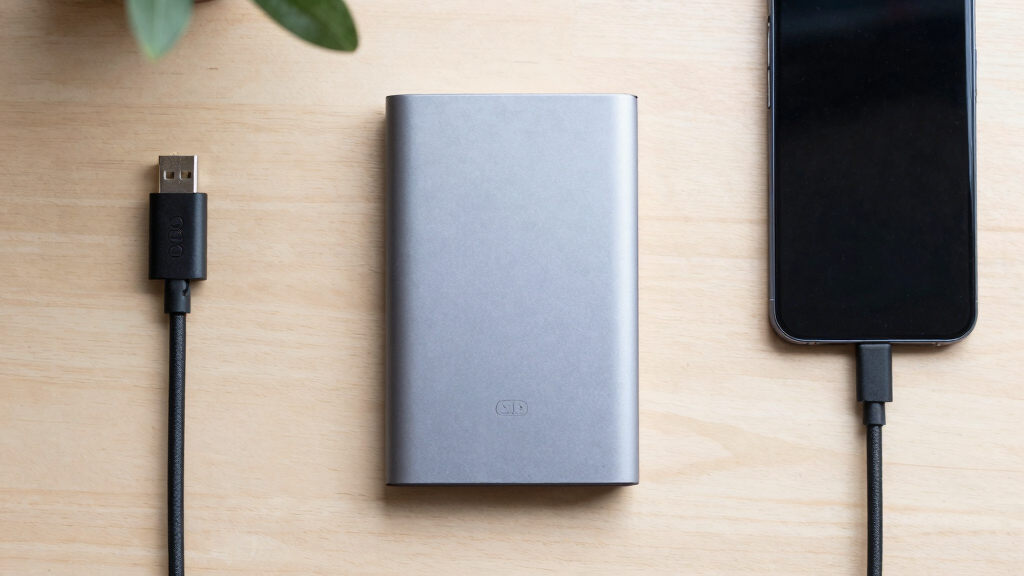

The Samsung T9 2TB is my best overall choice among these portable SSDs because it pairs fast transfers with useful capacity and steadier performance during large jobs. The Samsung T7 1TB offers better value for everyday backups, while the SanDisk Extreme PRO 1TB suits buyers who want premium speed and IP65 protection. The main tradeoffs are capacity, ruggedness, price, and whether a computer supports the 20Gbps connection required for speeds near 2,000MB/s. A faster drive may offer little benefit when connected to a 10Gbps USB port, while a cheaper 500GB model can become restrictive surprisingly quickly. Continue reading for my full breakdown of which drive best matches each buyer and workload.

Get business pricing on tech for your team
- Business-only prices and quantity discounts
- Tax-exempt purchasing
- Multiple users, one account, clear invoices
Key Takeaways
- Samsung T9 2TB ranks first because its capacity, thermal management, and 20Gbps performance create the most balanced package for frequent large transfers.
- The SanDisk Extreme PRO 1TB premium makes sense mainly for buyers who can use its 20Gbps interface and value IP65 protection; otherwise, a 1,050MB/s model is more economical.
- The comparison makes 2TB the capacity sweet spot for large photo libraries, games, and video projects, while 1TB remains easier to justify for backups and document storage.
- Samsung T7 1TB offers the strongest value because its 10Gbps connection is compatible with more computers than the faster T9 interface, even though it trails during demanding transfers.
- The SSK 500GB is the lowest-cost entry point, but its limited capacity and less established support make it a narrower recommendation than the Samsung and SanDisk options.
| SanDisk 1TB Extreme PRO Portable SSD |  | Best Rugged 1TB Performance | Capacity: 1TB | Maximum read speed: 2,000MB/s | Maximum write speed: 2,000MB/s | VIEW LATEST PRICE | See Our Full Breakdown |
| SanDisk 2TB Extreme Portable SSD |  | Best Balanced 2TB Pick | Capacity: 2TB | Maximum read speed: 1,050MB/s | Maximum write speed: 1,000MB/s | VIEW LATEST PRICE | See Our Full Breakdown |
| Crucial X10 2TB Portable SSD |  | Best Overall | Capacity: 2TB | Maximum read speed: 2,100MB/s | Connection: USB-C | VIEW LATEST PRICE | See Our Full Breakdown |
| Samsung T9 Portable SSD 2TB |  | Best for Sustained Creative Work | Capacity: 2TB | Maximum speed: Up to 2,000MB/s | Interface: USB 3.2 Gen 2×2 | VIEW LATEST PRICE | See Our Full Breakdown |
| SanDisk 1TB Extreme Portable SSD |  | Best Value Rugged Pick | Capacity: 1TB | Maximum read speed: 1,050MB/s | Maximum write speed: 1,000MB/s | VIEW LATEST PRICE | See Our Full Breakdown |
| SSK Portable SSD 500GB External Solid State Drive |  | Best Ultra-Light Value | Capacity: 500GB | Maximum read speed: 1,050MB/s | Maximum write speed: 1,000MB/s | VIEW LATEST PRICE | See Our Full Breakdown |
| SanDisk 1TB Extreme Portable SSD |  | Best Rugged High-Speed Pick | Capacity: 1TB | Maximum transfer speed: Up to 2,000MB/s | Connectivity: USB Type-C | VIEW LATEST PRICE | See Our Full Breakdown |
| Samsung T7 Portable SSD 1TB |  | Best Everyday All-Rounder | Capacity: 1TB | Maximum transfer speed: 1,050MB/s | Interface: USB 3.2 Gen 2 | VIEW LATEST PRICE | See Our Full Breakdown |
| Samsung T9 Portable SSD 1TB | | Best for Sustained Professional Workloads | Capacity: 1TB | Interface: USB 3.2 Gen 2×2 | Sequential read speed: Up to 2,000MB/s | VIEW LATEST PRICE | See Our Full Breakdown |
| portable ssd | Capacity | Interface | Maximum read speed | Drop protection |
|---|---|---|---|---|
| SanDisk 1TB Extreme PRO Portab | 1TB | — | 2,000MB/s | Up to 3 meters |
| SanDisk 2TB Extreme Portable S | 2TB | USB 3.2 Gen 2 | 1,050MB/s | Up to 3 meters |
| Crucial X10 2TB Portable SSD | 2TB | — | 2,100MB/s | Up to 9.8 feet |
| Samsung T9 Portable SSD 2TB | 2TB | USB 3.2 Gen 2×2 | — | — |
| SanDisk 1TB Extreme Portable S | 1TB | USB 3.2 Gen 2 | 1,050MB/s | Up to 3 meters |
| SSK Portable SSD 500GB Externa | 500GB | USB 3.2 Gen 2 | 1,050MB/s | — |
| SanDisk 1TB Extreme Portable S | 1TB | — | — | Up to 3 meters |
| Samsung T7 Portable SSD 1TB | 1TB | USB 3.2 Gen 2 | — | — |
| Samsung T9 Portable SSD 1TB | 1TB | USB 3.2 Gen 2×2 | — | — |
More Details on Our Top Picks
SanDisk 1TB Extreme PRO Portable SSD
I place the SanDisk Extreme PRO high in the ranking for buyers who need fast storage that can leave the desk. Its 2,000MB/s read and write rating nearly doubles the speed of the standard SanDisk 1TB Extreme, which can shorten large video and photo transfers when paired with a suitable host port. The aluminum chassis also dissipates heat, while IP65 protection and a three-meter drop rating make this a stronger field option than the Samsung T9. The compromise is capacity: creative professionals may fill 1TB quickly, and the Crucial X10 supplies 2TB with a slightly higher advertised read speed. I also would not choose it solely for app-based file management. Its real appeal is the combination of speed, encryption, and physical resilience.
Pros:- Up to 2,000MB/s read and write speeds
- IP65 water and dust resistance with three-meter drop protection
- Aluminum chassis helps dissipate heat during demanding transfers
- 256-bit AES hardware encryption protects sensitive files
Cons:- 1TB capacity is restrictive for large media libraries
- Maximum speed depends on a compatible host interface
- SanDisk Memory Zone must be downloaded for its file-management features
Best for: Traveling photographers and videographers who want near-2,000MB/s performance in a rugged 1TB drive
Not ideal for: Creators maintaining large project archives, since the fixed 1TB capacity may require frequent file management
- Capacity:1TB
- Maximum read speed:2,000MB/s
- Maximum write speed:2,000MB/s
- Connection:USB-C
- Protection rating:IP65
- Drop protection:Up to 3 meters
- Encryption:256-bit AES hardware encryption
- Dimensions:4.36 x 2.28 x 0.41 inches
- Weight:0.17 pounds
Our verdict“I recommend this model to mobile creators who value rugged construction as much as high transfer speed.”
SanDisk 2TB Extreme Portable SSD
I rank the SanDisk 2TB Extreme as the balanced choice because it pairs useful capacity with enough speed for backups, photo libraries, and everyday creative work. Its 1,050MB/s reads and 1,000MB/s writes trail the Crucial X10 and Samsung T9, but many laptops without USB 3.2 Gen 2×2 support cannot exploit those faster drives fully anyway. Compared with the 1TB SanDisk Extreme, this version offers twice the working room without changing the compact, IP65-rated design. That makes it easier to keep several projects together while traveling. Buyers moving very large video files throughout the day should pay more for the faster alternatives, and the product data does not identify included accessories. For everyone else, I see its capacity, encryption, and five-year warranty as a sensible middle ground.
Pros:- 2TB capacity accommodates large project and backup collections
- Up to 1,050MB/s reads and 1,000MB/s writes
- IP65 protection and a three-meter drop rating suit travel
- Hardware encryption and a five-year warranty add long-term value
Cons:- Roughly half the peak speed of the Crucial X10 and Samsung T9
- Actual performance varies with the connected device
- Included cables and accessories are not identified in the supplied product data
Best for: Laptop users and traveling photographers who want 2TB of protected storage without paying mainly for 2,000MB/s-class speed
Not ideal for: Video editors with USB 3.2 Gen 2×2 hardware who regularly transfer hundreds of gigabytes and can benefit from a faster drive
- Capacity:2TB
- Maximum read speed:1,050MB/s
- Maximum write speed:1,000MB/s
- Interface:USB 3.2 Gen 2
- Connection:USB-C
- Protection rating:IP65
- Drop protection:Up to 3 meters
- Encryption:256-bit AES hardware encryption
- Warranty:5 years
Our verdict“I would choose this drive for a practical mix of 2TB capacity, ruggedness, security, and mainstream USB speed.”
Crucial X10 2TB Portable SSD
The Crucial X10 2TB takes my top position by combining the lineup’s highest advertised read speed with ample capacity and credible travel protection. Its 2,100MB/s read rating edges past the Samsung T9 and SanDisk Extreme PRO, while 2TB gives it more breathing room than the 1TB PRO. Compatibility with Windows, Mac, Android, Linux, PlayStation, and Xbox also makes it the easiest pick for buyers sharing one drive across several systems. That broad appeal comes with caveats: a compatible USB-C connection is needed to approach peak speed, adapters may complicate older setups, and the supplied data gives no write-speed or encryption figure. The Samsung T9 remains better suited to sustained creative workloads because it specifies thermal management. Still, I give the X10 the lead for its speed-capacity-durability balance.
Pros:- Fastest advertised read speed in this five-product group at up to 2,100MB/s
- 2TB capacity balances portable size with substantial storage
- IP65 resistance and 9.8-foot drop protection support travel
- Broad compatibility includes major computer, mobile, and console platforms
Cons:- Peak performance requires a suitable USB-C connection
- Adapters may be needed for devices without USB-C
- Write speed and hardware encryption are not specified in the supplied data
Best for: Multi-device users who move large game, photo, and project files between computers, Android devices, and consoles
Not ideal for: Security-focused professionals who require a clearly specified hardware-encryption system for confidential files
- Capacity:2TB
- Maximum read speed:2,100MB/s
- Connection:USB-C
- Protection rating:IP65
- Drop protection:Up to 9.8 feet
- Computer compatibility:Windows, macOS, and Linux
- Mobile compatibility:Android
- Console compatibility:PS4, PS5, and Xbox
Our verdict“I consider the X10 the strongest all-around choice for buyers who want 2TB, broad compatibility, and 2,000MB/s-class reads.”
Samsung T9 Portable SSD 2TB
I assign the Samsung T9 2TB to editors and other demanding users because its headline speed is backed by Dynamic Thermal Guard, which helps manage heat during prolonged transfers. Its 2,000MB/s performance is slightly below the Crucial X10’s advertised read ceiling, yet the focus on thermal control makes the T9 more compelling for long video exports and repeated large-file moves. It also supports desktops, cameras, consoles, and direct 4K 60fps ProRes recording from an iPhone 15 Pro. The catch is interface dependency: reaching full speed calls for USB 3.2 Gen 2×2 hardware and the recommended cable, a combination absent from many computers. Unlike the SanDisk models, the supplied specifications do not claim IP65 resistance or a drop rating. I rank it behind the X10 overall, but its sustained-workload focus earns a distinct place.
Pros:- Up to 2,000MB/s transfer performance
- Dynamic Thermal Guard manages heat during heavy workloads
- Supports direct iPhone 15 Pro 4K 60fps ProRes recording
- Samsung Magician provides firmware and encryption support
Cons:- Full speed requires uncommon USB 3.2 Gen 2×2 host support
- The recommended included cable is needed for the best performance
- No water, dust, or drop-resistance rating is stated in the supplied data
Best for: Video editors and content creators with USB 3.2 Gen 2×2 equipment who run long, repeated file transfers
Not ideal for: Outdoor photographers who need a stated water, dust, and drop-resistance rating
- Capacity:2TB
- Maximum speed:Up to 2,000MB/s
- Interface:USB 3.2 Gen 2×2
- Thermal management:Dynamic Thermal Guard
- Desktop compatibility:Supported
- Camera compatibility:Supported
- Console compatibility:Supported
- Phone video support:iPhone 15 Pro 4K 60fps ProRes
- Management software:Samsung Magician
Our verdict“I favor the T9 for sustained creative workloads when thermal control matters more than field-ready protection.”
SanDisk 1TB Extreme Portable SSD
I see the SanDisk 1TB Extreme as the value-minded rugged pick for buyers who need dependable portable storage more than flagship speed. Its 1,050MB/s reads and 1,000MB/s writes are about half the ratings of the SanDisk Extreme PRO and Crucial X10, but remain well matched to routine backups, photo transfers, and laptop storage expansion. It retains the features that matter away from home: IP65 protection, a three-meter drop rating, hardware encryption, and a carabiner loop. Compared with the 2TB SanDisk Extreme, the smaller capacity demands more frequent archiving and makes less sense for large video collections. It is also an older design, so buyers seeking current 2,000MB/s-class performance should move up the ranking. I include it because its portable protection and security remain persuasive for lighter workloads.
Pros:- Good mainstream performance of up to 1,050MB/s read and 1,000MB/s write
- IP65 water and dust resistance supports mobile use
- Three-meter drop protection and a carabiner loop aid portability
- 256-bit AES hardware encryption adds file security
Cons:- Only half the advertised peak speed of the faster drives in this group
- 1TB can feel cramped for video projects and large game libraries
- Older model lacks the performance headroom of newer 2,000MB/s-class options
Best for: Students, commuters, and hobby photographers who need a secure, rugged 1TB drive for backups and everyday file transfers
Not ideal for: Professional video creators who need 2TB or more and regularly benefit from 2,000MB/s-class transfers
- Capacity:1TB
- Maximum read speed:1,050MB/s
- Maximum write speed:1,000MB/s
- Interface:USB 3.2 Gen 2
- Connection:USB-C
- Protection rating:IP65
- Drop protection:Up to 3 meters
- Encryption:256-bit AES hardware encryption
- Portable attachment:Carabiner loop
Our verdict“I recommend this model when ruggedness and encryption matter more than maximum speed or 2TB capacity.”
SSK Portable SSD 500GB External Solid State Drive
I rank the SSK Portable SSD 500GB as the lightweight value pick because its 36.6g aluminum body delivers up to 1,050MB/s reads without the bulk or premium hardware of faster drives. It is easier to carry than the Samsung T7 and supports USB-C and USB-A connections across phones, tablets, Macs, and Windows PCs. That makes it a practical multi-device shuttle drive for documents, photos, and moderate media libraries. The compromise is capacity: its 500GB allocation leaves far less room than the 1TB Samsung T7, while formatted space may appear closer to 465GB in Windows. It also cannot match the 2,000MB/s class represented by the Samsung T9. I would choose it for portability and sensible speed, not large video archives or demanding production work.
Pros:- 36.6g aluminum body is exceptionally easy to carry
- Read and write ratings suit quick everyday file transfers
- Works across iPhone, Android, Windows, Mac, and tablets
- Aluminum enclosure helps disperse heat
Cons:- 500GB fills quickly with games or high-resolution video
- Usable Windows capacity may appear around 465GB after formatting
- Cannot approach the speed of USB 3.2 Gen 2×2 models
Best for: Students, mobile workers, and phone photographers who want a very light drive for moving moderate-size files among USB-C and USB-A devices
Not ideal for: Video creators and game collectors who need more than 500GB or transfer speeds above the 1,000MB/s class
- Capacity:500GB
- Maximum read speed:1,050MB/s
- Maximum write speed:1,000MB/s
- Interface:USB 3.2 Gen 2
- Weight:36.6g
- Dimensions:2.6 x 1.5 x 0.5 inches
- Power consumption:Less than 2.4W
- Enclosure material:Aluminum alloy
Our verdict“Buy the SSK when minimal weight and broad device support matter more than capacity or 2,000MB/s performance.”
SanDisk 1TB Extreme Portable SSD
The SanDisk 1TB Extreme Portable SSD earns my rugged high-speed role by pairing transfers up to 2,000MB/s with IP65 protection and resistance to drops from as high as three meters. Compared with the Samsung T7, it offers nearly twice the rated speed and stronger stated protection against water, dust, and falls, which makes it better suited to field photographers and traveling creators. Its 256-bit AES encryption also gives security-conscious buyers a reason to choose it over simpler portable storage. Those advantages carry a higher price, and a computer without a suitably fast USB-C connection will not deliver the headline rate. The Samsung T9 is also a stronger fit for sustained desk-based workloads because it adds dedicated thermal management. I rank this SanDisk for speed away from the desk, where physical protection matters as much as transfer time.
Pros:- Transfer rating reaches the 2,000MB/s performance class
- IP65 enclosure resists dust and water exposure
- Rated to survive drops from up to three meters
- 256-bit AES encryption protects sensitive files
Cons:- Premium pricing is harder to justify for routine backups
- Headline speed depends on a compatible high-bandwidth USB-C host
- Only 1TB of capacity is included in this listed configuration
Best for: Field photographers, traveling filmmakers, and mobile professionals who need fast encrypted storage that can handle dust, splashes, and accidental drops
Not ideal for: Budget shoppers or owners of slower USB ports who would pay for speed their hardware cannot provide
- Capacity:1TB
- Maximum transfer speed:Up to 2,000MB/s
- Connectivity:USB Type-C
- Ingress protection:IP65 water and dust resistance
- Drop protection:Up to 3 meters
- Encryption:256-bit AES
Our verdict“Choose this SanDisk when rugged protection and 2,000MB/s-class transfers justify paying more than an everyday portable SSD costs.”
Samsung T7 Portable SSD 1TB
I place the Samsung T7 Portable SSD 1TB in the everyday all-rounder slot because its 1,050MB/s ceiling is fast enough for backups, game libraries, and routine creative work without requiring USB 3.2 Gen 2×2 hardware. Compared with the SSK 500GB, it doubles the listed capacity and adds resistance to falls from six feet, making it the more balanced long-term purchase. It also supports PCs, Macs, Android devices, and gaming consoles, so the broad compatibility has practical value in mixed-device households. The T7 sits well behind the Samsung T9 and SanDisk Extreme 2,000MB/s model for large, repeated transfers. Some devices may also need reformatting, while older ports will reduce performance. My ranking favors its balance of capacity, durability, and accessibility rather than outright speed.
Pros:- 1,050MB/s rating is ample for mainstream backups and game storage
- 1TB capacity offers more breathing room than 500GB value drives
- Six-foot drop resistance supports frequent travel
- Works with PCs, Macs, Android devices, and gaming consoles
Cons:- Roughly half the rated speed of the Samsung T9
- Maximum performance requires USB 3.2 Gen 2 host support
- Switching between some device types may require reformatting
Best for: Households, console players, and office users who want one dependable 1TB drive shared across computers, Android devices, and gaming systems
Not ideal for: Professional editors who regularly move very large media projects and can use a 2,000MB/s USB 3.2 Gen 2×2 drive
- Capacity:1TB
- Maximum transfer speed:1,050MB/s
- Interface:USB 3.2 Gen 2
- Drop resistance:Up to 6 feet
- Computer compatibility:PC and Mac
- Additional compatibility:Android devices and gaming consoles
- Available capacity range:Up to 4TB
Our verdict“The T7 is my sensible 1TB choice for buyers who value broad compatibility and durability over maximum transfer speed.”
Samsung T9 Portable SSD 1TB
The Samsung T9 Portable SSD 1TB takes my sustained-workload role because it combines speeds up to 2,000MB/s with Dynamic Thermal Guard, which helps control heat during long transfers and demanding creative sessions. It is a better production choice than the Samsung T7, whose 1,050MB/s interface is easier to saturate when moving large video projects. The T9 also supports desktops, cameras, consoles, and direct 4K recording from an iPhone 15 Pro, giving its broad workflow compatibility more value than raw benchmark numbers alone. Buyers still need a USB 3.2 Gen 2×2 host and the proper included cable to reach its full rate; many laptops and phones will run it more slowly. Its premium price and listed 1TB capacity also weaken its value beside the 2TB Crucial X10. I rank it for controlled speed under heavier loads, not basic backups.
Pros:- Up to 2,000MB/s transfers shorten large-file copy times
- Dynamic Thermal Guard manages heat during intensive workloads
- Supports desktops, cameras, consoles, and iPhone 15 Pro
- Samsung Magician software provides drive management support
Cons:- Full performance requires USB 3.2 Gen 2×2 hardware and the proper cable
- Costs more than 1,050MB/s everyday drives
- The listed 1TB capacity offers less space than competing 2TB options
Best for: Video editors, photographers, and mobile production crews who repeatedly transfer large files or record 4K video directly to external storage
Not ideal for: Casual backup users and buyers whose computers lack USB 3.2 Gen 2×2 support, since much of the speed premium would go unused
- Capacity:1TB
- Interface:USB 3.2 Gen 2×2
- Sequential read speed:Up to 2,000MB/s
- Thermal management:Dynamic Thermal Guard
- Software support:Samsung Magician
- Device compatibility:Desktop, camera, gaming console, and iPhone 15 Pro
- Mobile recording support:iPhone 15 Pro 4K video recording
Our verdict“Choose the T9 when sustained 2,000MB/s-class performance and thermal control matter more than getting the most storage per dollar.”
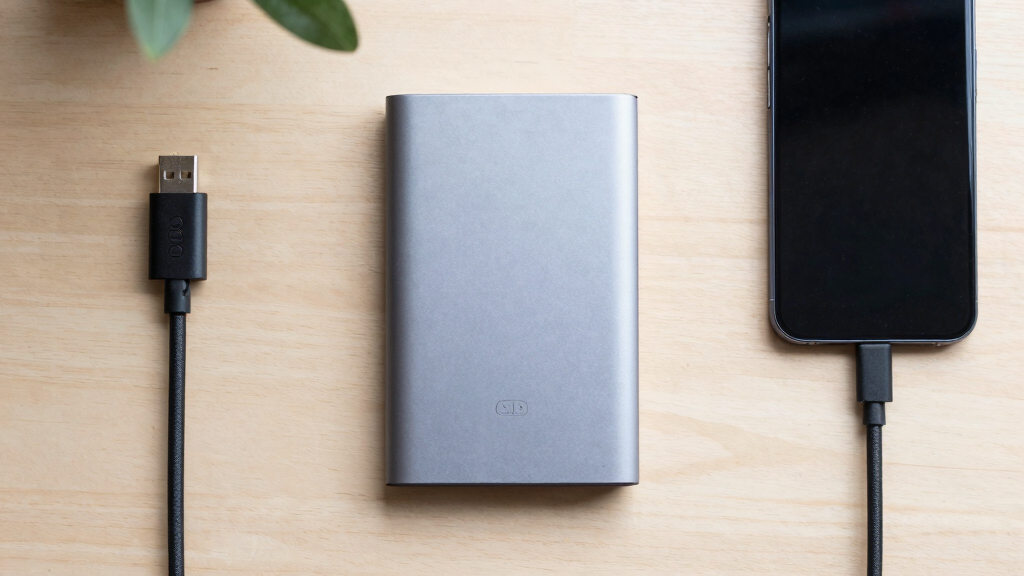
How We Picked
I ranked these portable SSDs using interface speed, usable capacity, sustained performance, and device compatibility rather than treating the highest advertised transfer figure as an automatic win. I also weighed physical protection, portability, warranty coverage, security features, and price per terabyte. Published performance claims were judged against the connection each drive requires, since a 20Gbps SSD cannot deliver its headline speed through a 10Gbps port.
The Samsung T9 2TB takes first place because it combines high-speed capability with practical 2TB capacity and is better suited to repeated large transfers than most of the lineup. The T7 earns the value role because its lower ceiling is less restrictive on common hardware, while the SanDisk Extreme PRO earns the premium rugged role. I placed the smaller and duplicate-capacity models lower when they offered less storage, weaker value, or a narrower advantage over another drive in the group.
| portable ssd | Drop protection | Interface |
|---|---|---|
| SanDisk 1TB Extreme PRO Portab | Up to 3 meters | — |
| SanDisk 2TB Extreme Portable S | Up to 3 meters | USB 3.2 Gen 2 |
| Crucial X10 2TB Portable SSD | Up to 9.8 feet | — |
| Samsung T9 Portable SSD 2TB | — | USB 3.2 Gen 2×2 |
| SanDisk 1TB Extreme Portable S | Up to 3 meters | USB 3.2 Gen 2 |
| SSK Portable SSD 500GB Externa | — | USB 3.2 Gen 2 |
| SanDisk 1TB Extreme Portable S | Up to 3 meters | — |
| Samsung T7 Portable SSD 1TB | — | USB 3.2 Gen 2 |
| Samsung T9 Portable SSD 1TB | — | USB 3.2 Gen 2×2 |
Factors to Consider When Choosing Portable Ssds
I would choose a portable SSD by matching the drive to the host device, file sizes, and expected storage growth. Advertised speed is only one part of that decision, and it is often the easiest specification to overpay for. Capacity, sustained write behavior, cable compatibility, and physical protection can matter more during daily use. The sections below explain where spending more pays off and where a simpler drive is enough.
Match the Interface to Your Computer
I start by checking whether the computer supports USB 3.2 Gen 2 at 10Gbps or USB 3.2 Gen 2×2 at 20Gbps. Drives rated near 2,000MB/s usually need the latter connection, but many laptops, Macs, consoles, and hubs cannot provide it. A 20Gbps SSD still works on a slower port, though its transfer rate falls to the host connection’s limit. If several devices will share the drive, broad 10Gbps compatibility may provide more practical value than a higher peak figure. Thunderbolt ports accept many USB-C drives, but a USB-C connector alone says nothing about the supported speed. I would pay for a 20Gbps model only when the main computer can use that bandwidth or a near-term hardware upgrade is planned.
Choose Capacity With Growth in Mind
I see 1TB as a sensible starting point for documents, general backups, and moderate photo collections. A 2TB drive better fits game libraries, high-resolution media, and work that produces large project folders. Buyers often compare sticker prices and miss that 2TB models can offer a lower cost per terabyte. Leaving free space also helps avoid constant file management and may support steadier write performance. A 500GB drive is reasonable for selective transfers, but formatted capacity and existing files leave less working room than the label suggests. I would estimate current storage needs, add expected growth for two or three years, and buy the next capacity tier when the price difference is modest.
Separate Peak Speed From Sustained Speed
Headline figures usually describe short sequential transfers under favorable conditions, not every workload. Small files, nearly full drives, slower source storage, and long writes can all reduce real transfer rates. Cache exhaustion and heat matter most when moving video archives, disk images, or hundreds of gigabytes at once. For those jobs, I give more weight to thermal management and steady write behavior than to a brief benchmark peak. Everyday backups and document transfers rarely expose the difference between a capable 10Gbps drive and a premium 20Gbps model. I would reserve the faster tier for frequent media work, large game transfers, or workflows where waiting time has a measurable cost.
Treat Ruggedness as Protection, Not Insurance
An IP65 rating means a drive has useful resistance to dust and low-pressure water jets under defined conditions. It does not make the USB port waterproof while connected, and it does not protect against loss, theft, electrical faults, or every type of impact. Drop claims also depend on surface, height, and how the drive lands. I would prioritize rated environmental protection for field photography, travel, workshops, and bags exposed to dust or rain. A desk-based backup drive gains less from rugged housing, making capacity or security a better place to spend the budget. No durability rating replaces keeping another copy of valuable files.
Check Security, Cables, and Support
I prefer a drive with clear warranty terms and dependable support when it will hold work or personal archives. Hardware or software encryption can help with a lost drive, but the security application must support the buyer’s operating systems. Included cables deserve attention because USB-C-to-C and USB-C-to-A connections may run at different speeds, and replacement cables are not always rated for 20Gbps. Cross-platform users should also plan the file system: exFAT offers broad compatibility, while APFS and NTFS suit more focused setups. Firmware tools and security utilities may have limited support on phones, tablets, Linux systems, or managed work computers. I would verify these details before paying extra for features that the intended devices cannot use.
Frequently Asked Questions
Will a 2,000MB/s portable SSD reach full speed on my laptop or Mac?
It will reach speeds near that figure only when the drive and host both support USB 3.2 Gen 2×2 at 20Gbps and the source storage is fast enough. Many Macs and numerous laptops lack Gen 2×2 support, even when they have USB-C or Thunderbolt ports. On a 10Gbps connection, I would expect the drive to operate closer to the roughly 1,000MB/s class, with workload and overhead lowering results further. Hubs, docks, and cables can create additional bottlenecks. I would check the computer’s detailed port specification before paying extra for a 20Gbps model.
Should I buy a 1TB or 2TB portable SSD?
I would choose 1TB for routine backups, documents, and moderate photo storage, especially when price matters more than long-term headroom. A 2TB drive is a better match for games, 4K video, RAW photo libraries, or several computers. It can also offer better value per terabyte and reduce the need to replace the drive early. Buyers should account for formatted capacity and leave room for future files rather than sizing the drive around today’s exact total. If projected use approaches 700GB to 800GB, I would move directly to 2TB.
Is the Samsung T9 worth paying more for than the Samsung T7?
The T9 is worth the premium when the computer supports 20Gbps USB and large transfers happen regularly. Its higher speed ceiling and stronger focus on sustained workloads suit video editing, large project archives, and frequent game-library moves. The T7 is the better-value choice for backups and mixed-device use because many systems already limit portable SSDs to 10Gbps. On those systems, the performance gap becomes much smaller than the product labels suggest. I would choose the T7 unless the workload and host hardware can make repeated use of the T9’s extra bandwidth.
Is IP65 protection worth paying extra for on a portable SSD?
I would pay for IP65 protection when the drive regularly travels outdoors, enters dusty workspaces, or sits in a camera bag exposed to weather. It has less value for a drive that remains beside a desktop computer. The rating helps with environmental exposure, but it does not cover every spill, submerged use, an open connector, or data loss from electronic failure. A protective case can reduce scratches and impacts, though it cannot add a certified water-resistance rating. For irreplaceable files, a second backup matters more than rugged housing.
Can a portable SSD serve as my only backup?
I would not use any portable SSD as the only copy of valuable data. SSDs have no moving parts, but they can still fail, become corrupted, get lost, or be stolen. A stronger plan keeps the working files plus at least two backups, with one copy stored separately or in a reputable cloud service. Encryption protects private data if the drive disappears, but it does not create another copy. Portable SSDs are excellent for fast local backups when they form one layer of a broader storage plan.
Conclusion
For most buyers, I recommend the Samsung T9 2TB as the best overall portable SSD because it balances capacity, speed, and sustained-transfer capability. The Samsung T7 1TB is my best-value and beginner pick, particularly for computers limited to 10Gbps USB. Buyers seeking a premium rugged 1TB drive should choose the SanDisk Extreme PRO 1TB, while the X10 2TB makes more sense for compact, high-capacity storage.
For outdoor work, I would favor the SanDisk Extreme 2TB when capacity and IP65 protection outweigh peak performance. The explicitly rated SanDisk Extreme 1TB 1,050MB/s model suits photographers who want rugged storage without paying for 20Gbps speed, while the alternate 1TB listing is mainly a sale-dependent choice. The Samsung T9 1TB is the better fast 1TB option for buyers who do not need 2TB, and the SSK 500GB fits the smallest budgets when limited capacity is acceptable. My final choice would come down to host-port speed first, required capacity next, and ruggedness after those two needs are settled.
Fall Picks
fall essentials
As an affiliate, we earn on qualifying purchases.