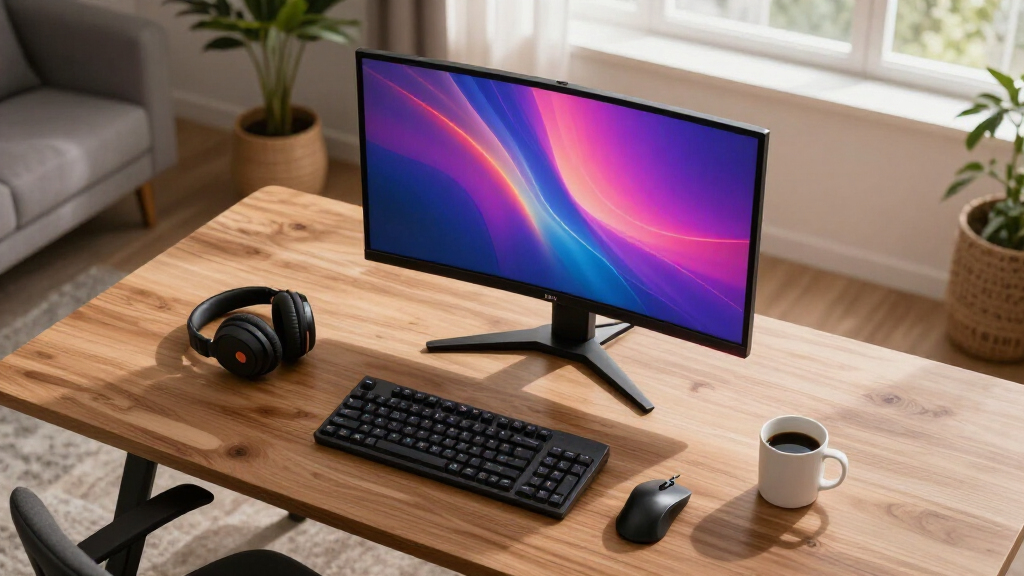

When searching for high refresh gaming monitors, the key factors are fast response times, high refresh rates, and adaptive sync technology to ensure smooth gameplay. The Alienware AW2725DF OLED stands out for its blazing 360Hz refresh rate and near-instant 0.03ms response time, making it ideal for competitive gamers. Meanwhile, the SANSUI 27 Inch Curved 240Hz offers a budget-friendly entry point with solid performance and a curved display that enhances immersion. The main tradeoffs in this category often come down to balancing resolution, price, and features like HDR and adaptive sync. Keep reading for a detailed breakdown of these options to find your best fit.
Prime for Young Adults — start your free trial
Fast free delivery, streaming and member deals for eligible 18–24 year olds.
Try it freeAs an affiliate, we earn on qualifying purchases.
Key Takeaways
- High refresh rates above 240Hz provide real advantages in fast-paced games but often come with higher prices.
- Curved monitors tend to enhance immersion but may not suit everyone’s desk setup or preferences.
- Premium options like OLED and QD-OLED deliver superior image quality and response times, at a higher cost.
- Many monitors include adaptive sync features like FreeSync and G-Sync, but compatibility varies with graphics cards.
- Budget-friendly options can still deliver excellent performance for casual or intermediate gamers, especially with 144Hz or 165Hz refresh rates.


| high refresh gaming monitor | Resolution | Refresh Rate | Response Time | Contrast Ratio |
|---|---|---|---|---|
| SANSUI 27 Inch Curved 240Hz Ga | 1920 x 1080 (FHD 1080P) | 240Hz | 1ms | 4000:1 |
| Sceptre 24-inch Prime Gaming M | 1920 x 1080 (Full HD) | 165Hz | 1ms | — |
| Acer Nitro 27-inch QHD IPS Gam | 2560 x 1440 (QHD) | 240Hz | 1ms (G to G) | 1000:1 |
| SANSUI 32 Inch Curved Gaming M | 1920 x 1080 (FHD 1080P) | 240Hz | 1ms MPRT | 3500:1 |
| Alienware AW2725DF OLED Gaming | 2560 x 1440 (QHD) | 360Hz | 0.03ms | 1.5 million:1 |
| Sceptre 27-inch Curved Gaming | 1920×1080 (Full HD) | 250Hz | 1ms | — |
| Samsung 27" Odyssey G5 | 2560 x 1440 (QHD) | 180Hz | 1ms | — |
| CRUA 49" DQHD 240Hz Ultrawide | 5120×1440 (DQHD) | 240Hz | — | 3000:1 |
| Sceptre 24-inch Curved Gaming | 1920 x 1080 (Full HD) | 100Hz | 1ms | — |
| LG 27GR83Q-B 27-inch Ultragear | 2560×1440 (QHD) | 240Hz | 1ms | — |
More Details on Our Top Picks
SANSUI 27 Inch Curved 240Hz Gaming Monitor FHD 1080P, 1500R Curve, FreeSync, HDR, Low Blue Light, HDMI & DP Ports, Metal Stand
This SANSUI 27-inch curved monitor stands out for delivering a combination of high refresh rate, excellent color accuracy, and immersive design. Its 240Hz refresh rate and 1ms response time make it highly responsive for fast-paced gaming, rivaling the Acer XV272U but at a more budget-friendly price. The 1500R curvature enhances immersion, especially in action-heavy titles, while HDR and 130% sRGB coverage ensure vibrant visuals. However, its lack of built-in speakers and absence of height adjustment limit convenience. This monitor excels for gamers seeking a balance of speed, color, and immersive design, but those needing versatile ergonomics or integrated audio should consider other models.
Pros:- High 240Hz refresh rate for ultra-smooth gameplay
- Curved design boosts immersion in fast-action games
- Excellent color accuracy with 130% sRGB and HDR support
- Low blue light reduces eye strain during extended play
Cons:- No built-in speakers, requiring external audio setup
- Limited to a single HDMI port, less flexible connectivity
- No height adjustment, which may affect ergonomic comfort
Best for: Competitive gamers who prioritize fast response and immersive visuals without needing extensive adjustment features
Not ideal for: Users who want integrated speakers or height adjustability for long gaming sessions
- Screen Size:27 inches
- Resolution:1920 x 1080 (FHD 1080P)
- Refresh Rate:240Hz
- Response Time:1ms
- Contrast Ratio:4000:1
- Color Gamut:130% sRGB
- Display Technology:LED
- Curvature:1500R
- Ports:HDMI, DisplayPort 1.4, Audio Jack
Our verdict“This monitor is ideal for gamers who want a fast, immersive experience with vibrant visuals and are comfortable with limited ergonomic features.”
Sceptre 24-inch Prime Gaming Monitor with 165Hz Refresh Rate and Built-in Speakers
The Sceptre 24-inch Prime monitor makes a strong case for casual gamers and multimedia enthusiasts with its 165Hz refresh rate and 1ms response, offering smoother visuals than standard 60Hz screens. Its VA panel provides vibrant colors with 94% sRGB coverage, though it doesn’t match the color depth of IPS panels like the Acer XV272U. The built-in speakers add convenience, and multiple HDMI and DisplayPort inputs support versatile connections. However, its Full HD resolution limits clarity compared to 1440p options like the Acer or Alienware models, and it lacks USB-C ports, which could restrict future connectivity. This monitor suits gamers looking for a compact yet capable display for both gaming and media, but it may fall short for those needing higher resolution or advanced ergonomic adjustments.
Pros:- High 165Hz refresh rate and 1ms response time for smooth gaming
- Built-in speakers for easy audio without extra peripherals
- Multiple connectivity options including HDMI and DisplayPort
- VESA compatibility for flexible mounting
Cons:- Limited to Full HD resolution, less sharp detail
- No USB-C port for modern device connectivity
- Basic design without advanced ergonomic adjustments
Best for: Casual gamers or multimedia users seeking a compact, high-refresh display with integrated audio
Not ideal for: Gamers who prioritize 1440p resolution or adjustable ergonomic features
- Screen Size:24 inches
- Resolution:1920 x 1080 (Full HD)
- Refresh Rate:165Hz
- Response Time:1ms
- Color Gamut:94% sRGB
- Panel Type:VA
- Connectivity:2 HDMI, 2 DisplayPort
- Built-in Speakers:Yes
Our verdict“This monitor provides smooth gameplay and multimedia convenience in a compact size ideal for casual setups.”
Acer Nitro 27-inch QHD IPS Gaming Monitor XV272U W2bmiiprx
The Acer Nitro XV272U W2bmiiprx offers a compelling upgrade over Full HD options like the SANSUI or Sceptre by providing a sharp QHD resolution, making it ideal for gamers who want detail without sacrificing speed. Its 240Hz refresh rate and 1ms response time deliver smooth, responsive gameplay, while the IPS panel ensures vibrant, consistent color from wide angles—surpassing VA panels like Sceptre’s in color accuracy. Ergonomic features including tilt, height, swivel, and pivot adjustments add comfort during long sessions. The need for DisplayPort to reach full 240Hz can be a limitation for those relying on HDMI, and its higher price point reflects its premium features. This monitor is well-suited for competitive gamers who also value color fidelity and ergonomic comfort, but casual users or those on a tight budget might prefer simpler options.
Pros:- High 240Hz refresh rate and 1ms response time for responsiveness
- IPS panel with 99% sRGB coverage for vibrant, accurate colors
- Multiple ergonomic adjustments for comfortable viewing
- Excellent for immersive, detailed gaming experiences
Cons:- Requires DisplayPort for maximum refresh rate, limiting HDMI flexibility
- Higher cost compared to basic Full HD monitors
- No built-in speakers or USB hub for added convenience
Best for: Competitive gamers who need fast response, high refresh, and excellent color accuracy for immersive play
Not ideal for: Budget-conscious users or those who only need basic gaming features without ergonomic adjustments
- Screen Size:27 inches
- Resolution:2560 x 1440 (QHD)
- Refresh Rate:240Hz
- Response Time:1ms (G to G)
- Contrast Ratio:1000:1
- Color Gamut:99% sRGB
- Display Technology:IPS
- Stand Adjustments:Tilt, Height, Swivel, Pivot
Our verdict“This monitor is perfect for serious gamers seeking speed, color accuracy, and ergonomic flexibility without compromise.”
SANSUI 32 Inch Curved Gaming Monitor 240Hz FHD 1080P
The SANSUI 32-inch curved monitor combines size and speed, making it a strong choice for users who want an expansive display with high refresh rates. Its 240Hz refresh rate and 1ms MPRT response time ensure fluid motion, ideal for fast-paced games. The 1500R curvature enhances immersion in a larger viewing area, rivaling smaller models like the 27-inch SANSUI but with a broader field of view. HDR support and a high contrast ratio of 3500:1 contribute to vivid, punchy visuals. Yet, its Full HD resolution may disappoint users accustomed to sharper 1440p or 4K screens, and it lacks built-in speakers or extensive port options like USB. This monitor suits gamers seeking an immersive, large-screen experience on a budget, but it might fall short for those needing higher resolution or advanced connectivity.
Pros:- Massive 32-inch screen for immersive gameplay
- High 240Hz refresh rate and 1ms MPRT response time
- Curved 1500R design enhances immersion
- Supports HDR and FreeSync for better visual quality
Cons:- Limited to Full HD resolution, less sharp detail on large screen
- No built-in speakers or USB ports
- Requires close viewing distance (~1.2 meters) for optimal clarity
Best for: Gamers who want a large, curved display for immersive play at a competitive price
Not ideal for: Users seeking higher resolution or integrated audio for multimedia use
- Screen Size:32 inches
- Resolution:1920 x 1080 (FHD 1080P)
- Refresh Rate:240Hz
- Response Time:1ms MPRT
- Contrast Ratio:3500:1
- Color Gamut:125% sRGB
- Display Technology:LED
- Curvature:1500R
Our verdict“This large curved monitor provides immersive, speed-focused gaming for those who prefer size over resolution.”
The Alienware AW2725DF pushes high-end gaming visuals with its QD-OLED technology, offering vivid colors, deep blacks, and an ultra-fast 360Hz refresh rate that outperforms traditional monitors like the Acer XV272U in responsiveness. Its 0.03ms response time ensures minimal latency, perfect for competitive gamers who need every advantage. The 26.7-inch size balances immersive viewing with desk space, while features like AlienFX lighting and adjustable stand add aesthetic and ergonomic value. The main tradeoff involves a premium price and potential OLED burn-in risks if misused over time. This monitor is best for users willing to invest in top-tier display tech for the ultimate speed and color experience, especially in high-stakes multiplayer environments.
Pros:- Vivid color with deep blacks via QD-OLED technology
- Extremely fast 360Hz refresh rate and 0.03ms response time
- Fully adjustable stand and customizable lighting for setup personalization
- High contrast ratio enhances visual depth in games
Cons:- Premium price may be prohibitive for many users
- OLED technology can be susceptible to burn-in with prolonged static images
- Complex setup with many features may be overwhelming for some
Best for: Pro gamers and enthusiasts demanding the best possible color, contrast, and response times in a compact size
Not ideal for: Budget-conscious gamers or those concerned about OLED burn-in over long-term use
- Display Size:26.7 inches
- Resolution:2560 x 1440 (QHD)
- Refresh Rate:360Hz
- Response Time:0.03ms
- Contrast Ratio:1.5 million:1
- Color Coverage:DCI-P3 99.3%
- HDR Certification:VESA DisplayHDR400 True Black
- Additional Features:AlienFX lighting, adjustable stand
Our verdict“This monitor is tailored for gamers who want the highest quality visuals, responsiveness, and customization at a premium price point.”
Sceptre 27-inch Curved Gaming Monitor 1080p 1500R up to 250Hz with Built-in Speakers
This Sceptre model stands out for offering an exceptionally high 250Hz refresh rate combined with a 1ms response time, making it ideal for fast-paced gaming where smoothness matters. Its 1500R curvature enhances immersion, especially compared with flatter screens like the LG 27GR83Q-B, which emphasizes color accuracy over curve. The inclusion of built-in speakers and multiple connectivity options adds convenience, though it’s limited to 1080p resolution, which might not satisfy gamers seeking sharper visuals. The high refresh rate, however, can lead to increased power consumption and doesn’t compensate for the lack of higher resolution options. This monitor is best suited for budget-conscious gamers prioritizing smooth gameplay without a need for 1440p or 4K clarity.
Pros:- Exceptional 250Hz refresh rate for ultra-smooth gameplay
- 1ms response time minimizes motion blur
- Curved 1500R display enhances immersion
- Built-in speakers reduce desk clutter
Cons:- Limited to 1080p resolution, not suitable for sharp visuals or multitasking
- High refresh rate can lead to increased power draw
Best for: Gamers on a budget who prioritize high refresh rates and fast response times for competitive play
Not ideal for: Players seeking higher resolution or professional color accuracy, as it’s limited to 1080p and lacks advanced calibration features
- Size:27 inches
- Curvature:1500R
- Resolution:1920×1080 (Full HD)
- Refresh Rate:250Hz
- Response Time:1ms
- Connectivity:2 HDMI, 2 DisplayPort
Our verdict“This monitor makes the most sense for competitive gamers who want maximum refresh rate on a budget and are less concerned with resolution or professional color work.”
Samsung 27″ Odyssey G5 (G51F) Series QHD Gaming Monitor
The Samsung Odyssey G5 is a well-rounded choice for gamers who want a balance of high refresh rate and sharp visuals. Its QHD resolution (2560×1440) offers a noticeable step up from the 1080p options like the Sceptre 27-inch, providing crisper images and more screen real estate. The 180Hz refresh rate and 1ms response time ensure smooth gameplay, comparable to the LG 27GR83Q-B but with the added benefit of HDR10 support for better color and contrast. Its ergonomic stand with tilt, pivot, and height adjustments makes it suitable for long gaming sessions. However, this monitor sacrifices some versatility for gaming, as it isn’t designed for professional color work and lacks built-in speakers. It’s best for gamers who value visual fidelity and comfort alongside high refresh rates.
Pros:- High 180Hz refresh rate with fast response time
- QHD resolution delivers sharper visuals than 1080p screens
- HDR10 support enhances contrast and color
- Ergonomic stand for customized comfort
Cons:- Limited to gaming use, not optimized for professional work
- No built-in speakers included
Best for: Serious gamers who want sharp visuals with smooth gameplay and ergonomic comfort
Not ideal for: Professional creators or users needing high-fidelity color accuracy for editing, due to limited color gamut and no built-in speakers
- Size:27 inches
- Resolution:2560 x 1440 (QHD)
- Refresh Rate:180Hz
- Response Time:1ms
- HDR:HDR10
- Stand Adjustments:Tilt, pivot, height
Our verdict“This model fits gamers seeking detailed visuals and comfort, with smooth performance for competitive play.”
CRUA 49″ DQHD 240Hz Ultrawide Curved Gaming Monitor, 1500R, FreeSync
The CRUA 49-inch ultrawide monitor is designed for users who need an expansive workspace and immersive gaming experience. Its DQHD resolution (5120×1440) and 240Hz refresh rate surpass many smaller gaming screens, including the Samsung G5, providing a broad, detailed view ideal for multitasking or racing games. The 1500R curvature enhances immersion, with deep contrast thanks to the VA panel, comparable to the 1500R curve of the Sceptre 27-inch but on a much larger scale. Its multiple HDMI 2.1 ports and DisplayPort 1.4 support high-bandwidth connections. Still, its size demands ample desk space, and its 120% sRGB limits color precision for professional editing. Built-in speakers are a bonus, but audio quality may fall short for serious multimedia use. This is perfect for gamers who want maximum screen real estate and smooth performance.
Pros:- Enormous 49-inch ultrawide display for multitasking and immersion
- High 240Hz refresh rate with FreeSync support
- Deep contrast and vibrant colors from VA panel
- Multiple high-bandwidth ports including HDMI 2.1
Cons:- Requires large desk space for setup
- Limited to 120% sRGB, not ideal for pro color work
- Built-in speakers may lack quality for critical audio
Best for: Multitasking professionals and gamers who need a wide, immersive display for gaming and productivity
Not ideal for: Color-critical professionals needing precise color accuracy, due to limited sRGB coverage
- Size:49 inches
- Resolution:5120×1440 (DQHD)
- Refresh Rate:240Hz
- Contrast Ratio:3000:1
- Panel Type:VA
- Connectivity:2 HDMI 2.1, 1 DisplayPort 1.4
Our verdict“This monitor is best for gamers and power users who want an expansive, smooth experience with plenty of screen real estate.”
Sceptre 24-inch Curved Gaming Monitor with 1ms Response Time, 100Hz Refresh Rate, and Eye Care Technology
This 24-inch Sceptre offers a smaller footprint with a 1500R curvature that enhances immersion without overwhelming a compact desk setup. Its 1ms response time and 100Hz refresh rate make it suitable for casual gamers or those new to high refresh displays, providing decent smoothness for less competitive play. Compared to larger or higher refresh rate models like the LG 27GR83Q-B, it sacrifices some responsiveness and resolution for a more manageable size and cost. The built-in speakers and eye care features like Blue-Light Shift add convenience, though the limited 1080p resolution isn’t ideal for users seeking sharper visuals. It’s best for casual gamers or those with limited space who want an immersive curved display without the premium price.
Pros:- Fast 1ms response time for smooth gameplay
- Curved 1500R panel enhances immersion
- Compact size fits smaller desks
- Affordable price point
Cons:- Limited to 1080p resolution, not suitable for high-res gaming or productivity
- Lower refresh rate at 100Hz may not satisfy competitive players
- Built-in speakers are basic and may lack quality
Best for: Casual gamers or newcomers who want a smaller, affordable curved display for comfortable gaming
Not ideal for: Competitive gamers or professionals needing higher resolution and color accuracy
- Size:24 inches
- Curvature:1500R
- Resolution:1920 x 1080 (Full HD)
- Refresh Rate:100Hz
- Response Time:1ms
- Connectivity:2 HDMI, 1 DisplayPort
Our verdict“This monitor is ideal for casual users who want an immersive, space-saving curved display for relaxed gaming sessions.”
LG 27GR83Q-B 27-inch Ultragear QHD Gaming Monitor, 240Hz, 1ms, DisplayHDR 400, G-Sync, FreeSync Premium, HDMI 2.1, DisplayPort, Tilt/Height/Pivot Stand
The LG 27GR83Q-B combines high-end gaming features with versatile ergonomics, making it ideal for enthusiasts who demand both performance and comfort. Its 240Hz refresh rate and 1ms response time match the offerings of the more expensive Alienware AW2725DF, but with added features like DisplayHDR 400 and wide color support (95% DCI-P3). The extensive stand adjustments allow for comfortable long gaming sessions, unlike the more basic stands on the Sceptre models. The inclusion of HDMI 2.1 and DisplayPort 1.4 supports the latest graphics hardware, though the higher price may deter casual buyers. It’s best suited for serious gamers who want premium specs and flexible setup options, accepting the premium price tag.
Pros:- High 240Hz refresh rate and 1ms response time for ultra-smooth gameplay
- Supports HDR400 with wide color gamut for vibrant visuals
- Excellent ergonomic stand with tilt, height, and pivot adjustments
- Latest connectivity options including HDMI 2.1
Cons:- Premium price point may be prohibitive for casual users
- Limited to 27 inches, which might be small for some gamers
- Requires powerful GPU to fully leverage G-SYNC and HDR features
Best for: Hardcore gamers and tech enthusiasts seeking a feature-rich, adjustable, and visually vibrant display
Not ideal for: Budget-conscious users or casual gamers who don’t need extensive ergonomic adjustments or HDR support
- Size:27 inches
- Resolution:2560×1440 (QHD)
- Refresh Rate:240Hz
- Response Time:1ms
- HDR:DisplayHDR 400
- Stand Adjustments:Tilt, Height, Pivot
Our verdict“This monitor is tailored for gamers who want top-tier performance, vibrant visuals, and flexible ergonomics at a premium cost.”

How We Picked
The monitors in this roundup were selected based on a combination of performance, usability, build quality, and value. Primary criteria included refresh rate (minimum 144Hz), response time, adaptive sync technology, and overall image quality. We also considered size options, connectivity, and ergonomic features to ensure versatility across different gaming setups. The ranking reflects a balance between cutting-edge performance and practical features, aiming to serve both competitive players and enthusiast gamers alike. Products with notable tradeoffs, such as higher prices for OLED panels or limited resolutions, were included to give a full picture of the market landscape.Factors to Consider When Choosing High Refresh Gaming Monitors
Choosing the right high refresh gaming monitor involves more than just looking at refresh rates. You should consider resolution, response time, adaptive sync technology, and ergonomic features to match your gaming style and setup. Understanding these factors helps avoid common pitfalls, like sacrificing image quality for sheer speed or buying a monitor with features you won’t use. This guide will walk through key considerations to help you make an informed decision tailored to your needs.Refresh Rate and Response Time
Refresh rate directly impacts how many frames your monitor can display per second, with higher rates like 240Hz or 360Hz offering smoother motion. Response time, measured in milliseconds, indicates how quickly pixels change color; lower values like 0.03ms are ideal for competitive gaming where every millisecond counts. Be cautious about opting for extremely high refresh rates without a corresponding GPU to drive the frames, as the benefits diminish if your system can’t keep up. Striking a balance here ensures you get smooth gameplay without unnecessary expense.
Resolution and Screen Size
While higher resolutions like QHD or 4K provide crisper images, they also demand more from your graphics card, especially at high refresh rates. For fast-paced gaming, 1080p or QHD resolutions are common, with 24-27 inch monitors offering a good balance of clarity and performance. Ultrawide and larger screens deliver more immersive experiences but can introduce scaling and performance issues. Consider your hardware capabilities and desk space before choosing a size and resolution combo to avoid frustration.
Adaptive Sync Technology
Features like FreeSync and G-Sync help eliminate screen tearing by synchronizing the monitor’s refresh rate with your GPU’s frame output. Compatibility is key—ensure your graphics card supports the sync tech built into your monitor. Some monitors, like the LG 27GR83Q-B, support both standards, offering flexibility. While these features improve visual smoothness, they can add to the cost. Decide if you need this feature based on your gaming habits and GPU brand.
Ergonomics and Build Quality
Adjustability in height, tilt, and swivel can significantly enhance your comfort during long gaming sessions. A sturdy stand and good build quality prevent unwanted movement or vibrations. Some monitors, such as the SANSUI 32 Inch Curved, feature curved screens for immersion but may limit placement flexibility. Always check if the monitor includes adjustable stands or VESA compatibility, especially if you use multiple peripherals or want to optimize your viewing angle.
Additional Features and Connectivity
Extras like USB hubs, built-in speakers, HDR support, and multiple input options add convenience but often increase the price. If you plan to use your monitor for both gaming and productivity, prioritize features like multiple HDMI or DisplayPort connections, and ensure the monitor supports your preferred HDR standards. Keep in mind that HDR performance varies widely; some monitors like the LG 27GR83Q-B offer DisplayHDR 400, which provides noticeable improvements but isn’t true HDR for professional use.
Frequently Asked Questions
Do I really need a 360Hz monitor for gaming?
A 360Hz monitor provides the smoothest motion and can give a competitive edge in fast-paced titles like shooters. However, achieving this performance requires a powerful GPU and a game that can consistently run at high frame rates. For casual players or those with mid-range systems, a 144Hz or 165Hz monitor might deliver nearly as smooth an experience without the hefty price tag. Consider your gaming style and hardware before investing in ultra-high refresh rates.
Is adaptive sync necessary for good gaming?
Adaptive sync technology like FreeSync or G-Sync helps eliminate screen tearing and stuttering, especially in scenes where frame rates fluctuate. While not strictly necessary, it significantly improves visual stability and overall experience for many gamers. If your GPU supports one of these standards, choosing a monitor with adaptive sync can be a cost-effective way to enhance gameplay. Without it, you might encounter visual artifacts that affect immersion and performance.
Can I use a high refresh monitor for non-gaming tasks?
Absolutely. Monitors with high refresh rates are also beneficial for tasks like video editing, animation, or general productivity, as they offer smoother cursor movement and scrolling. However, some features like high dynamic range or ultra-wide aspect ratios are more relevant for creative work. Be mindful that high refresh rates alone don’t improve static images or text clarity, so prioritize resolution and color accuracy if those are important for your work.
What is the difference between OLED and LCD gaming monitors?
OLED monitors, like the Alienware AW2725DF, provide superior contrast, deeper blacks, and faster response times, making them especially appealing for immersive gaming. LCDs, on the other hand, are generally more affordable and less prone to burn-in issues, but may lag behind in contrast and response speed. For competitive gaming, OLED’s quick pixel switching can be a game-changer, but for most gamers, high-quality LCDs with fast response times still perform excellently.
How important is screen size for high refresh gaming monitors?
Screen size affects immersion and how much information you can see at once. Larger monitors, like the 32-inch models, provide a more cinematic experience but may require more desk space and powerful hardware to maintain high frame rates. Smaller screens, around 24-27 inches, are easier to fit into most setups and typically deliver sharper images at standard resolutions. Your choice should balance your space constraints, hardware capability, and personal preference for immersive gaming.
Conclusion
For competitive gamers prioritizing speed and response times, the Alienware AW2725DF OLED offers unparalleled performance despite its premium price. Budget-conscious players can opt for the SANSUI 27 Inch Curved 240Hz, which balances performance with affordability. Enthusiasts seeking the best image quality should consider the LG 27GR83Q-B with its high contrast and HDR support. Beginners or casual gamers will find the Sceptre 24-inch Prime a straightforward, reliable choice. Ultimately, your ideal monitor depends on your gaming style, hardware, and budget—these picks aim to cover every need.
As an affiliate, we earn on qualifying purchases.Fall yard work Picks
leaf blowers