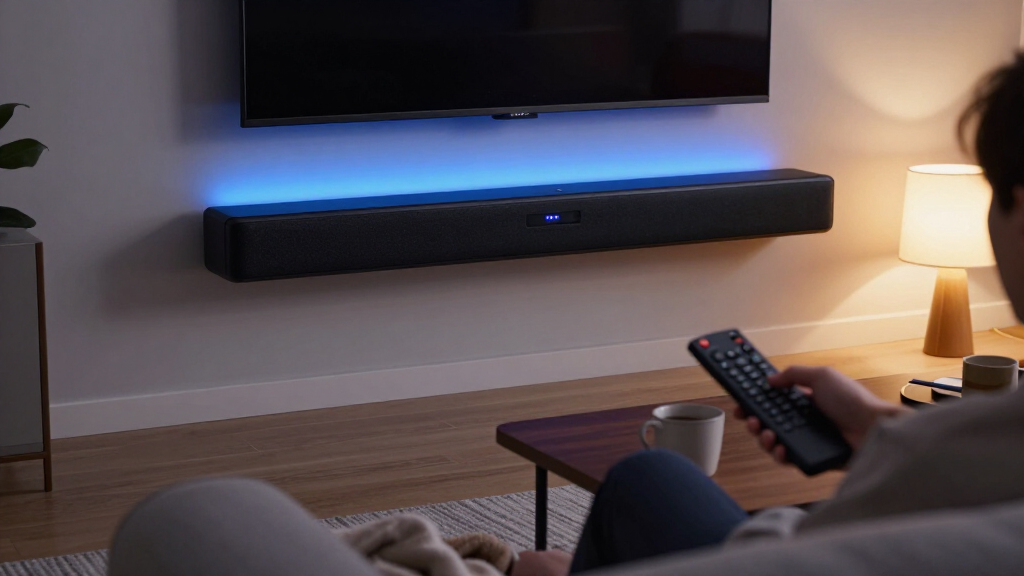

The best soundbars make dialogue clearer and TV audio fuller, but the right choice depends on your room, connections, and appetite for extra speakers. I rank the Sonos Beam (Gen 2) as the best overall for its Dolby Atmos support and compact, polished design, while the ULTIMEA Poseidon M60 is the standout for buyers who want a multi-speaker surround setup. For a simpler, smaller-room upgrade, the Bose TV Speaker keeps the system compact and focused on speech. The main tradeoffs are between a single-bar setup and separate surround speakers, connectivity and setup simplicity, and compact size versus broader sound. Read on for the full breakdown and help matching a soundbar to your TV and listening habits.

Get business pricing on tech for your team
- Business-only prices and quantity discounts
- Tax-exempt purchasing
- Multiple users, one account, clear invoices
Key Takeaways
- The Sonos Beam (Gen 2) is the strongest all-round fit here when compact dimensions and Dolby Atmos support matter more than having a separate subwoofer and rear speakers.
- The ULTIMEA Poseidon M60 takes a different route from the single-bar picks: its 5.1-channel system suits buyers who can place and connect multiple components.
- The ULTIMEA 2.1-channel system adds a wireless subwoofer and app control, giving it a more bass-focused setup than the Amazon Fire TV Soundbar or Samsung HW-B400F.
- Small options such as the Bose TV Speaker and 17-inch bars suit tight spaces, but their compact format limits how much room-filling impact buyers should expect.
- Connection variety shapes flexibility: the detachable bar lists ARC, optical, and AUX, while HDMI ARC on the Amazon Fire TV, Samsung, Bose, and OFFSIR models can simplify TV control.


More Details on Our Top Picks
Amazon Fire TV Soundbar, 2.0 Channel with DTS Virtual:X, Dolby Audio, and Bluetooth
The Amazon Fire TV Soundbar is a straightforward upgrade for viewers who want clearer TV audio without adding a separate subwoofer. Its 2.0-channel design keeps the setup compact, while DTS Virtual:X and Dolby Digital support can give compatible content a broader feel than basic stereo. HDMI eARC/ARC and optical connections offer flexibility, and the included HDMI cable and wall-mount kit reduce setup friction. Compared with the Samsung HW-B400F, it adds Bluetooth music streaming and wider smart TV compatibility; Samsung has the advantage of a built-in subwoofer and TV-specific convenience features. This Amazon model makes more sense for mixed-device households, though its two channels cannot create true surround sound or match a system with a dedicated subwoofer.
Pros:- DTS Virtual:X and Dolby Digital support broaden compatible TV audio
- HDMI eARC/ARC and optical connections suit a range of TVs
- Bluetooth supports music streaming from phones and tablets
- HDMI cable and wall-mount kit are included
Cons:- 2.0 channels do not provide true surround sound
- No dedicated subwoofer for stronger low-frequency impact
Best for: Fire TV owners and smart TV households seeking clearer dialogue and simple HDMI or optical setup
Not ideal for: Movie watchers who want deep bass or distinct rear-channel surround effects
- Channels:2.0
- Audio formats:DTS Virtual:X and Dolby Digital
- Dimensions:24 x 3.5 x 2.5 inches
- Weight:3.97 lbs
- Connections:HDMI eARC/ARC, optical, USB-A
- Bluetooth:Yes
- EQ modes:Movies, Music, Dialogue
- Warranty:1-year limited
Our verdict“Choose this soundbar for a compact Fire TV friendly upgrade with flexible connections, while accepting limited bass and stereo channel separation.”
2-in-1 Detachable Sound Bar for Smart TV, PC, Gaming & Projectors with Bluetooth, ARC, Optical & AUX
The defining advantage here is the detachable two-piece design: it can sit horizontally, stand vertically, or be split around a desk or screen setup. That flexibility makes it more adaptable than the fixed-profile Amazon Fire TV Soundbar, particularly for buyers connecting a PC, projector, or TV in a space with limited placement options. ARC, optical, AUX, and Bluetooth 5.0 cover common sources, while movie, music, and news modes let listeners tailor the sound. The 80W rating and four drivers are intended for everyday viewing, but there is no separate subwoofer, so bass impact may fall short of the ULTIMEA 2.1 system. It suits compact rooms and mixed-use setups better than large spaces where fuller, room-filling sound matters.
Pros:- Detachable design supports horizontal, vertical, tabletop, and wall placement
- ARC, optical, AUX, and Bluetooth 5.0 cover varied devices
- Three EQ modes offer distinct movie, music, and news tuning
- Includes an 18-month warranty and 60-day replacement policy
Cons:- No subwoofer is included for dedicated low-frequency output
- 80W output may be limited in larger rooms
Best for: PC and projector owners who need a soundbar that can adapt to desk, tabletop, or wall placement
Not ideal for: People furnishing a large room or prioritizing bass-heavy films without adding a subwoofer
- Output power:80W
- Drivers:4
- Connectivity:Bluetooth 5.0, ARC, optical, AUX
- Equalizer modes:Movie, Music, News
- Design:2-in-1 detachable
- Placement options:Horizontal, vertical, tabletop, wall mount
- Warranty:18 months
- Replacement policy:60-day replacement
Our verdict“Pick this model when adaptable placement across TV, PC, or projector setups matters more than powerful bass.”
Samsung HW-B400F 2.0ch Soundbar with Built-in Subwoofer (2025 Model)
The HW-B400F is a practical match for viewers who want more bass presence without adding a separate subwoofer. Its built-in subwoofer keeps the system self-contained, while Voice Enhance and Night modes address two everyday TV problems: dialogue that gets lost and audio that feels too loud late at night. With compatible Samsung TVs, single-remote control and wireless connection can make the setup more seamless than the Amazon Fire TV Soundbar. The tradeoff is a narrower fit for households with other TV brands, since those Samsung-specific conveniences depend on compatibility. Although Surround Sound Expansion can widen the presentation, this remains a 2.0-channel bar; the ULTIMEA 2.1 system adds a separate wireless subwoofer for more placement freedom and dedicated bass.
Pros:- Built-in subwoofer adds bass without a separate cabinet
- Voice Enhance mode brings dialogue forward
- Night mode reduces volume and bass for late viewing
- Compatible Samsung TVs can use a single remote and wireless connection
Cons:- Samsung One Remote features are limited to select Samsung TVs
- 2.0 channels do not deliver true multichannel surround sound
- Built-in subwoofer offers less placement flexibility than a separate unit
Best for: Owners of compatible Samsung TVs who want simple control, clearer dialogue, and built-in bass
Not ideal for: Households with non-Samsung TVs seeking broad brand-specific remote integration or true surround channels
- Model:HW-B400F (2025)
- Channels:2.0
- Subwoofer:Built-in
- Audio modes:Surround Sound Expansion, Voice Enhance, Night
- Mounting:Wall mount
- Enclosure material:Metal
- Speaker size:25.23 inches
- Control:Remote; Samsung TV One Remote on compatible TVs
Our verdict“Choose the HW-B400F for a tidy, dialogue-focused upgrade that pairs especially well with a compatible Samsung TV.”
RIOWOIS 17″ Sound Bar for TV – Home Theater Surround Sound System
At 17 inches wide and 2.5 inches tall, the RIOWOIS bar is aimed at smaller TVs and tight spaces where a larger soundbar could obscure the screen or its sensor. Its DSP presets separate movie, music, and news listening, and the listing notes compatibility with Fire TV remotes. That makes it a simpler, compact alternative to the detachable B0DNZCJ93D, which offers more placement choices and connection types. The main compromise is format support: RIOWOIS handles PCM 2.0 stereo only, with no Dolby or DTS decoding. Optical users may also need to change the TV’s audio output settings to avoid noise or silence. I would choose it for a small setup where size and basic dialogue improvement matter more than surround formats or easy plug-and-play compatibility.
Pros:- Compact 17-inch body fits tight TV stands
- Low profile is designed to avoid blocking the screen or IR sensor
- DSP presets cover movies, music, and news
- Fire TV remote compatibility and a five-year limited warranty are listed
Cons:- PCM 2.0 only, with no Dolby or DTS surround decoding
- Optical connection may require manual TV audio setting changes
- ABS enclosure is not water resistant
Best for: Small-TV owners who need a short bar that fits beneath the screen without blocking it
Not ideal for: Buyers who want Dolby or DTS decoding, broad format support, or a low-adjustment optical setup
- Audio output:Stereo PCM 2.0
- Dimensions:3.5 x 17 x 2.5 inches
- Bluetooth range:10 meters
- Mounting:Wall mount
- Enclosure material:ABS
- Color:Gray
- Control:Remote and buttons
- Warranty:5-year limited; lifetime accessory replacements
Our verdict“Choose this compact bar for a small TV setup if basic stereo enhancement matters more than format support.”
ULTIMEA Sound Bar with Wireless Subwoofer, App Control, 2.1 Channel Home Theater System
For buyers who want a more substantial low end, this 2.1-channel system pairs the bar with a wireless subwoofer that can be positioned apart from the TV. Its VoiceMX feature is designed to keep dialogue audible over effects, while the app’s 10-band equalizer and 121 presets offer more tuning control than the fixed EQ modes on the Amazon Fire TV Soundbar. The stated 240W is peak output, so it should not be read as a guarantee of sustained volume. Bluetooth 6.0 supports wireless streaming, but the advanced EQ depends on the app, adding a step for anyone who prefers physical controls. Compared with Samsung’s HW-B400F, the separate subwoofer provides more flexible bass placement, though it also means another component to accommodate.
Pros:- Wireless subwoofer can be placed away from the soundbar
- VoiceMX is designed to improve dialogue clarity
- 10-band EQ and 121 presets allow extensive app-based tuning
- Bluetooth 6.0 supports wireless audio streaming
Cons:- 240W is a peak rating and does not establish sustained output
- Advanced EQ features require the app
- Separate subwoofer takes additional floor or shelf space
Best for: Movie and music listeners who want a separate wireless subwoofer and detailed app-based sound tuning
Not ideal for: Buyers who want a single compact unit, avoid app controls, or need a stated sustained-power specification
- Channels:2.1
- Peak output:240W
- Frequency response:45 Hz–18 kHz
- Maximum SPL:95 dB
- Subwoofer:Wireless; 18 mm high-excursion driver; 6.5 L cabinet
- Bluetooth:Version 6.0
- Equalizer:10-band with 121 presets
- App:ULTIMEA app with OTA updates
Our verdict“Pick this ULTIMEA system if adjustable sound and a separate wireless subwoofer matter more than an all-in-one setup.”
OFFSIR 80W 2.0 Channel Sound Bar for Smart TV with HDMI ARC & Bluetooth 5.0
The OFFSIR 80W is a practical match for buyers who connect more than a TV: HDMI ARC, optical, AUX, USB, and Bluetooth cover older sets, computers, and mobile devices. Its included cables and mounting hardware also make setup simpler than the Bose TV Speaker, which requires a separately purchased HDMI cable. Three EQ modes plus independent bass and treble controls give you more ways to adjust voices or music than a basic preset-only bar. The tradeoff is its 2.0-channel design: the passive radiator can add weight to the sound, but it cannot replace the dedicated subwoofer in the ULTIMEA Poseidon M60. Optical users may also need to set their TV output to PCM or stereo.
Pros:- HDMI ARC, optical, AUX, USB, and Bluetooth 5.0 support a broad range of sources
- Independent bass and treble adjustments add control beyond the three EQ modes
- Remote, cables, power adapter, and wall-mount hardware are included
- 23.6-inch low-profile body fits under many TVs
Cons:- Two-channel audio lacks a dedicated subwoofer for deep bass
- Optical users may need to change the TV output to PCM or stereo
Best for: TV and computer owners who want one compact bar with broad wired and wireless input options and simple out-of-box setup
Not ideal for: Movie watchers seeking powerful low bass or room-filling surround effects from a dedicated subwoofer
- Peak power:80W
- Channels:2.0
- Length:23.6 inches
- Connectivity:HDMI ARC, optical, AUX, USB, Bluetooth 5.0
- EQ modes:Movie, Music, Dialog
- USB playback:MP3 playback from drives up to 32GB
- Included accessories:Remote, AUX cable, optical cable, power adapter, wall-mount hardware, setup guide
Our verdict“Choose the OFFSIR if flexible connections and included setup accessories matter more to you than dedicated-subwoofer bass.”
Sonos Beam (Gen 2) Soundbar, Black, with Dolby Atmos
The Sonos Beam (Gen 2) is the pick here for buyers who want a TV soundbar that can grow into a wider home audio setup. Dolby Atmos adds a sense of height and space, while clear dialogue and vibrant bass give everyday viewing a fuller presentation than the simpler stereo OFFSIR 80W. You can also stream music with the TV off and choose among app, TV remote, AirPlay 2, and voice controls. Its expandable multiroom system is a different kind of advantage from the ULTIMEA Poseidon M60, which includes a wired subwoofer and 5.1-channel layout in the box. The Beam’s drawback is that full surround sound takes additional system components, and buyers wanting a complete subwoofer setup immediately may prefer ULTIMEA.
Pros:- Dolby Atmos support creates a more spacious presentation than basic stereo bars
- Clear dialogue and vibrant bass suit mixed TV and film viewing
- Streams music and other audio while the TV is off
- Works with the Sonos app, TV remote, AirPlay 2, and voice commands
Cons:- Full surround sound requires adding more Sonos components
- A dedicated subwoofer is not listed as part of the soundbar package
Best for: Households already using or planning to build a Sonos multiroom system that want a compact TV bar with Atmos and music streaming
Not ideal for: Buyers who want a complete surround setup and dedicated subwoofer included without adding other components
- Audio technology:Dolby Atmos
- Color:Black
- Setup:Two cables with Trueplay tuning
- Control methods:Sonos app, TV remote, Apple AirPlay 2, voice
- Expandable system:Supports surround sound and multiroom listening
Our verdict“Pick the Beam if you value Atmos, streaming, and the option to expand your sound system over an all-in-one surround package.”
Bose TV Speaker Compact Soundbar with Bluetooth and HDMI-ARC, Black
The Bose TV Speaker focuses on the everyday problem of hard-to-follow TV speech. Its two angled full-range drivers are designed to make voices sound clearer and more natural, while the included remote adds a dialogue mode and bass boost for quick adjustments. At just over 23 inches wide, it can sit in front of many TVs or be wall mounted. Compared with the more connection-rich OFFSIR 80W, Bose offers fewer listed inputs and no USB playback, but its straightforward controls make it a focused choice for TV listening. You can stream from Bluetooth devices and connect up to three devices. The tradeoff is that the HDMI cable is sold separately; wall brackets and the cable for a Bose bass module also cost extra.
Pros:- Two angled full-range drivers are designed to clarify speech and vocals
- Included remote has dialogue mode and bass boost
- Bluetooth supports music and podcast streaming
- Compact dimensions allow placement in front of a TV or wall mounting
Cons:- HDMI cable is sold separately
- Wall brackets and bass-module connection cable are sold separately
- No dedicated subwoofer is included
Best for: Viewers who mainly want clearer dialogue from a compact TV soundbar and occasional Bluetooth playback
Not ideal for: Buyers who want every cable in the box, USB playback, or an included subwoofer for deeper bass
- Drivers:Two angled full-range drivers
- Connections:HDMI, optical input, AUX input, Bluetooth
- Dimensions:2.21 in H × 23.38 in W × 4.02 in D
- Remote:Included; 4.1 × 1.6 × 0.5 in; 0.07 lb
- Power cord:5 ft
- Compatible bass modules:Bose Bass Module 500 or 700
Our verdict“Choose the Bose TV Speaker if clearer dialogue and compact placement matter more than broad inputs or included mounting extras.”
ULTIMEA Poseidon M60 5.1CH Surround Sound Bar System with Dolby Atmos
The ULTIMEA Poseidon M60 is the most cinema-focused option in this group: its five built-in speakers, side-firing drivers, and wired subwoofer form a 5.1-channel Atmos system without requiring separate rear speakers. The 5.25-inch wooden subwoofer and stated 45 Hz lower frequency limit give it a dedicated route to low-end impact that the Sonos Beam and Bose TV Speaker do not list in their packages. VoiceMX, app EQ, and adjustable surround levels also let you shape dialogue and presentation. That flexibility comes with more setup and placement demands than the compact 17-inch stereo bar: the subwoofer is wired and needs a nearby spot. Its larger system is best suited to buyers with room for both soundbar and subwoofer, not those seeking a minimal TV upgrade.
Pros:- 5.1-channel Dolby Atmos system includes five built-in speakers and side-firing drivers
- Wired 5.25-inch wooden subwoofer adds dedicated low-frequency output
- VoiceMX dialogue enhancement and app controls support sound customization
- HDMI eARC and CEC support streamlined TV connection and control
Cons:- Wired subwoofer requires a suitable location near the soundbar
- The larger system takes more space and setup planning than compact stereo options
- Not water resistant
Best for: Film and sports viewers who want Atmos, a dedicated subwoofer, and adjustable surround sound without separate rear speakers
Not ideal for: People with limited room for a wired subwoofer or those who want the smallest, simplest stereo soundbar
- Audio output:5.1-channel surround with Dolby Atmos
- Peak power:300W
- Frequency response:45 Hz–18 kHz
- Subwoofer:5.25-inch wired, wooden cabinet
- Connectivity:HDMI eARC, Bluetooth 5.4
- Control methods:App, remote
- Dimensions:31.5 in D × 3.54 in W × 2.76 in H
- Weight:12.6 pounds
Our verdict“Choose the Poseidon M60 if you want the fullest included surround and bass setup here and have room for its wired subwoofer.”
17-Inch Sound Bar for Smart TV with Dual Bass Reflex Ports
At 17 inches long, this stereo bar is the lineup’s clearest fit for a bedroom TV, kitchen screen, or tight desk setup. Its dual bass drivers and reflex ports aim to add weight without a separate subwoofer, while a silk-film tweeter handles vocals. That makes it a more space-conscious choice than the 23.6-inch OFFSIR 80W, and Bluetooth 5.3, optical, AUX, and TV-ARC cover common sources. The remote can also work with Fire TV, Apple TV, and Chromecast remotes. The limits follow from its compact brief: it remains two-channel stereo, so it cannot match the ULTIMEA Poseidon M60’s surround arrangement. It is tabletop-only in the listed specs, and some sources need PCM, stereo, or non-surround output to avoid audio problems.
Pros:- 17-inch length suits small rooms and tight TV stands
- Dual bass drivers and reflex ports add bass without a separate subwoofer
- Bluetooth 5.3, optical, AUX, and TV-ARC cover common connections
- Remote works with Fire TV, Apple TV, and Chromecast remotes
Cons:- Two-channel stereo does not provide true surround sound
- Audio source may need PCM, stereo, or non-surround output to avoid playback issues
- Tabletop mounting only is listed
Best for: Apartment dwellers and desk or bedroom TV owners who need a short soundbar with Bluetooth and basic TV connections
Not ideal for: Buyers seeking true surround sound, wall mounting, or trouble-free playback from surround-only audio sources
- Length:17 inches
- Audio channels:2-channel stereo
- Maximum output power:90W
- Connectivity:Bluetooth 5.3, optical, AUX, TV-ARC
- Tweeter:16mm silk film
- Bass drivers:Dual 3.9 × 2.1-inch drivers with dual bass reflex ports
- Mounting:Tabletop
- Enclosure material:ABS
Our verdict“Pick this 17-inch bar for a small room where compact size and multiple inputs matter more than surround sound or wall mounting.”

How We Picked
I ranked these soundbars by how clearly their design and listed features address common TV-audio needs: dialogue clarity, bass support, surround presentation, connection options, and fit in different room sizes. I also weighed setup complexity and whether a buyer gets a single bar or a system with a separate subwoofer or surround components. These factors matter because a capable system can still be the wrong pick if it crowds a small room or asks for more wiring and placement than the buyer wants.
The Sonos Beam (Gen 2) leads as the most balanced choice for buyers seeking a compact bar with Dolby Atmos support. The ULTIMEA Poseidon M60 ranks higher for dedicated surround needs, while the ULTIMEA 2.1 and Samsung HW-B400F address buyers who want bass support without a full multi-speaker setup. Compact and basic 2.0 models rank lower for versatility, though they can be the better match for a small room, straightforward setup, or secondary screen.
Factors to Consider When Choosing Soundbars
Before choosing a soundbar, I would match the system to the room and the way you watch rather than focusing on channel labels alone. These choices affect setup, placement, and what kind of improvement you will actually notice.
Match the System to Your Room
Room size changes what a soundbar can reasonably do. A compact bar can make dialogue more direct in a bedroom or office, but it may not fill a wide living room with convincing effects. Separate surround speakers need space around the seating area, and their placement affects the result as much as the channel count. Measure the available shelf or wall space and check where power outlets sit before choosing a multi-part system. An open-plan room can also swallow bass, making a subwoofer more useful than it would be in a closed, smaller space. Choose for the listening area you have, not for a room you might someday set up.
Check Your TV’s Connections First
Connection compatibility can decide whether setup feels simple or fiddly. HDMI ARC or eARC can route TV sound through one cable and often lets the TV remote control volume, but older TVs may only offer optical output. Bluetooth is handy for music from a phone, though it is not a substitute for a wired TV connection when you want dependable lip sync. Check which ports your television has and whether another device already occupies the HDMI ARC port. If you use a projector or PC, confirm that the bar supports the output you actually use. Buying around your existing equipment can prevent adapters and extra steps.
Decide How Much Bass You Want
A built-in subwoofer keeps the setup compact, while a separate subwoofer can add more low-frequency weight and can be positioned independently. That extra bass may help action films and music, but it can travel through floors and disturb nearby rooms. In an apartment or shared home, clear dialogue and restrained bass may be more useful than maximum impact. Bass reflex ports and virtual surround processing can shape the sound, yet they do not replace a dedicated subwoofer or speakers behind the seating area. Think about the content you watch most and the people living around you. The right balance is the one you can comfortably use every day.
Treat Dolby Atmos and Channel Counts as Clues
Format names and channel numbers describe capabilities, but they do not guarantee the same experience in every room. A soundbar with Atmos support still depends on compatible content and the system’s speaker layout to create a sense of height. A 5.1 system with separate components may create more distinct placement than a single bar using virtual processing, but it takes more room and setup. Check whether the bar decodes the formats from your TV or streaming devices, and confirm the connection can carry the audio you want. For everyday news and dialogue, a simpler bar may be a better fit than paying for features you rarely use. Let the listening priority guide the spec sheet.
Pay More for Features You Will Use
Additional speakers, app control, and advanced audio support are useful when they solve a real problem in your setup. A separate subwoofer makes sense if you want stronger movie effects and have somewhere suitable to place it. App controls can help with sound adjustments, but they add little if you prefer to use the TV remote and leave settings alone. A premium compact bar can suit someone who values a tidy footprint and flexible streaming features, while a simpler model may cover a second TV just fine. Before spending more, identify a specific limitation in your current audio that the added feature would address. That keeps the decision grounded in your habits rather than a longer feature list.
Plan for Placement and Daily Use
A soundbar should sit where it can project sound without blocking the TV’s infrared sensor or covering the screen. Very short bars can look neat under a small display, but may seem undersized beneath a wide television. Detachable designs add placement options, though you should consider how often you would actually separate and reconnect the pieces. Wall mounting can free shelf space, but it calls for the right brackets and cable routing. Also check whether the controls you need are accessible from your usual seat. A system that fits the room and is easy to operate is more likely to improve everyday viewing.
Frequently Asked Questions
Can I use a soundbar with an older TV that has no HDMI ARC?
Often, yes, if the TV and soundbar share another audio connection such as optical. Check both devices’ ports before buying and confirm that the soundbar accepts the TV’s output format. Optical can carry common TV audio, though it may not support every advanced format available over HDMI eARC. If the TV has only a headphone output, a bar with AUX may work, but volume control and audio quality can vary. Matching the connection in advance avoids surprises during setup.
Is a separate subwoofer worth the extra space?
It is most useful if you watch films with strong effects or listen to music where bass adds to the experience. A separate subwoofer can deliver deeper impact than a compact bar alone, but it needs floor or shelf space and may be intrusive in a shared home. Built-in bass options are easier to accommodate and can be enough for everyday programmes and dialogue. Consider the room and neighbors as well as your taste in sound. If you often turn bass down, a separate sub may not be worth the footprint.
Will Dolby Atmos work with any streaming show?
No. The content, streaming service, device, and soundbar all need to support a compatible Atmos path. Your TV’s connection also matters; eARC is generally the more flexible route for higher-bandwidth audio, while older connections may limit formats. If much of your viewing is broadcast TV or older films, Atmos support may not change most of what you hear. Check the services and devices you use before paying extra for the format. A well-matched standard setup can be more useful than a feature that rarely comes into play.
Should I choose a single soundbar or a system with rear speakers?
A single bar is simpler to place and keeps cables and components to a minimum. Rear speakers can make effects feel more clearly located around the seating area, which matters for films and games designed for surround sound. That improvement depends on having room to position the speakers and a listening seat within their coverage. If your sofa is against a wall or the room is narrow, the layout may be awkward. Choose the multi-speaker system when you can give it space and will use surround content often.
What should I prioritize for clearer dialogue?
Look for a soundbar designed to keep voices distinct and check whether it offers dialogue or voice adjustment. Placement matters too: a bar should sit near the TV and should not be blocked by furniture. A subwoofer-heavy setup is not automatically better for speech, especially if its bass overwhelms voices in a small room. Try the bar’s dialogue mode with the programmes you watch most, since mixes vary. For a dedicated small-room setup, a compact speech-focused model may serve you better than a larger surround system.
Conclusion
I would choose the Sonos Beam (Gen 2) as the best overall soundbar for buyers who want a compact design with Dolby Atmos support. For best value with a more cinema-focused setup, the ULTIMEA 2.1-channel system pairs a wireless subwoofer with app control; buyers prioritizing a straightforward TV upgrade can look to the Samsung HW-B400F or Amazon Fire TV Soundbar. Beginners who want a compact, simple bar should compare the Bose TV Speaker with the Fire TV model based on the connections their TV supports. For a dedicated surround setup, the ULTIMEA Poseidon M60 is the specialist pick, while the short 17-inch bars and detachable option suit tighter spaces or more varied placements. Start with your room, TV ports, and willingness to manage extra components, then choose the soundbar that fits those constraints.
Halloween Picks

12.2 ft Halloween Inflatable Outdoor Decoration – Giant Pumpkin

MGparty 14.5FT Halloween Inflatable Walk-in Pumpkin House with LED Lights

Spirit Halloween Scary Sitting Scarecrow Animatronic, 4 ft 6 in
As an affiliate, we earn on qualifying purchases.