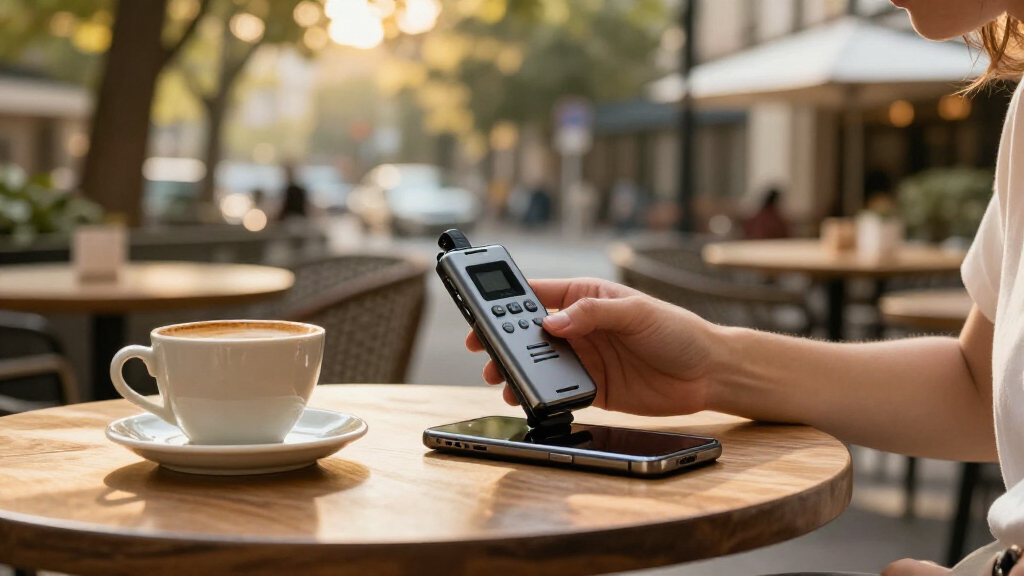

AI voice recorder devices pair audio capture with transcription and, often, AI-generated summaries. I rank the Plaud Note Pro as the best overall for buyers seeking a dedicated recorder with an AI note-taking workflow; the Anker soundcore Work stands out as a storage-focused alternative, while the iFLYTEK Offline Voice Recorder suits people who prioritize offline use. The central tradeoff is convenience versus control: cloud-based tools can make summaries easier to access, while offline recording may better suit sensitive conversations. Other key differences include wearable versus pocketable designs, subscription or app requirements, and whether a device is built around AI or conventional recording. Read on for the full comparison and guidance on matching a recorder to your habits.

Get business pricing on tech for your team
- Business-only prices and quantity discounts
- Tax-exempt purchasing
- Multiple users, one account, clear invoices
Key Takeaways
- The roundup splits into two kinds of tools: Plaud, Anker, and other AI-led models focus on turning recordings into usable notes, while the EVISTR and Tonfarb listings emphasize large onboard storage and traditional recorder functions.
- Offline capability is a distinct priority, not a universal upgrade: iFLYTEK is the clearest fit for buyers who want offline transcription and playback, while cloud-dependent workflows may offer easier access to AI features.
- Capacity alone does not determine usefulness: 128GB or 136GB can reduce file-management chores, but buyers should also check transcription access, export options, and how recordings are organized.
- Form factor changes when a recorder is practical: the wearable Plaud NotePin S suits hands-free capture, whereas pocket and magnetic designs may be easier to carry or position for specific conversations.
- Model names can hide workflow differences: the Plaud Note and Note Pro appear in multiple colors, so compare the exact model and included capabilities rather than treating color variants as separate feature tiers.
| Pocket AI Voice Recorder with Auto Transcription, Sierra Blue |  | Best for MagSafe Phone Recording | Storage: 64 GB | Battery life: Up to 4 days | MagSafe compatible: Yes | VIEW LATEST PRICE | See Our Full Breakdown |
| Anker soundcore Work AI Voice Recorder, 64 GB, MFi-Certified |  | Best for Wearable Multilingual Transcription | Storage: 64 GB | Battery life: Up to 32 hours | Weight: 48 g | VIEW LATEST PRICE | See Our Full Breakdown |
| Plaud Note Pro AI Voice Recorder, Silver |  | Best for Longer Sessions and Workflows | Microphones: Four built-in microphones | Microphone range: Up to 5 m | Recording time: 30 hours in Enhance mode; 50 hours in Endurance mode | VIEW LATEST PRICE | See Our Full Breakdown |
| Magnetic AI Voice Recorder with Transcription, Summaries, and 64GB Storage |  | Best for Exporting and Editing Transcripts | Storage: 64 GB | Continuous recording time: Up to 35 hours | Transcription languages: 118 | VIEW LATEST PRICE | See Our Full Breakdown |
| Plaud Note AI Voice Recorder, Black, Non-Pro Version |  | Best for Compact Everyday Note Capture | Storage: 64 GB | Battery life: Up to 30 hours | Standby time: Up to 60 days | VIEW LATEST PRICE | See Our Full Breakdown |
| EVISTR L359 Digital Voice Recorder, 128GB, AI Transcription and Summaries |  | Best for High-Capacity AI Recording | Storage: 128 GB | Continuous recording: Up to 33 hours | Transcription languages: 113 | VIEW LATEST PRICE | See Our Full Breakdown |
| Pocket AI Voice Recorder with Transcription, 64 GB, Space Grey |  | Best Phone-Integrated AI Recorder | Model: PKT 01 | Storage: 64 GB | Battery life: Up to 4 days | VIEW LATEST PRICE | See Our Full Breakdown |
| Comulytic Note Pro AI Voice Recorder with Transcription |  | Best for Slim, Fast-Sync Recording | Local storage: 16 GB | Microphones: Triple-microphone array; stereo operation | Battery life: Listed as up to 70 hours; 45 hours continuous recording | VIEW LATEST PRICE | See Our Full Breakdown |
| iFLYTEK Offline Voice Recorder with AI Transcription and Playback |  | Best for Offline Transcription | Offline transcription languages: English, Chinese, Japanese, Korean, Russian | Microphones: 6 built-in microphones | Recording modes: Intelligent, conference, interview, speech | VIEW LATEST PRICE | See Our Full Breakdown |
| Elasound Voice Activated Recorder with 128GB Storage and Triple Noise Reduction |  | Best for Long Recording Sessions | Storage: 128GB TF card; listing also states 136GB | Maximum audio storage: Up to 9,800 hours at 32kbps | Continuous recording time: Up to 100 hours | VIEW LATEST PRICE | See Our Full Breakdown |
| EurekaMind AI Voice Recorder and Note Taker |  | Best for Flexible Recording Modes | Dimensions: 3.39 × 0.12 × 2.13 in | Weight: 29 g | Recording modes: Ambient recording and call recording | VIEW LATEST PRICE | See Our Full Breakdown |
| Plaud NotePin S Wearable AI Voice Recorder |  | Best Wearable Recorder | Weight: 17.28 g | Dimensions: 0.83 × 2.01 × 0.43 in | Storage: 64 GB | VIEW LATEST PRICE | See Our Full Breakdown |
| AI Voice Recorder and Note Taker with 64GB Storage |  | Best for Long Recording Sessions | Storage: 64 GB | Battery life: 30+ hours | Dimensions: 0.12 × 2.17 × 3.35 in | VIEW LATEST PRICE | See Our Full Breakdown |
| Tonfarb Digital Voice Recorder, 136 GB |  | Best for Long-Capacity Local Recording | Storage: 136 GB total: 8 GB built-in plus 128 GB TF card | Recording formats: MP3, WAV | Audio recording: 1536 kbps PCM HD | VIEW LATEST PRICE | See Our Full Breakdown |
| Plaud Note Pro AI Voice Recorder, Black |  | Best Premium AI Capture | Microphones: Four built-in microphones | Microphone range: Up to 5 m (16.4 ft) | Recording modes: Enhance, Endurance | VIEW LATEST PRICE | See Our Full Breakdown |
| AI voice recorder device | Storage | Connectivity | Battery life | Weight |
|---|---|---|---|---|
| Pocket AI Voice Recorder with | 64 GB | — | Up to 4 days | — |
| Anker soundcore Work AI Voice | 64 GB | USB Type-C | Up to 32 hours | 48 g |
| Plaud Note Pro AI Voice Record | 64 GB | Bluetooth 5 | — | 30 g |
| Magnetic AI Voice Recorder wit | 64 GB | Bluetooth 5.3 and USB 2.0 | — | 30 g |
| Plaud Note AI Voice Recorder | 64 GB | — | Up to 30 hours | 30 g |
| EVISTR L359 Digital Voice Reco | 128 GB | USB Type-C; wired OTG | — | — |
| Pocket AI Voice Recorder with | 64 GB | Bluetooth | Up to 4 days | — |
| Comulytic Note Pro AI Voice Re | — | — | Listed as up to 70 hours; 45 hours continuous recording | — |
| iFLYTEK Offline Voice Recorder | 8 GB | — | 190 hours | — |
| Elasound Voice Activated Recor | 128GB TF card; listing also states 136GB | USB-C | — | — |
| EurekaMind AI Voice Recorder a | — | Bluetooth | — | 29 g |
| Plaud NotePin S Wearable AI Vo | 64 GB | Bluetooth 5 | — | 17.28 g |
| AI Voice Recorder and Note Tak | 64 GB | Bluetooth, USB Type-C, Wi-Fi | 30+ hours | 27.22 g (1.02 oz) |
| Tonfarb Digital Voice Recorder | 136 GB total: 8 GB built-in plus 128 GB TF card | — | Up to 68 hours | — |
| Plaud Note Pro AI Voice Record | 64 GB | — | — | 30 g (1.06 oz) |
More Details on Our Top Picks
Pocket AI Voice Recorder with Auto Transcription, Sierra Blue
The Pocket AI Voice Recorder is a strong fit for people who want to start recording from a phone-centered setup without carrying a separate handheld recorder. Its one-tap capture and MagSafe attachment make it especially suited to calls and quick conversations, while the AI can turn recordings into summaries, action items, and conversation maps. Compared with the Anker soundcore Work AI Voice Recorder, this model emphasizes phone attachment and a longer stated battery span rather than wearable mounting and multilingual transcription. Its 64 GB storage also gives room for saved audio, but the premium AI features require a subscription, so buyers should check which tools are included before relying on them. The included nonstandard battery is another ownership limitation, and the supplied specs do not give a recording-hours figure to compare directly with other devices.
Pros:- One-tap recording is suited to quick meetings, calls, and conversations.
- AI can produce summaries, action items, and conversation maps.
- 64 GB of onboard storage.
- MagSafe-compatible attachment supports hands-free phone use.
Cons:- Advanced AI features require an optional subscription.
- Uses an included nonstandard battery.
- No recording-hours figure is specified for direct runtime comparison.
Best for: MagSafe-phone owners who want one-tap capture of calls and conversations, then AI-generated action items.
Not ideal for: Buyers who want advanced transcription tools without a subscription or prefer a recorder with a replaceable standard battery.
- Storage:64 GB
- Battery life:Up to 4 days
- MagSafe compatible:Yes
- Microphone:Built-in
- Hardware interface:Bluetooth
- Recording format:RealAudio
- Compatible devices:Smartphones
- Color:Sierra Blue
Our verdict“Choose this Pocket recorder if MagSafe attachment and AI-generated follow-ups matter more than subscription-free advanced features.”
Anker soundcore Work AI Voice Recorder, 64 GB, MFi-Certified
The Anker soundcore Work suits interviewers and mobile professionals who want a recorder they can wear, clip, or attach to a phone. At 48 g, it offers more flexible placement than the phone-attaching Pocket model, and support for 150+ languages makes it the more language-focused choice in this group. Its structured summaries pull out key points, decisions, and follow-ups, while AES-256 encryption protects recordings stored on the device. The tradeoff is that the included transcription allowance is 300 minutes per month; heavier users need an optional paid plan. Audio also cannot be exported through USB, which makes moving files less straightforward than with the magnetic recorder that lists TXT, PDF, and MP3 exports. Buyers should check phone compatibility too, since iPhone 7 and earlier models are not supported.
Pros:- Wearable design supports clip, necklace, or magnetic phone attachment.
- Transcribes in more than 150 languages and identifies speakers.
- Structured summaries surface decisions and follow-ups.
- AES-256 encryption protects recordings stored on the device.
Cons:- Included transcription is limited to 300 minutes per month.
- Audio files cannot be exported via USB.
- Not supported on iPhone 7 and earlier models.
Best for: Interviewers, students, and multilingual teams who want a lightweight wearable recorder with speaker-aware transcription.
Not ideal for: Owners of iPhone 7 or earlier, or frequent recorders who need USB audio export or more than 300 included transcription minutes monthly.
- Storage:64 GB
- Battery life:Up to 32 hours
- Weight:48 g
- Microphone form factor:Lavalier
- Language support:150+ languages
- Encryption:AES-256
- Included transcription:300 minutes per month
- Connectivity:USB Type-C
- Included accessories:USB-C cable, necklace chain, magnetic ring
Our verdict“Pick the Anker for wearable capture and broad language support, provided its monthly transcription allowance and file-export limits fit your workflow.”
Plaud Note Pro AI Voice Recorder, Silver
The Plaud Note Pro is the more capable fit for users who record long meetings and want those recordings shaped into work outputs. Its four microphones are specified for pickup from as far as 5 m, and the choice between Enhance and Endurance modes lets buyers favor capture quality or longer runtime. That flexibility separates it from the standard Plaud Note AI Voice Recorder, which lists up to 30 hours rather than as much as 50 hours. Plaud’s summaries and structured documents, plus integrations with Google Calendar, Slack, and Notion, may reduce the effort of moving meeting notes into existing tools. The limits are practical: transcription starts at 300 minutes monthly, and online meeting recording requires Plaud Desktop. Its 30 g build is portable, but the display is small at 0.95 inches.
Pros:- Four microphones are rated for a range of up to 5 m.
- Endurance mode offers up to 50 hours of recording.
- 64 GB storage and a compact 30 g body.
- Supports structured outputs and integrations including Google Calendar, Slack, and Notion.
Cons:- Online meeting recording requires Plaud Desktop.
- Starter Plan includes 300 transcription minutes per month.
- The 0.95-inch display provides limited space for status information.
Best for: Professionals recording extended in-person sessions who want summaries and structured outputs connected to work apps.
Not ideal for: People who mainly need online meeting capture without desktop software or who routinely exceed 300 transcription minutes per month.
- Microphones:Four built-in microphones
- Microphone range:Up to 5 m
- Recording time:30 hours in Enhance mode; 50 hours in Endurance mode
- Storage:64 GB
- Weight:30 g
- Display:0.95 inches
- Recording modes:Mono and stereo
- Connectivity:Bluetooth 5
- Included transcription:300 minutes per month
Our verdict“Choose the Note Pro for long in-person sessions and connected work outputs, but not if you need desktop-free online meeting capture.”
Magnetic AI Voice Recorder with Transcription, Summaries, and 64GB Storage
This Magnetic AI Voice Recorder is a practical choice for buyers who want to edit and share transcripts outside a single app. Its software supports transcript editing and TXT, PDF, and MP3 exports, a clearer handoff workflow than the Anker soundcore model, whose audio files cannot be exported via USB. The combination of dual microphones, noise cancellation, a 1.5-inch screen, and up to 35 hours of continuous recording gives it a broader standalone-recorder role than the phone-attached Pocket option. It also lists local encryption until syncing, which gives users control over when recordings leave the device. The tradeoffs are that call recording depends on attachment to a compatible phone, and there is no headphone jack. The provided details also do not specify a monthly transcription allowance, so buyers should verify app-plan limits.
Pros:- App supports transcript editing and TXT, PDF, and MP3 exports.
- Up to 35 hours of continuous recording with 64 GB storage.
- Local encryption protects recordings until they are synced.
- 1.5-inch screen and dual microphones support standalone recording and status checks.
Cons:- Call recording requires attachment to a compatible phone.
- No headphone jack.
- Transcription allowance details are not specified in the supplied product information.
Best for: Students and professionals who edit transcripts and need portable text or audio exports for sharing and archiving.
Not ideal for: Users who need a headphone jack, want call capture without attaching the recorder to a compatible phone, or need clearly stated transcription-plan limits.
- Storage:64 GB
- Continuous recording time:Up to 35 hours
- Transcription languages:118
- Microphones:Condenser and bone conduction
- Recording range:1–7 m
- Screen:1.5 inches
- Weight:30 g
- Connectivity:Bluetooth 5.3 and USB 2.0
- Export formats:TXT, PDF, and MP3
Our verdict“Choose this magnetic recorder if editable transcripts and multiple export formats matter more than headphone monitoring or independent call recording.”
Plaud Note AI Voice Recorder, Black, Non-Pro Version
The standard Plaud Note keeps the core appeal of an AI recorder in a slim 30 g device: separate phone-call and in-person recording modes, plus app and web tools for transcription and organized notes. Its tools can turn recordings into summaries, mind maps, and to-do lists, while typed notes, images, and highlighted moments give users ways to add context beyond audio. Compared with the Plaud Note Pro, it is the simpler choice: the listed runtime is up to 30 hours, and the product data does not specify the Pro model’s four-microphone setup or longer Endurance mode. That makes this model easier to match to routine meetings and calls, but less suited to long sessions or users needing Pro’s extended runtime. The included Starter Plan has 300 transcription minutes monthly, and there is no headphone jack.
Pros:- Compact 30 g design with phone-call and in-person recording modes.
- Up to 30 hours of battery life and 64 GB of storage.
- App and web tools create transcripts, summaries, mind maps, and to-do lists.
- Recordings can be supplemented with typed notes, images, and highlighted moments.
Cons:- Starter Plan includes only 300 transcription minutes per month.
- No headphone jack.
- Offers less specified recording endurance than the Plaud Note Pro.
Best for: People who want a light, pocketable recorder for a mix of phone calls and in-person meetings, with app-based task notes.
Not ideal for: Users recording long sessions who want extended runtime, or heavy transcribers who need more than 300 included minutes monthly.
- Storage:64 GB
- Battery life:Up to 30 hours
- Standby time:Up to 60 days
- Recording modes:Phone calls and in-person meetings
- Supported languages:112
- Microphone modes:Mono and stereo
- Weight:30 g
- Included transcription:300 minutes per month
- Compatible devices:Laptop, personal computer, smartphone, and tablet
Our verdict“Pick the standard Plaud Note for compact everyday call and meeting capture, while extended-session users should favor the Note Pro.”
EVISTR L359 Digital Voice Recorder, 128GB, AI Transcription and Summaries
The EVISTR L359 suits people who want a dedicated recorder with substantial local storage and AI tools, rather than a phone attachment. Its 128GB capacity and up to 33 hours of continuous recording leave room for long sessions, while voice activation can reduce stretches of silence in recordings. Through the AI DVR Link app, it can transcribe in 113 languages and produce summaries, mind maps, and speaker identification. That breadth is a stronger fit for multilingual workflows than the iFLYTEK Offline Voice Recorder, which transcribes offline but supports five listed languages. The tradeoff is app dependence: the AI features are not self-contained, and transferring files relies on wired OTG rather than Bluetooth. I’d choose this for capacity and language coverage, not for wireless convenience.
Pros:- Transcription supports 113 languages through the AI DVR Link app.
- Generates summaries, mind maps, and speaker identification.
- 128GB storage and up to 33 hours of continuous recording.
- Voice activation, one-touch recording, password encryption, and button lock.
Cons:- AI transcription and related tools require the companion app.
- File transfer uses wired OTG rather than Bluetooth.
- Built-in microphone is mono, unlike the iFLYTEK model’s six-microphone array.
Best for: Multilingual students, interviewers, and meeting-heavy professionals who want a dedicated recorder with substantial local storage and app-based AI tools.
Not ideal for: Buyers who need offline transcription or wireless file transfers; AI features require the companion app, and file transfer is wired.
- Storage:128 GB
- Continuous recording:Up to 33 hours
- Transcription languages:113
- Audio formats:MP3, WAV
- Maximum recording bitrate:3072 Kbps
- Microphone:Built-in, mono
- Connectivity:USB Type-C; wired OTG
- Dimensions and weight:0.39 × 1.25 × 4 inches; 2.24 ounces (65 g)
Our verdict“Choose the EVISTR L359 if language coverage and 128GB of onboard storage matter more than offline AI or wireless transfers.”
Pocket AI Voice Recorder with Transcription, 64 GB, Space Grey
The Pocket AI Voice Recorder is designed around quick capture and phone-linked follow-up: one tap starts recording, and the software can turn conversations into transcripts, summaries, action items, and conversation maps. Its MagSafe-compatible attachment makes it a natural fit for people who already carry a compatible smartphone and want the recorder close at hand. Compared with the standalone EVISTR L359, Pocket leans more heavily on a connected app experience and offers questions about recorded conversations, while EVISTR provides more storage and stated language coverage. Pocket’s 64GB is ample for many users, but its listed RealAudio format and nonstandard battery make the hardware details less flexible. Some advanced features also require a subscription, so I’d check which tools are included before relying on them for ongoing work.
Pros:- One-tap recording for meetings, calls, and conversations.
- Creates transcripts, summaries, action items, and conversation maps.
- Can answer questions about recorded conversations.
- 64GB storage and up to four days of battery life.
Cons:- Some advanced features require an optional subscription.
- MagSafe attachment requires a compatible device.
- Listed audio format is RealAudio, which may be less convenient for some workflows than MP3 or WAV.
Best for: Smartphone users with a MagSafe-compatible device who want quick meeting capture plus searchable transcripts and action items.
Not ideal for: People who need a self-contained recorder, broad local file-format flexibility, or guaranteed access to advanced AI tools without a subscription.
- Model:PKT 01
- Storage:64 GB
- Battery life:Up to 4 days
- Connectivity:Bluetooth
- Compatible devices:Smartphones
- Audio format:RealAudio
- MagSafe compatibility:Yes
- Dimensions:1.77 × 3.2 × 7.4 inches (D × W × H)
Our verdict“Pick Pocket if you want a phone-attached recorder with conversation-focused AI tools and already use a compatible MagSafe device.”
Comulytic Note Pro AI Voice Recorder with Transcription
The Comulytic Note Pro stands out for combining a very thin body with a triple-microphone array, automatic recording modes, and Wi-Fi syncing. That mix suits people who want a discreet recorder but also need clearer capture than a basic single-mic device may offer. Its companion app adds transcription, summaries, and action items, while Wi-Fi is listed as syncing up to ten times faster than Bluetooth—a practical advantage when moving recordings to a phone. Compared with the EVISTR L359, Comulytic is lighter and emphasizes faster syncing, but its 16GB of local storage is far less than EVISTR’s 128GB. Battery claims also conflict: the listing gives up to 70 hours in one section and 45 hours in another. I’d treat the lower figure as the safer expectation and check the app plan for cloud access.
Pros:- Triple-microphone array with stereo operation and noise reduction.
- Wi-Fi syncing is listed as up to 10× Bluetooth speed.
- Slim, 27.6 g design with a 0.78-inch display.
- Companion app offers transcription, summaries, and action items.
Cons:- Battery life is listed inconsistently as up to 70 hours and 45 hours.
- 16GB local storage is limited beside the EVISTR L359’s 128GB.
- Cloud syncing and storage depend on the app plan.
Best for: Mobile professionals who want a slim recorder with multiple microphones, quick Wi-Fi syncing, and app-based meeting notes.
Not ideal for: People who prioritize large onboard storage, consistent battery specifications, or cloud features without app-plan limits.
- Local storage:16 GB
- Microphones:Triple-microphone array; stereo operation
- Battery life:Listed as up to 70 hours; 45 hours continuous recording
- Standby time:107 days
- Display:0.78 inches
- Recording formats:MP3, WAV
- Recording range:Up to 5 meters
- Dimensions and weight:0.12 × 2.04 × 3.37 inches; 27.6 g
Our verdict“Choose Comulytic if a slim build and quick phone syncing matter more than high local storage or a clear battery-life specification.”
iFLYTEK Offline Voice Recorder with AI Transcription and Playback
The iFLYTEK Offline Voice Recorder is the clearest choice here for buyers who want transcription without relying on a cloud connection. It handles five listed languages offline and pairs that function with six microphones, four recording modes, and a 3-inch screen for playback and navigation. The ability to import existing audio, add bookmarks, and export transcripts as PDF, Word, or TXT makes it more useful as a transcription workstation than the app-centered Pocket AI Voice Recorder. The limits are just as important: 8GB of storage is modest, offline language coverage is much narrower than the EVISTR L359’s 113 languages, and accents or background noise can still affect recognition. It also lacks a headphone jack. I’d favor this when offline access and document exports outweigh broad language support or storage capacity.
Pros:- Transcribes offline in English, Chinese, Japanese, Korean, and Russian.
- Six built-in microphones and four recording modes.
- Imports several audio formats and supports timeline playback and bookmarks.
- Exports transcripts as PDF, Word, or TXT.
Cons:- 8GB storage is limited compared with the EVISTR L359’s 128GB.
- Recognition may be affected by background noise or accents.
- No headphone jack; covering the microphones can reduce recording performance.
Best for: Researchers, journalists, and professionals who need offline transcription in one of the five supported languages and exportable documents.
Not ideal for: Multilingual users needing more than five supported languages, heavy recorders who need ample onboard storage, or anyone who requires a headphone jack.
- Offline transcription languages:English, Chinese, Japanese, Korean, Russian
- Microphones:6 built-in microphones
- Recording modes:Intelligent, conference, interview, speech
- Storage:8 GB
- Screen:3 inches
- Battery life:190 hours
- Audio import formats:MP3, AAC, WAV, M4A, OPUS, WMA
- Transcript export formats:PDF, Word, TXT
- Charging:USB-C; approximately 1 hour to fully charge
Our verdict“Choose iFLYTEK for offline transcription and document exports in its supported languages, not for large storage or broad language coverage.”
Elasound Voice Activated Recorder with 128GB Storage and Triple Noise Reduction
The Elasound NZ007 is aimed at buyers who value recording endurance and simple operation more than automatic transcript tools. Its voice activation can start capture when sound is detected, and the stated up to 100 hours of continuous recording makes it a better fit for long sessions than the EVISTR L359, which lists up to 33 hours. Triple noise reduction and a clip-on microphone may help keep spoken audio usable in varied recording setups, while the included headphones and OTG adapters add practical playback and transfer options. This is not as AI-focused as the Comulytic Note Pro or EVISTR: the supplied details describe noise reduction, not AI transcription or summaries. The storage estimate also assumes a low 32kbps bitrate, and the listed capacity varies between 128GB and 136GB.
Pros:- Up to 100 hours of continuous recording.
- Voice-activated and one-touch recording simplify long-session capture.
- Triple noise reduction is designed to improve vocal clarity.
- Includes a clip-on microphone, headphones, OTG adapters, and USB-C cable.
Cons:- Product details do not list AI transcription, summaries, or other AI note tools.
- The up-to-9,800-hour storage estimate is specified at only 32kbps.
- Listed storage capacity varies between 128GB and 136GB.
Best for: Students, interviewers, and field recorders who need long recording sessions, voice activation, and generous local audio storage.
Not ideal for: Buyers who specifically want AI-generated transcripts and summaries, or who need clearly stated high-bitrate recording capacity.
- Storage:128GB TF card; listing also states 136GB
- Maximum audio storage:Up to 9,800 hours at 32kbps
- Continuous recording time:Up to 100 hours
- Recording format:MP3
- Noise reduction:Triple noise reduction with AI DSP 4.0 chip
- Connectivity:USB-C
- Headphone jack:3.5 mm
- Included accessories:Clip-on microphone, headphones, OTG-C adapter, OTG-Lighting adapter, USB-C cable
- Dimensions and weight:4.5 × 4 × 1.1 inches; 0.17 kg
Our verdict“Choose Elasound for long, straightforward audio capture, but choose EVISTR or Comulytic if AI transcription and summaries are the priority.”
EurekaMind AI Voice Recorder and Note Taker
Ambient and phone-call recording give the EurekaMind more range than a wearable such as the Plaud NotePin S, which is designed around hands-free capture. Its credit-card-sized, 29 g body can attach magnetically to a phone, making it easier to carry between meetings and calls. After recording, it can produce transcripts, summaries, speaker recognition, and action items, while its free plan includes unlimited transcription and summaries—a notable contrast with the NotePin S’s monthly transcription allowance.
The tradeoff is that some of the assistant’s more proactive tools, including reminders, calendar sync, and Ask Agent, require a premium upgrade. It also lacks a headphone jack, so this is not a traditional recorder for wired monitoring or playback. I’d choose it for mixed call-and-room recording with generous included AI use, not for buyers who want every assistant feature without a paid plan.
Pros:- Records both ambient conversations and phone calls
- Slim, 29 g design can attach magnetically to a phone
- Free plan includes unlimited transcription and AI summaries
- Creates speaker-aware transcripts, summaries, and action items
Cons:- Reminders, calendar sync, and Ask Agent require a premium upgrade
- No headphone jack for wired listening
Best for: People who regularly switch between recording in-person conversations and phone calls and want unlimited transcription and summaries on the free plan.
Not ideal for: Buyers who need calendar-linked reminders or Ask Agent features without a premium upgrade, or who want a headphone jack.
- Dimensions:3.39 × 0.12 × 2.13 in
- Weight:29 g
- Recording modes:Ambient recording and call recording
- Transcription languages:138
- Microphone:Built-in
- Connectivity:Bluetooth
- Compatible devices:Mac, personal computer, smartphone
Our verdict“Choose the EurekaMind for flexible call and room recording with generous free AI transcription, but skip it if you need advanced assistant tools included.”
Plaud NotePin S Wearable AI Voice Recorder
The NotePin S is the lineup’s clearest choice for people who want to record without holding or mounting a card-shaped device. Its 17.28 g wearable design can be used as a pin, clip, necklace, or wristband, and the included accessories let buyers choose a setup for a meeting, walk, or interview. It captures voices from up to 3 meters away and records for up to 20 hours, while the EurekaMind is more versatile for phone-call recording but does not offer this wearable range of carrying options.
The main limit is ongoing transcription capacity: the Starter Plan provides 300 minutes per month, so frequent interviewers may need more. The 64 GB storage and Find My support add practical convenience, but it has no headphone jack. I’d pick it over a flat recorder when hands-free placement matters more than call recording or unlimited included transcription.
Pros:- Wearable as a pin, clip, necklace, or wristband
- Captures voices from up to 3 meters away
- Includes a charging dock and multiple wearing accessories
- Apple Find My support helps locate the recorder
Cons:- Starter Plan is limited to 300 transcription minutes per month
- No headphone jack
- Listed recording time is up to 20 hours
Best for: People who want a light recorder they can wear hands-free during meetings, interviews, or field conversations.
Not ideal for: Heavy transcription users who routinely exceed 300 minutes per month, or buyers who need a headphone jack or dedicated phone-call recording mode.
- Weight:17.28 g
- Dimensions:0.83 × 2.01 × 0.43 in
- Storage:64 GB
- Recording time:Up to 20 hours
- Microphone:Built-in; mono and stereo modes
- Connectivity:Bluetooth 5
- Starter Plan:300 transcription minutes per month
- Included accessories:Magnetic pin, clip, lanyard, wristband, charging dock, USB-C cable
Our verdict“Pick the NotePin S if hands-free wearability matters most and 300 monthly transcription minutes cover your workload.”
AI Voice Recorder and Note Taker with 64GB Storage
This recorder suits people who want a compact AI note taker but also value long sessions and local capacity. Its 64 GB storage and 30+ hours of battery life give it a practical advantage over the Plaud NotePin S, which is lighter and wearable but lists up to 20 hours of recording. The credit-card-sized body supports both ambient and call recording, and its stereo microphone and magnetic mounting accessories make it a flexible desk or phone companion.
It also exports notes and recordings as Word, PDF, and MP3, which helps when work needs to move beyond the companion app. The catch is that advanced transcription and analysis require a Pro Plan, and cloud storage is app-based. Compared with the EurekaMind, this model emphasizes battery, storage, and file exports rather than unlimited free transcription. I’d favor it for long recording days, provided the plan requirements fit.
Pros:- 64 GB of built-in storage
- Battery life rated at 30+ hours
- Records ambient audio and phone calls
- Exports notes and audio in Word, PDF, and MP3 formats
Cons:- Advanced transcription and analysis require a Pro Plan
- Cloud storage is available through the app
Best for: Students, researchers, and professionals who record long sessions and need substantial onboard storage plus shareable document exports.
Not ideal for: Buyers who want advanced AI transcription without a Pro Plan or who prefer recordings and notes to stay outside an app-based cloud workflow.
- Storage:64 GB
- Battery life:30+ hours
- Dimensions:0.12 × 2.17 × 3.35 in
- Weight:27.22 g (1.02 oz)
- Screen:2 inches
- Microphone:Built-in stereo
- Recording modes:Ambient and call recording
- Connectivity:Bluetooth, USB Type-C, Wi-Fi
- Encryption:AES-256
Our verdict“Choose this model for extended recording sessions and convenient file exports, but check the Pro Plan requirement before relying on its advanced AI tools.”
Tonfarb Digital Voice Recorder, 136 GB
The Tonfarb is the outlier here: it prioritizes long local recording and straightforward controls over AI transcription and automatic note-making. Its included 128 GB TF card combines with 8 GB built-in storage for 136 GB total, and its stated battery life reaches 68 hours. That makes it a better fit for extended audio capture than the Plaud Note Pro, whose value centers on AI summaries and structured work documents rather than a large removable-card setup.
Voice activation, dual noise-reduction microphones, and one-touch recording help it handle routine lectures or interviews without navigating software. But it does not list AI transcription or summaries, so it is a poor match for buyers choosing specifically for automated notes. The 1.44-inch display is small, and its listed weight varies between the description and specifications. I’d buy it as a traditional recorder with generous storage, not as an AI-first device.
Pros:- 136 GB total storage, including a 128 GB TF card
- Up to 68 hours of recording per charge
- Voice activation and dual noise-reduction microphones
- One-touch recording with MP3 and WAV support
Cons:- No AI transcription or summary features are listed
- The 1.44-inch display is small for navigating recordings
- Weight is listed as both 97 g and 100 g
Best for: People who need long-running local audio capture for lectures, interviews, or reference recordings and do not depend on AI-generated transcripts.
Not ideal for: Buyers who want automatic transcription, summaries, speaker recognition, or a larger display for reviewing recordings.
- Storage:136 GB total: 8 GB built-in plus 128 GB TF card
- Recording formats:MP3, WAV
- Audio recording:1536 kbps PCM HD
- Battery capacity:1100 mAh lithium polymer
- Battery life:Up to 68 hours
- Microphones:Built-in dual noise-reduction microphones
- Screen:1.44 inches
- Connections:USB-C, 3.5 mm headphone jack
- Dimensions:0.47 × 1.45 × 4 in
Our verdict“Choose the Tonfarb for long, local recordings and simple operation, but pick an AI-focused model if automated notes are the priority.”
Plaud Note Pro AI Voice Recorder, Black
The Plaud Note Pro is the strongest fit here for buyers who want dedicated hardware paired with AI-assisted meeting outputs. Its four microphones reach up to 5 meters, farther than the NotePin S’s listed 3-meter pickup range, while its Enhance and Endurance modes let users choose between recording quality and longer runtime. A small display shows recording status and battery level, a useful check that the EurekaMind’s simpler card-shaped format does not list.
It can run up to 30 hours in Enhance mode or 50 hours in Endurance mode, with 64 GB of storage and tools for summaries and structured work documents. The tradeoff is that the Starter Plan includes 300 transcription minutes per month, and online meeting recording requires Plaud Desktop. I’d choose it for room capture and polished AI outputs, but not for unlimited included transcription or software-free online meeting capture.
Pros:- Four microphones with a listed range of up to 5 meters
- Up to 50 hours of recording in Endurance mode
- Display shows recording status and battery level
- AI tools create summaries and structured work documents
Cons:- Starter Plan includes 300 transcription minutes per month
- Online meeting recording requires Plaud Desktop
- The 0.95-inch display is limited to basic status information
Best for: Professionals who want longer-range in-room capture, visible recording status, and AI-generated summaries or work documents.
Not ideal for: People who exceed 300 transcription minutes per month, need online meeting capture without Plaud Desktop, or want a wearable recorder.
- Microphones:Four built-in microphones
- Microphone range:Up to 5 m (16.4 ft)
- Recording modes:Enhance, Endurance
- Recording time:30 hours in Enhance mode; 50 hours in Endurance mode
- Storage:64 GB
- Display:0.95 inches
- Dimensions:2.13 × 3.37 × 0.12 in
- Weight:30 g (1.06 oz)
- Starter Plan:300 transcription minutes per month
Our verdict“Choose the Plaud Note Pro for long-range room recording and structured AI outputs, provided its transcription allowance and desktop requirement suit your workflow.”
How We Picked
I ranked these AI voice recorder devices by how well their stated features support the full process: capturing speech, finding the recording later, turning it into text or notes, and moving that work into a usable workflow. I weighed transcription and summary capabilities alongside storage, portability, recording controls, and offline or cloud requirements. A large capacity or a wearable design matters only when it solves a real buyer problem; neither earns a higher place on its own.
The order favors products whose stated feature set appears to support a clear, repeatable AI note-taking use case, then separates them by flexibility and likely fit. Dedicated AI options such as Plaud Note Pro lead for buyers who want an integrated workflow; Anker and the standard Plaud Note offer alternatives with different storage or feature positioning. Traditional recorders with AI features remain useful for buyers who prioritize capacity or familiar controls, but they rank lower when the AI workflow is less clearly defined. Because the listings do not establish every detail of subscription terms, language support, or app compatibility, I flag those as purchase checks rather than assuming them.
Factors to Consider When Choosing AI Voice Recorder Devices
Choosing among AI recorders is less about collecting the longest feature list and more about deciding what should happen after you press record. I would start with the recording environment and privacy needs, then check whether the device’s app, transcription access, and file exports fit the way you already work.
Match the recorder to the setting
A recorder used for a seated meeting can be placed near the speakers, while lectures, interviews, and walking conversations call for different positioning. Wearable devices can keep hands free, but they may capture speech differently from a recorder placed centrally on a table. Magnetic models can be convenient when there is a suitable surface, though attachment options do not guarantee better sound in every room. Think about distance, background noise, and whether you can control where the device sits. A common mistake is choosing by size alone and overlooking microphone placement. If you record in several settings, prioritize a form factor you can position consistently.
Check the whole transcription workflow
“AI transcription” can describe more than one experience: live or post-recording transcription, searchable text, summaries, and ways to export notes are separate capabilities. Before choosing, confirm which functions are available on the exact model and whether they require an app, account, internet access, or ongoing service. A polished summary is less useful if you cannot correct names, search the transcript, or move notes into your preferred tools. Also check supported languages and how the system handles speakers or specialized vocabulary if those matter to your work. Do not assume every recorder with AI in its name provides the same set of functions. Choose around the step that currently creates the most work for you.
Treat privacy and offline access as workflow requirements
Audio can include confidential workplace, client, health, or personal information, so learn where recordings and transcripts are processed and stored. Offline recording is not the same as offline AI transcription: confirm which functions work without a network connection. If cloud processing is acceptable, check the service’s data controls and deletion options before recording sensitive material. In regulated or shared environments, a device’s convenience should not replace your organization’s recording and consent rules. Buyers often focus on whether a recorder can capture audio and overlook where that audio goes next. Make the privacy decision before building a routine around an app.
Balance onboard storage with file handling
More storage can hold longer sessions and reduce the need to transfer files frequently, which helps people who record daily or travel without a laptop. Yet capacity does not say how quickly you can find a particular meeting or how recordings move off the device. Check whether files can be exported in a format your transcription, archive, or editing workflow accepts. Ask how recordings are organized, backed up, and deleted, especially if you expect to keep them for a long time. A high-capacity recorder can still become inconvenient if transfers are awkward. For occasional use, simple retrieval may matter more than maximum storage.
Decide whether a dedicated AI recorder beats your phone
A dedicated device makes sense when you record often, want a physical control, or prefer to keep capture separate from calls and notifications. For occasional notes, a phone may already be adequate, so the recorder needs to offer a clear advantage such as easier placement, longer recording sessions, or a more useful transcription workflow. Compare the full routine, including charging, app setup, file access, and any service requirements, rather than focusing only on the device. A recorder that stays at home because it is cumbersome adds little value. Consider who will manage the recordings and whether they need to share or edit them. The best choice is the one that reduces effort after capture, not just during it.
Choose capacity and controls for your recording habits
Long interviews and frequent meetings can justify larger storage, while short personal reminders may not need it. Voice-activated recording can help reduce empty sections, but it may miss quiet speech or the start of a sentence if activation is delayed. Noise reduction can make playback easier in some environments, though it cannot replace good microphone placement or a quieter room. Physical buttons and straightforward playback controls matter when you need to start recording quickly or review audio without opening an app. Before buying, consider how often you will transfer, label, and delete files. A feature is useful only if it fits the way you actually record.
Frequently Asked Questions
Do AI voice recorders need an internet connection to transcribe?
Not always, but recording offline and transcribing offline are different capabilities. Some devices can capture audio locally while relying on an app or cloud service to create text and summaries later. If you need transcription without a connection, verify that the exact model supports offline transcription in the languages you use. Also check whether offline mode limits speaker labeling, summaries, or export options. The iFLYTEK listing is specifically positioned around offline transcription and playback, making it the clearest match here, but buyers should confirm the precise functions before purchase.
Should I choose an AI recorder or a high-capacity digital recorder?
Choose based on what happens after recording. An AI-focused device is a better match if transcripts, summaries, and searchable notes will save you time, while a conventional digital recorder with large storage may suit buyers who mainly need dependable audio files and manual review. High capacity does not automatically provide better transcription or easier organization. On the other hand, AI features may depend on an app, account, or internet access. Write down your usual next step after a meeting, then select the device that removes the most friction from that step.
Can I use an AI voice recorder for confidential meetings?
Possibly, but privacy depends on the device and its processing workflow, not just the fact that it records locally. Find out whether audio or transcripts are uploaded, what account settings apply, and whether you can delete stored data. Offline recording may still be followed by cloud transcription when the device reconnects. Check workplace policies and obtain any consent required for the people being recorded. If you cannot confirm where sensitive recordings go, choose a workflow that your organization has approved rather than relying on a product label.
How much onboard storage do I need for an AI recorder?
There is no single capacity that suits everyone; recording length, audio quality, and how often you transfer files all affect the answer. Frequent users who keep long sessions on the device may benefit from the larger capacities listed for models such as EVISTR and Tonfarb. Occasional users may care more about easy export and retrieval than having the largest storage figure. Check whether transcripts and audio share the same storage space and whether files can be moved to a computer or cloud archive. A simple transfer routine can matter more than extra capacity you rarely use.
Is a wearable recorder better than a pocket recorder for meetings?
A wearable recorder can make hands-free capture easier when you move around or cannot keep a device on the table. A pocket recorder may be more flexible when you can place it near the speakers, which can help with controlled interviews or seated conversations. Neither form guarantees clear speech in a noisy room; distance and microphone position still matter. Consider whether the device will be visible and appropriate for the setting, as well as how quickly you can start and stop recording. Pick the form factor that fits your usual environment, rather than assuming wearable means better audio.
Conclusion
For most buyers who want an integrated AI note-taking workflow, I recommend the Plaud Note Pro as the best overall. The Anker soundcore Work is my best value-style pick for buyers drawn to its 64GB capacity and MFi certification, while the Plaud Note Pro is also the premium choice for those who want the Pro model’s dedicated AI positioning. Beginners who want a familiar pocket format can start with the standard Plaud Note, after checking its app and service requirements. For offline-focused use, choose the iFLYTEK; for wearable capture, consider the Plaud NotePin S; and for long recordings or large local archives, compare the EVISTR and Tonfarb. Before ordering, confirm the exact model’s transcription access, privacy settings, language support, and export options so its workflow matches your needs.