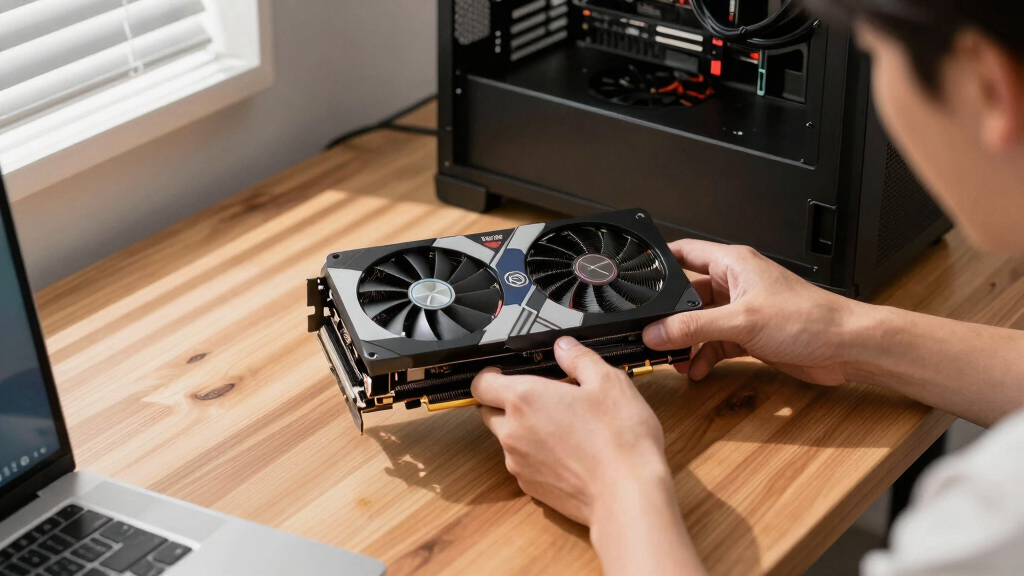

The best graphics cards in this roundup depend on whether the priority is gaming speed, AI memory, compact sizing, or professional stability. My best overall pick is the GIGABYTE Radeon RX 9070 XT Gaming OC 16G because it balances strong modern performance, 16GB of VRAM, and broad buyer appeal without reaching flagship pricing. The PNY GeForce RTX 5090 OC Triple Fan stands out as the premium choice for buyers who want extreme power, while the ASUS Dual RTX 5060 Ti 16GB is the smarter value pick for 1080p and 1440p buyers who care about memory headroom. The main tradeoffs are raw speed versus price, VRAM versus cooling size, and gaming features versus workstation reliability. Keep reading for the full breakdown of which card fits each type of build.

Get business pricing on tech for your team
- Business-only prices and quantity discounts
- Tax-exempt purchasing
- Multiple users, one account, clear invoices
Key Takeaways
- The GIGABYTE Radeon RX 9070 XT Gaming OC 16G earns the best overall slot because it offers the cleanest mix of gaming performance, 16GB VRAM, cooling, and price discipline.
- The RTX 5090 options are the clear premium choices, but their cost, power draw, and physical size make them overkill for many buyers who mainly play at 1440p.
- The 16GB RTX 5060 Ti is more appealing than the 8GB RTX 5060 for buyers who want longer usable life, especially as newer games and creator apps lean harder on VRAM.
- The Radeon AI PRO R9700 cards dominate memory-focused professional work in this lineup, but they are less natural fits for buyers who mainly want game-ready features and broad software support.
- Small-form-factor and external GPU buyers have real options here, but compact RTX 5070 cards and AI Box models trade upgrade simplicity for higher cost, thermal limits, or enclosure dependency.
| GIGABYTE GeForce RTX 5070 WINDFORCE OC SFF 12G Graphics Card |  | Best Overall | Graphics Coprocessor: NVIDIA GeForce RTX 5070 | Memory: 12GB GDDR7 | GPU Clock Speed: 2600 MHz | VIEW LATEST PRICE | See Our Full Breakdown |
| GIGABYTE Radeon RX 9070 XT Gaming OC 16G Graphics Card |  | Best AMD Gaming Pick | Graphics Coprocessor: AMD Radeon RX 9070 XT | Memory: 16GB GDDR6 | GPU Clock Speed: 3060 MHz | VIEW LATEST PRICE | See Our Full Breakdown |
| ASRock Intel Arc Pro B60 24GB Graphics Card with Xe2-HPG Architecture and Blower Cooling |  | Best for Multi-Display Workstations | Architecture: Intel Xe2-HPG | Compute Hardware: 160 XMX engines, 20 compute units | Memory: 24GB GDDR6, 192-bit bus, 19Gbps | VIEW LATEST PRICE | See Our Full Breakdown |
| PNY NVIDIA RTX PRO 2000 Blackwell Graphics Card with 16GB GDDR7 Memory |  | Best Low-Power Pro Card | GPU Family: NVIDIA RTX PRO 2000 Blackwell | Memory: 16GB GDDR7 | Form Factor: Plug-in card | VIEW LATEST PRICE | See Our Full Breakdown |
| ASUS Dual NVIDIA GeForce RTX 5060 8GB GDDR7 OC Edition |  | Best Mainstream Compact Pick | Graphics Card: NVIDIA GeForce RTX 5060 | Architecture: NVIDIA Blackwell | Memory: 8GB GDDR7 | VIEW LATEST PRICE | See Our Full Breakdown |
| ASUS Dual NVIDIA GeForce RTX 5060 Ti 16GB GDDR7 OC Edition Graphics Card |  | Best SFF-Friendly Midrange Gaming Card | Graphics Coprocessor: NVIDIA GeForce RTX 5060 Ti | Memory: 16GB GDDR7 | GPU Clock Speed: 2632 MHz OC Mode | VIEW LATEST PRICE | See Our Full Breakdown |
| GIGABYTE AORUS RTX 5060 Ti AI Box Graphics Card with Thunderbolt 5 |  | Best External GPU for Thunderbolt 5 Laptops | Graphics Card Model: RTX 5060 Ti | Memory: 16GB GDDR7 | Interface: PCIe 5.0 / Thunderbolt 5 | VIEW LATEST PRICE | See Our Full Breakdown |
| ASUS Turbo AMD Radeon AI Pro R9700 Graphics Card with RDNA 4 Architecture and 32GB VRAM |  | Best for Sustained AI Workloads | Architecture: AMD RDNA 4 | VRAM: 32GB GDDR6 | Memory Bus: 256-bit | VIEW LATEST PRICE | See Our Full Breakdown |
| XFX AMD Radeon AI Pro R9700 32GB GDDR6 Graphics Card |  | Best Multi-Monitor AI Workstation Pick | Chipset: AMD Radeon AI Pro R9700 | Architecture: AMD RDNA 4 | Memory: 32GB GDDR6 | VIEW LATEST PRICE | See Our Full Breakdown |
| PNY NVIDIA GeForce RTX 5090 OC Triple Fan Graphics Card (32GB GDDR7, DLSS 4) |  | Best Premium Performance Card | Memory: 32GB GDDR7 | Interface: PCIe 5.0 | Boost Speed: 2527 MHz | VIEW LATEST PRICE | See Our Full Breakdown |
| ASRock Radeon AI PRO R9700 32GB GDDR6 Professional Graphics Card |  | Best Multi-GPU Workstation Pick | Graphics Processor: AMD Radeon AI PRO R9700 | Memory: 32GB GDDR6 | Boost Clock Speed: 2920 MHz | VIEW LATEST PRICE | See Our Full Breakdown |
| GIGABYTE Radeon AI PRO R9700 AI TOP 32G Graphics Card |  | Best for AI Fine-Tuning Workflows | Graphics Processor: AMD Radeon AI PRO R9700 | Memory: 32GB GDDR6 | Architecture: RDNA 4 | VIEW LATEST PRICE | See Our Full Breakdown |
| ASUS Prime RTX 5070 SFF-Ready Graphics Card with NVIDIA GeForce RTX 5070, 12GB GDDR7 |  | Best Compact Gaming Build Pick | Graphics Coprocessor: NVIDIA GeForce RTX 5070 | Memory: 12GB GDDR7 | GPU Clock Speed: 2542 MHz | VIEW LATEST PRICE | See Our Full Breakdown |
| GIGABYTE AORUS RTX 5090 AI Box External GPU |  | Best External GPU Upgrade | Graphics Coprocessor: NVIDIA GeForce RTX 5090 | Memory: 32GB GDDR7 | GPU Clock Speed: 2407 MHz | VIEW LATEST PRICE | See Our Full Breakdown |
| ASUS TUF Gaming GeForce RTX 5080 16GB GDDR7 OC Edition Graphics Card |  | Best Durable High-End Gaming Pick | GPU Model: GeForce RTX 5080 | Memory: 16GB GDDR7 | Architecture: NVIDIA Blackwell | VIEW LATEST PRICE | See Our Full Breakdown |
More Details on Our Top Picks
GIGABYTE GeForce RTX 5070 WINDFORCE OC SFF 12G Graphics Card
I rank the GIGABYTE GeForce RTX 5070 WINDFORCE OC SFF 12G first because it offers the broadest mix of gaming speed, AI acceleration, and case flexibility. Compared with the ASUS Dual GeForce RTX 5060, it has a stronger GPU tier and more memory, which makes it a better fit for buyers who want higher frame rates and longer headroom for demanding creative apps. It is less workstation-focused than the ASRock Intel Arc Pro B60, though, so buyers chasing large VRAM pools for AI or 8K editing may prefer that route. The tradeoff is cost and system planning: this is compact for its class, but it can still ask for a capable power supply and a case with enough airflow.
Pros:- Strong RTX 5070 class performance with DLSS 4 support
- 12GB GDDR7 memory gives it more headroom than 8GB midrange cards
- SFF-oriented design is easier to place than many high-end triple-fan cards
- WINDFORCE triple-fan cooling helps manage sustained gaming loads
Cons:- Premium pricing makes it less appealing for pure 1080p gaming
- Small cases still need careful power and airflow checks
- 12GB VRAM is not as generous as the 16GB and 24GB cards in this group
Best for: PC gamers and creators who want one strong card for high-refresh gaming, AI features, and compact performance builds.
Not ideal for: Budget builders or older SFF systems without the power supply, airflow, or PCIe support to match a newer RTX 5070 card.
- Graphics Coprocessor:NVIDIA GeForce RTX 5070
- Memory:12GB GDDR7
- GPU Clock Speed:2600 MHz
- Interface:PCI-Express x16
- Cooling:WINDFORCE cooling with 3 fans
- Video Outputs:DisplayPort, HDMI
- Maximum Resolution:7680 x 4320
- Dimensions:11.1 in L x 4.33 in W
Bottom line: This is my pick for buyers who want the best all-around balance of speed, modern NVIDIA features, and manageable size.
GIGABYTE Radeon RX 9070 XT Gaming OC 16G Graphics Card
The GIGABYTE Radeon RX 9070 XT Gaming OC 16G earns its spot as my AMD choice because it brings 16GB of VRAM and a fast 3060 MHz GPU clock to buyers who care more about raster gaming muscle than NVIDIA-only extras. Next to the GIGABYTE GeForce RTX 5070 WINDFORCE OC SFF, this card looks less compact but more generous on memory, which can help with high-resolution texture packs and heavier creative workloads. It is also far more gaming-focused than the PNY NVIDIA RTX PRO 2000 Blackwell. The drawbacks are real: the larger body, high power demand, and premium price make it a poor match for modest cases or quiet low-watt systems.
Pros:- 16GB GDDR6 memory suits high-resolution gaming and larger texture packs
- High 3060 MHz GPU clock targets strong gaming performance
- WINDFORCE cooling with thermal conductive gel is built for sustained loads
- 8K display support leaves room for high-resolution monitor setups
Cons:- Large card size can block fitment in smaller cases
- Power demands may require a stronger PSU
- Less appealing for software built around NVIDIA CUDA acceleration
Best for: AMD-focused gamers building a roomy desktop for high-resolution play and heavy visual settings.
Not ideal for: Compact PC builders, low-power systems, or buyers who rely on NVIDIA-specific CUDA workflows.
- Graphics Coprocessor:AMD Radeon RX 9070 XT
- Memory:16GB GDDR6
- GPU Clock Speed:3060 MHz
- Memory Clock Speed:2600 GHz listed
- Interface:PCI-Express x16
- Cooling:WINDFORCE cooling with thermal conductive gel
- Maximum Resolution:7680 x 4320
- Dimensions:11.34 in L x 5.2 in W
Bottom line: This is the card I would steer AMD loyalists toward when case space and power budget are already sorted.
ASRock Intel Arc Pro B60 24GB Graphics Card with Xe2-HPG Architecture and Blower Cooling
The ASRock Intel Arc Pro B60 24GB is the most workstation-leaning pick here, mainly because its 24GB GDDR6 memory, four DisplayPort 2.1 outputs, and blower layout target dense creator rigs more than gaming desktops. Compared with the GIGABYTE GeForce RTX 5070 WINDFORCE OC SFF, it gives up the familiar NVIDIA gaming feature stack but gains far more VRAM for large timelines, AI datasets, and multi-display production work. It also offers more memory than the PNY NVIDIA RTX PRO 2000 Blackwell, though the PNY card is much lower power. The catch is fit and heat behavior: blower coolers are practical in workstations, but they can run warmer or louder under sustained loads, and the extra cable clearance matters.
Pros:- 24GB GDDR6 memory supports large creative and AI workloads
- Four DisplayPort 2.1 outputs are useful for multi-monitor workstations
- Single 8-pin PCIe power connector simplifies many builds
- 0dB low-load cooling keeps light desktop work quiet
Cons:- Blower cooling can be less comfortable under long heavy loads
- Requires 30mm additional cable clearance
- PCIe 5.0 x8 may look less flexible than full x16 cards to some buyers
Best for: Editors, AI hobbyists, and workstation builders who need large VRAM capacity and multiple DisplayPort 2.1 outputs.
Not ideal for: Gamers who want the strongest driver ecosystem for new releases or builders with tight cable clearance behind the card.
- Architecture:Intel Xe2-HPG
- Compute Hardware:160 XMX engines, 20 compute units
- Memory:24GB GDDR6, 192-bit bus, 19Gbps
- GPU Clock:2400 MHz factory engine clock
- Interface:PCIe 5.0 x8
- Cooling:Blower design with die-cast metal shroud and nickel-plated copper base
- Power Connector:Single 8-pin PCIe
- Display Outputs:4 x DisplayPort 2.1, up to 8K
- Dimensions:271 x 112 x 39 mm, plus 30mm cable clearance recommended
Bottom line: This is my choice for workstation buyers who value VRAM and display output flexibility over gaming-first features.
PNY NVIDIA RTX PRO 2000 Blackwell Graphics Card with 16GB GDDR7 Memory
The PNY NVIDIA RTX PRO 2000 Blackwell sits in a different lane from the gaming cards: I see it as the best pick for buyers who need professional acceleration in a lower-power system. Its 70W draw makes it much easier to place than the GIGABYTE Radeon RX 9070 XT Gaming OC, and its 16GB GDDR7 memory gives it more pro-app breathing room than the ASUS Dual GeForce RTX 5060. The tradeoff is raw display ambition and gaming value. With 4K output listed and Mini DisplayPort connectivity, it is better suited to CAD, rendering, and AI-assisted work than to a flashy gaming build. Active cooling may also become audible when workloads stay heavy.
Pros:- 70W power consumption fits many compact professional systems
- 16GB GDDR7 memory supports heavier pro workloads than typical entry cards
- Blackwell architecture brings modern AI and rendering acceleration
- Compact plug-in-card format suits space-limited workstations
Cons:- Professional pricing can be hard to justify for gaming
- Mini DisplayPort may require adapters in common monitor setups
- 4K maximum resolution trails the 8K-capable cards in this batch
Best for: Engineers, designers, and small-workstation owners who need NVIDIA pro features without a high-wattage GPU.
Not ideal for: Gamers chasing the most frames per dollar or users who need 8K output from the spec sheet.
- GPU Family:NVIDIA RTX PRO 2000 Blackwell
- Memory:16GB GDDR7
- Form Factor:Plug-in card
- Cooler Type:Active cooler
- Maximum Power Consumption:70W
- Video Output Interface:Mini DisplayPort
- Maximum Resolution:4K, 3840 x 2160
- Dimensions:6.6 in x 2.7 in listed; 15 in L x 9 in W package listing
Bottom line: This is the sensible pro pick when power efficiency matters more than gaming speed or 8K output.
ASUS Dual NVIDIA GeForce RTX 5060 8GB GDDR7 OC Edition
The ASUS Dual NVIDIA GeForce RTX 5060 8GB OC Edition makes the list because it brings Blackwell, DLSS 4, and compact dual-fan cooling to buyers who do not need the cost or size of an RTX 5070. Compared with the GIGABYTE GeForce RTX 5070 WINDFORCE OC SFF, this is the more approachable NVIDIA card, though its 8GB VRAM ceiling will age sooner in demanding games and creator apps. Against the PNY NVIDIA RTX PRO 2000 Blackwell, it is more gamer-friendly but less workstation-minded. I like it most for compact 1080p or lighter 1440p builds where modern features matter, but buyers should check thickness: the 2.5-slot body is not as tiny as the name may suggest.
Pros:- DLSS 4 and Blackwell support bring current NVIDIA feature coverage
- 8GB GDDR7 memory is fast for mainstream gaming workloads
- Dual Axial-tech fans suit compact builds better than many triple-fan cards
- Three DisplayPort 2.1b outputs plus HDMI 2.1b support modern monitors
Cons:- 8GB VRAM is the tightest memory capacity in this batch
- 2.5-slot thickness may still crowd smaller cases
- Less performance headroom than the RTX 5070 option
Best for: Mainstream gamers building a compact NVIDIA system for 1080p, esports, and lighter 1440p play with DLSS support.
Not ideal for: Creators working with large projects or gamers who expect 16GB-class VRAM for future high-resolution titles.
- Graphics Card:NVIDIA GeForce RTX 5060
- Architecture:NVIDIA Blackwell
- Memory:8GB GDDR7
- OC Mode Clock Speed:2565 MHz
- Default Mode Clock Speed:2535 MHz
- Cooling:Axial-tech fan design with 2 fans
- Video Outputs:HDMI 2.1b, 3 x DisplayPort 2.1b
- Form Factor:2.5-slot, 9 in L x 4.8 in W
- Warranty:3 years
Bottom line: This is my budget-friendlier NVIDIA pick for compact gaming builds that do not need premium-tier horsepower.
ASUS Dual NVIDIA GeForce RTX 5060 Ti 16GB GDDR7 OC Edition Graphics Card
I’d place ASUS Dual NVIDIA GeForce RTX 5060 Ti 16GB as the SFF-friendly gaming pick because it balances 16GB GDDR7 memory, DLSS 4, and a compact 9-inch board better than the ASUS Dual RTX 5060 8GB. The extra memory gives modern games and creator apps more headroom, while the two Axial-tech fans make more sense in tight cases than a larger triple-fan card. Compared with the GIGABYTE GeForce RTX 5070 WINDFORCE OC SFF 12G, it is less of a raw-frame-rate play and more about memory capacity at a lower tier. The tradeoff is fit and price: the 2.5-slot cooler still needs breathing room, and buyers chasing 4K ultra settings should move up to the RTX 5070 or PNY RTX 5090.
Pros:- 16GB GDDR7 gives more memory headroom than entry RTX 5060 cards
- Compact 9-inch board is easier to fit in smaller gaming builds
- Dual Axial-tech fans target stronger cooling than basic dual-fan layouts
- DLSS 4 and PCIe 5.0 keep it aligned with current Nvidia platform features
Cons:- 2.5-slot thickness can still crowd smaller cases
- Costs more than simpler RTX 5060-class cards
- Not the right pick for buyers chasing flagship 4K performance
Best for: I’d recommend it to small-form-factor builders who want 1440p gaming, DLSS 4, and 16GB VRAM without jumping to an RTX 5070.
Not ideal for: I’d skip it for ultra-compact cases with strict two-slot clearance or shoppers aiming for uncompromised 4K ray tracing.
- Graphics Coprocessor:NVIDIA GeForce RTX 5060 Ti
- Memory:16GB GDDR7
- GPU Clock Speed:2632 MHz OC Mode
- Memory Clock Speed:2602 MHz Default Mode
- Interface:PCIe 5.0
- Video Outputs:3 x DisplayPort 2.1b, 1 x HDMI 2.1b
- Cooling:2 Axial-tech fans
- Dimensions:9 in L x 4.7 in W
- Warranty:3 years
Bottom line: I’d buy this for a compact 1440p gaming PC where memory capacity matters more than chasing the fastest GPU in the roundup.
GIGABYTE AORUS RTX 5060 Ti AI Box Graphics Card with Thunderbolt 5
I rank GIGABYTE AORUS RTX 5060 Ti AI Box as the laptop-expansion choice, not a normal desktop-card pick. Against the ASUS Dual RTX 5060 Ti 16GB, the key difference is the Thunderbolt 5 external design: it gives compatible laptops a serious graphics upgrade without rebuilding a PC. It also adds Ethernet, up to 100W charging, RGB control, and WINDFORCE cooling, so it behaves more like a dock-style graphics upgrade than a bare GPU. Compared with the GIGABYTE AORUS RTX 5090 AI Box, this is the more realistic match for portable gamers and creators who do not need flagship-class power. The catch is host dependency: without a Thunderbolt 5 host, much of its appeal fades, and external bandwidth still makes it less tidy than a PCIe desktop card.
Pros:- Thunderbolt 5 design brings RTX 5060 Ti-class graphics to compatible laptops
- 16GB GDDR7 supports modern games and creator workloads better than 8GB cards
- Integrated Ethernet and up to 100W charging make it useful as a desk hub
- WINDFORCE cooling with Hawk fans is built for sustained external-GPU use
Cons:- Needs Thunderbolt 5 hardware for its strongest case
- External GPU bandwidth is less direct than a desktop PCIe slot
- Premium dock features raise the price beyond a standard RTX 5060 Ti card
Best for: I’d point this at laptop owners with Thunderbolt 5 who want stronger gaming, editing, or AI acceleration at a desk.
Not ideal for: I’d skip it for desktop builders, older Thunderbolt systems, or anyone who wants the lowest-cost path to RTX 5060 Ti performance.
- Graphics Card Model:RTX 5060 Ti
- Memory:16GB GDDR7
- Interface:PCIe 5.0 / Thunderbolt 5
- Cooling System:WINDFORCE with server-grade thermal gel and Hawk fans
- Display Outputs:HDMI 2.1b / DisplayPort 2.1b
- Power Delivery:PD 3.0 with up to 100W fast charging
- Form Factor:Compact, horizontal or vertical placement
- Additional Features:RGB lighting and integrated Ethernet port
Bottom line: I’d choose this only if the external-GPU format is the point, because a desktop PCIe card is simpler for tower builds.
ASUS Turbo AMD Radeon AI Pro R9700 Graphics Card with RDNA 4 Architecture and 32GB VRAM
I’d choose ASUS Turbo AMD Radeon AI Pro R9700 for buyers whose graphics card will sit under sustained AI or rendering loads. Compared with the XFX AMD Radeon AI Pro R9700, this version leans harder into durability and thermal control through a phase-change GPU pad, diecast shroud, backplate, and dual ball fan bearings. That matters when a workstation runs for long sessions rather than short gaming bursts. It also carries the same broad 32GB VRAM advantage over gaming-first cards like the ASUS Dual RTX 5060 Ti 16GB. The downside is focus: 32GB GDDR6 helps large datasets, but it is not the same audience as DLSS-focused GeForce cards, and the cooling-first build may bring higher cost, power draw, and case airflow demands.
Pros:- 32GB VRAM is well suited to large AI and data-heavy workloads
- RDNA 4 architecture targets modern professional graphics needs
- Phase-change thermal pad and diecast components support sustained operation
- Dual ball fan bearings are built for longer service life
Cons:- Premium workstation focus can be excessive for gaming-only buyers
- Likely higher power and airflow needs than midrange gaming cards
- GDDR6 memory is less cutting-edge than GDDR7 cards in this roundup
Best for: I’d recommend it to workstation buyers running AI, rendering, or data-heavy jobs where 32GB VRAM and thermal stability matter most.
Not ideal for: I’d skip it for casual gamers, compact gaming PCs, or shoppers who mainly want Nvidia DLSS and GeForce ray-tracing features.
- Architecture:AMD RDNA 4
- VRAM:32GB GDDR6
- Memory Bus:256-bit
- Thermal Pad:Phase-change GPU thermal pad
- Construction:Diecast shroud and backplate
- Fan Bearings:Dual ball bearings
- Warranty:3 years
Bottom line: I’d pick this when workload stability and 32GB VRAM matter more than gaming-brand features.
XFX AMD Radeon AI Pro R9700 32GB GDDR6 Graphics Card
I’d put XFX AMD Radeon AI Pro R9700 32GB in the multi-monitor AI workstation slot because it pairs 32GB GDDR6 with four DisplayPort outputs and a boost clock up to 2920 MHz. Next to the ASUS Turbo AMD Radeon AI Pro R9700, the XFX card reads less like a cooling-specialist build and more like a flexible desk setup for model work, data views, and several high-resolution displays. It also offers more AI-memory headroom than gaming cards such as the GIGABYTE Radeon RX 9070 XT Gaming OC 16G. The tradeoff is physical and electrical: this class can ask for stronger case cooling, a roomy chassis, and a power supply with real overhead. Gamers who mainly want DLSS 4 or ray-tracing extras should look at GeForce options instead.
Pros:- 32GB GDDR6 supports larger AI and professional datasets
- Boost clock up to 2920 MHz gives it a strong performance ceiling
- Four DisplayPort outputs suit multi-monitor workstation layouts
- RDNA 4 platform keeps it aligned with AMD’s newer pro-GPU direction
Cons:- AI-focused power demands may require a stronger PSU and cooling setup
- Large workstation-class footprint can complicate smaller builds
- Less appealing for buyers who rely on DLSS 4 or Nvidia Studio workflows
Best for: I’d aim this at AI workstation users who need 32GB VRAM and several DisplayPort monitors for analysis, timelines, or dashboards.
Not ideal for: I’d skip it for small cases, budget gaming builds, or buyers who need Nvidia-specific software features.
- Chipset:AMD Radeon AI Pro R9700
- Architecture:AMD RDNA 4
- Memory:32GB GDDR6
- Boost Clock:Up to 2920 MHz
- Display Outputs:4 x DisplayPort
- Workload Focus:AI and professional workstation tasks
Bottom line: I’d choose this over the ASUS Turbo model when display flexibility matters as much as AI memory capacity.
PNY NVIDIA GeForce RTX 5090 OC Triple Fan Graphics Card (32GB GDDR7, DLSS 4)
I rank PNY NVIDIA GeForce RTX 5090 OC Triple Fan highest for buyers who want the fastest conventional desktop GPU in this group. Compared with the ASUS TUF Gaming GeForce RTX 5080 16GB, the PNY card doubles the memory to 32GB GDDR7, which gives heavier 4K gaming, AI-assisted creation, and large creative projects more room before settings need to be trimmed. It is also less laptop-dependent than the GIGABYTE AORUS RTX 5090 AI Box, since it plugs straight into a PCIe 5.0 desktop build. The price of that power is not subtle: triple-fan cooling, robust PSU needs, and motherboard clearance make it a poor match for compact or budget systems. This is a performance-first pick, not a balanced-value card.
Pros:- 32GB GDDR7 gives major headroom for 4K gaming and creative workloads
- NVIDIA Blackwell architecture supports current GeForce AI and rendering features
- DLSS 4 helps stretch performance in supported games
- Triple-fan cooler is built for heavy sustained loads
Cons:- Very high price narrows its audience
- Requires a robust power supply and a compatible desktop platform
- Triple-fan size can be a problem in smaller cases
Best for: I’d recommend it to high-end desktop builders who want maximum 4K gaming, creator, and AI performance from a GeForce card.
Not ideal for: I’d skip it for compact PCs, modest power supplies, or shoppers who care more about value than peak frame rates.
- Memory:32GB GDDR7
- Interface:PCIe 5.0
- Boost Speed:2527 MHz
- Architecture:NVIDIA Blackwell
- DLSS Version:DLSS 4
- Fan Configuration:Triple fan
- Ports:HDMI / DisplayPort 2.1
- GPU Class:GeForce RTX 5090 OC
Bottom line: I’d buy this only for a no-compromise desktop where peak performance matters more than size, noise, or cost.
ASRock Radeon AI PRO R9700 32GB GDDR6 Professional Graphics Card
I rank the ASRock Radeon AI PRO R9700 as the workstation-minded choice because its blower cooler with vapor chamber is better suited to tightly packed systems than the triple-fan ASUS Prime RTX 5070. The 32GB of GDDR6 gives AI developers and 8K editors more working room than the ASUS TUF RTX 5080’s 16GB, so large models and heavy timelines are less likely to spill into slower system memory. The tradeoff is focus: compared with the GIGABYTE AORUS RTX 5090 AI Box, this card is less flexible for laptop users and depends more on professional software support. I would also watch thermals under sustained loads, since the single-fan design favors rack-style airflow over quiet desktop comfort.
Pros:- 32GB GDDR6 memory suits large AI models and high-resolution creative work
- Blower cooler is a better fit for dense multi-GPU workstations
- RDNA 4 architecture includes dedicated AI accelerators
- Four DisplayPort 2.1a outputs support demanding display setups
Cons:- Single-fan blower can run hotter or louder outside workstation-style airflow
- Professional focus may require app-specific driver and software support
- Less appealing for pure gaming than RTX 5080 or RTX 5090 options
Best for: I would recommend it to AI developers, 3D artists, and editors building a multi-GPU desktop workstation with strong case airflow.
Not ideal for: I would skip it for quiet gaming PCs or buyers who need plug-and-play support across consumer apps.
- Graphics Processor:AMD Radeon AI PRO R9700
- Memory:32GB GDDR6
- Boost Clock Speed:2920 MHz
- Memory Bus Width:256-bit
- Display Outputs:4 x DisplayPort 2.1a
- Cooling System:Blower cooler with vapor chamber heatsink
- Interface:PCIe 5.0 x16
- Memory Clock Speed:20 GHz
Bottom line: I would choose this when GPU memory and multi-card cooling matter more than gaming polish.
GIGABYTE Radeon AI PRO R9700 AI TOP 32G Graphics Card
The GIGABYTE Radeon AI PRO R9700 AI TOP earns its place for buyers who want a graphics card tied to an AI workflow, not just raw VRAM. Like the ASRock Radeon AI PRO R9700, it carries 32GB of GDDR6 and RDNA 4 architecture, but GIGABYTE adds the AI TOP Utility for tracking LLM fine-tuning progress. That makes it easier to justify for small labs or creators who want more visibility into long AI jobs. Compared with the ASUS Prime RTX 5070, this is far more memory-rich, though less attractive for compact gaming builds. The cooling stack is also more elaborate than ASRock’s blower approach, which may help sustained loads but can bring higher power draw and more fan noise.
Pros:- 32GB GDDR6 memory gives large AI and creative workloads more headroom
- AI TOP Utility adds useful visibility for LLM fine-tuning progress
- Vapor chamber and copper heat sink target sustained workload cooling
- PCIe Gen 5 support fits newer workstation platforms
Cons:- Advanced cooling and AI workload focus can increase power demand
- Turbo fan design may be louder than quieter gaming-oriented coolers
- Less versatile for mainstream gamers than RTX 5070 or RTX 5080 cards
Best for: I would point this at small AI teams and creators who want 32GB VRAM plus built-in fine-tuning monitoring tools.
Not ideal for: I would avoid it for compact or low-noise desktops where heat, power draw, and fan sound are bigger concerns than AI tooling.
- Graphics Processor:AMD Radeon AI PRO R9700
- Memory:32GB GDDR6
- Architecture:RDNA 4
- Cooling System:Turbo Fan with vapor chamber and copper heat sink
- PCIe Version:Gen 5
- Fan Type:Double ball bearing fan
- Thermal Materials:Server-grade thermal conductive gel
- Software Feature:AI TOP Utility for LLM fine-tuning tracking
Bottom line: I would buy this for AI project tracking and VRAM capacity before I would buy it for a general gaming rig.
ASUS Prime RTX 5070 SFF-Ready Graphics Card with NVIDIA GeForce RTX 5070, 12GB GDDR7
I like the ASUS Prime RTX 5070 SFF-Ready for buyers trying to keep a powerful graphics card inside a smaller case. Its 2.5-slot layout is easier to place than the much larger ASUS TUF RTX 5080, while the RTX 5070 GPU, 12GB of GDDR7, and DLSS 4 make it a more gaming-centered choice than the Radeon AI PRO cards. Compared with the GIGABYTE AORUS RTX 5090 AI Box, this is also the cleaner option for desktop builders who do not need an external enclosure. The compromise is ceiling: 12GB VRAM is modest beside 32GB workstation cards, and even this compact card can still crowd very small SFF cases.
Pros:- SFF-ready design fits more compact gaming desktops
- NVIDIA Blackwell architecture with DLSS 4 supports modern gaming features
- Triple Axial-tech fans and phase-change thermal pad help manage heat
- Display outputs support up to 8K resolution
Cons:- 12GB VRAM is limiting beside 16GB and 32GB cards in this lineup
- 2.5-slot size may still be too thick for some compact cases
- High performance can bring higher power needs than entry-level GPUs
Best for: I would recommend it to small-form-factor PC builders who want modern NVIDIA gaming features without jumping to a massive flagship card.
Not ideal for: I would skip it for AI model work, 8K editing, or ultra-small cases that cannot spare 2.5 slots.
- Graphics Coprocessor:NVIDIA GeForce RTX 5070
- Memory:12GB GDDR7
- GPU Clock Speed:2542 MHz
- Memory Clock Speed:4000 MHz
- Video Outputs:HDMI 2.1b, DisplayPort 2.1b
- Cooling:3 Axial-tech fans with phase-change GPU thermal pad
- Max Display Resolution:7680 x 4320 pixels
- Interface:PCI-Express x16 Gen 5.0
- Warranty:3 years
Bottom line: I would choose this for a compact gaming PC where size matters more than maximum VRAM.
GIGABYTE AORUS RTX 5090 AI Box External GPU
The GIGABYTE AORUS RTX 5090 AI Box is the standout for buyers who want desktop-class graphics without rebuilding a tower. Its RTX 5090 with 32GB GDDR7 sits above the ASUS TUF RTX 5080 for raw headroom, and the Thunderbolt 5/USB4 enclosure gives laptop users a route the internal ASUS Prime RTX 5070 cannot offer. I also like the WATERFORCE cooling system for heavy gaming or AI sessions where heat would punish a thin laptop. The catch is that external GPUs bring their own limits: the box is large, expensive, and dependent on host-port bandwidth. Compared with a desktop RTX 5090 card, it trades some simplicity and portability for flexibility.
Pros:- RTX 5090 GPU with 32GB GDDR7 provides flagship-class performance headroom
- Thunderbolt 5 and USB4 support fast external GPU connectivity
- WATERFORCE cooling with 240mm radiator targets quieter sustained loads
- Built-in Ethernet adds a stable wired connection option
Cons:- Large enclosure limits true portability
- Premium components push the price high
- External GPU performance depends on the connected laptop and port bandwidth
Best for: I would recommend it to laptop creators, AI users, and gamers who need a powerful external graphics setup with Thunderbolt 5 or USB4.
Not ideal for: I would skip it for frequent travelers or desktop builders who can install an internal RTX 5080 or RTX 5090 more cleanly.
- Graphics Coprocessor:NVIDIA GeForce RTX 5090
- Memory:32GB GDDR7
- GPU Clock Speed:2407 MHz
- Memory Clock Speed:28000 MHz
- Video Outputs:DisplayPort 2.1, HDMI 2.1b
- Graphics Interface:PCI-Express x16 5.0
- External Connectivity:Thunderbolt 5, USB4, Ethernet port
- Cooling System:240mm aluminum radiator with two 120mm silent fans
- Dimensions:11.89 in L x 6.77 in W
Bottom line: I would buy this when a laptop needs serious GPU power and an internal graphics card is not an option.
ASUS TUF Gaming GeForce RTX 5080 16GB GDDR7 OC Edition Graphics Card
I place the ASUS TUF Gaming GeForce RTX 5080 OC between compact cards and the extreme RTX 5090 options because it aims for high-end gaming with a stronger durability story. Compared with the ASUS Prime RTX 5070, it offers a higher-class GPU and 16GB of GDDR7, which gives demanding games and creator apps more room. It is also more practical for many desktop builds than the GIGABYTE AORUS RTX 5090 AI Box if an internal card is preferred. The tradeoff is physical and financial: the 3.6-slot cooler needs a roomy case, and premium construction raises cost. I would not pick it over the Radeon AI PRO cards for VRAM-heavy AI work, but for durable gaming performance, it makes more sense.
Pros:- RTX 5080 GPU with 16GB GDDR7 targets high-end gaming and creator workloads
- NVIDIA Blackwell architecture with DLSS 4 supports modern rendering features
- Military-grade components and protective PCB coating add durability appeal
- Large Axial-tech cooling system and phase-change pad support heavy loads
Cons:- 3.6-slot design requires a spacious case
- Premium positioning raises the total build cost
- 16GB VRAM trails the 32GB AI and RTX 5090 options for memory-heavy work
Best for: I would recommend it to desktop gamers and creators with a full-size case who want a durable high-end NVIDIA card.
Not ideal for: I would skip it for small-form-factor builders, budget-focused buyers, or AI users who need 32GB of VRAM.
- GPU Model:GeForce RTX 5080
- Memory:16GB GDDR7
- Architecture:NVIDIA Blackwell
- Technology:DLSS 4
- Cooling System:3.6-slot cooler with Axial-tech fans
- Thermal Pad Type:Phase-change
- Build Features:Military-grade components
- Protection:Protective PCB coating
Bottom line: I would choose this for a sturdy high-end gaming desktop when the RTX 5090 tier feels excessive.
How We Picked
I ranked these graphics cards by matching likely buyer goals to the strengths and limits of each model: gaming performance, VRAM capacity, cooling design, power demands, size compatibility, professional driver appeal, and overall value. Cards with a broad mix of speed, memory, and realistic pricing ranked higher than models that only make sense for narrow workloads. That is why the GIGABYTE Radeon RX 9070 XT Gaming OC 16G sits above more expensive flagships: it serves more people well, while the PNY RTX 5090 OC Triple Fan is reserved for buyers who can use its extreme ceiling.
I also separated gaming cards from professional AI-focused cards because the right choice changes once workloads depend on VRAM, certified-style stability, or compact workstation cooling. The Radeon AI PRO R9700 models score highly for memory-heavy AI and creative use, but they do not outrank gaming-first cards for mainstream buyers. External options like the GIGABYTE AORUS RTX 5090 AI Box and RTX 5060 Ti AI Box get credit for laptop and mini-PC flexibility, while losing ground on price efficiency and upgrade simplicity.
Factors to Consider When Choosing Graphics Cards
Choosing between graphics cards is less about buying the biggest number and more about matching the card to the display, software, case, power supply, and budget. I would start with the workload first, then use VRAM, cooling, and platform fit to narrow the field.
Match The Card To Your Resolution
A buyer playing at 1080p does not need the same card as someone targeting high-refresh 4K gaming. The ASUS Dual RTX 5060 and RTX 5060 Ti make more sense for mainstream displays, while the RTX 5080 and RTX 5090 cards are built for heavier pixel loads and demanding visual settings. The mistake I would avoid is paying for a flagship GPU while pairing it with a monitor that cannot show the extra frames. For 1440p, the Radeon RX 9070 XT looks like the balanced middle ground in this list. For 4K with ray tracing and frame generation in mind, the RTX 5080 or RTX 5090 becomes easier to justify. Resolution sets the budget ceiling before any brand preference should enter the decision.
Treat VRAM As A Longevity Signal
VRAM affects how comfortably a card handles large textures, creator timelines, AI models, and future games. That is why the ASUS Dual RTX 5060 Ti 16GB is easier to recommend than the 8GB RTX 5060 for buyers who keep hardware for several years. The 32GB Radeon AI PRO R9700 cards go much further, but that memory is most useful for AI and workstation tasks, not casual gaming. More VRAM does not automatically make a slower GPU faster, so I would not buy a professional card only for a gaming PC. The sweet spot for many buyers in this roundup is 16GB, because it adds breathing room without pushing every build into workstation pricing. Memory matters most when the software can actually use it.
Check Cooling And Case Fit Early
Cooling design decides how easy a card is to live with after the purchase. Large triple-fan cards like the PNY RTX 5090 OC Triple Fan and ASUS TUF RTX 5080 can handle serious heat, but they need case space, airflow, and a suitable power supply. Compact options such as the GIGABYTE RTX 5070 WINDFORCE OC SFF and ASUS Prime RTX 5070 SFF-Ready solve fit problems, though smaller coolers may run warmer or louder under heavy load. Blower-style cards, including some professional models here, can suit dense workstations because they push heat out of the case. The common trap is checking performance charts before measuring clearance. A slightly slower card that fits cleanly can be the better real-world buy.
Separate Gaming Features From Workstation Needs
Gaming buyers should weigh frame generation, ray tracing support, driver maturity, and price per frame. Professional buyers should care more about VRAM capacity, cooling behavior in long workloads, software compatibility, and whether the card is built for sustained compute. The PNY RTX PRO 2000 Blackwell and the Radeon AI PRO R9700 models are not just alternate gaming cards; they target different priorities. That means a creator working with large datasets may prefer a 32GB professional card over a faster gaming model with less memory. On the other side, a gamer may get better value from the RX 9070 XT or RTX 5070 class. The best pick changes when stability and memory matter more than average FPS.
Know When An External GPU Makes Sense
External GPU boxes are tempting because they can add desktop-class graphics to a laptop or compact machine. The GIGABYTE AORUS RTX 5090 AI Box is the power play here, while the RTX 5060 Ti AI Box is the more approachable route for buyers who want acceleration without rebuilding a PC. The tradeoff is that an enclosure adds cost, takes desk space, and depends on the host system’s connection speed. Even with Thunderbolt 5, an external GPU is usually less tidy than a well-matched internal card in a desktop. I would choose one for a laptop-based setup, not for a standard tower with an open PCIe slot. It is a specific solution, not a shortcut for every buyer.
Frequently Asked Questions
Which Graphics Card In This List Is Best For Most Buyers?
For most buyers, I would start with the GIGABYTE Radeon RX 9070 XT Gaming OC 16G. It has enough performance for serious 1440p gaming, enough VRAM to age better than many entry-level cards, and a price profile that should be easier to defend than the RTX 5080 or RTX 5090 options. It is not the fastest card here, and buyers who rely on NVIDIA-specific features may prefer an RTX model. Still, as a balanced pick, it avoids the biggest compromises better than the rest. That makes it the clearest best overall choice in this lineup.
Is The RTX 5090 Worth Paying For?
The RTX 5090 is worth it only if the workload can use its extreme performance and 32GB GDDR7 memory. Buyers running 4K gaming at high settings, heavy creator workloads, or local AI tasks will have the strongest case for it. For 1080p or typical 1440p gaming, it is likely too expensive, too power-hungry, and physically larger than needed. The ASUS TUF RTX 5080 or RX 9070 XT will make more sense for many high-end builds. I would treat the RTX 5090 as a premium tool, not a default upgrade.
Should I Choose An 8GB Or 16GB Graphics Card In 2026?
I would lean toward 16GB if the budget allows, especially for 1440p gaming, creator work, or keeping the card for several years. The ASUS Dual RTX 5060 8GB can still work for lighter builds, but 8GB is the tighter choice in this roundup. The ASUS Dual RTX 5060 Ti 16GB has more room for large textures and heavier apps, which makes it a safer value pick. VRAM alone does not replace GPU power, so it should be balanced with the performance tier. Still, between two nearby models, the extra memory is often the better long-term bet.
Are The Radeon AI PRO R9700 Cards Good For Gaming?
The Radeon AI PRO R9700 cards can run graphics workloads, but their strongest reason to buy is not mainstream gaming. Their 32GB memory and professional positioning make them better suited to AI, compute, visualization, and workstation-style use. Compared with the RX 9070 XT, they are less appealing for a buyer who mainly wants a gaming card with strong value. The ASUS Turbo version may suit tighter workstation airflow, while the GIGABYTE AI TOP and XFX models lean into professional acceleration. I would only pick one for gaming if the same machine also handles serious memory-heavy work.
Should I Buy A Small-Form-Factor Card Or A Full-Size Card?
A small-form-factor graphics card is the right choice when the case demands it, not because smaller is automatically better. The GIGABYTE RTX 5070 WINDFORCE OC SFF and ASUS Prime RTX 5070 SFF-Ready are useful for compact PCs where a large card will not fit. Full-size models usually have more cooling surface area, which can help with noise and sustained boost behavior. The tradeoff is clear: compact cards protect build compatibility, while larger cards often give the cooler more room to work. I would measure the case first, then choose the strongest card that fits without stressing airflow.
Conclusion
My best overall recommendation is the GIGABYTE Radeon RX 9070 XT Gaming OC 16G because it offers the most balanced mix of speed, memory, cooling, and value for a wide range of buyers. For best value, I would choose the ASUS Dual RTX 5060 Ti 16GB, while beginners building a simpler 1080p PC can step down to the ASUS Dual RTX 5060 8GB if cost matters most. The PNY RTX 5090 OC Triple Fan is the best premium internal card, and the GIGABYTE AORUS RTX 5090 AI Box is the specialist pick for external GPU power. For compact desktops, the ASUS Prime RTX 5070 SFF-Ready and GIGABYTE RTX 5070 WINDFORCE OC SFF are the cleanest fits. For AI and professional memory-heavy work, I would focus on the Radeon AI PRO R9700 models or the PNY RTX PRO 2000 Blackwell depending on software preference and form factor.