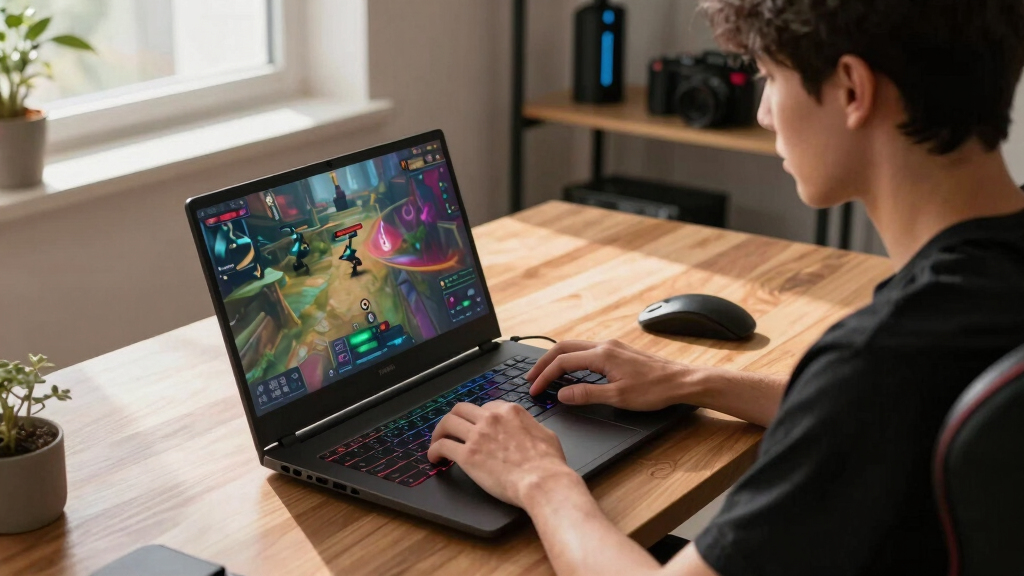

The best gaming laptops in this roundup separate themselves by how well they balance GPU power, display quality, cooling, and price. My best overall pick is the ASUS ROG Strix G16 RTX 5070 Ti with Ryzen 9 9955HX3D because it pairs a strong gaming GPU with a 2.5K 240Hz Nebula display and a CPU built for high-frame-rate play. The ASUS TUF Gaming F16 is the value pick for buyers who want current-gen features without paying for an elite GPU, while the ASUS ROG Strix G16 RTX 5080 makes the most sense for players who want premium headroom. The main tradeoffs are screen size versus portability, GPU tier versus price, and display sharpness versus battery life. Keep reading for the full breakdown of which model fits each type of player.

Get business pricing on tech for your team
- Business-only prices and quantity discounts
- Tax-exempt purchasing
- Multiple users, one account, clear invoices
Key Takeaways
- The ASUS ROG Strix G16 RTX 5070 Ti with Ryzen 9 9955HX3D has the strongest balance of gaming-focused CPU power, display quality, and price discipline, which is why I rank it best overall.
- The RTX 5080 ROG Strix G16 is the premium pick, but its value depends on whether the buyer needs extra GPU headroom rather than simply wanting the highest spec.
- The two 18-inch models, ASUS ROG Strix G18 and MSI Crosshair 18 HX AI, favor desktop-style immersion, while the 16-inch systems are easier to live with day to day.
- Budget picks split clearly: the ASUS TUF Gaming F16 offers the most current-feeling entry point, while the Acer Nitro V is better for buyers who need the lowest practical cost.
- Display quality is a major separator here: 2.5K 240Hz Nebula and QHD+ panels serve competitive and cinematic gaming better than basic FHD screens, but they also push GPU demands higher.
| ASUS ROG Strix G16 (2025) |  | Best Overall | Display: 16-inch ROG Nebula 16:10 IPS | Resolution: 2560 x 1600 | Refresh Rate: 240Hz/3ms | VIEW LATEST PRICE | See Our Full Breakdown |
| MSI Crosshair 18 HX AI |  | Best Desktop Replacement | Display: 18-inch IPS | Resolution: 2560 x 1600 QHD+ | Refresh Rate: 240Hz | VIEW LATEST PRICE | See Our Full Breakdown |
| ASUS ROG Strix G18 (2025) |  | Best Big-Screen Storage Pick | Display: 18-inch 16:10 IPS | Resolution: 1920 x 1200 | Refresh Rate: 144Hz/3ms | VIEW LATEST PRICE | See Our Full Breakdown |
| ASUS ROG Strix G16 (2025) |  | Best Mainstream 16-Inch Pick | Display: 16-inch FHD+ | Refresh Rate: 165Hz/3ms | Processor: Intel Core i7-14650HX | VIEW LATEST PRICE | See Our Full Breakdown |
| ASUS TUF Gaming F16 (2025) |  | Best Entry-Level Gaming Pick | Display: 16-inch FHD+ 16:10 | Refresh Rate: 165Hz | Processor: Intel Core i5-13450HX | VIEW LATEST PRICE | See Our Full Breakdown |
| Acer Nitro V Gaming Laptop with Intel Core i5-13420H and RTX 4050 |  | Best Entry-Level 165Hz Pick | Processor: Intel Core i5-13420H | Graphics: NVIDIA GeForce RTX 4050 | AI Performance: 194 AI TOPS | VIEW LATEST PRICE | See Our Full Breakdown |
| Acer Nitro V 16S AI Gaming Laptop with Ryzen 7 260 and RTX 5060 |  | Best Midrange Balance | Processor: AMD Ryzen 7 260 | Graphics: NVIDIA GeForce RTX 5060 Laptop GPU | AI Performance: 572 AI TOPS | VIEW LATEST PRICE | See Our Full Breakdown |
| HP OMEN 16 Slim RTX 5070 Gaming Laptop with Intel Core Ultra 9 285H |  | Best Slim Work-and-Play Pick | Processor: Intel Core Ultra 9 285H, up to 5.4GHz | Graphics: NVIDIA GeForce RTX 5070, 8GB GDDR7 | Display: 16-inch FHD+ IPS anti-glare, 1920 x 1200 | VIEW LATEST PRICE | See Our Full Breakdown |
| ASUS ROG Strix G16 (2025) Gaming Laptop with RTX 5080 |  | Best Performance Pick | Processor: Intel Core Ultra 9 275HX | Graphics: NVIDIA GeForce RTX 5080, Blackwell architecture | Display: 16-inch ROG Nebula WQXGA, 2.5K | VIEW LATEST PRICE | See Our Full Breakdown |
| ASUS ROG Strix G16 (2025) Gaming Laptop with RTX 5070 Ti | | Best Premium Sweet Spot | Processor: Intel Core Ultra 9 275HX, up to 5.4GHz | Graphics: NVIDIA GeForce RTX 5070 Ti Laptop GPU | Display: 16-inch ROG Nebula IPS, 2560 x 1600 | VIEW LATEST PRICE | See Our Full Breakdown |
More Details on Our Top Picks
ASUS ROG Strix G16 (2025)
I rank the ASUS ROG Strix G16 2025 with RTX 5070 Ti highest because it balances speed, screen quality, and size better than the bigger 18-inch options here. Compared with the MSI Crosshair 18 HX AI, it gives up a larger panel and 2TB storage, but its RTX 5070 Ti, Ryzen 9 9955HX3D, 32GB RAM, and 2.5K 240Hz Nebula display make more sense for players who want high-frame gaming without carrying a desktop-style machine. It also has a MUX switch with Advanced Optimus, which helps performance and battery behavior depending on the task. The tradeoff is storage: 1TB fills quickly with modern games, and there is no listed webcam, so streamers or frequent video callers may prefer another pick.
Pros:- RTX 5070 Ti GPU is the strongest graphics option in this reviewed batch
- 2.5K 240Hz Nebula display suits fast shooters and detailed single-player games
- Ryzen 9 9955HX3D and 32GB DDR5 give it strong gaming and multitasking headroom
- MUX switch with Advanced Optimus helps route graphics power more intelligently
Cons:- 1TB SSD is modest for a premium gaming laptop
- No listed webcam limits appeal for streaming and video calls
- High-end parts may mean more fan noise under sustained loads
Best for: Competitive and enthusiast players who want high-end 16-inch gaming power without moving up to an 18-inch chassis.
Not ideal for: Streamers or remote workers who need a built-in webcam and buyers with huge game libraries who do not want to manage 1TB of storage.
- Display:16-inch ROG Nebula 16:10 IPS
- Resolution:2560 x 1600
- Refresh Rate:240Hz/3ms
- Processor:AMD Ryzen 9 9955HX3D
- Graphics:NVIDIA GeForce RTX 5070 Ti, 12GB
- Memory:32GB DDR5-5600
- Storage:1TB PCIe Gen 4 SSD
- Weight:5.5 pounds
- Operating System:Windows 11 Home
Bottom line: This is my first pick for gamers who want the strongest all-around mix of performance, display speed, and portability in this group.
MSI Crosshair 18 HX AI
The MSI Crosshair 18 HX AI is the pick I would place highest for buyers who treat a laptop as a movable gaming station. Its 18-inch QHD+ 240Hz display, RTX 5070, 32GB RAM, and 2TB SSD make it feel more complete out of the box than the ASUS ROG Strix G18, which has the same 18-inch footprint but a lower-resolution 1920 x 1200 screen and RTX 5060 graphics. Compared with the ASUS ROG Strix G16 5070 Ti, the MSI trades GPU ceiling for more screen space, more storage, Windows 11 Pro, and broader ports including Thunderbolt 4. The drawback is the whole point: 6.8 pounds plus an 18-inch body is not friendly for daily commuting.
Pros:- 18-inch QHD+ 240Hz panel offers the best large-screen experience in this batch
- 32GB RAM and 2TB SSD are generous for gaming, creation, and multitasking
- RTX 5070 GPU is stronger than the RTX 5060 models listed here
- Thunderbolt 4, HDMI 2.1, Ethernet, and multiple USB-A ports support full desk setups
Cons:- Large 18-inch body and 6.8-pound weight reduce travel appeal
- RTX 5070 Ti buyers get more graphics headroom from the ASUS ROG Strix G16 5070 Ti
- Only one listed customer review gives less buyer feedback than the ASUS models
Best for: Dorm-room gamers, creators, and power users who want a large 240Hz screen and plenty of built-in storage in one machine.
Not ideal for: Frequent travelers who need a lighter laptop for backpacks, flights, or daily office carry.
- Display:18-inch IPS
- Resolution:2560 x 1600 QHD+
- Refresh Rate:240Hz
- Processor:Intel Core Ultra 9 275HX, 24 cores
- Graphics:NVIDIA GeForce RTX 5070, 8GB GDDR7
- Memory:32GB DDR5
- Storage:2TB SSD
- Weight:6.8 pounds
- Operating System:Windows 11 Pro
Bottom line: Choose this if screen size, storage, and desk-ready connectivity matter more than backpack comfort.
ASUS ROG Strix G18 (2025)
The ASUS ROG Strix G18 makes sense when the buyer wants an 18-inch gaming laptop but does not need the sharper, faster panel of the MSI Crosshair 18 HX AI. Its Ryzen 9 9955HX, RTX 5060, and 2TB SSD give it a strong base for mainstream AAA play, large installs, and everyday multitasking. Compared with the ASUS ROG Strix G16 RTX 5060, this model offers a larger 18-inch view and twice the storage, but the G16 has a faster 165Hz refresh rate and a smaller body. The biggest compromise is the 1920 x 1200 144Hz display; it is roomy, but not as crisp or quick as the QHD+ 240Hz panels higher in my ranking.
Pros:- 18-inch 16:10 display gives games and multitasking more room than 16-inch models
- 2TB PCIe Gen 4 SSD is generous for large game libraries
- Ryzen 9 9955HX and RTX 5060 are a strong pairing for mainstream gaming
- ROG Intelligent Cooling includes tri-fan design and liquid metal
Cons:- 144Hz refresh rate trails the 165Hz and 240Hz options in this lineup
- 1920 x 1200 resolution is less sharp than the QHD+ MSI Crosshair 18 HX AI
- 11.2-pound listed weight makes it the least portable reviewed pick
Best for: Players who want an 18-inch ASUS gaming laptop with a large 2TB SSD for a broad game library.
Not ideal for: Esports-focused buyers who care more about high refresh rates and lighter carry weight than screen size.
- Display:18-inch 16:10 IPS
- Resolution:1920 x 1200
- Refresh Rate:144Hz/3ms
- Processor:AMD Ryzen 9 9955HX
- Graphics:NVIDIA GeForce RTX 5060, 8GB
- Memory:16GB DDR5-5600
- Storage:2TB PCIe Gen 4 SSD
- Weight:11.2 pounds
- Operating System:Windows 11 Home
Bottom line: This is the big ASUS pick for buyers who value storage and screen size over maximum display sharpness or travel ease.
ASUS ROG Strix G16 (2025)
I would put the ASUS ROG Strix G16 RTX 5060 in the middle of the ranking because it is the practical ROG choice: faster and more polished than the ASUS TUF Gaming F16, but less expensive-feeling than the ASUS ROG Strix G16 RTX 5070 Ti. The 165Hz FHD+ display is a good match for the RTX 5060, since it targets smooth play instead of pushing extra pixels. The Intel Core i7-14650HX, 16GB DDR5, and 1TB SSD are enough for current games and school or work use. I would not call it the best long-term power buy, though; 16GB RAM and 1TB storage are ordinary beside the 32GB and 2TB configurations higher in this list.
Pros:- RTX 5060 and Core i7-14650HX suit smooth mainstream gaming
- 165Hz/3ms FHD+ panel is faster than the 144Hz ASUS ROG Strix G18
- ROG Intelligent Cooling with tri-fan and vapor chamber supports sustained play
- Wi-Fi 7 is newer than the Wi-Fi 6E connections on several other picks
Cons:- 1TB SSD is half the capacity of the ASUS ROG Strix G18 and MSI Crosshair 18 HX AI
- 16GB RAM is less future-friendly than the 32GB premium picks
- FHD+ resolution lacks the extra sharpness of the 2.5K ROG Nebula model
Best for: Gamers who want a balanced 16-inch ROG laptop for 1080p-class high-refresh play without paying for RTX 5070 Ti hardware.
Not ideal for: Buyers who want a sharper 2.5K screen, 32GB RAM, or enough storage for a very large installed library.
- Display:16-inch FHD+
- Refresh Rate:165Hz/3ms
- Processor:Intel Core i7-14650HX
- Graphics:NVIDIA RTX 5060 Laptop GPU
- Memory:16GB DDR5-5600
- Storage:1TB PCIe Gen 4 SSD
- Wireless:Wi-Fi 7
- Cooling:ROG Intelligent Cooling with tri-fan and vapor chamber
- Operating System:Windows 11 Home
Bottom line: This is the sensible 16-inch ROG choice for gamers who want speed and brand features without moving into premium GPU pricing.
ASUS TUF Gaming F16 (2025)
The ASUS TUF Gaming F16 is the budget-minded choice in this batch, and I like its role because it avoids pretending to be a flagship. Compared with the ASUS ROG Strix G16 RTX 5060, it steps down to an RTX 5050 and Core i5-13450HX, so demanding games will need more settings restraint. Still, the 16-inch FHD+ 165Hz screen, Adaptive-Sync, and 100% sRGB coverage make it a more credible gaming laptop than basic productivity machines. The durability angle also separates it from the flashier ROG models. The main limits are clear: 512GB storage is tight for modern game installs, and buyers chasing 2.5K visuals or high-end ray tracing should move up the lineup.
Pros:- RTX 5050 with 115W max TGP gives entry-level gaming buyers dedicated graphics
- 16-inch FHD+ 165Hz display with Adaptive-Sync supports smoother play
- MIL-STD-810H durability testing adds confidence for school and travel use
- 2nd Gen Arc Flow Fans and full-width heatsink target efficient cooling
Cons:- 512GB SSD is restrictive for modern game libraries
- RTX 5050 trails every RTX 5060, RTX 5070, and RTX 5070 Ti pick here
- Core i5 processor is less suited to heavy multitasking than the Ryzen 9 and Ultra 9 models
Best for: New PC gamers and students who want a durable 16-inch gaming laptop for popular titles at sensible settings.
Not ideal for: Players who want maximum graphics settings in demanding AAA games or enough internal storage for many large installs.
- Display:16-inch FHD+ 16:10
- Refresh Rate:165Hz
- Processor:Intel Core i5-13450HX
- Graphics:NVIDIA GeForce RTX 5050, 115W max TGP
- Memory:16GB DDR5
- Storage:512GB PCIe Gen 4 SSD
- Wireless:Wi-Fi 6E
- Durability:MIL-STD-810H tested
- Operating System:Windows 11 Home
Bottom line: Pick this for affordable, durable 16-inch gaming, not for premium graphics headroom or huge local storage.
Acer Nitro V Gaming Laptop with Intel Core i5-13420H and RTX 4050
I’d place the Acer Nitro V here for buyers who want a real gaming GPU without paying for the heavier premium tier. Its RTX 4050 and 165Hz FHD IPS display make more sense for esports and mainstream games than the HP OMEN 16 Slim if price matters more than maximum graphics headroom. Compared with the Acer Nitro V 16S AI, though, this model asks for compromise: 8GB of RAM is lean for newer games, streaming, or running Discord and browser tabs beside a game. The Thunderbolt 4 port gives it better docking flexibility than many budget gaming laptops, but I’d treat a RAM upgrade as part of the real cost.
Pros:- RTX 4050 gives it real entry-level gaming performance with DLSS support
- 165Hz FHD IPS display is well matched to competitive 1080p play
- Thunderbolt 4 adds useful docking and fast accessory support
- RAM can be expanded to 32GB
Cons:- 8GB RAM is below what I’d want for modern gaming multitasking
- 512GB SSD can fill quickly with large game installs
- Keyboard lighting details are limited compared with flashier ROG models
Best for: Budget-focused players who mainly play esports, older AAA games, or mainstream titles at 1080p and can upgrade RAM later
Not ideal for: Players who want high settings in demanding new games while streaming or multitasking heavily, since 8GB RAM is a tight starting point
- Processor:Intel Core i5-13420H
- Graphics:NVIDIA GeForce RTX 4050
- AI Performance:194 AI TOPS
- Display:15.6-inch FHD IPS
- Refresh Rate:165Hz
- Memory:8GB DDR5, expandable to 32GB
- Storage:512GB PCIe Gen 4 SSD
- Connectivity:Wi-Fi 6, Killer Ethernet E2600, Thunderbolt 4
Bottom line: This is the sensible low-cost pick for 1080p gaming, as long as a memory upgrade is part of the plan.
Acer Nitro V 16S AI Gaming Laptop with Ryzen 7 260 and RTX 5060
The Acer Nitro V 16S AI sits in the sweet spot between the cheaper Acer Nitro V and the more expensive ASUS ROG Strix G16 models. I like its role because the RTX 5060, 32GB DDR5 memory, and 1TB SSD remove the two biggest limits of the entry Nitro: memory pressure and cramped storage. The 16-inch WUXGA panel also gives a taller workspace than a standard 15.6-inch FHD screen, which helps if gaming shares time with editing, schoolwork, or streaming tools. It is not the performance monster that the ASUS ROG Strix G16 RTX 5080 is, and heat may be more noticeable in a slim chassis. Still, this pick has the most balanced spec sheet for buyers who want strong gaming without jumping to luxury pricing.
Pros:- RTX 5060 is a strong step up from entry-level gaming GPUs
- 32GB DDR5 RAM is generous for gaming plus content apps
- 1TB Gen 4 SSD gives better room for a modern game library
- 180Hz 16-inch WUXGA display balances speed and workspace
Cons:- Slim design may run warm under demanding games
- Memory ceiling is limited to 32GB
- Wi-Fi 6 trails the Wi-Fi 7 support on the ASUS ROG Strix G16 RTX 5070 Ti
Best for: Players who want a ready-to-go 16-inch laptop for gaming, school, content work, and multitasking without immediate upgrades
Not ideal for: Hardware tinkerers who expect lots of upgrade room, since memory tops out at 32GB
- Processor:AMD Ryzen 7 260
- Graphics:NVIDIA GeForce RTX 5060 Laptop GPU
- AI Performance:572 AI TOPS
- Display:16-inch WUXGA IPS, 1920 x 1200
- Refresh Rate:180Hz
- Memory:32GB DDR5-5600, max 32GB
- Storage:1TB Gen 4 SSD
- Connectivity:Wi-Fi 6
Bottom line: This is the midrange pick I’d steer toward for buyers who want fewer upgrades and a stronger GPU than the basic Nitro V.
HP OMEN 16 Slim RTX 5070 Gaming Laptop with Intel Core Ultra 9 285H
The HP OMEN 16 Slim makes the most sense for buyers who want a gaming laptop that can also pass as a serious work machine. Compared with the RGB-heavy ASUS ROG Strix G16 RTX 5070 Ti, the OMEN’s appeal is its cleaner slim design, Windows 11 Pro, broad port mix, and bundled cooler. The RTX 5070 and Core Ultra 9 285H give it stronger gaming and creation headroom than the Acer Nitro V 16S AI, though the 144Hz FHD+ display is less sharp and less fast than the ROG Nebula 2.5K 240Hz panels. I’d pick this for hybrid gaming and productivity, not for buyers chasing the flashiest screen or the most aggressive GPU tier.
Pros:- RTX 5070 gives strong high-end gaming performance without moving to the RTX 5080 tier
- Intel Core Ultra 9 285H and 32GB DDR5 suit heavy multitasking
- Windows 11 Pro is useful for work-focused buyers
- Wide port selection includes HDMI, RJ-45, USB-C, and multiple USB-A ports
Cons:- 144Hz FHD+ display is less advanced than the ASUS ROG Nebula 240Hz panels
- Slim build may depend more on cooling management under long gaming loads
- Bundle cooler adds value but also hints at thermal demands
Best for: Players who also use their laptop for professional apps, external displays, and travel between desk setups
Not ideal for: Competitive players who want a 240Hz 2.5K panel, since this HP uses a 144Hz FHD+ screen
- Processor:Intel Core Ultra 9 285H, up to 5.4GHz
- Graphics:NVIDIA GeForce RTX 5070, 8GB GDDR7
- Display:16-inch FHD+ IPS anti-glare, 1920 x 1200
- Refresh Rate:144Hz
- Memory:32GB DDR5
- Storage:1TB PCIe NVMe M.2 SSD
- Operating System:Windows 11 Pro
- Connectivity:Wi-Fi 6, Bluetooth, HDMI, RJ-45, USB-C, 3 USB-A
- Keyboard:4-zone RGB backlit keyboard with numeric keypad
Bottom line: This is the right pick for buyers who want one slim laptop for gaming, work, and docking rather than pure gaming spectacle.
ASUS ROG Strix G16 (2025) Gaming Laptop with RTX 5080
The ASUS ROG Strix G16 RTX 5080 earns the performance slot because it pairs the strongest GPU in this batch with a display that can actually show high-frame gameplay well. Against the ASUS ROG Strix G16 RTX 5070 Ti, the main reason to move up is graphics headroom: the RTX 5080 is better suited to demanding AAA settings, ray tracing, and creator workloads that lean on GPU power. The 240Hz WQXGA Nebula display, fast Gen 4 SSD, vapor chamber, and liquid metal cooling all point toward sustained speed. The tradeoff is easy to see: this is not the compact, restrained choice, and battery life or fan noise will not be the reason to buy it. I’d choose it when performance matters more than portability.
Pros:- RTX 5080 offers the strongest graphics tier in this batch
- 240Hz 2.5K ROG Nebula display is built for fast, sharp gameplay
- Tri-fan vapor chamber cooling is designed for sustained loads
- Fast 1TB PCIe Gen 4 SSD supports quick loads and transfers
Cons:- High-end hardware can mean higher power draw and shorter unplugged use
- Less portable than slimmer work-and-play options like the HP OMEN 16 Slim
- Likely overkill for casual 1080p gaming
Best for: Enthusiasts who want a 16-inch laptop for high-refresh 2.5K gaming, ray tracing, and GPU-heavy creative work
Not ideal for: Travel-first buyers who need long unplugged use or a lighter daily carry
- Processor:Intel Core Ultra 9 275HX
- Graphics:NVIDIA GeForce RTX 5080, Blackwell architecture
- Display:16-inch ROG Nebula WQXGA, 2.5K
- Refresh Rate:240Hz, 3ms
- Memory:32GB DDR5-5600MHz
- Storage:1TB PCIe Gen 4 SSD, up to 7,000MB/s
- Cooling:Tri-fan vapor chamber with Conductonaut liquid metal
- Operating System:Windows 11 Home
- Color:Eclipse Gray
Bottom line: This is the power pick for buyers who want the most gaming headroom in this set and can accept the size and power tradeoffs.
ASUS ROG Strix G16 (2025) Gaming Laptop with RTX 5070 Ti
The ASUS ROG Strix G16 RTX 5070 Ti is the premium pick I’d choose when the RTX 5080 model feels excessive but the midrange Acer still feels too modest. It keeps the best parts of the higher Strix configuration: Core Ultra 9 275HX, 32GB DDR5-5600, 1TB Gen 4 SSD, vapor chamber cooling, and the same sharp 16:10 2.5K 240Hz Nebula display. Compared with the HP OMEN 16 Slim, this is more gaming-forward, with faster screen specs, Wi-Fi 7, a surround RGB lightbar, and richer ROG tuning. The catch is weight, gamer styling, and a 1TB drive that may feel small for a premium machine. It fits buyers who want high-end speed without paying for the RTX 5080 ceiling.
Pros:- RTX 5070 Ti is a strong high-end GPU for 2.5K gaming
- 240Hz 16:10 Nebula display is sharper and faster than the HP OMEN 16 Slim panel
- Wi-Fi 7 gives it newer wireless support than the Acer Nitro models
- Vapor chamber, tri-fan cooling, and liquid metal support demanding loads
Cons:- 6-pound weight is hefty for commuters
- 1TB SSD may feel limiting for a premium gaming library
- Bold RGB design will not suit every workplace or classroom
Best for: Serious gamers who want a premium 16-inch machine with a fast 2.5K display and modern connectivity, but do not need the RTX 5080
Not ideal for: Minimalist buyers who dislike bold RGB styling or need a lighter laptop for daily travel
- Processor:Intel Core Ultra 9 275HX, up to 5.4GHz
- Graphics:NVIDIA GeForce RTX 5070 Ti Laptop GPU
- Display:16-inch ROG Nebula IPS, 2560 x 1600
- Refresh Rate:240Hz, 3ms
- Memory:32GB DDR5-5600MHz
- Storage:1TB PCIe Gen 4 SSD
- Connectivity:Wi-Fi 7, Bluetooth, Thunderbolt video output
- Battery:90Wh lithium-ion
- Weight:6 pounds
Bottom line: This is the premium sweet spot for buyers who want the Strix screen and cooling package without stepping all the way up to the RTX 5080.

How We Picked
I ranked these gaming laptops by weighing the parts that change the actual play experience first: GPU tier, CPU fit for gaming, display refresh rate, screen resolution, memory, storage, cooling expectations, and how much laptop the buyer gets for the money. I gave extra weight to models that pair their GPU with a screen that makes sense; a fast panel matters less if the graphics chip cannot feed it, while a strong GPU feels wasted behind a weaker display.
The order also reflects buyer fit, not just raw specs. A large 18-inch laptop can be excellent for a desk-first player but less appealing than a 16-inch model for someone who carries it often. I placed the ASUS ROG Strix G16 RTX 5070 Ti Ryzen model at the top because it lands in the strongest middle ground, then separated premium, value, beginner, compact, and big-screen choices by the tradeoffs each buyer is most likely to feel after purchase.
Factors to Consider When Choosing Gaming Laptops
Choosing between gaming laptops is really about matching performance to the way the machine will be used. I would not chase the biggest number on the spec sheet without checking the display, storage, thermals, and portability around it.
Start With The GPU Tier, Not The Brand Name
The graphics chip usually sets the ceiling for gaming performance, so I treat it as the first sorting point. An RTX 4050 or RTX 5050 makes sense for esports, lighter AAA settings, and buyers who want a lower price. An RTX 5060 or RTX 5070 is the better middle lane for higher settings and longer relevance. The RTX 5070 Ti and RTX 5080 models are better for players who want high-refresh 2.5K gaming or more visual effects enabled. The common mistake is paying for a premium CPU while accepting a GPU that will hold games back sooner. In this lineup, that is why the best picks are the ones with well-matched GPU and display pairings.
Match The Screen To The Games You Play
A 240Hz display is most useful for competitive games where high frame rates make motion feel cleaner. A 2.5K or QHD+ panel gives sharper image quality than FHD, but it also asks more from the GPU. For story-driven games, I would rather have stronger resolution and color than chase the highest refresh rate alone. For esports, refresh rate and response time move higher on the list. The 18-inch models create a bigger, more desktop-like view, while the 16-inch systems are easier to pack and place on smaller desks. Buyers should avoid treating every high-refresh screen as equal, because resolution, color coverage, and GPU pairing change the result.
Do Not Overbuy The CPU For Gaming Alone
Modern gaming laptops often advertise big processor names, but CPU power matters differently depending on the game. Strategy titles, simulation games, streaming, and multitasking benefit from stronger chips like the Ryzen 9, Core Ultra 9, or Ultra 9 HX-class parts. Many GPU-heavy games will still lean harder on the graphics card, which means a balanced RTX 5070 Ti system can feel smarter than a CPU-heavy build with a weaker GPU. The Ryzen 9 9955HX3D model stands out because its gaming-focused cache design fits the category well. For a beginner or budget buyer, I would accept a midrange processor before cutting too far into GPU capability. Paying more for CPU headroom makes the most sense when gaming is paired with streaming, editing, or heavy productivity work.
Think About Portability Before Choosing 18 Inches
An 18-inch gaming laptop can feel closer to a desktop replacement, especially with a large display and roomier chassis. That extra size may help cooling and immersion, but it also means more weight, a bigger bag, and less comfort on tight desks or flights. A 16-inch model is the more flexible choice for students, commuters, and anyone who moves between rooms often. In this roundup, the ASUS ROG Strix G18 and MSI Crosshair 18 HX AI are better for buyers who mainly play plugged in at a desk. The HP OMEN 16 Slim and ROG Strix G16 models fit better when performance and daily carry both matter. Screen size is not just a luxury choice; it changes how often the laptop feels convenient enough to use.
Value Depends On The Whole Build, Not The Sale Price
The lowest price is only a good deal if the laptop avoids short-term upgrades and obvious bottlenecks. I look for at least 16GB of RAM, enough SSD space for several large games, and a display that matches the GPU tier. A 512GB SSD can fill quickly, so budget buyers should check upgrade access before choosing a cheaper model. The ASUS TUF Gaming F16 is a stronger value play than many entry options because it gives a current RTX 5050 platform and a 165Hz 16:10 screen. The Acer Nitro V keeps the cost lower, but its RTX 4050 class performance makes it a more limited long-term pick. Real value means spending enough to avoid regretting the purchase after the first few big game installs.
Frequently Asked Questions
Should I Choose An RTX 5070 Ti Laptop Or Pay More For RTX 5080?
I would choose an RTX 5070 Ti gaming laptop if the goal is strong 2.5K gaming without paying the premium tax. The RTX 5080 option makes more sense for buyers who plan to keep the machine longer, use higher visual settings, or connect to demanding external monitors. In this lineup, the ASUS ROG Strix G16 RTX 5080 is the performance-first pick, but the ASUS ROG Strix G16 RTX 5070 Ti Ryzen model is the cleaner overall buy. The extra GPU power is appealing, yet the price jump may not feel justified for esports or everyday 1080p play. I would spend up only when the screen, games, and budget all make use of the extra headroom.
Is A 16-Inch Or 18-Inch Gaming Laptop Better?
A 16-inch gaming laptop is the better default for most buyers because it balances screen size, desk fit, and portability. An 18-inch model is better for players who mostly stay plugged in and want a larger view without adding an external monitor. The ASUS ROG Strix G18 and MSI Crosshair 18 HX AI feel better suited to desk-first gaming than daily commuting. The ROG Strix G16 and HP OMEN 16 Slim models are easier to recommend for mixed school, work, and travel use. I would only pick 18 inches when the larger display is a clear benefit, not just because it looks more powerful on paper.
Are Budget Gaming Laptops Still Worth Buying In 2026?
Yes, but I would buy carefully because the cheapest gaming laptops often age faster. An RTX 4050 or RTX 5050 laptop can still handle esports, indie games, and many AAA titles with adjusted settings. The Acer Nitro V works for buyers who need the lowest sensible entry point, while the ASUS TUF Gaming F16 has a stronger current-gen feel. The biggest compromises are usually storage, screen quality, and long-term graphics headroom. I would avoid any bargain model that saves money by cutting RAM below 16GB or pairing a weak GPU with an ambitious high-resolution screen.
How Much RAM And Storage Do I Need For A Gaming Laptop?
For 2026, 16GB of RAM is the practical floor, while 32GB is better for heavy multitasking, streaming, and keeping the laptop longer. Storage matters more than many buyers expect because modern games can consume huge chunks of an SSD. A 512GB drive is workable only if the buyer rotates installs or plans to upgrade. A 1TB SSD is the better baseline, and 2TB is comfortable for players with large libraries. In this roundup, the 2TB configurations have a real convenience advantage, but I would still prioritize GPU and display fit before paying extra for storage alone.
Which Gaming Laptop In This Roundup Is Best For A First-Time Buyer?
For a first-time buyer, I would start with the ASUS TUF Gaming F16 because it offers a clear entry into modern PC gaming without the cost of a premium ROG system. Its RTX 5050 graphics and 165Hz display are enough for learning settings, playing popular competitive titles, and trying demanding games at sensible quality levels. The Acer Nitro V is cheaper, but it gives up more future headroom. The higher-end Strix models are better for buyers who already know they care about 2.5K, 240Hz, or stronger GPUs. A beginner should spend for reliability and balance before chasing a flagship spec sheet.
Conclusion
My best overall choice is the ASUS ROG Strix G16 RTX 5070 Ti with Ryzen 9 9955HX3D because it gives the strongest mix of gaming-focused processing, 2.5K 240Hz display quality, and performance headroom. The ASUS TUF Gaming F16 is the best value and the easiest recommendation for beginners who want a modern platform at a lower price. The ASUS ROG Strix G16 RTX 5080 is the best premium pick for buyers who want extra GPU power, while the MSI Crosshair 18 HX AI is best for a big-screen, desk-first setup. For the lowest practical entry point, I would choose the Acer Nitro V, and for buyers who want a slimmer 16-inch machine with strong everyday specs, the HP OMEN 16 Slim fits that role best.
Fall Picks
fall essentials
As an affiliate, we earn on qualifying purchases.