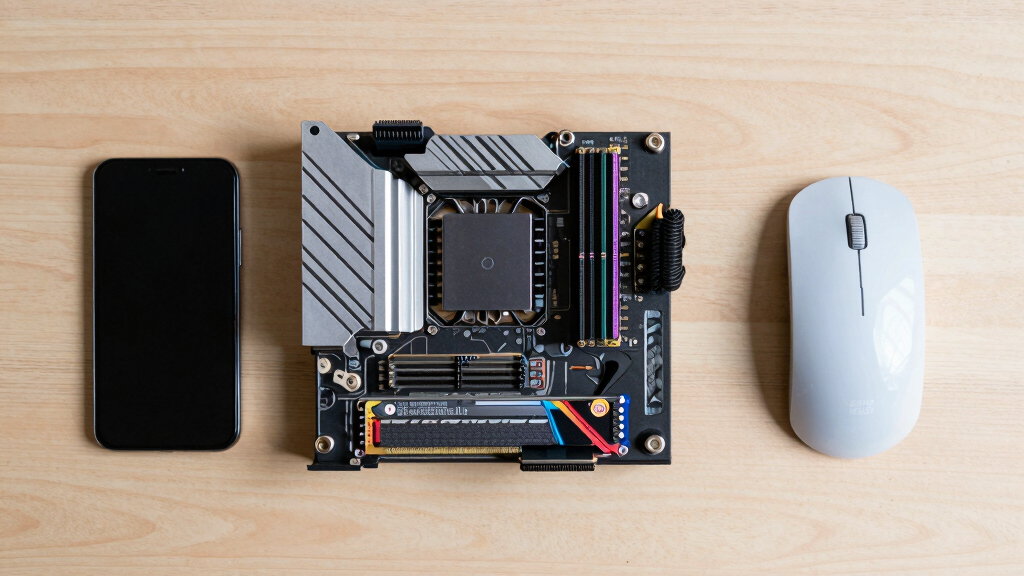
The AMD Ryzen 7 9700X is my best overall desktop processor because its eight-core design balances gaming, demanding applications, power use, and AM5 upgrade flexibility. The Ryzen 7 9800X3D is the premium gaming pick, while the Ryzen 5 9600X offers a more accessible route into a current AM5 system. Buyers must weigh gaming-focused cache against broader application speed, six cores against eight, and a low processor price against the full cost of a motherboard, memory, and cooler. Existing AM4 owners also face a different choice from anyone assembling a new PC. Continue reading for my full breakdown of the six desktop processors and their distinct buyer roles.
Key Takeaways
- The Ryzen 7 9700X offers the best balance across gaming, productivity, efficiency, and platform longevity, which places it ahead of the more specialized X3D processors for mixed use.
- The Ryzen 7 9800X3D is the strongest gaming choice in this group, but its premium is harder to justify for buyers whose work extends beyond games.
- The Ryzen 5 9600X is the better modern value for an AM5 build, provided six cores are enough for the buyer’s heavier applications and multitasking habits.
- The Ryzen 7 7800X3D remains a focused gaming alternative, but it only beats the newer 9800X3D as a purchase when the price gap is large enough.
- AM4 serves two very different buyers here: the Ryzen 5 5500 suits a low-cost first PC, while the Ryzen 7 5800XT makes more sense as an upgrade for someone who already owns a compatible board and DDR4 memory.


| desktop processor | Cores | Threads | Socket | Max Boost Clock |
|---|---|---|---|---|
| AMD Ryzen 7 9700X 8-Core | 8 | 16 | AM5 | 5.5 GHz |
| AMD Ryzen 5 9600X 6-Core | 6 | 12 | AM5 | 5.4 GHz |
| AMD Ryzen 5 5500 6-Core Deskto | 6 | 12 | AM4 | 4.2 GHz |
| AMD Ryzen 7 9800X3D 8-Core | 8 | 16 | AM5 | — |
| AMD Ryzen 7 5800XT 8-Core | 8 | 16 | AM4 | 4.8 GHz |
| AMD Ryzen 7 7800X3D 8-Core | 8 | 16 | — | — |
More Details on Our Top Picks
AMD Ryzen 7 9700X 8-Core, 16-Thread Unlocked Desktop Processor
I rank the AMD Ryzen 7 9700X as the most balanced desktop processor here because its 8-core, 16-thread design suits high-refresh gaming, streaming, and heavier productivity without focusing solely on game performance. Its 5.5 GHz boost clock is higher than the Ryzen 7 9800X3D’s, while the newer AM5 platform provides DDR5 and PCIe 5.0 support that the Ryzen 7 5800XT cannot match. The 9800X3D remains the stronger specialist for cache-sensitive games, but the 9700X makes more sense to me for a mixed-use desktop. Buyers must add a cooler, and moving from AM4 requires an AM5 motherboard plus DDR5 memory. That higher platform commitment makes the Ryzen 5 9600X more economical for gaming-focused builds that do not need eight cores.
Pros:- Eight cores and 16 threads provide a strong balance for gaming and productivity
- 5.5 GHz maximum boost clock supports responsive lightly threaded performance
- AM5 platform supports DDR5-5600 memory and PCIe 5.0
- Unlocked multiplier allows performance tuning
Cons:- No cooler is included, increasing the total build cost
- Requires an AM5 motherboard and DDR5 memory
- Lacks the 96 MB L3 cache advantage of the Ryzen 7 9800X3D
Best for: PC builders who divide their time between high-refresh gaming, streaming, content creation, and other multithreaded desktop work
Not ideal for: Budget builders reusing DDR4 memory or buyers focused almost entirely on maximizing gaming frame rates
- Cores:8
- Threads:16
- Max Boost Clock:5.5 GHz
- Cache:40 MB
- Memory Support:DDR5-5600
- Socket:AM5
- Overclocking:Unlocked
- Cooler Included:No
Our verdict“I recommend the Ryzen 7 9700X for buyers who want one modern AM5 processor to handle both fast gaming and demanding everyday workloads.”
AMD Ryzen 5 9600X 6-Core, 12-Thread Unlocked Desktop Processor
The AMD Ryzen 5 9600X earns my six-core AM5 slot by pairing a 5.4 GHz boost clock with modern DDR5 and PCIe 5.0 support. For a gaming-first desktop, its 6 cores and 12 threads offer a leaner route onto AM5 than the Ryzen 7 9700X while retaining nearly the same peak clock speed. The tradeoff appears in sustained rendering, compilation, streaming, and other heavily threaded work, where the 9700X’s extra two cores provide more breathing room. It also lacks the large game-focused cache of the Ryzen 7 9800X3D. No bundled cooler means the final build needs another component, and older platforms cannot reuse DDR4 memory. I place it above the Ryzen 5 5500 for buyers starting fresh because its newer platform has a stronger upgrade path.
Pros:- 5.4 GHz maximum boost clock suits high-frame-rate gaming
- Six cores and 12 threads cover mainstream gaming and everyday multitasking
- Supports DDR5-5600 memory and PCIe 5.0 on compatible motherboards
- Unlocked design permits overclocking
Cons:- Six cores provide less headroom for heavily threaded work than the Ryzen 7 models
- No processor cooler is included
- AM5 and DDR5 requirements raise the cost of replacing an older platform
Best for: Gaming-focused builders assembling a new AM5 desktop who want modern connectivity without paying for eight cores
Not ideal for: Frequent video renderers, heavy streamers, or AM4 owners seeking a simple processor-only upgrade
- Cores:6
- Threads:12
- Max Boost Clock:5.4 GHz
- Cache:38 MB
- Memory Support:DDR5-5600
- Socket:AM5
- PCIe Support:PCIe 5.0 on select motherboards
- Overclocking:Unlocked
Our verdict“I would choose the Ryzen 5 9600X for a new gaming-led AM5 build where eight-core productivity performance is unnecessary.”
AMD Ryzen 5 5500 6-Core Desktop Processor with Wraith Stealth Cooler
I give the AMD Ryzen 5 5500 the budget AM4 role because it combines 6 cores, 12 threads, and an included cooler in one straightforward package. Unlike the Ryzen 5 9600X, it works with DDR4 memory and the older AM4 socket, which helps buyers build around existing or lower-cost components. Its 4.2 GHz boost clock and 19 MB cache are far less ambitious, so it is not the processor I would pick for chasing very high frame rates or shortening demanding creative workloads. The Ryzen 7 5800XT also offers two more cores and a higher boost clock for a stronger AM4 upgrade. Another firm limitation is the lack of integrated graphics: a discrete graphics card is mandatory for display output. Its Wraith Stealth cooler reduces setup costs, though serious overclocking may call for stronger cooling.
Pros:- Six cores and 12 threads handle mainstream gaming and multitasking
- Included Wraith Stealth cooler lowers the number of required purchases
- AM4 and DDR4 support suit lower-cost builds and existing systems
- Unlocked multiplier provides a path to manual tuning
Cons:- No integrated graphics, so the system requires a discrete graphics card
- Lower boost clock and smaller cache than every newer processor in the lineup
- AM4 and DDR4 offer less future expansion than the Ryzen 5 9600X’s platform
Best for: Cost-conscious builders with an AM4 motherboard, DDR4 memory, and a discrete graphics card who need capable six-core performance
Not ideal for: PC builders who need integrated graphics or want a modern AM5 platform with DDR5 memory
- Cores:6
- Threads:12
- Base Clock:3.6 GHz
- Max Boost Clock:4.2 GHz
- Cache:19 MB
- Socket:AM4
- Memory Support:DDR4-3200
- Included Cooler:Wraith Stealth
Our verdict“I recommend the Ryzen 5 5500 for an inexpensive AM4 desktop built around a dedicated graphics card and modest performance targets.”
AMD Ryzen 7 9800X3D 8-Core, 16-Thread Desktop Processor
The AMD Ryzen 7 9800X3D takes my top gaming position because its 96 MB L3 cache is designed to keep more game data close to the cores, reducing the processor delays that can hold back powerful graphics cards. It has the same 8-core, 16-thread layout as the Ryzen 7 9700X, but its cache gives it a clearer gaming specialty; the 9700X counters with a higher 5.5 GHz boost clock and a more balanced mixed-workload profile. Compared with the Ryzen 7 7800X3D, this model brings the newer Zen 5 architecture while retaining the X3D focus. That specialization comes with costs beyond the processor: buyers need an AM5 motherboard, compatible memory, and a separate cooler. I rank it first only for performance-driven gaming desktops, not for budget builds or routine office systems.
Pros:- Large 96 MB L3 cache is well suited to cache-sensitive games
- Eight cores and 16 threads provide ample capacity for gaming and background tasks
- Zen 5 architecture places it on AMD’s current AM5 platform
- 5.2 GHz maximum clock supports strong per-core performance
Cons:- No cooler is included
- Requires an AM5 motherboard and compatible DDR5 memory
- Gaming specialization may offer limited value in ordinary productivity or office workloads
Best for: Enthusiast gamers pairing a powerful graphics card with a high-refresh monitor and seeking maximum CPU-side gaming performance
Not ideal for: Budget builders, office-PC buyers, or mixed-workload users who would benefit more from a less specialized processor
- Cores:8
- Threads:16
- Architecture:Zen 5
- L3 Cache:96 MB
- Max Clock Speed:5.2 GHz
- Socket:AM5
Our verdict“I would buy the Ryzen 7 9800X3D for a premium gaming desktop where frame-rate performance matters more than minimizing platform cost.”
AMD Ryzen 7 5800XT 8-Core, 16-Thread Unlocked Desktop Processor
I reserve the AMD Ryzen 7 5800XT for buyers extending an existing AM4 system. Its 8 cores and 16 threads provide more multitasking and creation headroom than the six-core Ryzen 5 5500, while the 4.8 GHz boost clock raises its performance ceiling. The included Wraith Prism also makes it easier to replace an older processor without immediately buying a cooler. Against the Ryzen 7 9700X, however, the 5800XT gives up DDR5 support, PCIe 5.0 access, and the longer-lived AM5 platform. That makes little sense for a completely new premium build, even though its Zen 3 design remains capable. It also has no integrated graphics, so troubleshooting and everyday use both depend on a discrete GPU. I rank it as the strongest drop-in-style option here, provided the motherboard supports it.
Pros:- Eight cores and 16 threads improve multitasking and threaded workload capacity
- 4.8 GHz maximum boost clock provides strong performance within the AM4 lineup
- Wraith Prism RGB cooler is included
- Unlocked multiplier supports overclocking
Cons:- AM4 and DDR4 limit future platform upgrades compared with the Ryzen 7 9700X
- No integrated graphics, requiring a discrete graphics card
- Existing motherboards must have compatible firmware and processor support
Best for: AM4 desktop owners with DDR4 memory and a discrete GPU who want an eight-core upgrade without replacing the whole platform
Not ideal for: First-time premium builders who would gain a newer platform and future CPU options by choosing AM5
- Cores:8
- Threads:16
- Architecture:Zen 3
- Max Boost Clock:4.8 GHz
- Cache:36 MB
- Socket:AM4
- Memory Support:DDR4-3200
- Included Cooler:Wraith Prism with RGB LED
- Overclocking:Unlocked
Our verdict“I recommend the Ryzen 7 5800XT as a substantial AM4 upgrade, but I would start a new high-end desktop on AM5 instead.”
AMD Ryzen 7 7800X3D 8-Core, 16-Thread Desktop Processor
I rank the AMD Ryzen 7 7800X3D as the gaming-value pick because its 96 MB L3 cache is designed to keep game data close to the cores, helping sustain smooth performance without paying for the newer Ryzen 7 9800X3D. Its eight cores and 16 threads also leave enough capacity for streaming, voice chat, and background applications. Compared with the Ryzen 7 9700X, this is the more gaming-focused choice, while the 9700X better suits buyers who favor newer general-purpose architecture. The tradeoffs are clear: eight cores limit its appeal for heavily threaded workstation workloads, the integrated Radeon graphics are suited mainly to basic display duties, and its 89°C temperature ceiling calls for capable cooling. For a gaming-first AM5 build, though, the price-to-performance balance is compelling.
Pros:- Large 96 MB L3 cache supports gaming-focused performance
- Eight cores and 16 threads provide ample capacity for gaming and background tasks
- Efficient 5 nm process technology
- Integrated Radeon graphics can handle basic display output
Cons:- Trails the newer Ryzen 7 9800X3D for buyers seeking the strongest gaming option
- Eight-core design is less suitable for heavily threaded workstation workloads
- Integrated Radeon graphics are not a substitute for a gaming graphics card
Best for: Gaming-focused PC builders who want strong frame-rate performance while spending less than the cost of a Ryzen 7 9800X3D
Not ideal for: Rendering and production professionals who need more than eight cores, or builders planning to rely on integrated graphics for demanding visual workloads
- Processor Type:Desktop Processor
- Cores:8
- Threads:16
- Base Clock:4.20 GHz
- L2 Cache:8 MB
- L3 Cache:96 MB
- Process Technology:5 nm
- Graphics:AMD Radeon Graphics
- Maximum Operating Temperature:89°C
Our verdict“Choose the Ryzen 7 7800X3D for a gaming-first desktop that prioritizes cache-driven performance and value over newer architecture or workstation-scale core counts.”
How We Picked
I ranked these desktop processors by real buyer outcomes rather than core count alone. My main criteria were gaming speed, mixed-workload capability, power and cooling demands, platform cost, included hardware, and the usable upgrade path after purchase. I also compared each processor with the other five, since an inexpensive chip can lose its appeal when it requires extra parts, while a fast gaming model can be poor value for productivity. Role clarity shaped the final order: a specialized gaming leader did not automatically outrank a processor that works well across a broader range of desktop tasks.
The Ryzen 7 9700X ranks first for its balance, followed by the Ryzen 7 9800X3D for premium gaming and the Ryzen 5 9600X for AM5 value. The Ryzen 7 7800X3D follows as a price-dependent gaming alternative, while the Ryzen 5 5500 earns its place through a low entry cost and bundled cooler. I placed the Ryzen 7 5800XT in the most targeted role because its appeal relies heavily on already owning an AM4 system. This order reflects how broadly each purchase makes sense, not a simple fastest-to-slowest chart.
| desktop processor | Memory Support | Socket |
|---|---|---|
| AMD Ryzen 7 9700X 8-Core | DDR5-5600 | AM5 |
| AMD Ryzen 5 9600X 6-Core | DDR5-5600 | AM5 |
| AMD Ryzen 5 5500 6-Core Deskto | DDR4-3200 | AM4 |
| AMD Ryzen 7 9800X3D 8-Core | — | AM5 |
| AMD Ryzen 7 5800XT 8-Core | DDR4-3200 | AM4 |
| AMD Ryzen 7 7800X3D 8-Core | — | — |
Factors to Consider When Choosing Desktop Processors
Choosing among desktop processors starts with the system around the chip, not just benchmark rankings. I would set a complete platform budget, identify whether gaming or application work matters more, and check which parts can be reused. The right answer can change once motherboard, memory, cooling, and graphics costs enter the calculation. These five factors expose the tradeoffs that product specifications often hide.
Compare Total AM4 and AM5 Platform Costs
A processor’s shelf price represents only part of a desktop build. AM4 uses DDR4 memory and has many affordable motherboards, making it attractive when the lowest complete-system cost matters or compatible parts are already available. AM5 requires a matching board and DDR5 memory, but it offers a better path for later processor upgrades. Starting a new AM4 system can save money now while creating a larger replacement job when its performance is no longer enough. An existing AM4 owner faces the opposite calculation because keeping the board and memory may turn a drop-in processor into the cheapest meaningful upgrade. I would compare the price of the full parts list and assign real value to future component reuse before choosing either socket.
Match Cache Design to Gaming Priorities
Processors with 3D V-Cache can raise frame rates in CPU-limited games by keeping more game data close to the cores. That advantage is most visible with a powerful graphics card, lower resolutions, or high-refresh competitive play; it can shrink when the graphics card is already the bottleneck. Buyers targeting 60 fps at high visual settings may gain more from spending the price difference on the GPU. A cache-focused processor also does not automatically lead in rendering, encoding, or general workstation tasks. I would pay extra for 3D V-Cache when gaming is the main workload and high frame-rate consistency has clear value. For a machine split between play and creation, balanced per-core and multicore speed often produces a better return.
Choose Core Count Around Sustained Workloads
Six modern cores can handle mainstream gaming, everyday applications, and moderate multitasking without making the system feel restricted. Eight cores create more breathing room for software development, video work, CPU rendering, virtual machines, or gaming while background tools are active. The mistake is buying extra cores for light tasks that rarely keep the processor busy. The opposite mistake is judging only by average game frame rates and overlooking workloads that can occupy every thread for minutes or hours. I would choose six cores for value-focused general use and move to eight cores for sustained parallel work or a longer ownership cycle. Core architecture and clock behavior still matter, so an older eight-core processor is not automatically faster than a newer six-core model in every application.
Budget for Cooling, Power, and Board Quality
A bundled cooler lowers the initial build cost, but it may run louder or leave less thermal headroom than a good aftermarket design. Processors sold without a cooler need that expense added before comparing value. Higher power draw can also call for stronger case airflow and a motherboard with a capable voltage-delivery design. Paying for an oversized liquid cooler brings little benefit to a moderate-power processor unless low noise or a particular appearance is the goal. I would pair the cooler with the processor’s sustained heat output, not just the maximum temperature printed in monitoring software. A sensible match produces steadier boost behavior and less fan noise without diverting too much money from the graphics card or storage.
Check Graphics, PCIe, and Compatibility Details
A processor described as a desktop CPU may still lack integrated graphics, leaving the computer unable to display an image without a separate graphics card. Even a basic integrated graphics engine is useful for troubleshooting a failed GPU or completing a build before the graphics card arrives. PCIe support also affects expansion flexibility, although most gaming systems will not feel a dramatic difference between adjacent PCIe generations with the same graphics card. Storage-heavy workstations and fast add-in cards can place more weight on lane generation and motherboard layout. Before buying, I would verify socket support, BIOS version, cooler mounting, and display capability against the exact motherboard model. These checks prevent a low-priced processor from becoming an unexpectedly complicated purchase.
Frequently Asked Questions
Should I Buy the Ryzen 7 9700X or Ryzen 7 9800X3D?
I would choose the Ryzen 7 9700X for a mixed-use desktop that handles gaming alongside productivity, content work, and everyday applications. The Ryzen 7 9800X3D makes more sense when maximum gaming performance is the defining goal, especially with a fast graphics card and high-refresh monitor. Its extra gaming cache may produce little visible benefit when the GPU limits frame rates or the display is capped at 60 Hz. The 9700X also leaves more room in the budget for parts that can have a larger effect on the complete system. Buyers who know gaming comes first should take the 9800X3D; everyone else gets a more balanced purchase from the 9700X.
Is an AM4 Processor Still Worth Buying for a New PC in 2026?
AM4 can still make sense for a tightly limited budget, especially when inexpensive DDR4 memory and a compatible motherboard reduce the full build price. Its weakness is the restricted upgrade route, since moving beyond the platform later will require a new motherboard and memory. I would avoid spending heavily on a brand-new AM4 system when a modest increase can fund an AM5 foundation. The equation changes for anyone who already owns AM4 parts because reuse can save far more than the processor price alone. For a fresh build, AM4 is the short-term savings choice; for an existing build, it can be a highly practical upgrade.
Is the Ryzen 5 9600X Enough for Gaming and Streaming?
The Ryzen 5 9600X is enough for most gaming systems, and its six cores can support streaming when the graphics card handles video encoding. CPU-based encoding, heavy background applications, or frequent editing work can expose the benefit of an eight-core model. Game performance also depends on the GPU, resolution, and target frame rate, so paying for more CPU may not change what appears on screen. I would keep the 9600X in a value-focused build and direct extra money toward the graphics card before upgrading the processor. An eight-core option is the safer choice for regular CPU-heavy streaming and creation.
Do These Desktop Processors Need a Separate Graphics Card?
The Ryzen 5 5500 requires a separate graphics card because it has no integrated graphics. The AM5 processors in this lineup may provide basic display capability, but that should not be confused with the graphics power needed for demanding modern games. A discrete GPU remains the right pairing for gaming, 3D work, and accelerated creative applications. Basic integrated display output still has value for setup and fault finding, which can save time when diagnosing hardware. I would verify the exact model specification and motherboard video connections if running without a discrete GPU is part of the plan.
Can I Reuse My AM4 Motherboard or Cooler With an AM5 Processor?
An AM4 motherboard cannot accept an AM5 processor because the sockets, electrical design, and memory platform differ. Moving to AM5 also means using DDR5 memory, so the change extends beyond the CPU and board. Many coolers can carry over when their mounting design supports both sockets, but compatibility depends on the exact cooler and its hardware kit. I would check the cooler maker’s support list before ordering and request an updated bracket if one is offered. Treat an AM4-to-AM5 move as a platform replacement, with cooler reuse viewed as a possible saving rather than an assumption.
Conclusion
For most buyers, I recommend the AMD Ryzen 7 9700X as the best overall desktop processor because it combines eight-core versatility, strong gaming capability, and an AM5 upgrade path. The Ryzen 5 9600X is my best value pick for a new AM5 build, while the Ryzen 5 5500 is the friendlier beginner option when the lowest entry price and an included cooler matter most. Gaming-first buyers with a generous budget should choose the Ryzen 7 9800X3D as the premium pick. The Ryzen 7 7800X3D fits players who find it well below the 9800X3D’s price and still want a cache-focused AM5 processor. Existing AM4 owners seeking stronger multicore output have the clearest reason to buy the Ryzen 7 5800XT as the specialist upgrade. I would base the final choice on the complete platform cost and primary workload, since those two factors separate these processors more clearly than model numbers alone.