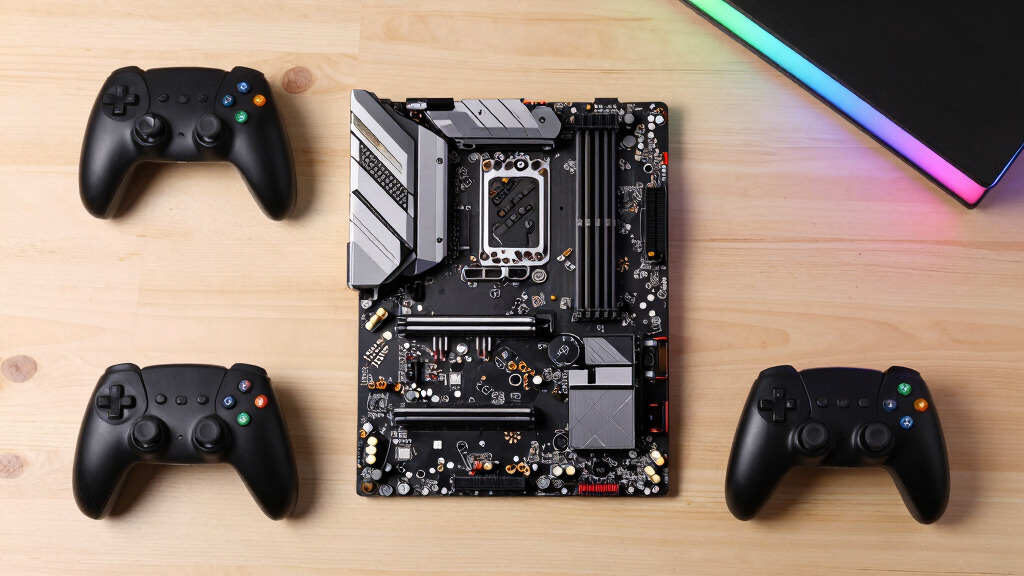

The ASUS ROG Strix B850-A Gaming WiFi is my best overall gaming motherboard because it balances modern AM5 support, useful expansion, and enthusiast styling without moving into flagship pricing. The GIGABYTE B850 AORUS Elite WIFI7 is the stronger value choice, while the ASUS ROG Strix X870E-E Gaming WiFi suits buyers willing to pay for broader connectivity and expansion headroom. The main choice is whether to spend on premium lanes and ports or direct more of the budget toward the graphics card and processor. Socket compatibility, storage layout, networking, and upgrade plans matter more than decorative covers or an oversized specification sheet. Continue reading for my full breakdown of the eight gaming motherboards and the buyers each one serves best.

Get business pricing on tech for your team
- Business-only prices and quantity discounts
- Tax-exempt purchasing
- Multiple users, one account, clear invoices
Key Takeaways
- The ASUS ROG Strix B850-A takes the top spot because its mainstream AM5 platform gives more gaming builders what they need than the costlier X870E boards.
- The GIGABYTE B850 AORUS Elite WIFI7 offers the best value, trading some of the ASUS polish and premium expansion for a more budget-friendly route into a modern AM5 build.
- The ASUS ROG Strix X870E-E is my premium pick, while the MSI MPG X870E Carbon WiFi is better reserved for buyers who can use its 5Gbps LAN, USB 40Gbps, and extensive expansion.
- The ASUS TUF Gaming B850-PLUS WiFi is the beginner-friendly choice; it has a more practical focus than the ROG models without dropping buyers onto the older AM4 platform.
- The B550-F and Z790-Plus are platform-specific picks: the former makes sense for an existing AM4 and DDR4 setup, while the latter is the only Intel LGA 1700 option in this lineup.
| ASUS ROG Strix B850-A Gaming WiFi AMD AM5 Motherboard |  | Best Balanced B850 Pick | Socket: AMD AM5 | Memory: DDR5 | Power stages: 14+2+2 | VIEW LATEST PRICE | See Our Full Breakdown |
| ASUS ROG Strix X870E-E Gaming WiFi AMD AM5 X870 ATX Motherboard |  | Best Premium Pick | Socket: AMD AM5 | Supported processors: AMD Ryzen 7000, 8000, and 9000 series | Power solution: 18+2+2 stages, 110A per stage | VIEW LATEST PRICE | See Our Full Breakdown |
| GIGABYTE B850 AORUS Elite WIFI7 AMD AM5 Motherboard |  | Best Long-Warranty Pick | Socket: AMD AM5 | Supported processors: AMD Ryzen 7000, 8000, and 9000 series | Memory: DDR5, 4 slots | VIEW LATEST PRICE | See Our Full Breakdown |
| ASUS ROG Strix X870-A Gaming WiFi AMD AM5 Motherboard |  | Best Overall | Socket: AMD AM5 | Supported processors: AMD Ryzen 7000, 8000, and 9000 series | Memory: DDR5 | VIEW LATEST PRICE | See Our Full Breakdown |
| ASUS TUF Gaming B850-PLUS WiFi AMD AM5 Motherboard |  | Best Essentials-First Pick | Socket: AMD AM5 | Form factor: ATX | Power stages: 14+2+1 80A DrMOS | VIEW LATEST PRICE | See Our Full Breakdown |
| ASUS ROG Strix B550-F Gaming WiFi II AMD AM4 Motherboard |  | Best AM4 Upgrade | Socket: AMD AM4 | Supported Processors: AMD Ryzen 3000 and 5000 series, plus 4000 G-Series | Power Design: 12+2 teamed power stages | VIEW LATEST PRICE | See Our Full Breakdown |
| MSI MPG X870E Carbon WiFi Gaming Motherboard |  | Best Premium AMD | Socket: AMD AM5 | Processor Compatibility: AMD Ryzen 9000, 8000, and 7000 series | Form Factor: ATX | VIEW LATEST PRICE | See Our Full Breakdown |
| ASUS TUF Gaming Z790-Plus WiFi LGA 1700 Motherboard |  | Best Intel Pick | Socket: Intel LGA 1700 | Supported CPUs: 12th, 13th, and 14th Gen Intel Core | Memory: DDR5, 4 DIMM slots | VIEW LATEST PRICE | See Our Full Breakdown |
| gaming motherboard | Socket | M.2 slots | Memory | Wired networking |
|---|---|---|---|---|
| ASUS ROG Strix B850-A Gaming W | AMD AM5 | 4 | DDR5 | 2.5G LAN |
| ASUS ROG Strix X870E-E Gaming | AMD AM5 | 3 PCIe 5.0 and 2 PCIe 4.0 | DDR5 with AEMP | Realtek 5Gb Ethernet |
| GIGABYTE B850 AORUS Elite WIFI | AMD AM5 | 3 | DDR5, 4 slots | — |
| ASUS ROG Strix X870-A Gaming W | AMD AM5 | 4 | DDR5 | — |
| ASUS TUF Gaming B850-PLUS WiFi | AMD AM5 | 1 PCIe 5.0 and 2 PCIe 4.0 | — | Realtek 2.5Gb Ethernet |
| ASUS ROG Strix B550-F Gaming W | AMD AM4 | 2 | — | 2.5Gb Ethernet |
| MSI MPG X870E Carbon WiFi Gami | AMD AM5 | — | DDR5 | Dual LAN with up to 5Gbps connectivity |
| ASUS TUF Gaming Z790-Plus WiFi | Intel LGA 1700 | 4 | DDR5, 4 DIMM slots | — |
More Details on Our Top Picks
ASUS ROG Strix B850-A Gaming WiFi AMD AM5 Motherboard
I rank the ASUS ROG Strix B850-A as my Best Balanced B850 Pick because its 14+2+2 power design, PCIe 5.0 support, and WiFi 7 cover the needs of a strong AM5 gaming build without moving to the X870 tier. Its four M.2 slots give it a storage advantage over the GIGABYTE B850 AORUS Elite WIFI7 and ASUS TUF Gaming B850-PLUS, which each list three. That matters for players who keep several large game libraries installed. Compared with the ASUS ROG Strix X870E-E, though, this board gives up 5Gb Ethernet, USB4, and the heavier 18+2+2 power system. ASUS’s networking tools add tuning flexibility, but they also create a steeper setup path for newcomers. I favor it for expansion, while serious overclockers should move up to X870E.
Pros:- Four M.2 slots provide more game-storage capacity than the three-slot B850 alternatives
- 14+2+2 power stages support demanding Ryzen gaming builds
- WiFi 7 and 2.5G LAN cover fast wired and wireless networking
- PCIe 5.0 provides room for newer expansion hardware
Cons:- Lacks the 5Gb Ethernet and USB4 connectivity listed for the X870E-E
- Firmware and AI networking options may overwhelm inexperienced builders
- AM5-only compatibility rules out Intel processors and older AMD CPUs
Best for: I recommend it to AM5 gamers who need four M.2 slots, current wireless networking, and strong power delivery without choosing an X870 board.
Not ideal for: I would skip it for first-time builders wanting a minimal setup process or enthusiasts who need USB4 and 5Gb Ethernet.
- Socket:AMD AM5
- Memory:DDR5
- Power stages:14+2+2
- CPU power connector:Dual 8-pin ProCool
- Wireless networking:WiFi 7
- Wired networking:2.5G LAN
- M.2 slots:4
- Expansion interface:PCIe 5.0
- Software features:AI Networking II and ASUS AI Advisor
Our verdict“I would choose this for a storage-heavy AM5 gaming PC that needs broad expansion more than flagship X870E features.”
ASUS ROG Strix X870E-E Gaming WiFi AMD AM5 X870 ATX Motherboard
I reserve the Best Premium Pick role for the ASUS ROG Strix X870E-E. Its 18+2+2 stages rated at 110A, three PCIe 5.0 M.2 slots, and two additional PCIe 4.0 M.2 slots suit a gaming system built around a high-end Ryzen CPU and several fast drives. Compared with the ASUS ROG Strix X870-A, it adds greater storage flexibility and stronger power hardware; its 5Gb Ethernet also doubles the listed wired speed of the B850 boards. Dual USB4 Type-C ports support fast external storage and modern peripherals. The drawback is excess: stock-clocked gaming builds may gain little from all that power capacity, while the broad tuning suite increases setup complexity. I rank it behind more balanced choices for mainstream buyers, but enthusiast expansion is its clear advantage.
Pros:- 18+2+2 110A power stages offer the strongest listed power system in this group
- Five M.2 slots include three PCIe 5.0 connections
- 5Gb Ethernet and WiFi 7 provide flagship-grade networking
- Dual USB4 Type-C ports support high-speed external devices
Cons:- Its extensive controls create a demanding setup process for new builders
- The flagship feature set is excessive for ordinary stock-clocked gaming
- Five-drive layouts can add cost and thermal-management demands
Best for: I recommend it to enthusiast gamers building around a high-end Ryzen 7000, 8000, or 9000 processor with several NVMe drives and fast external devices.
Not ideal for: I would skip it for budget-led or stock-clocked builds because much of its power, storage, and tuning capacity may sit unused.
- Socket:AMD AM5
- Supported processors:AMD Ryzen 7000, 8000, and 9000 series
- Power solution:18+2+2 stages, 110A per stage
- Memory:DDR5 with AEMP
- M.2 slots:3 PCIe 5.0 and 2 PCIe 4.0
- Wireless networking:WiFi 7
- Wired networking:Realtek 5Gb Ethernet
- USB:Dual USB4 Type-C plus 9 USB 10Gbps ports
- Form factor:ATX
Our verdict“I would buy the X870E-E for a no-compromise Ryzen gaming build where five M.2 slots, USB4, and serious power delivery will be used.”
GIGABYTE B850 AORUS Elite WIFI7 AMD AM5 Motherboard
The GIGABYTE B850 AORUS Elite WIFI7 earns my Best Long-Warranty Pick label because its five-year coverage adds ownership reassurance while the 14+2+2 power layout remains competitive with the ASUS ROG Strix B850-A. It supports Ryzen 7000, 8000, and 9000 processors, so a buyer can pair it with several AM5 generations. WiFi 7, 2.5GbE, DDR5, and PCIe 5.0 also keep its gaming foundation current. The tradeoff appears in storage: its three M.2 slots trail the Strix B850-A’s four and the X870E-E’s five. It also lacks the latter board’s 5Gb Ethernet and USB4-rich specification. Thermal Guard helps protect fast storage under sustained activity, but beginners may still find assembly and firmware configuration demanding. I place it with buyers who favor longer coverage over maximum expansion.
Pros:- Five-year warranty stands apart from the coverage stated for the other listed boards
- 14+2+2 power design matches the phase count of the ROG Strix B850-A
- Supports Ryzen 7000, 8000, and 9000 series processors
- WiFi 7, 2.5GbE, and PCIe 5.0 suit a current gaming platform
Cons:- Three M.2 slots limit storage expansion compared with both ROG Strix models
- 2.5GbE is slower than the X870E-E’s listed 5Gb Ethernet
- Assembly and configuration may be difficult for a first-time builder
Best for: I recommend it to Ryzen gamers who keep a motherboard for several upgrade cycles and value five-year warranty coverage more than having four or five M.2 slots.
Not ideal for: I would skip it for storage-heavy creators or gamers who need more than three M.2 drives, USB4, or 5Gb wired networking.
- Socket:AMD AM5
- Supported processors:AMD Ryzen 7000, 8000, and 9000 series
- Memory:DDR5, 4 slots
- Power design:14+2+2
- M.2 slots:3
- Expansion interface:PCIe 5.0
- Networking:WiFi 7 and 2.5GbE LAN
- Storage cooling:Thermal Guard
- Warranty:5 years
Our verdict“I would pick this B850 board for a long-lived AM5 gaming build where five-year coverage outweighs extra M.2 capacity.”
ASUS ROG Strix X870-A Gaming WiFi AMD AM5 Motherboard
I make the ASUS ROG Strix X870-A my Best Overall gaming motherboard because it pairs a strong 16+2+2, 90A power system with four M.2 slots, WiFi 7, USB4, and PCIe 5.0. That combination fits a high-end gaming build without reaching the X870E-E’s more specialized five-drive layout and 18+2+2, 110A power hardware. Compared with the ASUS ROG Strix B850-A, the X870-A adds USB4 and broader CPU-tuning controls, including Dynamic OC Switcher and Core Flex. Those features create more room for enthusiasts to refine performance, but they also make the firmware less approachable for a newcomer. It cannot match the X870E-E for maximum storage or wired networking, yet I see its balance of expansion and tuning as the strongest fit for most ambitious Ryzen gaming systems.
Pros:- 16+2+2 90A stages provide substantial power capacity for high-end Ryzen CPUs
- Four M.2 slots balance storage expansion against the X870E-E’s more specialized five-slot layout
- USB4, WiFi 7, and PCIe 5.0 support fast peripherals and current expansion hardware
- Dynamic OC Switcher, Core Flex, and AI Overclocking offer detailed performance control
Cons:- Complex tuning controls create a steeper learning curve
- Power delivery falls below the X870E-E’s 18+2+2 110A specification
- One fewer M.2 slot than the X870E-E limits maximum NVMe capacity
Best for: I recommend it to experienced AM5 builders who want high-end gaming features, USB4, four NVMe drives, and detailed CPU tuning without moving to the X870E-E.
Not ideal for: I would skip it for first-time builders who want simple firmware controls or users satisfied with the leaner connectivity of a B850 board.
- Socket:AMD AM5
- Supported processors:AMD Ryzen 7000, 8000, and 9000 series
- Memory:DDR5
- Power stages:16+2+2, 90A per stage
- CPU power connectors:Dual ProCool II
- M.2 slots:4
- Expansion interface:PCIe 5.0
- Connectivity:WiFi 7 and USB4
- Tuning features:AI Overclocking, Dynamic OC Switcher, Core Flex, and PBO Enhancement
Our verdict“I see the X870-A as the strongest all-round choice for an ambitious Ryzen gaming build that needs USB4 and extensive tuning without flagship excess.”
ASUS TUF Gaming B850-PLUS WiFi AMD AM5 Motherboard
I give the ASUS TUF Gaming B850-PLUS WiFi my Best Essentials-First Pick role. Its 14+2+1 80A DrMOS system, WiFi 7, 2.5Gb Ethernet, and PCIe 5.0 M.2 connection cover the hardware priorities of a modern Ryzen gaming PC. BIOS FlashBack also gives builders a practical recovery route when firmware work goes wrong. Compared with the ASUS ROG Strix B850-A, though, the TUF has three M.2 slots rather than four and a less substantial listed power arrangement. The GIGABYTE B850 AORUS Elite WIFI7 matches its three-drive capacity while adding a stated five-year warranty. Rear 20Gbps USB-C is useful for fast external storage, but this board lacks the USB4 specification of the X870-A. I favor it for a focused gaming build, not a heavily expanded workstation or ambitious overclocking platform.
Pros:- 14+2+1 80A DrMOS power delivery suits a capable Ryzen gaming system
- BIOS FlashBack provides a useful firmware recovery and update path
- WiFi 7 and 2.5Gb Ethernet support fast network connections
- Rear 20Gbps USB-C accommodates high-speed external storage
Cons:- Three M.2 slots trail the ROG Strix B850-A’s four-slot capacity
- Power arrangement is lighter than the Strix B850-A and both X870 models
- No listed USB4 support limits its appeal for high-bandwidth peripheral setups
Best for: I recommend it to practical AM5 gamers who need three NVMe drives, WiFi 7, fast USB-C, and BIOS recovery support without an extensive tuning suite.
Not ideal for: I would skip it for heavy overclockers, four-drive NVMe builds, or buyers who need the 40Gbps-class connectivity associated with USB4.
- Socket:AMD AM5
- Form factor:ATX
- Power stages:14+2+1 80A DrMOS
- Memory slots:4 DIMM slots
- M.2 slots:1 PCIe 5.0 and 2 PCIe 4.0
- Wireless networking:WiFi 7
- Wired networking:Realtek 2.5Gb Ethernet
- USB:Rear 20Gbps Type-C and front 10Gbps Type-C
- BIOS feature:BIOS FlashBack
Our verdict“I would choose the TUF B850-PLUS for a focused three-drive gaming PC where practical connectivity and BIOS recovery matter more than maximum expansion.”
ASUS ROG Strix B550-F Gaming WiFi II AMD AM4 Motherboard
I rank the ASUS ROG Strix B550-F Gaming WiFi II as the best AM4 upgrade because it adds modern gaming connectivity without forcing a move to a new processor and DDR5 memory. Its 12+2 power stages suit performance-focused Ryzen 5000 builds, while WiFi 6E and 2.5Gb Ethernet provide more networking headroom than a basic B550 board. Compared with the MSI MPG X870E Carbon WiFi, this model lacks PCIe 5.0, DDR5, and a long CPU upgrade path, but it lets an existing AM4 owner spend more of the budget on a graphics card. Dual M.2 slots and PCIe 4.0 cover mainstream gaming storage needs. I would skip it for a new build intended to receive future CPU upgrades, and its tuning tools may feel busy to a first-time builder.
Pros:- Strong 12+2 power-stage design suits gaming-focused Ryzen 5000 builds
- WiFi 6E and 2.5Gb Ethernet support fast wired and wireless networks
- PCIe 4.0 and dual M.2 slots provide useful graphics and storage bandwidth
- BIOS Flashback can simplify processor compatibility updates
Cons:- AM4 offers less future processor headroom than AM5
- No DDR5 or PCIe 5.0 support
- Firmware and bundled tuning options may overwhelm inexperienced builders
Best for: Ryzen 3000 or 5000 owners who want stronger networking, power delivery, and PCIe 4.0 without replacing their CPU and memory
Not ideal for: Builders starting a long-term platform from scratch, since AM4 lacks newer AM5 processors, DDR5, and PCIe 5.0
- Socket:AMD AM4
- Supported Processors:AMD Ryzen 3000 and 5000 series, plus 4000 G-Series
- Power Design:12+2 teamed power stages
- PCIe:PCIe 4.0
- M.2 Slots:2
- Wireless Networking:WiFi 6E
- Wired Networking:2.5Gb Ethernet
- Video Outputs:HDMI 2.1 and DisplayPort 1.2
Our verdict“I recommend this board to AM4 owners seeking a polished final upgrade, but not to buyers building around future Ryzen generations.”
MSI MPG X870E Carbon WiFi Gaming Motherboard
I reserve the best premium AMD role for the MSI MPG X870E Carbon WiFi. Support for Ryzen 7000, 8000, and 9000 processors makes it a far stronger foundation for a new high-end system than the AM4-based ASUS ROG Strix B550-F Gaming WiFi II. PCIe 5.0, Gen5 M.2 storage, and DDR5 remove the main bandwidth limits found on older platforms, while WiFi 7, 5Gbps LAN, and USB 40Gbps suit buyers moving large files or using fast network storage alongside gaming. The plated MOSFET heatsink, heat pipe, and M.2 shields also target sustained high-power builds. That capability comes with a premium price and greater setup complexity. I rank it below simpler value choices for mainstream gaming because many players will see little benefit from its high-end connectivity or Gen5 storage support.
Pros:- Broad AM5 support covers Ryzen 7000, 8000, and 9000 processors
- PCIe 5.0, Gen5 M.2, and DDR5 suit a modern high-performance build
- WiFi 7, 5Gbps LAN, and dual-LAN capability offer flexible networking
- Substantial MOSFET and M.2 cooling supports demanding configurations
Cons:- Premium platform cost is hard to justify for mainstream gaming
- Dense feature set creates a steeper setup process for new builders
- Gen5 storage and very fast networking may offer limited gaming gains
Best for: Enthusiasts building a Ryzen 9000 gaming PC with Gen5 storage, fast local networking, and room for high-bandwidth peripherals
Not ideal for: Budget-focused players using a single graphics card and ordinary SSD, since much of the board’s connectivity would sit unused
- Socket:AMD AM5
- Processor Compatibility:AMD Ryzen 9000, 8000, and 7000 series
- Form Factor:ATX
- Memory:DDR5
- PCIe:PCIe Gen 5
- M.2 Support:Gen5 with M.2 Shield Frozr
- Wireless Connectivity:WiFi 7 and Bluetooth 5.4
- Wired Networking:Dual LAN with up to 5Gbps connectivity
- USB:Up to 40Gbps
Our verdict“I would choose this for a no-compromise AM5 gaming build whose owner will use its fast storage, networking, and peripheral bandwidth.”
ASUS TUF Gaming Z790-Plus WiFi LGA 1700 Motherboard
The ASUS TUF Gaming Z790-Plus WiFi earns my best Intel pick role by pairing 12th-, 13th-, and 14th-generation Core support with DDR5 and a PCIe 5.0 x16 slot. Compared with the MSI MPG X870E Carbon WiFi, it trades the newer AM5 upgrade path, WiFi 7, and 5Gbps networking for access to Intel’s LGA 1700 processor range and four M.2 slots. That storage capacity is useful for a large game library without relying on slower SATA drives. The durable component design and broad cooling provisions also suit a gaming PC expected to remain assembled for years. I would not buy it solely for casual play: WiFi 6 and 2.5Gb LAN trail the MSI board, while LGA 1700 has limited forward CPU headroom. Its many headers and firmware options can also complicate a first build.
Pros:- Supports three generations of Intel Core processors
- Four M.2 slots accommodate a large all-solid-state game library
- DDR5 and a PCIe 5.0 x16 slot support modern gaming components
- Durability-focused components and cooling suit long-lived builds
Cons:- LGA 1700 provides less future CPU flexibility than AM5
- WiFi 6 and 2.5Gb LAN lag behind premium newer boards
- Feature-rich setup may be excessive for casual or first-time builders
Best for: Intel builders who want DDR5, four NVMe drives, and support for a 12th-, 13th-, or 14th-generation Core gaming CPU
Not ideal for: Buyers seeking a platform for later CPU generations, since the LGA 1700 upgrade path is limited
- Socket:Intel LGA 1700
- Supported CPUs:12th, 13th, and 14th Gen Intel Core
- Memory:DDR5, 4 DIMM slots
- Graphics Slot:PCIe 5.0 x16
- M.2 Slots:4
- SATA Ports:4
- Networking:WiFi 6 and 2.5Gb LAN
- USB Connectivity:Front USB 3.2 Gen 2 Type-C and Thunderbolt 4 (USB4) support
Our verdict“I recommend this to Intel-focused gamers who value abundant NVMe storage and DDR5 more than a long future processor upgrade path.”
How We Picked
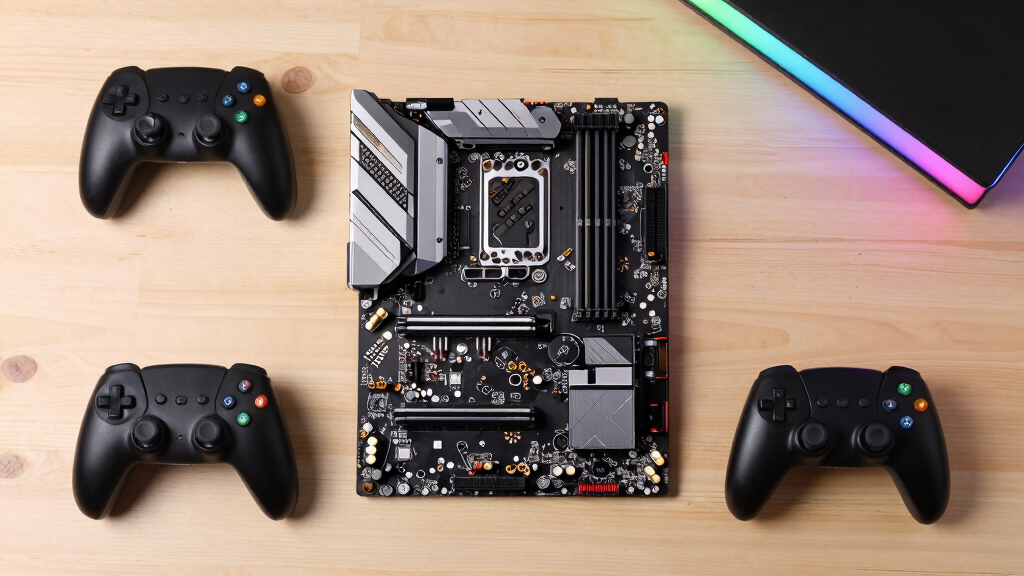
I ranked these gaming motherboards by platform longevity, CPU and memory compatibility, expansion layout, networking, firmware usability, and value within a gaming PC budget. I placed greater weight on features that affect real build choices, including usable M.2 capacity, graphics-card clearance, rear connectivity, cooling support, and upgrade flexibility. Decorative lighting and oversized heatsinks counted only when they supported better usability or sustained performance. This approach puts the broadly useful B850 boards ahead of specialized models that command higher prices for capabilities many gaming systems will not use.
The final order also reflects buyer reach rather than raw specification count. The ASUS ROG Strix B850-A leads because it presents the strongest all-around balance, followed by the better-equipped X870E-E and the value-focused GIGABYTE B850 AORUS Elite. The X870-A and TUF B850-PLUS serve narrower style and accessibility roles, while the B550-F remains relevant mainly for AM4 owners. I placed the feature-heavy MSI X870E Carbon lower because its premium networking and I/O serve a smaller audience, and the Intel-only ASUS TUF Z790-Plus finishes as a capable but less flexible platform-specific option.
| gaming motherboard | Socket | Memory | Wireless networking | Supported processors |
|---|---|---|---|---|
| ASUS ROG Strix B850-A Gaming W | AMD AM5 | DDR5 | WiFi 7 | — |
| ASUS ROG Strix X870E-E Gaming | AMD AM5 | DDR5 with AEMP | WiFi 7 | AMD Ryzen 7000, 8000, and 9000 series |
| GIGABYTE B850 AORUS Elite WIFI | AMD AM5 | DDR5, 4 slots | — | AMD Ryzen 7000, 8000, and 9000 series |
| ASUS ROG Strix X870-A Gaming W | AMD AM5 | DDR5 | — | AMD Ryzen 7000, 8000, and 9000 series |
| ASUS TUF Gaming B850-PLUS WiFi | AMD AM5 | — | WiFi 7 | — |
| ASUS ROG Strix B550-F Gaming W | AMD AM4 | — | WiFi 6E | AMD Ryzen 3000 and 5000 series, plus 4000 G-Series |
| MSI MPG X870E Carbon WiFi Gami | AMD AM5 | DDR5 | — | — |
| ASUS TUF Gaming Z790-Plus WiFi | Intel LGA 1700 | DDR5, 4 DIMM slots | — | — |
Factors to Consider When Choosing Gaming Motherboards
I would choose a gaming motherboard by working outward from the processor, graphics card, and expected storage rather than starting with the board’s appearance. A good match leaves room for upgrades without consuming money that would produce more frames elsewhere. The five areas below explain when premium chipsets pay off, where compatibility mistakes happen, and which features affect daily ownership. They also show why the most expensive board is rarely the automatic winner.
Choose the CPU Platform Before the Motherboard
The socket determines which processors fit, so I would settle on a CPU family before comparing motherboard extras. AM5 supports current Ryzen generations and offers a more attractive upgrade path for a new AMD gaming build. AM4 can still make financial sense when reusing a Ryzen processor and DDR4 memory, but buying the entire platform new limits future options. LGA 1700 serves compatible Intel processors, yet it cannot accept an AMD chip or a processor designed for a newer Intel socket. A common mistake is assuming that every board carrying the same socket supports every CPU without a firmware update. I recommend checking the manufacturer’s CPU support list and required BIOS version before ordering, especially when pairing a recently released processor with older motherboard inventory.
Match the Chipset to the Expansion You Will Use
A premium chipset mainly buys more connectivity and lane flexibility, not a direct increase in gaming frame rates. B850 is the sensible center of this lineup because it supports modern gaming hardware while leaving more money for the GPU. X870 and X870E become worthwhile when a build needs several fast drives, high-bandwidth external devices, or added expansion cards at the same time. I would inspect the manual rather than count slots in product photos, since installing one device can disable or reduce the speed of another connector. Buyers often pay for multiple high-speed slots and later discover that their single-drive gaming PC uses none of that added capacity. Pick the least expensive chipset that supports the actual device combination planned for the build.
Size Power Delivery for the Processor
Power delivery matters most with high-draw CPUs, extended boost behavior, and manual tuning. A midrange Ryzen gaming processor does not automatically need the largest voltage-regulator array or heaviest heatsinks available. I would pay more for stronger power hardware when pairing the board with a flagship CPU, running long CPU-heavy workloads, or planning sustained overclocking. For a typical gaming-focused build, good case airflow and a capable CPU cooler can matter more than moving from a solid B850 board to a flagship model. Overspending here can quietly reduce the graphics budget without improving play. I also check for accessible fan and pump headers, because their placement affects cooling setup and cable management after assembly.
Plan Storage Around Lane Sharing and Heat
Several M.2 connectors are useful only when their speed and lane-sharing rules fit the planned drive layout. I would reserve the fastest processor-connected slot for the main SSD and verify whether filling another slot changes graphics-card bandwidth or disables SATA ports. PCIe 5.0 storage can deliver high sequential speeds, but most games do not gain enough to justify a costly drive and added heat. Multiple PCIe 4.0 SSDs often provide a better balance of capacity, temperature, and price for a large game library. Tool-free latches and removable heatsinks also make later storage upgrades less irritating, especially beneath a large graphics card. Buyers planning three or four drives should study the board diagram before purchase rather than relying on the advertised M.2 slot total.
Pay for Networking and I/O That Fits the Setup
Wi-Fi 7 and multi-gigabit Ethernet are valuable only when the router, cabling, and internet or local network can use them. A 5Gbps port may help with a fast home server, but it offers no inherent gaming advantage over a stable wired connection with adequate bandwidth. I would count rear USB ports by speed and connector type, then account for the keyboard, mouse, headset, controller, capture device, and external storage. Front USB-C support also requires both a motherboard header and a compatible case connector. Premium USB 40Gbps connectivity makes sense for fast external storage or specialized peripherals, not merely because its number is larger. The better purchase is the board whose port selection matches the desk without immediately requiring hubs or add-in cards.
Check Build-Friendly Features Before Paying for Styling
A motherboard can have excellent specifications yet make assembly harder through awkward connector placement or limited access around the graphics card. I look for clear slot labels, an easy graphics-card release, diagnostic LEDs, BIOS recovery tools, and fan headers positioned near likely cable routes. These features can save time when a new system does not boot or when a component needs replacing. Integrated rear I/O shields reduce one installation step, while tool-free M.2 hardware helps with later drive changes. White covers, RGB lighting, and elaborate heatsinks may complete a themed build, but they should come after compatibility and serviceability. Beginners gain more from clear diagnostics and firmware recovery than from decorative features hidden beneath the GPU.
Frequently Asked Questions
Is B850 or X870E Better for a Gaming PC?
I would choose B850 for most gaming PCs because the chipset supports the core hardware a modern AM5 system needs without the flagship premium. X870E is better when several fast M.2 drives, expansion cards, and high-bandwidth external devices must operate together. Neither chipset produces higher frame rates simply through its name. The ASUS ROG Strix B850-A is the better-balanced choice here, while the X870E-E serves a smaller group with demanding expansion plans.
Does an AM4 Motherboard Still Make Sense in 2026?
An AM4 board still makes sense when I can reuse a compatible Ryzen processor, DDR4 memory, or both. That reuse can make the ASUS ROG Strix B550-F Gaming WiFi II cheaper than replacing the CPU, memory, and motherboard together. I would hesitate to build a costly new AM4 system from scratch because its processor upgrade path is much narrower than AM5. The savings should be large enough to fund a better graphics card or avoid replacing working parts. For a fully new performance build, AM5 is the more flexible starting point.
Will Any Gaming Motherboard Work With an AMD or Intel Processor?
No, the processor must match both the socket and supported CPU list. The AM5 boards in this roundup support compatible Ryzen processors, the B550-F uses AM4, and the TUF Z790-Plus uses Intel’s LGA 1700 socket. Physical fit alone may not be enough because a newer CPU can require a later BIOS version. I recommend confirming the exact processor model and firmware requirement on the board maker’s support page before buying.
Are Wi-Fi 7 and 5Gbps Ethernet Worth Paying More For?
I would pay extra for Wi-Fi 7 only when the network hardware and room layout can benefit from it. Likewise, 5Gbps Ethernet is most useful for large transfers to fast local storage rather than ordinary online gaming. The MSI MPG X870E Carbon WiFi is appealing for a workstation-and-gaming setup that can use both, but it is excessive for many single-purpose gaming PCs. A stable wired connection or well-positioned mainstream wireless setup often delivers the same gaming experience for less.
Do I Need PCIe 5.0 for a Gaming Graphics Card or SSD?
I would not choose a motherboard solely for PCIe 5.0 branding. Current gaming performance often depends far more on the GPU and CPU than on moving a capable graphics card from a suitable PCIe 4.0 connection to PCIe 5.0. Gen5 SSDs can reach higher transfer speeds, but game loading improvements may be modest compared with a good Gen4 drive. PCIe 5.0 is most persuasive as upgrade headroom when the price difference is reasonable and the slot does not compromise other devices.
Conclusion
For most buyers, I recommend the ASUS ROG Strix B850-A Gaming WiFi as the best overall because it offers the strongest balance of AM5 longevity, gaming-focused features, and price discipline. The GIGABYTE B850 AORUS Elite WIFI7 is my best-value alternative, while the ASUS ROG Strix X870E-E is the premium pick for buyers who will use its added expansion rather than merely admire the specification sheet. I would direct beginners toward the ASUS TUF Gaming B850-PLUS WiFi, and white high-end builds toward the X870-A when its extra connectivity justifies the step above the B850-A. Existing AM4 owners should choose the B550-F Gaming WiFi II, demanding network and storage users should examine the MSI MPG X870E Carbon, and Intel LGA 1700 builders should select the TUF Z790-Plus. Those specialized boards trail the leaders because their appeal depends on a specific platform or workload, not because they lack gaming capability.
Columbus Day / Indigenous Peoples' Day Picks
long weekend sales
As an affiliate, we earn on qualifying purchases.