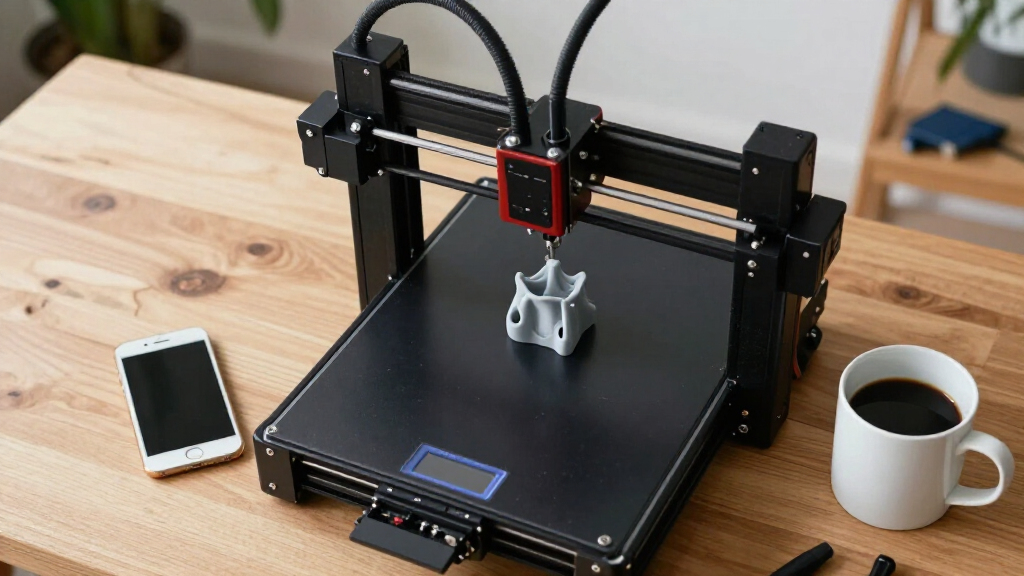

Searching for the best 3D printers in 2026? The market now offers a wide array of options, from user-friendly models for beginners to advanced machines for professionals. The Bambu Lab P1S stands out as the best overall choice, combining ease of use with reliable performance. For high-speed printing, the FlashForge AD5X offers impressive multi-color capabilities, perfect for complex projects. However, buyers face tradeoffs between price, build volume, and feature sets—more advanced models tend to be costlier and more complex, while simpler options may lack versatility. Keep reading for a detailed breakdown of these options and help narrowing down your ideal 3D printer.

Get business pricing on tech for your team
- Business-only prices and quantity discounts
- Tax-exempt purchasing
- Multiple users, one account, clear invoices
Complete the kit


Key Takeaways
- The top-ranked 3D printers balance ease of use with versatile features, making them suitable for both beginners and pros.
- Multi-material and multi-color capabilities are now more accessible, but usually come at a higher cost and complexity.
- Build volume varies significantly; consider your project size before choosing a model.
- Auto-leveling and high-speed printing features greatly streamline the printing process, but often increase the price.
- The best overall models tend to offer a balance of performance, usability, and value, rather than excelling in just one area.
| Bambu Lab P1S 3D Printer, Ready-to-Use FDM 3D Printer |  | Best Overall for Versatile Multi-Color and Speed | Color Capabilities: Up to 16 colors | Speed: 500mm/s | Acceleration: 20000 mm/s² | VIEW LATEST PRICE | See Our Full Breakdown |
| FlashForge AD5X Multi-Color 3D Printer, CoreXY, 600mm/s High-Speed, Auto Leveling, 300°C Extruder, 220x220x220mm Build Volume |  | Best for Rapid Prototyping and Batch Production | Build Volume: 220x220x220mm | Max Printing Speed: 600mm/s | Extruder Temperature: 300°C | VIEW LATEST PRICE | See Our Full Breakdown |
| Bambu Lab A1 Combo + LED Lamp Kit, Multi-Color 3D Printing with AMS Lite |  | Best for Creative Lighting and Precise Multi-Color Projects | Product Dimensions: 23.01 x 21.06 x 16.77 inches | Item Weight: 28.5 pounds | Auto Calibration: Yes | VIEW LATEST PRICE | See Our Full Breakdown |
| Creality HALOT-X1 Neo Resin 3D Printer with 9K LCD and AI 2D-to-3D Model Generation |  | Best for Ultra-High-Resolution Miniatures and Detail | Display: 6.8-inch 9K LCD | Resolution: 8520 × 4320 | XY Pixel Size: 18μm | VIEW LATEST PRICE | See Our Full Breakdown |
| FLASHFORGE Creator 5 Pro 3D Printer with 4 Toolheads, Multi-Material & Color Printing |  | Best for Multi-Color and Multi-Material Industrial-Grade Printing | Product Dimensions: 16 x 14 x 18 inches | Item Weight: 39 pounds | Active Heated Chamber: 65°C | VIEW LATEST PRICE | See Our Full Breakdown |
| FLASHFORGE Adventurer 5M 3D Printer with Auto Leveling and High-Speed Printing |  | Best Overall for Versatile and Fast 3D Printing | Print Size: 220x220x220mm | Max Speed: 600mm/s | Extruder Temperature: 280°C | VIEW LATEST PRICE | See Our Full Breakdown |
| Bambu Lab A1 3D Printer, Ready-to-Use FDM 3D Printer for Beginners and Kids |  | Best for Beginners and Family-Friendly 3D Printing | Product Dimensions: 21.76 x 20.83 x 12.87 inches | Item Weight: 22 pounds | Auto Calibration: Yes | VIEW LATEST PRICE | See Our Full Breakdown |
| Bambu Lab P2S Combo, P2S 3D Printer & AMS 2 Pro, Multi-Color 3D Printing |  | Best for Versatile and Professional Multi-Color Printing | Print Speed: 600 mm/s | Setup Time: 15 minutes | Filament Drying Temp: 65 °C | VIEW LATEST PRICE | See Our Full Breakdown |
| Creality SPARKX i7 Nano Combo 3D Printer, Multi-Color, Auto-Leveling, Auto Filament Refill |  | Best Compact Multi-Color 3D Printer with Auto Features | Build Size: 260×260×255mm | Color Support: Multi-color with automatic switching | Auto Leveling: Yes | VIEW LATEST PRICE | See Our Full Breakdown |
More Details on Our Top Picks
Bambu Lab P1S 3D Printer, Ready-to-Use FDM 3D Printer
The Bambu Lab P1S stands out for its vibrant multi-color and multi-material capabilities combined with high-speed performance, making it ideal for users who need quick turnaround times without sacrificing color complexity. Compared to the FlashForge AD5X, the P1S offers faster speeds but requires an external AMS for multi-color printing, which adds setup complexity. Its fully enclosed design enhances print quality and safety, perfect for versatile environments. However, the P1S isn’t suitable for reinforced filaments like carbon fiber, limiting its material scope. The 15-minute setup and automatic bed leveling make it accessible for beginners and experienced users alike, but reliance on external accessories can add to cost and complexity. Overall, this model makes the most sense for those seeking fast, colorful, and multi-material prints with minimal fuss.
Pros:- Vibrant multi-color/multi-material printing capabilities
- High-speed printing at 500mm/s for efficiency
- Automatic bed leveling simplifies operation
- Quick setup within 15 minutes
Cons:- Requires external Bambu Lab AMS for multi-color printing, adding extra cost
- Not compatible with carbon or glass fiber reinforced filaments
Best for: Creative professionals and hobbyists wanting fast, multi-color, multi-material printing with easy setup
Not ideal for: Users needing to print with reinforced composite filaments or requiring large build volumes
- Color Capabilities:Up to 16 colors
- Speed:500mm/s
- Acceleration:20000 mm/s²
- Enclosure:Fully enclosed
- Auto Bed Leveling:Yes
- Setup Time:15 minutes
Our verdict“This printer suits users who prioritize speed and color variety in a compact, ready-to-use package, accepting some material limitations.”
FlashForge AD5X Multi-Color 3D Printer, CoreXY, 600mm/s High-Speed, Auto Leveling, 300°C Extruder, 220x220x220mm Build Volume
The FlashForge AD5X excels in high-speed, multi-color printing with speeds reaching 600mm/s, making it a top choice for rapid prototyping and small batch manufacturing. Its CoreXY architecture provides stability and precision, rivaling the Bambu Lab P1S but with a focus on speed for production environments. The 300°C extruder and versatile nozzle sizes allow printing with a wide range of materials and detailed finishes. Setup can be complex, especially for users new to multi-color configurations, and noise levels can increase with high-speed operation. The build volume is moderate, limiting larger projects. Despite these tradeoffs, its ability to handle multi-color, multi-material jobs quickly makes it ideal for users who need volume and speed over ultra-large builds or simplified operation.
Pros:- Supports multi-color printing with up to 4 colors simultaneously
- Fast printing speeds up to 600mm/s for efficient workflows
- Auto bed leveling for consistent quality
- Versatile nozzle options for detailed and larger prints
Cons:- Setup can be technically demanding, especially for multi-color workflows
- High-speed operation may generate more noise and vibrations
Best for: Small manufacturing shops and designers needing fast, multi-color prototypes
Not ideal for: Beginners or hobbyists seeking a straightforward, low-noise machine for occasional use
- Build Volume:220x220x220mm
- Max Printing Speed:600mm/s
- Extruder Temperature:300°C
- Nozzle Sizes:0.25mm to 0.8mm
- Auto Leveling:Yes
- Connectivity:Mobile app control
Our verdict“This printer is best suited for experienced users who need rapid multi-color production without fussing over size or simplicity.”
Bambu Lab A1 Combo + LED Lamp Kit, Multi-Color 3D Printing with AMS Lite
The Bambu Lab A1 Combo offers high-speed, precise multi-color printing with automatic calibration, making it a top choice for detailed, vibrant models. Its support for the AMS Lite system enables multi-color printing but requires an additional purchase, adding to setup complexity. The included LED lamp kit opens creative possibilities for illuminated models, perfect for DIY decor or gifts. While the printer is relatively heavy and large, its quiet operation and active noise canceling stand out as advantages. Compared with the Creality HALOT-X1 Neo, the A1 Combo excels in multi-color versatility and speed but is less suited for resin printing or very small spaces. It’s ideal for makers with ample room and a focus on multi-color, detailed projects.
Pros:- High-speed, precise multi-color printing with automatic calibration
- Includes LED lamp kit for illuminated models
- Quiet operation with active noise canceling
- Supports multi-color with optional AMS Lite
Cons:- Requires separate purchase of AMS Lite for multi-color printing
- Heavy and large, needing ample space
Best for: Creative hobbyists and small studios interested in multi-color, illuminated models
Not ideal for: Limited space environments or those without room for heavier equipment
- Product Dimensions:23.01 x 21.06 x 16.77 inches
- Item Weight:28.5 pounds
- Auto Calibration:Yes
- Supports Multi-Color:Yes (with AMS Lite)
- Operation Noise:Quiet
- Additional Features:LED Lamp Kit
Our verdict“This system is perfect for creative projects involving vibrant, detailed, and illuminated models, provided space and setup are available.”
Creality HALOT-X1 Neo Resin 3D Printer with 9K LCD and AI 2D-to-3D Model Generation
The Creality HALOT-X1 Neo stands out for its ultra-high-resolution 9K LCD and AI-powered model creation, making it ideal for miniature, figurine, and highly detailed prototype printing. Its 18μm XY pixel size surpasses many resin printers in fine detail, comparable to the Creality HALOT-X1 but with added AI features that streamline the design process. The pre-leveled platform makes setup straightforward, though resin materials can be messy and require careful handling. Its limited build volume suits small, intricate models but not larger projects. The AI model generation accelerates creative workflows but might involve a learning curve for newcomers to resin printing. Overall, this printer excels for users prioritizing detail and ease of use in small-scale applications.
Pros:- High-resolution 9K LCD for exceptional detail
- Pre-leveled platform simplifies setup
- AI-powered 2D-to-3D model creation speeds up design
- Flexible connectivity including WiFi and USB
Cons:- Limited build volume unsuitable for large models
- Resin printing can be messy and hazardous
- Advanced features may require a learning curve
Best for: Miniature painters, model makers, and detailed prototype professionals
Not ideal for: Users needing large build volumes or working with large, complex models regularly
- Display:6.8-inch 9K LCD
- Resolution:8520 × 4320
- XY Pixel Size:18μm
- Build Volume:153.36 × 77.76 × 160 mm
- Layer Thickness:0.01–0.2 mm
- Connectivity:WiFi, USB
Our verdict“This resin printer is perfect for users who need ultra-fine detail and smart workflow tools for small, intricate models.”
FLASHFORGE Creator 5 Pro 3D Printer with 4 Toolheads, Multi-Material & Color Printing
The FLASHFORGE Creator 5 Pro offers an industrial-grade platform with four independent toolheads, capable of multi-material and multi-color printing, making it the choice for complex, multi-component projects. Its heated chamber up to 65°C reduces warping, especially with ABS and PC, a feature that surpasses many desktop printers like the Bambu Lab P1S. The high speeds of up to 600mm/s support rapid production, but the setup process can be intricate, especially for those unfamiliar with multi-head configurations. Its robust safety features, including HEPA filtration, make it suitable for professional environments. The large footprint and weight make it less portable, but its multi-material capabilities and high-speed operation make it a strong contender for demanding industrial applications or serious prototyping.
Pros:- Supports multi-material and multi-color with four independent toolheads
- Heated chamber up to 65°C prevents warping
- High print speeds up to 600mm/s for fast output
- Includes safety filtration like HEPA and activated carbon
Cons:- Complex setup requiring technical knowledge
- Heavy and large footprint reduces portability
Best for: Industrial professionals and advanced hobbyists needing multi-material/multi-color, large, complex parts
Not ideal for: Casual users or those with limited space seeking a simple, lightweight 3D printer
- Product Dimensions:16 x 14 x 18 inches
- Item Weight:39 pounds
- Active Heated Chamber:65°C
- Print Speed:up to 600mm/s
- Number of Toolheads:4
- Filament Compatibility:ABS, PC, PA
Our verdict“This printer is best suited for experienced users and professionals needing multi-material, large-scale, and high-speed production capabilities with safety considerations.”
FLASHFORGE Adventurer 5M 3D Printer with Auto Leveling and High-Speed Printing
The FLASHFORGE Adventurer 5M stands out for combining rapid printing speeds—up to 600mm/s—with automatic bed leveling, making it a strong contender for users who need quick turnaround times. Its CoreXY all-metal structure ensures stability at high speeds, while the dedicated app monitoring adds convenience, especially compared to slower, less tech-savvy options like the Bambu Lab A1. However, its complex setup may frustrate beginners, and the noise during operation could be a downside in quiet environments. The high-temperature extruder (280°C) supports a range of filaments, but limited compatibility with some specialty materials means it’s better suited for standard PLA and ABS. Overall, this model is ideal for makers who want speed and precision without sacrificing automation but are comfortable with a more involved setup process.
Pros:- High-speed printing up to 600mm/s for rapid project turnaround
- Automatic bed leveling simplifies setup and reduces errors
- Real-time app monitoring for remote operation
- Versatile nozzle options with quick changes
Cons:- Complex setup may require technical knowledge
- Limited filament compatibility to certain filament types
- Potential noise during high-speed operation
Best for: Advanced hobbyists and small-scale professional users who value speed and automation.
Not ideal for: Beginners or users seeking a quiet, simple plug-and-play experience.
- Print Size:220x220x220mm
- Max Speed:600mm/s
- Extruder Temperature:280°C
- Nozzle:3S Detachable Nozzle
- Structure:CoreXY All Metal
- Print Technology:FDM
Our verdict“This printer is best for experienced users who need fast, precise printing with automation, willing to manage a more complex setup.”
Bambu Lab A1 3D Printer, Ready-to-Use FDM 3D Printer for Beginners and Kids
The Bambu Lab A1 makes a compelling choice for newcomers, thanks to its high-precision automatic calibration and quiet operation, which surpasses many entry-level printers like the Creality SPARKX i7 Nano in ease of use. Its touchscreen interface simplifies operation, and active flow rate compensation enhances print consistency, making it suitable for families or educational settings. On the downside, its weight (22 pounds) reduces portability, and the need for an optional AMS lite for multi-color printing adds complexity and cost. While it excels at producing detailed prints with minimal fuss, those seeking more versatile or larger build volumes might find it limiting. Overall, this makes the most sense for beginners who prioritize ease and quiet operation over large-scale or multi-material projects.
Pros:- Automatic calibration ensures quick, accurate setup
- Quiet operation reduces noise pollution
- User-friendly touchscreen interface for easy navigation
- Supports multi-color printing with optional AMS lite
Cons:- Requires additional purchase of AMS lite for multi-color printing
- Relatively heavy and less portable
- Complex features might overwhelm complete beginners
Best for: Beginners, students, and families starting with 3D printing who want reliable results with minimal setup.
Not ideal for: Advanced users or those requiring extensive multi-material or large-volume printing without additional purchases.
- Product Dimensions:21.76 x 20.83 x 12.87 inches
- Item Weight:22 pounds
- Auto Calibration:Yes
- Multi-Color Support:Supports with optional AMS lite
- Operation Noise:Quiet
- Display:Touchscreen
Our verdict“This printer is ideal for beginners seeking simple, quiet, and accurate 3D printing with room to grow into multi-color projects.”
Bambu Lab P2S Combo, P2S 3D Printer & AMS 2 Pro, Multi-Color 3D Printing
The Bambu Lab P2S Combo offers a compelling package for users needing rapid, multi-material, multi-color printing with minimal setup. Its automatic calibration and quick setup in 15 minutes make it more accessible than some complex models like the Creality SPARKX. The AMS 2 Pro enhances multi-color and multi-material capabilities, supported by features like built-in filament drying and adaptive airflow, ensuring consistent quality. While it doesn’t support multi-color printing without the combo, the added features justify its higher complexity for professionals or serious hobbyists. The learning curve might be steep for absolute beginners, and its advanced features require some familiarity with 3D printing workflows. This is best suited for those who want high-speed, multi-material printing with ease and reliability.
Pros:- Fast printing speed up to 600 mm/s for quick projects
- Automatic calibration and quick setup
- Supports multi-color and multi-material printing with AMS 2 Pro
- Built-in filament drying and adaptive airflow ensures high quality
Cons:- Supports multi-color only with the Combo version, adding complexity and cost
- Learning curve for users unfamiliar with advanced features
- Potentially overwhelming for casual hobbyists
Best for: Intermediate to advanced users and professionals needing multi-color, multi-material versatility.
Not ideal for: Absolute beginners or users primarily interested in simple or single-material printing without additional investment.
- Print Speed:600 mm/s
- Setup Time:15 minutes
- Filament Drying Temp:65 °C
- Chamber Temp:50 °C
- Airflow System:Adaptive Airflow
- Filament Compatibility:Multi-material, Multi-color
Our verdict“This printer is perfect for experienced users who need fast, multi-material, multi-color production with minimal fuss but are comfortable with a learning curve.”
Creality SPARKX i7 Nano Combo 3D Printer, Multi-Color, Auto-Leveling, Auto Filament Refill
The Creality SPARKX i7 Nano Combo offers a compact yet capable solution for multi-color printing, featuring automatic filament switching and real-time filament monitoring. Its large build volume—260×260×255mm—compared to the smaller options like the Bambu Lab A1 provides more flexibility for larger or multiple projects. The auto filament refill and auto-leveling simplify operation, making it appealing for users who need a reliable, space-saving machine. However, the setup process can be involved, and its compatibility is limited to certain filament types, which may restrict material choices. This model makes the most sense for users who need a larger build volume in a compact form with multi-color capabilities, but who are willing to learn its advanced features and manage potential costs.
Pros:- Supports multi-color printing with automatic filament switching
- Large build volume for diverse projects
- Auto filament refill and auto-leveling for ease of use
- Compact design saves space
Cons:- Complex setup may require some technical learning
- Limited filament compatibility can restrict material options
- Higher cost due to advanced features
Best for: Small studios, educational settings, or hobbyists who want a space-efficient multi-color printer with automation.
Not ideal for: Absolute beginners or those who primarily print in single color or small volumes.
- Build Size:260×260×255mm
- Color Support:Multi-color with automatic switching
- Auto Leveling:Yes
- Auto Filament Refill:Yes
- Space:Compact
- Filament Compatibility:Limited
Our verdict“This printer suits users needing a space-efficient, multi-color capable machine with automation, provided they are comfortable with a learning curve.”

How We Picked
To determine the best 3D printers for 2026, I evaluated each model based on performance, ease of use, build quality, maintenance requirements, and overall value. I prioritized printers that deliver reliable results across a range of applications, from hobbyist projects to professional prototypes. Additional factors such as user interface, speed, material compatibility, and advanced features like auto-leveling and multi-material support influenced the rankings. I aimed to highlight options that suit different user needs, from beginners to experienced makers, ensuring each pick offers clear advantages and tradeoffs to inform smarter buying decisions.Factors to Consider When Choosing 3d Printers
Choosing the right 3D printer involves understanding several key factors that impact your experience and output quality. While price is important, features like build volume, ease of setup, material compatibility, and print speed often have a greater influence on your satisfaction. Being clear about your priorities—whether it’s for hobbyist use, professional prototyping, or educational purposes—can help narrow down the options and avoid costly mistakes. This guide explores the most critical considerations to help you make an informed choice that aligns with your projects and budget.Build Volume and Size
Build volume determines the maximum size of your prints and directly impacts your project scope. Larger build volumes are ideal for bigger prototypes or multiple parts, but typically mean a bulkier, more expensive machine. Smaller printers are more affordable and easier to fit into limited spaces, making them suitable for hobbyists and beginners. Consider your typical project size and workspace constraints to select a model that balances capacity with practicality.
Ease of Use and Setup
Some 3D printers come pre-assembled or with minimal calibration, saving time and reducing frustration. Features like auto-leveling beds, touchscreen interfaces, and straightforward filament loading enhance usability, especially for newcomers. Conversely, more complex models may require manual calibration and maintenance, which can be daunting if you’re new to 3D printing. Think about your comfort level with technical setup and ongoing maintenance when choosing a machine.
Material Compatibility
The types of filament or resin a printer can handle influence your creative options and project durability. Standard FDM printers support PLA, ABS, and PETG, which are suitable for most hobbyist projects. Higher-end models may support specialty materials like flexible filaments or composites, but often at a higher cost. Resin printers excel at producing highly detailed models but require handling liquid resins and post-processing. Match your material needs to the printer’s capabilities to avoid limitations later.
Print Speed and Quality
Speed is tempting, but it often involves a tradeoff with detail and finish quality. High-speed printers can produce parts faster but might sacrifice some precision, especially on complex geometries. Conversely, slower printers can achieve finer resolution and smoother surfaces, ideal for detailed prototypes or artistic pieces. Consider your project requirements—if speed is less critical, prioritize models with good resolution and stable operation to ensure consistent results.
Price and Long-Term Value
While budget constraints are real, investing in a slightly more expensive machine can pay off through better reliability, lower maintenance, and expanded features. Cheaper models might save money upfront but can lead to frustrations with frequent jams, calibration, or limited material options. Think about your planned usage frequency and desired quality level—spending more initially can often lead to better long-term satisfaction.
Frequently Asked Questions
Can I use a 3D printer for professional prototypes?
Absolutely. Many 3D printers now offer high resolution and multi-material support suitable for professional-grade prototypes. Resin printers, in particular, excel at producing highly detailed models, which can be crucial for presentation or functional testing. However, consider the machine’s build volume, material compatibility, and post-processing requirements to ensure it meets your specific needs for accuracy and durability.
Are multi-material 3D printers worth the extra cost?
Multi-material printers open up a range of creative possibilities, enabling multi-color or multi-material prints in a single job. If your projects require complex color schemes or different material properties—like flexible and rigid parts combined—then investing in multi-material support makes sense. However, these models tend to be more expensive and complex to operate, so assess whether your project scope justifies the added complexity and investment.
How important is auto-leveling for a beginner?
Auto-leveling features significantly reduce the setup time and improve print success rates, especially for beginners unfamiliar with bed calibration. It helps ensure a consistent first layer, which is critical for print quality. For those new to 3D printing, choosing a model with reliable auto-leveling can save frustration and lead to more successful prints, making it a worthwhile feature to prioritize.
Should I prioritize speed or detail in my 3D printer?
This depends on your primary use case. If you need quick turnaround times and are willing to accept some loss in detail, a high-speed printer is advantageous. Conversely, if your focus is on high-resolution, detailed models—especially for artistic or prototyping purposes—slower, precision-oriented printers will serve you better. Balancing speed and quality based on your project needs will help you choose the right machine.
What maintenance should I expect with a 3D printer?
Regular maintenance typically involves cleaning the print bed, lubricating moving parts, and checking for filament jams or nozzle clogs. Some models require more frequent calibration or software updates, especially if they have advanced features. Understanding the maintenance demands of your chosen printer helps prolong its lifespan and ensures consistent print quality, so consider ongoing upkeep before making a purchase.
Conclusion
The best overall 3D printer for a broad range of users is the Bambu Lab P1S, thanks to its combination of ease, reliability, and versatile features. For those seeking the best value, models like the FLASHFORGE Adventurer 5M offer solid performance at an accessible price, especially for hobbyists. Buyers prioritizing professional quality or high detail may prefer the Creality HALOT-X1 Neo resin printer, while those new to 3D printing should consider beginner-friendly options like the Bambu Lab A1. For multi-material or multi-color projects, the Bambu Lab P2S Combo provides advanced capabilities, though at a higher cost. Tailor your choice to your specific needs and experience level to get the best results in 2026.
As an affiliate, we earn on qualifying purchases.Halloween Picks

Haunted Hill Farm 2-Ft. Zombie Raccoon Halloween Animatronic

8.5 Foot Halloween Inflatable Haunted House Castle with Skeleton, Ghost & Skulls

Haunted Hill Farm 4.6‑Ft Head‑Spinning Beatrix Halloween Animatronic Prop