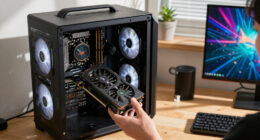
AI mini PCs range from compact everyday desktops with AI-capable processors to high-memory workstations built for demanding local models. I rank the MINISFORUM MS-S1 MAX as the best overall because its Ryzen AI Max+ 395, 128GB of RAM, and workstation-focused connectivity make it the most versatile option in this group. The GEEKOM A9 Max is a strong alternative for buyers who want a newer Ryzen AI processor and a 2TB SSD, while the GMKtec K15 suits lighter workloads and a simpler setup. The main tradeoff is between the memory and graphics headroom needed for local AI and the smaller, more practical configurations for everyday computing. Read on for the full breakdown, ranking logic, and advice on choosing the right machine for your workload.

Get business pricing on tech for your team
- Business-only prices and quantity discounts
- Tax-exempt purchasing
- Multiple users, one account, clear invoices
Complete the kit

![Lamicall 6Pack Cord Organizer, [1s Lock] Spring Cable Hol...](https://m.media-amazon.com/images/I/71uBLICDwfL._AC_SL480_.jpg)

Key Takeaways
- The MS-S1 MAX is the most rounded workstation pick in this lineup, pairing 128GB RAM and a 2TB SSD with dual 10GbE and USB4 V2 connectivity.
- Three listed models use Ryzen AI Max+ 395: the MINISFORUM MS-S1 MAX, GMKtec EVO-X3, and BOSGAME M5. Their 128GB memory configurations make them the clearest choices here for memory-hungry local workloads.
- Processor family alone does not settle the choice. Memory type and capacity, storage, and ports can matter as much as the AI-branded chip for the tasks a mini PC can handle.
- The GEEKOM A9 Max pairs a Ryzen AI 9 HX 470 with 32GB RAM and a 2TB SSD, favoring a newer-platform everyday system over the 128GB workstation configurations.
- Entry-level configurations involve real capacity limits. The Glorlin offers 16GB RAM, while the GMKtec K15 and GEEKOM IT13 MAX list smaller SSDs than several rivals, so buyers should match those specs to actual workloads before choosing.
| MINISFORUM MS-S1 MAX Mini AI Workstation PC |  | Best for Network-Heavy AI Workloads | Processor: AMD Ryzen AI Max+ 395, 16 cores / 32 threads, up to 5.1GHz | Graphics: AMD RDNA 3.5 | Memory: 128GB LPDDR5x-8000MT/s | VIEW LATEST PRICE | See Our Full Breakdown |
| MINISFORUM AI X1 Pro-370 Mini PC | 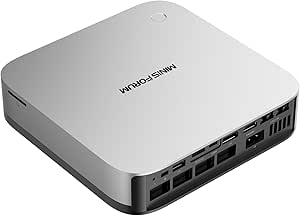 | Best for Expandable Everyday AI Computing | Processor: AMD Ryzen AI 9 HX 370, 12 cores / 24 threads, up to 5.1GHz | Graphics: AMD Radeon 890M | Memory: 32GB DDR5-5600, removable; supports up to 128GB | VIEW LATEST PRICE | See Our Full Breakdown |
| Glorlin AI Mini PC AMD Ryzen 7 Pro 8845HS |  | Best for a Lower-Complexity AI Starter PC | Processor: AMD Ryzen 7 Pro 8845HS, 3.8GHz to 5.1GHz | Graphics: AMD Radeon 780M | Memory: 16GB DDR5 | VIEW LATEST PRICE | See Our Full Breakdown |
| GMKtec EVO-X3 Mini PC |  | Best for Maximum Integrated AI and Graphics | Processor: AMD Ryzen AI Max+ 395, 16 cores / 32 threads, up to 5.1GHz | AI performance: Up to 126 TOPS; NPU up to 50 TOPS | Graphics: AMD Radeon 8060S, 40 compute units, up to 2900MHz | VIEW LATEST PRICE | See Our Full Breakdown |
| GMKtec K15 AI Mini PC |  | Best for Multi-Display, Low-Power Desks | Processor: Intel Ultra 5 125U, up to 4.3GHz | Graphics: Integrated Intel Graphics | Memory: 32GB DDR5-4800 | VIEW LATEST PRICE | See Our Full Breakdown |
| BOSGAME M5 AI Mini PC with AMD Ryzen AI Max+ 395, 128GB LPDDR5X, 2TB SSD |  | Best for Maximum Memory | Processor: AMD Ryzen AI Max+ 395, 16 cores/32 threads, up to 5.1GHz | Graphics: AMD Radeon 8060S, 40 RDNA 3.5 compute units | Memory: 128GB LPDDR5X-8000MHz | VIEW LATEST PRICE | See Our Full Breakdown |
| GEEKOM A9 Max Mini PC with AMD Ryzen AI 9 HX 470, 32GB DDR5 RAM, 2TB SSD |  | Best for Ready-to-Use AI Productivity | Processor: AMD Ryzen AI 9 HX 470, 12 cores/24 threads, up to 5.2GHz | Graphics: AMD Radeon 890M | AI performance: Up to 86 TOPS total; NPU up to 55 TOPS | VIEW LATEST PRICE | See Our Full Breakdown |
| GMKtec EVO-X2 AI Mini PC with AMD Ryzen AI Max+ 395 |  | Best for Tunable Performance | Processor: AMD Ryzen AI Max+ 395, 16 cores/32 threads, up to 5.1GHz | L3 cache: 64MB | AI NPU: XDNA 2, 50+ peak AI TOPS | VIEW LATEST PRICE | See Our Full Breakdown |
| GEEKOM IT13 MAX AI Mini PC 2026, Intel Ultra 9 185H, 24GB LPDDR5, 500GB SSD |  | Best for Compact Everyday AI | Processor: Intel Core Ultra 9 185H | Memory: 24GB LPDDR5, 5600 MT/s | Storage: 500GB SSD | VIEW LATEST PRICE | See Our Full Breakdown |
| ai mini pc | Processor | Memory | Storage | Graphics |
|---|---|---|---|---|
| MINISFORUM MS-S1 MAX Mini AI W | AMD Ryzen AI Max+ 395, 16 cores / 32 threads, up to 5.1GHz | 128GB LPDDR5x-8000MT/s | 2TB SSD | AMD RDNA 3.5 |
| MINISFORUM AI X1 Pro-370 Mini | AMD Ryzen AI 9 HX 370, 12 cores / 24 threads, up to 5.1GHz | 32GB DDR5-5600, removable; supports up to 128GB | 1TB PCIe 4.0 SSD; supports up to three SSDs | AMD Radeon 890M |
| Glorlin AI Mini PC AMD Ryzen 7 | AMD Ryzen 7 Pro 8845HS, 3.8GHz to 5.1GHz | 16GB DDR5 | 1TB PCIe 4.0 SSD | AMD Radeon 780M |
| GMKtec EVO-X3 Mini PC | AMD Ryzen AI Max+ 395, 16 cores / 32 threads, up to 5.1GHz | 128GB LPDDR5X-8000MT/s | 2TB PCIe 4.0 SSD | AMD Radeon 8060S, 40 compute units, up to 2900MHz |
| GMKtec K15 AI Mini PC | Intel Ultra 5 125U, up to 4.3GHz | 32GB DDR5-4800 | 512GB PCIe 4.0 SSD | Integrated Intel Graphics |
| BOSGAME M5 AI Mini PC with AMD | AMD Ryzen AI Max+ 395, 16 cores/32 threads, up to 5.1GHz | 128GB LPDDR5X-8000MHz | 2TB PCIe 4.0 SSD; dual M.2 slots, expandable up to 8TB | AMD Radeon 8060S, 40 RDNA 3.5 compute units |
| GEEKOM A9 Max Mini PC with AMD | AMD Ryzen AI 9 HX 470, 12 cores/24 threads, up to 5.2GHz | 32GB DDR5, expandable to 128GB | 2TB SSD; dual PCIe Gen4 NVMe slots, up to 8TB total | AMD Radeon 890M |
| GMKtec EVO-X2 AI Mini PC with | AMD Ryzen AI Max+ 395, 16 cores/32 threads, up to 5.1GHz | Onboard LPDDR5X, up to 8000 MT/s; capacity not specified | — | — |
| GEEKOM IT13 MAX AI Mini PC 202 | Intel Core Ultra 9 185H | 24GB LPDDR5, 5600 MT/s | 500GB SSD | — |
More Details on Our Top Picks
MINISFORUM MS-S1 MAX Mini AI Workstation PC
The MS-S1 MAX pairs a Ryzen AI Max+ 395 with 128GB of LPDDR5x memory, giving it the capacity for demanding local AI work and other memory-hungry applications. Its standout difference from the MINISFORUM AI X1 Pro-370 is the combination of dual 10GbE networking and a PCIe x16 slot: that makes this a stronger fit for fast network transfers and workstation expansion, while the X1 Pro-370 offers a more broadly specified everyday setup with removable memory and OCuLink. Dual M.2 slots and USB4 V2 add flexibility, but the listed memory is LPDDR5x, so buyers should not assume it can be replaced or expanded like standard DDR5. The product details also leave the installed operating system unclear, and a powerful workstation configuration may take more setup knowledge than a general-purpose mini PC.
Pros:- Ryzen AI Max+ 395 and 128GB LPDDR5x suit memory-intensive local AI tasks.
- Dual 10GbE LAN can speed up transfers to compatible high-speed networks.
- PCIe x16 and dual M.2 PCIe 4.0 slots provide expansion options.
- Wi-Fi 7 and USB4 V2 add modern wireless and high-bandwidth connectivity.
Cons:- LPDDR5x memory may limit future memory upgrades.
- The installed operating system is not specified.
- The workstation-class features may require more setup knowledge than the AI X1 Pro-370.
Best for: AI developers and workstation users who need 128GB of memory, very fast wired networking, and PCIe expansion in a compact system.
Not ideal for: Buyers who want a ready-to-use system with a clearly specified operating system or memory that can be upgraded later.
- Processor:AMD Ryzen AI Max+ 395, 16 cores / 32 threads, up to 5.1GHz
- Graphics:AMD RDNA 3.5
- Memory:128GB LPDDR5x-8000MT/s
- Storage:2TB SSD
- Expansion:PCIe x16 and dual M.2 PCIe 4.0
- Networking:Dual 10GbE LAN and Wi-Fi 7
- Video output:HDMI 2.1, up to 8K at 60Hz
- Power supply:320W
Our verdict“Choose the MS-S1 MAX if high memory capacity, dual 10GbE, and PCIe expansion matter more than easy upgrades or clearly defined out-of-box setup.”
MINISFORUM AI X1 Pro-370 Mini PC
The AI X1 Pro-370 is the more adaptable choice for buyers who want an AI-capable mini PC for work, media, and lighter graphics tasks without committing to a fixed 128GB configuration. Its removable DDR5 memory starts at 32GB and can be expanded, while support for up to three SSDs gives it a practical upgrade path that the LPDDR5x-based MS-S1 MAX does not clearly offer. The Ryzen AI 9 HX 370 and Radeon 890M handle a broad mix of workloads, but integrated graphics set a ceiling for demanding gaming and GPU-heavy AI tasks. Dual USB4, OCuLink, fingerprint recognition, and built-in audio make it more complete for a desk setup than the simpler Glorlin 8845HS. The tradeoff is that the advertised maximum memory and storage require separate upgrades.
Pros:- Removable DDR5 memory can be expanded up to 128GB.
- Supports up to three PCIe 4.0 SSDs for substantial storage flexibility.
- OCuLink and dual USB4 offer options for fast peripherals and eGPU expansion.
- Fingerprint recognition, speakers, and microphones suit a ready-made desk setup.
Cons:- Radeon 890M is integrated graphics, not a dedicated GPU.
- The included 32GB memory and 1TB SSD fall short of the maximum supported configuration.
- The 2.45kg listed weight is less convenient to move than more compact mini PC options.
Best for: Home-office users and technically curious beginners who want an AI-capable mini PC with removable memory, multi-drive storage options, and eGPU potential.
Not ideal for: Buyers who need powerful graphics without adding an external GPU or who expect the maximum memory and storage configuration out of the box.
- Processor:AMD Ryzen AI 9 HX 370, 12 cores / 24 threads, up to 5.1GHz
- Graphics:AMD Radeon 890M
- Memory:32GB DDR5-5600, removable; supports up to 128GB
- Storage:1TB PCIe 4.0 SSD; supports up to three SSDs
- Networking:Dual 2.5GbE, Wi-Fi 7, and Bluetooth 5.4
- Expansion:OCuLink and dual USB4
- Display support:Up to 7680 × 4320
- Security and audio:Fingerprint recognition, two built-in speakers, and dual noise-reduction microphones
Our verdict“Pick the AI X1 Pro-370 if you want a versatile daily AI PC with straightforward memory and storage upgrade paths, and can accept integrated graphics.”
Glorlin AI Mini PC AMD Ryzen 7 Pro 8845HS
The Glorlin Ryzen 7 Pro 8845HS is the straightforward pick for office work, light creative tasks, and entry-level AI experimentation rather than large local models. Its Windows 11 Pro installation gives buyers a clearer starting point than the MS-S1 MAX, whose operating system is unspecified, and the 1TB PCIe 4.0 SSD provides useful capacity from the outset. Compared with the GMKtec K15, Glorlin offers a more explicitly identified Ryzen 7 Pro processor and Radeon 780M graphics, while the K15 lists more M.2 slots and a longer stated warranty. The 16GB of RAM is the main constraint: it leaves less room for memory-hungry AI workloads than the 32GB AI X1 Pro-370 or the 128GB workstation options. Integrated graphics also rule out high-end gaming and GPU-intensive work.
Pros:- Ryzen 7 Pro 8845HS offers a capable 8-core-class processor for mixed workloads.
- Windows 11 Pro is specified, making the initial software setup clearer.
- A 1TB PCIe 4.0 SSD provides useful included storage.
- USB4, HDMI 2.1, DisplayPort 1.4, and dual Ethernet support varied desk setups.
Cons:- 16GB of RAM is limiting for larger local AI models and demanding multitasking.
- Radeon 780M is integrated graphics, not a dedicated gaming or AI accelerator.
- The compact design may restrict internal upgrades.
Best for: Students, office users, and first-time local-AI learners who want Windows 11 Pro, a 1TB SSD, and a capable processor in a compact desktop.
Not ideal for: Local-AI users running large models, buyers who need substantial memory headroom, or gamers seeking dedicated graphics.
- Processor:AMD Ryzen 7 Pro 8845HS, 3.8GHz to 5.1GHz
- Graphics:AMD Radeon 780M
- Memory:16GB DDR5
- Storage:1TB PCIe 4.0 SSD
- Operating system:Windows 11 Pro
- Ports:Two USB4 Type-C, two USB 3.2, two USB 2.0, HDMI 2.1, and DisplayPort 1.4
- Networking:Two Gigabit Ethernet ports, Wi-Fi 6, and Bluetooth 5.3
- Warranty:1 year
Our verdict“Choose the Glorlin if you want a clearly specified Windows 11 Pro mini PC for everyday work and smaller AI projects, not memory-intensive local models.”
GMKtec EVO-X3 Mini PC
The GMKtec EVO-X3 is the strongest fit here for buyers who want a high-capacity AI workstation without adding a separate graphics card. Its Ryzen AI Max+ 395, 128GB LPDDR5X memory, and Radeon 8060S create a more graphics-focused package than the MS-S1 MAX listing, which names RDNA 3.5 graphics but does not give the same compute-unit detail. Both target demanding local workloads, though the EVO-X3 specifies up to 126 TOPS of AI performance and 50 TOPS from its NPU. USB4 and OCuLink add useful external expansion, but OCuLink connections must be made with the PC powered off. Memory is soldered LPDDR5X, and the triple-fan cooling system is designed for high power rather than silent operation; the available details do not specify noise levels.
Pros:- Ryzen AI Max+ 395 and 128GB LPDDR5X support demanding local AI and creative workloads.
- Radeon 8060S graphics with 40 compute units provide substantial integrated graphics capability.
- Lists up to 126 TOPS of AI performance, including an NPU rated up to 50 TOPS.
- USB4, Wi-Fi 7, and OCuLink provide modern connectivity and expansion.
Cons:- LPDDR5X memory is not described as user-upgradeable.
- OCuLink devices must be connected or disconnected while the PC is powered off.
- The high-power triple-fan cooling design may not suit buyers prioritizing quiet operation.
Best for: AI developers and creators who need 128GB of fast memory, strong integrated graphics, and OCuLink expansion in a compact workstation.
Not ideal for: Buyers who need user-replaceable memory, quiet operation with confirmed noise figures, or hot-pluggable eGPU connections.
- Processor:AMD Ryzen AI Max+ 395, 16 cores / 32 threads, up to 5.1GHz
- AI performance:Up to 126 TOPS; NPU up to 50 TOPS
- Graphics:AMD Radeon 8060S, 40 compute units, up to 2900MHz
- Memory:128GB LPDDR5X-8000MT/s
- Storage:2TB PCIe 4.0 SSD
- External GPU interface:OCuLink PCIe Gen4 x4
- Display and USB4:HDMI 2.1 and USB4; dual displays and up to 8K output
- Networking:2.5G LAN, Wi-Fi 7, and Bluetooth 5.4
- Cooling and peak power:Three fans, three copper heat pipes, up to 140W peak power
Our verdict“Choose the EVO-X3 if you want a 128GB AI workstation with detailed integrated graphics and NPU specifications, and can live with fixed memory and powered-off OCuLink changes.”
GMKtec K15 AI Mini PC
The GMKtec K15 suits a desk built around multiple screens, everyday productivity, and moderate power use more than intensive local AI work. Its 35W power consumption, three M.2 2280 slots, and OCuLink port give it a practical mix of efficiency and expansion that the Glorlin 8845HS does not spell out. The K15 also lists quad 4K/8K display support, while its 32GB of DDR5 gives it more memory headroom than Glorlin’s 16GB. The tradeoff is that the Intel Ultra 5 125U relies on integrated Intel Graphics, so gaming and GPU-heavy AI tasks are not its strength. A 512GB SSD may also fill quickly when storing models or creative files. It is a useful peripheral-rich option, but not a substitute for the 128GB MS-S1 MAX or EVO-X3 workstation-class configurations.
Pros:- 32GB DDR5 provides more working memory than the Glorlin’s 16GB configuration.
- Three M.2 2280 slots offer multiple internal storage expansion options.
- OCuLink allows connection to compatible external GPU hardware.
- 35W power consumption and support for multiple high-resolution displays suit an efficient desk setup.
Cons:- Integrated Intel Graphics are a poor fit for demanding gaming and GPU-heavy AI work.
- The included 512GB SSD may constrain users storing large models or media files.
- The product details do not specify support for Linux.
Best for: Office professionals and home-lab users who want a low-power mini PC for several displays, flexible M.2 storage, and general AI-assisted tasks.
Not ideal for: AI practitioners running large local models, gamers seeking dedicated graphics, or users who need ample included storage for model files.
- Processor:Intel Ultra 5 125U, up to 4.3GHz
- Graphics:Integrated Intel Graphics
- Memory:32GB DDR5-4800
- Storage:512GB PCIe 4.0 SSD
- Expansion:Three M.2 2280 slots and OCuLink PCIe x4
- Display output:HDMI 2.1, DisplayPort 1.4, and USB-C; quad 4K/8K output supported
- Networking:2.5GbE LAN and Wi-Fi 6E
- Wireless and power:Bluetooth 5.2; 35W power consumption
- Operating system and warranty:Pre-installed OS; 3-year warranty
Our verdict“Pick the K15 for an efficient, display-rich productivity setup with storage expansion, but choose a 128GB Ryzen AI Max+ system for substantial local AI workloads.”
BOSGAME M5 AI Mini PC with AMD Ryzen AI Max+ 395, 128GB LPDDR5X, 2TB SSD
The BOSGAME M5 is the strongest fit here for buyers whose AI and creative workloads need substantial shared memory alongside high-end integrated graphics. Its 128GB LPDDR5X and Ryzen AI Max+ 395 make it more suited to large local models, heavy multitasking, and graphics work than the GEEKOM A9 Max, which starts with 32GB. The Radeon 8060S and support for quad 8K displays also give it room for demanding multi-screen setups. Dual M.2 slots and support for up to 8TB help it grow with a working library. The tradeoff is that this much capability may be unnecessary for everyday AI-assisted office tasks, and its setup may feel less approachable than a Windows-ready alternative like the GEEKOM A9 Max. I’d choose it for capacity, not simplicity.
Pros:- 128GB LPDDR5X gives memory-intensive AI and creative workloads substantial headroom.
- Ryzen AI Max+ 395 and Radeon 8060S combine high-core-count processing with powerful integrated graphics.
- Dual M.2 slots support storage expansion up to 8TB.
- Quad 8K output and Wi-Fi 7 suit multi-display and modern network setups.
Cons:- The high-end hardware is excessive for basic office and everyday computing.
- Setup may be challenging for buyers without technical experience.
- The provided information does not clarify the pre-installed software experience.
Best for: AI developers and creators who need 128GB of fast memory for local models, large projects, or demanding multitasking.
Not ideal for: First-time mini PC buyers or office users who want a simple, ready-to-go system and have no use for high memory capacity.
- Processor:AMD Ryzen AI Max+ 395, 16 cores/32 threads, up to 5.1GHz
- Graphics:AMD Radeon 8060S, 40 RDNA 3.5 compute units
- Memory:128GB LPDDR5X-8000MHz
- Storage:2TB PCIe 4.0 SSD; dual M.2 slots, expandable up to 8TB
- Networking:2.5GbE LAN, Wi-Fi 7, Bluetooth 5.4
- Video output:Quad 8K@60Hz via HDMI 2.1, DisplayPort 1.4, and USB4
- Operating system support:Windows 11 and Ubuntu/Linux
- Weight:1.34 kg
Our verdict“Choose the BOSGAME M5 if your priority is a large memory pool for local AI and creative work, rather than a beginner-friendly setup.”
GEEKOM A9 Max Mini PC with AMD Ryzen AI 9 HX 470, 32GB DDR5 RAM, 2TB SSD
The GEEKOM A9 Max is a balanced choice for buyers who want a capable AI mini PC without starting with workstation-class memory or graphics. Its Ryzen AI 9 HX 470 provides an NPU rated up to 55 TOPS, while the 32GB of DDR5 and 2TB SSD make it a practical Windows 11 system for productivity, compatible AI tools, and creative work. Compared with the BOSGAME M5, it has far less included memory and a less powerful graphics configuration, but it pairs a more approachable starting setup with expandable RAM and storage. Four-display support and dual 2.5GbE ports add flexibility for desk and network setups. The Radeon 890M is integrated graphics, not a substitute for a dedicated GPU, and buyers with larger workloads may need upgrades. Its three-year limited warranty is a useful differentiator in this group.
Pros:- Ryzen AI 9 HX 470 includes an NPU rated up to 55 TOPS.
- 32GB RAM and 2TB SSD provide a useful starting configuration for everyday creative and productivity work.
- Memory and dual NVMe storage slots allow future expansion.
- Includes Windows 11 and a three-year limited warranty.
Cons:- Its 32GB starting memory is modest for large local AI models and heavy shared-memory workloads.
- Radeon 890M integrated graphics cannot match the Radeon 8060S systems for demanding graphics work.
- Gaming results depend on settings and supported upscaling or frame-generation features.
Best for: Windows users who want an AI-capable mini PC for productivity and creative applications, with room to expand memory and storage later.
Not ideal for: Local-model users or graphics-heavy creators who need 128GB of memory and the stronger integrated graphics found in the BOSGAME M5 or GMKtec EVO-X2.
- Processor:AMD Ryzen AI 9 HX 470, 12 cores/24 threads, up to 5.2GHz
- Graphics:AMD Radeon 890M
- AI performance:Up to 86 TOPS total; NPU up to 55 TOPS
- Memory:32GB DDR5, expandable to 128GB
- Storage:2TB SSD; dual PCIe Gen4 NVMe slots, up to 8TB total
- Display support:Up to four displays, including 8K output
- Connectivity:USB4, HDMI 2.1, dual 2.5GbE LAN, Wi-Fi 7
- Operating system and warranty:Windows 11; 3-year limited warranty
Our verdict“Pick the GEEKOM A9 Max for a Windows-ready AI productivity system with a warranty and upgrade paths, not for maximum graphics or model capacity.”
GMKtec EVO-X2 AI Mini PC with AMD Ryzen AI Max+ 395
The GMKtec EVO-X2 is the pick for buyers who want the Ryzen AI Max+ 395 platform with a way to choose between quieter operation and higher performance. Its 54W, 85W, and 140W modes let owners tailor power behavior to the task, while triple-fan cooling is designed to handle the higher setting. The Radeon 8060S and XDNA 2 NPU put it in the same high-performance class as the BOSGAME M5, but this listing does not specify a memory capacity or storage configuration, so it is harder to judge its out-of-box value for AI workloads. The onboard LPDDR5X also limits memory upgrades compared with the GEEKOM A9 Max’s expandable DDR5. Wi-Fi 7, USB4, an SD 4.0 reader, and four-display support offer broad connectivity; the one-year limited warranty is shorter than the A9 Max’s.
Pros:- Ryzen AI Max+ 395 and Radeon 8060S target demanding compute and graphics workloads.
- Selectable 54W, 85W, and 140W modes offer control over performance and power behavior.
- Triple-fan cooling and three heatpipes are designed for sustained operation.
- Includes Wi-Fi 7, USB4, a UHS-II SD/TF reader, and support for up to four displays.
Cons:- Onboard memory is not described as user-upgradeable.
- The provided product data does not specify a memory capacity or SSD configuration.
- Its one-year limited warranty is shorter than the GEEKOM A9 Max’s three-year coverage.
Best for: Power users who want selectable performance modes for balancing demanding AI or graphics tasks against quieter, lower-power operation.
Not ideal for: Buyers who need a clearly specified memory and storage configuration, or who expect to upgrade RAM after purchase.
- Processor:AMD Ryzen AI Max+ 395, 16 cores/32 threads, up to 5.1GHz
- L3 cache:64MB
- AI NPU:XDNA 2, 50+ peak AI TOPS
- Integrated graphics:AMD Radeon 8060S, 40 RDNA 3.5 CUs, up to 2.9GHz
- Memory:Onboard LPDDR5X, up to 8000 MT/s; capacity not specified
- Display support:Up to four displays; HDMI 2.1 up to 8K@60Hz, DisplayPort 1.4 up to 4K@60Hz, dual USB4
- Networking:2.5GbE Ethernet, Wi-Fi 7, Bluetooth 5.4
- Performance modes and cooling:Quiet 54W, Balanced 85W, Performance 140W; three fans and three heatpipes
- Warranty:1-year limited warranty
Our verdict“Choose the EVO-X2 if adjustable power modes matter more than memory upgradeability and the missing configuration details are confirmed before purchase.”
GEEKOM IT13 MAX AI Mini PC 2026, Intel Ultra 9 185H, 24GB LPDDR5, 500GB SSD
The GEEKOM IT13 MAX makes more sense as a compact everyday computer with AI-capable hardware than as a machine for the largest local models. Its Intel Ultra 9 185H, 24GB of LPDDR5, and small 4.6 x 4.4 x 1.9-inch chassis suit office work, development, and lighter creator tasks where desk space matters. Compared with the GEEKOM A9 Max, it comes with less memory and only a 500GB SSD, and its supplied data gives fewer clear details about AI compute and display connections. The smaller storage pool may fill quickly with video projects or model files, while compact systems can offer fewer upgrade options. Quiet cooling is a plus for noise-sensitive desks, but buyers focused on demanding AI workloads should favor the BOSGAME M5 or GMKtec EVO-X2, whose supplied configurations and graphics details are more directly aimed at that tier.
Pros:- Compact dimensions suit crowded desks and space-limited work areas.
- Intel Ultra 9 185H and 24GB LPDDR5 target responsive multitasking.
- Quiet cooling is suited to noise-sensitive home or office use.
- Windows 11 is included, with Linux also described as supported.
Cons:- The included 500GB SSD may be restrictive for video work, large datasets, and model files.
- The product data does not specify memory expansion options, limiting confidence about future upgrades.
- The provided specifications offer less detail about AI compute and display connectivity than the other listed options.
Best for: Office professionals and developers who need a compact, quiet Windows mini PC for daily work and lighter AI-assisted tasks.
Not ideal for: AI practitioners with large local models, or video creators who need more than 500GB of included storage and clearly documented graphics capabilities.
- Processor:Intel Core Ultra 9 185H
- Memory:24GB LPDDR5, 5600 MT/s
- Storage:500GB SSD
- Operating system:Windows 11; Linux support described
- Power consumption:65W
- Dimensions:4.6 x 4.4 x 1.9 inches
- Weight:1.4 pounds
- Color:Diamond Black
Our verdict“Choose the IT13 MAX for a space-saving daily workstation, but look to the BOSGAME M5 or GMKtec EVO-X2 for clearly specified high-capacity AI workloads.”

How We Picked
I ranked these AI mini PCs by how well their stated configurations match likely workloads, rather than treating an AI-capable processor as a guarantee of strong local AI performance. I weighed processor tier, RAM capacity and type, integrated graphics information, SSD capacity, and connectivity, then looked at how each combination serves tasks such as running local models, development, creative work, and general desktop use. Since the supplied specifications do not establish benchmark results, sustained cooling performance, or software compatibility, I avoid claims that require hands-on testing.
The top positions go to machines that combine substantial memory, storage, and useful connectivity for demanding work. Models with a similar processor but less configuration detail or fewer listed advantages rank lower, while smaller-memory systems are better treated as everyday or lighter-workload choices. Value here means capability matched to a buyer’s needs, not a claim about price: a high-capacity workstation is a poor fit if a modest desktop already covers the workload.
| ai mini pc | Graphics |
|---|---|
| MINISFORUM MS-S1 MAX Mini AI W | AMD RDNA 3.5 |
| MINISFORUM AI X1 Pro-370 Mini | AMD Radeon 890M |
| Glorlin AI Mini PC AMD Ryzen 7 | AMD Radeon 780M |
| GMKtec EVO-X3 Mini PC | AMD Radeon 8060S, 40 compute units, up to 2900MHz |
| GMKtec K15 AI Mini PC | Integrated Intel Graphics |
| BOSGAME M5 AI Mini PC with AMD | AMD Radeon 8060S, 40 RDNA 3.5 compute units |
| GEEKOM A9 Max Mini PC with AMD | AMD Radeon 890M |
| GMKtec EVO-X2 AI Mini PC with | — |
| GEEKOM IT13 MAX AI Mini PC 202 | — |
Factors to Consider When Choosing Ai Mini Pcs
Choosing an AI mini PC starts with the work you expect it to do, not the label on its processor. I would check memory capacity, graphics needs, storage and ports against the software and model sizes you plan to use. These broader checks can prevent both overspending on workstation-class hardware and buying a compact PC that reaches its limits too soon.
Match memory to the models and applications you plan to run
For local AI, system memory can set a practical ceiling on the size of models and datasets you can load, especially on a mini PC relying on integrated graphics. A 128GB configuration gives more headroom than 16GB or 32GB, but that does not make every model fast or compatible. Check the memory requirements of your target software and leave room for the operating system, development tools, and other applications. Also distinguish soldered LPDDR memory from configurations that may be replaceable; the product specifications here do not confirm upgradeability. A common mistake is buying for today’s small experiments and assuming a later RAM upgrade will be possible. If the machine will serve as a shared workstation, prioritize capacity over a modest processor-tier difference.
Treat AI performance as a whole-system question
An AI processor label does not tell you how quickly a particular model will run. Results depend on the workload, framework support, memory bandwidth, thermal behavior, and whether the software can use the available CPU, GPU, or NPU. Before buying, check that your intended tools support the processor’s architecture and acceleration features. Integrated graphics share system resources, so memory capacity and bandwidth can affect both AI tasks and graphics-heavy work. If you need predictable performance for sustained jobs, seek independent workload-specific benchmarks and cooling details rather than relying on chip names alone. This matters especially when comparing a 128GB machine with a newer processor paired with 32GB: the better fit depends on workload size, not a single specification.
Choose storage for datasets, applications, and expansion plans
SSD capacity affects how much work can live on the machine without external drives or frequent cleanup. AI model files, datasets, caches, and creative projects can consume storage quickly, so a 2TB drive offers more working room than a 500GB or 512GB configuration. Capacity is only part of the decision: check the exact drive interface, available M.2 slots, and whether adding storage affects warranty or cooling. The MS-S1 MAX lists dual M.2 PCIe 4.0 slots, a useful advantage for separating operating-system and project storage. Do not assume that every model in this roundup has the same upgrade path; the supplied specs omit slot details for several entries. Buyers who work with large files should price in backup storage as well as internal capacity.
Count the ports you need before buying a compact desktop
A small PC can have strong internal hardware yet be awkward if it lacks the connections your desk or network requires. List the monitors, fast external drives, docks, wired network links, and other devices you intend to attach, then compare that list with the exact port layout. The MS-S1 MAX stands out on paper with USB4 V2 and dual 10GbE, but those features matter most to people using fast peripherals or high-throughput networks. Wi-Fi 7 can help on a compatible wireless network, while wired Ethernet remains useful for stable transfers and server-style setups. Check whether USB-C ports support the display and data functions you need; a connector’s shape alone does not confirm its capabilities. Port planning can spare you from relying on multiple adapters that occupy the limited connections on a mini PC.
Check cooling, noise, and sustained workload behavior
Compact size does not guarantee quiet operation or steady performance during long tasks. A brief burst of speed matters less for model inference, rendering, or development jobs that keep the processor busy for extended periods. The specifications provided for these nine PCs do not establish their noise levels, cooling design, or sustained performance, so look for independent testing under workloads similar to yours. Check what cooling hardware is included and whether the case has clear airflow around it. A tiny enclosure may fit neatly behind a monitor, but restricted placement can make heat management harder. For a workstation that runs for hours, prioritize evidence about sustained operation over a headline processor specification.
Pay for headroom only when your workload can use it
High-memory systems such as the 128GB Ryzen AI Max+ 395 models target workloads that genuinely need larger working sets, multiple applications, or substantial local-model capacity. For office tasks, light coding, and everyday use, a 16GB or 32GB configuration may be a more sensible starting point, provided the software fits. Consider the full ownership picture: memory upgrade options, SSD expansion, warranty terms, and the cost of any dock or external storage you will need. A premium configuration is most defensible when it removes a known bottleneck, not just because its specifications look larger. On the other hand, choosing too little memory can be difficult to remedy if it is soldered. Decide which limits you can tolerate now and which would force you to replace the PC later.
Frequently Asked Questions
Is 32GB of RAM enough for local AI on a mini PC?
It can be enough for smaller models and development tasks, but it leaves less room for larger models, datasets, and other applications running at the same time. The GEEKOM A9 Max, MINISFORUM AI X1 Pro-370, and GMKtec K15 list 32GB configurations, while several Ryzen AI Max+ 395 options list 128GB. Check the memory needs and quantization options of the model you plan to run before choosing. Shared system memory may also serve graphics workloads, which further affects available capacity. If you are unsure and expect to experiment with larger local models, more memory gives you greater flexibility, though it does not guarantee faster results.
Should I choose a Ryzen AI Max+ 395 model or a newer Ryzen AI 9 HX option?
Choose by workload and configuration, not chip naming alone. The MS-S1 MAX, EVO-X3, and BOSGAME M5 pair the Ryzen AI Max+ 395 with 128GB of memory, making their listed configurations better suited to buyers prioritizing capacity. The GEEKOM A9 Max lists a Ryzen AI 9 HX 470 with 32GB RAM and a 2TB SSD, a different balance for buyers who want a newer processor platform and substantial storage. The provided specifications do not include comparable benchmark results, so they cannot establish which runs a specific model faster. Check software compatibility and independent tests for the applications you use. For memory-bound tasks, the difference in listed RAM may matter more than the processor label.
Can these AI mini PCs replace a desktop with a discrete graphics card?
Not automatically. The listed systems emphasize compact processors and integrated graphics, and the supplied details do not establish discrete-GPU performance or compatibility with external graphics solutions. They can suit many everyday, development, and local-inference tasks, but demanding 3D work or workloads built around a powerful discrete GPU may call for a conventional desktop. Check the graphics requirements of your software and look for benchmarks on the exact task. Also confirm whether your preferred application can use an NPU or integrated GPU; AI branding by itself does not confirm that support. A mini PC is most compelling when compact size and lower desk footprint matter alongside the workload.
Which listed model has the strongest connection options for a workstation or network setup?
The MINISFORUM MS-S1 MAX has the most clearly specified workstation connectivity in the supplied lineup, including dual 10GbE, USB4 V2, and Wi-Fi 7. Those connections are useful for fast wired storage or networking, compatible high-speed peripherals, and modern wireless networks. Before relying on a particular port for a monitor or storage device, confirm its supported functions and the cable or adapter requirements. The other product summaries do not provide equally detailed port lists, so their omission here does not prove they lack useful connections. If ports are central to your setup, compare the full manufacturer specifications for every model before purchase.
What should I verify before buying a mini PC for long-running AI workloads?
Look beyond the processor and advertised memory. Check independent results for sustained workloads, cooling and fan behavior, software support, and whether the model can maintain performance during long sessions. Confirm that memory capacity is sufficient and whether it is replaceable, since upgrade options differ between memory types and product designs. Verify SSD expansion, network connections, and the manufacturer’s warranty and support terms as well. For model inference, confirm that your chosen framework supports the hardware acceleration available on the PC. The provided specifications are useful for screening options, but they do not answer every question about real-world sustained performance.
Conclusion
For the best overall fit, I recommend the MINISFORUM MS-S1 MAX: it combines 128GB RAM and a 2TB SSD with the lineup’s clearest workstation connectivity. For a premium, memory-heavy setup, compare it with the GMKtec EVO-X3 and BOSGAME M5, both of which also list Ryzen AI Max+ 395 and 128GB RAM; verify their port and upgrade details before deciding. For value-minded buyers and beginners focused on lighter work, the Glorlin’s 16GB configuration or the GMKtec K15’s 32GB setup may be easier to match to everyday needs, but neither should be mistaken for a high-capacity local-AI workstation. Choose the GEEKOM A9 Max if you want a Ryzen AI 9 HX 470 paired with 2TB storage, and consider the MINISFORUM AI X1 Pro-370 for a 32GB, 1TB alternative. Buyers drawn to the EVO-X2 or IT13 MAX should confirm full memory, storage, and connectivity details before purchase, since their supplied specifications leave important comparisons unresolved.
Halloween Picks
halloween
As an affiliate, we earn on qualifying purchases.