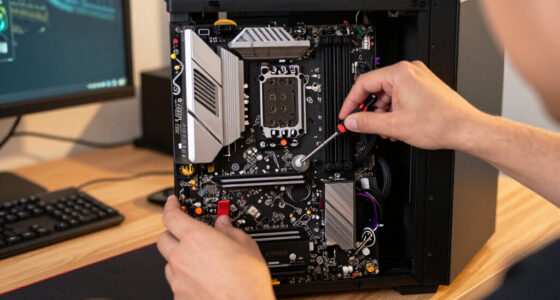
For a balanced high-performance gaming build, I rank the ASUS Prime Radeon RX 9070 XT OC Edition as the best overall pick, with the MSI Gaming RTX 5080 Ventus 3X OC standing out for buyers who want a higher-end GeForce option. The ASUS Dual RTX 5060 Ti 16GB is a more measured choice for people who value 16GB of memory without stepping up to a larger card class. The main tradeoffs across these graphics cards are performance headroom, memory capacity, cooling and case fit, plus whether you favor GeForce or Radeon features. A higher-tier GPU can make sense for demanding resolutions, but it may call for a stronger power supply and better airflow too. Read on for the full breakdown and guidance on matching a card to your build.

Get business pricing on tech for your team
- Business-only prices and quantity discounts
- Tax-exempt purchasing
- Multiple users, one account, clear invoices
Key Takeaways
- The RX 9070 family gives this roundup its clearest Radeon path: the RX 9070 XT is the stronger performance-focused option, while the RX 9070 models offer a less aggressive tier with the same 16GB memory capacity.
- The RTX 5080 choices split on design and cooling rather than GPU class: MSI‘s Ventus 3X OC is the more restrained option, while ASUS‘s ROG Astral White OC targets premium presentation and a more elaborate card design.
- Memory capacity does not tell the whole performance story: the 16GB RTX 5060 Ti and 16GB RX 9060 XT have different GPU tiers from the 16GB RX 9070 cards, so buyers should match class to workload rather than compare memory alone.
- The RTX 5070 pair is a 12GB GeForce middle tier: ASUS Prime favors a simpler design, while ASUS TUF is the alternative for buyers prioritizing a more robust card build.
- The Arc B570 is the lineup’s distinct entry-level alternative: its 10GB capacity and dual-fan format suit a more modest build, but buyers should check game and software compatibility against their own needs.
| MSI Gaming RTX 5080 16G Ventus 3X OC Black Graphics Card |  | Best for High-End Gaming and Creative Work | Chipset: NVIDIA GeForce RTX 5080 | Video memory: 16 GB GDDR7 | Memory interface: 256-bit | VIEW LATEST PRICE | See Our Full Breakdown |
| ASUS Dual GeForce RTX 5060 Ti 16GB GDDR7 OC Edition Gaming Graphics Card |  | Best Compact NVIDIA Pick | Graphics coprocessor: NVIDIA GeForce RTX 5060 Ti | Memory: 16 GB GDDR7 | GPU clock speed: 2632 MHz | VIEW LATEST PRICE | See Our Full Breakdown |
| ASUS Prime Radeon RX 9070 EVO 16GB GDDR6 OC Edition Gaming Graphics Card |  | Best Radeon Cooling Features | Graphics coprocessor: AMD Radeon RX 9070 | Memory: 16 GB GDDR6 | GPU clock speed: 2610 MHz | VIEW LATEST PRICE | See Our Full Breakdown |
| ASRock Radeon RX 9070 Challenger 16GB OC Graphics Card, RDNA 4, 2520MHz Boost, 16GB GDDR6, PCIe 5.0, Triple Fans, 0dB Silent, LED Indicator |  | Best for Quiet Radeon Builds | Graphics coprocessor: AMD Radeon RX 9070 | Memory: 16 GB GDDR6 | GPU clock speed: 2070 MHz (listed specification) | VIEW LATEST PRICE | See Our Full Breakdown |
| ASUS Prime GeForce RTX 5070 12GB GDDR7 OC Edition Gaming Graphics Card |  | Best Balanced NVIDIA Upgrade | Graphics coprocessor: NVIDIA GeForce RTX 5070 | Memory: 12 GB GDDR7 | GPU clock speed: 2587 MHz | VIEW LATEST PRICE | See Our Full Breakdown |
| ASRock Intel Arc B570 Challenger 10GB OC GDDR6 Graphics Card |  | Best for Display Connectivity on a Tighter Build | Graphics processor: Intel Arc B570 | Memory: 10GB GDDR6 | GPU clock: 2600 MHz | VIEW LATEST PRICE | See Our Full Breakdown |
| ASUS ROG Astral GeForce RTX 5080 16GB GDDR7 White OC Edition Graphics Card |  | Best Premium Cooling and Overclocking | Graphics processor: NVIDIA GeForce RTX 5080 | Memory: 16GB GDDR7 | GPU clock: 2790 MHz | VIEW LATEST PRICE | See Our Full Breakdown |
| ASUS TUF Gaming GeForce RTX 5070 OC Edition 12GB GDDR7 Graphics Card |  | Best for Durable Mid-to-High-Tier Gaming Builds | Graphics processor: NVIDIA GeForce RTX 5070 | Memory: 12GB GDDR7 | Boost clock: 2640 MHz OC mode; 2610 MHz default mode | VIEW LATEST PRICE | See Our Full Breakdown |
| ASUS Prime Radeon RX 9070 XT OC Edition 16GB Graphics Card |  | Best for 16GB Radeon Performance | Graphics processor: AMD Radeon RX 9070 XT | Memory: 16GB GDDR6 | Boost clock: Up to 3030 MHz OC mode; up to 3010 MHz default mode | VIEW LATEST PRICE | See Our Full Breakdown |
| ASUS Dual Radeon RX 9060 XT 16GB GDDR6 Gaming Graphics Card |  | Best Compact 16GB Radeon Pick | Graphics processor: AMD Radeon RX 9060 XT | Memory: 16GB GDDR6 | GPU clock: 3250 MHz | VIEW LATEST PRICE | See Our Full Breakdown |
| graphics card | Video outputs | Memory | Cooling | Dimensions |
|---|---|---|---|---|
| MSI Gaming RTX 5080 16G Ventus | 3 x DisplayPort 2.1a, HDMI 2.1b | — | — | — |
| ASUS Dual GeForce RTX 5060 Ti | 3 x DisplayPort 2.1b, HDMI 2.1b | 16 GB GDDR7 | — | 9 x 4.7 inches |
| ASUS Prime Radeon RX 9070 EVO | 2 x HDMI 2.1b, 3 x DisplayPort 2.1a | 16 GB GDDR6 | 3 fans; phase-change thermal pad | 12 x 5 inches |
| ASRock Radeon RX 9070 Challeng | DisplayPort, HDMI | 16 GB GDDR6 | 3 fans; 0dB silent operation | 290 x 123 x 51 mm |
| ASUS Prime GeForce RTX 5070 12 | DisplayPort, HDMI | 12 GB GDDR7 | 3 fans; Axial-tech fans and phase-change thermal pads | 12 x 5 inches |
| ASRock Intel Arc B570 Challeng | DisplayPort 2.1, HDMI 2.1a | 10GB GDDR6 | 0dB dual-fan | — |
| ASUS ROG Astral GeForce RTX 50 | 2 x HDMI 2.1b, 3 x DisplayPort 2.1b | 16GB GDDR7 | Four-fan design with vapor chamber | 14.1 x 5.9 inches |
| ASUS TUF Gaming GeForce RTX 50 | 3 x DisplayPort 2.1a, 2 x HDMI 2.1b | 12GB GDDR7 | Three Axial-tech fans | 13 x 5.5 inches |
| ASUS Prime Radeon RX 9070 XT O | 3 x DisplayPort 2.1a, 1 x HDMI 2.1b | 16GB GDDR6 | Three Axial-tech fans, dual-ball bearings, phase-change GPU thermal pad | — |
| ASUS Dual Radeon RX 9060 XT 16 | 2 x DisplayPort 2.1a, 1 x HDMI 2.1b | 16GB GDDR6 | Two Axial-tech fans with 0dB technology | 8 x 4.7 inches |
More Details on Our Top Picks
MSI Gaming RTX 5080 16G Ventus 3X OC Black Graphics Card
The RTX 5080 makes the most sense for buyers seeking strong graphics performance for demanding games or GPU-heavy creative tasks. Its 16GB of GDDR7 and 2640 MHz clock speed place it above the RTX 5070 and RTX 5060 Ti options here, while the 256-bit memory interface gives it a different class of hardware. Three DisplayPort 2.1a outputs and HDMI 2.1b support high-resolution multi-display setups, including the listed 8K maximum resolution. That capability comes with practical demands: this card needs a suitably powerful supply and enough case room, so it is a poor fit for compact or modest systems. Compared with the ASUS ROG Astral RTX 5080 in the wider lineup, this MSI model is the less ornate RTX 5080 choice, but the supplied details do not establish a performance advantage over that alternative.
Pros:- 16GB of GDDR7 memory for graphics-heavy workloads
- 2640 MHz listed GPU clock speed
- Three DisplayPort 2.1a outputs plus HDMI 2.1b
- Supports a maximum resolution of 7680 x 4320
Cons:- Requires a compatible high-power supply
- Case clearance may be a concern for compact builds
- Its high-end hardware is more than many midrange gaming systems need
Best for: PC builders targeting demanding gaming or GPU-intensive creative workloads who have a roomy case and a compatible high-power supply.
Not ideal for: Small-form-factor builders and buyers upgrading a modest system who cannot accommodate the card’s power and space requirements.
- Chipset:NVIDIA GeForce RTX 5080
- Video memory:16 GB GDDR7
- Memory interface:256-bit
- GPU clock speed:2640 MHz
- Video outputs:3 x DisplayPort 2.1a, HDMI 2.1b
- Maximum resolution:7680 x 4320
- Warranty:3 years
Our verdict“Choose the MSI RTX 5080 if you want a high-tier graphics card for demanding games or creative work and your system can handle its power and size.”
ASUS Dual GeForce RTX 5060 Ti 16GB GDDR7 OC Edition Gaming Graphics Card
The 2.5-slot design is the defining reason to choose this RTX 5060 Ti: at 9 inches long, it is a more plausible fit for a compact build than the 12-inch ASUS Prime RTX 5070 or RX 9070 cards in this group. It still brings 16GB of GDDR7, three DisplayPort 2.1b outputs, HDMI 2.1b, and a listed 2632 MHz GPU clock speed. Dual Axial-tech fans and 0dB technology give builders a cooling setup with a quiet mode, though a two-fan card is not the same cooling proposition as the triple-fan designs. DLSS 4 support adds an NVIDIA feature set, while the RX 9070 alternatives provide a different GPU platform. Choose this model for fit and NVIDIA features, not because the supplied specs prove it outperforms those Radeon options.
Pros:- Compact 9-inch length and 2.5-slot form factor
- 16GB of GDDR7 memory
- Dual Axial-tech fans with 0dB technology
- Three DisplayPort 2.1b outputs and HDMI 2.1b
Cons:- Two fans offer less cooling surface than the triple-fan cards listed
- The 2.5-slot thickness still requires checking case clearance
- The supplied data gives limited detail about overclocking beyond the listed clock speed
Best for: Small-case builders who want an NVIDIA RTX 50-series card with 16GB of memory and modern display outputs.
Not ideal for: Buyers seeking the highest-tier performance in this group or those whose case cannot accommodate a 2.5-slot graphics card.
- Graphics coprocessor:NVIDIA GeForce RTX 5060 Ti
- Memory:16 GB GDDR7
- GPU clock speed:2632 MHz
- Memory clock speed:2602 MHz
- Video outputs:3 x DisplayPort 2.1b, HDMI 2.1b
- Form factor:2.5-slot
- Dimensions:9 x 4.7 inches
- Maximum resolution:7680 x 4320
Our verdict“Pick the ASUS Dual RTX 5060 Ti if compact dimensions and 16GB of NVIDIA graphics memory matter more to you than choosing a higher-tier GPU.”
ASUS Prime Radeon RX 9070 EVO 16GB GDDR6 OC Edition Gaming Graphics Card
This ASUS Prime RX 9070 is the Radeon choice for builders who value a feature-rich cooling setup. Its triple Axial-tech fans, phase-change thermal pad, and dual BIOS offer more cooling and operating-mode provisions than the two-fan ASUS Dual RTX 5060 Ti. The card combines a listed 2610 MHz GPU clock with 16GB of GDDR6, and its five display outputs—two HDMI 2.1b and three DisplayPort 2.1a—give multi-monitor users useful flexibility. The tradeoff is physical: despite its 2.5-slot description, the listed 12-inch length and 5-inch width still call for a case-clearance check. Compared with the ASRock RX 9070 Challenger, this model lists more detailed cooling and BIOS features, while both use the RX 9070 and 16GB GDDR6. The data does not establish which is faster.
Pros:- Triple Axial-tech fans and phase-change thermal pad
- Dual BIOS for choosing between operating modes
- 16GB of GDDR6 memory
- Five video outputs across HDMI 2.1b and DisplayPort 2.1a
Cons:- Listed 12-inch length and 5-inch width may restrict case fit
- Uses GDDR6 rather than the GDDR7 found in the NVIDIA cards here
- The supplied specifications do not clarify the performance difference versus the ASRock RX 9070
Best for: Radeon-focused gamers and multi-monitor users who want a triple-fan card with dual BIOS and a detailed cooling feature set.
Not ideal for: Builders with short or narrow cases, or buyers who specifically want GDDR7 memory rather than GDDR6.
- Graphics coprocessor:AMD Radeon RX 9070
- Memory:16 GB GDDR6
- GPU clock speed:2610 MHz
- Video outputs:2 x HDMI 2.1b, 3 x DisplayPort 2.1a
- Cooling:3 fans; phase-change thermal pad
- Features:Dual BIOS, PCIe 5.0, ASUS GPU Guard
- Dimensions:12 x 5 inches
- Maximum resolution:7680 x 4320
Our verdict“Choose this ASUS Prime RX 9070 if you want a Radeon card with extensive cooling features and multiple display connections, and have room for its long body.”
ASRock Radeon RX 9070 Challenger 16GB OC Graphics Card, RDNA 4, 2520MHz Boost, 16GB GDDR6, PCIe 5.0, Triple Fans, 0dB Silent, LED Indicator
The RX 9070 Challenger earns its place through a straightforward combination of 16GB GDDR6, a triple-fan cooler, and 0dB silent operation. Those fan features make it a sensible Radeon option for buyers who want cooling hardware that can run quietly when fan activity is not needed. Against the ASUS Prime RX 9070 EVO, the ASRock listing emphasizes silent operation and an LED indicator, while ASUS provides more specific extras such as a phase-change thermal pad and dual BIOS. The Challenger’s listed GPU clock is 2070 MHz, while 2520 MHz appears as its memory clock in the supplied specs; that differs from the title’s stated boost figure, so buyers should verify the clock details before comparing performance. Its 290 mm length and 700W supply requirement also make it a poor match for many compact or lower-power systems.
Pros:- 16GB of GDDR6 memory
- Triple-fan cooling with 0dB silent operation
- PCIe 5.0 interface
- Maximum resolution listed as 8192 x 4320
Cons:- Requires a 700W power supply and two 8-pin connectors
- 290 x 123 x 51 mm dimensions may not fit smaller cases
- Supplied clock information is inconsistent between the title and specification fields
Best for: Radeon buyers building a quiet 1440p or 4K gaming PC with a case that can fit a 290 mm triple-fan card and a suitable power supply.
Not ideal for: Compact-system builders, users with power supplies below the stated 700W requirement, and shoppers who need unambiguous clock specifications.
- Graphics coprocessor:AMD Radeon RX 9070
- Memory:16 GB GDDR6
- GPU clock speed:2070 MHz (listed specification)
- Memory clock speed:2520 MHz (listed specification)
- Interface:PCI-Express x16; PCIe 5.0
- Video outputs:DisplayPort, HDMI
- Cooling:3 fans; 0dB silent operation
- Dimensions:290 x 123 x 51 mm
Our verdict“Choose the ASRock RX 9070 Challenger for a quiet, full-size Radeon build, but check the clock information, case clearance, and power connections first.”
ASUS Prime GeForce RTX 5070 12GB GDDR7 OC Edition Gaming Graphics Card
The ASUS Prime RTX 5070 sits between the compact RTX 5060 Ti and the high-tier RTX 5080 in this NVIDIA selection. Its 12GB of GDDR7 and 2587 MHz listed GPU clock give it a higher-tier position than the 5060 Ti by model class, without the 5080’s 16GB memory allocation. That makes it a fit for gamers who want an RTX 5070 rather than a small-case-focused 5060 Ti or a more demanding 5080. Cooling comes from three Axial-tech fans and phase-change thermal pads, with dual BIOS listed among its features. The tradeoff is size: despite the small-form-factor positioning, its dimensions are 12 x 5 inches, so it is not automatically suitable for short cases. Its listed maximum resolution is 3840 x 2160, below the 8K figures supplied for several alternatives.
Pros:- NVIDIA GeForce RTX 5070 GPU with 12GB GDDR7
- Three Axial-tech fans and phase-change thermal pads
- Dual BIOS listed for customizable operating modes
- Three-year warranty
Cons:- 12GB of memory is less than the 16GB offered by the RTX 5060 Ti, RTX 5080, and RX 9070 options
- 12 x 5 inch dimensions require careful case-clearance checks
- Listed maximum resolution is 3840 x 2160, lower than several alternatives
Best for: Gamers seeking an RTX 5070 with GDDR7 memory and a triple-fan cooler for a system built around 4K displays.
Not ideal for: Builders with short cases, buyers needing more than 12GB of video memory, or users prioritizing the listed 8K output specification.
- Graphics coprocessor:NVIDIA GeForce RTX 5070
- Memory:12 GB GDDR7
- GPU clock speed:2587 MHz
- Video outputs:DisplayPort, HDMI
- Maximum resolution:3840 x 2160
- Cooling:3 fans; Axial-tech fans and phase-change thermal pads
- Dimensions:12 x 5 inches
- Warranty:3 years
Our verdict“Pick the ASUS Prime RTX 5070 if you want a mid-to-high-tier NVIDIA card with GDDR7 and triple-fan cooling, and your case has room for its 12-inch length.”
ASRock Intel Arc B570 Challenger 10GB OC GDDR6 Graphics Card
The ASRock Intel Arc B570 Challenger is the lineup’s entry point for buyers who want current display connections without moving up to a larger, higher-tier card. Its HDMI 2.1a and DisplayPort 2.1 outputs support high-resolution displays, while the 10GB of GDDR6 gives games and creative applications room for working data. The 0dB dual-fan cooling can stop fan noise under light loads, a useful contrast with the more substantial multi-fan cards here. Compared with the ASUS Dual Radeon RX 9060 XT, it has less listed memory, so it is the more modest choice for demanding games and larger creative projects. The PCIe x8 connection and required 8-pin power connector also call for a quick check of system compatibility before buying.
Pros:- 10GB of GDDR6 memory for gaming and content creation
- HDMI 2.1a and DisplayPort 2.1 outputs
- 0dB dual-fan cooling can reduce fan noise under light loads
- Metal backplate adds structural support
Cons:- PCIe x8 interface offers less link bandwidth than the x16 cards in this lineup
- 10GB memory is more restrictive than the 16GB options for demanding workloads
- Requires an 8-pin power connector
Best for: PC builders seeking a more modest graphics card with modern display outputs for gaming, everyday creation, and high-resolution monitors.
Not ideal for: Buyers targeting demanding games with high-resolution textures or large creative workloads who would benefit from the 16GB memory on the ASUS Dual Radeon RX 9060 XT.
- Graphics processor:Intel Arc B570
- Memory:10GB GDDR6
- GPU clock:2600 MHz
- Interface:PCI-Express x8
- Video outputs:DisplayPort 2.1, HDMI 2.1a
- Cooling:0dB dual-fan
- Maximum resolution:7680 x 4320
- Backplate:Metal
Our verdict“Choose the ASRock Arc B570 for modern display connectivity and a straightforward dual-fan setup, but pick a 16GB card for heavier gaming or creation work.”
ASUS ROG Astral GeForce RTX 5080 16GB GDDR7 White OC Edition Graphics Card
The ASUS ROG Astral RTX 5080 is the premium choice here for builders prioritizing cooling hardware and overclocking headroom. Its vapor chamber, phase-change GPU thermal pad, and four-fan design are built to move heat away from the GPU under sustained loads, while the reinforced metal construction supports a substantial card. The 16GB of GDDR7 and PCIe 5.0 x16 interface also put it ahead of the ASUS TUF Gaming RTX 5070 in memory capacity and product tier. That said, this is not a simple drop-in upgrade: its 3.8-slot width and 14.1-inch length demand a roomy case, and its weight may call for extra support. Buyers who want strong performance in a less imposing package should compare it with the TUF instead.
Pros:- 16GB of GDDR7 memory
- Vapor chamber and phase-change GPU thermal pad support heat management
- Four-fan design and reinforced metal construction
- PCIe 5.0 x16 interface with HDMI 2.1b and DisplayPort 2.1b outputs
Cons:- 3.8-slot width and 14.1-inch length limit case compatibility
- Heavy construction can complicate installation and support
- Large cooling system takes up substantial internal space
Best for: Enthusiast PC builders with a spacious case who want a high-tier GPU, extensive cooling hardware, and room for overclocking.
Not ideal for: Small-case builders or buyers who want a less bulky card; the ASUS TUF Gaming RTX 5070 has a less extreme cooling and slot footprint.
- Graphics processor:NVIDIA GeForce RTX 5080
- Memory:16GB GDDR7
- GPU clock:2790 MHz
- Interface:PCI-Express x16, PCIe 5.0
- Video outputs:2 x HDMI 2.1b, 3 x DisplayPort 2.1b
- Cooling:Four-fan design with vapor chamber
- Slot width:3.8-slot
- Dimensions:14.1 x 5.9 inches
- Warranty:3 years
Our verdict“Pick the ROG Astral RTX 5080 if your case can accommodate its large cooler and premium hardware, not if compact fit is a priority.”
ASUS TUF Gaming GeForce RTX 5070 OC Edition 12GB GDDR7 Graphics Card
The ASUS TUF Gaming RTX 5070 OC suits buyers who want a robustly built card without moving up to the much larger ROG Astral RTX 5080. Its 12GB of GDDR7, PCIe 5.0 x16 connection, and OC-mode boost clock make it a capable step up from the Arc B570, while the three Axial-tech fans and phase-change thermal pad address cooling under sustained gaming loads. GPU Tweak III adds a practical route to adjust performance and monitor temperatures. The tradeoff is physical rather than subtle: its 3.125-slot cooler and 13-inch length need ample case clearance. Compared with the ASUS Prime Radeon RX 9070 XT, this model has less listed memory, so buyers who prioritize capacity for memory-heavy games or workloads may prefer that 16GB alternative.
Pros:- 12GB of GDDR7 memory and PCIe 5.0 x16 interface
- Three Axial-tech fans and phase-change GPU thermal pad
- Reinforced mounting and protective PCB coating
- GPU Tweak III supports tuning, thermal controls, and monitoring
Cons:- 3.125-slot cooler requires substantial case clearance
- 12GB memory is less than the 16GB offered by several alternatives here
- 13-inch length may constrain case and component layout
Best for: Gamers building a roomy desktop who want an RTX 5070 with sturdy mounting, substantial cooling, and built-in tuning tools.
Not ideal for: Compact-case builders or users whose priority is 16GB of video memory, such as buyers comparing it with the ASUS Prime Radeon RX 9070 XT.
- Graphics processor:NVIDIA GeForce RTX 5070
- Memory:12GB GDDR7
- Boost clock:2640 MHz OC mode; 2610 MHz default mode
- Interface:PCIe 5.0 x16
- Video outputs:3 x DisplayPort 2.1a, 2 x HDMI 2.1b
- Cooling:Three Axial-tech fans
- Slot width:3.125-slot
- Dimensions:13 x 5.5 inches
- Warranty:3 years
Our verdict“Choose the TUF RTX 5070 for a durable, tunable gaming card if your case has room, but consider a 16GB alternative for memory-heavy use.”
ASUS Prime Radeon RX 9070 XT OC Edition 16GB Graphics Card
The ASUS Prime Radeon RX 9070 XT is the Radeon pick for buyers who want 16GB of memory without the ROG Astral RTX 5080’s unusually wide cooler. Its 2.5-slot design is more manageable, and the three Axial-tech fans, dual-ball bearings, and phase-change thermal pad give the card a cooling setup suited to sustained loads. The dual BIOS switch also lets owners choose between Quiet and Performance profiles, a useful bit of control the ASRock Arc B570 does not list. Compared with the ASUS Dual Radeon RX 9060 XT, this is the higher-tier Radeon option, but its 12.3-inch length and 1500g weight still make case clearance and support worth checking. It is a strong fit for performance-focused builds, not a compact-card solution.
Pros:- 16GB of GDDR6 memory
- Dual BIOS offers Quiet and Performance profiles
- Three Axial-tech fans, dual-ball bearings, and phase-change thermal pad
- 2.5-slot design is narrower than the ROG Astral RTX 5080
Cons:- 12.3-inch length still needs a careful case-clearance check
- 1500g weight may call for added card support
- 2.5-slot width can still crowd compact builds
Best for: Radeon-focused gamers who want 16GB of GDDR6, dual BIOS control, and a more moderate slot width than the premium ROG card.
Not ideal for: Builders with short or narrow cases, or buyers seeking a lighter card; the ASUS Dual Radeon RX 9060 XT is the more compact alternative.
- Graphics processor:AMD Radeon RX 9070 XT
- Memory:16GB GDDR6
- Boost clock:Up to 3030 MHz OC mode; up to 3010 MHz default mode
- Game clock:Up to 2480 MHz OC mode; up to 2460 MHz default mode
- Interface:PCIe 5.0, PCI-Express x16
- Video outputs:3 x DisplayPort 2.1a, 1 x HDMI 2.1b
- Cooling:Three Axial-tech fans, dual-ball bearings, phase-change GPU thermal pad
- Slot width:2.5-slot
- Dimensions and weight:12.3 x 5.1 inches; 1500g
Our verdict“Choose the Prime RX 9070 XT for a 16GB Radeon card with useful BIOS and cooling controls, provided your case can handle its length and weight.”
ASUS Dual Radeon RX 9060 XT 16GB GDDR6 Gaming Graphics Card
The ASUS Dual Radeon RX 9060 XT is the space-conscious 16GB choice in this group. Its listed 8-inch length is far shorter than the 12.3-inch ASUS Prime RX 9070 XT and 14.1-inch ROG Astral RTX 5080, giving builders more flexibility in smaller desktop cases. The 2.5-slot cooler and 0dB technology aim to balance cooling with quiet operation when the GPU is under light load. Its 16GB of GDDR6 also matches the memory capacity of the Prime RX 9070 XT, though the product data places this model in a different tier. The main compromise is its two-fan design rather than the Prime’s three fans, and the stated dimensions should still be checked against case clearance rather than treated as a guarantee of fit.
Pros:- 16GB of GDDR6 memory
- Listed 8-inch length is shorter than the other cards in this batch
- 0dB technology can limit fan noise under light loads
- DisplayPort 2.1a and HDMI 2.1b outputs
Cons:- Two-fan cooling has less fan capacity than the three-fan Radeon Prime
- 2.5-slot width can still be restrictive in especially narrow cases
- The listing does not specify a clock mode corresponding to its 3250 MHz GPU clock
Best for: Small-form-factor builders who want a short graphics card with 16GB of memory for gaming and desktop creative work.
Not ideal for: Buyers focused on the higher-tier Radeon option and three-fan cooling; the ASUS Prime RX 9070 XT is better suited to that preference.
- Graphics processor:AMD Radeon RX 9060 XT
- Memory:16GB GDDR6
- GPU clock:3250 MHz
- Interface:PCIe 5.0
- Video outputs:2 x DisplayPort 2.1a, 1 x HDMI 2.1b
- Cooling:Two Axial-tech fans with 0dB technology
- Slot width:2.5-slot
- Dimensions:8 x 4.7 inches
- Warranty:3 years
Our verdict“Pick the ASUS Dual RX 9060 XT when short card length and 16GB memory matter more than the Prime RX 9070 XT’s three-fan cooling and higher-tier positioning.”
How We Picked
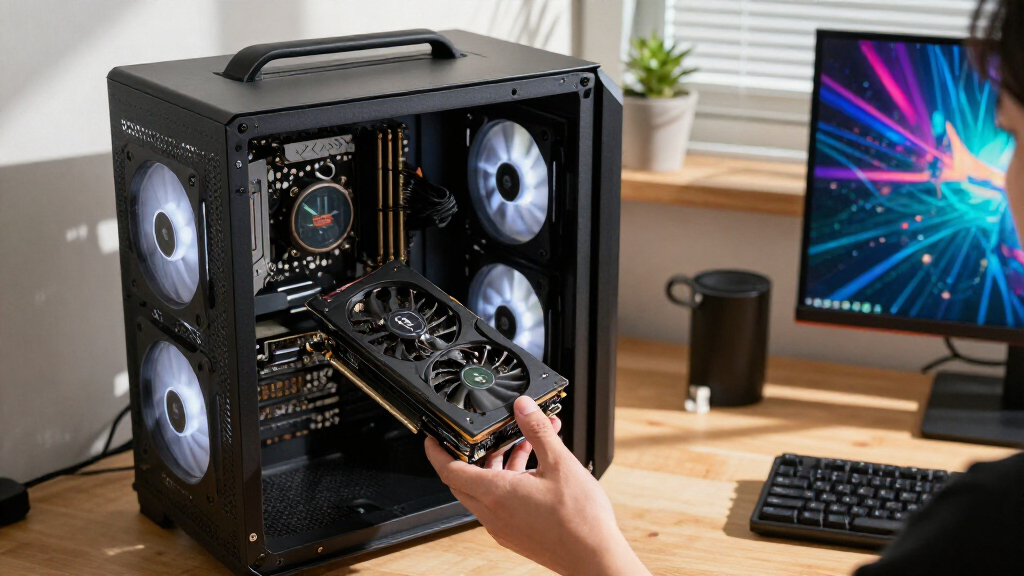
I ranked these graphics cards by the factors that change a purchase decision: expected performance class, memory capacity, cooling design, physical fit, and the practical role each model can fill. GPU tier matters more than a single headline specification; a 16GB card from a lower tier is not automatically a faster choice than a 12GB card from a higher one. I also weighed how each product’s design affects a build, from dual-fan options that may suit tighter cases to larger triple-fan cards that need room and airflow.
The order favors a useful balance of capability and versatility, then separates premium performance, middle-tier choices, compact or entry-level options, and specialized designs. Since the product information supplied does not include measured benchmarks, power draw, dimensions, or current pricing, I do not claim exact frame-rate or value wins. Buyers should verify those details for the specific model and compare them with their case, power supply, display resolution, and intended software before ordering.
| graphics card | Interface | Graphics processor |
|---|---|---|
| MSI Gaming RTX 5080 16G Ventus | — | — |
| ASUS Dual GeForce RTX 5060 Ti | — | — |
| ASUS Prime Radeon RX 9070 EVO | — | — |
| ASRock Radeon RX 9070 Challeng | PCI-Express x16; PCIe 5.0 | — |
| ASUS Prime GeForce RTX 5070 12 | — | — |
| ASRock Intel Arc B570 Challeng | PCI-Express x8 | Intel Arc B570 |
| ASUS ROG Astral GeForce RTX 50 | PCI-Express x16, PCIe 5.0 | NVIDIA GeForce RTX 5080 |
| ASUS TUF Gaming GeForce RTX 50 | PCIe 5.0 x16 | NVIDIA GeForce RTX 5070 |
| ASUS Prime Radeon RX 9070 XT O | PCIe 5.0, PCI-Express x16 | AMD Radeon RX 9070 XT |
| ASUS Dual Radeon RX 9060 XT 16 | PCIe 5.0 | AMD Radeon RX 9060 XT |
Factors to Consider When Choosing Graphics Cards
Choosing among graphics cards is easier when I start with the job the PC needs to do, then check whether the rest of the build can support the GPU. These broader checks can prevent common mismatches that a spec comparison alone will not catch.
Match GPU Tier to Resolution and Frame-Rate Goals
Start with the display you own or plan to buy, since resolution and refresh rate set different demands on a GPU. A card intended for higher-detail, higher-resolution gaming may be unnecessary for a basic 1080p setup, while a modest GPU can become the limiting part of a high-refresh system. Look at independent benchmarks for the games or applications you actually use, not only aggregate performance charts. Compare results at your target resolution and with the visual settings you expect to run. A common mistake is paying for extra GPU headroom while keeping a display that cannot show the improvement. If you plan to upgrade the monitor soon, that added headroom may be more useful.
Read Memory Capacity Alongside GPU Class
Video memory affects how comfortably a card handles large textures, high-resolution assets, and some creative workloads, but it is not a direct measure of speed. This roundup includes several 16GB cards across different performance tiers, alongside 12GB RTX 5070 models and a 10GB Arc option. That spread shows why buyers should compare the GPU class and workload benchmarks alongside memory. Do not assume that the card with the largest memory figure will deliver the highest frame rates. For gaming, check performance in the titles and settings you care about; for production work, check application-specific guidance and project memory demands. More memory can provide room for demanding assets, but it cannot compensate for a slower GPU in every task.
Check Case Clearance and Cooling Needs Before Choosing
Graphics cards vary in length, thickness, and fan layout, and product-family names alone do not tell you whether a card will fit. Check the exact card dimensions against your case’s GPU clearance, and account for front fans, radiators, cables, and neighboring expansion cards. A multi-fan cooler may help manage heat under sustained load, but it can occupy more space and may require clear airflow. Smaller dual-fan models can be easier to place in compact builds, though their cooling and noise behavior should be checked through independent testing. Measure before buying rather than relying on a case’s general category. Leave room for airflow around the card, not just enough space to slide it into the slot.
Confirm Power Supply and Connector Compatibility
A graphics card upgrade can also require a power-supply upgrade, especially when moving into a higher performance tier. Check the exact model’s recommended power supply, connector type, and power requirements, then compare them with your PSU label and available cables. Avoid relying on adapters without checking the card maker’s instructions and the cable maker’s guidance. A supply’s total wattage is only one part of the check; age, quality, and connector availability matter too. Do not force a plug or sharply bend a power cable close to the connector. Verifying this before purchase helps prevent an otherwise compatible card from becoming a difficult build problem.
Choose a GPU Brand and Software Ecosystem for Your Work
GeForce, Radeon, and Intel Arc cards can differ in support for features, creator tools, encoding, and game-specific behavior. If you rely on a particular rendering application, streaming setup, or AI workflow, check the software maker’s current GPU support rather than assuming all cards behave alike. For gaming, look at the specific features you plan to use, such as upscaling or ray tracing, and how well they perform in your regular titles. Arc owners should pay particular attention to compatibility with older games and the applications they need. Driver support changes over time, so consult recent tests and release information. Pick the ecosystem that supports your actual workload, not just the one with the most familiar name.
Pay Extra for the Upgrade You Will Notice
Moving up a tier makes the most sense when it supports a clear goal: a higher-resolution display, demanding visual settings, faster creative work, or more room for a planned monitor upgrade. Premium cooler designs and appearance can matter in a showcase build, but they do not automatically improve performance enough to justify a larger investment. Compare cards by measured results, noise, dimensions, power needs, and warranty terms before paying for a factory overclock or a more elaborate design. A cheaper card that meets your target can leave room for a better monitor or a larger SSD. On the other hand, choosing too little GPU can mean replacing it sooner if your workload is already demanding. Base the upgrade on the full system, not a single product label.
Frequently Asked Questions
Should I choose a 16GB graphics card over a 12GB model?
Not automatically. Memory capacity can help with large textures, high-resolution assets, and some production workloads, but the GPU tier also affects speed and feature performance. This roundup includes 16GB cards at several different levels, so capacity alone does not identify the strongest option. Compare benchmarks at your resolution and check whether your games or software can use the extra memory. If the work you do stays within a smaller memory footprint, a faster GPU with less memory may suit you better.
How can I tell whether a graphics card will fit my PC case?
Find the exact card’s length, thickness, and slot requirements on its product page, then compare them with the case manufacturer’s clearance figures. Check for obstructions such as front-mounted radiators, fans, drive cages, and power cables. A dual-fan card may be easier to place than a large triple-fan model, but the actual dimensions decide fit. Leave some space for airflow and cable routing rather than treating the maximum clearance as a comfortable target. If the case specifications are unclear, measure the interior before buying.
Is a GeForce card always a better choice than Radeon or Intel Arc?
No single GPU brand is the right choice for every buyer. Game performance, ray tracing, upscaling, encoding, creator software support, and driver behavior can vary by application and model. Compare recent results for the titles and programs you use, rather than relying on brand-wide claims. The Radeon and GeForce options here cover several performance tiers, while the Arc B570 is a separate entry-level alternative whose compatibility deserves particular attention. Choose based on your workload and required features, then check current software support.
Do I need to replace my power supply when upgrading my graphics card?
It depends on the exact GPU model and the power supply already in your PC. Check the card’s stated power requirements and connector needs, then compare those with the PSU’s capacity, condition, and available cables. A PSU can have enough nominal wattage but still lack the connector setup or quality needed for a particular build. Follow the card maker’s installation guidance and avoid forcing connectors or improvising cable arrangements. If your current supply is near its limits or is an older unit, include a suitable replacement in the upgrade plan.
Is a factory-overclocked graphics card worth choosing?
A factory overclock can provide a modest performance difference, but it should not be the only reason to select a card. Cooler quality, noise, dimensions, power behavior, warranty, and independent benchmark results can matter more to day-to-day ownership. Compare the overclocked model with the non-overclocked version of the same GPU class, if available, using tests that reflect your resolution and workload. A larger cooler or a specific design may be more relevant if your build prioritizes quieter operation or appearance. Check the exact model’s specifications rather than assuming every OC version has the same advantages.
Conclusion
For the broadest mix of performance and 16GB capacity in this lineup, I would start with the ASUS Prime Radeon RX 9070 XT OC Edition as my best overall choice, while checking independent benchmarks for the games and resolution I use. The ASUS Dual RTX 5060 Ti 16GB is my best value-oriented pick for buyers who want a more measured GeForce option, though actual value depends on current pricing and performance tests. For a premium build, choose between the ASUS ROG Astral RTX 5080 White OC for its distinctive presentation and the MSI RTX 5080 Ventus 3X OC for a more restrained high-end design. Beginners should favor a card that fits their case, PSU, and display without extra upgrades; the RTX 5060 Ti or RX 9060 XT may be easier starting points than the highest tiers. For specific needs, consider the RX 9070 cards for a Radeon 16GB path, the RTX 5070 models for a 12GB GeForce middle tier, and the Arc B570 for an entry-level build after checking software compatibility.
Halloween Picks
halloween
As an affiliate, we earn on qualifying purchases.