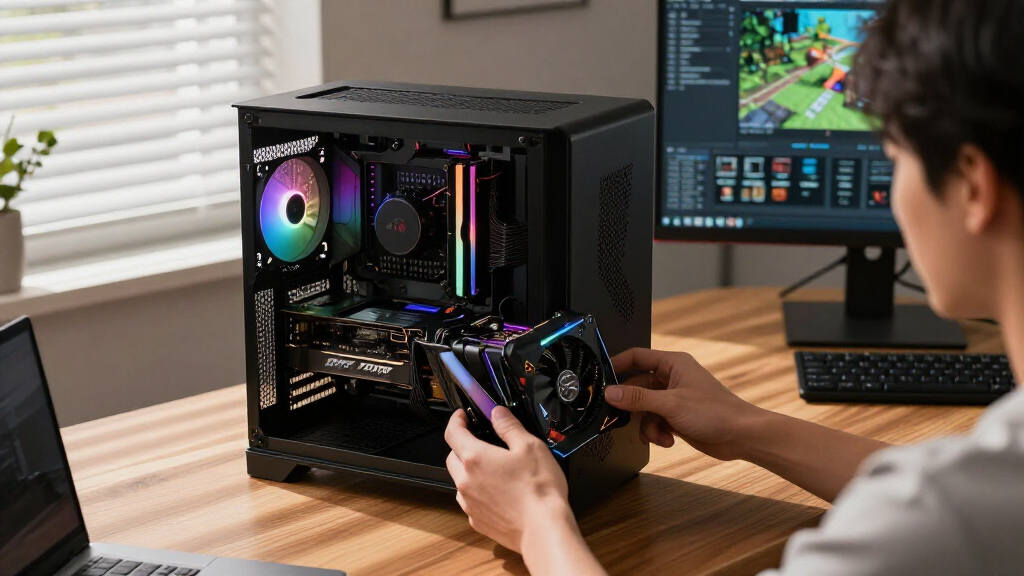

When searching for the best graphics cards in 2026, it’s clear that performance, price, and future-proofing are key factors. The ASUS ROG Astral NVIDIA GeForce RTX 5080 stands out as the overall top choice for high-end gaming and creative work thanks to its cutting-edge specs. The PNY NVIDIA GeForce RTX 5080 Epic-X offers a compelling balance of performance and style, especially with its ARGB lighting and triple-fan cooling. On the other hand, budget-conscious buyers may lean toward the ASUS Dual RTX 5060, which provides solid 1440p gaming without breaking the bank. The main tradeoffs in this category revolve around balancing raw power, feature set, and price. Keep reading for a detailed breakdown of each option and what makes them unique.

Get business pricing on tech for your team
- Business-only prices and quantity discounts
- Tax-exempt purchasing
- Multiple users, one account, clear invoices
Key Takeaways
- The RTX 5080 series dominates for absolute performance, especially for gamers and creators demanding high frame rates and rendering power.
- Cooling solutions and size vary significantly, affecting compatibility and noise levels—consider your case and environment before buying.
- Memory size remains a crucial factor; 16GB models provide better future-proofing for demanding tasks like 4K gaming and 3D rendering.
- Price-to-performance ratio differs sharply; premium cards offer cutting-edge features but may not justify the cost for all users.
- AMD options like the GIGABYTE RX 9060 XT are competitive in certain segments, especially for those prioritizing price or specific software optimizations.
| ASUS ROG Astral NVIDIA GeForce RTX 5080 16GB GDDR7 OC Edition Gaming Graphics Card |  | Best Overall for High-End Gaming and Performance | GPU Architecture: NVIDIA Blackwell | Memory: 16GB GDDR7 | Fan Design: 3.8-slot, 4 Axial-tech fans | VIEW LATEST PRICE | See Our Full Breakdown |
| PNY NVIDIA GeForce RTX 5080 Epic-X ARGB OC Triple Fan Graphics Card (16GB GDDR7, PCIe 5.0, HDMI/DP 2.1) |  | Best for Cutting-Edge Gaming and Creative Workflows | Memory: 16GB GDDR7 | Memory Interface: 256-bit | Boost Speed: 2775 MHz | VIEW LATEST PRICE | See Our Full Breakdown |
| GIGABYTE GeForce RTX 5070 Ti Gaming OC 16G Graphics Card |  | Best for High-Resolution Gaming and Creative Use | Graphics Coprocessor: NVIDIA GeForce RTX 5070 Ti | RAM: 16 GB | GPU Clock Speed: 2600 MHz | VIEW LATEST PRICE | See Our Full Breakdown |
| ASUS Dual NVIDIA GeForce RTX 5060 8GB GDDR7 OC Edition Graphics Card |  | Best for Mid-Range Builds and Smaller Spaces | Graphics Coprocessor: NVIDIA GeForce RTX 5060 | RAM: 8 GB | GPU Clock Speed: 2535 MHz | VIEW LATEST PRICE | See Our Full Breakdown |
| ASUS Dual NVIDIA GeForce RTX 5060 Ti 16GB GDDR7 OC Edition Graphics Card |  | Best for High-Resolution Gaming with Compact Design | Graphics Coprocessor: NVIDIA GeForce RTX 5060 Ti | RAM: 16 GB | GPU Clock Speed: 2632 MHz | VIEW LATEST PRICE | See Our Full Breakdown |
| ASUS Prime NVIDIA GeForce RTX 5070 OC Edition Graphics Card (12GB GDDR7, PCIe 5.0, HDMI/DP 2.1, 2.5-Slot, Axial-tech Fans, Dual BIOS, 3-Year Warranty) |  | Best Compact High-Performance GPU | Graphics Coprocessor: NVIDIA GeForce RTX 5070 | RAM: 12 GB | GPU Clock Speed: 4000 MHz | VIEW LATEST PRICE | See Our Full Breakdown |
| ASUS TUF Gaming GeForce RTX 5080 16GB GDDR7 OC Edition Graphics Card |  | Best for Demanding Gaming and Professional Work | Graphics Coprocessor: NVIDIA GeForce RTX 5080 | RAM: 16 GB | GPU Clock Speed: 2730 MHz | VIEW LATEST PRICE | See Our Full Breakdown |
| GIGABYTE Radeon RX 9060 XT Gaming OC ICE 16G Graphics Card |  | Best for Creative and High-Resolution Gaming | Graphics Coprocessor: RX 9060XT | Memory: 16 GB GDDR6 | GPU Clock Speed: 2780 MHz | VIEW LATEST PRICE | See Our Full Breakdown |
| GIGABYTE GeForce RTX 5060 WINDFORCE OC 8G Graphics Card |  | Best for Budget 1440p Gaming | Graphics Coprocessor: NVIDIA GeForce RTX 5060 | RAM: 8 GB | GPU Clock Speed: 2512 MHz | VIEW LATEST PRICE | See Our Full Breakdown |
| graphics card | Graphics Coprocessor | GPU Clock Speed | Video Output Interface | Graphics RAM Type |
|---|---|---|---|---|
| ASUS ROG Astral NVIDIA GeForce | — | — | — | — |
| PNY NVIDIA GeForce RTX 5080 Ep | — | — | — | — |
| GIGABYTE GeForce RTX 5070 Ti G | NVIDIA GeForce RTX 5070 Ti | 2600 MHz | DisplayPort, HDMI | GDDR7 |
| ASUS Dual NVIDIA GeForce RTX 5 | NVIDIA GeForce RTX 5060 | 2535 MHz | DisplayPort 2.1b x3, HDMI 2.1b | GDDR7 |
| ASUS Dual NVIDIA GeForce RTX 5 | NVIDIA GeForce RTX 5060 Ti | 2632 MHz | DisplayPort 2.1b x3, HDMI 2.1b | GDDR7 |
| ASUS Prime NVIDIA GeForce RTX | NVIDIA GeForce RTX 5070 | 4000 MHz | DisplayPort, HDMI | GDDR7 |
| ASUS TUF Gaming GeForce RTX 50 | NVIDIA GeForce RTX 5080 | 2730 MHz | DisplayPort 2.1a x3, HDMI 2.1b x2 | GDDR7 |
| GIGABYTE Radeon RX 9060 XT Gam | RX 9060XT | 2780 MHz | DisplayPort, HDMI | GDDR6 |
| GIGABYTE GeForce RTX 5060 WIND | NVIDIA GeForce RTX 5060 | 2512 MHz | DisplayPort, HDMI | GDDR7 |
More Details on Our Top Picks
ASUS ROG Astral NVIDIA GeForce RTX 5080 16GB GDDR7 OC Edition Gaming Graphics Card
The ASUS ROG Astral stands out for its robust cooling system featuring a vapor chamber and three large axial-tech fans, making it ideal for sustained high-performance tasks. Compared to the GIGABYTE GeForce RTX 5070 Ti, it offers superior thermal management, enabling longer gaming sessions without thermal throttling. However, its large 3.8-slot design and potentially high power draw mean it demands a spacious case and a strong power supply. Its 16GB GDDR7 memory and advanced cooling make it suitable for demanding gaming and creative workloads where stability is critical.
Pros:- Exceptional cooling with vapor chamber and multiple fans
- High-performance NVIDIA Blackwell architecture with 16GB GDDR7
- Efficient airflow design for lower GPU temperatures
- Reliable 3-year warranty
Cons:- Large 3.8-slot design limits compatibility with smaller cases
- High power consumption may require a robust PSU
Best for: Gamers and content creators needing top-tier performance in a spacious build
Not ideal for: Small form factor PC users or those on a tight power budget
- GPU Architecture:NVIDIA Blackwell
- Memory:16GB GDDR7
- Fan Design:3.8-slot, 4 Axial-tech fans
- Cooling Technology:Patented vapor chamber, phase-change thermal pad
- Connectivity:HDMI, DisplayPort 2.1
- Warranty:3 years
Our verdict“This card is best suited for users with spacious cases who demand maximum performance and cooling efficiency.”
PNY NVIDIA GeForce RTX 5080 Epic-X ARGB OC Triple Fan Graphics Card (16GB GDDR7, PCIe 5.0, HDMI/DP 2.1)
The PNY RTX 5080 Epic-X excels with its PCIe 5.0 support, enabling faster data transfer, and its triple fan setup provides effective cooling. Compared to the ASUS ROG Astral, it offers a slightly more compact 2.99-slot form factor, which can be advantageous for some builds, but it still features a large size overall. The inclusion of AI tech like DLSS 4 and NVIDIA Reflex enhances gaming responsiveness and visual fidelity, making it ideal for gamers and creators pushing the limits of performance. Nevertheless, its high power requirements and premium price may be prohibitive for budget-conscious buyers.
Pros:- Supports PCIe 5.0 for faster data throughput
- 16GB GDDR7 memory ideal for demanding workloads
- Advanced AI features like DLSS 4 and NVIDIA Reflex
- Triple fan cooling for effective heat dissipation
Cons:- High power consumption and heat output
- Premium price point may limit accessibility
- Large size requires compatible case
Best for: High-end gamers and creative professionals seeking the latest AI features and fast PCIe 5.0 bandwidth
Not ideal for: Budget builders or users with limited case space
- Memory:16GB GDDR7
- Memory Interface:256-bit
- Boost Speed:2775 MHz
- Interface:PCIe 5.0
- Outputs:HDMI, DisplayPort 2.1
- Form Factor:2.99-Slot
Our verdict“This card suits enthusiasts who prioritize cutting-edge AI features and maximum bandwidth in a spacious build.”
GIGABYTE GeForce RTX 5070 Ti Gaming OC 16G Graphics Card
The GIGABYTE RTX 5070 Ti Gaming OC offers a compelling mix of high frame rates and detailed visuals, thanks to its 16GB GDDR7 memory and the WINDFORCE cooling system. It compares favorably against the ASUS Dual RTX 5060 in terms of raw power, making it better suited for 4K gaming and professional creative tasks. Its cooling system maintains lower temperatures during intensive workloads, but its large size and high power draw mean it’s best for spacious, well-powered desktops. Despite the lack of detailed user reviews, its high specs make it an attractive option for enthusiasts.
Pros:- High-performance RTX 5070 Ti GPU with 16GB GDDR7
- Robust WINDFORCE cooling system for temperature control
- Supports resolutions up to 7680×4320
- Multiple output options including HDMI and DisplayPort
Cons:- Large size may limit case compatibility
- Potentially high power consumption
Best for: Gamers and creators who need high-resolution support and stable thermal performance
Not ideal for: Compact build users or those with limited power supply capacity
- Graphics Coprocessor:NVIDIA GeForce RTX 5070 Ti
- RAM:16 GB
- GPU Clock Speed:2600 MHz
- Video Output Interface:DisplayPort, HDMI
- Graphics RAM Type:GDDR7
- Maximum Resolution:7680 x 4320
Our verdict“Ideal for users with spacious cases seeking high-res gaming and professional-grade rendering.”
ASUS Dual NVIDIA GeForce RTX 5060 8GB GDDR7 OC Edition Graphics Card
The ASUS Dual RTX 5060 balances performance and size with its 8GB GDDR7 memory and dual Axial-tech fans, making it suitable for mid-range gaming setups. It performs well compared to higher-end models like the GIGABYTE RTX 5070 Ti, especially in smaller cases thanks to its compact 2.5-slot design. While it supports high resolutions up to 7680×4320 and features DLSS 4, its lower VRAM might limit performance in very demanding titles at ultra settings. Its cooling system is efficient but less extensive than larger cards, which might impact thermal performance under heavy loads.
Pros:- Compact 2.5-slot form factor fits smaller cases
- 8GB GDDR7 provides solid mid-range gaming performance
- Supports high resolutions and DLSS 4
- Decent cooling with dual Axial-tech fans
Cons:- Limited VRAM for ultra-demanding titles
- No detailed review data available
Best for: Enthusiasts building compact gaming or multitasking systems
Not ideal for: Users aiming for maximum 4K high-refresh gaming or intensive creative workflows
- Graphics Coprocessor:NVIDIA GeForce RTX 5060
- RAM:8 GB
- GPU Clock Speed:2535 MHz
- Video Output Interface:DisplayPort 2.1b x3, HDMI 2.1b
- Graphics Ram Type:GDDR7
- Maximum Resolution:7680×4320
Our verdict“A great choice for smaller builds needing reliable 1080p or 1440p gaming with some headroom for high resolutions.”
ASUS Dual NVIDIA GeForce RTX 5060 Ti 16GB GDDR7 OC Edition Graphics Card
The ASUS Dual RTX 5060 Ti combines high VRAM capacity with a compact 2.5-slot form factor, making it suitable for high-resolution gaming up to 7680×4320. Its 16GB GDDR7 memory and 2632 MHz clock speed deliver solid performance for both gaming and creative tasks. Compared to the GIGABYTE RTX 5070 Ti, it offers similar VRAM but in a smaller, more adaptable package. Its dual Axial-tech fans provide reliable cooling, but it still requires a case that can accommodate its size and power needs. Its high VRAM makes it appealing for future-proofing and demanding workloads.
Pros:- High 16GB GDDR7 VRAM supports demanding applications
- Compact 2.5-slot design suitable for smaller cases
- Supports resolutions up to 7680×4320
- Reliable dual Axial-tech cooling
Cons:- Requires sufficient case space and power capacity
- Limited detailed user feedback
Best for: Enthusiasts with limited space seeking high VRAM for demanding titles and creative work
Not ideal for: Users requiring the absolute highest frame rates at ultra settings in 4K or those with very limited case space
- Graphics Coprocessor:NVIDIA GeForce RTX 5060 Ti
- RAM:16 GB
- GPU Clock Speed:2632 MHz
- Video Output Interface:DisplayPort 2.1b x3, HDMI 2.1b
- Graphics RAM Type:GDDR7
- Maximum Resolution:7680×4320
Our verdict“This card suits users wanting high VRAM capacity and high resolution support in a smaller form factor.”
ASUS Prime NVIDIA GeForce RTX 5070 OC Edition Graphics Card (12GB GDDR7, PCIe 5.0, HDMI/DP 2.1, 2.5-Slot, Axial-tech Fans, Dual BIOS, 3-Year Warranty)
This ASUS Prime RTX 5070 OC stands out for small-form-factor builds that demand high power without sacrificing space. Its 12GB GDDR7 and 4000 MHz GPU clock make it capable of handling demanding games and professional tasks, especially when compared to bulkier options like the RTX 5080. Its 2.5-slot design requires good chassis ventilation, which might limit compatibility in tighter cases. The three Axial-tech fans and thermal pads ensure effective cooling, but high performance could lead to increased power consumption. While it supports resolutions up to 3840×2160, limited user feedback means some uncertainties about long-term reliability.
Pros:- Powerful NVIDIA GeForce RTX 5070 GPU with 12GB GDDR7 memory
- Efficient cooling with three Axial-tech fans and thermal pads
- Compact 2.5-slot design suitable for small builds
Cons:- Requires good chassis ventilation due to its size
- Potentially higher power draw with high-performance GPU
Best for: Enthusiasts building compact gaming or professional PCs who need strong performance in a small space
Not ideal for: Users seeking the absolute highest gaming performance or large multi-GPU setups, as its size and cooling may limit expansion
- Graphics Coprocessor:NVIDIA GeForce RTX 5070
- RAM:12 GB
- GPU Clock Speed:4000 MHz
- Video Output Interface:DisplayPort, HDMI
- Graphics RAM Type:GDDR7
- Maximum Resolution:3840 x 2160
- Item Dimensions:12″L x 5″W
- Warranty:3 years
Our verdict“This card is ideal for small-form-factor builds needing high-end graphics without bulk, though it demands good airflow.”
ASUS TUF Gaming GeForce RTX 5080 16GB GDDR7 OC Edition Graphics Card
The ASUS TUF Gaming RTX 5080 with 16GB GDDR7 is built for users who need serious muscle, especially when compared to the RTX 5060. Its NVIDIA Blackwell architecture and 2730 MHz clock deliver high-end gaming and creative performance, with the large 16GB memory supporting intensive workloads. The triple axial-tech fans and military-grade components ensure durability, but its size (13.7 inches long) might challenge smaller cases. Its high price reflects its premium features, making it less ideal for budget-conscious buyers. While detailed reviews are scarce, its robust build and high resolution support up to 7680×4320 position it as a top-tier option for power users.
Pros:- High-performance NVIDIA Blackwell architecture
- Large 16GB GDDR7 memory for demanding tasks
- Durable build with military-grade components
Cons:- Large size may require spacious cases
- Premium price may be prohibitive for some users
Best for: High-end gamers and professionals needing maximum performance in demanding applications
Not ideal for: Users with limited case space or those on a tight budget, given its size and premium price
- Graphics Coprocessor:NVIDIA GeForce RTX 5080
- RAM:16 GB
- GPU Clock Speed:2730 MHz
- Video Output Interface:DisplayPort 2.1a x3, HDMI 2.1b x2
- Graphics RAM Type:GDDR7
- Maximum Resolution:7680 x 4320
- Item Dimensions:13.7″ L x 5.7″ W
- Warranty:Not specified
Our verdict“This GPU suits users who need top-tier performance and have ample space and budget, but it’s overkill for casual gamers.”
GIGABYTE Radeon RX 9060 XT Gaming OC ICE 16G Graphics Card
The GIGABYTE RX 9060 XT Gaming OC ICE with 16GB of GDDR6 offers a compelling choice for users wanting high performance at a slightly lower cost than comparable NVIDIA cards. Its 2780 MHz boost clock and PCIe 5.0 support make it suitable for demanding gaming and creative workflows, especially when compared to lower-memory options like the RTX 5060. The triple fan WINDFORCE cooling and reinforced backplate help manage heat and durability, but its size could limit compatibility in smaller cases. The RGB lighting adds a customizable touch, appealing to users who like personalization. However, its high power needs and premium price may deter budget-conscious buyers.
Pros:- Large 16GB GDDR6 memory for intensive applications
- PCIe 5.0 support enables faster data transfer
- Robust cooling with WINDFORCE technology and customizable RGB
Cons:- Size may require larger PC cases
- High power consumption needs a strong power supply
Best for: Creative professionals and gamers seeking high-performance graphics with good thermal management and visual customization
Not ideal for: Users with small cases or those on a strict budget who might prefer more economical options
- Graphics Coprocessor:RX 9060XT
- Memory:16 GB GDDR6
- GPU Clock Speed:2780 MHz
- Video Output Interface:DisplayPort, HDMI
- Graphics RAM Type:GDDR6
- Memory Clock Speed:20000 MHz
- Compatible Devices:Desktop
- Interface:PCI-Express x16
Our verdict“This card excels for users who want high memory and customization features without stepping into ultra-premium territory, provided their case and power supply are adequate.”
GIGABYTE GeForce RTX 5060 WINDFORCE OC 8G Graphics Card
The GIGABYTE RTX 5060 WINDFORCE OC 8G offers a balanced mix of performance and affordability, making it a strong choice for gamers targeting 1440p resolution. Its NVIDIA RTX architecture supports real-time ray tracing and AI features similar to the higher-tier models like the RTX 5080, but with 8GB of GDDR7 memory to keep costs down. The dual fan WINDFORCE cooling system ensures temperatures stay manageable during extended gaming sessions, positioned as a more affordable alternative to the RTX 5070 or 5080. However, it lacks the raw power needed for 4K gaming at high settings and requires a PCIe 5.0 slot and sufficient power supply, which might limit compatibility for some builds.
Pros:- Good performance for 1440p gaming with ray tracing
- Efficient WINDFORCE cooling system
- Supports high resolutions up to 7680×4320
Cons:- Limited VRAM for future-proofing at high resolutions
- No detailed pricing info available
Best for: Budget-conscious gamers seeking solid 1440p performance with ray tracing features
Not ideal for: Players aiming for 4K gaming or heavy creative workloads, due to its 8GB VRAM and mid-range performance
- Graphics Coprocessor:NVIDIA GeForce RTX 5060
- RAM:8 GB
- GPU Clock Speed:2512 MHz
- Video Output Interface:DisplayPort, HDMI
- Graphics RAM Type:GDDR7
- Memory Clock Speed:28000 MHz
- Maximum Display Resolution:7680×4320
- Item Dimensions:7.83″L x 4.57″W
Our verdict“This GPU is suitable for gamers on a budget who want smooth 1440p gameplay but isn’t ideal for 4K or demanding creative tasks.”
How We Picked
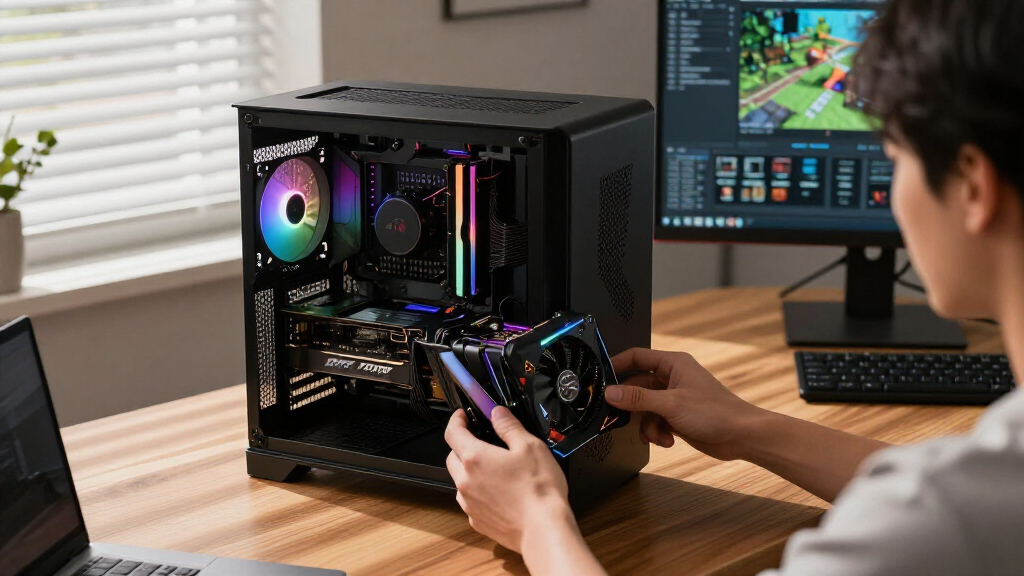
To determine the best graphics cards for 2026, I focused on a combination of performance benchmarks, feature sets, build quality, and value. Each card was evaluated based on its gaming and creative workload capabilities, cooling solutions, power requirements, and overall build durability. I also considered how well each model fits into different user scenarios, from casual gamers to demanding professionals. The ranking reflects a balance between raw performance and practical usability, ensuring that each pick offers a clear advantage for its target audience while acknowledging tradeoffs like price or size limitations.| graphics card | Graphics Coprocessor | Video Output Interface | Graphics RAM Type |
|---|---|---|---|
| ASUS ROG Astral NVIDIA GeForce | — | — | — |
| PNY NVIDIA GeForce RTX 5080 Ep | — | — | — |
| GIGABYTE GeForce RTX 5070 Ti G | NVIDIA GeForce RTX 5070 Ti | DisplayPort, HDMI | GDDR7 |
| ASUS Dual NVIDIA GeForce RTX 5 | NVIDIA GeForce RTX 5060 | DisplayPort 2.1b x3, HDMI 2.1b | GDDR7 |
| ASUS Dual NVIDIA GeForce RTX 5 | NVIDIA GeForce RTX 5060 Ti | DisplayPort 2.1b x3, HDMI 2.1b | GDDR7 |
| ASUS Prime NVIDIA GeForce RTX | NVIDIA GeForce RTX 5070 | DisplayPort, HDMI | GDDR7 |
| ASUS TUF Gaming GeForce RTX 50 | NVIDIA GeForce RTX 5080 | DisplayPort 2.1a x3, HDMI 2.1b x2 | GDDR7 |
| GIGABYTE Radeon RX 9060 XT Gam | RX 9060XT | DisplayPort, HDMI | GDDR6 |
| GIGABYTE GeForce RTX 5060 WIND | NVIDIA GeForce RTX 5060 | DisplayPort, HDMI | GDDR7 |
Factors to Consider When Choosing Graphics Cards
Choosing the right graphics card involves weighing several key factors. Performance levels vary widely, so consider what resolution and settings you want to run your games or applications at. Compatibility with your PC case and power supply is often overlooked but critical. Features like ray tracing, DLSS/FSR support, and cooling design can enhance experience but may add cost. Understanding your specific needs helps avoid overspending on features you won’t use while ensuring your system remains balanced and future-proofed.Performance and Use Case
Assess your typical workload—are you gaming at 1080p, 1440p, or 4K? Creative tasks like 3D rendering or video editing also demand high performance. Higher-tier cards like the RTX 5080 excel at demanding tasks but come with a higher price tag. For casual gaming or light creative work, models like the RTX 5060 offer decent performance at a lower cost. Matching your needs with the card’s capabilities prevents overspending and ensures a smoother experience.
VRAM and Future-Proofing
Memory size, measured in gigabytes, directly impacts your system’s ability to handle modern games and creative software over the coming years. 8GB is often enough for 1080p gaming, but 16GB or more is recommended for 1440p or 4K gaming, as well as demanding professional applications. Investing in a card with ample VRAM can extend its relevance, especially as game textures and software requirements grow more demanding.
Cooling and Size
Cooling solutions vary from simple dual-fan designs to elaborate triple-fan setups and liquid cooling options. Better cooling generally means quieter operation and longer lifespan, especially under sustained loads. Size is another consideration—larger cards may not fit in smaller cases or could block other components. Double-check your case dimensions and airflow before choosing a card with a bulky cooling system.
Connectivity and Features
Modern cards come with various outputs—HDMI 2.1, DisplayPort 2.1, USB-C, etc.—which influence your multi-monitor setup. Features like ray tracing, DLSS, and FSR can significantly improve visual quality but might require supporting hardware or software. Consider whether these features align with your usage, as they can also affect price and availability.
Price and Value
Price remains the defining factor for many buyers. High-end models deliver exceptional performance but at a premium cost, which might not be justified for casual users. Conversely, mid-range cards often strike a good balance between cost and capability. Avoid inflated prices during shortages and look for deals that reflect the card’s actual performance level to maximize value.
Frequently Asked Questions
How do I know if a graphics card is compatible with my system?
Compatibility primarily depends on your motherboard’s PCIe slot, power supply wattage, and physical space within your case. Check your motherboard for a suitable PCIe slot (usually PCIe 4.0 or 5.0), ensure your power supply can deliver the required wattage and has compatible power connectors, and verify that your case can fit the card’s dimensions. Additionally, consider whether your CPU might bottleneck high-end cards, which can limit performance gains. Ensuring compatibility beforehand saves time and prevents costly returns or upgrades later.
Is it worth paying extra for features like ray tracing or DLSS?
Features like ray tracing and DLSS can significantly improve visual fidelity and performance in supported titles, making them worthwhile for enthusiasts and gamers seeking the best experience. However, enabling ray tracing often reduces frame rates unless paired with DLSS or FSR, so your hardware needs to support these features effectively. If you play mostly less demanding games or are on a budget, these features might not justify the additional cost. Consider your preferred titles and whether the visual improvements match your expectations.
How often should I upgrade my graphics card?
The typical upgrade cycle for most users ranges from 3 to 5 years, depending on the pace of technological advancements and your specific needs. If you’re a gamer aiming for 4K or high-refresh-rate gaming, upgrading more frequently may be necessary to keep up with new titles. For creative professionals, staying current with the latest GPU features can improve productivity and workflow. Regularly monitoring performance in your key applications helps determine when an upgrade is justified.
Can I use a graphics card from a different manufacturer than my CPU?
Yes, graphics cards are generally compatible across different brands regardless of your CPU manufacturer, as long as your system meets the technical requirements. AMD and Intel CPUs work well with both AMD and NVIDIA graphics cards, provided your motherboard has compatible slots and your power supply is adequate. Mixing brands is common and does not typically cause issues, but ensure your drivers are correctly installed and kept up to date for optimal performance.
What should I consider if I want a quiet graphics card?
Quiet operation depends largely on the cooling design, fan speed, and overall build quality. Cards with larger, well-placed fans and efficient heatsinks tend to operate more quietly, especially under load. Some models include semi-passive cooling that keeps fans off during light use, reducing noise further. Keep in mind that higher performance cards often generate more heat and noise, so balancing cooling capacity with acoustics is key. Reading user reviews specific to noise levels can help identify the best quiet options.
Conclusion
For gamers seeking the best overall experience, the ASUS ROG Astral NVIDIA GeForce RTX 5080 offers top-tier performance and features. Budget-conscious buyers or those with smaller cases will find the ASUS Dual RTX 5060 to be a smart choice that balances cost with decent power. Creative professionals and enthusiasts willing to invest more will appreciate the GIGABYTE GeForce RTX 5080 TUF or PNY Epic-X for their advanced features and durability. Beginners or those upgrading an older system should prioritize compatibility and balanced specs, while high-end users should consider premium models for future-proofing. Your ideal choice depends on your specific needs and budget—there’s a card here for virtually every type of user.