Among these NVMe SSDs, I rank the Samsung 990 PRO 2TB as the best overall choice for a fast, roomy PCIe 4.0 upgrade. The Kingston NV3 1TB is the straightforward value-oriented pick, while the Samsung 9100 PRO 2TB is aimed at systems built to benefit from PCIe 5.0 speeds. The main tradeoffs are capacity versus cost, PCIe 4.0 versus 5.0 compatibility, and whether your workload can use peak transfer speeds. A high-end drive may add little for routine computing, while a small capacity can fill quickly with games and large projects. Read on for the full comparison and guidance on matching an SSD to your system.

Get tech for your team delivered free — and shop member deals
- Fast, free delivery on millions of items
- Access to Prime Big Deal Days deals on October 6–7
- Prime Video, Amazon Music and more included
Key Takeaways
Capacity changes the recommendation: the 1TB models suit general upgrades, while 2TB versions of the Samsung 990 PRO, Samsung 9100 PRO, and SanDisk Optimus 5100 give large game libraries and work files more room.
PCIe 5.0 is a platform-specific upgrade: the Samsung 9100 PRO models are the only Gen5 entries here, but a compatible motherboard and CPU are needed to use that interface.
The Samsung 990 PRO 2TB is the balanced lead pick: it combines a mature PCIe 4.0 interface with substantial capacity, rather than asking buyers to pay for Gen5 capability they may not use.
The SanDisk Optimus 5100 range gives buyers three capacity choices: 500GB, 1TB, and 2TB let shoppers match capacity to their workload, though the 500GB version leaves less room for growing libraries.
Entry-level and premium models serve different jobs: the Kingston NV3 1TB and Crucial P310 1TB focus on PCIe 4.0 upgrades, while the Samsung 9100 PRO targets high-performance systems that can take advantage of Gen5.
| Crucial P310 1TB PCIe Gen4 NVMe M.2 2280 SSD |  | Best for Broad Device Compatibility | Capacity: 1 TB | Interface: PCIe Gen4 x4 NVMe; backward compatible with PCIe Gen3 | Form factor: M.2 2280 | VIEW LATEST PRICE | See Our Full Breakdown |
| SanDisk Optimus 5100 500GB NVMe SSD, PCIe 4.0, M.2 2280 |  | Best for Compact-Capacity Gen4 Upgrades | Capacity: 500 GB | Interface: PCIe 4.0 x4 | Form factor: M.2 2280 | VIEW LATEST PRICE | See Our Full Breakdown |
| SanDisk Optimus 5100 2TB NVMe SSD, PCIe 4.0, M.2 2280 |  | Best for High-Capacity Creator Workflows | Capacity: 2 TB | Interface: PCIe 4.0 NVMe | Form factor: M.2 2280 | VIEW LATEST PRICE | See Our Full Breakdown |
| Samsung 990 PRO 1TB PCIe 4.0 M.2 2280 NVMe SSD |  | Best Premium 1TB Performance | Capacity: 1 TB | Interface: PCIe 4.0 x4 | Form factor: M.2 2280 | VIEW LATEST PRICE | See Our Full Breakdown |
| SanDisk Optimus 5100 1TB NVMe SSD – PCIe 4.0, M.2 2280 |  | Best Balanced 1TB SanDisk Pick | Capacity: 1 TB | Interface: PCIe 4.0 x4 | Form factor: M.2 2280 | VIEW LATEST PRICE | See Our Full Breakdown |
| Samsung 990 PRO 2TB PCIe 4.0 M.2 2280 SSD |  | Best Overall PCIe 4.0 Pick | Capacity: 2 TB | Interface: PCIe 4.0 x4 | Form factor: M.2 2280 | VIEW LATEST PRICE | See Our Full Breakdown |
| Kingston NV3 1TB M.2 2280 PCIe 4.0 NVMe SSD |  | Best for Space-Constrained Builds | Model: SNV3S/1000G | Capacity: 1 TB | Form factor: M.2 2280 | VIEW LATEST PRICE | See Our Full Breakdown |
| Samsung 9100 PRO 1TB PCIe 5.0 NVMe M.2 SSD |  | Best for PCIe 5.0 Speed | Storage capacity: 1 TB | Interface: PCIe 5.0 x4 | Protocol: NVMe | VIEW LATEST PRICE | See Our Full Breakdown |
| Acer Predator GM7 1TB SSD |  | Best Gen 4 Gaming Drive | Capacity: 1 TB | Form factor: M.2 2280 | Interface: PCIe Gen 4 x4 NVMe 2.0 | VIEW LATEST PRICE | See Our Full Breakdown |
| Samsung 9100 PRO 2TB PCIe 5.0 NVMe M.2 SSD | | Best Premium High-Capacity Pick | Storage capacity: 2 TB | Interface: NVMe, PCIe 5.0 x4 | Form factor: M.2 2280 | VIEW LATEST PRICE | See Our Full Breakdown |
| nvme ssd | Interface | Form factor | Capacity | Read speed |
|---|---|---|---|---|
| Crucial P310 1TB PCIe Gen4 NVM | PCIe Gen4 x4 NVMe; backward compatible with PCIe Gen3 | M.2 2280 | 1 TB | — |
| SanDisk Optimus 5100 500GB NVM | PCIe 4.0 x4 | M.2 2280 | 500 GB | Up to 6,600 MB/s |
| SanDisk Optimus 5100 2TB NVMe | PCIe 4.0 NVMe | M.2 2280 | 2 TB | — |
| Samsung 990 PRO 1TB PCIe 4.0 M | PCIe 4.0 x4 | M.2 2280 | 1 TB | — |
| SanDisk Optimus 5100 1TB NVMe | PCIe 4.0 x4 | M.2 2280 | 1 TB | Up to 7,100 MB/s |
| Samsung 990 PRO 2TB PCIe 4.0 M | PCIe 4.0 x4 | M.2 2280 | 2 TB | Up to 7,450 MB/s |
| Kingston NV3 1TB M.2 2280 PCIe | PCIe 4.0 x4 NVMe | M.2 2280 | 1 TB | Up to 6,000 MB/s |
| Samsung 9100 PRO 1TB PCIe 5.0 | PCIe 5.0 x4 | M.2 2280 | — | — |
| Acer Predator GM7 1TB SSD | PCIe Gen 4 x4 NVMe 2.0 | M.2 2280 | 1 TB | Up to 7,400 MB/s |
| Samsung 9100 PRO 2TB PCIe 5.0 | NVMe, PCIe 5.0 x4 | M.2 2280 | — | — |
More Details on Our Top Picks
Crucial P310 1TB PCIe Gen4 NVMe M.2 2280 SSD
The Crucial P310 is a flexible 1TB choice for buyers upgrading a desktop, laptop, or select handheld gaming device that accepts an M.2 2280 drive. Its sequential speeds of up to 7,100 MB/s read and 6,000 MB/s write make it a strong general-purpose Gen4 option, though the Samsung 990 PRO 1TB has higher listed write speed and added encryption features. The P310’s advantage is a straightforward capacity-and-compatibility mix, plus an Acronis True Image offer for backup or drive migration. It also works with PCIe Gen3 systems, although those systems won’t reach its Gen4 ceiling. Check your device’s slot and console model before buying: the 2280 size and handheld compatibility are not universal. Buyers focused on sustained heavy writes may prefer a drive with different NAND characteristics.
Pros:- 1TB capacity suits a broad mix of games, applications, and media.
- Up to 7,100 MB/s read speed supports fast file access and loading.
- Compatible with PCIe Gen3 systems as well as Gen4 systems.
- Acronis True Image offer can help with backup and drive migration.
Cons:- M.2 2280 compatibility excludes devices built for other SSD sizes.
- Handheld-console compatibility applies only to select models.
- Listed write speed is lower than the Samsung 990 PRO 1TB.
Best for: Laptop and desktop owners, or users of a specifically compatible handheld, who want a 1TB Gen4 upgrade and migration software.
Not ideal for: Buyers with devices that require a different M.2 size, or users seeking the higher listed write speed and AES encryption of the Samsung 990 PRO.
- Capacity:1 TB
- Interface:PCIe Gen4 x4 NVMe; backward compatible with PCIe Gen3
- Form factor:M.2 2280
- Sequential read speed:Up to 7,100 MB/s
- Sequential write speed:Up to 6,000 MB/s
- NAND:G8 NAND
- Compatibility:Desktops, laptops, and select handheld gaming consoles
- Included software:Acronis True Image offer
Our verdict“Choose the Crucial P310 if you want a versatile 1TB Gen4 drive with migration software and your device supports M.2 2280.”
SanDisk Optimus 5100 500GB NVMe SSD, PCIe 4.0, M.2 2280
The SanDisk Optimus 5100 500GB is the small-capacity pick for a compatible desktop or laptop when a Gen4 drive matters more than room for a large library. Its listed speeds—up to 6,600 MB/s read and 5,600 MB/s write—are respectable, but both trail the 1TB Crucial P310, which also doubles the capacity. SanDisk adds nCache 4.0, monitoring and update software, and a five-year limited warranty. The tradeoff is its QLC NAND and 500GB capacity: QLC can be less suited to sustained heavy writing than some alternatives, and space can fill quickly with large games or media projects. This makes more sense as a focused OS-and-app drive than as the sole storage device for a creator or gamer with a growing library.
Pros:- PCIe 4.0 speeds reach up to 6,600 MB/s read.
- nCache 4.0 supports the drive’s caching features.
- SSD monitoring and update software is included.
- Five-year limited warranty.
Cons:- 500GB offers less room than the 1TB Crucial P310 and 1TB SanDisk Optimus 5100.
- QLC NAND may be a less suitable fit for frequent, sustained heavy writes.
- Listed read and write speeds are below the larger SanDisk Optimus 5100 models.
Best for: Laptop and desktop owners who need a 500GB M.2 2280 boot or application drive and want built-in monitoring software.
Not ideal for: Gamers with large libraries or creators who frequently write large project files; the 500GB capacity and QLC NAND are less suitable for those workloads.
- Capacity:500 GB
- Interface:PCIe 4.0 x4
- Form factor:M.2 2280
- Read speed:Up to 6,600 MB/s
- Write speed:Up to 5,600 MB/s
- NAND type:8th generation BiCS QLC 3D CBA NAND
- Cache technology:SANDISK nCache 4.0
- Warranty:5-year limited warranty
Our verdict“Pick this Optimus 5100 for a compact 500GB Gen4 upgrade, but choose a 1TB or larger drive if it will hold a substantial game or project library.”
SanDisk Optimus 5100 2TB NVMe SSD, PCIe 4.0, M.2 2280
For buyers who need more working room without stepping up to a PCIe 5.0 drive, the 2TB SanDisk Optimus 5100 pairs substantial capacity with up to 7,100 MB/s read and 6,700 MB/s write. It is a more natural fit for large project folders and game libraries than the 500GB Optimus 5100, while its speeds sit close to the 1TB version. The appeal is capacity and a power-efficient design, with the SanDisk Dashboard app for monitoring and updates. Its QLC NAND is the main compromise: buyers with frequent, prolonged write workloads may favor a drive with different NAND characteristics. Unlike the Samsung 990 PRO 1TB, this model provides twice the stated capacity, but it does not list that drive’s AES 256-bit encryption or random IOPS figures.
Pros:- 2TB capacity provides more room for projects and games than the 500GB Optimus 5100.
- Up to 7,100 MB/s read and 6,700 MB/s write speeds.
- Power-efficient design supports portable-use scenarios.
- SanDisk Dashboard supports performance monitoring and updates.
Cons:- QLC NAND may be less suited to sustained heavy writing than other NAND types.
- Requires a compatible M.2 2280 PCIe 4.0 slot.
- The product data does not list encryption or random IOPS figures.
Best for: Creators and gamers who need a 2TB internal drive for large libraries, working files, and fast everyday transfers in a PCIe 4.0 system.
Not ideal for: Users who routinely write very large amounts of data for extended periods or specifically need the Samsung 990 PRO’s listed AES encryption and random-performance figures.
- Capacity:2 TB
- Interface:PCIe 4.0 NVMe
- Form factor:M.2 2280
- Maximum read speed:Up to 7,100 MB/s
- Maximum write speed:Up to 6,700 MB/s
- NAND type:8th generation SanDisk BiCS QLC 3D CBA NAND
- Power design:Power-efficient design
- Monitoring software:SanDisk Dashboard
Our verdict“Choose the 2TB Optimus 5100 when capacity for creator files or games matters more than avoiding QLC NAND for sustained write-heavy work.”
Samsung 990 PRO 1TB PCIe 4.0 M.2 2280 NVMe SSD
The Samsung 990 PRO 1TB is the performance-focused choice in this group, with listed sequential speeds of up to 7,450 MB/s read and 6,900 MB/s write—higher than the 1TB Crucial P310. Its random performance figures also speak to workloads that involve many small files, while AES 256-bit encryption and Samsung Magician add security and drive-management options. The nickel-coated controller is designed to support thermal management, a useful feature in compact systems where cooling is limited. This is still a Gen4 drive, so a PCIe 4.0-capable system is needed to reach its stated maximum performance. Compared with the 2TB SanDisk Optimus 5100, it offers half the capacity, making it a better match for buyers prioritizing listed performance and features over storage space.
Pros:- Highest listed sequential read and write speeds among these 1TB options.
- Random read and write performance figures are provided for demanding workloads.
- AES 256-bit encryption and Samsung Magician software add management features.
- Nickel-coated controller is designed to support thermal management.
Cons:- Requires PCIe 4.0 support to reach its maximum listed performance.
- Its 1TB capacity is lower than the 2TB SanDisk Optimus 5100.
- Write performance can depend on system configuration and Intelligent Turbo Write.
Best for: PC and laptop owners, including PS5 users, who want a feature-rich 1TB Gen4 drive with high listed sequential and random performance.
Not ideal for: Buyers who prioritize 2TB capacity, or owners of systems without PCIe 4.0 support who cannot use its full stated speed.
- Capacity:1 TB
- Interface:PCIe 4.0 x4
- Form factor:M.2 2280
- Sequential read speed:Up to 7,450 MB/s
- Sequential write speed:Up to 6,900 MB/s
- Random read performance:Up to 1,400K IOPS
- Random write performance:Up to 1,550K IOPS
- Encryption:AES 256-bit
- Compatibility:Laptop, Mac, PC, PlayStation 5
Our verdict“Choose the Samsung 990 PRO if you want a premium 1TB Gen4 drive with high listed performance, encryption, and management tools rather than maximum capacity.”
SanDisk Optimus 5100 1TB NVMe SSD – PCIe 4.0, M.2 2280
The SanDisk Optimus 5100 1TB occupies the middle ground between the 500GB and 2TB versions: enough listed capacity for a substantial game or application library, without committing to the larger model. Its stated speeds of up to 7,100 MB/s read and 6,700 MB/s write are stronger than the 500GB Optimus 5100’s figures and close to the 2TB model’s. The drive uses QLC NAND and a power-efficient design, with nCache 4.0 and a five-year limited warranty listed for this product. That combination suits general gaming and creator use, but QLC can be a drawback for sustained heavy writes compared with other NAND types. The Samsung 990 PRO 1TB lists higher peak speeds and AES encryption; this SanDisk instead emphasizes its balance of capacity, speed, and power efficiency.
Pros:- 1TB capacity balances library space and drive size.
- Up to 7,100 MB/s read and 6,700 MB/s write speeds.
- Power-efficient architecture suits laptop and portable-use setups.
- Five-year limited warranty and optional Acronis True Image migration software are listed.
Cons:- QLC NAND may have lower endurance and slower sustained write performance than other NAND types.
- Requires a compatible M.2 2280 PCIe 4.0 slot.
- Listed peak speeds are below the Samsung 990 PRO 1TB.
Best for: Laptop and desktop users who want a 1TB PCIe 4.0 drive for games, applications, and regular creator work, with power efficiency as a priority.
Not ideal for: Buyers who need the Samsung 990 PRO’s listed encryption and random-performance figures, or users whose workloads involve prolonged heavy writing.
- Capacity:1 TB
- Interface:PCIe 4.0 x4
- Form factor:M.2 2280
- Read speed:Up to 7,100 MB/s
- Write speed:Up to 6,700 MB/s
- NAND type:8th-generation BiCS QLC 3D CBA
- Endurance:1,200 TBW listed for the 4TB model
- Warranty:5-year limited
- Compatibility:Desktop, laptop, Xbox Series S, PlayStation 5
Our verdict“Pick this 1TB Optimus 5100 for a balanced Gen4 upgrade with high listed speeds and power-efficient design, but favor the Samsung 990 PRO for its extra listed features.”
Samsung 990 PRO 2TB PCIe 4.0 M.2 2280 SSD
The Samsung 990 PRO 2TB is my balanced choice for a fast PCIe 4.0 build: it pairs high sequential speeds with twice the capacity of the 1TB drives here, giving large game libraries and active project files more room. Its stated read speed of up to 7,450 MB/s edges the Acer Predator GM7, while its 6,900 MB/s write figure also leads that Gen 4 rival on paper. Compared with the Samsung 9100 PRO 2TB, though, it gives up the much higher ceiling of PCIe 5.0, which matters for compatible systems running especially heavy transfers. This model makes more sense for buyers who want strong Gen 4 performance without moving to a Gen 5 platform. Its top speeds require PCIe 4.0 support, and real performance can vary with system setup and firmware.
Pros:- 2TB capacity gives large game libraries and work files more breathing room
- Up to 7,450 MB/s read and 6,900 MB/s write speeds
- Designed for improved performance per watt
- Listed as compatible with desktops, laptops, and Sony PlayStation 5
Cons:- Maximum advertised performance requires a PCIe 4.0-capable system
- Performance can vary with system configuration and firmware
- Does not match the PCIe 5.0 speed ceiling of the Samsung 9100 PRO
Best for: PC and PS5 owners who want a roomy 2TB Gen 4 drive for games, editing projects, and other demanding everyday workloads.
Not ideal for: Buyers building around PCIe 5.0 who want the highest listed transfer speeds, or users whose system cannot support PCIe 4.0 performance.
- Capacity:2 TB
- Interface:PCIe 4.0 x4
- Form factor:M.2 2280
- Read speed:Up to 7,450 MB/s
- Write speed:Up to 6,900 MB/s
- Item weight:9.07 g
- Compatible devices:Desktop, laptop
- Compatible console:Sony PlayStation 5
Our verdict“Choose the 990 PRO 2TB for high-speed Gen 4 performance and capacity, but pick the 9100 PRO if your PCIe 5.0 system needs a higher transfer ceiling.”
Kingston NV3 1TB M.2 2280 PCIe 4.0 NVMe SSD
The Kingston NV3 1TB suits compact builds where low heat and a simple installation matter alongside speed. Its single-sided M.2 2280 design uses less power and helps reduce heat, a practical advantage in laptops and systems with limited airflow. Listed sequential speeds reach 6,000 MB/s read and 5,000 MB/s write, below the Samsung 990 PRO and Acer Predator GM7, so I would favor those for higher-throughput workloads. Kingston adds Acronis cloning software, which can help when moving an existing system to the new drive, plus a five-year limited warranty. The tradeoff is that the listing does not specify a heatsink, and its stated write-speed information is not consistent across the product details. Treat the listed speed as a ceiling, not a promise for every system.
Pros:- Single-sided design can suit tighter laptop and small-PC layouts
- Low-power design is intended to help reduce heat
- Includes Acronis cloning software
- Five-year limited warranty
Cons:- Listed speeds are lower than those of the Samsung 990 PRO and Acer Predator GM7
- No heatsink is listed
- Write-speed information is stated differently across the product details
Best for: Laptop upgraders and compact-PC builders seeking a single-sided 1TB Gen 4 drive with cloning software and a low-power design.
Not ideal for: Creators moving large files regularly or buyers seeking the highest Gen 4 transfer speeds; its listed speeds trail the 990 PRO and Predator GM7.
- Model:SNV3S/1000G
- Capacity:1 TB
- Form factor:M.2 2280
- Interface:PCIe 4.0 x4 NVMe
- Read speed:Up to 6,000 MB/s
- Write speed:Up to 5,000 MB/s
- Weight:4.54 g
- Included software:Acronis cloning software
- Warranty:5-year limited warranty
Our verdict“Pick the NV3 for a space-conscious 1TB upgrade with cloning software, not for maximum Gen 4 throughput.”
Samsung 9100 PRO 1TB PCIe 5.0 NVMe M.2 SSD
The Samsung 9100 PRO 1TB is the speed-first pick for a compatible PCIe 5.0 system. Its listed sequential ceiling—up to 14,700 MB/s read and 13,300 MB/s write—is far above the PCIe 4.0 Samsung 990 PRO and Acer Predator GM7, making it better suited to workloads where moving large files quickly is a priority. It also lists high random-read and random-write figures, hardware encryption, and thermal control. Against the 2TB 9100 PRO, this version takes the same stated maximum sequential read speed in a smaller capacity, while its write figure is slightly lower. The main limitation is platform dependence: without PCIe 5.0 support, the drive cannot reach its listed top speeds. Its 1TB capacity may also fill quickly for large game libraries or video projects.
Pros:- PCIe 5.0 x4 interface with up to 14,700 MB/s sequential reads
- Up to 13,300 MB/s sequential writes and listed high random IOPS
- Thermal control is designed to help manage performance
- Hardware encryption and Magician Software support
Cons:- Requires a PCIe 5.0-capable system to reach its top speeds
- 1TB capacity is smaller than the 2TB 9100 PRO and 990 PRO options
- Performance may vary with system configuration and firmware
Best for: Workstation and gaming PC owners with PCIe 5.0 support who prioritize high transfer speeds over a larger drive capacity.
Not ideal for: Users with PCIe 4.0-only systems or buyers who need 2TB for extensive game libraries and large media projects.
- Storage capacity:1 TB
- Interface:PCIe 5.0 x4
- Protocol:NVMe
- Form factor:M.2 2280
- Sequential read speed:Up to 14,700 MB/s
- Sequential write speed:Up to 13,300 MB/s
- Random read speed:Up to 1,850K IOPS
- Random write speed:Up to 2,600K IOPS
- Features:Hardware encryption, power and thermal control
Our verdict“Choose this 9100 PRO when your system supports PCIe 5.0 and speed takes priority over the extra capacity of its 2TB sibling.”
Acer Predator GM7 1TB SSD
The Acer Predator GM7 1TB targets gamers and creators who want near the top of the listed PCIe 4.0 speed range without stepping up to a PCIe 5.0 drive. Its figures reach 7,400 MB/s read and 6,500 MB/s write, putting it close to the Samsung 990 PRO on reads, though the 990 PRO lists faster writes and comes in a 2TB option. HMB and SLC Cache are intended to support responsive loading and data handling, while power management and thermal throttling address heat under load. This makes the GM7 a sharper fit for a 1TB Gen 4 build than the slower Kingston NV3, but the product details do not list an included heatsink. Buyers installing it in a warm desktop or sustained-workload system may need to plan for added cooling.
Pros:- Up to 7,400 MB/s read and 6,500 MB/s write speeds
- HMB and SLC Cache are designed to support responsive performance
- Thermal and power management features address heat under load
- Listed compatibility includes laptops, desktops, and PS5
Cons:- Requires a PCIe Gen 4 slot for maximum advertised speeds
- No included heatsink is listed, which may matter in some desktop builds
- The Samsung 990 PRO lists faster writes and is available in 2TB capacity
Best for: Gamers and content creators building a PCIe 4.0 desktop, laptop, or PS5 setup who want a fast 1TB M.2 drive.
Not ideal for: Buyers who need 2TB capacity, want an included heatsink, or have a system limited to PCIe 3.0.
- Capacity:1 TB
- Form factor:M.2 2280
- Interface:PCIe Gen 4 x4 NVMe 2.0
- Read speed:Up to 7,400 MB/s
- Write speed:Up to 6,500 MB/s
- Compatibility:Laptop, desktop, PS5
- Model number:BL.9BWWR.118
Our verdict“Choose the Predator GM7 for high-speed Gen 4 gaming and creative work at 1TB, but favor the 990 PRO if you want faster listed writes or more capacity.”
Samsung 9100 PRO 2TB PCIe 5.0 NVMe M.2 SSD
For buyers who want both PCIe 5.0 speed and 2TB capacity, the Samsung 9100 PRO 2TB combines the high transfer ceiling of the 1TB model with more room for demanding projects. Its stated sequential speeds reach 14,700 MB/s read and 13,400 MB/s write, slightly higher on writes than the 1TB 9100 PRO and well above the PCIe 4.0 Samsung 990 PRO. That gap is most relevant to compatible systems and workloads that move large files; it does not make PCIe 5.0 the right choice for every PC. The drive also lists thermal control, hardware encryption, firmware updates, and health monitoring. The principal tradeoff is platform support: systems without PCIe 5.0 cannot reach the advertised ceiling, so a 990 PRO 2TB may be the more fitting Gen 4 choice.
Pros:- 2TB capacity pairs high-speed performance with room for large projects
- Up to 14,700 MB/s read and 13,400 MB/s write speeds
- Thermal controls and hardware encryption are included
- Magician Software supports firmware updates and drive health monitoring
Cons:- Requires a PCIe 5.0-capable system to reach advertised performance
- The performance advantage over the 990 PRO 2TB depends on compatible hardware and workload
- Maximum performance may not benefit routine storage tasks
Best for: Video editors, AI-workload users, and power users with PCIe 5.0 desktops or laptops who need fast transfers and 2TB of workspace.
Not ideal for: PCIe 4.0-only system owners or buyers whose everyday workload does not benefit from PCIe 5.0 speeds.
- Storage capacity:2 TB
- Interface:NVMe, PCIe 5.0 x4
- Form factor:M.2 2280
- Sequential read speed:Up to 14,700 MB/s
- Sequential write speed:Up to 13,400 MB/s
- Random read speed:Up to 1,850K IOPS
- Random write speed:Up to 2,600K IOPS
- Cache memory:2 GB
- Features:Hardware encryption, thermal control, firmware updates, drive health monitoring
Our verdict“Pick the 2TB 9100 PRO for a PCIe 5.0 system handling large, demanding workloads; choose the 990 PRO 2TB for a Gen 4 build.”
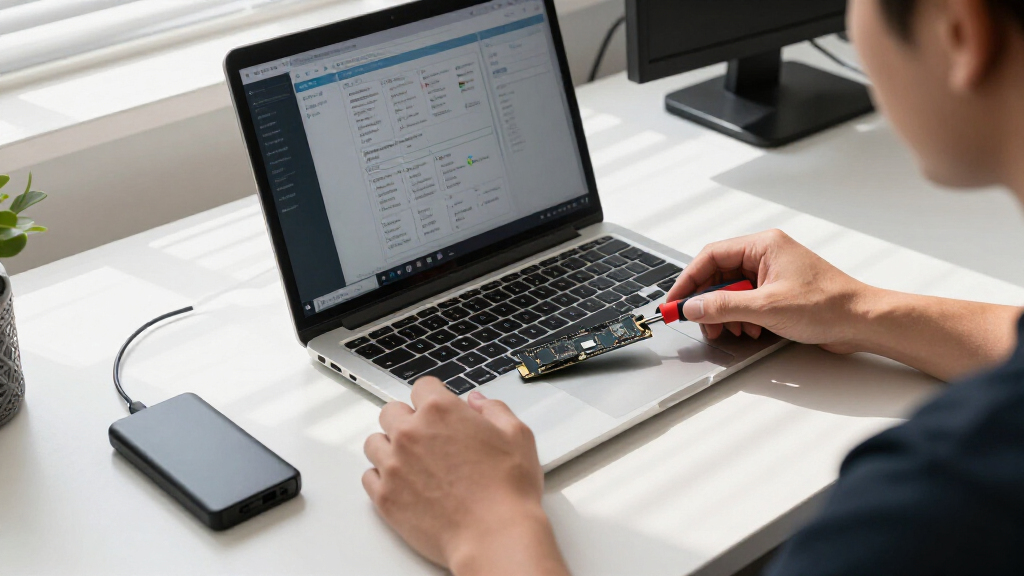
How We Picked
I organized the ranking around the factors that change the buying decision most: system compatibility, usable capacity, intended workload, and performance tier. I considered whether each drive uses PCIe 4.0 or 5.0, its M.2 2280 form factor where specified, and whether its capacity makes sense for everyday computing, gaming, or larger work files. A faster interface only earns a higher place when it offers a plausible benefit to the buyer rather than a spec-sheet advantage alone.
The order favors models that balance speed class and capacity for a broad range of builds, then separates lower-cost upgrade candidates from premium, platform-dependent options. The Samsung 990 PRO 2TB leads as a roomy Gen4 choice; the Kingston NV3 1TB stands out for a simpler value-minded upgrade; and the Samsung 9100 PRO models are reserved for compatible Gen5 systems. The product list does not provide comparable endurance, warranty, sustained-write, or thermal data for every model, so I avoid treating those details as proven ranking advantages.
| nvme ssd | Read speed | Write speed |
|---|---|---|
| Crucial P310 1TB PCIe Gen4 NVM | — | — |
| SanDisk Optimus 5100 500GB NVM | Up to 6,600 MB/s | Up to 5,600 MB/s |
| SanDisk Optimus 5100 2TB NVMe | — | — |
| Samsung 990 PRO 1TB PCIe 4.0 M | — | — |
| SanDisk Optimus 5100 1TB NVMe | Up to 7,100 MB/s | Up to 6,700 MB/s |
| Samsung 990 PRO 2TB PCIe 4.0 M | Up to 7,450 MB/s | Up to 6,900 MB/s |
| Kingston NV3 1TB M.2 2280 PCIe | Up to 6,000 MB/s | Up to 5,000 MB/s |
| Samsung 9100 PRO 1TB PCIe 5.0 | — | — |
| Acer Predator GM7 1TB SSD | Up to 7,400 MB/s | Up to 6,500 MB/s |
| Samsung 9100 PRO 2TB PCIe 5.0 | — | — |
Factors to Consider When Choosing Nvme Ssds
Picking an NVMe SSD is less about choosing the biggest number on a speed label and more about avoiding a mismatch with your computer and workload. I would check the platform, capacity needs, and cooling before weighing premium performance against a simpler upgrade.
Check PCIe Support Before Paying for Gen5
NVMe describes the storage protocol, while PCIe generation sets the interface bandwidth available to the drive. A PCIe 5.0 SSD such as the Samsung 9100 PRO can operate only at the capability supported by the host system, and older systems may limit it to a lower generation. Check the motherboard manual and CPU support, not just the connector shape, because an M.2 slot can look compatible while offering a different PCIe connection. Also verify whether the slot shares lanes with other devices or has a generation-specific limitation. If your machine supports only Gen4, a Gen5 model may still function but its premium speed tier will not be fully available. For a general upgrade, choosing a well-matched Gen4 drive can be a more sensible use of the budget.
Choose Capacity Around Real Storage Habits
Nominal capacity is not the same as free space after formatting and system files, so a drive can feel cramped sooner than expected. Estimate the space needed for your operating system, current applications, game installs, and active projects, then leave room for new files and updates. A 500GB SSD can suit a focused system drive, but it gives less flexibility than 1TB when several large games or media projects are involved. Moving to 2TB can reduce the need to uninstall and shuffle files, though it is wasteful if most of the drive would sit unused. Buyers can also pair a smaller boot drive with a separate library drive if the system has an open M.2 slot. Match capacity to the way you keep files, not just the initial installation.
Match Peak Speed to the Work You Do
Sequential transfer figures describe large, continuous reads and writes; many daily tasks involve smaller, scattered operations instead. Gaming load times, web browsing, and office work may not feel much different on a premium SSD than on a competent mainstream model. Large video files, repeated transfers, and data-heavy creative work are more likely to benefit from stronger storage performance. Sustained writes can also differ from short bursts, so a headline speed alone does not predict how a long file copy will behave. Look for independent, workload-specific testing when those tasks matter, and compare figures from the same test conditions. If your use is routine, capacity and system fit may matter more than pursuing the highest interface tier.
Plan for Heat and Slot Placement
Compact M.2 drives rely on airflow and, on some systems, a heatsink to manage heat during sustained activity. A motherboard may include an M.2 cover or heatsink, while a laptop may have limited room and rely on its own thermal design. Check the drive’s physical dimensions and your system’s clearance before ordering, especially around graphics cards, stacked slots, and laptop covers. A Gen5 drive can place greater demands on cooling during heavy transfers, so the fastest option is not automatically the easiest fit. Avoid adding a third-party heatsink if it conflicts with the motherboard’s cover or the laptop chassis. Good airflow and correct installation help prevent heat-related slowdowns during long workloads.
Compare Warranty and Endurance, Not Just the Model Name
Drives in a product family can differ by capacity, and specifications such as warranty length and endurance rating should be checked for the exact version. Endurance, often expressed as terabytes written, matters more to users who write large amounts of data regularly than to typical home users. A warranty can provide recourse for drive failure, but it is not a substitute for backups or protection from accidental deletion. Confirm the manufacturer’s current support terms and any registration requirements before buying. Do not assume that two capacities in the same series have identical components or endurance limits. Keep a separate copy of important files regardless of which SSD you choose.
Decide Whether a Bare Drive Is the Right Fit
Most M.2 NVMe SSDs are intended for installation inside a compatible computer, not for direct use as a portable external drive. If you need removable storage, an enclosure must match the SSD’s M.2 keying and NVMe protocol; SATA-only enclosures will not work with an NVMe module. USB connection limits can also prevent an external setup from reaching the drive’s internal interface speeds. For a desktop upgrade, confirm that a free M.2 slot is available and that you have the correct mounting screw or latch. For a laptop, check service instructions and whether replacing the drive affects existing data or support coverage. Buyers seeking portable backups may find a purpose-built external SSD easier to set up.
Frequently Asked Questions
Will a PCIe 5.0 NVMe SSD work in a PCIe 4.0 M.2 slot?
In many compatible systems, a PCIe 5.0 SSD can operate at the lower generation supported by the slot, but the motherboard and drive specifications should be checked before purchase. It will not deliver PCIe 5.0 bandwidth when installed in a Gen4 slot. Physical fit alone does not confirm support: verify that the slot accepts an M.2 2280 NVMe drive and check the platform’s lane and boot support. If you are not planning a system upgrade, a PCIe 4.0 model may make better use of your budget. Choose Gen5 when you have a compatible platform and workloads that can benefit from it.
Should I choose a 1TB or 2TB NVMe SSD for a gaming PC?
Choose 1TB if you keep a small number of large games installed and are comfortable uninstalling titles you no longer play. A 2TB drive gives more room for a growing library, updates, and other applications without frequent file shuffling. The right capacity also depends on whether this SSD will hold the operating system and personal files or only games. In this lineup, the Samsung 990 PRO and Samsung 9100 PRO both have 2TB options, while the SanDisk Optimus 5100 spans 500GB, 1TB, and 2TB. Check your available slot count before deciding whether one larger drive or separate drives fit your PC better.
Is a premium NVMe SSD worth it for everyday computing?
For browsing, office work, and ordinary app use, a premium SSD may not feel much faster than a capable mainstream NVMe drive. The benefit is easier to justify when you regularly move large files, handle storage-heavy creative work, or want extra capacity in a single drive. A premium model can also make sense for a system built around a newer PCIe platform, provided your workload can use its added bandwidth. Otherwise, prioritizing capacity and confirmed compatibility often produces a more useful upgrade. This roundup’s PCIe 4.0 and PCIe 5.0 options make that distinction clear: interface class matters most when both the computer and workload can take advantage of it.
Can I use an NVMe SSD as an external drive?
Yes, with an external enclosure that specifically supports NVMe M.2 drives and the SSD’s physical length. An enclosure intended only for M.2 SATA drives is not interchangeable, even if the connectors appear similar. The USB port, cable, and enclosure controller can become the speed limit, so an internal PCIe 4.0 or 5.0 drive will not reach its full interface performance over every external connection. Check the enclosure’s thermal design too, particularly if you expect repeated large transfers. For simple portable storage, a purpose-built external SSD can be less complicated than pairing a bare drive with an enclosure.
What should I check before replacing my computer’s current SSD?
First confirm the replacement’s form factor, interface, and supported capacity against your motherboard or laptop documentation. Check whether the computer has a second M.2 slot or whether the existing drive must be removed, and verify the installation steps before opening the system. Back up important files and plan how to clone or reinstall the operating system; cloning may require an enclosure or an additional drive connection. Some systems have a motherboard heatsink or tight laptop clearance that affects physical fit. After installation, confirm that the drive appears in firmware and the operating system, then check that your backup remains intact.
Conclusion
For most buyers, I recommend the Samsung 990 PRO 2TB as the best overall pick: it pairs ample capacity with a PCIe 4.0 platform that suits a broad range of current systems. The Kingston NV3 1TB is my value-oriented choice for a practical everyday upgrade, while the Crucial P310 1TB is a straightforward option for buyers focused on a compact Gen4 system drive. For a premium build that supports PCIe 5.0, choose the Samsung 9100 PRO; select 2TB if your work or game library needs the space. Beginners should start with a capacity and interface their computer clearly supports rather than paying for unused Gen5 capability. If you want a range of capacity choices within one series, the SanDisk Optimus 5100 lineup spans 500GB to 2TB, while the Samsung 990 PRO 2TB remains the strongest all-around fit for a roomy Gen4 upgrade.
Halloween Picks
halloween
As an affiliate, we earn on qualifying purchases.