
When choosing a mobile workstation laptop, the key considerations are powerful performance, portability, and reliability. The Lenovo ThinkPad P14s Gen 6 Copilot+ stands out as the best overall pick thanks to its balanced specs and durable design. For demanding tasks, the Dell Precision 7780 offers exceptional raw power with its high-end CPU and massive RAM, though it sacrifices some portability. The main tradeoffs in this category revolve around balancing weight and size against processing power and display quality. Continue reading for a detailed breakdown of each option to find the best fit for your workflow.
Complete the kit



Key Takeaways
- High-performance models like the Dell Precision 7780 dominate demanding workloads but are less portable.
- RAM capacity varies significantly; 32GB is often sufficient, but 64GB or more benefits intensive multitasking.
- Display quality and resolution are crucial for creative professionals, with options like OLED 4K touching higher-end needs.
- Build quality and durability are consistent across premium options, but weight can vary, impacting portability.
- Price ranges reflect core performance differences; balanced models offer solid value for professional use.


| mobile workstation laptop | Display | Processor | Storage | Connectivity |
|---|---|---|---|---|
| Lenovo ThinkPad P14s Gen 6 Cop | 14.0" IPS WUXGA (1920×1200) | AMD Ryzen AI 7 350, 2.00GHz (up to 5 GHz, 8 cores, 16 threads) | 512GB PCIe NVMe SSD | WiFi 7, Bluetooth 5.4 |
| Dell Precision 7680 Laptop wit | 16-inch FHD+ (1920 x 1200), Anti-Glare | Intel i7-13850HX | 1TB PCIe NVMe SSD | Thunderbolt 4, USB-C, USB-A, HDMI, Ethernet |
| Dell Precision 7680 Mobile Wor | 16" FHD+ (1920 x 1200), Anti-Glare | Intel i7-13850HX vPro | 1TB PCIe NVMe SSD | Thunderbolt 4, USB-C, USB-A, HDMI, Ethernet, Wi-Fi 6E |
| Lenovo ThinkPad P1 Gen 7 Mobil | 16-inch 2.8K IPS (2560 x 1600) | Intel Ultra 7 165H | 1TB SSD | Wi-Fi 6E, Bluetooth 5.2, Thunderbolt 4 |
| HP ZBook X G1i AI Laptop | 16-inch FHD+ (1920×1200) | Intel Ultra 7 265H | 1TB SSD | Wi-Fi 7, Thunderbolt 4 |
| Dell Precision 7780 Mobile Wor | 17.3" FHD | Intel Core i9-13950HX | 2TB NVMe SSD | — |
| Lenovo ThinkPad P14s Gen 6 Mob | 14” WUXGA, 500 nits, 100% sRGB | AMD Ryzen AI 7 PRO 350 | 1TB SSD | Wi-Fi 7, Bluetooth |
| Lenovo ThinkPad P16s Gen 4 wit | OLED 4K Touchscreen | AMD Ryzen AI 7 PRO 350 | 1TB SSD | Wi-Fi 7, USB-A, USB-C (Thunderbolt 4), HDMI 2.1 |
| HP ZBook Firefly 14 G8 14" FHD | 14-inch FHD (1920 x 1080) | Intel Core i5-1145G7 | 512GB SSD | Thunderbolt 4, HDMI |
More Details on Our Top Picks
Lenovo ThinkPad P14s Gen 6 Copilot+ Mobile Workstation 14.0″ IPS WUXGA, AMD Ryzen AI 7 350, 16GB DDR5, 512GB SSD, Windows 11 Pro
This model stands out for its combination of high-performance AMD Ryzen AI 7 and a lightweight 14-inch form factor, making it ideal for professionals who need reliable power on the go. Compared with the larger Dell Precision 7680, it sacrifices some screen real estate but benefits from more portability and better battery life potential. Its inclusion of WiFi 7 and Thunderbolt 4 facilitates quick data transfer and connectivity, which are vital for mobile workflows. The AI features and Windows 11 Pro enhance productivity and security, though the open seal suggests it may be refurbished or upgraded, which could concern some buyers. The limited display size might not suit users needing expansive visual workspace, and battery life details remain unclear.
Pros:- Lightweight and portable for easy travel
- Strong performance with AMD Ryzen AI 7 and AI optimization
- Future-proof connectivity with WiFi 7 and Thunderbolt 4
Cons:- Opened seal may indicate refurbished status
- Limited to 14-inch display, less suitable for detailed visual tasks
- Battery life is not specified, raising concerns about endurance
Best for: Business professionals and frequent travelers needing a portable yet powerful workstation
Not ideal for: Designers or engineers who rely on large, high-resolution screens for detailed work
- Display:14.0″ IPS WUXGA (1920×1200)
- Processor:AMD Ryzen AI 7 350, 2.00GHz (up to 5 GHz, 8 cores, 16 threads)
- Graphics:AMD Radeon 860M Integrated Graphics
- RAM:16GB DDR5
- Storage:512GB PCIe NVMe SSD
- Ports:2 x Thunderbolt 4, HDMI 2.1, RJ-45, Headphone/Microphone
- Connectivity:WiFi 7, Bluetooth 5.4
- Operating System:Windows 11 Pro
- Color:Black
Our verdict“This is an excellent choice for mobile professionals prioritizing portability without sacrificing significant performance.”
Dell Precision 7680 Laptop with NVIDIA RTX 2000 Ada 8GB, Intel i7-13850HX, 32GB DDR5, 16″ FHD+ Display, 1TB SSD, Windows 11 Pro
The Dell Precision 7680 excels in demanding workflows, thanks to its powerful Intel i7-13850HX processor and NVIDIA RTX 2000 Ada GPU, making it suitable for CAD, 3D rendering, and engineering tasks. Compared with the Lenovo ThinkPad P14s, it offers a larger 16-inch display and more RAM, supporting complex multitasking, but it comes with a heavier build and a higher price tag. The extensive connectivity options, including Thunderbolt 4 and HDMI, support multiple external monitors—crucial for professional setups. The re-sealed packaging might suggest a refurbished unit, which could matter for buyers seeking brand-new equipment. Its size and weight could be a drawback for frequent travelers, and some may find the premium cost a barrier.
Pros:- Robust performance for intensive tasks
- Supports multiple external monitors easily
- Durable build with MIL-STD-810H testing
Cons:- Resealed packaging could imply refurbishing
- Heavy and less portable than ultrabooks
- Premium price may be prohibitive for some
Best for: Engineers, CAD users, and 3D artists needing high-end specs and multi-monitor support
Not ideal for: Travelers seeking ultra-lightweight laptops or casual users
- Processor:Intel i7-13850HX
- GPU:NVIDIA RTX 2000 Ada 8GB
- RAM:32GB DDR5
- Storage:1TB PCIe NVMe SSD
- Display:16-inch FHD+ (1920 x 1200), Anti-Glare
- Connectivity:Thunderbolt 4, USB-C, USB-A, HDMI, Ethernet
- Operating System:Windows 11 Pro
- Warranty:Three years with SSD upgrade, ProSupport until January 2029
Our verdict“This laptop is best suited for professionals requiring maximum performance and expandability in a portable workstation.”
Dell Precision 7680 Mobile Workstation Laptop with NVIDIA RTX 2000 Ada 8GB, Intel i7-13850HX, 64GB DDR5, 16″ FHD+ Display, 1TB SSD, Windows 11 Pro
Compared to the 32GB RAM version, this Dell Precision 7680 with 64GB DDR5 offers a significant boost for multitasking, large datasets, and complex simulations. Its high-end specs make it ideal for content creators, researchers, and engineers who run multiple demanding applications simultaneously. The 16-inch FHD+ display and versatile connectivity support extensive external workflows, similar to the 32GB model but with added capacity for heavy-duty tasks. The absence of detailed battery life info and weight could be a concern for mobile use. Its premium price reflects its top-tier performance, making it less suitable for casual users or those with budget constraints.
Pros:- Exceptional multitasking with 64GB RAM
- High-performance for demanding workloads
- Supports multiple external displays and peripherals
Cons:- Lack of detailed battery life info
- Likely heavy and less portable
- Premium price point
Best for: Power users managing large files, extensive multitasking, or intensive simulations
Not ideal for: Those needing a lightweight, budget-friendly mobile workstation
- Processor:Intel i7-13850HX vPro
- GPU:NVIDIA RTX 2000 Ada 8GB
- RAM:64GB DDR5
- Storage:1TB PCIe NVMe SSD
- Display:16″ FHD+ (1920 x 1200), Anti-Glare
- Connectivity:Thunderbolt 4, USB-C, USB-A, HDMI, Ethernet, Wi-Fi 6E
- Operating System:Windows 11 Pro
- Weight:Not specified
Our verdict“This is the ideal choice for professionals who require maximum RAM and processing power for intensive tasks.”
Lenovo ThinkPad P1 Gen 7 Mobile Workstation with NVIDIA RTX 3000 and 16-Inch 2.8K Display
The ThinkPad P1 Gen 7 offers a compelling mix of high-end processing and a stunning 16-inch 2.8K IPS display, making it ideal for professionals in creative fields who need detailed visuals and powerful hardware. Its Intel Ultra 7 165H processor and NVIDIA RTX 3000 GPU provide top-tier performance, surpassing some of the other models in raw power. Compared to the Dell Precision models, it emphasizes display quality without sacrificing performance. While it includes a one-year warranty and optional support, its battery life and weight are not specified, and its premium price may stretch budgets. This choice suits those who prioritize visual fidelity alongside processing power.
Pros:- High-resolution 2.8K display for detailed visuals
- Powerful Intel Ultra 7 processor and RTX 3000 graphics
- Ample RAM and fast SSD storage
Cons:- No battery life or weight info provided
- Premium price point may be costly for some users
- Potentially heavy for frequent mobility
Best for: Creative professionals, video editors, and 3D designers needing high-resolution visuals
Not ideal for: Users seeking lightweight or budget-friendly options, or those prioritizing battery life
- Processor:Intel Ultra 7 165H
- Graphics:NVIDIA RTX 3000
- Display:16-inch 2.8K IPS (2560 x 1600)
- RAM:32GB
- Storage:1TB SSD
- Connectivity:Wi-Fi 6E, Bluetooth 5.2, Thunderbolt 4
Our verdict“This workstation is best for creatives demanding high-resolution displays and robust performance in a portable form.”
HP ZBook X G1i AI Laptop, 16″ FHD+, Intel Ultra 7 265H, 64GB DDR5, 1TB SSD | Next Gen ZBook Power, Mobile Workstation, NVIDIA RTX PRO 1000 Blackwell 8GB, 5MP IR Webcam, FP, 3-Yr WRT, Wi-Fi 7, Win 11 Pro
The HP ZBook X G1i combines AI-powered performance with enterprise-grade security, making it a strong choice for complex workflows such as AI development, 3D rendering, and engineering simulations. Its Intel Ultra 7 265H processor and NVIDIA RTX PRO 1000 Blackwell GPU deliver desktop-class power, rivaling larger workstations like the Dell Precision 7680. The 64GB DDR5 RAM and 16-inch FHD+ display support demanding multitasking and detailed visualization. Its comprehensive connectivity, including Wi-Fi 7 and Thunderbolt 4, supports extensive external setups. The inclusion of a 5MP IR webcam and three-year warranty adds value for enterprise users. The main tradeoff involves its likely high cost and potentially limited portability due to its size and weight.
Pros:- Powerful CPU and GPU for demanding AI and 3D tasks
- Massive 64GB DDR5 RAM supports heavy multitasking
- Enterprise-grade security and three-year warranty
Cons:- Likely high cost making it less accessible for casual users
- Potentially heavy and less portable
- No specific battery life details provided
Best for: Engineers, AI researchers, and enterprise users running intensive workloads requiring high security and reliability
Not ideal for: Casual users or those on strict budgets who need lightweight portability
- Processor:Intel Ultra 7 265H
- GPU:NVIDIA RTX PRO 1000 Blackwell 8GB
- Display:16-inch FHD+ (1920×1200)
- RAM:64GB DDR5
- Storage:1TB SSD
- Connectivity:Wi-Fi 7, Thunderbolt 4
Our verdict“This laptop fits professionals managing complex, resource-intensive workflows who value security and extended support.”
Dell Precision 7780 Mobile Workstation 17.3″ FHD Laptop with Intel Core i9-13950HX, 128GB RAM, 2TB SSD, NVIDIA RTX 3500 12GB, Windows 11 Pro
The Dell Precision 7780 stands out for its unmatched raw processing power, thanks to the Intel Core i9-13950HX and a massive 128GB of RAM, making it ideal for complex engineering, 3D rendering, or large data analysis tasks. Its NVIDIA RTX 3500 graphics elevate performance in design and visualization work, surpassing the RTX 2000 options found in some Dell 7680 models. Compared with lighter, more portable options like the Lenovo ThinkPad P14s, this model sacrifices portability for performance and expandability. The high-end specs come with a significant price and weight, which may deter those needing a portable setup or longer battery life. Still, for professionals whose work demands top-tier hardware, this is a compelling choice despite its bulk.
Pros:- Exceptional processing power with Intel Core i9-13950HX
- Massive 128GB RAM supports heavy multitasking and large datasets
- High-end NVIDIA RTX 3500 graphics for demanding visual tasks
- Extended warranty through March 2031 offers peace of mind
Cons:- High cost puts it out of reach for casual or budget-conscious users
- Heavy and bulky, limiting mobility
- Battery life may be limited during intensive workloads
Best for: Power users working on intensive 3D modeling, data science, or engineering simulations who need maximum performance and expandability.
Not ideal for: Frequent travelers or those prioritizing portability and battery life over raw power, due to its weight and likely shorter battery endurance under load.
- Processor:Intel Core i9-13950HX
- RAM:128GB
- Storage:2TB NVMe SSD
- Graphics:NVIDIA RTX 3500 12GB
- Display:17.3″ FHD
- Operating System:Windows 11 Pro
Our verdict“This laptop is best suited for professionals who need maximum computing power and don’t mind the weight or cost.”
Lenovo ThinkPad P14s Gen 6 Mobile Workstation with AMD Ryzen AI 7 PRO 350, 32GB DDR5, 1TB SSD, 14” WUXGA Display, Wi-Fi 7, Windows 11 Pro
The Lenovo ThinkPad P14s Gen 6 offers a compelling balance between power and portability, featuring the AMD Ryzen AI 7 PRO 350 processor paired with 32GB DDR5 RAM. Its 14-inch WUXGA display with high brightness and color accuracy makes it suitable for creative professionals who need clarity on the go. Compared to the larger Dell Precision 7780, this device is considerably lighter and easier to carry, making it an excellent choice for frequent travelers or remote workers. However, its high price may be a barrier, and its integrated graphics are less suited for intensive graphical tasks than dedicated GPU options. This pick excels for those who need reliable performance in a compact package, but not for high-end rendering or CAD workloads.
Pros:- Lightweight and highly portable design
- Powerful AMD Ryzen AI 7 PRO 350 with AI features
- Bright, color-accurate 14″ WUXGA display
- Supports Wi-Fi 7 for fast connectivity
Cons:- Premium price may limit accessibility
- Limited to professional use, not ideal for gaming or heavy graphics
- Integrated graphics may hinder high-end rendering tasks
Best for: Business professionals and engineers needing portable computing without sacrificing core performance.
Not ideal for: Users engaged in high-end 3D modeling or GPU-heavy tasks that require dedicated graphics beyond integrated AMD Radeon capabilities.
- Processor:AMD Ryzen AI 7 PRO 350
- Memory:32GB DDR5
- Storage:1TB SSD
- Display:14” WUXGA, 500 nits, 100% sRGB
- Connectivity:Wi-Fi 7, Bluetooth
- Ports:USB-A x2, USB-C (Thunderbolt 4/USB4), HDMI 2.1
Our verdict“This laptop is perfect for professionals who need capable performance in a lightweight, portable form factor.”
Lenovo ThinkPad P16s Gen 4 with OLED 4K Touchscreen, 32GB DDR5, AMD Ryzen 7 PRO 350, 1TB SSD, Wi-Fi 7, Windows 11 Pro, Mobile Workstation
The Lenovo ThinkPad P16s Gen 4 combines high performance with a stunning 4K OLED touchscreen, making it ideal for creative tasks requiring detailed visuals and color accuracy. The AMD Ryzen AI 7 PRO 350 processor, along with 32GB DDR5 RAM and a 1TB SSD, offers robust performance for demanding workloads. Its advanced security features and extensive connectivity options make it suitable for professional environments. Compared to the P14s, this model’s larger 16-inch display and OLED technology provide a richer visual experience, but it also adds weight and cost. While battery life is extended, the heavier design might be less appealing for those prioritizing ultra-portability. This is a strong choice for creative professionals who need both power and a gorgeous display.
Pros:- Stunning 4K OLED touchscreen display
- Powerful AMD Ryzen AI 7 PRO 350 processor
- Fast 32GB DDR5 RAM and 1TB SSD for demanding workflows
- Enhanced security features including fingerprint login
Cons:- Heavy compared to smaller or traditional laptops
- Premium price may be prohibitive for some users
- Battery life details are not specified, potential weight tradeoff
Best for: Creative professionals and designers needing a portable workstation with a high-resolution, color-accurate display.
Not ideal for: Travelers requiring ultra-lightweight devices or those with limited budgets, due to its premium price and weight.
- Display:OLED 4K Touchscreen
- Processor:AMD Ryzen AI 7 PRO 350
- Memory:32GB DDR5
- Storage:1TB SSD
- Connectivity:Wi-Fi 7, USB-A, USB-C (Thunderbolt 4), HDMI 2.1
- Security:ThinkShield, fingerprint login
Our verdict“This device is best suited for creative professionals seeking powerful performance combined with a vibrant, high-resolution display.”
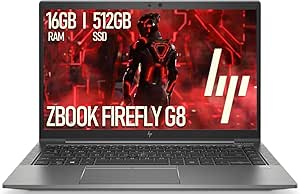
HP ZBook Firefly 14 G8 14″ FHD Mobile Workstation Laptop, 11th Gen Quad-Core i5, 16GB RAM, 512GB SSD, Thunderbolt 4, HDMI, Backlit Keyboard, Windows 11 Pro
The HP ZBook Firefly 14 G8 offers a portable and practical option for professionals who need reliable performance without the bulk of high-end workstation laptops. Its 11th Gen Intel Core i5 and 16GB RAM are suitable for everyday tasks, light CAD, or data entry work. Compared with larger models like the Dell Precision 7780 or Lenovo P16s, this device prioritizes mobility, featuring a lightweight design and a 14-inch FHD display. However, its integrated Intel Iris Xe graphics limit performance for demanding graphical applications. Its connectivity options, including Thunderbolt 4 and HDMI, support versatile peripherals, but detailed battery life information is lacking. This model makes sense for users who need a portable device for standard professional tasks but not for intensive rendering or large-scale data processing.
Pros:- Compact, lightweight design for portability
- Decent performance with 11th Gen Intel Core i5
- Fast 512GB SSD ensures quick data access
- Versatile connectivity including Thunderbolt 4
Cons:- Limited graphics performance for high-end tasks
- No detailed battery life information provided
- Less suitable for demanding graphical or rendering workloads
Best for: Business travelers and professionals needing a portable workstation for everyday productivity and light design work.
Not ideal for: Power users requiring high-end graphics, large memory capacity, or intensive engineering workloads, due to its moderate specs.
- Display:14-inch FHD (1920 x 1080)
- Processor:Intel Core i5-1145G7
- RAM:16GB DDR4
- Storage:512GB SSD
- Graphics:Intel Iris Xe
- Connectivity:Thunderbolt 4, HDMI
Our verdict“This laptop is ideal for professionals who need a compact, reliable device for standard office and light creative tasks.”

How We Picked
These laptops were evaluated based on performance, build quality, display quality, portability, and value. Priority was given to processors and graphics capabilities suitable for demanding workloads, alongside battery life and weight for mobile use. Each model was selected to showcase different tiers of performance and price, ensuring a range of options for various professional needs. The ranking reflects a combination of raw power, usability, and cost-effectiveness, helping buyers find the best fit based on their specific workflows and mobility requirements.Factors to Consider When Choosing Mobile Workstation Laptops
When selecting a mobile workstation laptop, it’s essential to consider several factors that impact both performance and usability. Prioritizing CPU and GPU power ensures your device can handle intensive applications, but this often affects battery life and weight. Display quality, including resolution and color accuracy, is vital for creative tasks. Portability depends on weight and size, yet more powerful hardware typically adds bulk. RAM capacity and storage should match your workload demands, especially for large files or multitasking. Balancing these aspects prevents overpaying for features you won’t use, while avoiding underpowered models that hinder productivity.Performance and Hardware
The core of any mobile workstation is its processor and graphics card. For demanding tasks like 3D rendering, CAD, or video editing, look for high-end CPUs such as Intel i7 or i9, or AMD Ryzen PRO series, paired with professional-grade GPUs like NVIDIA RTX series. Remember, more powerful components generally lead to shorter battery life and increased weight. Assess your workload to find the right balance—if portability is a priority, you might trade some performance for a lighter machine.
Display Quality
Creative professionals need accurate color reproduction and high resolution, making OLED or 4K screens attractive options. However, these displays often come with higher price tags and shorter battery life. For general productivity, a full HD or WUXGA display may suffice, but if your work depends on visual fidelity, investing in a high-quality display can significantly improve your experience. Always consider screen size and weight, as larger, higher-res screens add to the device’s bulk.
Portability and Battery Life
While powerful hardware is essential, portability remains a key factor for mobile users. Lighter laptops, around 3-4 pounds, are easier to carry but may have fewer ports or slightly lower specs. Battery life varies widely; high-performance machines often sacrifice runtime, so consider models with larger batteries or fast-charging capabilities if mobility is critical. Think about your typical work environment—if you’re frequently on the move, prioritize lighter weight and longer battery life over absolute performance.
Build Quality and Durability
Mobile workstations should withstand daily transport and occasional bumps. Look for models with robust chassis materials like magnesium or aluminum, along with certifications such as MIL-STD-810. A sturdy keyboard and reliable hinge design also matter for long-term durability. While these features typically increase weight slightly, they justify the investment if your device endures rough conditions or frequent travel.
Memory and Storage
RAM and storage are critical for smooth multitasking and fast data access. For most professional workflows, 32GB of RAM is a good starting point, but 64GB or more benefits those working with large datasets or multiple virtual machines. SSD storage ensures quick file transfers and system responsiveness; 1TB or higher is advisable for large project files. Choose upgradeable models if you anticipate future expansion needs.
Frequently Asked Questions
How much RAM do I really need for a mobile workstation?
For most professional tasks, 32GB of RAM provides ample headroom for multitasking and demanding applications. If you work with large files, 3D modeling, or virtual machines, upgrading to 64GB or more can significantly improve performance. Keep in mind that some laptops allow RAM upgrades post-purchase, offering flexibility for future needs. Balancing RAM with CPU and GPU power ensures your workstation handles intensive workflows without bottlenecks.
Should I prioritize portability over raw performance?
It depends on your typical work environment. If you frequently work on the go or travel often, lighter laptops with decent performance are better suited, even if they sacrifice some power. Conversely, if your work demands maximum processing capability and you primarily stay in one location, a heavier, more powerful model makes more sense. Consider your workflow, travel frequency, and how much you value mobility versus performance before making a decision.
Are high-resolution displays worth the extra cost?
High-resolution displays like 4K or OLED provide better color accuracy and detail, which benefit creative professionals. However, they tend to increase power consumption and may reduce battery life. If your work involves detailed visual editing or design, investing in a high-quality display pays off. For general productivity or data-heavy tasks, a high-quality full HD screen often suffices without adding significant cost or weight.
How important is GPU performance in mobile workstations?
GPU performance is vital for tasks like 3D rendering, CAD work, or GPU-accelerated applications. Professional-grade NVIDIA RTX cards significantly speed up these workflows. If your work is more CPU-centric, such as coding or document editing, a high-end GPU might be less critical. Balancing GPU power with other specs ensures you don’t overspend on graphics if it’s not necessary for your tasks.
What should I look for in battery life for a mobile workstation?
Battery life varies greatly among high-performance laptops. Look for models with larger batteries or fast-charging features, especially if you need to work remotely or on the go. Keep in mind that intensive tasks like rendering or gaming drain batteries faster, so consider how your typical workday aligns with the device’s endurance. Reading reviews or manufacturer specs can give a clearer picture of real-world battery performance.
Conclusion
For those needing the best overall balance of power and portability, the Lenovo ThinkPad P14s Gen 6 Copilot+ makes a compelling choice. If maximum performance is your priority and portability is less critical, the Dell Precision 7780 offers unmatched specs for demanding workflows. Beginners or occasional users should consider more affordable, lighter options like the HP ZBook Firefly 14 G8. Creative professionals requiring vivid displays should look toward models like the Lenovo ThinkPad P16s Gen 4 OLED. Ultimately, your ideal choice depends on your specific workload, mobility needs, and budget.