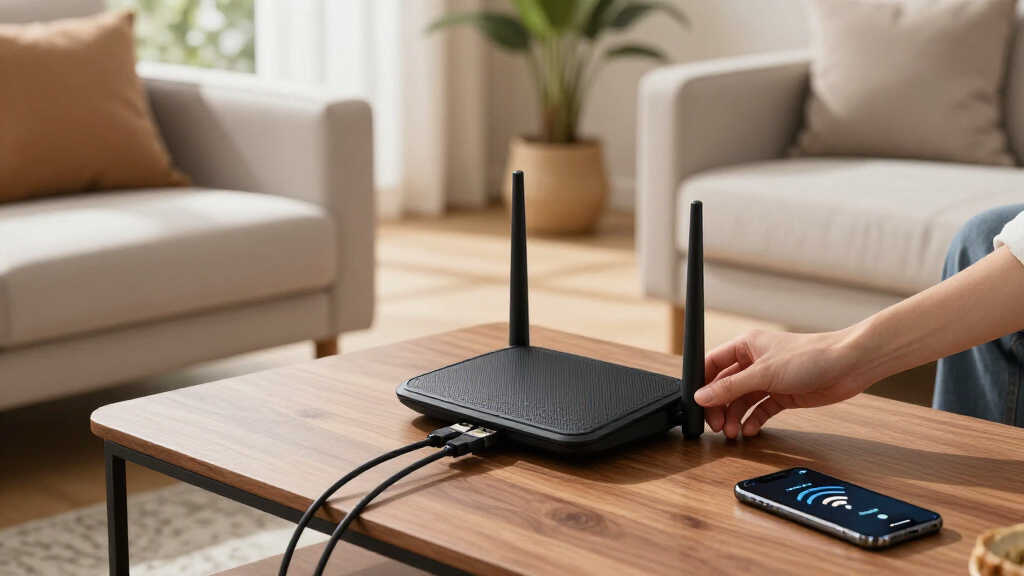

The eero 7 Dual-Band Mesh Wi-Fi 7 Router is my best overall pick among these mesh WiFi systems because it combines current-generation connectivity with an approachable three-node setup. The TP-Link Deco X55 three-pack offers the strongest value for buyers who prefer mature Wi-Fi 6 hardware, multiple Ethernet ports, and flexible backhaul. For a large home with demanding wireless links between nodes, the Deco XE75 stands out through its tri-band Wi-Fi 6E design. The main choice is between paying for newer Wi-Fi 7 hardware, choosing a tri-band system for stronger wireless backhaul, or saving money with Wi-Fi 6 and Wi-Fi 5 equipment. Continue reading for the full breakdown of which system fits each home size, connection type, and budget.

Get business pricing on tech for your team
- Business-only prices and quantity discounts
- Tax-exempt purchasing
- Multiple users, one account, clear invoices
Key Takeaways
- The eero 7 is the best overall choice because its simple management and Wi-Fi 7 support suit more households than the faster but costlier Deco BE63.
- The Deco X55 three-pack delivers the best value, pairing mature Wi-Fi 6 performance with three Gigabit ports per unit and Ethernet-backhaul support.
- Tri-band hardware matters most when nodes connect wirelessly: the Deco XE75 and BE63 have a structural advantage over dual-band models in busy or sprawling homes.
- The Deco S4 models remain useful budget picks, but their Wi-Fi 5 technology makes more sense for ordinary broadband plans than multi-gigabit service.
- Pack size can matter more than the Wi-Fi generation: an accurately placed two-pack may outperform an unnecessary three-pack that creates overlapping signals.
| eero 7 Dual-Band Mesh Wi-Fi 7 Router (3-Pack) |  | Best for Existing Eero Homes | Wi-Fi generation: Wi-Fi 7 | Wireless bands: Dual-band | Coverage: Up to 6,000 sq. ft. | VIEW LATEST PRICE | See Our Full Breakdown |
| Eero 6 Mesh Wi-Fi System – 3 Pack |  | Best for Beginners | Wi-Fi standard: Wi-Fi 6 (802.11ax) | Coverage: Up to 4,500 sq. ft. | Supported internet speed: Up to 500 Mbps | VIEW LATEST PRICE | See Our Full Breakdown |
| TP-Link Deco X55 AX3000 WiFi 6 Mesh System (3-Pack) |  | Best for Device-Heavy Homes | Wi-Fi standard: Wi-Fi 6 (AX3000) | Coverage: Up to 6,500 sq. ft. | Number of units: 3 | VIEW LATEST PRICE | See Our Full Breakdown |
| TP-Link Deco 7 BE23 Dual-Band WiFi 7 Mesh System (3-Pack) |  | Best Overall | Wi-Fi technology: Wi-Fi 7 | Maximum speed: Up to 3.6 Gbps | Coverage: Up to 6,500 sq. ft. | VIEW LATEST PRICE | See Our Full Breakdown |
| TP-Link Deco X55 AX3000 WiFi 6 Mesh System (2-Pack) |  | Best Two-Node Setup | Wi-Fi standard: Wi-Fi 6 (AX3000) | Coverage: Up to 4,500 sq. ft. | Number of units: 2 | VIEW LATEST PRICE | See Our Full Breakdown |
| TP-Link Deco S4 Mesh WiFi System (3-Pack) |  | Best Budget Pick for Large Homes | WiFi Standard: AC1900 | Coverage: Up to 5,500 sq. ft. | Number of Units: 3 | VIEW LATEST PRICE | See Our Full Breakdown |
| TP-Link Deco S4 2-Pack Whole Home Mesh WiFi System |  | Best for Smaller Homes | WiFi Speed Class: AC1900 | Coverage: Up to 3,800 sq. ft. | Number of Units: 2 | VIEW LATEST PRICE | See Our Full Breakdown |
| TP-Link Deco 7 BE25 Dual-Band WiFi 7 Mesh System (3-Pack) |  | Best Value WiFi 7 Pick | WiFi Standard: WiFi 7 | Maximum Speed: Up to 4.3 Gbps | Frequency Bands: Dual-band: 2.4 GHz and 5 GHz | VIEW LATEST PRICE | See Our Full Breakdown |
| TP-Link Deco XE75 AXE5400 Tri-Band WiFi 6E Mesh System (3-Pack) |  | Best WiFi 6E Pick | WiFi Standard: WiFi 6E | Speed Class: AXE5400 | Maximum Speed: 5,400 Mbps | VIEW LATEST PRICE | See Our Full Breakdown |
| TP-Link Deco 7 Pro BE63 Tri-Band WiFi 7 Mesh System (3-Pack) |  | Best Premium Pick | WiFi Standard: Tri-band WiFi 7 | Maximum Speeds: 5,188 Mbps at 6 GHz; 4,324 Mbps at 5 GHz; 574 Mbps at 2.4 GHz | Coverage: Up to 7,600 sq. ft. | VIEW LATEST PRICE | See Our Full Breakdown |
| mesh wifi system | Coverage | Number of units | Device capacity |
|---|---|---|---|
| eero 7 Dual-Band Mesh Wi-Fi 7 | Up to 6,000 sq. ft. | 3 | More than 120 devices |
| Eero 6 Mesh Wi-Fi System | Up to 4,500 sq. ft. | 3 (1 router and 2 extenders) | 75+ devices |
| TP-Link Deco X55 AX3000 WiFi 6 | Up to 6,500 sq. ft. | 3 | Up to 150 devices |
| TP-Link Deco 7 BE23 Dual-Band | Up to 6,500 sq. ft. | 3 | — |
| TP-Link Deco X55 AX3000 WiFi 6 | Up to 4,500 sq. ft. | 2 | Up to 150 devices |
| TP-Link Deco S4 Mesh WiFi Syst | Up to 5,500 sq. ft. | 3 | Up to 100 devices |
| TP-Link Deco S4 2-Pack Whole H | Up to 3,800 sq. ft. | 2 | Up to 75 devices |
| TP-Link Deco 7 BE25 Dual-Band | Up to 6,600 sq. ft. | 3 | — |
| TP-Link Deco XE75 AXE5400 Tri- | Up to 7,200 sq. ft. | 3 | — |
| TP-Link Deco 7 Pro BE63 Tri-Ba | Up to 7,600 sq. ft. | 3 | More than 200 devices |
More Details on Our Top Picks
eero 7 Dual-Band Mesh Wi-Fi 7 Router (3-Pack)
I rank the eero 7 as the strongest upgrade for households already invested in eero because its backward compatibility lets older nodes remain useful. Compared with the Eero 6, it supports much faster internet plans, adds 2.5 GbE ports, and covers another 1,500 square feet. The app-led setup also asks less of the buyer than the more configurable TP-Link Deco 7 BE23. Its 120-device capacity suits busy homes, though the Deco models support up to 150. The main compromise is its dual-band design, which lacks the dedicated wireless backhaul available from some tri-band systems. I also dislike that stronger security controls sit behind a subscription, making the long-term cost higher than the hardware price suggests.
Pros:- Backward compatibility makes it practical for expanding an existing eero network
- Three nodes cover up to 6,000 square feet
- Supports internet plans up to 2.5 Gbps
- Two 2.5 GbE ports accommodate multi-gigabit wired connections
Cons:- Advanced security features require a subscription
- Dual-band operation can leave less capacity for wireless backhaul than a tri-band system
- Its 1.8 Gbps rated wireless speed trails the TP-Link Deco 7 BE23
Best for: Existing eero owners with large homes, multi-gigabit internet plans, and more than 75 connected devices
Not ideal for: Buyers seeking subscription-free security or a dedicated wireless backhaul band
- Wi-Fi generation:Wi-Fi 7
- Wireless bands:Dual-band
- Coverage:Up to 6,000 sq. ft.
- Internet plan support:Up to 2.5 Gbps
- Wireless speed:Up to 1.8 Gbps
- Device capacity:More than 120 devices
- Number of units:3
- Ports:Two 2.5 GbE ports
- Compatibility:Previous eero models and compatible Amazon Echo devices
Our verdict“I recommend the eero 7 to established eero households that want a simple multi-gigabit upgrade without replacing every older node.”
Eero 6 Mesh Wi-Fi System – 3 Pack
I place the Eero 6 in the beginner slot because its guided app setup, automatic updates, and built-in smart-home support reduce the work of running a mesh network. Compared with the TP-Link Deco X55 three-pack, it covers less space, supports fewer devices, and caps supported internet speeds at 500 Mbps. That makes the Deco the stronger choice for demanding households, while the Eero 6 better suits buyers who value straightforward management. Zigbee, Thread, Bluetooth Low Energy, and Alexa integration add real value for a growing smart home. The tradeoffs are substantial: limited wired connectivity restricts Ethernet-heavy setups, and the 500 Mbps ceiling wastes faster broadband plans. Its extender-based layout is also less flexible than systems using three identical router-capable nodes.
Pros:- Guided app setup is approachable for first-time mesh owners
- Covers up to 4,500 square feet with three included units
- Integrates Zigbee, Thread, Bluetooth Low Energy, and Alexa
- Automatic updates reduce routine network maintenance
Cons:- Supported internet speed tops out at 500 Mbps
- Only two Gigabit Ethernet ports are listed
- Device capacity is lower than either Deco X55 package
Best for: First-time mesh buyers with internet plans of 500 Mbps or less who also want an Alexa-compatible smart-home hub
Not ideal for: Multi-gigabit subscribers, Ethernet-heavy offices, or homes with more than 75 connected devices
- Wi-Fi standard:Wi-Fi 6 (802.11ax)
- Coverage:Up to 4,500 sq. ft.
- Supported internet speed:Up to 500 Mbps
- Device capacity:75+ devices
- Number of units:3 (1 router and 2 extenders)
- Processor:1.2 GHz quad-core
- Memory:512 MB RAM and 4 GB flash storage
- Ethernet:2 Gigabit ports
- Smart-home support:Alexa, Zigbee, Thread, and Bluetooth Low Energy
Our verdict“I recommend the Eero 6 for buyers who favor simple setup and smart-home integration over multi-gigabit speed or extensive wired networking.”
TP-Link Deco X55 AX3000 WiFi 6 Mesh System (3-Pack)
The TP-Link Deco X55 three-pack earns this position by combining capacity for 150 devices with 6,500-square-foot coverage. That pairing makes it better suited to crowded family networks than the Eero 6, which supports 75-plus devices across a smaller area. Compared with the Deco 7 BE23, the X55 uses older Wi-Fi 6 technology and lacks multi-gigabit ports, so I would not choose it for a new multi-gigabit network. Its three Gigabit ports per unit and Ethernet-backhaul support are valuable in homes where wiring can carry traffic between nodes, freeing wireless capacity for phones, televisions, and cameras. Buyers still need a separate modem with most providers, while management depends heavily on the Deco app. Some security capabilities are also tied to HomeShield rather than conventional local controls.
Pros:- Supports up to 150 connected devices
- Three nodes provide coverage up to 6,500 square feet
- Three Gigabit Ethernet ports on each unit support wired equipment
- Ethernet backhaul can improve consistency between nodes
Cons:- Gigabit ports can bottleneck internet service above 1 Gbps
- Wi-Fi 6 offers less future headroom than the Deco 7 BE23
- Requires a separate modem for most internet services
Best for: Large families and smart homes connecting up to 150 devices, especially where Ethernet backhaul is available
Not ideal for: Multi-gigabit broadband users or buyers who want Wi-Fi 7 longevity and extensive browser-based administration
- Wi-Fi standard:Wi-Fi 6 (AX3000)
- Coverage:Up to 6,500 sq. ft.
- Number of units:3
- Device capacity:Up to 150 devices
- Ethernet ports:3 Gigabit Ethernet ports per unit
- Ethernet backhaul:Supported
- Security platform:TP-Link HomeShield
Our verdict“I recommend this Deco X55 package for large, device-heavy homes that need broad Wi-Fi 6 coverage and practical wired-backhaul support.”
TP-Link Deco 7 BE23 Dual-Band WiFi 7 Mesh System (3-Pack)
I rank the TP-Link Deco 7 BE23 first because it offers the best balance of Wi-Fi 7 speed, 6,500-square-foot reach, 150-device capacity, and multi-gigabit wiring. Compared with the eero 7, it has a higher 3.6 Gbps rating, covers 500 more square feet, and supports more devices. Each node also carries two 2.5G ports, making wired backhaul and fast local connections practical throughout the home. MLO and AI-Roaming are aimed at keeping compatible devices responsive while moving between rooms. I would still steer simpler households toward eero: the Deco has more settings to manage, and Wi-Fi 7 hardware is needed to gain its full benefit. Its dual-band architecture also gives wireless backhaul fewer radio resources than the tri-band Deco XE75 or Deco 7 Pro BE63.
Pros:- Wi-Fi 7 throughput is rated up to 3.6 Gbps
- Covers up to 6,500 square feet and supports 150 devices
- Two 2.5G ports on every unit support fast wired backhaul
- Includes MLO, AI-Roaming, WPA3, and VPN support
Cons:- Wi-Fi 7 clients are required to gain the largest performance benefits
- Dual-band operation lacks the extra backhaul capacity of a tri-band mesh
- Its broader configuration set may feel complex to non-technical buyers
Best for: Large, busy households with gigabit or multi-gigabit service that want Wi-Fi 7, wired backhaul, and room for 150 devices
Not ideal for: Small homes with older client devices or buyers who want the simplest possible network controls
- Wi-Fi technology:Wi-Fi 7
- Maximum speed:Up to 3.6 Gbps
- Coverage:Up to 6,500 sq. ft.
- Number of units:3
- Streams:4
- Wireless bands:Dual-band
- Ports:2 × 2.5G ports per unit
- Security:HomeShield and WPA3
- Network features:AI-Roaming, MLO, VPN support, and wired backhaul
Our verdict“I recommend the Deco 7 BE23 as the most balanced choice for a large home ready to pair Wi-Fi 7 with multi-gigabit wired connections.”
TP-Link Deco X55 AX3000 WiFi 6 Mesh System (2-Pack)
I chose the TP-Link Deco X55 two-pack for buyers whose homes need more than one access point but do not justify three. It retains the same AX3000 Wi-Fi 6 platform, 150-device capacity, and Ethernet-backhaul support as the Deco X55 three-pack, while its two nodes target a more modest 4,500 square feet. Six total Gigabit ports make it much friendlier to televisions, consoles, and desktop computers than the Eero 6 package. The smaller node count is also easier to place in a conventional two-story home. It is a poor match for long or irregular floor plans, where the three-pack offers another placement point and 2,000 additional square feet of stated coverage. I would also choose the Deco 7 BE23 instead for multi-gigabit service because the X55’s Gigabit ports limit wired throughput.
Pros:- Two nodes cover up to 4,500 square feet without adding an unnecessary third unit
- Supports up to 150 devices
- Three Gigabit ports per unit provide six wired connections
- Ethernet backhaul can produce a steadier link between nodes
Cons:- Two nodes provide less placement flexibility than the Deco X55 three-pack
- Gigabit Ethernet limits multi-gigabit wired performance
- Requires a separate modem for most internet providers
Best for: Medium-size or two-story homes needing two mesh nodes, many device connections, and several wired ports
Not ideal for: Sprawling or irregular homes that need three placement points, or multi-gigabit subscribers seeking faster Ethernet
- Wi-Fi standard:Wi-Fi 6 (AX3000)
- Coverage:Up to 4,500 sq. ft.
- Number of units:2
- Device capacity:Up to 150 devices
- Ports per unit:3 Gigabit Ethernet ports
- Total Ethernet ports:6 Gigabit Ethernet ports
- Ethernet backhaul:Supported
Our verdict“I recommend the two-pack Deco X55 for medium-size homes that need high device capacity and useful wired connectivity without a third mesh node.”
TP-Link Deco S4 Mesh WiFi System (3-Pack)
I rank the TP-Link Deco S4 3-Pack as the best budget option for broad coverage because its three nodes reach up to 5,500 square feet without charging for newer wireless standards many households cannot yet use. Compared with the Deco S4 2-Pack, the extra unit makes this version better for multi-story layouts and distant rooms. Its six total Gigabit ports and wired backhaul support also give buyers a practical way to reduce wireless congestion. The compromise is AC1900 WiFi 5 performance: it cannot match the speed or capacity of the Deco 7 BE25, particularly when numerous devices are active. I would also account for the required separate modem. This is a coverage-first purchase, not the right route to multi-gigabit or future-ready networking.
Pros:- Three nodes cover up to 5,500 square feet
- Wired Ethernet backhaul can improve node-to-node stability
- Six total Gigabit ports accommodate wired equipment
- Deco app, parental controls, and Alexa support simplify household management
Cons:- Older WiFi 5 technology trails WiFi 6E and WiFi 7 systems
- Performance may decline when many devices are active
- A separate modem is required for most internet services
Best for: Budget-focused families covering a large or multi-story home with internet service that does not demand WiFi 6 or WiFi 7 performance
Not ideal for: Multi-gigabit subscribers and device-heavy smart homes, since AC1900 performance can slow as concurrent traffic increases
- WiFi Standard:AC1900
- Coverage:Up to 5,500 sq. ft.
- Number of Units:3
- Device Capacity:Up to 100 devices
- Ethernet Ports:2 per unit; 6 total
- Wired Backhaul:Supported
- Voice Control:Works with Alexa
Our verdict“I recommend this three-pack when affordable whole-home reach matters more than gaining the newest wireless speeds.”
TP-Link Deco S4 2-Pack Whole Home Mesh WiFi System
The TP-Link Deco S4 2-Pack is my choice for smaller homes needing simple mesh coverage. It carries the same AC1900 platform as the Deco S4 3-Pack but covers 3,800 rather than 5,500 square feet, making the smaller package a better fit for apartments, townhouses, and modest two-story properties. Buyers still receive seamless roaming, parental controls, and wired backhaul support, so moving between rooms is easier than managing a router and separate extender. Its four Gigabit ports add useful wired flexibility, although the Deco X55 2-Pack supplies more ports per node and a newer WiFi 6 connection. Capacity is also limited to 75 devices, below the larger S4 package. I favor this model when two nodes are sufficient; buying it for a sprawling layout risks weak edge coverage and removes its value advantage.
Pros:- Two nodes cover up to 3,800 square feet without unnecessary hardware
- Deco app offers approachable setup and parental controls
- Wired backhaul can improve reliability between units
- Four total Ethernet ports support wired devices
Cons:- WiFi 5 performance is behind the Deco X55 and WiFi 7 alternatives
- Coverage is insufficient for many sprawling or multi-building properties
- Requires a separate modem for most internet providers
Best for: Apartment, townhouse, and smaller-home residents who need two-node coverage with straightforward parental controls
Not ideal for: Owners of large properties or households planning beyond 75 connected devices, because coverage and capacity are lower than the three-pack
- WiFi Speed Class:AC1900
- Coverage:Up to 3,800 sq. ft.
- Number of Units:2
- Device Capacity:Up to 75 devices
- Ethernet Ports:2 per unit; 4 total
- Wired Backhaul:Supported
- Parental Controls:Yes
- Voice Control:Alexa
Our verdict“I would choose this two-pack for a smaller floor plan where paying for a third node would add little practical benefit.”
TP-Link Deco 7 BE25 Dual-Band WiFi 7 Mesh System (3-Pack)
I place the TP-Link Deco 7 BE25 in the value WiFi 7 slot because it combines speeds up to 4.3 Gbps, 6,600-square-foot coverage, MLO, and 2.5G Ethernet without stepping up to the flagship Deco 7 Pro BE63. Compared with the Deco S4 3-Pack, it gives newer phones and computers far more headroom, while AI-Roaming can steer mobile devices between nodes with fewer interruptions. The limiting factor is its dual-band design. The Deco XE75 adds a separate 6 GHz band, and the BE63 offers tri-band WiFi 7, so both provide more flexibility for busy networks and wireless backhaul. Environmental obstacles can also reduce the advertised reach. My ranking favors this system for buyers entering WiFi 7 at a more approachable tier, not those seeking the lineup’s highest capacity or dedicated third band.
Pros:- WiFi 7 and MLO provide modern connection capabilities
- Up to 4.3 Gbps supports demanding streaming and gaming traffic
- Three units cover up to 6,600 square feet
- 2.5G Ethernet and wired backhaul support faster wired infrastructure
Cons:- Dual-band architecture offers less spectrum flexibility than tri-band alternatives
- Real coverage and performance depend on walls and other obstacles
- Costs more than older WiFi 5 and WiFi 6 mesh packages
Best for: Households with new WiFi 7 devices and multi-gigabit service that want three-node coverage without buying the flagship system
Not ideal for: Power users wanting a dedicated 6 GHz band or the greatest wireless-backhaul flexibility, since this is a dual-band system
- WiFi Standard:WiFi 7
- Maximum Speed:Up to 4.3 Gbps
- Frequency Bands:Dual-band: 2.4 GHz and 5 GHz
- Coverage:Up to 6,600 sq. ft.
- Number of Units:3
- Ethernet:2 x 2.5G ports
- Backhaul:Wired and wireless
- Network Features:AI-Roaming and MLO
- Security:HomeShield and VPN support
Our verdict“I see the BE25 as the sensible WiFi 7 entry point for buyers who value speed and reach more than tri-band capacity.”
TP-Link Deco XE75 AXE5400 Tri-Band WiFi 6E Mesh System (3-Pack)
The TP-Link Deco XE75 earns my best WiFi 6E designation by pairing 7,200-square-foot coverage with a 6 GHz band that can carry compatible devices or help reduce congestion between nodes. That tri-band structure gives it an advantage over the dual-band Deco 7 BE25 in crowded homes, even though the BE25 uses the newer WiFi 7 standard. At up to 5,400 Mbps, the XE75 has ample bandwidth for streaming, gaming, and busy household traffic. It also costs less than flagship hardware in many lineups, making it a practical middle ground between AC1900 systems and the Deco 7 Pro BE63. The tradeoff is generational: buyers building around WiFi 7 clients will get more longevity from a BE-series model. I also find its advanced configuration less beginner-friendly, and a separate modem remains necessary for most services.
Pros:- Tri-band design includes a less congested 6 GHz band
- Three units cover up to 7,200 square feet
- AXE5400 performance suits streaming, gaming, and many concurrent connections
- HomeShield and app-based management add security and control tools
Cons:- Lacks the WiFi 7 support offered by newer BE-series systems
- Advanced settings may feel complicated to less technical buyers
- Requires a separate modem for most internet services
Best for: Large households with WiFi 6E devices that need a low-interference 6 GHz band and broad three-node coverage
Not ideal for: Buyers replacing networking hardware infrequently who want native WiFi 7 support for their next generation of devices
- WiFi Standard:WiFi 6E
- Speed Class:AXE5400
- Maximum Speed:5,400 Mbps
- Bands:Tri-band
- Frequency Bands:2.4 GHz, 5 GHz, and 6 GHz
- Coverage:Up to 7,200 sq. ft.
- Number of Units:3
- Security:TP-Link HomeShield
- Setup:Deco app and Alexa voice control
Our verdict“I recommend the XE75 for a large, busy home that can benefit from 6 GHz connectivity without paying for premium WiFi 7 hardware.”
TP-Link Deco 7 Pro BE63 Tri-Band WiFi 7 Mesh System (3-Pack)
I reserve the best premium position for the TP-Link Deco 7 Pro BE63. Its tri-band WiFi 7 platform, coverage up to 7,600 square feet, and support for more than 200 devices make it the strongest fit here for large smart homes and demanding multi-user networks. Compared with the dual-band Deco 7 BE25, the BE63 adds 6 GHz capacity and four 2.5G WAN/LAN ports, giving multi-gigabit subscribers more ways to preserve speed through wired backhaul and local connections. It also surpasses the Deco XE75 in wireless generation while retaining tri-band flexibility. That capability brings a higher expected cost and more settings than casual households need. The listing does not state a price, which makes its value harder to judge, and beginners may find configuration demanding. I rank it first for capacity and network headroom, but not for economy or simplicity.
Pros:- Tri-band WiFi 7 supplies strong speed and spectrum flexibility
- Coverage reaches up to 7,600 square feet across three units
- Supports more than 200 devices for dense smart-home networks
- Four 2.5G WAN/LAN ports and USB 3.0 provide extensive wired connectivity
Cons:- Premium capabilities are excessive for modest homes and basic internet plans
- Configuration may challenge buyers unfamiliar with advanced networking
- No price is stated in the supplied listing, making value comparison difficult
Best for: Large smart homes with multi-gigabit internet, more than 200 connected devices, and wired equipment that can use multiple 2.5G ports
Not ideal for: Small households with basic broadband or buyers wanting the simplest setup, since much of its capacity and connectivity would go unused
- WiFi Standard:Tri-band WiFi 7
- Maximum Speeds:5,188 Mbps at 6 GHz; 4,324 Mbps at 5 GHz; 574 Mbps at 2.4 GHz
- Coverage:Up to 7,600 sq. ft.
- Number of Units:3
- Device Capacity:More than 200 devices
- Ports:4 x 2.5G WAN/LAN and 1 x USB 3.0
- Antennas:4 internal smart antennas
- Backhaul:Wired and wireless
- Security:HomeShield, VPN support, and IoT security
Our verdict“I would buy the BE63 for a high-capacity, multi-gigabit home network where its tri-band WiFi 7 hardware and extensive ports will be put to work.”
How We Picked
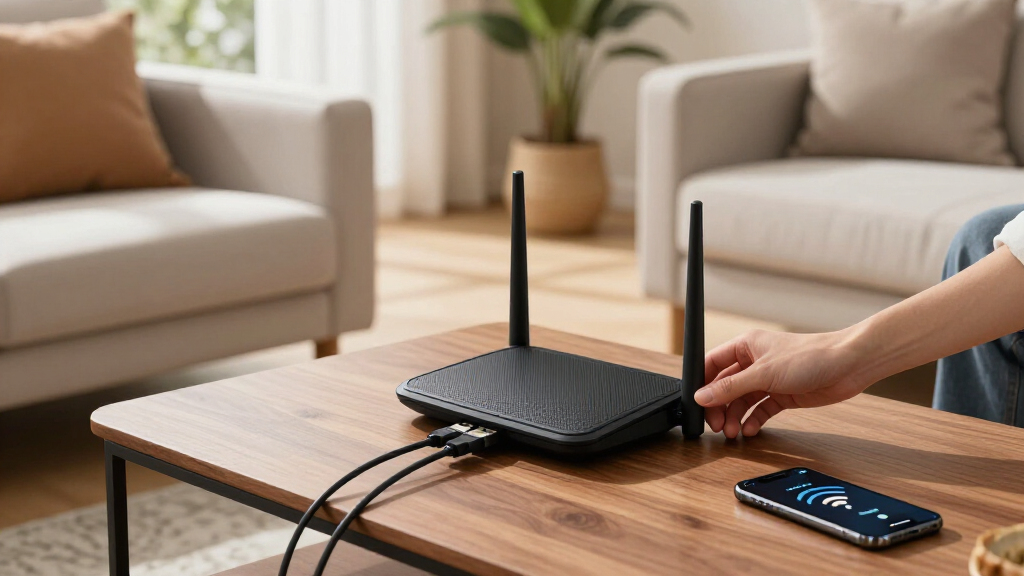
I ranked these systems around whole-home consistency, not the largest speed number on the box. My comparison weighed wireless generation, dual-band versus tri-band architecture, node-to-node communication, Ethernet-backhaul support, port availability, pack size, and the type of home each system can serve. I also examined setup and ongoing management, since a mesh system loses much of its appeal if routine changes are difficult. Published coverage claims helped establish relative positioning, but I treated them as estimates because walls, floors, interference, and node placement can reshape real household coverage.
The highest positions favor systems with the best balance of performance, usability, and price across common homes. Specialized models earn recommendations where their extra hardware solves a clear problem: the Deco XE75 for expansive wireless deployments, the Deco BE63 for premium networking, and two-pack systems for smaller layouts. Older Wi-Fi 5 products rank as budget choices because they can still remove dead zones, though they offer less capacity and longevity than the Wi-Fi 6 and Wi-Fi 7 alternatives. This logic places broad buyer value ahead of raw specifications, while still recognizing where paying more produces a practical benefit.
Factors to Consider When Choosing Mesh Wifi Systems
Choosing a mesh system starts with the shape of the home and the connection between nodes, not the coverage number printed on the package. I would match the system to the broadband plan, wired devices, building materials, and expected ownership period. The following factors explain where extra spending changes everyday performance and where it merely buys unused capacity.
Match Coverage to the Home Layout
Advertised square footage is a planning estimate, not a promise that every room will receive the same speed. Concrete, brick, metal ductwork, mirrors, and floor heating can reduce signal reach far more than drywall. I would count major barriers and floors before deciding whether two or three nodes are needed. Buying extra nodes without a placement plan can create excessive signal overlap, causing devices to remain connected to a farther unit. In a long or multi-story home, placing nodes along a clear path usually works better than hiding them at opposite edges. An extra node earns its cost when it bridges a genuine weak area rather than increasing the pack’s theoretical coverage.
Choose Dual-Band or Tri-Band Around Backhaul
Mesh nodes must exchange household traffic with each other, and that connection is called backhaul. A dual-band system may share radio capacity between client devices and wireless backhaul, which can reduce throughput at distant nodes during heavy use. Tri-band systems can dedicate or dynamically use another band, making them better suited to busy wireless-only installations. The advantage shrinks when Ethernet connects the nodes because wired backhaul removes much of that radio burden. I would pay for tri-band hardware when cabling is unavailable and several people regularly stream, download, or play online from remote rooms. A well-wired dual-band system can be a smarter purchase than a more expensive tri-band kit.
Check Ethernet Ports and Internet Speed
A mesh system can become a bottleneck if its ports are slower than the broadband plan or local network. Gigabit Ethernet is adequate for many homes, but it cannot pass a multi-gigabit connection at its full rate through one port. Multi-gig ports make more sense for fast fiber, network storage, wired workstations, or a longer upgrade horizon. Port count matters too: a node with several connections can serve a television, console, and desktop without a separate switch. I would also verify whether every node has identical ports, since some kits use less capable extenders than the main router. Buyers planning Ethernet backhaul need a suitable port available at both ends of each wired link.
Buy for the Devices You Actually Own
A Wi-Fi 7 label does not make older phones or laptops operate as Wi-Fi 7 devices. Those clients can still connect, but the largest gains require compatible hardware and a network configuration that supports the newer features. Wi-Fi 6 remains a strong middle ground for homes filled with current phones, televisions, consoles, and smart devices. Wi-Fi 6E adds access to the 6 GHz band, which can provide cleaner short-range capacity but generally has less wall penetration. Wi-Fi 7 is easier to justify when buying for several years, using new flagship devices, or pairing the system with very fast internet. I would choose the network generation that matches the upgrade cycle rather than paying for a feature that most clients cannot use.
Examine App Features and Recurring Fees
The app becomes the control panel for setup, guest access, device management, updates, and troubleshooting. A polished interface can make mesh ownership easier for beginners, while advanced buyers may want more control over channels, local administration, and network segmentation. Some brands place expanded security, activity reports, or parental controls behind subscriptions. I would separate the features included with the hardware from those that create an ongoing bill. Cloud-dependent management may also be less appealing to buyers who prefer local control or minimal account reliance. The better software choice is the one that provides the controls the household will use without unwanted complexity or fees.
Compare Pack Value Rather Than Unit Price
A low per-node price can hide the cost of buying more hardware than the home needs. Two-pack systems often suit apartments, compact houses, and layouts where the main router sits near the center. Three-packs are more useful across multiple floors, long floor plans, detached workspaces, or homes with several signal-blocking walls. I would compare the cost of the correctly sized system, including any Ethernet switches, cables, or subscriptions. Expansion rules also matter because adding a compatible node later may be cheaper than replacing the entire network. Starting with accurate sizing produces better value and cleaner roaming than filling every room with a mesh unit.
Frequently Asked Questions
Is Wi-Fi 7 Worth Paying For Over Wi-Fi 6 in a Mesh System?
Wi-Fi 7 is worth the premium when the home has compatible devices, fast fiber service, heavy local transfers, or a long replacement cycle. The eero 7, Deco BE23, and Deco BE25 bring the newer standard into less costly dual-band systems, while the BE63 targets buyers seeking stronger tri-band hardware. Wi-Fi 6 options such as the Deco X55 still fit most mainstream households and may leave more budget for proper node placement or Ethernet cabling. A Wi-Fi 7 purchase will not repair poor backhaul or overcome badly positioned nodes by itself. I would prioritize architecture and placement before paying solely for the newer label.
Do I Need Two Mesh Nodes or Three?
Two nodes usually fit an apartment or modest house where one router already covers part of the space well. Three nodes are easier to justify across multiple floors, an elongated layout, or a home with a detached office. The goal is to create strong links between neighboring nodes, so placing the final unit inside a dead zone is often too late. I would start with a two-pack when the coverage problem is limited and expansion remains available. Choose a three-pack when the floor plan clearly requires an intermediate relay or several separated coverage zones.
Can I Mix eero and TP-Link Deco Nodes in One Mesh Network?
eero and TP-Link Deco products cannot form one unified mesh with shared roaming and management. They may operate as separate networks, but that arrangement can add interference, duplicate routing, and confusing handoffs. I would keep all active mesh nodes within one compatible ecosystem. Compatibility can also vary between generations inside the same brand, and mixed models may operate around the limitations of the slower hardware. Checking the manufacturer’s current compatibility list before expansion is safer than assuming every product carrying the same brand will provide the same mesh features.
Does a Mesh System Replace My Existing Router?
In most homes, the main mesh unit takes over routing duties while connecting to the modem or fiber terminal. A combined modem-router supplied by an internet provider may need bridge or passthrough mode to avoid double NAT. Double NAT can cause trouble with gaming, port forwarding, remote access, and some smart-home products. If bridge mode is unavailable, many mesh systems offer an access-point or bridge configuration, though some routing features may then disappear. I would choose one device to manage routing and use the mesh for one coordinated household network.
How Much Difference Does Ethernet Backhaul Make?
Ethernet backhaul gives each wired node a stable connection that is not weakened by distance, walls, or competing wireless traffic. It can produce more consistent speeds at remote nodes, especially on dual-band systems such as the Deco X55. The improvement may be modest in a small open home with strong wireless links, but it can be substantial across floors or dense building materials. Existing in-wall Ethernet makes this upgrade straightforward, while adding new cable may cost more than moving to a tri-band system. I would favor Ethernet when practical because it also frees wireless capacity for phones, computers, and streaming devices.
Conclusion
For the widest mix of households, I recommend the eero 7 three-pack as the best overall system; it combines Wi-Fi 7 longevity with straightforward management. The Deco X55 three-pack is my best-value pick, particularly for buyers who want Ethernet backhaul and several wired connections without paying for the latest radio standard. Beginners who place app simplicity above advanced controls should choose the eero 6, while premium buyers with multi-gig ambitions should move to the tri-band Deco BE63. The Deco XE75 is my choice for large homes relying on wireless backhaul, where its tri-band Wi-Fi 6E architecture matters more than owning the newest badge.
For more specific needs, the Deco BE23 is the affordable Wi-Fi 7 entry, while the BE25 suits buyers wanting a stronger middle step between that model and the BE63. The eero 7 remains the easier Wi-Fi 7 choice for households that value a simpler ecosystem. A Deco X55 two-pack fits midsize homes that do not need three nodes, and the Deco S4 two-pack is better aligned with apartments and restrained budgets. For inexpensive coverage across a larger ordinary-broadband home, the Deco S4 three-pack offers the lowest-cost route, provided Wi-Fi 5 performance is enough for the household’s devices and internet plan.
Halloween Picks

27FT Giant Inflatable Pumpkin Lighted Outdoor Halloween Decor

12.2 ft Halloween Inflatable Outdoor Decoration – Giant Pumpkin

12-Foot Inflatable Pumpkin Halloween Archway with LED Lights
As an affiliate, we earn on qualifying purchases.