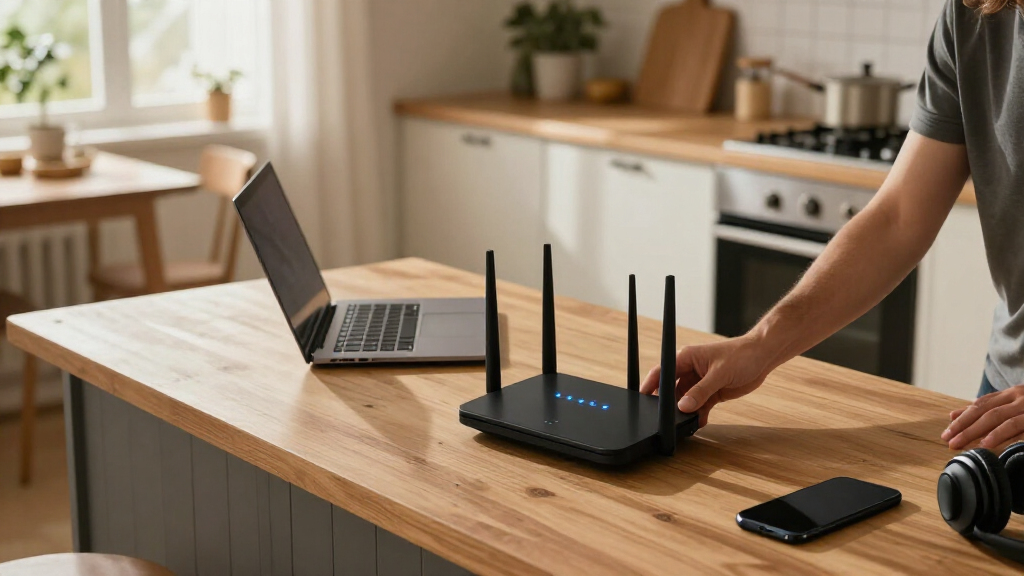

The TP-Link Archer BE550 is my best overall pick among these Wi-Fi 7 routers, balancing tri-band flexibility with a useful mix of wired connections. For a higher-end setup, the ASUS ROG Rapture GT-BE98 Pro adds quad-band capacity and gaming-focused controls, while the TP-Link Archer BE230 is a simpler entry point for smaller networks. The central tradeoff is whether you need extra bands and ports for busy households or can save space and complexity with a dual-band router. Your home layout, client devices, and wired gear matter as much as the Wi-Fi 7 label. Read on for the full comparison and advice on choosing the right fit.

Get business pricing on tech for your team
- Business-only prices and quantity discounts
- Tax-exempt purchasing
- Multiple users, one account, clear invoices
Key Takeaways
- The Archer BE550 earns the overall lead by pairing tri-band Wi-Fi 7 with a practical feature mix, rather than focusing only on extreme throughput or gaming extras.
- The GT-BE98 Pro is the specialist choice: quad-band capacity and gaming-oriented tools suit demanding setups, but most homes will not need its scale or added complexity.
- Dual-band models target simpler networks; the Archer BE230, Archer BE400, ASUS RT-BE82U, and NETGEAR RS90 or RS140 trade a band for a more focused setup.
- Tri-band does not automatically mean the right buy: the NETGEAR BE9300 and TP-Link BE600 are worth comparing with the BE550 based on your client load, wired needs, and network layout.
- Wi-Fi 7 benefits depend on the whole network. A compatible router helps most when devices and internet service can use its capabilities; older clients still connect but do not gain every new feature.
| TP-Link Archer BE550 Tri-Band Wi-Fi 7 Router |  | Best Overall | Wi-Fi generation: Wi-Fi 7 | Frequency bands: Tri-band: 2.4 GHz, 5 GHz, 6 GHz | Maximum data rate: 9300 Mbps | VIEW LATEST PRICE | See Our Full Breakdown |
| NETGEAR Nighthawk BE9300 Tri-Band WiFi 7 Router | 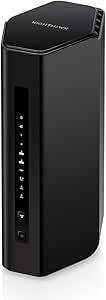 | Best for Large, Device-Busy Homes | Wi-Fi generation: WiFi 7 | Frequency bands: Tri-band: 2.4 GHz, 5 GHz, 6 GHz | Maximum data transfer rate: 9.3 Gbps | VIEW LATEST PRICE | See Our Full Breakdown |
| NETGEAR Nighthawk RS140 Dual-Band WiFi 7 Router |  | Best for Dual-Band Headroom | Wi-Fi generation: WiFi 7 | Frequency bands: Dual-band: 2.4 GHz and 5 GHz | Maximum data transfer rate: Up to 5 Gbps | VIEW LATEST PRICE | See Our Full Breakdown |
| NETGEAR Nighthawk RS90 WiFi 7 Dual-Band Router |  | Best for Smaller Homes | Wi-Fi generation: WiFi 7 | Frequency bands: Dual-band: 2.4 GHz and 5 GHz | Maximum data transfer rate: 3.6 Gbps | VIEW LATEST PRICE | See Our Full Breakdown |
| TP-Link Archer BE230 Dual-Band Wi-Fi 7 Router |  | Best for a Wired Wi-Fi 7 Upgrade | Wi-Fi generation: Wi-Fi 7 | Frequency bands: Dual-band: 2.4 GHz and 5 GHz; no 6 GHz | Maximum data transfer rate: 3.6 Gbps | VIEW LATEST PRICE | See Our Full Breakdown |
| ASUS ROG Rapture GT-BE98 Pro Quad-Band WiFi 7 Gaming Router |  | Best for High-End Gaming and Wired Setups | Wi-Fi generation: WiFi 7 (802.11be) | Frequency bands: Quad-band, including dual 6 GHz bands | Maximum data transfer rate: Up to 30 Gbps | VIEW LATEST PRICE | See Our Full Breakdown |
| ASUS RT-BE82U Dual-Band Wi-Fi 7 Router |  | Best for Multi-Gig Wired Connections on a Dual-Band Budget | Wi-Fi standard: WiFi 7 (802.11be) | Frequency bands: Dual-band | Maximum speed: Up to 6,500 Mbps | VIEW LATEST PRICE | See Our Full Breakdown |
| TP-Link Archer BE600 Tri-Band Wi-Fi 7 Router |  | Best Balanced Tri-Band WiFi 7 Pick | Wi-Fi standard: WiFi 7 | Bands: Tri-band: 6 GHz, 5 GHz, and 2.4 GHz | Total bandwidth: Up to 9.7 Gbps | VIEW LATEST PRICE | See Our Full Breakdown |
| TP-Link Archer BE400 BE6500 Dual-Band Wi-Fi 7 Router |  | Best for Straightforward WiFi 7 and EasyMesh Expansion | Wi-Fi standard: WiFi 7 | Bands: Dual-band: 2.4 GHz and 5 GHz | Total bandwidth: Up to 6.5 Gbps | VIEW LATEST PRICE | See Our Full Breakdown |
| wifi 7 router | Frequency bands | Ports | Wi-Fi generation | Maximum data transfer rate |
|---|---|---|---|---|
| TP-Link Archer BE550 Tri-Band | Tri-band: 2.4 GHz, 5 GHz, 6 GHz | 1 × 2.5 Gbps WAN, 4 × 2.5 Gbps LAN | Wi-Fi 7 | — |
| NETGEAR Nighthawk BE9300 Tri-B | Tri-band: 2.4 GHz, 5 GHz, 6 GHz | 2 × 2.5G Ethernet, 2 × Gigabit Ethernet, USB 3.0 | WiFi 7 | 9.3 Gbps |
| NETGEAR Nighthawk RS140 Dual-B | Dual-band: 2.4 GHz and 5 GHz | 1 × 2.5 Gig WAN, 3 × 1 Gig Ethernet LAN | WiFi 7 | Up to 5 Gbps |
| NETGEAR Nighthawk RS90 WiFi 7 | Dual-band: 2.4 GHz and 5 GHz | 1 × 2.5G Ethernet, 3 × Gigabit Ethernet | WiFi 7 | 3.6 Gbps |
| TP-Link Archer BE230 Dual-Band | Dual-band: 2.4 GHz and 5 GHz; no 6 GHz | 1 × 2.5 Gbps WAN/LAN, 1 × 2.5 Gbps LAN, 3 × 1 Gbps LAN | Wi-Fi 7 | 3.6 Gbps |
| ASUS ROG Rapture GT-BE98 Pro Q | Quad-band, including dual 6 GHz bands | — | WiFi 7 (802.11be) | Up to 30 Gbps |
| ASUS RT-BE82U Dual-Band Wi-Fi | Dual-band | — | — | — |
| TP-Link Archer BE600 Tri-Band | — | 1 × 10 Gbps WAN/LAN, 1 × 2.5 Gbps WAN/LAN, 3 × 2.5 Gbps LAN, and 1 × USB 3.0 | — | — |
| TP-Link Archer BE400 BE6500 Du | — | 1 × 2.5 Gbps WAN/LAN, 1 × 2.5 Gbps LAN, and 3 × 1 Gbps LAN | — | — |
More Details on Our Top Picks
TP-Link Archer BE550 Tri-Band Wi-Fi 7 Router
I’d put the Archer BE550 first for buyers who want Wi-Fi 7’s 6 GHz band plus useful wired capacity, without stepping up to a more specialized model. Its tri-band design gives compatible devices access to 6 GHz, while four 2.5 Gbps LAN ports make it easier to connect fast desktops, storage, or access points than the NETGEAR Nighthawk BE9300, which has two 2.5G ports. EasyMesh support also leaves room to extend coverage with compatible equipment. The tradeoff is that it is still a router, not a modem, and its advertised throughput and coverage depend on the home and connected devices. I’d choose the BE550 over the dual-band Archer BE230 when 6 GHz matters; if it doesn’t, the BE230 has a simpler, less costly feature set.
Pros:- Tri-band Wi-Fi 7 includes a dedicated 6 GHz band for compatible devices.
- Four 2.5 Gbps LAN ports support several fast wired devices.
- 2.5 Gbps WAN port can accommodate a multi-gig internet connection.
- EasyMesh, HomeShield, and VPN support add expansion and network-management options.
Cons:- Requires a separate modem or gateway for most internet services.
- The 6 GHz band and advertised speeds offer less benefit to older client devices.
- Actual coverage and throughput can fall with distance, walls, and interference.
Best for: Households with Wi-Fi 7 devices, multi-gig wired gear, and a plan to expand coverage with EasyMesh-compatible equipment.
Not ideal for: Buyers who need an all-in-one modem-router or whose devices and internet plan do not benefit from 6 GHz or multi-gig networking.
- Wi-Fi generation:Wi-Fi 7
- Frequency bands:Tri-band: 2.4 GHz, 5 GHz, 6 GHz
- Maximum data rate:9300 Mbps
- Band speeds:5760 Mbps (6 GHz), 2880 Mbps (5 GHz), 574 Mbps (2.4 GHz)
- Ports:1 × 2.5 Gbps WAN, 4 × 2.5 Gbps LAN
- Antennas:6
- Security:WPA2, WPA3, HomeShield
- Mesh compatibility:EasyMesh
Our verdict“Choose the Archer BE550 if you want tri-band Wi-Fi 7, several 2.5 Gbps wired ports, and a path to mesh expansion in one router.”
NETGEAR Nighthawk BE9300 Tri-Band WiFi 7 Router
The Nighthawk BE9300 is the fit I’d shortlist for homes that need tri-band Wi-Fi 7 and support for many simultaneous clients. Its stated coverage reaches up to 2,500 sq. ft., with capacity listed for 100 devices; those are planning figures, not a promise through every wall. Like the TP-Link Archer BE550, it has a 6 GHz band and a 9.3 Gbps maximum data rate. The BE550 is the stronger choice if you want four 2.5 Gbps LAN ports, while the BE9300 offers a USB 3.0 port and a mix of 2.5G and gigabit Ethernet. App management and automatic firmware updates suit buyers who prefer routine network tasks handled through one interface. It still needs a separate modem or gateway, and some combined modem-router units may need bridge mode.
Pros:- Tri-band Wi-Fi 7 adds 6 GHz alongside 2.4 GHz and 5 GHz.
- Listed for up to 100 connected devices and 2,500 sq. ft. of coverage.
- Includes two 2.5G Ethernet ports, two gigabit ports, and USB 3.0.
- Nighthawk app management and automatic firmware updates simplify upkeep.
Cons:- Requires a separate modem or gateway with an RJ45 Ethernet port.
- Only two Ethernet ports are 2.5G, compared with four on the Archer BE550.
- Coverage claims can be reduced by walls, floors, and wireless interference.
Best for: Families or shared households with many connected devices, compatible Wi-Fi 7 clients, and an existing modem or gateway.
Not ideal for: Buyers who need several 2.5 Gbps wired connections, an all-in-one modem-router, or reliable coverage across a home that requires mesh nodes.
- Wi-Fi generation:WiFi 7
- Frequency bands:Tri-band: 2.4 GHz, 5 GHz, 6 GHz
- Maximum data transfer rate:9.3 Gbps
- Coverage:Up to 2,500 sq. ft.
- Maximum connected devices:100
- Processor and RAM:Quad-core 2.0 GHz; 2 GB RAM
- Ports:2 × 2.5G Ethernet, 2 × Gigabit Ethernet, USB 3.0
- Security and management:WPA3; Nighthawk app for iOS and Android
Our verdict“Pick the BE9300 if your priority is tri-band Wi-Fi 7 for a busy household and you value its device capacity and USB port over extra 2.5G LAN connections.”
NETGEAR Nighthawk RS140 Dual-Band WiFi 7 Router
The Nighthawk RS140 is a sensible middle ground for buyers who want more stated capacity than the RS90 but do not need a 6 GHz band. It offers up to 5 Gbps, coverage listed to 2,250 sq. ft., and support for up to 80 devices, while keeping the wireless setup dual-band. That makes it a step up from the RS90’s 3.6 Gbps and 50-device figures, though neither model can use 6 GHz like the tri-band Nighthawk BE9300. The RS140’s 2.5 Gig WAN port can connect to a multi-gig service, but its three LAN ports are gigabit, so wired devices will not all get multi-gig links. It also needs a separate modem or gateway, and NETGEAR Armor requires a subscription after its 30-day trial.
Pros:- Advertised Wi-Fi 7 data rate reaches up to 5 Gbps.
- Listed coverage of up to 2,250 sq. ft. and capacity for 80 devices.
- 2.5 Gig WAN port supports a multi-gig connection from a modem or gateway.
- Includes WPA3 security features and automatic firmware updates.
Cons:- Dual-band design has no 6 GHz band, unlike the Nighthawk BE9300.
- Three LAN ports are gigabit rather than multi-gig.
- Requires a separate modem or gateway; NETGEAR Armor requires a subscription after its trial.
Best for: Households wanting a dual-band Wi-Fi 7 router with more listed device capacity than the RS90 and a 2.5 Gig WAN connection.
Not ideal for: Buyers seeking a 6 GHz band, multiple multi-gig LAN ports, or security features without a later Armor subscription.
- Wi-Fi generation:WiFi 7
- Frequency bands:Dual-band: 2.4 GHz and 5 GHz
- Maximum data transfer rate:Up to 5 Gbps
- Coverage:Up to 2,250 sq. ft.
- Maximum connected devices:80
- Processor:Quad-core 2.0 GHz
- Ports:1 × 2.5 Gig WAN, 3 × 1 Gig Ethernet LAN
- Security:WPA3
Our verdict“Choose the RS140 if you want more capacity than the RS90 in a dual-band Wi-Fi 7 router and can live without 6 GHz or multi-gig LAN ports.”
NETGEAR Nighthawk RS90 WiFi 7 Dual-Band Router
I’d choose the Nighthawk RS90 for a smaller household that wants Wi-Fi 7 without paying for capacity it is unlikely to use. Its dual-band setup reaches a stated 3.6 Gbps and is rated for up to 50 devices across up to 2,000 sq. ft. That is a more modest brief than the RS140, which raises the stated data rate to 5 Gbps, coverage to 2,250 sq. ft., and device capacity to 80. Both lack 6 GHz, so buyers wanting all three Wi-Fi bands should look at the Archer BE550 instead. The RS90 includes a 2.5G Ethernet port, three gigabit LAN ports, app management, and automatic updates. It remains a standalone router, so an existing modem or gateway is required.
Pros:- Wi-Fi 7 supports an advertised maximum data rate of 3.6 Gbps.
- Listed for up to 2,000 sq. ft. and 50 connected devices.
- One 2.5G Ethernet port plus three gigabit LAN ports.
- App-based management, WPA2/WPA3 security, and automatic firmware updates.
Cons:- Dual-band only, with no 6 GHz support.
- Lower stated data rate and device capacity than the Nighthawk RS140.
- Needs a separate modem or gateway, and real-world coverage varies by home.
Best for: People in apartments or smaller homes who want Wi-Fi 7, app-based management, and a 2.5G port without needing high device capacity.
Not ideal for: Large or device-dense households, buyers who need 6 GHz, or anyone without a separate modem or gateway.
- Wi-Fi generation:WiFi 7
- Frequency bands:Dual-band: 2.4 GHz and 5 GHz
- Maximum data transfer rate:3.6 Gbps
- Coverage:Up to 2,000 sq. ft.
- Device capacity:Up to 50 devices
- Processor:Quad-core 2.0 GHz
- Ports:1 × 2.5G Ethernet, 3 × Gigabit Ethernet
- Antennas and security:4 fixed antennas; WPA2 and WPA3
Our verdict“The RS90 is a practical Wi-Fi 7 choice for smaller homes that do not need the RS140’s higher capacity or the Archer BE550’s 6 GHz band.”
TP-Link Archer BE230 Dual-Band Wi-Fi 7 Router
The Archer BE230 makes the most sense when wired connections and a straightforward Wi-Fi 7 upgrade matter more than 6 GHz. Its two 2.5 Gbps ports—one configurable as WAN/LAN and one LAN—give it a useful advantage over the Nighthawk RS90 for connecting multi-gig equipment, while three additional gigabit LAN ports handle everyday wired devices. But this is a dual-band router with no 6 GHz support, unlike the tri-band Archer BE550; compatible clients cannot use that band here. EasyMesh gives buyers a way to extend coverage, and the Tether app supports setup and management. The advertised range and device count are up to 2,000 sq. ft. and 60 devices, not guarantees for every layout. A separate modem is required.
Pros:- Two 2.5 Gbps ports support multi-gig WAN or LAN use.
- Three additional gigabit LAN ports provide wired connections for other devices.
- EasyMesh supports expansion with compatible equipment.
- Includes Wi-Fi 7 features such as Multi-Link Operation, Multi-RUs, and 4K-QAM.
Cons:- No 6 GHz band, unlike the Archer BE550.
- Requires a separate modem for internet access.
- Coverage and device capacity depend on the home layout and wireless conditions.
Best for: Buyers upgrading to Wi-Fi 7 who want two 2.5 Gbps ports, several wired connections, and EasyMesh expansion without needing 6 GHz.
Not ideal for: Owners of 6 GHz-capable Wi-Fi 7 devices who want tri-band performance, or buyers who need a modem-router combination.
- Wi-Fi generation:Wi-Fi 7
- Frequency bands:Dual-band: 2.4 GHz and 5 GHz; no 6 GHz
- Maximum data transfer rate:3.6 Gbps
- Band speeds:Up to 2882 Mbps (5 GHz); up to 688 Mbps (2.4 GHz)
- Ports:1 × 2.5 Gbps WAN/LAN, 1 × 2.5 Gbps LAN, 3 × 1 Gbps LAN
- Coverage and device capacity:Up to 2,000 sq. ft.; up to 60 devices
- Processor and antennas:2.0 GHz quad-core; 4 internal antennas
- Mesh and setup:EasyMesh; TP-Link Tether app
Our verdict“Choose the Archer BE230 if you want Wi-Fi 7 with two 2.5 Gbps ports and mesh expansion, and do not need a 6 GHz band.”
ASUS ROG Rapture GT-BE98 Pro Quad-Band WiFi 7 Gaming Router
The GT-BE98 Pro is the specialist pick here: its quad-band design with dual 6 GHz bands and Multi-Link Operation gives compatible devices more ways to share wireless capacity, while gaming traffic acceleration prioritizes latency-sensitive activity. Its dual 10 Gbps and four 2.5 Gbps ports also make it a stronger fit for multi-gigabit wired gear than the TP-Link Archer BE600, which has fewer high-speed wired connections. Eight external antennas and mesh support add flexibility for larger or expandable networks. The tradeoff is scale and complexity: buyers with ordinary broadband and a few everyday devices may not benefit from this much hardware. Like every WiFi 7 router, its real-world coverage and speed depend on the home and client devices.
Pros:- Quad-band WiFi 7 includes two 6 GHz bands
- Dual 10 Gbps and four 2.5 Gbps ports support a demanding wired network
- Gaming traffic acceleration is designed to prioritize latency-sensitive traffic
- AiMesh support, parental controls, guest mode, and VPN support add network management options
Cons:- Its extensive band and port capacity may go unused in typical homes
- WiFi 7 benefits depend on compatible client devices and local network conditions
- Eight fixed external antennas make placement less discreet
Best for: Competitive gamers and households with multi-gigabit internet, wired gaming PCs, and several high-bandwidth devices
Not ideal for: Small households with standard-speed internet or older devices that cannot use WiFi 7 and its extra 6 GHz capacity
- Wi-Fi generation:WiFi 7 (802.11be)
- Frequency bands:Quad-band, including dual 6 GHz bands
- Maximum data transfer rate:Up to 30 Gbps
- Ethernet ports:Dual 10 Gbps and four 2.5 Gbps
- Antennas:8 fixed external antennas
- RAM:2 GB
- Features:Multi-Link Operation, gaming traffic acceleration, mesh support, QoS, VPN support, and parental controls
- Security protocols:WPA2-Enterprise, WPA3-Personal, and WPS
Our verdict“Choose the GT-BE98 Pro if you need premium WiFi 7 capacity and plentiful multi-gigabit ports for gaming or a busy wired home.”
ASUS RT-BE82U Dual-Band Wi-Fi 7 Router
The RT-BE82U puts its emphasis on wired flexibility rather than extra wireless bands. Its five 2.5GbE ports can connect several multi-gig devices without relying on a separate switch, a useful distinction from the dual-band TP-Link Archer BE400, which has two 2.5 Gbps ports alongside three gigabit ports. AiMesh gives owners a route to expand coverage, and AiProtection Pro, parental controls, and VPN support add useful network tools. The tradeoff is that this ASUS has only two WiFi bands, so it lacks the separate 6 GHz band found on tri-band options such as the TP-Link Archer BE600. Its stated maximum speed is 6,500 Mbps, but the supplied data also flags inconsistent transfer-rate figures, so I would focus on its port layout and mesh support rather than treating that number as a promise.
Pros:- Five 2.5GbE ports support multiple high-speed wired devices
- AiMesh supports network expansion and roaming
- AiProtection Pro, firewall, parental controls, and VPN support provide management options
- WiFi 7 support offers a newer wireless standard in a dual-band design
Cons:- Dual-band operation lacks the separate 6 GHz band available on tri-band WiFi 7 routers
- Supplied data notes inconsistent maximum data-rate figures
- Four fixed antennas offer less placement flexibility than routers with separate antenna positioning
Best for: Home-office users and households with several 2.5GbE computers, NAS devices, or access points who want ASUS AiMesh expansion
Not ideal for: Buyers seeking a dedicated 6 GHz band for compatible WiFi 7 devices or a clearly specified speed profile
- Wi-Fi standard:WiFi 7 (802.11be)
- Frequency bands:Dual-band
- Maximum speed:Up to 6,500 Mbps
- Ethernet ports:5 × 2.5GbE
- Antennas:4 fixed antennas
- Mesh support:ASUS AiMesh
- Security and management:AiProtection Pro, firewall, parental controls, and VPN support
- Compatibility:Computers, smart TVs, smartphones, and tablets
Our verdict“Pick the RT-BE82U if a cluster of 2.5GbE wired devices matters more to you than adding a third WiFi band.”
TP-Link Archer BE600 Tri-Band Wi-Fi 7 Router
The Archer BE600 is the most balanced choice in this group for buyers who want tri-band WiFi 7 without stepping up to the specialized gaming hardware of the ASUS ROG Rapture GT-BE98 Pro. Its 6 GHz band provides a separate lane for compatible newer devices, while the listed capacity of up to 120 devices and 2,600 square feet makes it suited to a busy home; those are manufacturer figures, not a guarantee for every layout. The port mix is a practical strength, with a 10 Gbps WAN/LAN connection, four 2.5 Gbps connections, and USB 3.0. Compared with the dual-band Archer BE400, it offers an extra band and higher stated total bandwidth, but it may be more router than a smaller home needs. Some HomeShield functions may also require a subscription, and the supplied details do not clarify which.
Pros:- Tri-band WiFi 7 includes 6 GHz, 5 GHz, and 2.4 GHz
- One 10 Gbps and four 2.5 Gbps ports offer flexible multi-gigabit connections
- USB 3.0, VPN client and server support, and app management add useful options
- Listed capacity reaches up to 120 devices and 2,600 square feet
Cons:- WiFi 7 and 6 GHz benefits require compatible client devices
- The supplied product details do not specify which HomeShield features require a subscription
- Coverage figures can vary with building layout, materials, and interference
Best for: Families with many connected devices who want a tri-band WiFi 7 network, multi-gigabit wired connections, and app-based management
Not ideal for: Small homes with few devices, or buyers who need a clear account of which HomeShield features work without a subscription
- Wi-Fi standard:WiFi 7
- Bands:Tri-band: 6 GHz, 5 GHz, and 2.4 GHz
- Total bandwidth:Up to 9.7 Gbps
- Maximum band speeds:6 GHz: 5,765 Mbps; 5 GHz: 2,882 Mbps; 2.4 GHz: 1,032 Mbps
- Coverage and device capacity:Up to 2,600 sq. ft. and 120 devices
- Ports:1 × 10 Gbps WAN/LAN, 1 × 2.5 Gbps WAN/LAN, 3 × 2.5 Gbps LAN, and 1 × USB 3.0
- Management:TP-Link Tether app or web interface
- Additional features:Multi-Link Operation, beamforming, MU-MIMO, OFDMA, VPN client and server support, and HomeShield
Our verdict“Choose the Archer BE600 for a busy home that can use tri-band WiFi 7 and wants a versatile set of multi-gigabit ports.”
TP-Link Archer BE400 BE6500 Dual-Band Wi-Fi 7 Router
The Archer BE400 is the more straightforward TP-Link option for homes that want WiFi 7 and Multi-Link Operation without paying for the Archer BE600’s third band. Its stated 6.5 Gbps combined bandwidth and coverage rating of up to 2,400 square feet suit everyday streaming, browsing, and connected devices, though actual results depend on the home and client equipment. EasyMesh compatibility lets buyers expand with compatible EasyMesh hardware, but it does not work with TP-Link Deco mesh systems—a limitation the BE600’s supplied specs do not list. The port selection is a step down from the ASUS RT-BE82U’s five 2.5GbE ports: the BE400 has two 2.5 Gbps ports and three 1 Gbps LAN ports. A separate modem is required, so this router is not a one-box replacement for modem-router service.
Pros:- WiFi 7 features include Multi-Link Operation, Multi-RUs, and 4K-QAM
- Two 2.5 Gbps ports support faster WAN and wired-device connections
- EasyMesh compatibility allows expansion with supported EasyMesh devices
- HomeShield, WPA3, and VPN client and server support add security and remote-access options
Cons:- A separate modem is required for internet service
- Not compatible with TP-Link Deco mesh systems
- Only two 2.5 Gbps ports; three other LAN ports are limited to 1 Gbps
Best for: Households moving to WiFi 7 that want a dual-band router, basic EasyMesh expansion, VPN support, and a few multi-gigabit connections
Not ideal for: People using TP-Link Deco mesh systems, buyers needing more than two 2.5Gbps connections, or anyone expecting a modem to be built in
- Wi-Fi standard:WiFi 7
- Bands:Dual-band: 2.4 GHz and 5 GHz
- Total bandwidth:Up to 6.5 Gbps
- Band speeds:5 GHz: up to 5,764 Mbps; 2.4 GHz: up to 688 Mbps
- Coverage and device capacity:Up to 2,400 sq. ft. and 90 devices
- Ports:1 × 2.5 Gbps WAN/LAN, 1 × 2.5 Gbps LAN, and 3 × 1 Gbps LAN
- Mesh compatibility:EasyMesh; not compatible with Deco mesh systems
- Security and VPN:HomeShield, WPA3, VPN client and server support
Our verdict“Choose the Archer BE400 if you want an accessible dual-band WiFi 7 setup and EasyMesh support, but do not need tri-band capacity or Deco compatibility.”
How We Picked
I compared these nine routers by how well their Wi-Fi 7 band configuration, wired connectivity, and feature set match common home-network needs. I gave weight to practical differences: whether a model offers two, three, or four bands; whether its ports suit wired devices or a fast internet plan; and whether its controls make sense for everyday households, gaming, or more involved setups. I also looked at the cost of complexity in setup and network planning, not just headline speed claims.
The ranking favors useful balance for a broad range of homes, which puts the Archer BE550 first. The BE9300 and BE600 are alternatives for shoppers weighing tri-band capacity and other feature priorities; dual-band routers rank better for straightforward or more constrained needs, not for maximum band flexibility. The GT-BE98 Pro sits in the premium spot because its quad-band design and gaming focus suit a narrower audience. Since Wi-Fi results depend on home construction, placement, client hardware, and service speed, I treat advertised capabilities as selection clues rather than promises of real-world performance.
| wifi 7 router | Wi-Fi generation | Frequency bands |
|---|---|---|
| TP-Link Archer BE550 Tri-Band | Wi-Fi 7 | Tri-band: 2.4 GHz, 5 GHz, 6 GHz |
| NETGEAR Nighthawk BE9300 Tri-B | WiFi 7 | Tri-band: 2.4 GHz, 5 GHz, 6 GHz |
| NETGEAR Nighthawk RS140 Dual-B | WiFi 7 | Dual-band: 2.4 GHz and 5 GHz |
| NETGEAR Nighthawk RS90 WiFi 7 | WiFi 7 | Dual-band: 2.4 GHz and 5 GHz |
| TP-Link Archer BE230 Dual-Band | Wi-Fi 7 | Dual-band: 2.4 GHz and 5 GHz; no 6 GHz |
| ASUS ROG Rapture GT-BE98 Pro Q | WiFi 7 (802.11be) | Quad-band, including dual 6 GHz bands |
| ASUS RT-BE82U Dual-Band Wi-Fi | — | Dual-band |
| TP-Link Archer BE600 Tri-Band | — | — |
| TP-Link Archer BE400 BE6500 Du | — | — |
Factors to Consider When Choosing Wifi 7 Routers
Choosing among Wi-Fi 7 routers is less about chasing the biggest specification and more about matching the router to your devices, floor plan, and wired network. These factors can help you avoid paying for capacity you cannot use—or buying a model that leaves a real bottleneck untouched.
Count Your Wi-Fi Bands Against Your Client Load
Dual-band, tri-band, and quad-band designs divide wireless capacity differently, but more bands do not automatically make every connection faster. A busy home with many simultaneous clients may gain flexibility from a tri-band router such as the BE550, BE9300, or BE600. A smaller household with modest traffic may do well with a dual-band option and avoid paying for unused capacity. Check which bands your devices support and whether you can place compatible clients across them. One common mistake is treating a band count as a direct speed guarantee instead of a way to share airtime. Choose for the number and type of active connections, not the number of devices sitting idle.
Check Whether Your Devices Can Use Wi-Fi 7 Features
A Wi-Fi 7 router can serve older Wi-Fi clients, but those clients do not gain all of Wi-Fi 7’s capabilities just by connecting. Before upgrading, list the laptops, phones, consoles, and adapters that matter most to you, then check their wireless standards. If most of your active devices are older, a router upgrade may still help with network management or future readiness, but the immediate wireless improvement may be limited. Newer compatible clients make the case for investing in a Wi-Fi 7 model stronger. Avoid replacing a working network solely because the router has a newer label. Match the upgrade to the devices you expect to use during the router’s service life.
Match Wired Ports to Your Internet Plan and Home Gear
Wireless capability cannot compensate for a slow link between the router and your modem, switch, storage, or wired computer. Check port types and speeds against your internet service and the equipment you plan to attach; the fastest port is useful only when both ends support it. If you have a desktop, NAS, wired access point, or several consoles, port availability can matter more than a small difference in wireless specifications. Some homes can add a switch, but that brings another device, cable, and configuration step. Do not assume a Wi-Fi 7 router includes the exact port layout you need. Draw a quick map of wired connections before choosing a model.
Plan for Coverage Before Paying for More Throughput
A router’s advertised capacity does not guarantee strong service in every room. Walls, floors, neighboring networks, and placement all affect coverage, and one powerful unit may still leave a distant room with a weak signal. Place the router in an open, central area where practical rather than inside a cabinet or at the edge of the home. If coverage is the main problem, compare the router’s compatibility with mesh or access-point expansion before buying. A multi-band model can help manage traffic, but it does not erase physical obstructions. Prioritize a sensible coverage plan over headline speed figures when the dead zone is your main complaint.
Decide How Much Setup and Control You Actually Want
Router software shapes the day-to-day experience: setup, guest access, parental controls, device management, and network troubleshooting all affect how easy a system is to live with. Gaming-focused and premium routers may provide more controls, but extra settings can be unnecessary for someone who wants a stable household network with minimal tuning. Simpler models can be a better fit when only basic wireless access and a few wired connections are needed. Check which functions are included and whether any depend on an account, subscription, or companion app before purchase. Do not pay for controls you will not use, but do not overlook basic management tools if several people share the network. The best fit is the one whose features you can comfortably maintain.
Spend for a Real Bottleneck, Not a Future-Proofing Slogan
Paying more makes sense when a higher-tier router solves a present need, such as many simultaneous clients, a demanding gaming setup, or a specific wired connection requirement. The GT-BE98 Pro’s four-band design is aimed at a narrower class of network than a basic dual-band model, so its premium capabilities should match a concrete use case. For a typical home, a balanced tri-band router may be a more sensible step than the most elaborate option. Future readiness has limits: client devices, service speed, and home layout will still shape results. Compare the feature you will use now with the extra complexity and hardware you may never use. A clear reason to upgrade is more useful than buying the largest specification on the shelf.
Frequently Asked Questions
Should I choose a tri-band Wi-Fi 7 router over a dual-band model?
Choose tri-band when your home has many active clients, sustained heavy traffic, or a need to separate wireless activity across more bands. The Archer BE550, NETGEAR BE9300, and Archer BE600 give you that extra band flexibility, while dual-band models are simpler options for lighter networks. The number of connected devices alone is not enough; many idle smart-home devices may add less pressure than a few active video, gaming, or download sessions. Check your client hardware too, since devices can only use supported capabilities. If your network is not congested and your devices are mostly older, a dual-band router may be the more sensible fit.
Will a Wi-Fi 7 router improve speed on my older phone or laptop?
An older device can connect to a Wi-Fi 7 router, but it generally continues to use the wireless features its own hardware supports. That means the router alone will not turn an older client into a Wi-Fi 7 device. You may still benefit from a newer router’s capacity or network controls, especially if your current router is a bottleneck, but the gain varies by device and home conditions. Check the wireless standard of the clients you use most before upgrading. If none can use Wi-Fi 7 yet, consider whether improved coverage, wired ports, or future device plans justify the purchase.
Is a premium quad-band router worth it for a gaming household?
It can be a good fit when the household has many simultaneous connections, compatible wireless clients, and a clear need for the added capacity and gaming-focused controls. The GT-BE98 Pro is the specialist pick in this lineup, while the BE550 is a more balanced choice for homes that want tri-band flexibility without making gaming the central priority. A premium router cannot fix high latency caused by an internet provider, a distant server, or a congested connection outside your home. Wired Ethernet remains a strong option for a stationary gaming PC or console. Pay for quad-band features when they solve a real network load or control need, not simply because gaming is involved.
Can a Wi-Fi 7 router fix weak coverage in a large or multi-story home?
Not on its own in every layout. Router placement, building materials, floor separation, and interference can limit coverage even when a router has high advertised capacity. A central, open placement may improve results, but distant rooms can still need a compatible mesh system or wired access point. Before buying, check whether the model supports the expansion approach you prefer and whether you can run Ethernet to another access point. If coverage is your main complaint, a plan for multiple access points may matter more than moving from dual-band to quad-band. Wi-Fi 7 describes wireless capabilities, not a guarantee of whole-home reach.
What should I check before replacing my current router with Wi-Fi 7?
Start with your internet plan, modem connection, wired equipment, and the devices that will connect wirelessly. Confirm that the router’s port types and speeds fit your service and home network, and check whether your most-used clients support Wi-Fi 7. Then identify the problem you want to solve: weak coverage, congestion, insufficient ports, or a desire for newer client support. If the issue is coverage, plan placement or mesh expansion; if it is a wired bottleneck, focus on ports and connected hardware. This short inventory can prevent buying a more elaborate router that leaves the actual problem unchanged.
Conclusion
For most households comparing these nine Wi-Fi 7 routers, I recommend the TP-Link Archer BE550 as the best overall for its balanced tri-band approach. The Archer BE230 is my best value-style pick for a straightforward dual-band setup, while the GT-BE98 Pro is best for premium gaming and high-demand networks that can use its quad-band design. Beginners who want a less elaborate starting point should compare the NETGEAR RS90 with the Archer BE230, then choose based on the needed ports and features. For shoppers specifically seeking tri-band alternatives, consider the NETGEAR BE9300 or TP-Link BE600; for a simpler dual-band network, the RS140, ASUS RT-BE82U, or Archer BE400 may suit the brief. Match the final choice to your active devices, wired connections, and coverage plan rather than Wi-Fi 7 branding alone.