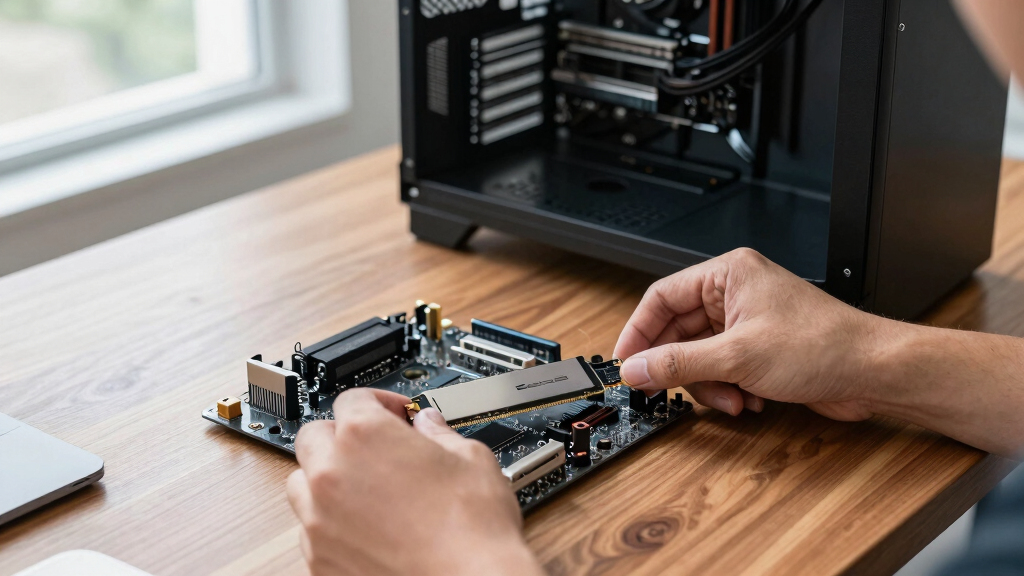

The Samsung 990 PRO 2TB is my best overall choice among these NVMe SSDs because it pairs near-ceiling PCIe 4.0 speed with useful capacity and a mature support ecosystem. For buyers chasing the fastest interface, the Samsung 9100 PRO 2TB is the premium pick, though its PCIe 5.0 performance brings higher cost and cooling demands. The WD_BLACK SN7100 2TB is my gaming-focused alternative, balancing fast Gen4 performance with room for a large library. The main choice is between affordable Gen4 value and pricier Gen5 throughput, while capacity, sustained writes, heat, and motherboard support often matter more than headline speed. Continue reading for the full breakdown of all 10 drives and the buyer types each one suits best.

Get business pricing on tech for your team
- Business-only prices and quantity discounts
- Tax-exempt purchasing
- Multiple users, one account, clear invoices
Key Takeaways
- I rank the Samsung 990 PRO 2TB first because its combination of mature Gen4 performance, capacity, software support, and broad compatibility serves more buyers than raw Gen5 speed.
- The Samsung 9100 PRO 2TB leads the premium tier, but its extra throughput is most useful for large-file production work rather than ordinary gaming or desktop use.
- The WD_BLACK SN7100 2TB emerges as the stronger gaming-library choice, while its 1TB counterpart makes more sense when the budget matters more than storage headroom.
- The Kingston NV3 1TB offers a more approachable entry point, though buyers with frequent long writes should favor a higher-tier model.
- The comparison favors 2TB drives as the practical sweet spot; the 500GB SanDisk option costs less upfront but provides less free-space buffer and weaker long-term flexibility.
| BIWIN Black Opal NV7400 1TB SSD |  | Best Cooled Gen4 Pick | Capacity: 1TB | Interface: PCIe Gen4 x4 NVMe | Form Factor: M.2 2280 | VIEW LATEST PRICE | See Our Full Breakdown |
| Kingston NV3 1TB M.2 2280 NVMe SSD |  | Best Value Pick | Capacity: 1TB | Form Factor: M.2 2280 | Protocol: NVMe | VIEW LATEST PRICE | See Our Full Breakdown |
| Samsung SSD 9100 PRO 1TB |  | Best PCIe 5.0 Performance | Capacity: 1TB | Interface: PCIe 5.0 x4 | Form Factor: M.2 2280 | VIEW LATEST PRICE | See Our Full Breakdown |
| WD Black SN7100 2TB NVMe SSD |  | Best Overall | Capacity: 2TB | Interface: PCIe Gen4 | Form Factor: M.2 2280 | VIEW LATEST PRICE | See Our Full Breakdown |
| Crucial P310 1TB NVMe PCIe Gen4 M.2 SSD |  | Best for Device Flexibility | Capacity: 1TB | Interface: PCIe Gen4 NVMe | Form Factor: M.2 2280 | VIEW LATEST PRICE | See Our Full Breakdown |
| SanDisk 500GB Optimus GX 7100 NVMe SSD |  | Best Small-Capacity Performance | Capacity: 500GB | Interface: PCIe Gen 4.0 | Form Factor: M.2 2280 | VIEW LATEST PRICE | See Our Full Breakdown |
| Samsung 990 PRO SSD 1TB |  | Best 1TB Gen4 Performance | Capacity: 1TB | Interface: PCIe 4.0 | Form Factor: M.2 2280 | VIEW LATEST PRICE | See Our Full Breakdown |
| Samsung 9100 PRO 2TB PCIe 5.0×4 M.2 SSD | | Best PCIe 5.0 Upgrade | Capacity: 2TB | Interface: PCIe 5.0 x4 | Form Factor: M.2 2280 | VIEW LATEST PRICE | See Our Full Breakdown |
| WD_BLACK SN7100 1TB NVMe SSD | | Best for Gaming Laptops | Capacity: 1TB | Interface: PCIe Gen4 | Form Factor: M.2 2280 | VIEW LATEST PRICE | See Our Full Breakdown |
| Samsung 990 PRO SSD 2TB |  | Best Overall | Capacity: 2TB | Interface: NVMe PCIe Gen4 | Form Factor: M.2 2280 | VIEW LATEST PRICE | See Our Full Breakdown |
| nvme ssd | Capacity | Form Factor | Interface | Sequential Read Speed |
|---|---|---|---|---|
| BIWIN Black Opal NV7400 1TB SS | 1TB | M.2 2280 | PCIe Gen4 x4 NVMe | Up to 7,450MB/s |
| Kingston NV3 1TB M.2 2280 NVMe | 1TB | M.2 2280 | — | — |
| Samsung SSD 9100 PRO 1TB | 1TB | M.2 2280 | PCIe 5.0 x4 | Up to 14,700MB/s |
| WD Black SN7100 2TB NVMe SSD | 2TB | M.2 2280 | PCIe Gen4 | Up to 7,250MB/s |
| Crucial P310 1TB NVMe PCIe Gen | 1TB | M.2 2280 | PCIe Gen4 NVMe | Up to 7,100MB/s |
| SanDisk 500GB Optimus GX 7100 | 500GB | M.2 2280 | PCIe Gen 4.0 | Up to 7,250 MB/s |
| Samsung 990 PRO SSD 1TB | 1TB | M.2 2280 | PCIe 4.0 | Up to 7,450 MB/s |
| Samsung 9100 PRO 2TB PCIe 5.0x | 2TB | M.2 2280 | PCIe 5.0 x4 | Up to 14,700 MB/s |
| WD_BLACK SN7100 1TB NVMe SSD | 1TB | M.2 2280 | PCIe Gen4 | — |
| Samsung 990 PRO SSD 2TB | 2TB | M.2 2280 | NVMe PCIe Gen4 | Up to 7,450 MB/s |
More Details on Our Top Picks
BIWIN Black Opal NV7400 1TB SSD
I rank the BIWIN Black Opal NV7400 as the cooled Gen4 pick because its graphite-aluminium heat spreader pairs strong thermal control with 7,450MB/s reads. That makes it attractive for sustained file transfers, demanding games, and compact systems where heat can reduce speed. Its 6,500MB/s write rating trails the WD Black SN7100 slightly, while the Samsung 9100 PRO is far faster on a PCIe 5.0 platform. BIWIN counters with 3D TLC NAND and PMIC power management, a combination aimed at stable performance rather than headline speed alone. I place it below the WD for most buyers because it offers only 1TB in the supplied lineup and lacks the WD’s capacity advantage. It also makes little sense in a PCIe 3.0 machine, which cannot exploit its Gen4 bandwidth.
Pros:- 7,450MB/s read speed competes with leading PCIe 4.0 drives
- Graphite-aluminium heat spreader helps control temperature under sustained loads
- 3D TLC NAND suits demanding everyday and gaming workloads
- Management software supports performance checks and data migration
Cons:- Only a 1TB capacity is listed
- 6,500MB/s write rating falls behind the 2TB WD Black SN7100
- Needs a PCIe 4.0 x4 slot to approach its rated performance
Best for: Desktop and laptop owners who run sustained Gen4 workloads and want built-in heat spreading in a 1TB drive
Not ideal for: Buyers needing more than 1TB or using PCIe 3.0 systems that cannot reach the advertised speeds
- Capacity:1TB
- Interface:PCIe Gen4 x4 NVMe
- Form Factor:M.2 2280
- Sequential Read Speed:Up to 7,450MB/s
- Sequential Write Speed:Up to 6,500MB/s
- NAND Type:3D TLC NAND
- Heat Spreader:Graphite aluminium
- Power Management:PMIC
Our verdict“Choose this drive when cooling and fast Gen4 reads matter more than capacity choice or PCIe 5.0 performance.”
Kingston NV3 1TB M.2 2280 NVMe SSD
The Kingston NV3 1TB earns my value role by delivering PCIe 4.0 storage without chasing the fastest figures in this group. Its 6,000MB/s maximum speed is ample for quicker startups, game loading, and general productivity, yet it sits behind the Crucial P310 and BIWIN NV7400 in sequential throughput. That gap matters most during large transfers; routine computing is less likely to expose it. Low power consumption gives the NV3 a clearer advantage in laptops, where battery life and heat can matter more than benchmark leadership. I would choose it over the faster models for a budget-minded system refresh, but not for sustained workstation jobs. The sparse supplied performance data also leaves write speed and NAND details unspecified, making its long-load behavior harder to judge than the TLC-based WD Black SN7100.
Pros:- Up to 6,000MB/s transfer speed provides a major upgrade over SATA storage
- Low-power design is well suited to laptops
- PCIe 4.0 x4 interface offers modern system compatibility
- 1TB capacity balances application space and affordability
Cons:- Slower maximum speed than the BIWIN NV7400 and Crucial P310
- Supplied data does not state sequential write performance
- Performance depends on the host system and available PCIe bandwidth
Best for: Budget-focused laptop and desktop owners replacing a slower SSD for everyday computing, gaming, and lighter creative work
Not ideal for: Workstation users who need documented write performance and predictable behavior during sustained transfers
- Capacity:1TB
- Form Factor:M.2 2280
- Protocol:NVMe
- PCIe Generation:PCIe 4.0
- Lane Configuration:x4
- Maximum Speed:Up to 6,000MB/s
- Power Profile:Low power consumption
Our verdict“The NV3 makes the most sense for a cost-conscious Gen4 upgrade when everyday responsiveness matters more than peak write performance.”
Samsung SSD 9100 PRO 1TB
I give the Samsung SSD 9100 PRO 1TB the performance role because its 14,700MB/s read and 13,300MB/s write ratings nearly double the leading Gen4 figures here. That extra bandwidth suits AI datasets, high-resolution media work, and heavy file movement far better than ordinary boot or game-loading duties. Random performance reaching 1,850K read and 2,600K write IOPS also favors demanding mixed workloads. Compared with the WD Black SN7100, this model offers a much higher ceiling and capacity choices reaching 8TB, but it asks for a PCIe 5.0 x4 system and a larger budget. Buyers running Gen4 hardware would pay for speed they cannot access. Advanced thermal control helps manage the 5nm controller, yet a high-output drive still deserves good system airflow. For mainstream gaming, the WD offers better balance.
Pros:- Up to 14,700MB/s reads lead every Gen4 model in this batch
- Up to 13,300MB/s writes suit heavy creation and data workloads
- Very high random read and write IOPS support mixed workloads
- Capacity family extends to 8TB
Cons:- Premium pricing is difficult to justify for routine gaming and office work
- A PCIe 5.0 x4 platform is required for maximum speed
- High-end performance places greater demands on system cooling
Best for: PCIe 5.0 workstation owners handling AI workloads, large media projects, or frequent high-volume file transfers
Not ideal for: Mainstream gamers and PCIe 4.0 system owners who would pay for bandwidth their workloads or hardware cannot use
- Capacity:1TB
- Interface:PCIe 5.0 x4
- Form Factor:M.2 2280
- Sequential Read Speed:Up to 14,700MB/s
- Sequential Write Speed:Up to 13,300MB/s
- Random Read Performance:Up to 1,850K IOPS
- Random Write Performance:Up to 2,600K IOPS
- Controller Process:5nm
- Maximum Series Capacity:8TB
Our verdict“Buy the 9100 PRO for a PCIe 5.0 workstation with workloads that can use its exceptional bandwidth, not for a routine storage upgrade.”
WD Black SN7100 2TB NVMe SSD
The WD Black SN7100 2TB takes my overall spot by combining near-flagship Gen4 speed with twice the capacity of the other drives reviewed here. Its 7,250MB/s reads and 6,900MB/s writes edge past the BIWIN NV7400 on writes and comfortably beat the Kingston NV3, while 2TB leaves more room for large game libraries. Next-generation TLC 3D NAND and an efficiency-focused design also make it a sensible match for gaming laptops and handheld PCs, where power use and heat shape real-world performance. The Samsung 9100 PRO is much faster, but its PCIe 5.0 advantage serves narrower workloads and costs more. WD Dashboard adds monitoring and tuning on Windows, though users of other operating systems lose that benefit. I rank the SN7100 first because it offers the strongest capacity-speed balance, not because it leads every benchmark.
Pros:- 2TB capacity provides more room than the 1TB models in this batch
- 7,250MB/s reads and 6,900MB/s writes deliver high-end Gen4 performance
- Efficiency-focused design suits gaming laptops and handheld PCs
- TLC 3D NAND provides a stronger performance foundation than unspecified NAND designs
Cons:- Costs more than entry-level 1TB Gen4 drives
- WD Dashboard support is limited to Windows
- Cannot match the Samsung 9100 PRO on a PCIe 5.0 platform
Best for: Gamers with PCIe 4.0 laptops, desktops, or compatible handheld PCs who need fast storage for a large game library
Not ideal for: PCIe 5.0 workstation buyers seeking maximum throughput or non-Windows users who want access to WD Dashboard
- Capacity:2TB
- Interface:PCIe Gen4
- Form Factor:M.2 2280
- Sequential Read Speed:Up to 7,250MB/s
- Sequential Write Speed:Up to 6,900MB/s
- NAND Type:TLC 3D NAND
- Target Systems:Laptops and handheld gaming devices
- Management Software:WD Dashboard
Our verdict“The SN7100 is my default choice for Gen4 gaming because it pairs high speed, 2TB capacity, and portable-system efficiency without moving to PCIe 5.0.”
Crucial P310 1TB NVMe PCIe Gen4 M.2 SSD
I assign the Crucial P310 1TB the flexibility role because it combines 7,100MB/s reads with stated support across desktops, laptops, and handheld systems such as the ROG Ally X, Lenovo Legion Go, and AYANEO Kun. It is faster than the Kingston NV3 and close to the WD Black SN7100 on reads, although its 6,000MB/s write rating trails both the WD and BIWIN models. That makes the P310 better suited to quick launches, multitasking, and read-heavy gaming than repeated large writes. Advanced G8 NAND and thermal control support steady operation, while included Acronis software makes migration less awkward for buyers replacing an existing drive. Capacity is the main compromise: 1TB fills quickly beside the 2TB WD. Older PCIe 3.0 systems also restrict the available Gen4 speed.
Pros:- 7,100MB/s read speed supports fast loading and read-heavy workloads
- Stated compatibility covers desktops, laptops, and several handheld gaming PCs
- Thermal control helps manage performance in compact systems
- Included Acronis software assists with migration and recovery
Cons:- 6,000MB/s write speed trails the BIWIN NV7400 and WD Black SN7100
- 1TB can be restrictive for modern game libraries
- PCIe 3.0 systems cannot access its full Gen4 performance
Best for: Owners moving one 1TB drive between compatible desktops, laptops, or handheld gaming PCs who value broad stated support and migration software
Not ideal for: Large-library gamers who need 2TB or sustained-write users who would benefit from the WD Black SN7100’s higher write rating
- Capacity:1TB
- Interface:PCIe Gen4 NVMe
- Form Factor:M.2 2280
- Sequential Read Speed:Up to 7,100MB/s
- Sequential Write Speed:Up to 6,000MB/s
- NAND:Advanced G8 NAND
- Thermal Feature:Thermal control
- Compatible System Types:Laptops, desktops, and supported handheld gaming PCs
- Included Software:Acronis data recovery software
Our verdict“Pick the P310 when broad device support and easy migration outweigh the need for 2TB capacity or the fastest Gen4 writes.”
SanDisk 500GB Optimus GX 7100 NVMe SSD
I rank the SanDisk Optimus GX 7100 as the small-capacity speed pick because its 7,250 MB/s reads and 6,900 MB/s writes approach the Samsung 990 PRO 1TB while serving buyers who need only 500GB. Its high random-write rating also suits game updates, application installs, and other workloads involving many small files. The included migration and management software makes a drive replacement less cumbersome. Compared with the WD_BLACK SN7100 1TB, however, this model sacrifices half the storage without offering higher sequential speeds. That matters because modern game libraries can fill 500GB quickly. I place it below the larger drives for broad use, but its fast Gen4 performance in a smaller purchase makes sense for a boot drive, secondary system, or focused application build.
Pros:- Near-flagship PCIe 4.0 sequential speeds
- Strong random performance for application and file-heavy workloads
- Management and migration software included
- Power-efficient architecture
Cons:- 500GB capacity is restrictive for modern game libraries
- No speed advantage over the larger WD_BLACK SN7100 1TB
- Full performance depends on a compatible PCIe 4.0 M.2 slot
Best for: Desktop builders seeking a fast 500GB boot or application drive without paying for unused capacity
Not ideal for: Gamers building a large local library, since 500GB can run short after several major installations
- Capacity:500GB
- Interface:PCIe Gen 4.0
- Form Factor:M.2 2280
- Sequential Read Speed:Up to 7,250 MB/s
- Sequential Write Speed:Up to 6,900 MB/s
- Random Read Performance:Up to 1,000,000 IOPS
- Random Write Performance:Up to 1,400,000 IOPS
- NAND Technology:SanDisk BiCS TLC 3D CBA
Our verdict“I recommend this as a fast 500GB system drive, but capacity-focused buyers should move to the WD_BLACK SN7100 1TB.”
Samsung 990 PRO SSD 1TB
The Samsung 990 PRO 1TB earns my 1TB Gen4 performance role by pairing 7,450 MB/s reads with strong random throughput and established thermal controls. Those traits matter for buyers moving large project files, compiling code, or running storage-heavy games rather than merely chasing a headline speed. It edges the WD_BLACK SN7100 1TB on peak read performance and offers a nickel-coated controller with thermal management, making it the more performance-focused choice. The WD drive remains better suited to efficiency-minded handheld and laptop buyers, while the Samsung 9100 PRO 2TB offers far more bandwidth on PCIe 5.0 hardware. This 1TB edition also costs more than value-oriented Gen4 drives and provides less breathing room than the 2TB 990 PRO. I favor it for high-end systems with moderate storage needs, not budget upgrades.
Pros:- Class-leading PCIe 4.0 sequential read speed
- High random IOPS for demanding applications
- Nickel-coated controller supports thermal control
- Improved performance per watt over the 980 PRO
Cons:- Premium pricing compared with mainstream 1TB Gen4 drives
- 1TB offers less long-term flexibility than the 2TB 990 PRO
- Needs PCIe 4.0 hardware to reach its advertised speed
Best for: Enthusiasts and workstation users who want flagship-class Gen4 speed but expect 1TB to cover their active files
Not ideal for: Value shoppers or users maintaining large game and media libraries, who may get more utility from a cheaper or larger drive
- Capacity:1TB
- Interface:PCIe 4.0
- Form Factor:M.2 2280
- Sequential Read Speed:Up to 7,450 MB/s
- Sequential Write Speed:Up to 6,900 MB/s
- Random Read Performance:Up to 1,400K IOPS
- Random Write Performance:Up to 1,550K IOPS
- Power Efficiency:Up to 50% better than Samsung 980 PRO
Our verdict“I would choose this for maximum 1TB Gen4 performance, while capacity buyers should favor the 2TB 990 PRO.”
Samsung 9100 PRO 2TB PCIe 5.0×4 M.2 SSD
I reserve the future-facing role for the Samsung 9100 PRO 2TB, whose 14,700 MB/s reads and 13,400 MB/s writes are nearly double the sequential ratings of the Samsung 990 PRO 2TB. That extra bandwidth can shorten large transfers and support demanding AI, content-production, and workstation tasks when the surrounding hardware can keep pace. Its 2TB capacity and high random-write ceiling also provide room for large working sets without making storage the immediate bottleneck. Yet most gaming and everyday workloads will not feel twice as fast, and a PCIe 4.0 system cannot expose the drive’s main advantage. Heat management and platform compatibility carry more weight at these speeds as well. I rank it behind the 990 PRO 2TB for general buyers, but first for anyone with a PCIe 5.0 workstation and bandwidth-heavy workflow.
Pros:- Sequential speeds far beyond the PCIe 4.0 models
- Very high random-write performance for intensive workloads
- 2TB capacity accommodates large projects and game libraries
- Advanced thermal and power-management design
Cons:- Premium cost is difficult to justify for everyday computing
- Requires a PCIe 5.0 x4 slot for maximum performance
- Many games and common applications cannot exploit its full bandwidth
Best for: Creators, AI developers, and workstation owners with PCIe 5.0 systems who regularly move or process very large datasets
Not ideal for: PCIe 4.0 users and gaming-focused buyers who would pay extra without gaining the drive’s full bandwidth
- Capacity:2TB
- Interface:PCIe 5.0 x4
- Form Factor:M.2 2280
- Sequential Read Speed:Up to 14,700 MB/s
- Sequential Write Speed:Up to 13,400 MB/s
- Random Read Performance:Up to 1,850K IOPS
- Random Write Performance:Up to 2,600K IOPS
- Controller Process:5nm
- Device Compatibility:Laptop and desktop PCs
Our verdict“I recommend the 9100 PRO 2TB only when PCIe 5.0 bandwidth directly benefits the buyer’s professional workload.”
WD_BLACK SN7100 1TB NVMe SSD
The WD_BLACK SN7100 1TB occupies a clear middle ground: it reaches 7,250 MB/s reads and 6,900 MB/s writes while emphasizing power efficiency for laptops and handheld gaming systems. That balance can mean fast loading and file transfers without choosing the more workstation-oriented Samsung 990 PRO 1TB. WD also supplies its WD_BLACK Dashboard for monitoring and performance settings, which gives gaming-focused buyers a useful management layer. Compared with the SanDisk Optimus GX 7100, it provides twice the capacity at the same stated sequential speeds, making it the more practical game-library drive. The tradeoff is a lower peak read rating than the 990 PRO and limited supplied durability information, which makes long-term write-heavy use harder to judge. My ranking favors it for portable gaming efficiency, not sustained professional workloads.
Pros:- Fast Gen4 read and write ratings suited to modern games
- Up to 100% greater stated power efficiency
- 1TB provides practical space for a portable game library
- WD_BLACK Dashboard supports monitoring and tuning
Cons:- Peak read speed trails the Samsung 990 PRO 1TB
- Provided product data lacks a clear endurance rating
- Older PCIe systems cannot deliver its full performance
Best for: Laptop and handheld-PC gamers who want 1TB of fast Gen4 storage with an emphasis on power efficiency
Not ideal for: Write-heavy workstation users who need clearly documented endurance figures and the highest available random performance
- Capacity:1TB
- Interface:PCIe Gen4
- Form Factor:M.2 2280
- Maximum Read Speed:Up to 7,250 MB/s
- Maximum Write Speed:Up to 6,900 MB/s
- NAND Type:Next Gen TLC 3D NAND
- Power Efficiency:Up to 100% more efficient
Our verdict“I favor the SN7100 1TB for portable gaming systems where speed, capacity, and power use need a sensible balance.”
Samsung 990 PRO SSD 2TB
I place the Samsung 990 PRO 2TB at the top for buyers seeking the strongest blend of speed, capacity, compatibility, and power efficiency. Its 7,450 MB/s reads sit near the PCIe 4.0 ceiling, while 2TB leaves far more space for games and project files than the 500GB SanDisk Optimus GX 7100 or 1TB 990 PRO. The up to 50% better performance per watt claim also makes it easier to justify in high-end laptops as well as desktops. Samsung’s 9100 PRO 2TB is much faster on paper, but it needs PCIe 5.0 hardware and workload demands that many buyers do not have. The 990 PRO still carries premium pricing, and PCIe 3.0 systems will restrict it. Even so, I rank its balanced 2TB Gen4 package above more specialized choices.
Pros:- Near-ceiling PCIe 4.0 read and write performance
- 2TB capacity balances working space and purchase cost
- Up to 50% better performance per watt
- Broad fit across compatible M.2 desktop and laptop systems
Cons:- Costs more than mainstream Gen4 alternatives
- Cannot match the Samsung 9100 PRO on PCIe 5.0 platforms
- PCIe 3.0 systems will cap its performance
Best for: Enthusiast gamers, creators, and high-end PC owners who want one spacious Gen4 drive for both applications and large files
Not ideal for: Budget upgraders and PCIe 3.0 system owners who cannot make full use of its speed or justify its higher price
- Capacity:2TB
- Interface:NVMe PCIe Gen4
- Form Factor:M.2 2280
- Sequential Read Speed:Up to 7,450 MB/s
- Sequential Write Speed:Up to 6,900 MB/s
- Power Efficiency:Up to 50% better performance per watt
- Available Capacity Range:1TB to 4TB
Our verdict“I recommend the 990 PRO 2TB as the most balanced high-performance NVMe SSD here for buyers staying with PCIe 4.0.”
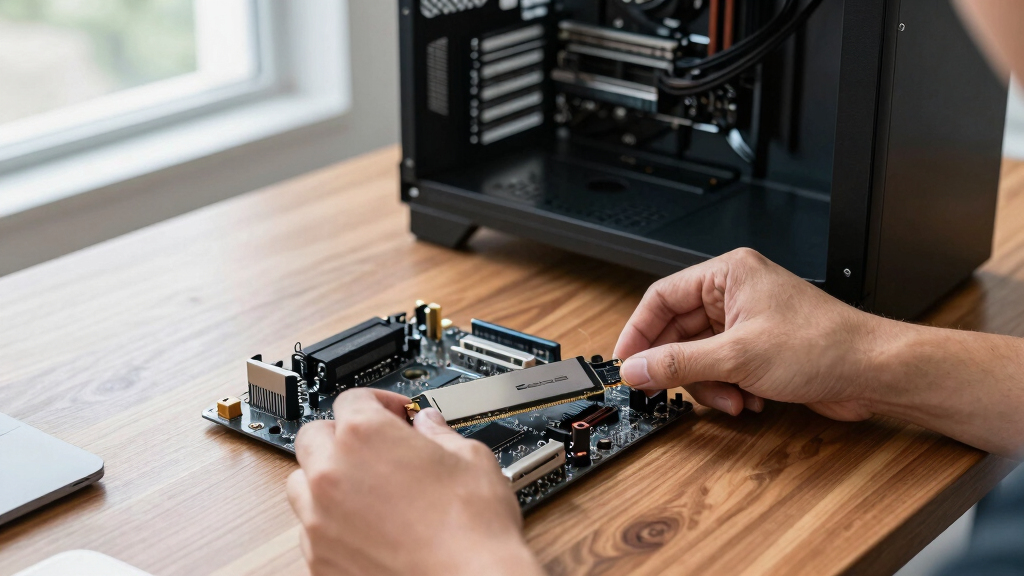
How We Picked
I ranked these NVMe SSDs by real buyer utility rather than placing the largest advertised speed number first. My criteria covered interface generation, sequential and sustained performance potential, usable capacity, thermal demands, power profile, warranty coverage, software support, and expected value. I rewarded Gen4 drives that can approach the limits of that interface without forcing buyers to upgrade their platform. Gen5 models moved higher only when their extra bandwidth served a clear workload that could justify added cost and heat.
I also treated capacity variants as separate buying decisions because a 2TB drive can offer more storage headroom and better long-write behavior than its 1TB relative. Products aimed at budget upgrades were judged against other affordable choices, while premium models had to deliver more than a strong specification sheet. I gave additional weight to broad compatibility and a dependable support ecosystem, since those qualities reduce friction during installation, cloning, firmware management, and troubleshooting. This approach places the Samsung 990 PRO 2TB ahead of faster Gen5 drives for most buyers while reserving the Samsung 9100 PRO 2TB for workloads that can use its higher ceiling.
| nvme ssd | Sequential Write Speed |
|---|---|
| BIWIN Black Opal NV7400 1TB SS | Up to 6,500MB/s |
| Kingston NV3 1TB M.2 2280 NVMe | — |
| Samsung SSD 9100 PRO 1TB | Up to 13,300MB/s |
| WD Black SN7100 2TB NVMe SSD | Up to 6,900MB/s |
| Crucial P310 1TB NVMe PCIe Gen | Up to 6,000MB/s |
| SanDisk 500GB Optimus GX 7100 | Up to 6,900 MB/s |
| Samsung 990 PRO SSD 1TB | Up to 6,900 MB/s |
| Samsung 9100 PRO 2TB PCIe 5.0x | Up to 13,400 MB/s |
| WD_BLACK SN7100 1TB NVMe SSD | — |
| Samsung 990 PRO SSD 2TB | Up to 6,900 MB/s |
Factors to Consider When Choosing Nvme Ssds
Choosing among NVMe SSDs starts with matching the drive to the computer and workload rather than chasing the fastest box claim. I would focus on platform compatibility, capacity, sustained behavior, cooling, and total ownership value. A premium drive can be worthwhile for repeated file transfers or professional creation, yet it may feel no faster than a midrange model during browsing and light gaming. The sections below explain where paying more changes the outcome and where it merely raises the benchmark score.
Match the PCIe Generation to Your Computer
A PCIe 5.0 SSD reaches its advertised potential only in a compatible M.2 slot with the required lane configuration. Installed in a Gen4 system, it normally runs at the lower interface speed, removing much of the reason for its price premium. I would check the motherboard or laptop manual for the slot generation, supported drive length, and any lane-sharing rules before buying. Some motherboards reduce bandwidth to another slot or port when a particular M.2 connector is occupied. For gaming and everyday work, a strong PCIe 4.0 model already offers short load times and quick application response. Gen5 makes more sense when the system supports it and the workload repeatedly moves very large files.
Choose Capacity Around Future Free Space
A drive should have room for current files plus a buffer for updates, temporary data, and future software. I see 2TB as the most flexible capacity in this lineup because modern games and media projects can consume 1TB quickly. A 1TB model remains sensible for a general-purpose computer or a system with separate bulk storage. Although 500GB lowers the purchase price, the drive can become cramped after the operating system and several large applications are installed. Keeping free space available also helps the controller manage background cleanup and incoming writes. I would compare cost per gigabyte, not only the checkout price, since the larger model can offer better long-term value.
Look Beyond Peak Sequential Speed
Advertised sequential read speed describes a narrow best-case workload, not every interaction with a computer. Booting, launching programs, and everyday multitasking depend heavily on latency and small-file responsiveness, areas where the difference between two fast drives may feel modest. Long transfers place more pressure on the controller and fast-write cache, so performance can fall after that cache fills. Buyers editing high-resolution video or moving large archives should place more weight on sustained write behavior and endurance. Gaming buyers gain less from paying for maximum write speed because most game activity is read-heavy. I would treat headline throughput as one ranking input rather than the final verdict.
Plan for Heat and Physical Fit
Fast NVMe SSDs can reduce speed when their controllers become too hot, making cooling part of the purchase decision. Gen5 models usually place greater pressure on the cooling setup than Gen4 alternatives. I would use a motherboard M.2 cover or a suitable SSD heatsink for sustained heavy work, provided there is enough clearance. Laptops and compact desktops may lack room for tall cooling hardware, and some notebooks accept only single-sided drives. A cooler-running Gen4 drive can be the better compact-system choice even when a Gen5 slot is available. Checking the M.2 length, component layout, and heatsink clearance prevents an expensive fit problem.
Factor in Software, Warranty, and Upgrade Effort
The drive itself is only part of an upgrade, especially when the old installation must be cloned. A polished management utility can simplify firmware updates, health checks, and secure erasure, giving established ecosystems an advantage over lesser-known alternatives. Warranty length matters, but buyers should also read the endurance limit because coverage commonly ends when either threshold is reached. I would check whether cloning software is included or whether a separate tool and USB enclosure will be needed. A cheaper drive becomes less appealing if installation support is limited or replacement service is difficult to access. Paying a moderate premium for better support and easier maintenance can be worthwhile on a primary computer.
Frequently Asked Questions
Is a PCIe 5.0 NVMe SSD Worth Paying More for in 2026?
I would pay more for PCIe 5.0 when a compatible desktop regularly handles large video files, datasets, archives, or scratch-disk workloads. Those jobs can use the higher sequential bandwidth and save measurable transfer time. Gaming, web use, and ordinary application launches rarely expose the same gap over a good Gen4 drive. Gen5 models can also require stronger cooling and may consume more power under load. For most buyers in this roundup, a high-end Gen4 SSD offers the better balance of speed, cost, and compatibility.
Should I Buy a 1TB or 2TB NVMe SSD?
I recommend 1TB for budget-focused upgrades, office systems, and computers that store large files elsewhere. A 2TB model suits gaming libraries, creative applications, and buyers who want to avoid another storage upgrade soon. Larger capacities also leave more spare area for updates, caches, and background drive management. The initial price is higher, but the cost per gigabyte is often more attractive than on a 500GB drive. Within this lineup, 2TB is my preferred long-term capacity for a primary desktop.
Do I Need a Heatsink for These NVMe SSDs?
A heatsink is most useful during long, write-heavy workloads or when installing a fast drive in a warm desktop. Many motherboards include an M.2 cover that is adequate for a Gen4 model when fitted correctly. Gen5 drives deserve closer attention because their controllers can produce more heat at full speed. Light desktop use may never keep the drive busy long enough for cooling to change performance. I would check available clearance and use the motherboard’s included cooling before buying a separate oversized heatsink.
Does an NVMe SSD Need DRAM to Be a Good Buy?
A dedicated DRAM cache can help a drive maintain responsive mapping and stronger behavior under demanding mixed workloads. DRAM-less models may use Host Memory Buffer, borrowing a small amount of system memory to reduce the performance penalty during ordinary use. That design can work well in a budget gaming or home computer, especially when the price difference is meaningful. Heavy creators and buyers moving large files every day should place more weight on sustained performance than on the presence of DRAM alone. I would judge the complete controller, flash, cache, and warranty package rather than rejecting every DRAM-less SSD.
Can I Install One of These NVMe SSDs in a Laptop?
Many laptops accept an M.2 2280 NVMe SSD, but the physical shape alone does not confirm compatibility. I would check the service manual for supported PCIe generations, capacity limits, single-sided drive requirements, and whether the storage is replaceable. Thin notebooks may have little cooling room, making efficiency more useful than maximum benchmark speed. A Gen5 drive can operate at a lower generation when backward compatibility is supported, but paying extra for unused bandwidth offers little benefit. Confirming the slot details before purchase is safer than relying on the laptop’s age or processor model.
Conclusion
For most buyers, I recommend the Samsung 990 PRO 2TB as the best overall NVMe SSD because it combines high-end Gen4 performance, generous capacity, broad compatibility, and established software support. The Kingston NV3 1TB is my value pick for an affordable everyday upgrade, though it is less suited to repeated heavy writes. Beginners who want straightforward management and do not need 2TB should choose the Samsung 990 PRO 1TB, accepting its higher price over entry-level drives. The Samsung 9100 PRO 2TB is the premium recommendation for a Gen5 workstation that can use its bandwidth and cool it properly. For a large gaming library, I favor the WD_BLACK SN7100 2TB, while its 1TB version fits gaming builds with tighter budgets. The Samsung 9100 PRO 1TB serves buyers who need Gen5 speed but less capacity, and the SanDisk 500GB Optimus GX 7100 works best as a smaller boot or secondary drive. Buyers attracted to the BIWIN Black Opal NV7400 should weigh its strong Gen4 specification against the more established software and support ecosystems offered by Samsung, WD, and Kingston.
Fall Picks
fall essentials
As an affiliate, we earn on qualifying purchases.