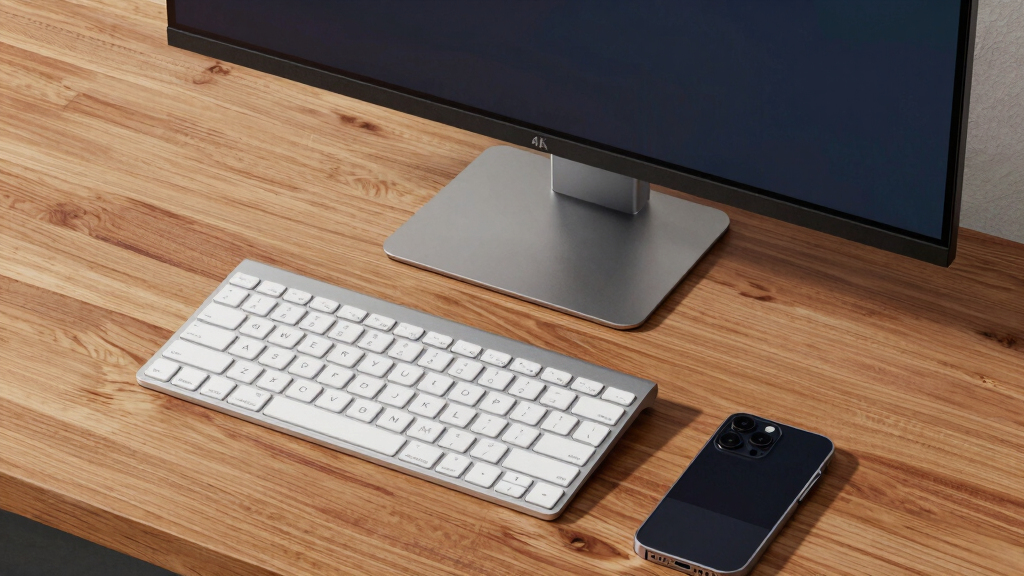

I rank the Dell 27 Plus 4K Monitor S2725QS as the best overall pick because its 120Hz IPS display offers the strongest mix of sharpness, smooth motion, and everyday versatility. The LG 27US500-W is my value choice for buyers who want an affordable route to 4K, though it gives up the faster refresh rate and adjustable stand found elsewhere. For a more polished laptop workspace, the Samsung ViewFinity S8 S80UH combines USB-C connectivity with an ergonomic stand, but its premium is tied more to convenience than extra resolution. The main choices are between 27 and 32 inches, IPS and VA panels, basic and high-refresh displays, and conventional inputs versus a single-cable USB-C setup. Continue reading for my full breakdown of which 4K monitor fits each type of buyer.

Get business pricing on tech for your team
- Business-only prices and quantity discounts
- Tax-exempt purchasing
- Multiple users, one account, clear invoices
Key Takeaways
- The Dell S2725QS takes my top spot because its 120Hz IPS panel is smoother and more versatile than the 60Hz-class office choices and the 72Hz Acer Nitro.
- The LG 27US500-W offers the clearest value route to a sharp 27-inch picture, but its appeal depends on accepting simpler ergonomics and conventional display speed.
- The two USB-C leaders serve different buyers: I favor the Dell S2725QC for streamlined laptop connectivity and the Samsung ViewFinity S8 for a more ergonomic premium desk setup.
- Moving from 27 to 32 inches does not add pixels; the Dell S3225QS and LG 32UR550K-B make content larger and more immersive while producing lower pixel density than the 27-inch models.
- The lineup shows that a gaming label alone does not settle the choice: the Acer Nitro offers a budget-friendly 72Hz route, while the 120Hz Dell S2725QS is the stronger match for smoother play.
| LG 27US500-W Ultrafine 27-Inch 4K UHD HDR10 IPS Monitor |  | Best Entry-Level Creative Pick | Screen size: 27 inches | Resolution: 3840 x 2160 (4K UHD) | Panel type: IPS | VIEW LATEST PRICE | See Our Full Breakdown |
| Dell 27 Plus 4K USB-C Monitor S2725QC |  | Best Overall | Display size: 27 inches | Resolution: 3840 x 2160 (4K) | Panel type: IPS LED | VIEW LATEST PRICE | See Our Full Breakdown |
| ASUS 27-Inch 4K Eye Care Monitor VY27UQ |  | Best for Eye Comfort | Display size: 27 inches | Resolution: 3840 x 2160 (4K UHD) | Display technology: LCD LED with IPS panel | VIEW LATEST PRICE | See Our Full Breakdown |
| Dell 32 Plus 4K Monitor S3225QS |  | Best Large-Screen Pick | Display size: 31.5 inches | Resolution: 3840 x 2160 (4K) | Panel type: VA | VIEW LATEST PRICE | See Our Full Breakdown |
| LG 27UP650K-W 27-Inch 4K UHD IPS Monitor |  | Best Ergonomic Creative Pick | Display size: 27 inches | Resolution: 3840 x 2160 (4K UHD) | Panel type: IPS | VIEW LATEST PRICE | See Our Full Breakdown |
| Dell 27 Plus 4K Monitor S2725QS |  | Best Work-and-Play All-Rounder | Display size: 27 inches | Resolution: 3840 x 2160 (4K) | Panel type: IPS | VIEW LATEST PRICE | See Our Full Breakdown |
| Acer Nitro VG270K 27-inch 4K UHD Gaming Monitor |  | Best for Flexible-Resolution Gaming | Screen size: 27 inches | Resolution: 3840 x 2160 UHD | Panel type: IPS | VIEW LATEST PRICE | See Our Full Breakdown |
| Samsung 27-inch ViewFinity S8 S80UH 4K UHD Monitor |  | Best for USB-C Productivity | Display size: 27 inches | Resolution: 3840 x 2160 (4K UHD) | Panel type: IPS | VIEW LATEST PRICE | See Our Full Breakdown |
| LG 32UR550K-B 32-inch 4K UHD HDR Monitor |  | Best Large-Screen Pick | Display size: 32 inches | Resolution: 3840 x 2160 (4K UHD) | Refresh rate: 60Hz | VIEW LATEST PRICE | See Our Full Breakdown |
| 4k monitor | Resolution | Refresh rate | Panel type | Display size |
|---|---|---|---|---|
| LG 27US500-W Ultrafine 27-Inch | 3840 x 2160 (4K UHD) | — | IPS | — |
| Dell 27 Plus 4K USB-C Monitor | 3840 x 2160 (4K) | 120Hz | IPS LED | 27 inches |
| ASUS 27-Inch 4K Eye Care Monit | 3840 x 2160 (4K UHD) | 60Hz | — | 27 inches |
| Dell 32 Plus 4K Monitor S3225Q | 3840 x 2160 (4K) | 120Hz | VA | 31.5 inches |
| LG 27UP650K-W 27-Inch 4K UHD I | 3840 x 2160 (4K UHD) | 60Hz | IPS | 27 inches |
| Dell 27 Plus 4K Monitor S2725Q | 3840 x 2160 (4K) | 120Hz | IPS | 27 inches |
| Acer Nitro VG270K 27-inch 4K U | 3840 x 2160 UHD | Up to 72Hz at 4K; 144Hz at 1080p | IPS | — |
| Samsung 27-inch ViewFinity S8 | 3840 x 2160 (4K UHD) | 60Hz | IPS | 27 inches |
| LG 32UR550K-B 32-inch 4K UHD H | 3840 x 2160 (4K UHD) | 60Hz | — | 32 inches |
More Details on Our Top Picks
LG 27US500-W Ultrafine 27-Inch 4K UHD HDR10 IPS Monitor
I place the LG 27US500-W here as the Best Entry-Level Creative Pick because its 90% DCI-P3 IPS panel gives photo and design work more color range than a basic office display. Compared with the ASUS VY27UQ, it has the same 4K resolution and HDR10 foundation, but its stated DCI-P3 coverage makes the creative-work case clearer. The catch is that connectivity stays basic: HDMI and DisplayPort suit desktops, yet there is no USB-C docking or laptop charging like the Dell S2725QC provides. Its tilt-adjustable stand is useful, though it cannot match the LG 27UP650K-W’s height and pivot flexibility. I see this as a color-focused, no-frills choice, not the pick for high-refresh gaming, one-cable laptops, or buyers who need built-in audio.
Pros:- 90% DCI-P3 coverage provides broader creative color than a basic sRGB office monitor
- IPS panel delivers consistent color across wide viewing positions
- HDR10 support expands compatibility with HDR video and imagery
- HDMI and DisplayPort accommodate common desktop sources
Cons:- No USB-C connection or laptop power delivery
- Stand adjusts for tilt but not height or pivot
- No built-in speakers are listed
Best for: Budget-conscious photographers, illustrators, and content creators who want wide-gamut 4K color without docking features
Not ideal for: Laptop users seeking USB-C charging or ergonomic height adjustment, and gamers wanting refresh rates above 60Hz
- Screen size:27 inches
- Resolution:3840 x 2160 (4K UHD)
- Panel type:IPS
- Contrast ratio:1000:1
- HDR format:HDR10
- Color gamut:90% DCI-P3
- Connectivity:HDMI and DisplayPort
- Stand adjustment:Tilt
Our verdict“I recommend the LG 27US500-W for creators who prioritize affordable 4K color over docking, audio, and advanced ergonomics.”
Dell 27 Plus 4K USB-C Monitor S2725QC
I rank the Dell S2725QC as Best Overall because it balances sharp 4K detail, a fluid 120Hz refresh rate, and practical USB-C connectivity better than the other 27-inch choices here. Its 65W power delivery can charge many everyday laptops while carrying video, giving it a cleaner desk setup than the LG 27UP650K-W or ASUS VY27UQ. Compared with the larger Dell S3225QS, this IPS model occupies less space and is better suited to close-range office use, though it sacrifices screen area and the wider DCI-P3 coverage listed for that model. FreeSync Premium and 120Hz also make scrolling and casual gaming feel smoother than on the 60Hz LG and ASUS displays. The compromises are modest integrated audio, a fairly substantial 14.8-pound build, and charging power that may fall short for demanding mobile workstations.
Pros:- 120Hz refresh rate makes motion and everyday scrolling smoother than 60Hz alternatives
- USB-C carries video and supplies up to 65W of laptop power
- AMD FreeSync Premium reduces tearing during compatible gaming
- Integrated speakers reduce the need for separate desktop audio
Cons:- 65W power delivery may not fully support demanding laptops
- 99% sRGB coverage is less creator-focused than the wider DCI-P3 options
- Built-in speakers are unlikely to replace dedicated audio equipment
Best for: Hybrid workers and casual PC or console gamers who want one 27-inch display for USB-C productivity and smooth 120Hz entertainment
Not ideal for: Owners of power-hungry workstation laptops that need more than 65W charging or creators who require wide DCI-P3 coverage
- Display size:27 inches
- Resolution:3840 x 2160 (4K)
- Panel type:IPS LED
- Refresh rate:120Hz
- Response time:4ms
- Brightness:350 nits
- Contrast ratio:1500:1
- Color gamut:99% sRGB
- USB-C power delivery:Up to 65W
Our verdict“I recommend the Dell S2725QC as the most balanced choice for buyers splitting their time between laptop work, media, and 120Hz gaming.”
ASUS 27-Inch 4K Eye Care Monitor VY27UQ
The ASUS VY27UQ earns my Best for Eye Comfort role through its blue-light filtering, flicker-free operation, and antibacterial treatment on frequently touched controls. Those details make it particularly suited to shared study spaces and long eLearning sessions. Its 4K IPS panel and 178-degree viewing angle also preserve clarity when two people view the screen together. Against the Dell S2725QC, however, the ASUS feels less versatile: 60Hz motion is less fluid, its 5ms response time is slower, and it lacks USB-C charging. HDR10 and adaptive sync add flexibility for streaming and light gaming, but this is not a performance-gaming display. Compared with the LG 27US500-W, ASUS provides a more health-focused feature set, while LG states clearer DCI-P3 coverage for creative work. I would choose it for extended reading and study, not fast competition or single-cable laptop setups.
Pros:- Blue-light filtering and flicker-free technology support comfortable extended viewing
- 4K IPS panel provides sharp text and wide 178-degree viewing angles
- HDR10 and adaptive sync broaden its uses beyond office work
- Antibacterial treatment covers the bezel and hotkeys
Cons:- 60Hz refresh rate trails the 120Hz Dell models
- 5ms response time is not aimed at fast competitive gaming
- No USB-C port or laptop power delivery
Best for: Students, educators, and home-office users who spend long sessions reading, studying, or sharing a screen
Not ideal for: Competitive gamers and USB-C laptop owners who want high-refresh motion, docking, and charging through one cable
- Display size:27 inches
- Resolution:3840 x 2160 (4K UHD)
- Display technology:LCD LED with IPS panel
- Aspect ratio:16:9
- Viewing angle:178 degrees
- Refresh rate:60Hz
- Response time:5ms
- HDR:HDR10
- Warranty:3 years
Our verdict“I recommend the ASUS VY27UQ for study and office environments where viewing comfort matters more than gaming speed or USB-C convenience.”
Dell 32 Plus 4K Monitor S3225QS
I give the Dell S3225QS the Best Large-Screen Pick role because its 31.5-inch VA panel makes 4K video, games, and split-window work feel more expansive than on the 27-inch Dell S2725QC. It keeps the same valuable 120Hz ceiling and FreeSync Premium support while adding 95% DCI-P3 coverage, making it the stronger entertainment display of the two. The larger canvas also allows comfortable scaling at a greater viewing distance, but desk space becomes a real constraint; buyers sitting close may prefer a sharper-feeling 27-inch layout. Its VA panel can deliver a different contrast character than the lineup’s IPS options, though off-angle color consistency may be weaker. The listed connections also omit USB-C charging, giving the S2725QC an advantage for laptops. I rank this as a size-first multimedia choice, with portability and compact workspace use taking a back seat.
Pros:- 31.5-inch screen provides more room for media and side-by-side windows
- 120Hz refresh rate and FreeSync Premium support smooth gaming and motion
- 95% DCI-P3 and 99% sRGB coverage suit varied visual content
- Reduced blue-light output supports longer work and entertainment sessions
Cons:- Large footprint demands more desk width and viewing distance
- VA viewing-angle consistency may trail the IPS models
- USB-C power delivery is not listed
Best for: Desktop users, media viewers, and casual gamers with enough desk depth for a large 31.5-inch 4K screen
Not ideal for: Small-desk users, frequent movers, and laptop owners who need USB-C video and charging
- Display size:31.5 inches
- Resolution:3840 x 2160 (4K)
- Panel type:VA
- Refresh rate:120Hz
- Adaptive sync:AMD FreeSync Premium
- Color coverage:99% sRGB, 95% DCI-P3
- Contrast ratio:1500:1
- Finish:Ash White
Our verdict“I recommend the Dell S3225QS when screen size, broad color coverage, and 120Hz motion matter more than compactness or USB-C docking.”
LG 27UP650K-W 27-Inch 4K UHD IPS Monitor
I select the LG 27UP650K-W as the Best Ergonomic Creative Pick because it pairs 95% DCI-P3 coverage and DisplayHDR 400 with height, tilt, and pivot adjustments. Compared with the LG 27US500-W, it offers broader stated color coverage, a stronger HDR specification, and far more control over screen position, which matters when editing vertical images or building a posture-conscious workstation. It also adds Black Stabilizer and Dynamic Action Sync for occasional gaming. Those features do not erase its main limitation: 60Hz and 5ms performance cannot approach the fluidity of the 120Hz Dell S2725QC. Dell also provides USB-C charging and built-in speakers, while this LG relies on HDMI or DisplayPort and separate audio. I rank it behind the Dell for mixed use but ahead for buyers who value creative color and stand flexibility over refresh rate and one-cable convenience.
Pros:- 95% DCI-P3 coverage supports color-rich creative workflows
- DisplayHDR 400 provides a clearer HDR capability than basic HDR compatibility
- Stand offers height, tilt, and pivot adjustment
- Black Stabilizer and Dynamic Action Sync add useful casual-gaming controls
Cons:- 60Hz refresh rate is less fluid than the 120Hz Dell alternatives
- 5ms response time is not designed for competitive gaming
- No USB-C charging or built-in speakers
Best for: Photographers, designers, and vertical-content creators who need wide-gamut 4K color with height and pivot adjustment
Not ideal for: High-refresh gamers and USB-C laptop users who want charging, video, and peripherals through one connection
- Display size:27 inches
- Resolution:3840 x 2160 (4K UHD)
- Panel type:IPS
- Refresh rate:60Hz
- Response time:5ms
- HDR:DisplayHDR 400
- Color gamut:95% DCI-P3
- Connectivity:2 HDMI and DisplayPort 1.4
- Stand adjustments:Height, tilt, and pivot
Our verdict“I recommend the LG 27UP650K-W for creators who want strong color coverage and a genuinely adjustable stand without paying for gaming-focused speed.”
Dell 27 Plus 4K Monitor S2725QS
I rank the Dell S2725QS highest among these four for buyers splitting one screen between productivity, entertainment, and gaming. Its 120Hz IPS panel makes scrolling, cursor movement, and games appear smoother than on the 60Hz Samsung ViewFinity S8 or LG 32UR550K-B, while 4K resolution and 99% sRGB coverage preserve sharp text and natural-looking everyday color. AMD FreeSync Premium adds value for PC gaming, giving this Dell a broader skill set than the office-focused Samsung. The tradeoff is connectivity and ergonomics: there is no listed USB-C connection, and the supplied data does not confirm the flexible stand adjustments found on the ViewFinity S8. Its integrated speakers are convenient but cannot replace a separate audio setup. I see the higher asking tier as worthwhile mainly when 120Hz will be used regularly.
Pros:- 120Hz refresh rate produces smoother desktop motion and gameplay than typical 60Hz 4K monitors
- IPS panel with 99% sRGB coverage suits general productivity and media work
- AMD FreeSync Premium helps reduce tearing during compatible PC games
- Integrated speakers and an ultra-thin bezel support a tidy multipurpose setup
Cons:- No USB-C connection is listed, unlike the Samsung ViewFinity S8
- Stand adjustment capabilities are not specified
- Built-in speakers offer less impact and clarity than separate speakers
Best for: Hybrid workers and casual PC gamers who want sharp 4K productivity and visibly smoother 120Hz motion from one 27-inch display
Not ideal for: Laptop users seeking a one-cable USB-C desk setup or buyers who need confirmed height and swivel adjustments
- Display size:27 inches
- Resolution:3840 x 2160 (4K)
- Panel type:IPS
- Refresh rate:120Hz
- Color coverage:99% sRGB
- Contrast ratio:1500:1
- Adaptive sync:AMD FreeSync Premium
- Additional features:Integrated speakers, HDR readiness, ultra-thin bezel
Our verdict“This is my pick for buyers who will benefit from 120Hz often enough to favor versatility over USB-C convenience.”
Acer Nitro VG270K 27-inch 4K UHD Gaming Monitor
The Acer Nitro VG270K earns its place by giving PC gamers a choice between detailed 4K play at up to 72Hz and faster 1080p action at 144Hz through dynamic frequency and resolution support. That flexibility makes it more gaming-focused than the 60Hz Samsung ViewFinity S8, while its 95% DCI-P3 coverage and HDR10 support also benefit films and visually rich games. It does not match the Dell S2725QS at 4K, however: Dell reaches 120Hz without dropping resolution. I would choose the Acer when switching resolutions for different game genres sounds useful, especially alongside a midrange graphics card. Buyers wanting consistently high-refresh 4K should skip it. The tilt-only stand is another compromise, and the absence of speakers means audio requires extra desk space or a headset.
Pros:- Supports up to 72Hz at 4K and 144Hz at 1080p for genre-based flexibility
- 0.5ms listed response time targets clearer fast motion
- 95% DCI-P3 coverage and HDR10 broaden its appeal beyond gaming
- FreeSync support helps reduce tearing with compatible graphics hardware
Cons:- Native 4K refresh rate stops at 72Hz, well below the Dell S2725QS
- Stand offers tilt adjustment but no listed height or swivel control
- No built-in speakers
Best for: PC gamers with midrange graphics cards who want 4K for slower games and media but 144Hz at 1080p for competitive titles
Not ideal for: Players seeking 120Hz or faster gaming at native 4K, or desk setups that require built-in audio and height adjustment
- Screen size:27 inches
- Resolution:3840 x 2160 UHD
- Panel type:IPS
- Refresh rate:Up to 72Hz at 4K; 144Hz at 1080p
- Response time:Up to 0.5ms
- Color gamut:95% DCI-P3
- HDR:HDR10
- Ports:1 x DisplayPort 1.4, 2 x HDMI 2.0
- Mounting and tilt:100 x 100mm VESA; -5° to 25° tilt
Our verdict“I recommend this Acer to gamers willing to trade native 4K refresh speed for the option of faster 1080p play.”
Samsung 27-inch ViewFinity S8 S80UH 4K UHD Monitor
I place the Samsung ViewFinity S8 ahead of the other productivity choices when a laptop is the center of the desk. Its USB-C port with 90W charging can power many work notebooks while carrying display connectivity, reducing the cable and charger clutter left by the Dell S2725QS or LG 32UR550K-B. Tilt and swivel adjustments also make it easier to position than models with basic stands, and the 27-inch 4K IPS panel gives documents, timelines, and spreadsheets crisp working detail. This is not the gaming choice: its 60Hz refresh rate and 5ms response time fall well behind the Dell’s 120Hz specification. The 350-nit brightness and HDR10+ support add media versatility, but I would not buy it solely for HDR impact. With no speakers, the clean one-cable setup still needs separate audio.
Pros:- USB-C with 90W power delivery can simplify many laptop workstations
- Tilt and swivel adjustments support a better viewing position
- 27-inch IPS panel delivers dense 4K detail and wide viewing angles
- Three USB ports add useful peripheral connectivity
Cons:- 60Hz refresh rate is poorly matched to high-frame-rate gaming
- 5ms response time trails the gaming-focused Dell and Acer models
- No built-in speakers
Best for: Laptop-based professionals who want 90W USB-C charging, sharp 4K workspace detail, and a more adjustable desk setup
Not ideal for: High-refresh gamers or buyers expecting built-in speakers and forceful HDR performance
- Display size:27 inches
- Resolution:3840 x 2160 (4K UHD)
- Panel type:IPS
- Brightness:350 cd/m²
- Refresh rate:60Hz
- Response time:5ms
- USB-C power delivery:90W
- HDR:HDR10+
- Stand adjustments:Tilt and swivel
Our verdict“This Samsung makes the most sense when laptop charging and desk simplicity matter more than gaming speed.”
LG 32UR550K-B 32-inch 4K UHD HDR Monitor
The LG 32UR550K-B is my choice for buyers who want 4K spread across a larger canvas. Its 32-inch panel makes interface elements easier to read at lower scaling and gives large spreadsheets, editing timelines, and console games more physical presence than the 27-inch Samsung ViewFinity S8. The height, tilt, and pivot adjustments are a strong advantage over the Acer Nitro VG270K’s tilt-only design, while dual HDMI inputs and DisplayPort 1.4 accommodate several sources. Color coverage reaches 90% DCI-P3, supporting richer media than a basic office display. Size is also its main compromise: 4K appears less densely packed here than at 27 inches, and the chassis needs a deeper desk. Its 60Hz ceiling makes the Dell S2725QS a better motion-focused choice, while no USB-C means laptop users miss Samsung’s one-cable convenience. I rank it for space and comfort, not speed.
Pros:- 32-inch screen provides a larger workspace and more immersive media presentation
- Height, tilt, and pivot adjustments support varied seating and screen orientations
- 90% DCI-P3 coverage and HDR10 suit colorful games and video
- Two HDMI inputs plus DisplayPort 1.4 accommodate multiple devices
Cons:- 60Hz refresh rate limits high-frame-rate gaming
- Lower pixel density than a 27-inch 4K monitor at the same resolution
- No built-in speakers or USB-C connection
Best for: Spreadsheet-heavy workers, media viewers, and console players who want a roomy 32-inch 4K image with full stand adjustment
Not ideal for: Small-desk users, high-refresh PC gamers, or laptop owners wanting USB-C charging and display over one cable
- Display size:32 inches
- Resolution:3840 x 2160 (4K UHD)
- Refresh rate:60Hz
- HDR:HDR10
- Color gamut:90% DCI-P3
- Inputs:2 x HDMI, 1 x DisplayPort 1.4
- Stand adjustments:Height, tilt, and pivot
- Gaming features:Dynamic Action Sync and Black Stabilizer
Our verdict“I would choose this LG for a roomy, adjustable 4K workspace when screen size matters more than refresh rate or USB-C.”
How We Picked
I compared these monitors through the buyer outcomes created by their published specifications and designs. 4K image clarity was only the starting point because every model shares the same 3840 × 2160 resolution. I gave more weight to panel type, refresh rate, screen size, and color coverage, since those factors change how a monitor feels during office work, creative projects, video, and games. I also examined USB-C connectivity, stand adjustment, adaptive sync, and HDR support as practical differences that can justify paying more. Any feature that added cost without improving daily use for a clear buyer type received less weight.
My ranking favors broad usefulness, which places the 120Hz Dell S2725QS above slower models aimed at narrower needs. Value picks earned their positions by preserving core 4K sharpness while making acceptable cuts, not simply by being cheaper. Premium models had to provide better ergonomics or simpler connectivity, while 32-inch options were judged on viewing comfort, contrast, and desk fit. Specialized choices rank lower when they make sense for fewer people, but I identify those cases so a lower-ranked monitor can still be the right purchase.
| 4k monitor | Panel type | HDR |
|---|---|---|
| LG 27US500-W Ultrafine 27-Inch | IPS | — |
| Dell 27 Plus 4K USB-C Monitor | IPS LED | — |
| ASUS 27-Inch 4K Eye Care Monit | — | HDR10 |
| Dell 32 Plus 4K Monitor S3225Q | VA | — |
| LG 27UP650K-W 27-Inch 4K UHD I | IPS | DisplayHDR 400 |
| Dell 27 Plus 4K Monitor S2725Q | IPS | — |
| Acer Nitro VG270K 27-inch 4K U | IPS | HDR10 |
| Samsung 27-inch ViewFinity S8 | IPS | HDR10+ |
| LG 32UR550K-B 32-inch 4K UHD H | — | HDR10 |
Factors to Consider When Choosing 4k Monitors
I would not choose among these 4K monitors by resolution alone because that specification is identical across the lineup. Screen size, panel behavior, refresh rate, connectivity, and ergonomics create the differences a buyer will notice every day. The best purchase also depends on whether the display will serve a desktop PC, a USB-C laptop, a game console, or several devices. I use the following factors to separate a sensible upgrade from features that may go unused.
Choose 27 or 32 Inches by Viewing Distance
At 27 inches, 3840 × 2160 produces higher pixel density than it does at 32 inches, which helps small text and interface elements look especially crisp. I favor this size for desks with limited depth, close viewing distances, and side-by-side monitor layouts. A 32-inch screen makes timelines, spreadsheets, and video feel larger without adding more pixels. Its lower pixel density can also make the desktop easier to read at a moderate scaling level. The tradeoff is that a large panel needs more desk depth and may require more head movement when viewed from too close. I would pick 32 inches for immersion and workspace, while 27 inches suits compact desks and sharper close-up viewing.
Match IPS or VA to the Room and Workload
IPS panels usually provide steadier colors and brightness when viewed from the side, making them a strong fit for shared screens, design work, and flexible seating positions. I give them an advantage for mixed use, which helps explain why the IPS Dell S2725QS leads this roundup. VA panels usually deliver deeper native contrast, so dark films and games can look richer in a dim room. Their darker pixel changes may appear less clean during fast movement, and colors can shift more from wide angles. Wide color-gamut coverage is useful for creative work, but coverage percentages do not prove that a monitor arrives accurately calibrated. I treat panel behavior and calibration needs as separate questions rather than assuming one impressive color figure settles both.
Pay for Refresh Rate When Motion Matters
A 4K desktop can feel more responsive at 120Hz even outside games because scrolling, window movement, and cursor motion appear smoother. I see the Dell S2725QS as the strongest all-purpose choice here for that reason. The Acer Nitro moves beyond basic office speed at 72Hz, but the difference from 72Hz to 120Hz is meaningful for fast games and fluid desktop use. Higher refresh rates also demand more graphics power when gaming at native 4K, so the screen alone cannot create high frame rates. Buyers should check whether their computer, console, port, and cable support 4K at the desired frequency. I would save money on refresh rate for static documents, but prioritize adaptive sync and faster motion for gaming or animation-heavy work.
Decide Whether USB-C Replaces a Dock
USB-C video can reduce a laptop desk to one cable, but monitors vary in charging power and extra port support. I would verify that the chosen model can supply enough power for the laptop rather than treating every USB-C logo as equal. A built-in hub is more useful when it can connect a keyboard, mouse, storage, and network adapter without a separate dock. The Dell S2725QC targets this need directly, while the Samsung ViewFinity S8 pairs USB-C convenience with stronger stand flexibility. Desktop users who already rely on DisplayPort or HDMI may gain little from paying for laptop-oriented ports. The price premium makes sense when fewer cables and faster desk switching are daily benefits, not occasional extras.
Treat the Stand as Part of the Monitor
A sharp display can still be uncomfortable if its stand cannot place the screen near eye level. I value height, tilt, swivel, and pivot adjustment for long work sessions because they reduce dependence on risers and improvised supports. An ergonomic stand also helps when several people share the same desk or when the monitor rotates for code and documents. Basic stands can still work well on a fixed setup, particularly when the lower price leaves room for a monitor arm. Before planning that upgrade, buyers should verify VESA mount support, monitor weight, and available desk clearance. I would rather pay for useful adjustment than decorative styling when the display will be used for hours each day.
Know What a Higher Price Actually Buys
Every model here supplies the same pixel count, so paying more should buy a better experience around those pixels. The most defensible upgrades are higher refresh, a versatile stand, USB-C docking, and stronger panel performance. I place less value on an HDR badge by itself because convincing HDR also depends on brightness, contrast control, and the ability to reproduce bright and dark areas at once. A low-cost 4K monitor can be a smart choice for documents, coding, and general productivity where sharp text matters more than motion or ports. Premium pricing works better for buyers who will use single-cable laptop connectivity or ergonomic adjustment every day. I recommend setting a budget around the features tied to the main workload, then treating extras as bonuses rather than reasons to overspend.
Frequently Asked Questions
Is a 27-inch or 32-inch 4K monitor better for everyday work?
I favor 27 inches for close desk use because its higher pixel density produces very crisp text while leaving more room for speakers, notebooks, or a second display. A 32-inch model works better when the desk is deep enough to provide a comfortable viewing distance. It also gives spreadsheets, editing timelines, and multiple windows more physical space, even though the pixel count remains unchanged. Buyers with limited eyesight may prefer the larger presentation, while users who sit close may find it visually overwhelming. The choice comes down to viewing distance and preferred interface scale, not a difference in 4K resolution.
Should I buy a 4K 60Hz monitor or pay more for 120Hz?
I would choose 120Hz for gaming, frequent scrolling, or long-term versatility because smoother motion is visible well beyond competitive play. A 60Hz-class screen remains sensible for email, documents, photo viewing, and other mostly static tasks. The higher-refresh option costs more and may require a newer port, suitable cable, and stronger graphics hardware at native 4K. Console buyers should also check which refresh rates their games and devices support before paying for unused headroom. In this lineup, the Dell S2725QS earns its lead partly because 120Hz broadens its usefulness without turning it into a gaming-only product.
Is USB-C worth paying extra for on a 4K monitor?
I think USB-C is worth the premium for a laptop-first desk when one cable can carry video, charge the computer, and connect accessories. It matters less for a desktop tower that will remain attached through DisplayPort or HDMI. Charging capacity varies, so buyers should match the monitor’s power delivery to the laptop rather than assuming compatibility means full-speed charging. Port selection also matters because a USB-C input without a useful hub may not replace a dock. The Dell S2725QC and Samsung ViewFinity S8 make the most sense when cable reduction is part of the purchase goal.
Does HDR10 make these monitors good for HDR movies and games?
I would treat HDR10 support as compatibility, not proof of dramatic HDR performance. Strong HDR needs high brightness, wide color capability, and detailed control over bright and dark parts of the image. Many affordable monitors accept an HDR signal yet deliver a subtler improvement than an HDR television with advanced backlighting. For normal desktop use, good contrast and accurate standard-range color may matter more than the badge. Buyers focused on cinematic HDR should research measured brightness and local-dimming performance before making HDR the deciding factor.
Will text be too small on a 27-inch 4K monitor?
Native 4K text can appear very small at 27 inches, but operating-system scaling enlarges text and controls while retaining much of the added sharpness. I would start around 150 percent scaling and adjust from there based on viewing distance and eyesight. Modern applications usually scale well, though older software may show tiny controls or soft text. A 32-inch monitor can use a lower scaling setting for more usable desktop space, but it still may benefit from some enlargement. For most buyers, 27-inch 4K produces sharper text rather than unusably small text once scaling is configured.
Conclusion
For the broadest mix of productivity and gaming, I recommend the Dell 27 Plus 4K Monitor S2725QS as the best overall choice, with its 120Hz IPS panel separating it from slower rivals. The LG 27US500-W is my best value pick for straightforward 4K sharpness, provided that basic ergonomics and conventional refresh are acceptable. Buyers building a polished laptop workspace should choose the Samsung ViewFinity S8 S80UH as the premium option for USB-C and stand flexibility. For beginners who want a simple 27-inch entry point with an eye-comfort focus, I would place the ASUS VY27UQ at the front of the shortlist.
For specific needs, the Dell S2725QC is my laptop-connectivity pick, while the Dell S3225QS offers a larger VA screen for buyers who favor size and contrast over 27-inch pixel density. The Acer Nitro 27-inch 4K suits budget gaming at 72Hz, though the 120Hz Dell remains the better motion-focused upgrade. Buyers wanting a 27-inch IPS display with an adjustable stand can turn to the LG 27UP650K-W, while the LG 32UR550K-B provides a more accessible route to a 32-inch 4K workspace. The right choice is the model whose size, motion, ports, and stand match the way the desk is actually used.
Halloween Picks
halloween
As an affiliate, we earn on qualifying purchases.