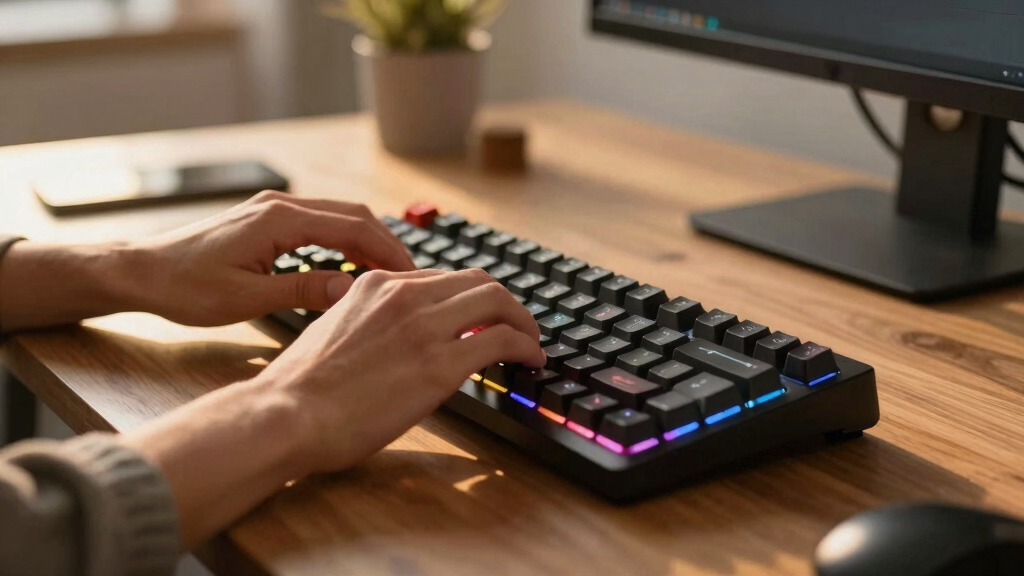

Shopping for a mechanical keyboard in 2026 means choosing between boards that look similar on a product page but feel completely different under your fingers. After comparing switch types, layouts, build quality, and price across this lineup, the Keychron K4 Ultra 8K earns my top spot because it covers gaming, office work, and multi-device setups in a single hot-swappable board. The Logitech MX Mechanical stands out for professionals who want a quiet, premium typing experience, while the Redragon K668 delivers hot-swappable switches at a price that undercuts almost everything else here. The real tradeoffs in this category come down to three things: how much desk space you’re willing to give up, whether you need wireless, and how much you care about customizing switches later. Cheaper boards now match premium ones on basic typing feel, so the extra money mainly buys materials, connectivity, and noise control. Read on for the full breakdown of all 10 keyboards and who each one actually suits.
Key Takeaways
- The Keychron K4 Ultra 8K took the top ranking because its 8K polling rate, tri-mode connectivity, and Mac/Windows/Linux support make it the only board here that handles competitive gaming and multi-device office work equally well.
- Hot-swappable switch sockets are no longer a premium feature: the Redragon K668 and the budget Redragon board both offer them under $50, which reshapes what buyers should expect at the low end.
- The lineup split cleanly into two camps: quiet office boards (Cherry KC 200 MX, Logitech MX Mechanical) that prioritize low noise and low-profile comfort, and gaming boards that chase polling rates, RGB, and macro-friendly layouts.
- The Logitech G213 Prodigy is the only keyboard here without true mechanical switches; its mech-dome hybrid design caps both its lifespan and its modding potential, which is why it ranks near the bottom despite the brand name.
- Layout choice separated otherwise similar boards: the 60% MageGee MK-Box is the cheapest and most portable option, but losing dedicated arrow keys and a numpad makes it a poor fit for spreadsheet-heavy work that the full-size RK R98 Pro handles easily.
| RK Royal Kludge R98 Pro |  | Best Overall | Switch Type: Linear cream, hot-swappable | Layout: 98 keys with numpad | Keycaps: Double-shot PBT, MDA profile | VIEW LATEST PRICE | See Our Full Breakdown |
| Logitech G413 SE |  | Best for Tactile Typists | Switch Type: Tactile mechanical | Layout: Full-size (TKL option available) | Keycaps: PBT, heat- and wear-resistant | VIEW LATEST PRICE | See Our Full Breakdown |
| AULA F75 Pro |  | Best Wireless Pick | Layout: 75% (81 keys) | Switch Type: Pre-lubed Reaper, hot-swappable 3/5-pin | Connectivity: Bluetooth 5.0, 2.4GHz wireless, USB-C wired | VIEW LATEST PRICE | See Our Full Breakdown |
| Cherry KC 200 MX |  | Best for the Office | Switch Type: Cherry MX2A Silent Red (linear, quiet) | Layout: Full-size | Frame: Anodized aluminum surface | VIEW LATEST PRICE | See Our Full Breakdown |
| Logitech G213 Prodigy |  | Best Budget Pick | Key Type: Mech-Dome (membrane-mechanical hybrid) | Layout: Full-size with palm rest | Lighting: 5 customizable zones, 16.8M colors | VIEW LATEST PRICE | See Our Full Breakdown |
| Logitech MX Mechanical Wireless Illuminated Performance Keyboard |  | Best for Office Use | Switch Type: Tactile Quiet mechanical (low-profile) | Backlight: Smart white backlit, auto-adjusting | Connectivity: Bluetooth, Logi Bolt USB-C receiver | VIEW LATEST PRICE | See Our Full Breakdown |
| MageGee MK-Box Portable 60% Mechanical Gaming Keyboard |  | Best Budget Compact | Layout: 60% compact, 68 keys | Switch Type: Red linear mechanical | Backlight: Blue LED, 16 modes | VIEW LATEST PRICE | See Our Full Breakdown |
| Redragon K668 RGB Gaming Keyboard |  | Best Value Full-Size | Keys: 108 (full-size 104 + 4 shortcut keys) | Switch Type: Red linear mechanical | Hot-Swappable: Yes | VIEW LATEST PRICE | See Our Full Breakdown |
| Redragon Wired Mechanical Gaming Keyboard with Hot-Swappable Red Switches |  | Best for Beginners | Switch Type: Red linear, hot-swappable | Keycaps: Double-shot PBT | Backlit Modes: 11 (single color) | VIEW LATEST PRICE | See Our Full Breakdown |
| Keychron K4 Ultra 8K Wireless Mechanical Keyboard |  | Best Overall | Layout: 96% with numpad | Switch Type: Apex Red linear, hot-swappable | Polling Rate: 8000 Hz | VIEW LATEST PRICE | See Our Full Breakdown |
| mechanical keyboard | Switch Type | Connectivity | Layout | Compatibility |
|---|---|---|---|---|
| RK Royal Kludge R98 Pro | Linear cream, hot-swappable | Wired USB-C | 98 keys with numpad | Windows and macOS |
| Logitech G413 SE | Tactile mechanical | Wired USB | Full-size (TKL option available) | — |
| AULA F75 Pro | Pre-lubed Reaper, hot-swappable 3/5-pin | Bluetooth 5.0, 2.4GHz wireless, USB-C wired | 75% (81 keys) | PC, laptops, tablets, phones, PS, Xbox |
| Cherry KC 200 MX | Cherry MX2A Silent Red (linear, quiet) | Wired USB-A | Full-size | — |
| Logitech G213 Prodigy | — | Wired USB | Full-size with palm rest | Windows |
| Logitech MX Mechanical Wireles | Tactile Quiet mechanical (low-profile) | Bluetooth, Logi Bolt USB-C receiver | — | macOS, Windows, Linux, iOS, Android |
| MageGee MK-Box Portable 60% Me | Red linear mechanical | Wired USB 2.0 | 60% compact, 68 keys | Windows, Linux, Mac |
| Redragon K668 RGB Gaming Keybo | Red linear mechanical | Wired | — | — |
| Redragon Wired Mechanical Gami | Red linear, hot-swappable | — | — | PC, Mac |
| Keychron K4 Ultra 8K Wireless | Apex Red linear, hot-swappable | 2.4 GHz, Bluetooth, USB-C | 96% with numpad | Mac, Windows, Linux |
More Details on Our Top Picks
RK Royal Kludge R98 Pro
Few boards in this roundup pack this much hardware into one wired keyboard. The gasket mount and five layers of foam produce a deeper, softer sound than the clattery Logitech G413 SE, and the hot-swappable cream switches let you change the typing feel later without soldering — something neither Logitech pick offers. A detachable aluminum volume knob and double-shot PBT keycaps push it well past its price class, which is why I rank it first on this list. The 98-key layout keeps a real numpad while trimming desk width, though the shifted navigation cluster tests some muscle memory, and remapping depends on an online driver that feels less polished than Logitech’s software. For most buyers, this is the most keyboard per dollar here.
Pros:- Gasket mount plus five foam layers deliver a deeper, quieter sound than rivals
- Hot-swappable switches allow feel changes without soldering
- Detachable CNC aluminum volume knob is rare at this price
- Double-shot PBT keycaps resist shine and wear
Cons:- Online driver feels less polished than Logitech’s software
- Compressed 98-key cluster requires relearning some key positions
- Wired only — no wireless option
Best for: Value-focused enthusiasts who want a near-full-size board with a numpad, knob control, and room to swap switches later
Not ideal for: Buyers who dislike software fiddling — advanced remapping runs through an online driver, and the shifted 98-key cluster can trip up touch typists trained on standard full-size layouts
- Switch Type:Linear cream, hot-swappable
- Layout:98 keys with numpad
- Keycaps:Double-shot PBT, MDA profile
- Mounting:Gasket mount with five-layer sound-absorbing foam
- Backlight:RGB with 20+ modes
- Connectivity:Wired USB-C
- Extras:Detachable CNC aluminum volume knob, indicator lights
- Compatibility:Windows and macOS
Our verdict“The strongest all-rounder in this roundup for buyers who want enthusiast features and a numpad without paying premium prices.”
Logitech G413 SE
If the RK Royal Kludge R98 Pro is the feature king, the G413 SE is the disciplined alternative — fewer tricks, tighter execution. It uses true mechanical tactile switches, which puts it a class above the membrane-hybrid Logitech G213 for both gaming response and typing feel. The brushed aluminum top case and heat-resistant PBT keycaps give it a sturdier, more grown-up build than most plastic boards at this price, and the plain white backlight reads clean in an office. What you give up: no RGB, no hot-swap sockets, media controls buried behind FN keys, and only 6-key rollover where the Cherry KC 200 offers full N-key. It takes second place on my list because it does less — but everything it does, it does reliably, with Logitech’s mature software behind it.
Pros:- True mechanical tactile switches with crisp feedback
- Brushed aluminum case and wear-resistant PBT keycaps outlast plastic rivals
- Clean white backlight suits professional settings
- Backed by Logitech’s mature software and support
Cons:- Only 6-key rollover where competitors offer full N-key
- No dedicated media keys — everything sits behind FN shortcuts
- No RGB, wireless, or switch-swapping options
Best for: Gamers who type all day and want a durable, understated full-size board that fits an office as easily as a gaming desk
Not ideal for: Tinkerers and RGB fans — there are no hot-swap sockets, the backlight is white only, and wireless isn’t offered at any price
- Switch Type:Tactile mechanical
- Layout:Full-size (TKL option available)
- Keycaps:PBT, heat- and wear-resistant
- Frame:Black brushed aluminum top case
- Backlight:White LED
- Rollover:6-key with anti-ghosting
- Media Controls:FN-key shortcuts for volume, playback, lighting
- Connectivity:Wired USB
Our verdict“The pick for buyers who value build quality and a satisfying tactile feel over feature count.”
AULA F75 Pro
Where the Cherry KC 200 and both Logitechs tie you to a cable, the F75 Pro runs on Bluetooth, 2.4GHz wireless, or USB-C, with a 4,000mAh battery that lasts days between charges — the obvious pick for laptops, tablets, or multi-device desks. Its pre-lubed Reaper switches and layered sound dampening give it a smoother, deeper sound out of the box than the stiffer Logitech G413 SE, and hot-swap sockets invite experimentation. That mix of cable-free flexibility and modding freedom is why I place it third overall. The compact 75% layout keeps arrow and function keys while reclaiming desk space, but it drops the numpad entirely, so spreadsheet-heavy users should look at the RK R98 Pro instead. Driver setup for macros and RGB adds friction, and side-printed legends can be hard to read in dim rooms with the backlight off.
Pros:- Tri-mode connectivity with a 4,000mAh battery covers any setup
- Pre-lubed switches and dampening foam sound refined out of the box
- Hot-swap sockets accept 3- and 5-pin switches
- Compact 75% layout keeps arrows and function row while saving space
Cons:- No numpad for number-heavy work
- Macros and full RGB control require driver installation
- Side-printed legends are hard to read with the backlight off
Best for: Multi-device users who split time between a laptop, tablet, and console and want one compact hot-swappable board for all of them
Not ideal for: Accountants and data-entry workers — the 75% layout drops the numpad, so a full-size option like the RK R98 Pro serves them better
- Layout:75% (81 keys)
- Switch Type:Pre-lubed Reaper, hot-swappable 3/5-pin
- Connectivity:Bluetooth 5.0, 2.4GHz wireless, USB-C wired
- Battery:4,000mAh
- Keycaps:Side-printed double-shot PBT
- Backlight:16.8M-color RGB with 16 preset effects
- Extras:Multi-function knob, macro keys, N-key rollover, WIN key lock
- Compatibility:PC, laptops, tablets, phones, PS, Xbox
Our verdict“The right choice for anyone who needs one keyboard to jump wirelessly between several devices.”
Cherry KC 200 MX
Open-plan offices rule out half this list — the AULA F75 Pro’s clack and the Logitech G213’s gaming glow included. The KC 200 is the quiet specialist: Cherry MX2A Silent Red switches cut key noise dramatically compared with the G413 SE’s tactile units, so coworkers hear nothing during calls. The anodized aluminum surface, molded keycaps, and plain white status LEDs read professional rather than flashy, and full N-key rollover beats the G413 SE’s 6-key limit for fast typists. Tradeoffs are real: linear Silent Reds feel mushy to anyone who likes tactile feedback, there’s no backlight beyond status LEDs, no wireless, and no software customization at all. I rank it below the leaders on features but above everything here on office manners.
Pros:- Silent Red switches make it the quietest board in the roundup
- Full N-key rollover and anti-ghosting keep up with fast typists
- Aluminum surface and durable molded keycaps suit long-term desk duty
- Understated design fits any professional environment
Cons:- Linear silent switches feel soft and vague to feedback lovers
- No backlight, wireless, or customization software
- Only two color options (Black/Bronze)
Best for: Open-office professionals and shared-space typists who need mechanical reliability without mechanical noise
Not ideal for: Gamers and hobbyists — there’s no backlight, no hot-swap, no software, and the linear silent switches feel dull to anyone who wants tactile feedback
- Switch Type:Cherry MX2A Silent Red (linear, quiet)
- Layout:Full-size
- Frame:Anodized aluminum surface
- Keycaps:Molded, long-lasting lettering
- Rollover:Full N-key with anti-ghosting
- Extras:Calculator and volume keys, white status LEDs
- Durability:Over 50 million actuations per key
- Connectivity:Wired USB-A
Our verdict“The board to buy when silence and professionalism matter more than features.”
Logitech G213 Prodigy
Honesty first: the G213 barely belongs in a mechanical roundup, because its Mech-Dome keys are a membrane hybrid, not true mechanical switches like every other pick here. I put it fifth for that reason alone. Still, at roughly half the price of the Logitech G413 SE, it earns a spot for buyers who want the idea of a gaming keyboard without the cost. You get five-zone RGB lighting, dedicated media buttons, a palm rest, and a spill-resistant frame — a durability trick none of the true mechanical boards here claim. Typing feel is springy but vague next to the G413 SE’s crisp tactile switches, full lighting control requires Logitech’s software, and it’s Windows-only. A starter board, not a forever board.
Pros:- Cheapest entry in the roundup by a wide margin
- Spill-resistant design survives accidents other boards won’t
- Five-zone RGB lighting with 16.8M colors
- Dedicated media controls and included palm rest
Cons:- Mech-Dome keys are a membrane hybrid, not true mechanical switches
- Windows-only compatibility
- Full lighting customization requires software
Best for: First-time gaming keyboard buyers and students who want RGB, media controls, and a palm rest at the lowest price in this lineup
Not ideal for: Anyone specifically after a true mechanical feel — the Mech-Dome hybrid can’t deliver it, and the G413 SE is the real step up
- Key Type:Mech-Dome (membrane-mechanical hybrid)
- Layout:Full-size with palm rest
- Lighting:5 customizable zones, 16.8M colors
- Durability:Spill-resistant design
- Media Controls:Dedicated buttons
- Anti-Ghosting:Gaming-tuned key matrix
- Connectivity:Wired USB
- Compatibility:Windows
Our verdict“A sensible starter keyboard for tight budgets, as long as you accept it isn’t truly mechanical.”
Logitech MX Mechanical Wireless Illuminated Performance Keyboard
This option stands out for its low-profile Tactile Quiet switches, which keep genuine mechanical feedback while dropping the clatter that makes boards like the Redragon K668 risky in a shared office. Where the Keychron K4 Ultra 8K chases raw gaming speed, this model is built around the workday: smart backlighting that wakes as your hands approach, three-device switching, and support for nearly every operating system you’ll meet. Battery life stretches to 15 days with lights on or 10 months with them off, so charging becomes a rare chore. The tradeoffs are real, though. It costs more than any wired pick here, the switches aren’t hot-swappable, and deeper customization runs through Logi Options+. In my ranking, it’s the polished outlier: you’re paying for quiet refinement, not enthusiast flexibility.
Pros:- Tactile Quiet switches keep mechanical feedback without office-disrupting noise
- Smart backlight adjusts to ambient light and approaching hands
- Pairs with multiple devices across macOS, Windows, Linux, iOS, and Android
- Up to 10 months of battery life with the backlight off
Cons:- Costs more than every wired board in this roundup
- No hot-swappable sockets, so the stock switches are permanent
- Deep customization depends on Logi Options+ software
Best for: Office professionals and multi-device workers who want mechanical feel without disturbing coworkers
Not ideal for: Hobbyists who like swapping switches — the sockets aren’t hot-swappable, and budget buyers get more hardware per dollar from the Redragon K668
- Switch Type:Tactile Quiet mechanical (low-profile)
- Backlight:Smart white backlit, auto-adjusting
- Connectivity:Bluetooth, Logi Bolt USB-C receiver
- Device Switching:Multi-device, multi-OS
- Compatibility:macOS, Windows, Linux, iOS, Android
- Battery Life:Up to 15 days backlit; 10 months without
- Material:Plastic with 45% post-consumer recycled content
Our verdict“The keyboard I’d hand to any professional who wants quiet mechanical typing and never wants to think about charging.”
MageGee MK-Box Portable 60% Mechanical Gaming Keyboard
This pick makes the most sense for crowded desks and tight budgets. The 60% layout drops the numpad, function row, and navigation keys that the Redragon K668 keeps, shrinking the board to 68 keys — a genuine win for mouse room in games, a genuine pain for spreadsheet work. Red linear switches keep presses light and quick, but without the tactile bump of the Logitech MX Mechanical, heavy typists may find the feel flat. Full anti-ghosting and a detachable USB cable are rare at this price, and the blue LED backlight manages 16 modes despite being single-color. Compared with the Keychron K4 Ultra 8K, there’s no wireless, no hot-swap, and no software layer — what you buy is exactly what you keep. I’d call it the honest budget play: cheap because it’s small and simple, not because it cuts corners on the basics.
Pros:- 68-key layout frees up serious desk and mouse space
- Full anti-ghosting at a budget price
- Detachable USB cable makes it genuinely portable
- Works across Windows, Linux, and Mac with no drivers
Cons:- No wireless connectivity and no hot-swap option
- Red switches offer no tactile feedback for typing feel
- Missing function row and numpad slow down productivity tasks
Best for: Students, travelers, and FPS players with small desks who want a real mechanical board for very little money
Not ideal for: Anyone who lives in spreadsheets or data entry — there’s no numpad, and the missing function row frustrates heavy shortcut users
- Layout:60% compact, 68 keys
- Switch Type:Red linear mechanical
- Backlight:Blue LED, 16 modes
- Anti-Ghosting:Full key rollover
- Connectivity:Wired USB 2.0
- Cable:Detachable
- Compatibility:Windows, Linux, Mac
Our verdict“The cheapest way into a genuinely portable mechanical board, as long as you can live without a numpad.”
Redragon K668 RGB Gaming Keyboard
This model is better suited to buyers who want full-size everything without paying Keychron K4 Ultra 8K prices. The 108-key layout stacks four extra shortcut keys on top of the standard set, and hot-swappable sockets mean a dead or disliked switch gets replaced in minutes, no soldering required. Sound-absorbing foam under the plate takes the sharp edge off the red linears — a clear acoustic step up from the hollow-sounding MageGee MK-Box, though it still won’t match the hush of the Logitech MX Mechanical. Two sets of mixed-color keycaps and 19 RGB presets give it more out-of-box personality than anything else at this price. The catches are straightforward: it’s wired only, the stock reds feel ordinary, and serious macro or lighting work needs Redragon’s software. For tinkerers on a budget, those are fair trades.
Pros:- Hot-swappable sockets allow switch changes without soldering
- Sound-absorbing foam takes the edge off typing noise
- Four extra shortcut keys plus 19 RGB presets out of the box
- Ships with two sets of mixed-color keycaps
Cons:- Wired only, with no Bluetooth or 2.4 GHz option
- Stock red linear switches feel plain next to pricier alternatives
- Full lighting and macro control requires Redragon software
Best for: Budget-conscious gamers who want a full-size board they can modify and upgrade over time
Not ideal for: Cable-free desk setups — it’s wired only, so wireless fans should look at the Keychron K4 Ultra 8K
- Keys:108 (full-size 104 + 4 shortcut keys)
- Switch Type:Red linear mechanical
- Hot-Swappable:Yes
- Backlighting:RGB with 19 presets
- Sound Dampening:Sound-absorbing foam
- Keycaps:Mixed color, 2 sets included
- Connectivity:Wired
- Ergonomics:Adjustable feet
Our verdict“The most hardware you can get per dollar if you want a full-size board to grow with.”
Redragon Wired Mechanical Gaming Keyboard with Hot-Swappable Red Switches
This option stands out for removing the two most common regrets of a first mechanical board: shiny keycaps and the wrong switch. The double-shot PBT keycaps shrug off the wear and fading that cheaper caps develop — a step above what ships on the MageGee MK-Box — while hot-swappable red switches let newcomers experiment later without soldering or replacing the whole keyboard. Full anti-ghosting, 12 multimedia keys, and macro editing cover gaming and office duty, and a 24-month warranty softens the risk. Against its Redragon K668 sibling, it gives ground on lighting: the backlight offers 11 modes but the color itself can’t change, and some effects hide behind software. Linear reds are also the only stock flavor. If you’d rather have durability than RGB drama, it’s the smarter Redragon; if you want both, save for the Keychron K4 Ultra 8K.
Pros:- Double-shot PBT keycaps resist shine and fading far longer than ABS
- Hot-swappable red switches invite later experimentation
- Full anti-ghosting and 12 multimedia keys cover gaming and work
- Backed by a 24-month warranty
Cons:- Backlight color is fixed; only the 11 patterns can change
- Some lighting effects sit behind companion software
- Sold with linear reds only, so tactile or clicky fans have no stock option
Best for: First-time mechanical keyboard buyers who want durable keycaps and room to try new switches later
Not ideal for: RGB enthusiasts — the fixed backlight color and pattern-only modes feel limiting next to the Redragon K668
- Switch Type:Red linear, hot-swappable
- Keycaps:Double-shot PBT
- Backlit Modes:11 (single color)
- Anti-Ghosting:Full keys
- Multimedia Keys:12
- Compatibility:PC, Mac
- Warranty:24 months
Our verdict“A sensible first mechanical keyboard that won’t punish you for changing your mind about switches later.”
Keychron K4 Ultra 8K Wireless Mechanical Keyboard
This pick makes the most sense for buyers who want one board to do everything well, and it’s why I’d place it at the top of the list. The 8000 Hz polling rate — eight times the usual gaming standard — puts raw responsiveness past the Logitech MX Mechanical and every Redragon here, while the 96% layout squeezes a full numpad into less desk space than the K668’s full-size frame. Three connection modes, a 600-hour battery, and hot-swappable sockets cover work, play, and future tinkering in a single purchase. The tradeoffs are cost and friction: it matches the Logitech as the priciest option in this roundup, and remapping runs through the Keychron Launcher, which demands Chrome, Opera, or Edge. The stock Apex Red linears are smooth but unremarkable, so enthusiasts should budget for a switch swap down the line.
Pros:- 8000 Hz polling delivers the fastest response in this lineup
- Three connection modes with easy multi-device switching
- Up to 600 hours of battery life between charges
- Hot-swappable sockets and a numpad in a compact 96% frame
Cons:- The most expensive board in this roundup alongside the Logitech MX Mechanical
- Keychron Launcher remapping requires Chrome, Opera, or Edge
- Stock Apex Red linears are competent but uninspiring for the price
Best for: Power users who split time between gaming and productivity and want one wireless board with a numpad
Not ideal for: Minimalists with small desks — at over 15 inches wide it’s one of the larger boards here, and casual users won’t feel the 8000 Hz polling
- Layout:96% with numpad
- Switch Type:Apex Red linear, hot-swappable
- Polling Rate:8000 Hz
- Connectivity:2.4 GHz, Bluetooth, USB-C
- Battery Life:Up to 600 hours
- Backlighting:RGB
- Compatibility:Mac, Windows, Linux
- Dimensions:15.41″ L x 5.52″ W x 1.22″ H
- Material:Plastic and steel
Our verdict“The one board in this lineup that refuses to compromise, priced accordingly.”
How We Picked
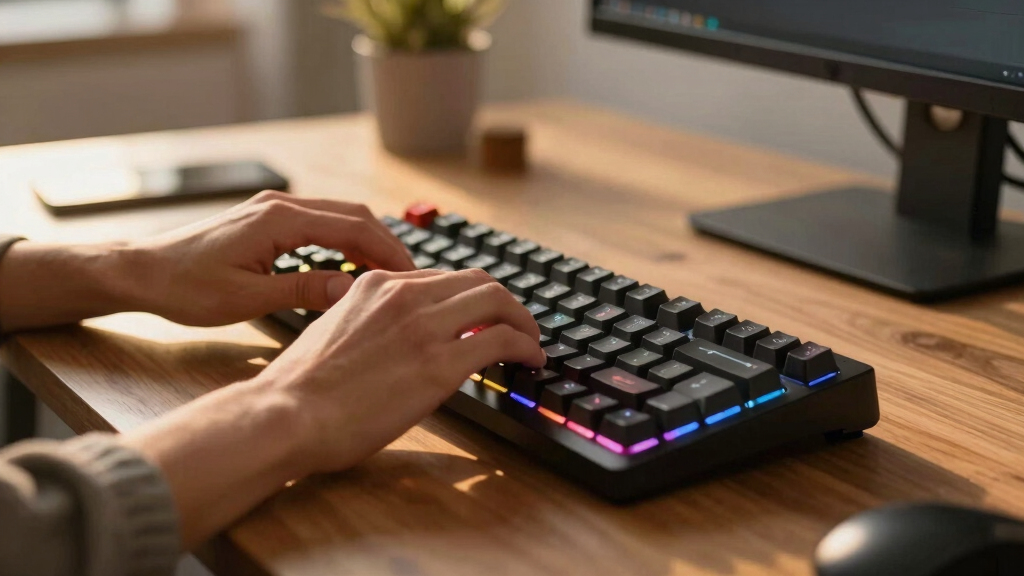
I ranked these 10 keyboards by weighing switch quality and flexibility first: boards with genuine mechanical switches and hot-swappable sockets scored ahead of fixed-switch and hybrid designs, because switch choice defines both the typing feel and how long the keyboard stays useful. From there I looked at build materials (aluminum surfaces and PBT keycaps beat thin plastic and ABS caps), layout practicality for real workloads like data entry and gaming, and connectivity options, since tri-mode wireless boards serve more setups than wired-only ones.
Price-to-performance decided the final order. A board like the Redragon K668 climbs the list because it delivers hot-swap sockets and a full 108-key layout at a budget price, while the Logitech MX Mechanical earns its premium ranking through quiet tactile switches and multi-device pairing rather than raw specs. Boards that only make sense for one narrow use case, like the ultra-compact MageGee MK-Box, rank lower overall even though they’re the right call for specific buyers. Every product below is framed by who should buy it and who should skip it.
| mechanical keyboard | Keycaps |
|---|---|
| RK Royal Kludge R98 Pro | Double-shot PBT, MDA profile |
| Logitech G413 SE | PBT, heat- and wear-resistant |
| AULA F75 Pro | Side-printed double-shot PBT |
| Cherry KC 200 MX | Molded, long-lasting lettering |
| Logitech G213 Prodigy | — |
| Logitech MX Mechanical Wireles | — |
| MageGee MK-Box Portable 60% Me | — |
| Redragon K668 RGB Gaming Keybo | Mixed color, 2 sets included |
| Redragon Wired Mechanical Gami | Double-shot PBT |
| Keychron K4 Ultra 8K Wireless | — |
Factors to Consider When Choosing Mechanical Keyboards
The product reviews tell you which keyboards are worth your money. This guide covers the bigger decisions behind those picks: how switch types change daily use, when paying more actually matters, and the mistakes that send first-time buyers back for a refund.
Switch Type Shapes Everything Else
Switches determine how a keyboard sounds, feels, and tires your fingers, so pick the switch before you pick the board. Linear switches like the Reds in the Cherry KC 200 MX and MageGee MK-Box press straight down with no bump, which suits fast gaming and quiet rooms. Tactile switches give a small bump mid-press that helps typists feel each keystroke without looking, which is why the Logitech MX Mechanical uses them for office work. Clicky switches add audible feedback, but none of the boards in this lineup lean on them because they alienate everyone within earshot. The quietest options pair linear or tactile stems with dampening inside the case, and that matters more than any marketing label. If you’ve never typed on a mechanical board, starting with a quiet linear or light tactile switch is the safest bet. Buying a switch tester first costs a few dollars and can save you from a $100 mistake.
Hot-Swappable Sockets Protect Your Investment
A hot-swappable keyboard lets you pull switches out and plug new ones in without soldering, and that single feature changes the long-term math of a purchase. If a switch dies on a soldered board, you either live with a dead key or replace the whole keyboard; on a hot-swap board, a two-dollar replacement switch fixes it in a minute. It also means your first switch choice isn’t permanent, so beginners can experiment with different feels for the price of a switch pack instead of a new board. That’s a big part of why the Redragon K668 and AULA F75 Pro rank as high as they do despite their low prices. The tradeoff is that hot-swap sockets add a little cost and can feel slightly less solid than soldered switches to very picky typists. For most buyers, though, repairability beats that marginal firmness. If two boards are otherwise equal, buy the hot-swappable one.
Choose Your Layout Around Your Actual Work
Keyboard sizes are named by percentage, and each step down deletes keys you might actually use. A full-size or 96% board like the Keychron K4 Ultra or RK R98 Pro keeps the numpad, which is non-negotiable if you enter numbers daily. A 75% layout like the AULA F75 Pro keeps the function row and arrow keys but drops the numpad, which suits most mixed work-and-play desks. The 60% MageGee MK-Box removes dedicated arrows and the function row entirely, hiding them behind key combinations, and that slows down anyone who edits documents or spreadsheets. Smaller boards free up mouse space for low-sensitivity gaming, which is the legitimate reason to buy one. Don’t buy a compact board just because it looks clean in photos. Match the layout to your most frequent task, not your least frequent one.
Wired vs Wireless Is About Your Desk, Not Latency Panic
Old advice said gamers must use wired keyboards, but that gap has mostly closed. Modern 2.4GHz wireless connections, including the one on the Keychron K4 Ultra, run at polling rates fast enough that latency is no longer a real excuse for most players. Bluetooth is the exception: it adds noticeable delay and suits typing, not competitive play, which is why multi-mode boards include both. Wireless earns its keep through desk flexibility: you can pair with a laptop, tablet, and desktop, then clear the cable clutter entirely. The cost is battery management and a higher price, and a dead battery mid-session means plugging in anyway. Wired boards remain the better value if your keyboard never moves, since every dollar goes into switches and materials instead of radios and batteries. Decide based on whether your keyboard travels between devices, not on fear of lag.
Mistakes That Send Buyers Back for a Refund
The most common mistake is paying for RGB lighting and gamer branding while ignoring the keycaps and case, which are what you touch and hear all day. Cheap ABS keycaps develop a greasy shine within months, while PBT keycaps, like the ones on the AULA F75 Pro, resist wear and keep their texture for years. The second mistake is underestimating noise: a board that’s fine in a private room becomes a problem in a shared office or on voice calls, so check for silent or quiet switch variants before buying. Third, buyers often overpay for features they’ll never use, like 8K polling on a board bought for email, or underpay and end up with a hollow, rattly case that makes every keystroke sound cheap. Fourth, watch for hybrid designs like the Logitech G213’s mech-dome keys, which look mechanical but don’t accept mechanical switches, so the usual upgrade path is closed. Finally, check the software situation: some budget boards have clunky or Windows-only configuration tools, which matters if you run macOS or Linux. Spend on the parts you physically interact with, and treat lighting as a bonus rather than a feature worth funding.
Frequently Asked Questions
Is a hot-swappable keyboard worth it for a first mechanical keyboard?
Yes, and it’s the single feature I’d tell a first-time buyer to prioritize. With a hot-swap board like the Redragon K668 or AULA F75 Pro, your initial switch choice isn’t a permanent commitment, so if Reds feel too sensitive or you want more feedback later, a new switch pack fixes that for a fraction of the keyboard’s cost. It also makes repairs trivial, since a single dead switch doesn’t mean a dead keyboard. On a soldered board like the Logitech G413 SE, you’re locked into whatever came installed unless you own a soldering iron and know how to use it. The price premium for hot-swap sockets has shrunk to almost nothing at the budget end, so there’s little reason to skip it. The only buyers who can safely ignore it are those certain they’ll never want to tinker.
What size keyboard should I buy if I work with spreadsheets all day?
Buy a full-size or 96% layout and don’t compromise on the numpad. Entering figures on the number row is measurably slower and more error-prone than using a dedicated pad, and no amount of desk aesthetics makes up for that friction eight hours a day. In this lineup, the Keychron K4 Ultra is the smart pick because its 96% layout keeps the full numpad while trimming wasted bezel space, and the RK R98 Pro does the same job for less money in a wired package. The Cherry KC 200 MX also keeps a full layout and adds silent switches, which suits open offices. What you should avoid is the temptation of a 60% board like the MageGee MK-Box for this kind of work, since losing dedicated arrows and navigation keys slows down cell-by-cell editing. Compact boards earn their place for travel and gaming, not for data entry.
Are cheap mechanical keyboards from brands like Redragon actually reliable?
More reliable than their reputation from a few years ago suggests, with some honest caveats. Budget boards now ship with genuine mechanical switches and, in the case of the Redragon K668, hot-swappable sockets that let you replace any switch that fails early, which directly addresses the biggest longevity risk. Where the savings show is in case rigidity, keycap plastic, and stabilizer tuning: expect some flex, shinier keycaps over time, and a bit of rattle on the spacebar compared with a Keychron or Logitech board. The configuration software also tends to be rougher and sometimes Windows-only. For a buyer who types normally and doesn’t abuse the hardware, a budget board typically lasts for years. If you want the tank-like aluminum feel and polished software, that’s exactly what the extra money buys you higher up this list.
Which of these keyboards is quiet enough for a shared office?
Two boards in this lineup were built for exactly that situation. The Cherry KC 200 MX uses Silent Red switches with internal dampening that cuts both the press and release noise, and its low-key aluminum design doesn’t advertise itself across the room. The Logitech MX Mechanical is the premium alternative, pairing tactile quiet switches with a low-profile body that keeps keystroke travel short and subdued. Both are noticeably calmer than the gaming boards here, which prioritize response and lighting over acoustics. If you’re shopping a budget board for an office instead, pick one with linear Red switches over any clicky variant, and know that case ping on cheaper boards can still carry. Noise is one area where paying a little more genuinely changes the experience for everyone around you.
Should I choose wired or wireless for competitive gaming?
It depends on the connection type more than the cable itself. A wired board like the RK R98 Pro or Redragon K668 gives you consistent, zero-charge performance for the least money, and for a fixed battlestation that’s still the most sensible route. If you want wireless, insist on a 2.4GHz dongle connection rather than Bluetooth for matches: the Keychron K4 Ultra’s 2.4GHz mode paired with its 8K polling rate is fast enough that reaction time differences vanish for all but professional players. Bluetooth mode on any board here is fine for typing and casual play but adds delay you’ll feel in shooters. The real wireless tradeoff is battery discipline, since a low battery forces you to plug in mid-session anyway. My practical advice: competitive players on a budget go wired, and players who also want a clean multi-device desk go wireless with a dongle.
Conclusion
The right keyboard on this list depends on what you actually do at your desk. For the best overall pick, the Keychron K4 Ultra 8K covers competitive gaming, multi-device office work, and future switch upgrades better than anything else here, and it’s the board I’d hand to someone who wants one keyboard for everything. The best value goes to the Redragon K668, which packs hot-swap sockets and a full 108-key layout into a price that embarrasses boards costing twice as much. If you want the best premium experience and your priority is a polished, quiet workday, the Logitech MX Mechanical justifies its price through build quality and multi-device pairing rather than specs on a box. Beginners should start with the Logitech G413 SE for a simple, durable introduction, or step up to the AULA F75 Pro if hot-swap experimentation sounds appealing. For a silent shared office, the Cherry KC 200 MX is the clear answer, while the MageGee MK-Box serves anyone who needs the cheapest possible portable board and can live without a numpad. Match the board to your daily tasks first, and the ranking above will point you to the right one.