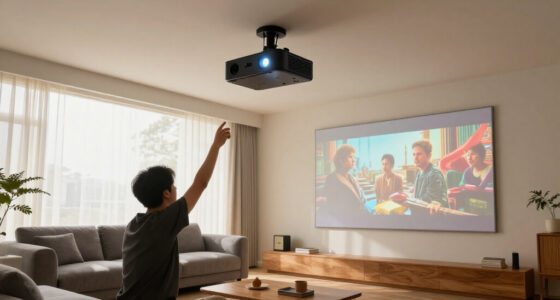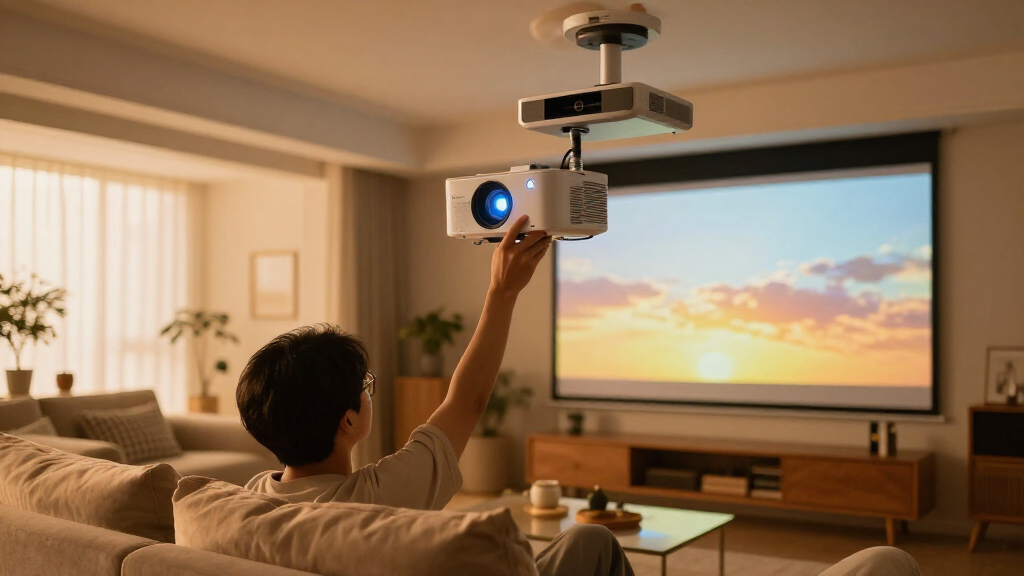

Shopping for home theater projectors in 2026 means choosing between two very different machines: dedicated cinema units built for dark rooms and portable smart minis that trade contrast for convenience. After comparing this lineup, my best overall pick is the Epson Home Cinema 980, because its 3-chip 3LCD engine delivers accurate color and high brightness without the rainbow artifacts single-chip DLP rivals can show. If money matters more, the Optoma HD146X gets you most of that picture quality for less, and if you want streaming built in, the VIDAA X9 PRO pairs 4K support with a full smart TV platform. The core tradeoff comes down to lumens and contrast versus portability and apps — brighter lamps win in living rooms, while compact units win on setup ease. Read on for the full ranking, who each model suits, and who should skip it.

Get business pricing on tech for your team
- Business-only prices and quantity discounts
- Tax-exempt purchasing
- Multiple users, one account, clear invoices
Key Takeaways
- The Epson Home Cinema 980 took the top spot because its 3-chip 3LCD design produces equal white and color brightness, keeping colors saturated in scenes where single-chip DLP models like the Optoma HD146X can look dimmer in color-accurate modes.
- Raw lumens decided the bright-room winner: the ViewSonic PX700HDH’s 3,700 lumens outmuscled every smart mini in the lineup, most of which sit between 1,200 and 3,000 lumens and lose punch with the lights on.
- Built-in smart platforms split the field — the HAPPRUN Google TV model, VIDAA X9 PRO, and ONOAYO run streaming apps natively, while the Epson, Optoma, and ViewSonic need an external stick but pay you back in picture quality.
- The cheapest minis, the two 360° rotatable models, are really casual bedroom and backyard machines; their 4K ‘support’ is input decoding, not native resolution, and none matched the native 1080p units for sharpness.
- Dolby Audio appeared on several mid-range picks (ONOAYO, VIDAA X9 PRO, HAPPRUN Google TV), which matters more for projectors than TVs because built-in speakers are usually the first thing buyers complain about.


| home theater projector | Resolution | Brightness | Connectivity |
|---|---|---|---|
| Mini Smart Projector WiFi 6 wi | 4K input support, HDR10+ | 1200 ANSI lumens | HDMI, wireless screen mirroring |
| XuanPad White Smart Mini Proje | Native 1080p, 4K decoding | — | WiFi, Bluetooth 5.2, HDMI |
| ViewSonic PX700HDH 3700 Lumens | 1920 x 1080 | 3,700 ANSI lumens | — |
| ONOAYO ONO3Pro 2.0 Outdoor 4K | 4K decoding support | 3,000 lumens | WiFi 6, Bluetooth |
| Optoma HD146X 1080P Full HD Ho | Full HD 1080p | 3,600 lumens | — |
| VIDAA X9 PRO 4K Outdoor Projec | 1080p native, 4K decoding | 920 ANSI lumens | WiFi 6, Bluetooth 5.4, HDMI ARC/CEC, USB, 3.5mm jack |
| Epson Home Cinema 980 3-Chip 3 | 1080p Full HD | 4,000 lumens | 2x HDMI, 1x USB |
| Official Licensed Google TV HA | 1080p native, 4K decoding | 400 ANSI lumens | Wi-Fi 6, Bluetooth 5.2, HDMI, USB |
| HAPPRUN Native 1080P Outdoor S | 1920×1080 Full HD | — | Bluetooth 5.1, HDMI, TV-stick compatible |
More Details on Our Top Picks
Mini Smart Projector WiFi 6 with Bluetooth, 1200 ANSI, 4K Support, Portable 360° Rotatable HDR10+
Among the sub-3-pound options here, the Mini Smart Projector stands out for packing 1200 ANSI lumens, HDR10+, and 30W speakers into a 2.4 lb body with a 360° stand. That’s brighter and louder than the XuanPad mini, and Google TV comes built in rather than requiring a stick. Compared with the ONOAYO ONO3Pro 2.0, though, you give up more than half the brightness, so this unit wants a dark room or a night sky to look its best. The auto focus, keystone correction, and obstacle avoidance make ceiling and backyard setups genuinely painless. What holds it back: the listing is silent on battery capacity, so plan on staying near an outlet, and the 4K badge means input support, not native resolution. For renters and patio hosts who value size over brute force, it’s the smartest small buy in this lineup.
Pros:- 1200 ANSI lumens and HDR10+ outperform most sub-3 lb rivals
- Google TV built in — no streaming stick required
- 30W speakers are unusually loud for this size
- 360° stand plus auto focus, keystone, and obstacle avoidance for painless setup
Cons:- Less than half the brightness of the ONOAYO ONO3Pro, so it needs a dark room
- Battery life is undocumented — plan on a nearby outlet
- 4K badge means input support, not native resolution
Best for: Apartment dwellers and backyard hosts who want a 2.4 lb projector that moves from shelf to patio without fuss
Not ideal for: Daytime viewers and dedicated-theater owners — the ViewSonic PX700HDH outmuscles it badly on raw brightness
- Brightness:1200 ANSI lumens
- Resolution:4K input support, HDR10+
- Smart platform:Google TV built in
- Wireless:WiFi 6, Bluetooth 5.2
- Speakers:30W built in
- Weight:2.4 lbs (1.1 kg)
- Setup:Auto focus, keystone correction, obstacle avoidance
- Connectivity:HDMI, wireless screen mirroring
Our verdict“Buy it if you want the most capable projector that still fits in a tote bag; skip it if raw brightness tops your list.”
XuanPad White Smart Mini Projector with WiFi and Bluetooth, 4K Support, Native 1080P, 360° Stand
The XuanPad mini is the easiest projector in this lineup to live with, which is why it’s my pick for first-time buyers. Native 1080p keeps text and faces sharp, while auto focus and 6D auto keystone fix the image without any menu digging — set it down, and it squares itself. Licensed apps for Netflix, YouTube, and Prime Video mean no sideloading headaches, a real advantage over generic minis. It weighs just 1.89 lbs, undercutting even the Mini Smart Projector. The compromises match the price class: brightness isn’t published, so I’d treat this as a lights-off machine rather than a ViewSonic PX700HDH rival, and 4K support is decoding, not native. The detachable 360° stand is handy, though the plastic build feels travel-grade, not permanent-install grade. For a bedroom or a kid’s first movie night, it asks almost nothing of you.
Pros:- Native 1080p panel keeps images genuinely sharp
- Auto focus and 6D keystone require zero menu digging
- Licensed Netflix, YouTube, and Prime Video apps included
- Only 1.89 lbs with a detachable 360° stand
Cons:- Brightness isn’t published — treat it as a lights-off projector
- App streaming depends on solid WiFi and compatible devices
- Plastic, travel-grade build not suited to permanent installation
Best for: First-time buyers who want streaming apps and automatic setup without reading a manual
Not ideal for: Home theater purists chasing native 4K panels and high-lumen output for daytime viewing
- Resolution:Native 1080p, 4K decoding
- Weight:1.89 lbs
- Screen size:40 to 200 inches
- Auto focus:Yes
- Keystone:6D auto correction
- Apps:Netflix, YouTube, Prime Video
- Connectivity:WiFi, Bluetooth 5.2, HDMI
- Stand:360° rotatable, detachable
Our verdict“The right first projector for anyone who wants Netflix and a squared image without touching a settings menu.”
ViewSonic PX700HDH 3700 Lumens 1080p Projector with SuperColor Technology
The ViewSonic PX700HDH plays a different game than the portables: it’s a classic lamp projector built around 3,700 lumens, and that output changes what a home theater can be. Afternoon sports, lights-on family viewing, washed-out living rooms — situations that flatten the ONOAYO ONO3Pro’s 3,000 lumens and bury the minis entirely — stay watchable here. The 22,000:1 contrast ratio keeps blacks credible, and fast response times suit gaming and fast-motion content. Setup flexibility is decent, with 1.1x optical zoom and vertical keystone across an 80 to 150 inch range. The catches: it tops out at 1080p while cheaper rivals decode 4K, there’s no smart platform or serious speaker, so budget for a streamer and sound, and the 8.7 ft minimum throw rules out small rooms. For bright-space buyers, it’s still the more practical pick over the Optoma HD146X.
Pros:- 3,700 lumens keeps the picture watchable with lights on
- 22,000:1 contrast preserves deep blacks
- Fast response times suit gaming and live sports
- Flexible 80 to 150 inch sizing with 1.1x optical zoom
Cons:- Caps at 1080p while cheaper rivals decode 4K
- Needs at least 8.7 ft of throw — small rooms are out
- No smart OS or real speaker, so a streamer and sound system cost extra
Best for: Sports fans and families watching in living rooms with lights on or windows open
Not ideal for: Small-room setups — it needs nearly 9 feet of throw distance before the picture even starts
- Resolution:1920 x 1080
- Brightness:3,700 ANSI lumens
- Contrast ratio:22,000:1
- Screen size:80 to 150 inches
- Throw distance:8.7 to 16.2 ft
- Throw ratio:1.5 – 1.6
- Zoom:1.1x optical, 0.8x–2.0x digital
- Keystone:Vertical correction
Our verdict“The sensible pick for living rooms with windows and lights, as long as you bring your own sound and streaming.”
ONOAYO ONO3Pro 2.0 Outdoor 4K Projector with AI Auto Focus, Dolby Audio, Smart OS 2.0
The ONOAYO ONO3Pro 2.0 earns my Best Overall slot because it covers more of the home theater checklist than anything else here. Its 3,000 lumens and 4K decoding sit well above the 1200 ANSI Mini Smart Projector, so colors hold up even with a lamp on in the room. The surprise is the sound: Dolby Audio through dual 50W speakers means most buyers can skip a soundbar, something the ViewSonic PX700HDH can’t claim with its bare-bones audio. WiFi 6, Chromecast, and a smart OS with built-in apps keep streaming self-contained. The tradeoffs are real, though. There’s no internal battery, so camping trips require a power station, and the brand lacks the long reliability record of Optoma or ViewSonic. If you want one box that handles movies, sports, and guests without extra gear, this is the one I’d point to first.
Pros:- 3,000 lumens and 4K decoding cover movies, sports, and gaming
- Dolby Audio with dual 50W speakers replaces a soundbar for most rooms
- WiFi 6, Chromecast, and Smart OS 2.0 keep streaming self-contained
- AI autofocus and keystone set up in seconds on any of four mounts
Cons:- No internal battery — outdoor use needs an outlet or power station
- Brand lacks the long reliability track record of Optoma or ViewSonic
- 4K is decoded input; the native panel resolution is lower
Best for: Buyers who want one projector for bedroom, backyard, and ceiling setups without adding speakers or a streaming stick
Not ideal for: Off-grid campers — with no battery onboard, it needs a wall outlet or power station to run
- Brightness:3,000 lumens
- Resolution:4K decoding support
- Audio:Dolby Audio, dual 50W speakers
- Smart platform:Smart OS 2.0, Chromecast built in
- Connectivity:WiFi 6, Bluetooth
- Weight:2.4 lbs
- Zoom:50% to 100%
- Mounting:Desktop, tripod, wall, ceiling (M4 port)
Our verdict“If you want one projector that does everything reasonably well and skips the accessory pile, start here.”
Optoma HD146X 1080P Full HD Home Theater Projector
The Optoma HD146X is the veteran here, and age has its privileges: a proven lamp platform, 3,600 lumens, and a dedicated game display mode that prioritizes response speed over processing frills. For console players, that low-lag behavior matters more than the smart apps the ONOAYO ONO3Pro 2.0 leans on — a PS5 or Xbox brings its own interface anyway. Against the ViewSonic PX700HDH, its closest 1080p rival, the Optoma trades a bit of brightness for a friendlier setup and contrast punch that flatters darker game scenes. The downsides are structural: no WiFi, no apps, no meaningful speaker, so streaming requires a Fire Stick or console, and 1080p is the ceiling while much of this roundup advertises 4K support. If your theater doubles as a gaming room and you’d rather buy once from an established brand, this is the steady choice.
Pros:- Game display mode prioritizes low input lag for consoles
- 3,600 lumens handles moderately lit rooms
- Proven Optoma lamp platform with up to 15,000-hour life
- Straightforward installation for a dedicated theater corner
Cons:- No WiFi, apps, or smart platform — streaming needs an external device
- Built-in audio is an afterthought
- 1080p ceiling while much of this lineup advertises 4K support
Best for: Console gamers who care about response time and brand reliability more than built-in streaming
Not ideal for: Cord-cutters expecting built-in Netflix — there’s no smart platform or wireless connectivity here
- Resolution:Full HD 1080p
- Brightness:3,600 lumens
- Contrast ratio:25,000:1
- Gaming:Dedicated game display mode
- Zoom:1.1x optical
- Keystone:±40° vertical
- Lamp life:Up to 15,000 hours
Our verdict“A steady, gamer-first 1080p workhorse for buyers who value response time and brand longevity over smart features.”
VIDAA X9 PRO 4K Outdoor Projector with Smart TV, HDR10, Dolby Audio, WiFi6 & Bluetooth
This option stands out as the most complete all-in-one package here. The 920 ANSI lumens won’t match the Epson Home Cinema 980’s raw punch, but in a dimmed room it’s plenty, and the X9 PRO answers with things the Epson lacks entirely: VIDAA smart OS with licensed Netflix, Disney+, and HBO Max, WiFi 6, and AI auto-focus that handles keystone, obstacle avoidance, and screen fit on its own. The dual 20W Dolby-certified speakers are the strongest onboard audio in this roundup — enough for casual viewing without a soundbar, unlike the HAPPRUN models. My caveats: it’s a 1080p panel that decodes rather than displays 4K, and it costs more than the Google TV HAPPRUN while sharing that same resolution ceiling. Compared with similar options, I’d call it the convenience play done properly.
Pros:- Licensed Netflix, Disney+, HBO Max and 1,000+ live channels built in
- AI auto-focus, 6D keystone, and obstacle avoidance make setup nearly instant
- Dual 20W Dolby speakers deliver usable audio without external gear
- WiFi 6, Bluetooth 5.4, HDMI ARC, and a 3-year warranty round out a modern package
Cons:- Native 1080p panel — 4K content is decoded, not displayed at true 4K
- Brightness trails the Epson Home Cinema 980 badly for daytime or lamp-lit viewing
- Costs more than the HAPPRUN Google TV model with the same resolution ceiling
Best for: Buyers who want a single-box home theater with licensed streaming apps, strong built-in sound, and zero-fuss auto setup
Not ideal for: Bright-room viewers — 920 ANSI lumens can’t fight daylight the way the Epson’s 4,000 can
- Resolution:1080p native, 4K decoding
- Brightness:920 ANSI lumens
- HDR:HDR10
- Audio:2x 20W Dolby Audio certified speakers
- Smart OS:VIDAA OS with Netflix, Prime Video, Disney+, Hulu, HBO Max
- Connectivity:WiFi 6, Bluetooth 5.4, HDMI ARC/CEC, USB, 3.5mm jack
- Auto setup:AI auto-focus, 6D keystone, obstacle avoidance, screen fit
- Warranty:3 years
Our verdict“The premium pick for anyone who wants streaming, sound, and auto-setup in one box and watches mainly in the evening.”
Epson Home Cinema 980 3-Chip 3LCD 1080p Movie Projector with Built-In Speaker
For a dedicated movie room, the Epson Home Cinema 980 makes the strongest case in this lineup. Its 4,000-lumen output roughly quadruples what the VIDAA X9 PRO manages, so films stay watchable with a lamp on, and the 3-chip 3LCD engine renders color without the rainbow artifacts single-chip rivals can show. That color accuracy matters more for cinema than any smart feature: skin tones and dark scenes look right rather than processed. The tradeoff is brains. There’s no built-in streaming, no auto-focus, and no keystone tricks, so I’d budget for a streaming stick and a fixed mounting spot. Compared with the do-everything X9 PRO, this is the pick for buyers who care about the image itself and already own a way to feed it content.
Pros:- 4,000 lumens keeps movies watchable even with ambient light
- 3LCD chip delivers vivid, accurate color with no rainbow effect
- Built-in speaker and dual HDMI ports simplify day-one setup
- Straightforward, lag-free operation that suits films, sports, and gaming alike
Cons:- 1080p only — no 4K input or decoding
- No smart OS, Wi-Fi, or Bluetooth; an external streaming device is required
- No lens zoom or keystone correction mentioned, so placement is less forgiving
Best for: Movie fans building a dedicated viewing room who want maximum brightness and accurate color, and who already own a streaming device
Not ideal for: Anyone wanting an all-in-one streaming projector — there’s no smart OS, so a Fire TV or Roku stick is mandatory
- Brightness:4,000 lumens
- Resolution:1080p Full HD
- Display technology:3-chip 3LCD
- Connectivity:2x HDMI, 1x USB
- Built-in speaker:Yes
- Smart features:None — external streaming device required
- Best use:Movies, sports, and gaming in varied lighting
Our verdict“The projector I’d pick for a serious movie room where picture quality outranks built-in apps.”
Official Licensed Google TV HAPPRUN Native 1080P Outdoor Smart Projector with 4K Decoding and Dolby Sound
This pick makes the most sense for buyers who want the X9 PRO’s streaming convenience at a friendlier price. The officially licensed Google TV build means Netflix and YouTube work natively — no sideloading, no sketchy app workarounds — and Wi-Fi 6 plus Dolby audio cover the basics. Where it gives ground: 400 ANSI lumens is less than half the VIDAA X9 PRO’s brightness, so this one demands a dark room or a post-sunset backyard, and its single 5W speaker sounds thin next to the X9 PRO’s 40W Dolby pair. Compared with its cheaper sibling, the plain HAPPRUN Native 1080P, the Google TV interface alone justifies the step up for streamers. I’d treat it as the sweet spot for casual movie nights rather than a daylight-capable all-rounder.
Pros:- Official Google TV with native Netflix, YouTube, and major streaming apps
- Wi-Fi 6 and Bluetooth 5.2 for modern wireless connections
- 4K decoding with screen sizes up to 300 inches
- Flexible mounting: ceiling, desktop, or tripod
Cons:- 400 ANSI lumens limits it to dark environments
- Single 5W speaker can’t match the X9 PRO’s 40W Dolby pair
- Power source details are unclear for truly portable outdoor use
Best for: Streamers on a mid-range budget who want licensed Google TV apps for dark-room movie nights or backyard screenings after dusk
Not ideal for: Daytime viewers or bright patios — 400 ANSI lumens washes out fast outside a dark room
- Resolution:1080p native, 4K decoding
- Brightness:400 ANSI lumens
- Smart OS:Officially licensed Google TV
- Audio:5W built-in speaker with Dolby
- Connectivity:Wi-Fi 6, Bluetooth 5.2, HDMI, USB
- Max screen size:300 inches
- Installation:Ceiling, desktop, tripod
Our verdict“The value route to licensed streaming — great after dark, outmatched in any room with the lights on.”
HAPPRUN Native 1080P Outdoor Smart Projector
The cheapest way into this lineup asks the most patience. Strip away the Google TV system from its sibling, the HAPPRUN Google TV model, and what’s left is a straightforward 1080p projector with Bluetooth 5.1, built-in stereo speakers, and a 200-inch maximum picture. That simplicity cuts both ways: there’s no licensed Netflix onboard, so a Fire TV or Roku stick isn’t optional, and phone hookups need HDMI adapters HAPPRUN doesn’t include. Against the Epson Home Cinema 980, brightness and color refinement clearly favor the Epson — but so does the price. For a first projector, a camping rig, or a kids’ room where a scratched or outgrown unit won’t sting, the math works. I’d only caution buyers to add the streaming stick cost before deciding it’s a bargain.
Pros:- Full HD 1080p resolution at the lowest price in the lineup
- Compact, portable build suited to camping or backyard use
- Bluetooth 5.1 and built-in stereo speakers for simple audio
- Three installation options: ceiling, desktop, tripod
Cons:- No smart OS — a TV stick is required and not included
- Smartphone connections need HDMI adapters sold separately
- Lacks the brightness and polish of the Epson or VIDAA models
Best for: First-time buyers, campers, or kids’ rooms where low cost and portability matter more than smart features
Not ideal for: Anyone expecting built-in apps — without a TV stick (not included) there’s no Netflix or YouTube at all
- Resolution:1920×1080 Full HD
- Max projection size:200 inches
- Connectivity:Bluetooth 5.1, HDMI, TV-stick compatible
- Built-in speakers:Stereo
- Installation:Ceiling, desktop, tripod
- Design:Mini, portable
Our verdict“A sensible first projector for tight budgets, as long as you factor in the cost of a streaming stick.”

How We Picked
I ranked these nine projectors the way a home theater buyer actually weighs them: picture quality first, then brightness, then the realities of living with the machine. Picture quality covers native resolution, contrast, and color accuracy — this is why the Epson’s 3-chip 3LCD engine and the Optoma’s high-contrast DLP outranked brighter but softer smart minis. Brightness came next, judged against real rooms rather than spec sheets: a 3,700-lumen lamp means something in a living room with windows, while a 1,200-ANSI mini is honest only in a dark bedroom. I also weighted usability and ownership costs — auto focus and keystone correction, built-in apps, speaker quality, and fan noise all shift where a model lands.
The ranking logic is simple: a projector bought for home theater has to satisfy in a dark room first, so dedicated cinema units rise and lifestyle minis fall unless they earn their spot through versatility. Models with 4K input support were credited for handling modern sources but never confused with native 4K machines. Value picks had to hold their picture quality, not just their price — the cheapest units in the lineup are ranked last precisely because their savings cost you sharpness and light output you will notice on night one.
Factors to Consider When Choosing Home Theater Projectors
The nine projectors in this roundup solve different problems, and the specs that separate them are easy to misread on a product page. This guide covers the judgment calls that product blurbs skip: how brightness ratings get inflated, why 4K support rarely means 4K, and when paying more actually buys you a better picture instead of just more apps.
Native Resolution vs. ‘4K Support’
The most common mistake buyers make in this category is reading ‘4K support’ as ‘4K projector.’ On most of the budget and mid-range units here, that phrase means the projector can accept and downscale a 4K signal — the panel inside is still native 1080p or lower. That is not a scam, and for screens under 100 inches viewed from eight feet back, a good native 1080p image looks genuinely sharp. The problem is paying a 4K price for a 1080p panel. My rule: treat decoding claims as a compatibility feature, not a picture-quality feature, and spend on native resolution, contrast, and lens quality instead. If a listing buries the native resolution, assume it is lower than the headline number.
How Many Lumens Your Room Really Needs
Brightness is where spec sheets stretch the truth the hardest. Budget minis often advertise inflated ‘lumens’ or ‘lux’ figures, while established brands quote ANSI lumens, a standardized measurement that runs lower for the same real-world output. For a dedicated dark room, 1,500 to 2,500 honest lumens is plenty and actually helps black levels. A living room with lamps or windows demands 3,000 ANSI lumens or more, which is why a bright-room model like the 3,700-lumen ViewSonic in this lineup behaves so differently from a 1,200-ANSI mini. Ambient light erases contrast before it touches resolution, so a brighter projector with a modest panel often beats a sharper one with a weak lamp. Match the lumen rating to your brightest realistic viewing condition, not your ideal movie-night scenario. And remember that high-brightness modes on single-chip DLP units frequently tint the image green, so usable brightness and rated brightness are not always the same number.
Panel Tech: 3LCD, DLP, and Single-LCD
Three display technologies run this lineup, and they fail in different ways. 3LCD, used by Epson, fires red, green, and blue simultaneously, so color brightness equals white brightness and no viewer sees rainbow artifacts. Single-chip DLP, used by Optoma and ViewSonic, cycles colors through a spinning wheel; it produces excellent contrast and motion, but a small share of viewers notice brief rainbow flashes in high-contrast scenes, and color brightness drops below the white rating. The single-LCD panels in budget minis are the weakest of the three — soft corners, lower contrast, and limited color volume are the norm, no matter what the listing claims. None of this makes one technology universally right: DLP wins for gaming response, 3LCD wins for color-critical movie watching, and single-LCD wins only on price. Knowing which tradeoff bothers you personally is worth more than any individual spec.
Built-In Smart Platforms vs. a Streaming Stick
Every smart projector in this roundup advertises apps, but built-in platforms age faster than the hardware around them. Processors slow down, app support lapses, and three years in, the projector still works while its interface feels ancient. A streaming stick costs little, upgrades independently, and usually offers smoother menus and a familiar remote. Built-in systems still make sense in specific cases: outdoor setups where one less cable matters, bedrooms and ceilings where simplicity wins, and licensed platforms like Google TV that receive real updates. My advice is to buy the projector for its optics and treat the operating system as a bonus. If the smart features are the main attraction, you are paying projector money for a mediocre streaming box.
Placement, Throw Distance, and Sound
The specs that ruin purchases are the ones buyers never check. Throw distance decides whether your wall even fits the image: most of these units need roughly 8 to 12 feet for a 100-inch picture, and a shorter room leaves you with a smaller screen than planned. Keystone correction and 360° stands fix angles, but digital keystone crops the image and costs sharpness, so physical placement beats correction every time. Fan noise is the other quiet killer — budget units often run loud enough to compete with dialogue, which is why speaker quality and audio outputs matter more than buyers expect. Dolby-branded audio on several picks here helps, yet any serious setup eventually wants a soundbar or powered speakers over Bluetooth or the 3.5mm jack. Measure your room and plan your audio before checkout, not after unboxing.
Frequently Asked Questions
Is ‘4K support’ the same as a native 4K projector?
No, and the gap matters more than most listings admit. 4K support means the projector accepts a 4K signal and downscales it to whatever panel is inside — in this lineup, usually native 1080p. A native 4K machine renders 8.3 million pixels, and those cost several times more than anything reviewed here. The good news: at typical seating distances with a 100-inch screen, a quality native 1080p image still looks sharp to most viewers. Where you will notice the difference is on screens above 120 inches or when sitting close. Budget accordingly — buy the best native 1080p unit you can afford rather than a cheap ‘4K’ label on a weaker panel.
How many lumens do I need for a home theater projector?
It depends entirely on your room, not on a universal number. In a dedicated dark room, 1,500 to 2,500 ANSI lumens is the sweet spot — more can actually wash out black levels. In a living room with ambient light, aim for 3,000 ANSI lumens or higher, which is where bright-room models like the 3,700-lumen ViewSonic in this roundup earn their place. Be skeptical of lumen claims on budget minis: many quote LED or light-source lumens that run two to three times higher than the ANSI figure your eyes receive. When a listing gives no ANSI number, assume the real output sits well below the headline. Match the rating to your brightest realistic viewing situation, and prioritize ANSI figures over marketing numbers.
Should I choose a projector with built-in apps or use a streaming stick?
Both work, and the right answer depends on where the projector lives. Built-in platforms — Google TV on the HAPPRUN model, the smart systems on the ONOAYO and VIDAA X9 PRO — make sense for outdoor nights, bedrooms, and ceiling mounts where a single cable-free box is the whole appeal. The catch is longevity: projector processors are rarely fast, apps drift out of support, and the interface can feel dated years before the lamp dies. A streaming stick costs very little, upgrades on its own schedule, and typically runs smoother. My default recommendation is to pick the best picture for your budget and add a stick. But if portability and simplicity are the point, a licensed smart platform is a legitimate reason to choose one model over another.
Are budget mini projectors good enough for real movie nights?
Honest answer: good enough for casual viewing, not for a cinema experience. The rotatable minis in this lineup are genuinely fun — light enough to move room to room, quick to set up, and fine for shows, cartoons, and backyard nights after sunset. Their limits show in dark scenes, where low contrast and modest brightness flatten the image, and in fine detail, where budget optics soften edges. If your standard is ‘bigger than the TV and easy,’ a mini will satisfy you. If your standard is ‘close to the movies,’ the native 1080p dedicated units cost more for visible reasons. Buy the mini for what it is and you will not be disappointed; buy it expecting theater quality and you will be.
What should I budget beyond the projector itself?
Plan on 15 to 30 percent of the projector’s price going to the setup around it. A plain white wall works, but a fixed or pull-down screen visibly improves contrast and color, especially in rooms with any ambient light. Audio is the next line item: built-in speakers on these units range from passable to poor, so a soundbar or powered Bluetooth speakers make the single biggest difference after the projector itself. Ceiling mounts, HDMI cables long enough to reach your source, and a streaming stick for the non-smart models round out the list. Buyers who skip this math often end up with a bright, sharp image paired with tinny sound on a beige wall — fixable, but cheaper to plan for upfront.
Conclusion
After weighing picture quality, brightness, and day-to-day usability, my recommendations by buyer type are clear. For the best overall home theater projector, the Epson Home Cinema 980 is the pick — its 3LCD color, strong brightness, and freedom from rainbow artifacts make it the most satisfying movie machine here. The best value is the Optoma HD146X, which trades a little color refinement for a lower price and gaming-friendly response. Bright-room watchers should go straight to the ViewSonic PX700HDH and its 3,700 lumens.
If you want a premium all-in-one, the VIDAA X9 PRO bundles 4K support, HDR10, Dolby Audio, and WiFi 6 into the most complete smart package. Beginners and casual viewers are best served by the HAPPRUN Google TV model — licensed apps, Dolby sound, and zero extra boxes — while outdoor and ceiling setups suit the ONOAYO with its AI auto focus and portability. Whichever route you take, buy for your room’s light first and the feature list second.
Halloween Picks

Govee Outdoor Halloween Projector Light with 3D Effects

12.2 ft Halloween Inflatable Outdoor Decoration – Giant Pumpkin

3 ft. Halloween Groundbreaker Skeleton for Outdoor Decoration
As an affiliate, we earn on qualifying purchases.