
Summary of Key Implications
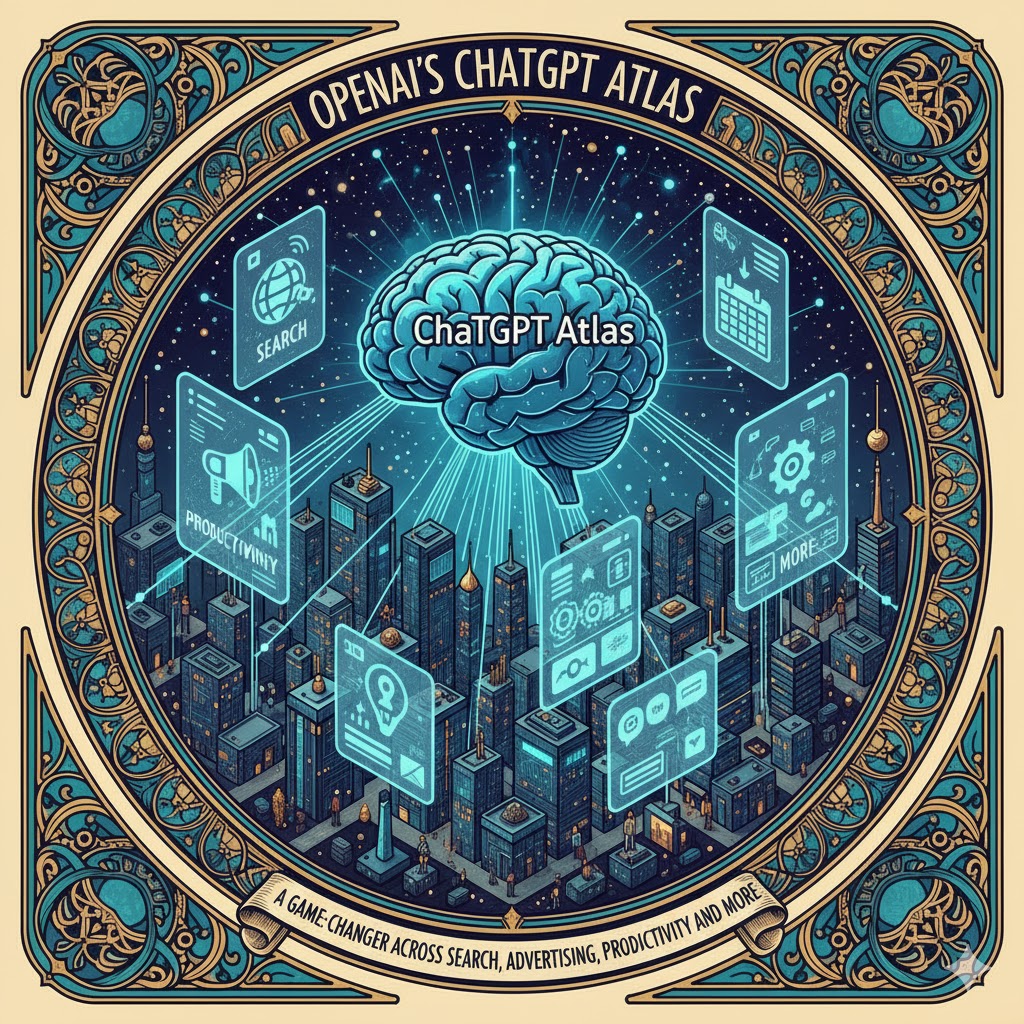
- AI-Driven Search: ChatGPT Atlas transforms web search into a conversational experience, putting OpenAI in direct competition with Google’s core business. Instead of traditional keyword queries and link lists, Atlas offers ChatGPT answers first with sources listed secondwired.comamplifilabs.com. This answer-first approach could accelerate the shift toward AI-driven search interfacesreuters.com, threatening Google’s dominance as users rely more on chat-based results rather than Google’s link-ranked pagesreuters.com. In the short term, Google is responding by integrating its Gemini AI into Chrome’s search (SGE)reuters.com, but long term Atlas signals a paradigm change toward agentic browsers where queries are dialogues, not keywords.
- Advertising Disruption: By making ChatGPT the gateway to the web, Atlas challenges the search-driven advertising model that powers Google’s revenue. If users get instant answers and automated task completion in Atlas, they may bypass the sponsored links and ads that traditionally appear on search resultsapnews.comamplifilabs.com. Analysts note that integrating chat into a browser is a likely precursor to OpenAI introducing advertising of its own, which could siphon off a significant share of search ad spend from Google (which today commands ~90% of that market)reuters.comreuters.com. In the short run, OpenAI has no ads yet and monetizes Atlas via subscriptions, but its collection of rich “browser memories” about user behavior hints at a future personalized ad businesswashingtonpost.com. Long term, Atlas could force the ad industry to reinvent how to reach consumers when an AI intermediary handles much of the search and shopping process.
- Productivity and Workflow Integration: Atlas positions the browser as a context-aware assistant for knowledge workers. ChatGPT is embedded alongside your emails, documents, and web apps – ready to summarize pages, draft content, or fill forms without switching tabsamplifilabs.com. Users can highlight text on any page and get instant explanations, translations, or edits from the AIamplifilabs.com. This deep integration into workflows means routine tasks (scheduling, researching, composing messages) can be automated or streamlined with conversational commands. In the short term, early adopters report productivity boosts – e.g. students getting instant quiz help on lecture slides without leaving the pageopenai.com. Looking ahead, Atlas could become an indispensable “super-assistant” that not only finds information but also takes actions (booking meetings, collating data across apps) to save timeopenai.comopenai.com. This may spur rivals (Microsoft, Google) to enhance their own productivity suites with even tighter AI assistant integration.
- Enterprise Software and SaaS Automation: OpenAI’s browser has strategic implications for enterprise software by automating cross-application workflows. Agent mode in Atlas can perform multi-step tasks like navigating websites, comparing products, or updating records in enterprise web apps on a user’s behalfreuters.com. For example, Atlas was demoed finding a recipe and then automatically purchasing ingredients via Instacart, clicking through the site and filling the cart autonomouslyreuters.com. Applied to business, a sales manager could ask Atlas to gather data from a CRM and schedule follow-ups in a calendar, tasks that span multiple SaaS tools. In the short term, enterprises are cautiously experimenting (Atlas is launching in beta for Business and Enterprise users)openai.com, mindful of compliance and privacy. Long term, if trust is earned, Atlas could augment or even replace certain UI-driven workflows, acting as a universal front-end to enterprise systems. This challenges SaaS providers to either integrate with such AI agents or build their own, as AI integration and workflow automation become must-have features in enterprise software.
- Browser Market Shake-Up: With Atlas, OpenAI enters the browser wars against entrenched players like Google Chrome, Apple Safari, and Microsoft Edge. Chrome currently dominates ~70% of the global browser market (nearly 4 billion users)backlinko.combacklinko.com, with Safari (~14%) and Edge (~5%) trailingbacklinko.combacklinko.com. Atlas is built on Chromium for full compatibilityamplifilabs.com, but it differentiates by putting AI at its core. It introduces features like a persistent ChatGPT sidebar and AI-powered navigation that traditional browsers lackwired.comamplifilabs.com. In the short run, Atlas faces an uphill battle to convert users – browser loyalty is high and it’s initially Mac-onlyamplifilabs.comopenai.com. Yet its launch was significant enough to cause Alphabet’s stock to dip ~1.8% on fears of new competitionreuters.com. Over the long term, if Atlas’ AI-first experience proves significantly more convenient, it could erode Chrome’s dominance much as Chrome once upended Internet Explorerapnews.comapnews.com. At the very least, it’s pushing rivals: Google has added AI summaries and is testing an agent in Chromewashingtonpost.com, and Microsoft’s Edge, already with an AI sidebar, will likely deepen its OpenAI integrations. Apple’s Safari, which so far avoids generative AI, may feel pressure to innovate or risk stagnation in an AI-centric web era.
- Developer Tools and Engineering Workflows: For software developers, Atlas offers to be an AI-augmented browser that can explain code, debug, and streamline dev workflows. ChatGPT can summarize technical documentation or code on a page, help troubleshoot errors, and even generate code snippets – all within the browser. Developers could, for instance, highlight an error log on a web app and ask Atlas for the root cause or solution, getting immediate insights from the AI. This “chat while you code” capability means less context switching between the browser and IDE or StackOverflowamplifilabs.comamplifilabs.com. Atlas could become a go-to environment for reviewing API docs, testing endpoints, and running scripts with AI assistanceamplifilabs.com. In the short term, this improves productivity for developers who leverage it for quick answers or form-filling in dev consoles. Over the long term, Atlas hints at AI-powered developer tools becoming standard – Google is already previewing AI suggestions in Chrome’s DevTools, and we can expect deep competition in this space. The challenge will be ensuring the AI’s guidance is accurate and secure; a mistaken code fix or a hallucinated suggestion could cause bugs, so developers will need to verify AI-proposed solutions. Nonetheless, Atlas raises the bar for how browsers can aid in coding and debugging tasks, likely spurring similar features in competitors and IDEs.
Below, we delve into each of these verticals in detail, and provide a competitive comparison of ChatGPT Atlas with Chrome, Edge, and Safari.
Top picks for "openai chatgpt atla"
Open Amazon search results for this keyword.
As an affiliate, we earn on qualifying purchases.
Search: From Keywords to Conversations
Atlas represents a major evolution in search, one that could erode Google’s longstanding dominance in web search. Instead of the classic search paradigm – typing keywords into Google and scanning a page of blue links – Atlas treats search as a conversation. When a user queries something via Atlas’s combined URL/ChatGPT bar, the browser returns a chatbot-formatted answer first, backed by web data, with a set of traditional link results available in a separate tabwired.comamplifilabs.com. This flips the script on Google’s approach, where an AI snippet (via Google’s Search Generative Experience) is layered on top of link results. In Atlas, the AI answer is central, and the list of websites or images is secondarywired.com.
This conversational search model aligns with how a growing segment of users prefer to find information. OpenAI’s ChatGPT reached 800 million weekly active users by late 2025reuters.com, indicating a huge appetite for AI-driven Q&A interfaces. Making ChatGPT the starting point for web queries could pull user traffic away from Google, whose Chrome browser and search engine currently funnel the vast majority of inquiries. In fact, Atlas’s launch explicitly positions OpenAI against Google: “OpenAI introduced its own web browser, Atlas, … putting the ChatGPT maker in direct competition with Google as more internet users rely on AI to answer their questions”apnews.com. Google has responded by integrating AI deeper into its products – e.g. adding Gemini chatbot features (invoked by a “sparkle” button) in Chromewired.com – but it is effectively playing catch-up to the experience that Atlas offers out of the box.
Implications for Google: If Atlas gains traction, Google stands to lose not just search queries but the associated advertising impressions and user data. Google’s business model of monetizing intent via search ads could be undermined if users get satisfactory answers and task completion from Atlas without ever visiting Google.com. It’s telling that Google’s parent Alphabet saw a stock dip upon Atlas’s debutreuters.com, reflecting investor concern that a new gateway to the web is emerging. Google is already adapting; each Google Search can now display an AI-generated overview for certain queries (an “AI mode” result) alongside the usual linksreuters.com. And crucially, Google is reportedly working on agentic features for Chrome that mimic Atlas’s ability to perform tasks for userswashingtonpost.com. The arms race is on: Google’s massive search market share (roughly 90% of all searches)reuters.com is at stake if the future of search shifts to chat-centric interfaces where being the default search engine is less critical than having the best AI.
Benefits and Risks for Users: In the short term, Atlas’s AI search offers convenience – answers are distilled from multiple sources, saving users time. It shines for exploratory queries (“What are some good budget travel ideas in Europe?”) or tasks (“Find me a recipe and order the ingredients”) where the AI can synthesize information and even take action. However, this comes with trade-offs. Users risk becoming further removed from the original sources of information, potentially missing the nuance or diversity of opinions one would get by visiting multiple sites. There’s also the well-known issue of AI hallucinations – confidently presented answers that are false or misleadingapnews.com. Google has been cautious with its AI search snippets for this reason, while OpenAI’s Atlas puts the onus on the user to verify the AI’s summary via the cited links.
Moreover, if Atlas becomes prevalent, website owners and SEO professionals will need to adapt. Content may need to be optimized not just for human readers, but for AI “readers” that summarize content. The Atlas model “redefines SEO” such that being the top link may matter less than being summarized correctly by the AIamplifilabs.comamplifilabs.com. Publishers are understandably nervous – if users get answers without clicking through, traffic and ad revenue decline. As noted by the Associated Press, ChatGPT’s effective summaries could “further cut off the lifeblood of online publishers” by discouraging users from exploring the web beyond the AI’s answerapnews.comapnews.com. This tension is likely to shape the next era of search: balancing user convenience with a sustainable web ecosystem.
In summary, Atlas raises the competitive bar in search. Short-term, it offers a glimpse of how Google’s search experience might evolve under pressure – more conversational, more automated. Long-term, it signals a possible shift where the browser itself (with AI) becomes the primary search engine, potentially diminishing the brand power of Google if users grow accustomed to asking Atlas/ChatGPT for everything. How Google, and indeed the whole search industry, responds will define whether Atlas is a niche tool for AI enthusiasts or a mainstream challenger in how we all find information online.
Advertising: Rethinking the Search Ad Model
Perhaps no vertical faces as immediate a disruption from ChatGPT Atlas as online advertising, particularly search ads. Today, Google’s $160+ billion/year advertising empire is built on the simple concept that when users search for something, you can show them relevant sponsored results. This model relies on users viewing those search result pages (with banners and text ads) and clicking through to websites where further ads or conversions happen. Atlas, by design, short-circuits this journey: it strives to give users what they want (an answer or completed task) without needing to navigate through multiple sites or ad-laden pagesamplifilabs.comapnews.com.
In Atlas, if a user asks “What’s the best budget DSLR camera to buy?”, ChatGPT might compile an answer from reviews, suggest a specific model, and – in agent mode – even navigate to an e-commerce site to place an order, all within one continuous interaction. Where can an advertiser insert themselves in this flow? The traditional ad slot on a Google results page or a banner on a review website might never be seen by the user. Unless OpenAI chooses to integrate sponsored content into the chat responses (which it hasn’t so far), the opportunity for classic PPC (pay-per-click) ads declines. As Wired observes, Atlas’s philosophy makes the AI “central” and the list of links secondarywired.com – if those links include paid search ads, they’re literally tucked off to the side in Atlas’s UI.
OpenAI has not yet launched an advertising business within Atlas, but many see it as an inevitability. By launching Atlas, OpenAI is “collecting data about consumers’ browser behavior” and could leverage its massive user base for ad revenuereuters.com. “Integrating chat into a browser is a precursor for OpenAI starting to sell ads,” one analyst noted, predicting that OpenAI will enter the ad market and potentially steal meaningful share from Google’s search adsreuters.comreuters.com. The logic is straightforward: once Atlas has enough users and engagement, OpenAI can offer paid placements or recommendations within the chat answers or agent actions. For example, if a user asks Atlas to book a hotel, Atlas might eventually have sponsored partnerships to preferentially suggest certain hotels – analogous to how travel agents get commissions. The analyst from D.A. Davidson estimated that Google’s ~90% share of search ad spend is vulnerable if OpenAI flips the monetization switch in Atlasreuters.com.
Short-Term vs Long-Term Advertising Impact: In the immediate term, Atlas’s impact on advertising is more indirect. Its user base, while large in potential (leveraging ChatGPT’s hundreds of millions of users), is still nascent compared to Google’s billions of daily searches. Moreover, OpenAI has intentionally not introduced ads at Atlas’s launch, opting to focus on user experience and Plus/Pro subscriptions for revenuereuters.comwashingtonpost.com. This gives the industry a momentary sigh of relief – there isn’t yet another major ad platform to deal with. However, the data Atlas gathers – every query, click, and even what content on a page the user engages with (via its memory feature) – is incredibly rich for targeting. “The browser from OpenAI out-surveils even Google Chrome, and that’s saying something,” writes the Washington Post, noting that Atlas logs not just websites visited but also “facts and insights” from those sites as part of its stored memorieswashingtonpost.comwashingtonpost.com. In other words, Atlas potentially knows you and your intent even better than Google does, since it watches your entire browsing journey and can interpret it with AI. That kind of data could be gold for personalized advertising or product recommendations in the future.
Longer-term, if Atlas (and similar AI browsers) gain significant adoption, advertisers and marketers will have to fundamentally rethink strategies. Traditional SEO (Search Engine Optimization) might give way to AEO (Answer Engine Optimization) – ensuring one’s product or content is favored by AI assistants. Companies might need to structure their data to be easily parsed by AI or even create plugins/feeds that AI agents use when performing tasks (imagine a travel site providing an API that Atlas consults when booking trips, effectively paying for placement in the AI’s decision loop). We may also see a shift to conversational ads – for instance, a sponsored “recommendation” that the AI discloses within its answer (akin to how some voice assistants return a sponsored answer to certain questions).
Another impact is on the broader web advertising ecosystem. If AI browsers reduce traffic to content sites, those sites see fewer ad impressions and lower revenue, potentially driving more paywalls or consolidation in publishing. Recognizing this risk, some publishers are already pushing back against unrestricted AI scraping of their content. In fact, concerns over AI tools summarizing news without permission have led outlets like the New York Times to consider blocking OpenAI’s crawlers, and even to lawsuits over intellectual propertyapnews.comapnews.com. OpenAI has begun licensing content (including a deal with the AP)apnews.com, which hints that the future might involve revenue-sharing models: if Atlas uses publishers’ content to answer questions, perhaps publishers get a cut when that content plays a key role in an answer. This is speculative, but it may be necessary to avoid “biting the hand that feeds” – i.e. undermining the very content sources that make the AI knowledgeable.
In summary, Atlas foreshadows an advertising shake-up. Google’s search ads won’t vanish overnight, but the value proposition of advertising via search engines could diminish if users change their habits. The short-term strategic implication is that Google (and Microsoft’s Bing) will strive to make their AI search results commercially viable, possibly by blending ads into AI answers in a user-acceptable way. Meanwhile, OpenAI sits on a potentially huge new ad channel but must balance monetization with user trust – overtly inserting ads could alienate Atlas’s early adopters. The ad-free (for now) experience is part of its appeal against Google. Thus, how and when OpenAI introduces advertising in Atlas will be a key storyline. If done smartly (with clear labeling and relevance), it could mark the birth of a new conversational advertising paradigm; if done poorly, users may flee to the next alternative that keeps the focus on unbiased assistance.
Productivity Tools: An AI Assistant for Every Workflow
OpenAI’s Atlas is not just an innovation in search, but also a rethinking of the web browser as a productivity platform. Modern professionals spend much of their day in browsers – from checking email and editing documents to using SaaS apps like Slack, Salesforce, or Jira. Atlas seizes on this by embedding ChatGPT’s capabilities directly into the flow of browsing so that users have a context-aware assistant at their side virtually at all timesopenai.comamplifilabs.com.
Consider how Atlas changes common workflows:
- Writing and Content Creation: If you’re drafting an email or a report in the browser, Atlas allows you to highlight text and ask ChatGPT for improvements or fixes. This is akin to having a writing assistant on call. For instance, a user can draft an email and then click “Ask ChatGPT” to refine the tone or correct grammarwashingtonpost.comwashingtonpost.com. Google has introduced something similar (the “Help me write” button in Gmail and Docs powered by their AI), but Atlas generalizes it to any website or text field. It isn’t limited to a specific app’s built-in AI – it’s the same powerful GPT-4 (and beyond) that can operate wherever you are, be it in Outlook Web, Notion, or a CMS editor.
- Research and Reading: Atlas’s sidebar can summarize lengthy articles or documents on a pagewashingtonpost.com. Instead of copy-pasting a URL into ChatGPT (as one might have done before), the browser itself can tell you “Here are the key points of this 50-page PDF” or “Translate this Spanish news article to English”. This is a boon for productivity – professionals can digest information faster. Ryan O’Rourke, Atlas’s lead designer, highlighted that search within Atlas will surface a chatbot-style answer first (say, “Summary of recent market trends…”), but users can still pivot to see original sources if neededwired.com. The key is saving time by eliminating the hunt-and-peck through multiple tabs.
- Multi-tasking and Memory: One of Atlas’s bold features is browser memory, which keeps track of your context and activities over time (if you opt in). For productivity, this means Atlas can recall what you were working on and when. For example, you could ask, “ChatGPT, reopen that slide deck and spreadsheet I was comparing yesterday” or “Summarize the key action items from the project sites I visited last week.” OpenAI gives a scenario: “Find all the job postings I was looking at last week and create a summary of industry trends so I can prepare for interviews.”openai.comopenai.com This turns the browser into a personal research aide that not only finds information, but also remembers and aggregates your findings over time. Productivity can leap when you don’t have to manually retrace your steps or maintain a separate note of everything – the browser becomes your second brain (albeit one that users must trust with sensitive data, as we’ll discuss under privacy).
- Task Automation: Many “productivity killers” are the small repetitive tasks: filling forms, checking multiple dashboards, scheduling meetings by comparing calendars. Atlas’s agent mode is aimed squarely at these. Need to schedule a meeting? In Atlas you might just say, “Find a meeting time next week for Alice and Bob and send them invites.” The agent could pull up your Google Calendar, find openings, draft an email or meeting invite and even send it – tasks that might take a person 10-15 minutes, done in seconds. In a demo, OpenAI showed Atlas handling a personal task (ordering groceries based on a recipe) start-to-finishreuters.com. Extend that to a workplace: booking travel, updating expense reports, or cross-posting a social media announcement across sites – these could be handled by Atlas with minimal user intervention.
The immediate strategic implication for the productivity software sector is that browsers and AI assistants might absorb functions that used to belong to dedicated apps or extensions. Why install a dozen productivity extensions (grammar checkers, translators, note-takers) when Atlas provides those out of the box through ChatGPT? This might put pressure on companies like Grammarly or small SaaS utilities, unless they integrate with Atlas themselves. OpenAI’s approach is reminiscent of an “AI layer” on top of every website – a layer that they control. It’s noteworthy that Atlas can incorporate ChatGPT plugins (Apps) and OpenAI has mentioned an SDK for developers to increase their apps’ discoverability in Atlasopenai.com. This means third-party productivity tools might plug into Atlas’s agent to offer specialized skills, much like how Slack bots or Microsoft’s Office add-ins work. We may see an ecosystem of Atlas-specific extensions that provide, say, project management updates or CRM insights via ChatGPT while you browse other sites.
Competition and Integration: Microsoft and Google, seeing this trend, are weaving AI assistants into their productivity suites at the application level. Microsoft 365’s Copilot can draft Word documents, summarize Teams meetings, and generate Excel formulas – but all within Microsoft’s apps. Google’s Workspace has Duet AI to help in Gmail, Docs, etc. OpenAI’s Atlas is complementary in some ways (it can interact with those web apps too), but also could steer users away from relying on Google/Microsoft’s native AI features. For example, if Atlas’s ChatGPT can compose an email in Gmail better or more conveniently than Google’s Duet, a user might ignore the little “Help me write” button Google provides. This dynamic could push the big productivity players to either open up more (possibly allowing Atlas deeper hooks, though that’s unlikely) or double-down on exclusive features that Atlas can’t replicate due to lack of access (e.g., deep integration with local files or proprietary data that ChatGPT doesn’t see).
User Adoption Dynamics: For individual users, the productivity gains are enticing, but adopting Atlas means switching from familiar browsers. Short-term, professionals likely to adopt Atlas are those already enthusiastic about ChatGPT – they’ll appreciate not having to context-switch between ChatGPT and their work. Atlas early testers report that having ChatGPT “instantly understand what I’m looking at” and assist, fundamentally changes the learning or working processopenai.comopenai.com. However, mainstream adoption will require trust (will the AI do what I intend and not make mistakes that, say, send the wrong email?) and training – people need to learn to delegate to the AI. There may also be resistance or policy barriers in workplaces; some companies restrict use of external AI tools with confidential data. OpenAI has tried to address this by stating that Atlas’s browsing data is not used for training models by defaultamplifilabs.com and offering an enterprise-friendly version in betaopenai.com, but companies will evaluate risk carefully.
In conclusion, Atlas is blurring the line between a web browser and a personal assistant. If widely adopted, it could significantly boost productivity by offloading tedious tasks and providing real-time intelligence in any workflow. It also sets a benchmark that other browsers will likely try to meet – indeed, Opera and Brave have already integrated AI summaries, and Microsoft’s Edge has an “Compose” and “Explain” feature in its sidebar (powered by Bing Chat) as first stepswired.com. Atlas pushes further, potentially ushering in an era where every major browser must have an AI co-pilot. For users and enterprises, the benefits are exciting, but maximizing them will require adapting habits and mindsets to effectively collaborate with an AI assistant on routine work.
Enterprise SaaS: AI Integration and Workflow Automation
The advent of ChatGPT Atlas carries significant implications for enterprise software and SaaS (Software as a Service) platforms. Enterprises run on countless web-based tools – CRM systems, ERP dashboards, HR portals, ticketing systems, etc. – and employees often have to juggle many of them to accomplish a single workflow. Atlas’s promise is to serve as a unifying intelligent agent that can bridge these systems on behalf of the user, potentially reshaping how enterprise workflows are executed.
Automation of Complex Workflows: Atlas’s agent mode is essentially a form of Robotic Process Automation (RPA) supercharged with AI understanding. Traditional RPA can automate repetitive tasks across software (like copying data from emails to a spreadsheet), but usually requires explicit programming. Atlas can take high-level natural language instructions and figure out the sequence of steps across web apps. For example, an HR manager could instruct: “In our HR portal, pull the list of employees who haven’t completed compliance training and send each a reminder email.” If Atlas can log into the HR system (with the user’s credentials), query the data, then perhaps open Outlook Web to draft emails, it accomplishes in minutes what might take the manager an hour of clicking and copying. This is transformative – it’s like having an intern or assistant who knows how to use all your company’s web tools and can operate 24/7 without mistakes (provided the instructions are clear). OpenAI’s CEO Sam Altman even described the vision as replacing the traditional browser’s functions (like the URL bar) with a chatbot interface that becomes the center of how people use the internetapnews.comapnews.com. For enterprises, that could mean employees start to interact with company software by “chatting” with Atlas, rather than navigating menus and forms.
Integration with SaaS Ecosystems: Naturally, this raises the question: how well does Atlas play with existing enterprise software? OpenAI is rolling out Atlas with support for Single Sign-On and is allowing Enterprise/Edu administrators to enable it for their users (currently in beta)openai.com. This suggests they anticipate businesses deploying Atlas organization-wide. We might see enterprise SaaS vendors providing Atlas-optimized interfaces or APIs. In fact, OpenAI has mentioned that website owners can add special markup (ARIA tags) to help the ChatGPT agent understand and operate their site betteropenai.com. SaaS providers who want to be friendly to Atlas (and thereby preferred by users who use it) will likely adopt such practices, essentially making their web apps agent-ready.
On the flip side, some enterprise vendors might view Atlas as a competitor or disrupter. For instance, if Salesforce has its own Einstein GPT assistant inside its CRM, but an Atlas user just asks Atlas to fetch a report from Salesforce, the user might bypass Salesforce’s interface and any proprietary features or upsells within it. Over time, that could commoditize the SaaS’s front-end – the value shifts to back-end data while the AI (Atlas) controls the presentation and interaction. SaaS companies may need to differentiate by deeper functionality or ensure their own AI integrations are compelling enough that users stick within their UI. This is analogous to how in the consumer space, websites have had to adapt to Google showing answers directly (e.g., weather, sports scores) by emphasizing deeper content or interactivity that the aggregator can’t easily replicate.
Security and Compliance: For enterprises, a critical consideration is data security. By letting Atlas intermediate their workflows, companies are effectively trusting OpenAI with potentially sensitive business data (whatever pages and info the agent sees). Recognizing this, OpenAI likely built Atlas with enterprise needs in mind – for example, Atlas does not use browsing content for training the AI model by defaultwashingtonpost.comamplifilabs.com, which is an important privacy safeguard. They also provide administrators control, perhaps allowing certain domains to be excluded from memory, etc. Nonetheless, highly regulated industries (finance, healthcare, government) will scrutinize Atlas. Questions arise: Can we audit what Atlas did? What if the agent misunderstands and, say, emails the wrong client or deletes data? OpenAI will need to provide robust logging of agent activities and straightforward ways to monitor or restrict what the AI can do (maybe a “read-only mode” vs “write mode” for certain apps). Early analysis from tech experts flags that agentic AI systems carry risk – they can make incorrect decisions, and when those decisions involve transactions or changes in critical systems, the consequences could be seriousamplifilabs.com. As such, near-term enterprise use of Atlas might be sandboxed to low-stakes tasks until trust is built.
Competitive Landscape: OpenAI’s move encroaches on territory that both Microsoft and Google are eyeing. Microsoft’s Power Platform (Power Automate in particular) has aimed at automating business workflows; with AI, they’ve introduced features where you can describe a flow in natural language and it builds it. Microsoft also is integrating Copilot across Windows and Office – for instance, Windows Copilot can already, in preview, perform some system-wide actions and might expand to cross-application tasks. However, Microsoft’s advantage is native integration (Copilot can tie into your files, emails, Teams chats with high permissions). OpenAI’s Atlas, as a third-party tool, might initially have a narrower scope of action limited to web interfaces. Google, with its Cloud AI and Apps Script ecosystem, similarly can automate tasks (e.g., AppSheet or Duet AI can respond to natural language to make simple applets). But OpenAI is taking a bold step by packaging automation in the consumer browser itself.
Interestingly, Atlas comes on the heels of smaller startups also pursuing AI browsers for productivity. Perplexity’s Comet browser, launched earlier in 2025, was noted as similarly aiming to be an AI assistant that can browse and actreuters.com. The fact that multiple players (including even Opera’s Neon experimentreuters.com) are exploring this suggests a perceived gap in how traditional enterprise software works – users want a smarter conduit to get things done. In the long run, we may see partnerships: perhaps OpenAI partnering with certain enterprise vendors to offer built-in Atlas agent capabilities, or vice versa, enterprise software baking in ChatGPT APIs to empower their own agent features.
Overall, the strategic implication for enterprise SaaS is clear: AI automation is coming to the user workflow, whether through Atlas or other means. Enterprises should pilot these tools to identify productivity gains, but also update governance policies to manage AI assistance responsibly. SaaS providers must embrace an AI-friendly posture, supplying metadata or endpoints for AI agents, or risk having clunky interactions compared to competitors that do. The Atlas launch could accelerate a new normal where employees expect to simply tell their computer/browser what outcome they want (“prepare Q3 report from these data sources”) and have the AI orchestrate the multiple steps to deliver it. That changes the value proposition of enterprise software from individual feature-sets to how well they plug into an AI-driven workflow.
Browser Wars: Atlas vs. Chrome, Edge, Safari
With ChatGPT Atlas, OpenAI is stepping directly into the browser market – a field historically hard to disrupt due to network effects and established player advantages. Google’s Chrome has been the titan here since overtaking Internet Explorer; as of 2025 Chrome commands roughly 70–72% of global browser usagebacklinko.comreuters.com, an almost unprecedented share. Apple’s Safari (the default on iPhones and Macs) holds the second spot globally (on the order of 14–20% usage)backlinko.combacklinko.com, and Microsoft’s Edge (the successor to IE, built on Chromium) is third with around 5% sharebacklinko.com. In this context, Atlas is the first new browser in years with the potential to capture significant attention – thanks not to faster page rendering or prettier UI, but due to its AI-centric features.
Atlas is built on Chromium (the open-source engine behind Chrome/Edge)amplifilabs.com, which means it immediately has a baseline of strong performance and compatibility with web standards (and possibly even with Chrome extensions, if OpenAI enables that). OpenAI wisely chose not to reinvent the wheel on rendering – instead, they focus on differentiating with the ChatGPT integration. Let’s break down how Atlas compares with its key competitors on major factors:
1. AI Integration: Atlas has ChatGPT baked in by design, accessible in a sidebar on any page or via the main address bar for conversational querieswired.comwired.com. This is a stark contrast to Chrome and Safari, which until recently had no built-in chat AI. Google is adding its Gemini AI to Chrome (currently via the “Search Generative Experience” and a soon-to-come chatbot button)wired.com, but it’s primarily search-focused and not yet deeply woven into every browser function. Edge, on the other hand, has been a pioneer among big browsers by integrating Bing Chat in a sidebar earlier (in 2023)wired.com – users can ask Bing Chat questions related to the page they’re on, similar to Atlas’s sidebar concept. However, Atlas takes it further with memory and agentic action – Bing Chat in Edge can summarize or suggest, but it won’t click buttons and fill forms for you (at least not in 2025). Apple’s Safari currently has no equivalent AI assistant feature at the browser level. Apple has been notably cautious about AI; Safari offers reader mode and Siri Suggestions for URLs, but no generative AI for summarizing or chatting about page content. In short, Atlas currently leads on AI features, followed by Edge, then Chrome (in limited rollout), with Safari trailing far behind.
2. Agent Capabilities: The hallmark of Atlas is its Agent Mode, which grants it the ability to control the browsing session autonomously for the userreuters.com. Neither Chrome, Edge, nor Safari presently offers anything comparable. Google has hinted at adding agent-like features to Chrome (for example, a future where Gemini might accomplish tasks like buying tickets for you)washingtonpost.com, but that’s not live yet. Microsoft’s strategy has been to integrate such capabilities at the OS level via Windows Copilot, which can perform system actions and some web tasks but is still separate from Edge’s browsing context. Safari/IPhone have Siri Shortcuts, which automate sequences in apps, but again, not the same as a general AI agent that understands content and can act on web pages. Thus, in agentic browsing, Atlas stands alone currently – a major competitive edge if consumers value that hands-free task execution. The flip side is that this is bleeding-edge technology with reliability and safety concerns; users and competitors will watch if Atlas’s agent truly works as advertised (in demos it did, albeit slowlyreuters.com) and if it can avoid pitfalls like errant clicks or unauthorized actions.
3. Privacy and Data Use: Browsers have long been differentiated by their stance on privacy. Safari has positioned itself as the privacy-centric choice (with features like Intelligent Tracking Prevention). Chrome, backed by Google, is often seen as more data-hungry – it collects a lot of telemetry and of course funnels data to Google’s services (though Google has been adding more user controls recently). Atlas introduces a new dimension: personalized AI memory. OpenAI claims Atlas will not use your browsing data to train its models by default, and memories are stored to enhance your experience onlyamplifilabs.com. But users must opt in and be comfortable with Atlas logging content from sites they visit. The Washington Post’s tech column pointed out that Atlas, when memory is enabled, effectively surveils more of your browsing than Chrome does, noting it “stores ‘memories’ of what you look at and do on sites” including summarized page contentswashingtonpost.com. By contrast, Google’s current AI in Chrome does not keep such persistent memories about page contents (it answers questions about the page on the fly if asked, but doesn’t store that info long-term)washingtonpost.com. This means privacy-conscious users might trust Safari or Firefox more, unless OpenAI convinces them that Atlas’s data practices are transparent and user-controlled. In corporate settings, Edge and Chrome offer group policy management of data and integration with company accounts; OpenAI will need to match that with Atlas’s enterprise version to gain IT approval. As of now, Safari remains the strictest on privacy, Chrome/Edge are moderate (with extensive settings available), and Atlas is pushing into new territory with memory – potentially very convenient, but something users need to actively manage (e.g., using Atlas’s incognito mode or memory controls to avoid sensitive data retention)washingtonpost.comwashingtonpost.com.
4. Ecosystem and Extensions: One reason Chrome became so dominant was the rich ecosystem of extensions and seamless Google account integration (bookmarks, Chrome Sync, etc.). Edge inherited compatibility with Chrome extensions when it went Chromium, and Safari has its own extension gallery (though smaller). Atlas being Chromium-based suggests it could support Chrome extensions, but it’s not clear if that’s enabled at launch. The OpenAI announcement makes no direct mention of extension support or bookmark sync beyond importing from your old browseropenai.com. Instead, Atlas focuses on being an ecosystem in itself with ChatGPT plugins and “Apps”. Over time, we might see Atlas-specific extensions that leverage the ChatGPT API. But initially, power-users might miss their favorite Chrome extension or particular developer tool extension. Chrome and Edge also deeply tie into their respective ecosystems (Google services and Microsoft services). For example, Chrome on Android integrates with Google Assistant, and Edge ties into Windows 10/11 features. Atlas is starting outside any big OS ecosystem (though OpenAI has a strong partnership with Microsoft, Windows support is “coming soon” for Atlasopenai.com). This means in the short term, Atlas has to compete on feature novelty more than ecosystem convenience. Users locked into Google accounts or Apple’s Continuity might not switch easily unless Atlas offers a big improvement.
5. Performance and User Experience: Atlas uses the same core engine as Chrome, so baseline performance (page loading, standards support) should be similar. However, the added AI layer can introduce latency – e.g., when you open a new tab and ask a question, the time to get a ChatGPT answer depends on querying OpenAI’s model and possibly searching the web in the background. This could be a few seconds, which is slower than an instant Google search result. Also, if agent mode is running a multi-step task, the browser might be “busy” as it clicks through pages for you. Early reviewers note that while remarkable, the agent’s speed is not instant – one demo task took several minutesreuters.com. For impatient users, that might feel slow compared to doing it manually (if they know how). Chrome and Safari are highly optimized for quick interactions (e.g., Chrome Instant search, Safari’s fast JavaScript engine). If Atlas feels sluggish because of AI overhead, that could hinder adoption. On the other hand, for complex tasks, a few minutes by the AI is far faster than a human’s hour of work, so it’s context-dependent.
In user interface, Atlas keeps a familiar look (it’s not radically reinventing the wheel of tabbed browsing, except making the address bar double as a chat prompt). Sam Altman’s quote, “Tabs were great, but we haven’t seen a lot of browser innovation since then,” underpins Atlas’s UI philosophywired.com. Atlas still has tabs, but tries to make the chat interface the new centerpiece, potentially reducing the need for many tabs if one AI assistant can handle multiple info needs sequentially. Competitors are now likely to experiment with their UIs: we might see Chrome give more prominence to its AI summary or Edge making its sidebar more proactive.
Competitive Positioning Table: Below is a comparison of ChatGPT Atlas against the three major browsers on key dimensions:
| Browser | AI Integration | Agent/Automation | Market Position | Monetization Model | Privacy Stance |
|---|---|---|---|---|---|
| OpenAI ChatGPT Atlas | Built-in ChatGPT (GPT-4) for conversational search, page summarization, and writing assistance. Chat interface is central to the UXwired.com. Optional ChatGPT “sidebar” on every page for context-specific Q&Awired.com. | Yes – Agent Mode can control the browser to complete tasks (click links, fill forms, navigate sites) autonomously on user’s behalfreuters.com. Unique feature among browsers (in preview for Plus/Pro users). | New entrant (launched Oct 2025). Aimed at leveraging ChatGPT’s ~800M weekly usersreuters.com. MacOS only at launch (Windows, iOS, Android “coming soon”openai.com). Faces challenge of breaking user habits in a Chrome-dominated market. | Free to use; no ads at launch. Monetized via ChatGPT Plus/Pro subscriptions (which unlock Agent Mode and faster GPT-4 access)wired.com. OpenAI has no ad business yet, but browser data could enable future targeted ads or partnershipsreuters.comwashingtonpost.com. | Collects browser “memories” (optional) to personalize experienceopenai.com. By default, Atlas does not use browsing data to train AI modelsamplifilabs.com. However, if enabled, Atlas stores summaries of content you view to recall laterwashingtonpost.com, raising privacy concerns (more extensive data collection than Chrome)washingtonpost.com. Provides user controls to delete or limit memory and an incognito modewashingtonpost.com. |
| Google Chrome | Google Search + SGE AI: Starting 2023, Google added generative AI summaries atop search results for many queriesreuters.com. In late 2025, Chrome introduced the Gemini AI chatbot (“sparkle” icon) for some users, allowing conversational search within Chromewired.com. No built-in page analysis except via extensions (e.g., Bard via extension). | Planned: Google has announced it will add agent capabilities (e.g., having AI “do tasks for you” in Chrome)washingtonpost.com, but not widely available as of 2025. Current Chrome can automate via third-party extensions or scripts, but the browser itself doesn’t auto-complete multi-step tasks. | Dominant leader – ~70% global market share across devicesbacklinko.combacklinko.com (~4 billion users). Ubiquitous on Windows, Android (default), also available on Mac/iOS. Chrome’s large user base and familiarity are its biggest strengths. | Free (as part of Google’s ecosystem). Primarily monetized indirectly via Google Search ads and data collection. Chrome ensures Google is default search, driving ad revenue. Also helps Google gather usage data to refine products (subject to user sync settings). No subscription fees. | Moderate: Offers Google account sync and personalization; uses browsing data to personalize search and ads when signed in. Does not store long-term AI “memories” of page content by defaultwashingtonpost.com. Privacy controls available (clear history, disable tracking, etc.), but Chrome has been criticized for extensive data collection. Google is moving towards blocking third-party cookies (Privacy Sandbox) to appease privacy concerns, but still heavily relies on user data for ads. |
| Microsoft Edge | Bing Chat Sidebar: Since early 2023, Edge has an AI sidebar where users can ask Bing (GPT-4-powered) to summarize the current page or ask general questionswired.com. Also integrates with Microsoft 365 Copilot for work accounts, e.g., to draft content with context from emails or files (in certain enterprise versions). | Limited: Edge doesn’t have a full agent mode for arbitrary web actions. Bing Chat can sometimes click follow-up links or perform limited actions within its interface, but not a general “do this for me” across websites. Windows Copilot (in Windows 11) can perform OS tasks and launches in Edge for web queries, hinting at future deeper integration. | Third place in usage – ~5% global sharebacklinko.com. Strong on desktops (Edge is default on Windows 10/11) but minimal mobile presence. Growth strategy ties to leveraging Windows install base and Bing’s improvement. | Free. Microsoft’s revenue comes from Bing search ads (Edge funnels users to Bing by default) and increased engagement with Microsoft services (Office 365, etc.). Edge has shopping features that earn affiliate commissions (e.g. built-in coupon finder, price compare). No paid tier for Edge itself. | Moderate/High: Edge touts privacy features like tracking prevention (Basic/Balanced/Strict levels) and uses Microsoft account controls. Less focused on harvesting data than Chrome (Edge even offers built-in scanning for trackers). However, uses Bing/MS services which do collect data for personalization. Edge’s AI features follow Microsoft’s enterprise compliance guidelines, and data from enterprise users can be kept within tenant (for Copilot). Overall, considered slightly more privacy-friendly than Chrome, but not as much as Safari. |
| Apple Safari | Minimal AI integration: Safari has no native generative AI or chatbot. Relies on Apple’s Siri for voice queries and suggestions (which are not nearly as advanced as GPT-4). Some on-device ML for improved autofill, tab grouping, etc., but no ChatGPT-like capabilities. (Apple is reportedly researching AI assistants, but nothing in Safari as of 2025). | None: Safari doesn’t automate browsing actions via AI. Power users can use AppleScript or Shortcuts to automate browser tasks on Mac, but that’s user-scripted, not an intelligent agent. | Strong second in certain markets: ~14% globally across all devicesbacklinko.combacklinko.com (~1 billion users). Dominant on iOS (as the default browser on ~1.5 billion active Apple devices). Lower share on desktops (~6% on desktop PCsbacklinko.com, but ~50% on mobile in the USbacklinko.com due to iPhone popularity). | Free, bundled with Apple devices. Apple’s revenue from Safari comes indirectly: hefty payments from Google to remain the default search (estimated ~$20 billion/year to Apple). Also small ad revenue via Apple’s own ad network for App Store ads, etc., but not web search ads. Apple uses Safari to strengthen its hardware ecosystem appeal (fast, efficient browser on Apple silicon). | High: Apple markets Safari as a privacy-first browser. It blocks cross-site tracking cookies, offers Private Relay (for iCloud+ subscribers) to hide IP, and generally collects very little data on users. Safari’s default search deals do mean Google is feeding it personalized results if users are signed in, but Safari itself doesn’t profile users. No cloud sync of browsing beyond what user opts (via iCloud). Apple has been vocal about not hoovering up user data for profit, setting it apart from Google/Microsoft. |
Sources: Browser market share from StatCounter via Backlinkobacklinko.combacklinko.com. Chrome’s AI featuresreuters.com, Edge and Opera AI integrationswired.com, Atlas features from OpenAI and media reportswired.comreuters.com. Privacy insights from Washington Post and OpenAIwashingtonpost.comamplifilabs.com.
As the table shows, ChatGPT Atlas’s key differentiators lie in its AI capabilities (conversational search, memories, agent automation). Chrome and Edge are rapidly adding AI, but they are somewhat constrained by their legacy (they can’t overhaul the interface too quickly for fear of alienating users). Atlas, being new, is willing to experiment with what a browser’s core experience should be – Sam Altman calls it a “once-a-decade” chance to rethink the browserwired.com. The challenge for Atlas will be user acquisition. Google and Apple have distribution on their side: Chrome comes pre-installed on most Android phones and is a download-away on every PC; Safari is default on every iPhone/Mac. Microsoft uses Windows to push Edge. OpenAI has to convince users to take the step of installing Atlas and logging in with a ChatGPT account. Their ace is the existing ChatGPT user base – hundreds of millions who have used the bot on web or mobile. If OpenAI can convert even a fraction of those to regular Atlas users, it gains a foothold. Indeed, making ChatGPT a portal to web browsing could redirect a lot of traffic: “Making its popular AI chatbot a gateway to online searches could allow OpenAI to pull in more internet traffic…”apnews.com. It’s a strategy not unlike Google releasing Chrome in 2008 to secure its search empire – now OpenAI releases Atlas in 2025 to secure its AI assistant’s place.
In the broader competitive sense, Atlas might also spur innovation from smaller players. Firefox, which still has a loyal user base focused on open source and privacy, might look into partnering with an LLM provider to offer non-cloud AI assistance (Mozilla has voiced concerns about centralized AI models, but they might integrate local AI or a privacy-respecting model in future). Other startups like Brave and Opera will likely double-down on their AI features (Brave already introduced a summarizer; Opera’s “Aria” AI assistant is powered by OpenAI’s model too). So, we could see a diversification in browser offerings, where each finds an AI niche: one might focus on local AI that doesn’t send data out, another on a shopping assistant specialization, etc., while Atlas tries to be the general “do anything” agent.
Developer Tools: Impact on Coding and Engineering Workflows
For software developers and engineers, ChatGPT has already become a valuable aide (for brainstorming code, writing boilerplate, or explaining algorithms). ChatGPT Atlas now brings those capabilities into the developer’s primary workspace – the browser – in a much more integrated way. This can influence several aspects of development:
1. Documentation and Debugging: Software engineering involves constant reference to documentation (APIs, libraries, frameworks) and troubleshooting errors (stack traces, console logs). Atlas can drastically speed up these tasks by providing inline assistance. If a developer is viewing documentation (say the MDN web docs or a library’s docs), they can ask Atlas in the sidebar to “Give me a summary of how this API works and a usage example.” Instead of manually searching forums or reading long spec pages, the AI delivers a concise answer, possibly with code snippets. Similarly, if the dev encounters a cryptic error message in the console or on a CI/CD log accessible via the browser, they could copy it and ask Atlas “What does this error mean? How do I fix it?” The AI, having been trained on lots of Q&A (Stack Overflow, etc.), often can explain the error and suggest a solution. In effect, Atlas serves as a smart rubber duck debugger. This was possible by using ChatGPT separately, but now the convenience of not context switching – and the AI potentially being aware of the webpage or code you’re looking at – makes it fluid. Amplifi Labs commented that “developers can expect a seamless workflow: browsing documentation, debugging code, and running scripts within the same window — assisted by contextual AI.”amplifilabs.com. Reducing friction here means faster development cycles.
2. Coding and Prototyping in the Browser: Many development tasks happen in the browser – editing code in online IDEs (like CodePen, Replit, or even GitHub’s web editor), testing APIs with swagger UIs, inspecting elements via DevTools, etc. Atlas can potentially integrate with these. For instance, if using CodeSandbox in a tab, a developer could highlight a block of code and ask ChatGPT to refactor or comment it. In a API tester, they might have Atlas generate a complex JSON payload or write a quick script to call an API multiple times. Atlas’s memory could recall previous related tasks, so if the developer last week tested an API, they could ask “Show me the response example from last week’s testing of API X” and Atlas might retrieve it if it was in the memory. Moreover, because Atlas is Chromium under the hood, it likely has the standard DevTools that Chrome/Edge have – but imagine those DevTools augmented by AI. In fact, Google has started previewing an AI integration in Chrome DevTools (e.g., to suggest fixes for CSS issues or generate selectors)youtube.com. OpenAI could similarly add an AI helper in the inspector: if an element isn’t showing correctly, you could ask why and the AI might examine the DOM/CSS and hypothesize the reason (e.g., “This div is not visible because its parent has display:none”). The Atlas roadmap explicitly mentions “improved developer tools” comingopenai.com, indicating plans to make the browser even more dev-friendly, perhaps by letting ChatGPT interface with the page’s code/console output directly (with user permission).
3. Learning and Onboarding: Atlas could be a great tool for new developers learning a technology. It can answer “dumb questions” without judgement and in context. A junior dev reading through code on GitHub’s web interface could ask Atlas to explain what a particular function does. Or within an internal company web portal for documentation, they could query Atlas for clarifications. Essentially, Atlas can shorten the time it takes to understand legacy code or unfamiliar systems. This might challenge traditional platforms like Stack Overflow or Google search that developers use – if Atlas provides good answers inline, a dev might no longer google “How to do X in React”, they’ll just ask Atlas while in their React codebase. That has competitive implications: Stack Overflow’s traffic has already dipped with the rise of ChatGPT answersamplifilabs.com (leading them to launch their own AI assistant OverflowAI). Atlas could accelerate that trend by further embedding AI into the dev workflow.
4. Automation of Repetitive Engineering Tasks: Beyond coding, engineers often have to do things like manage servers, update configuration in web dashboards, or perform code reviews. Atlas’s agent mode might help here too. For example, an engineer could say, “Atlas, in our Jenkins pipeline interface, duplicate the build job ‘XYZ’ and update the parameter to use version 2.0 of our software.” If Atlas can navigate the Jenkins web UI as instructed, it saves the engineer from doing it manually – similar to how a script might, but created ad-hoc by natural language. Another scenario: code reviews – an engineer can ask Atlas to go through a pull request on a Git hosting service in the browser and flag potential issues (it could add comments or at least list concerns). It’s not going to replace human judgment, but it can handle the rote parts like checking if unit tests were updated or if documentation is missing for new functions, etc. GitHub’s Copilot is moving into that territory within IDEs; Atlas doing it on the web UI is a parallel approach.
Limits and Developer Reception: Developers are often both early adopters of new tech and the most critical of it. In the short term, many developers will likely experiment with Atlas for things like documentation lookup and maybe small automations. The time saved in searching for solutions or writing boilerplate is an obvious win – as one early user might put it, “it dissolves one little barrier between thinking and doing” with each interactiondianawolftorres.substack.com. However, developers also value precision and control. They will be wary of blindly trusting Atlas’s code suggestions, since an error could break things or introduce a security flaw. There’s also the aspect of data security: putting proprietary code or logs into Atlas’s AI might be sensitive. OpenAI having an enterprise mode addresses some of that, but some companies might ban using Atlas on private code (similar to how some banned Copilot initially).
Another factor is that development tooling is a competitive space itself: besides Copilot (now in IDEs), Amazon has CodeWhisperer, and there are countless VS Code extensions for AI. Atlas competes indirectly with those by being language-agnostic and always available in the browser. If a dev’s workflow is mostly in an IDE, Atlas might be less used, but if they’re working on cloud platforms or doing research, it will shine.
Long-Term Outlook for Dev Tools: Should Atlas (or similar AI browsers) mature, we might see a future where the browser becomes a unified dev environment for certain tasks. Already, cloud-based development environments are rising. Atlas could integrate with VS Code Web or GitHub Codespaces such that ChatGPT is your pair programmer right next to your code. This could challenge JetBrains, Microsoft, and other IDE makers to integrate equivalent AI deeper (which they are doing). In essence, Atlas further proves that AI assistance is a must-have for developer productivity. The competitive gap will be in how well that assistance is integrated. Microsoft has an advantage integrating Copilot at the code editor and even OS level. OpenAI’s advantage with Atlas is integrating at the browser level where so much ancillary dev work happens (research, testing, documentation). Possibly, developers will use both: Copilot in their editor and Atlas for everything else.
A notable competitor in the “AI browsing for devs” niche is Firefox’s upcoming projects or even specialized browsers (there was talk of a “developer-focused AI browser” by some startups). If Atlas gains popularity among programmers, expect others to tailor AI assistants specifically for coding/browsing tasks. Also, Google, which maintains a wealth of developer knowledge via search and YouTube, could embed more dev-focused AI features into Chrome (e.g., a “developer mode” AI that’s fine-tuned for code, much as they have devtools today).
In conclusion, for developer workflows, ChatGPT Atlas is like an overlay of intelligence on the web that can handle many minor tasks and questions, allowing engineers to focus more on design and logic. It challenges the current way developers context-switch between browser, IDE, and search engine. Short-term, it’s an productivity boost for those who adopt it; long-term, it might influence the design of developer tools themselves, pushing them towards more AI-driven interactions. As developers themselves are likely to hack and extend Atlas, we might see creative uses – perhaps writing custom Atlas scripts (if possible) to automate deployment steps, etc. Atlas opens a door to making the web not just the platform they deploy to, but also a smarter partner in building that very platform.
Outlook: Adoption, Challenges, and the Future of AI Integration
The launch of ChatGPT Atlas marks a significant milestone in the mainstreaming of AI – it’s one of the first times a general-purpose AI assistant is packaged with something as ubiquitous as a web browser. The short-term and long-term outlook for Atlas and similar AI-driven software can be considered on several fronts:
User Adoption Dynamics: In the short term, Atlas will primarily attract early adopters – tech-savvy users, AI enthusiasts, developers, and perhaps segments of knowledge workers who are already using ChatGPT regularly. These users are more willing to switch browsers for a better experience. Indeed, OpenAI can capitalize on curiosity and the sizable buzz around ChatGPT. However, winning over the average user is a taller order. Many people stick with default browsers (Chrome on PC/Android, Safari on iOS) out of convenience. To reach them, OpenAI might need distribution deals or innovative marketing. There’s also the platform limitation: Mac users can try Atlas now, but Windows (the majority of desktop users) and mobile users cannot yetopenai.com. Each month of delay on those platforms is time for competitors to refine their offerings. That said, if Atlas’s value proposition is truly compelling (e.g., “save hours of your day by letting AI handle tasks”), word-of-mouth in productivity circles could drive adoption.
One interesting dynamic is trust and comfort. Some users may love the idea of an AI co-pilot; others may be uneasy letting an agent roam the web for them or log everything. Atlas’s own product lead admits the implications for privacy are “vast” and controls are “confusing at best” right nowwashingtonpost.comwashingtonpost.com. A short-term hurdle will be educating users on how to use Atlas safely – when to enable memory, when to use incognito, how to review what Atlas has stored. If early users encounter creepy or alarming outcomes (for example, Atlas surfacing a personal detail unexpectedly because it remembered it), there could be backlash. OpenAI’s reputation also rides on avoiding high-profile mistakes by Atlas’s agent (like purchasing something incorrectly or defacing a user’s data due to a misunderstanding). They’ve put safeguards and will patch quicklyopenai.com, but as they note, “our safeguards will not stop every attack… Users should weigh the tradeoffs”. High stakes for sure: a few bad viral stories could slow adoption, whereas a string of success stories (like “Atlas saved me 2 hours booking my vacation!”) could accelerate it.
Short-Term Implications: Immediately, we’re likely to see:
- Competitive Announcements: Google and Microsoft will tout their own AI features more loudly in response. In fact, within weeks of Atlas’s launch, Google integrated Gemini AI into Chrome for U.S. usersreuters.com and teased iOS support, showing they’re doubling down on AI in the browser. Microsoft is improving Edge’s integration with Windows Copilot and Bing. Apple might stay quiet publicly (they tend to roll out features at their own pace), but reports suggest they are investing heavily in AI research – we might see Siri or Safari enhancements at the next WWDC if they feel pressure.
- Publisher and Regulator Scrutiny: Atlas raises fresh questions for content publishers and regulators. Publishers will monitor their analytics to see if traffic patterns change (for instance, more referrals coming from ChatGPT user-agents, or fewer page views per user because Atlas answered their follow-ups without a click). If Atlas grows, expect more publishers to negotiate how their content is used – possibly more licensing deals like OpenAI struck with the APapnews.com to ensure they’re compensated for AI summaries. Regulators concerned with monopoly power might oddly welcome Atlas: in Google’s antitrust trial, the judge cited the rise of AI competitors as a reason not to break up Google’s Chrome/Search comboapnews.comapnews.com. But regulators will also look at OpenAI – issues of data privacy (does Atlas comply with GDPR, etc. when it’s hoarding user data?) and competition (if OpenAI suddenly also dominates a browser niche, how does that interplay with its partnership with Microsoft?) could arise. We may see guidance or even rules on how AI agents should identify sponsored content or ensure transparent use of data.
- Ecosystem Formation: In the near term, an ecosystem around Atlas will likely start to form. Developers creating Atlas plugins or “Apps” that extend its capabilities (perhaps an Atlas app to interface with your smart home devices, so you can ask Atlas to adjust your thermostat, etc.). Also, communities (on Reddit, YouTube) sharing cool use-cases or prompts for Atlas will emerge, effectively doing product evangelism for OpenAI. This organic growth was crucial for Slack, Zoom, and other tools – if Atlas can spark that, it bodes well for sustained adoption.
Long-Term Implications: If we project a few years out, assuming AI-driven browsers become mainstream, what might change?
- AI Integration in Consumer Software: We can expect AI to be table stakes in not just browsers, but all mainstream consumer software. Atlas’s move will force rivals to integrate AI deeply or risk being seen as outdated. We might see AI agents in operating systems (beyond voice assistants) – imagine a future macOS update where Safari gets an AI upgrade, or iOS where Siri can perform Atlas-like multi-app tasks. Microsoft is already heading there with Windows Copilot. Google might integrate Bard/Gemini throughout Android (not just in Chrome, but at OS level like an assistant that can act in apps). In other words, Atlas could accelerate the convergence of browser and assistant across the industry. The lines will blur: is that thing helping you buy a product a browser feature, a search engine, or an OS assistant? It may be hard to tell, as they’ll all offer similar AI-driven help. For users, that could be a big win in convenience – computing bending more to our needs. But it also means tech companies will compete on AI quality and trust more than ever.
- Shift in Internet Business Models: Long-term, widespread use of AI like Atlas could fundamentally shift internet economics. If AI agents are the primary interface, they might capture the customer relationship, displacing the importance of websites/brands. For example, instead of going to ten different websites to plan travel, a user might just tell Atlas their preferences and let it handle everything. In that scenario, websites might become back-end service providers, and the AI agent becomes the new “portal” or gatekeeper. We’ve seen portals in the past (AOL, Yahoo) and then search engines take that role. AI agents could be next. This raises questions: Will companies need to optimize for AI agents (as discussed in SEO context)? Will new forms of advertising or partnership emerge (pay the agent for priority listing)? And could an AI agent steer users in ways that benefit its creator’s business interests? That last point is strategic: Google famously did not bias search results to its own services initially (though later it did to some extent), but with AI, subtle biases or default choices (e.g., always using a certain shopping site) could happen. If OpenAI partners with, say, Microsoft for Bing under the hood, does Atlas inherently favor Bing’s results unless told otherwise? Transparency will be key.
- Human-AI Interaction Norms: Mainstream integration of AI also means society will develop norms and perhaps regulations about it. Already, educators worry about AI usage, workplaces create policies, and individuals learn how to “talk to AI”. If Atlas (or its successors) becomes as common as web browsers today, people may become highly reliant on AI for everyday tasks. This could improve efficiency, but also create new digital divides (those who harness AI vs those who don’t), and even new cognitive habits (people might lose some skills, like how GPS made some lose map-reading skills; if AI always formulates our emails, do our writing skills atrophy?). These are broad societal implications beyond any one company. It underscores that while Atlas is a tool, the human element – trust, skill, oversight – remains vital. Users will need to know when to rely on Atlas and when to double-check, an ongoing dance between automation and human judgment.
Conclusion: OpenAI’s ChatGPT Atlas is a bold foray that ties together many threads of the tech industry’s current evolution: the browser wars, the AI revolution, and the fight for user attention and data. In the short term, Atlas is a wake-up call to incumbents (especially Google) that the browsing and search experience is up for reinvention. It challenges the status quo of advertising and pushes the envelope on what personal productivity software can do. In the longer term, Atlas may be remembered as the catalyst that ushered in an era of agentic computing, where users routinely delegate complex tasks to AI. Whether OpenAI itself becomes a major consumer software player through Atlas, or simply forces the hand of the bigger companies to change, the impact will be felt across multiple verticals – from how we search and shop, to how we work and develop software.
One thing is certain: the concept of a web browser is expanding. It’s no longer just a tool to navigate the web; with ChatGPT Atlas, it becomes something that can navigate the web for you. That shift carries tremendous strategic implications, and we are just beginning to understand how it will reshape the competitive landscape of tech and the daily lives of users. Atlas’s launch is the opening shot in a new phase of the browser (and AI) wars, one that will determine how seamlessly AI is woven into the fabric of mainstream consumer software in the years ahead.