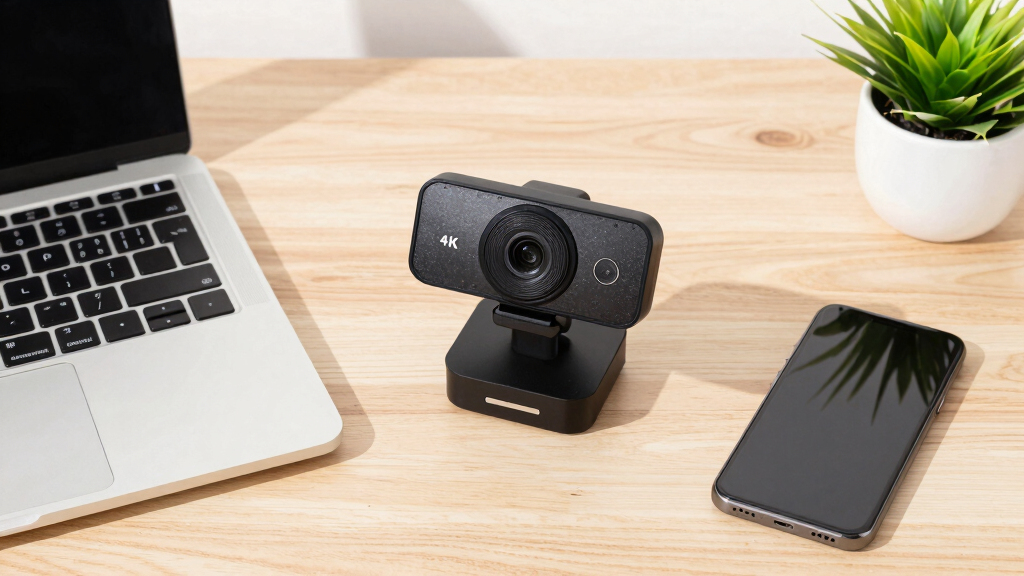

A good 4K webcam does more than sharpen your face on screen — it gives you room to crop, zoom, and reframe without turning your image to mush. After comparing ten of the most popular options, the Logitech MX Brio is my best overall pick thanks to its larger sensor, dependable low-light performance, and mature companion software. If you want AI tracking and PTZ movement for content creation, the EMEET PIXY is the standout, while the EMEET C960 proves genuine 4K no longer costs three figures. The real tradeoffs in this category come down to sensor size versus price, 4K at 30fps versus 1080p at 60fps, and polished brand software versus feature-packed budget hardware. Read on for the full breakdown of all ten picks and exactly who each one suits.
Key Takeaways
- The Logitech MX Brio earns the top spot because of its larger sensor and low-light tuning, not its resolution — most budget 4K webcams here use smaller sensors that get grainy in dim rooms.
- Nearly every webcam in this roundup caps 4K at 30fps; the Acer A640 and similar models with 1080p/2K 60fps modes suit fast-motion streaming better than raw 4K does.
- EMEET dominates the mid-range with four distinct roles — tracking (PIXY), zoom (C60E), streaming value (S600), and entry-level 4K (C960, NOVA) — so the brand choice matters less than picking the right role.
- Sub-$60 4K webcams like the AOC and the generic PC & Mac model hit the resolution target but cut corners on microphones, mount stability, and software support.
- Zoom and Teams compress video well below 4K, so the resolution pays off mainly for creators who crop, zoom digitally, or record locally — call-only buyers can safely shop the mid-range.
| Logitech MX Brio Ultra HD 4K Webcam for Collaboration and Streaming |  | Best Overall | Resolution: 4K at 30fps, 1080p at 60fps | Sensor: Advanced sensor with 70% larger pixels | Microphones: Dual beamforming noise-reducing | VIEW LATEST PRICE | See Our Full Breakdown |
| 4K Webcam for PC & Mac with Autofocus and Noise-Canceling Microphones |  | Best Value Pick | Resolution: 4K at 30fps, 1080p at 60fps | Sensor: 1/2.5″ CMOS | Aperture: f/1.78 | VIEW LATEST PRICE | See Our Full Breakdown |
| Logitech Brio 4K Webcam with HDR, Noise-Canceling Microphone, Windows Hello, and Privacy Shutter |  | Best for Windows Users | Resolution: 4K at 30fps | Field of View: 65°, 78°, or 90° | Microphones: Dual omnidirectional with noise-canceling | VIEW LATEST PRICE | See Our Full Breakdown |
| EMEET PIXY Dual-Camera AI-Powered 4K PTZ Webcam with AI Tracking and Gesture Control |  | Best for Streaming & Tracking | Camera Resolution: 4K | Sensor: 1/2.55-inch Sony sensor | Focus: PDAF and AI autofocus, 0.2s | VIEW LATEST PRICE | See Our Full Breakdown |
| EMEET C60E Dual-Camera 4K Webcam for Streaming with 11X Zoom and RGB Lighting |  | Best for Zoom & Framing | Camera Sensor: 1/2.8-inch CMOS, 4K | Zoom: Up to 11X hybrid zoom | Autofocus: PDAF | VIEW LATEST PRICE | See Our Full Breakdown |
| Acer A640 4K Webcam with Sony Sensor, Autofocus, and AI Noise Canceling Mic |  | Best Overall | Sensor: Sony 1/2.8-inch | Resolution: 4K@30fps, 2K/1080p@60fps | Autofocus: PDAF (Phase Detection) | VIEW LATEST PRICE | See Our Full Breakdown |
| EMEET S600 4K Webcam for Streaming |  | Best for Streamers | Sensor: Sony 1/2.55” | Video: 4K@30fps, 1080p@60fps | Autofocus: PDAF (Phase Detection) | VIEW LATEST PRICE | See Our Full Breakdown |
| EMEET NOVA 4K Webcam with Autofocus, Dual Mics, and Privacy Cover |  | Best for Business Meetings | Resolution: 4K@30fps (defaults to 1080p, switchable via software) | Sensor: CMOS | Autofocus: PDAF | VIEW LATEST PRICE | See Our Full Breakdown |
| EMEET C960 4K Webcam with Auto Focus and Dual Mics |  | Best Value | Resolution: 4K UHD (defaults to 1080p) | Sensor: CMOS | Autofocus: PDAF | VIEW LATEST PRICE | See Our Full Breakdown |
| AOC 4K Webcam with Microphone, Privacy Cover, and 99° FOV |  | Best Wide-Angle Pick | Resolution: 4K Ultra HD | Field of View: 99° | Tilt: 180° | VIEW LATEST PRICE | See Our Full Breakdown |
| 4k webcam | Compatibility | Microphones | Resolution | Sensor |
|---|---|---|---|---|
| Logitech MX Brio Ultra HD 4K W | Windows, macOS, Chrome OS, Linux | Dual beamforming noise-reducing | 4K at 30fps, 1080p at 60fps | Advanced sensor with 70% larger pixels |
| 4K Webcam for PC & Mac with Au | Windows, macOS, Linux | Dual noise-canceling | 4K at 30fps, 1080p at 60fps | 1/2.5" CMOS |
| Logitech Brio 4K Webcam with H | Windows, Mac, ChromeOS | Dual omnidirectional with noise-canceling | 4K at 30fps | — |
| EMEET PIXY Dual-Camera AI-Powe | Windows 10+, macOS 10.14+ | 3-mic array | — | 1/2.55-inch Sony sensor |
| EMEET C60E Dual-Camera 4K Webc | Windows 10/11, macOS 10.14+, OBS, Twitch, YouTube | Dual omnidirectional | — | — |
| Acer A640 4K Webcam with Sony | Windows, Switch 2, Teams, Zoom, Twitch | — | 4K@30fps, 2K/1080p@60fps | Sony 1/2.8-inch |
| EMEET S600 4K Webcam for Strea | Windows, Mac, Linux | Noise-canceling | — | Sony 1/2.55” |
| EMEET NOVA 4K Webcam with Auto | — | Dual omnidirectional | 4K@30fps (defaults to 1080p, switchable via software) | CMOS |
| EMEET C960 4K Webcam with Auto | Windows, macOS, Android TV, Linux | Dual omnidirectional | 4K UHD (defaults to 1080p) | CMOS |
| AOC 4K Webcam with Microphone | Zoom, Teams, Skype | — | 4K Ultra HD | — |
More Details on Our Top Picks
Logitech MX Brio Ultra HD 4K Webcam for Collaboration and Streaming
The Logitech MX Brio takes the top spot in this roundup because it gets the fundamentals right at a level the budget picks can’t match. Its sensor uses 70% larger pixels than typical webcams, which translates directly into cleaner skin tones and less grain in dim rooms — the kind of improvement you notice on every call, not just in a spec sheet. Compared with the Logitech Brio 4K, the MX Brio adds finer image controls and a more modern USB-C connection, though that port can be inconvenient on older machines. The tradeoff is price: it costs far more than budget options like the EMEET C60E, and if you only need decent video for weekly calls, I’d say that premium is hard to justify. For daily presenters and streamers, though, the image-quality gap over cheaper rivals is real and visible on every frame.
Pros:- 70% larger pixels deliver the cleanest low-light image in this lineup
- AI-enhanced image tuning with granular manual lighting and white balance controls
- Dual beamforming microphones cut background noise effectively
- Show Mode tilts down to share your desk for demos and documents
Cons:- Premium price — roughly double the budget options in this roundup
- USB-C connection is awkward on older machines without an adapter
- Advanced settings carry a learning curve for casual users
Best for: Professionals and streamers who are on camera for hours every day and want the best image quality a webcam can deliver
Not ideal for: Casual users making occasional calls — the premium price buys refinements they won’t notice, and USB-C-only connectivity can complicate older USB-A setups
- Resolution:4K at 30fps, 1080p at 60fps
- Sensor:Advanced sensor with 70% larger pixels
- Microphones:Dual beamforming noise-reducing
- Key Features:Show Mode, AI-enhanced image, adjustable lighting and white balance
- Privacy:Built-in privacy shutter
- Connection:USB-C
- Compatibility:Windows, macOS, Chrome OS, Linux
Our verdict“If you live on camera and want the best image a 4K webcam can produce, this is the one to buy.”
4K Webcam for PC & Mac with Autofocus and Noise-Canceling Microphones
This option stands out for delivering the core 4K experience — a sharp sensor, fast autofocus, dual noise-canceling mics — without the Logitech tax. The f/1.78 aperture helps it hold up in dim rooms better than most cameras at this price, and the included privacy cover means no extra accessories to buy. Compared with the Logitech MX Brio, you give up AI image tuning and polished companion software, but for straightforward Zoom and Teams calls the visible difference is smaller than the price gap suggests. The compromises are real, though: it connects over USB-A only, so USB-C laptop owners will need an adapter, and 4K at 30fps asks a lot of your upload bandwidth. An unnamed brand also means thinner warranty support than Logitech offers. If you want genuine 4K sharpness for everyday meetings and can skip the premium extras, this is the sensible spend in the group.
Pros:- Sharp 4K30 video with a fast f/1.78 lens that holds up in dim rooms
- Fast autofocus keeps you crisp when you shift in your chair
- Built-in privacy cover included at a budget price
- 360° swivel mount adapts to most monitor and tripod setups
Cons:- USB-A only — USB-C laptop owners must supply an adapter
- 4K streaming at 30fps demands strong, stable upload bandwidth
- Unnamed brand means uncertain warranty and software support
Best for: Remote workers on a budget who want sharp 4K video for daily meetings without paying for Logitech’s software ecosystem
Not ideal for: Owners of USB-C-only laptops — there’s no adapter in the box — and streamers who need guaranteed long-term brand support
- Resolution:4K at 30fps, 1080p at 60fps
- Sensor:1/2.5″ CMOS
- Aperture:f/1.78
- Field of View:80 degrees
- Microphones:Dual noise-canceling
- Mounting:Flexible mount with 360° swivel
- Privacy Cover:Built-in
- Compatibility:Windows, macOS, Linux
Our verdict“The right pick for buyers who want real 4K sharpness and everyday reliability at the lowest sensible price.”
Logitech Brio 4K Webcam with HDR, Noise-Canceling Microphone, Windows Hello, and Privacy Shutter
The older Logitech Brio 4K keeps its place in this lineup for one simple reason: Windows Hello facial recognition. A single camera that signs you in and handles every call is something the MX Brio and both EMEET models here can’t offer. Its three field-of-view presets (65°, 78°, 90°) also let you reframe for a solo call or a small meeting room — flexibility the fixed 80-degree lens on the budget pick lacks — and RightLight 3 handles backlit windows well. The tradeoffs: it tops out at 4K 30fps with no 60fps 1080p mode like the MX Brio’s, it needs a USB 3.0 port to run at full quality, and the design is aging next to newer rivals. I’d point Windows offices toward it for Hello and framing control, not for cutting-edge image processing.
Pros:- Windows Hello facial recognition enables one-glance secure login
- Three field-of-view presets (65°/78°/90°) adapt to solo calls or meeting rooms
- RightLight 3 light correction handles backlit windows reliably
- Proven track record with broad platform compatibility
Cons:- No 60fps 1080p mode, unlike the newer MX Brio
- Requires a USB 3.0 port for full performance
- Design and software feel dated next to newer rivals
Best for: Windows users and IT-managed offices that want face-login security and adjustable framing for solo calls or small meeting rooms
Not ideal for: Mac users — Windows Hello is wasted there — and anyone wanting 60fps 1080p smoothness, who should look at the MX Brio instead
- Resolution:4K at 30fps
- Field of View:65°, 78°, or 90°
- Microphones:Dual omnidirectional with noise-canceling
- Light Correction:RightLight 3
- Windows Hello:Yes, facial recognition login
- Connection:USB 3.0 required for full performance
- Compatibility:Windows, Mac, ChromeOS
- Warranty:1 year
Our verdict“The smart buy for Windows offices that want face-login security and flexible framing in one camera.”
EMEET PIXY Dual-Camera AI-Powered 4K PTZ Webcam with AI Tracking and Gesture Control
The EMEET PIXY is the only camera in this roundup that follows you around the room. Its AI tracking with 310° pan and 180° tilt means teachers, fitness instructors, and presenters can move freely while the camera reframes itself — no static Logitech MX Brio or Brio 4K can do that. Gesture control triggers zoom mid-presentation without touching software, and the dual-camera design with a Sony sensor keeps focus snappy at a claimed 0.2 seconds. The catch is complexity: the best features route through EMEET STUDIO software, the tripod costs extra, and the field of view locks in 4K mode. Compared with the EMEET C60E, which leans on zoom for versatility, the PIXY’s strength is subject tracking. I’d steer desk-bound users elsewhere — they’d be paying for motion they’ll never use.
Pros:- AI subject tracking with 310° pan and 180° tilt follows you hands-free
- 0.2s PDAF autofocus and gesture control work well mid-presentation
- Dual-camera Sony sensor system produces professional-looking footage
- 3-mic array captures clear audio for calls and streams
Cons:- Full feature set requires EMEET STUDIO software setup
- Field of view locks in 4K mode
- Tripod sold separately, adding to the real cost
Best for: Teachers, fitness coaches, and presenters who move around during sessions and need the camera to keep up automatically
Not ideal for: Desk-bound users who sit still on calls — the PTZ hardware goes unused and the software setup adds friction they’ll never benefit from
- Camera Resolution:4K
- Sensor:1/2.55-inch Sony sensor
- Focus:PDAF and AI autofocus, 0.2s
- Field of View:Adjustable in 1080p and 2K, locked in 4K
- Pan/Tilt:310° pan, 180° tilt
- Microphones:3-mic array
- Compatibility:Windows 10+, macOS 10.14+
- Included:Mount clip; tripod sold separately
Our verdict“Worth the premium for movers — teachers and presenters — but overkill for anyone anchored to a chair.”
EMEET C60E Dual-Camera 4K Webcam for Streaming with 11X Zoom and RGB Lighting
The EMEET C60E takes a different path to versatility: instead of tracking you like the EMEET PIXY, it pairs a wide-angle lens with a telephoto lens and offers up to 11X hybrid zoom. That makes it genuinely useful for product demos, whiteboard close-ups, or any setup where you need to punch in on detail without moving the camera. The RGB lighting and included remote clearly target streamers who want style alongside control. The drawbacks matter, though: zoom doesn’t work in 4K, 60fps, or YUY2 modes, so the headline feature and the headline resolution can’t be used together, and it runs on dated USB 2.0 next to the Logitech MX Brio’s USB-C. If zoom-based framing is your priority and you mostly stream at 1080p anyway, this niche pick does its niche well.
Pros:- Dual wide-angle and telephoto lenses with up to 11X hybrid zoom for close-ups
- PDAF autofocus keeps zoomed shots sharp
- RGB lighting and smart remote control built for streamer setups
- Standard 1/4-inch tripod mount for flexible positioning
Cons:- Zoom disabled in 4K, 60fps, and YUY2 modes — headline features don’t combine
- USB 2.0 connection limits bandwidth headroom
- Pricing and availability information is thin
Best for: Streamers and product demonstrators who need close-up detail and dramatic framing without repositioning the camera
Not ideal for: Buyers who want zoom at full 4K — the 11X feature disables in 4K, 60fps, and YUY2 modes, so hybrid workflows will feel constrained
- Camera Sensor:1/2.8-inch CMOS, 4K
- Zoom:Up to 11X hybrid zoom
- Autofocus:PDAF
- Lighting:RGB lighting
- Microphones:Dual omnidirectional
- Connectivity:USB 2.0 Type-A
- Tripod Mount:1/4-inch
- Compatibility:Windows 10/11, macOS 10.14+, OBS, Twitch, YouTube
Our verdict“A niche streaming tool for close-up detail work, provided you accept that zoom lives below 4K.”
Acer A640 4K Webcam with Sony Sensor, Autofocus, and AI Noise Canceling Mic
The Acer A640 earns the top slot because it balances the three things that matter most in a 4K webcam: a Sony 1/2.8-inch sensor, instant PDAF autofocus, and frame-rate flexibility. Where the EMEET S600 locks you into 73° at 4K and the EMEET C960 makes you dig through software just to leave 1080p, this model gives you 4K at 30fps or 2K/1080p at a smoother 60fps without fuss. The AI noise-canceling microphone sits a step above the generic dual mics on the EMEET NOVA, and the bundled USB-A to C adapter means newer laptops work out of the box. The tradeoff is price — it carries a higher tag than the EMEET models here — and it’s more camera than a twice-a-week Zoom caller needs. I’d still rank it first for anyone who streams or presents daily.
Pros:- Sony sensor with PDAF delivers crisp 4K without focus hunting
- 2K and 1080p at 60fps for smoother motion when full resolution matters less
- AI noise-canceling mic outperforms typical built-in webcam audio
- USB-A to C adapter included, works across PCs, consoles, and streaming platforms
Cons:- Costs more than the other cameras in this lineup
- Overkill for basic video calls
- Some setups still rely on the adapter, adding a dongle to the chain
Best for: Daily streamers, presenters, and content creators who want sharp 4K, smoother 60fps fallback modes, and better-than-average mic quality in one package
Not ideal for: Occasional video callers — the premium over the EMEET C960 is hard to justify for a few meetings a week
- Sensor:Sony 1/2.8-inch
- Resolution:4K@30fps, 2K/1080p@60fps
- Autofocus:PDAF (Phase Detection)
- Microphone:AI noise-canceling
- Low-Light:Automatic correction
- Privacy:Physical shutter
- Connectivity:USB-A with USB-C adapter
- Compatibility:Windows, Switch 2, Teams, Zoom, Twitch
Our verdict“If you stream or present daily and want the fewest compromises in this lineup, this is the one to buy.”
EMEET S600 4K Webcam for Streaming
The EMEET S600 is the pick I’d steer streamers toward once the Acer A640’s price stings. It shares the same core formula — Sony sensor, PDAF autofocus, 4K@30 with 1080p@60 — so the on-camera look lands close for less. The adjustable 40°-73° field of view at 1080p is genuinely useful for tightening a frame on your face or widening to show a desk setup, something the fixed-73° EMEET NOVA can’t do. The catch: at 4K the FOV stays locked at 73°, and reaching the deeper controls means living in EMEET’s software. Audio from the noise-canceling mics is serviceable but a notch below the Acer’s AI mic. Compared with the Logitech MX Brio, it gives up HDR polish yet holds its own on core resolution and autofocus speed.
Pros:- Sony 1/2.55” sensor produces detailed 4K video
- PDAF locks focus quickly during movement on stream
- Adjustable 40°-73° FOV at 1080p for flexible framing
- Plug-and-play across Windows, Mac, and Linux
Cons:- FOV fixed at 73° when shooting in 4K
- 4K output and customization depend on software compatibility
- Mic quality trails the Acer A640’s AI noise canceling
Best for: Twitch and YouTube streamers who want near-flagship image quality and real framing control without paying Acer or Logitech money
Not ideal for: Users who dislike installing companion software — full 4K output and FOV changes depend on app support
- Sensor:Sony 1/2.55”
- Video:4K@30fps, 1080p@60fps
- Autofocus:PDAF (Phase Detection)
- Field of View:73° at 4K; 40°-73° at 1080p
- Microphones:Noise-canceling
- Privacy:Built-in cover
- Connectivity:USB plug-and-play
- Compatibility:Windows, Mac, Linux
Our verdict“The best balance of price and streaming-grade image quality here, as long as you’re comfortable living in EMEET’s software.”
EMEET NOVA 4K Webcam with Autofocus, Dual Mics, and Privacy Cover
For meeting-first buyers, the EMEET NOVA makes more sense than the streaming-tuned EMEET S600. The 360° horizontal rotation and 15° vertical tilt, plus a tripod thread and a 1.5-meter cable, make it the easiest camera in this lineup to position on a monitor, a tripod, or a shelf in a shared workspace. Picture quality is dependable — PDAF autofocus and automatic light correction keep faces clear in mixed office lighting — and the dual omnidirectional mics handle a quiet home office well. Two honest caveats: it defaults to 1080p until you flip it to 4K in software, and there’s no adjustable field of view, so reframing means physically moving the camera. The EMEET C960 does nearly the same job for less; the NOVA earns its higher spot through mounting flexibility.
Pros:- Flexible mounting: 360° rotation, 15° tilt, tripod compatible
- PDAF autofocus with automatic light correction
- Dual omnidirectional mics pick up voices clearly
- Long 1.5m cable reaches awkward desk setups
Cons:- Defaults to 1080p; switching to 4K requires software
- No adjustable FOV or facial tracking
- Manual focus control is limited compared with rivals
Best for: Remote workers and small teams who need a dependable, easy-to-position 4K camera for daily meetings and shared workspaces
Not ideal for: Streamers who want software-free 4K and adjustable framing — the EMEET S600 suits that job better
- Resolution:4K@30fps (defaults to 1080p, switchable via software)
- Sensor:CMOS
- Autofocus:PDAF
- Field of View:73°
- Microphones:Dual omnidirectional
- Privacy:Built-in cover
- Cable:1.5 m USB-A
- Mounting:360° rotation, 15° tilt, tripod thread
Our verdict“A sensible, meeting-focused 4K webcam that trades streaming extras for mounting flexibility and day-to-day reliability.”
EMEET C960 4K Webcam with Auto Focus and Dual Mics
The EMEET C960 is where I’d send buyers who want real 4K while spending the least. It shares the NOVA’s core hardware story — 4K UHD sensor, PDAF autofocus, auto light correction, dual omnidirectional mics — but trims the extras, which is why it takes the value slot rather than its sibling. For remote meetings and online teaching, the image stays crisp in everyday lighting, and the plug-and-play setup with a privacy cover keeps things simple for non-technical users. The compromises mirror the NOVA’s: it defaults to 1080p until software switches on 4K, and the USB-A-only plug may need an adapter on newer laptops. Against the AOC webcam, the C960’s autofocus gives it a clear edge in image consistency, even though the AOC frames a wider room.
Pros:- True 4K UHD at a value price
- PDAF autofocus plus auto light correction
- Dual omnidirectional microphones for clear calls
- Plug-and-play with privacy cover included
Cons:- Ships defaulted to 1080p; 4K needs a software switch
- USB-A only, so newer USB-C laptops need an adapter
- Some features sit behind proprietary software
Best for: Budget-conscious remote workers, teachers, and students who want true 4K without paying for streaming extras
Not ideal for: USB-C-only laptop owners who don’t want to carry an adapter, and anyone who expects 4K to work with zero software involvement
- Resolution:4K UHD (defaults to 1080p)
- Sensor:CMOS
- Autofocus:PDAF
- Light Correction:Automatic
- Field of View:73°
- Microphones:Dual omnidirectional
- Connectivity:USB-A
- Mounting:360° horizontal, 15° vertical, tripod thread
- Compatibility:Windows, macOS, Android TV, Linux
Our verdict“The most direct route into genuine 4K here — ideal for meetings and classes, provided you can live with the software switch.”
AOC 4K Webcam with Microphone, Privacy Cover, and 99° FOV
The AOC webcam’s selling point is simple: a 99° field of view, the widest in this lineup. Every EMEET here sits at 73°, so if the goal is fitting a whiteboard, a small conference table, or two people into one frame, this is the only camera that manages it without rearranging furniture. The 180° tilt and 360° swivel add to that framing freedom, and plug-and-play works over USB-C or USB-A with no drivers — friendlier than the EMEET C960’s USB-A-only cable. The tradeoffs are real: there’s no autofocus or resolution switching on offer, the single noise-reducing mic is basic next to the dual arrays on the EMEET NOVA, and low-light performance leans entirely on auto correction. I’d treat it as a framing specialist, not an all-rounder.
Pros:- 99° wide-angle FOV fits groups and whole rooms
- 180° tilt and 360° swivel for easy aiming
- USB-C and USB-A support out of the box
- Driver-free plug-and-play with privacy cover
Cons:- No autofocus or adjustable resolution options
- Single basic microphone; audio trails EMEET rivals
- Low-light performance depends entirely on auto correction
Best for: Huddle rooms, tutors using whiteboards, and anyone who needs multiple people or a wide background in frame on a tight budget
Not ideal for: Solo streamers who want autofocus and tighter framing — the EMEET S600 is built for that job
- Resolution:4K Ultra HD
- Field of View:99°
- Tilt:180°
- Swivel:360°
- Microphone:Built-in noise-reducing
- Privacy:Cover included
- Connectivity:USB-C & USB-A, plug-and-play
- Compatibility:Zoom, Teams, Skype
Our verdict“Buy it for the wide frame and dead-simple setup; skip it if autofocus or richer audio matters more.”
How We Picked
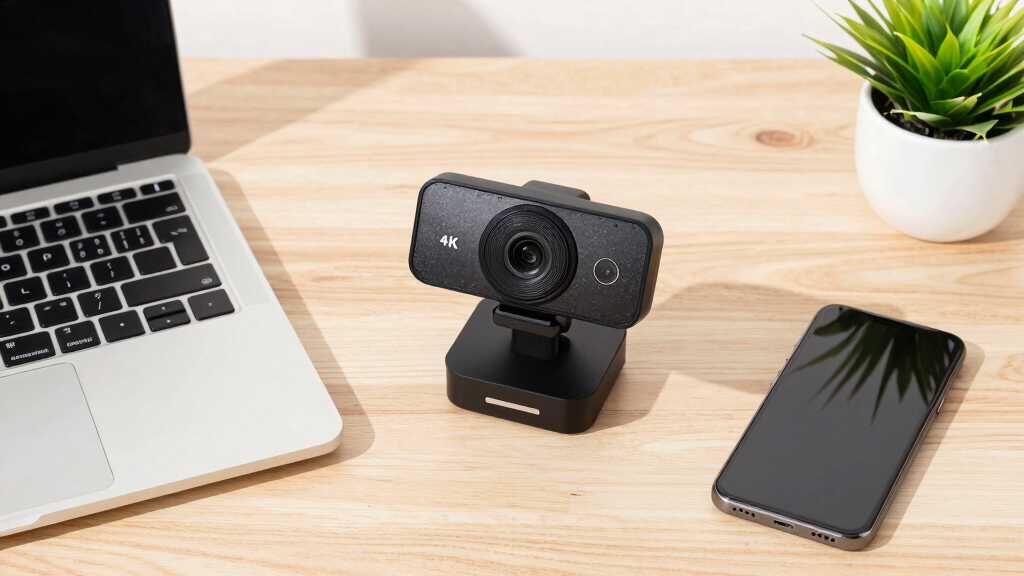
I ranked these ten webcams on the factors that actually change what your audience sees: sensor size and low-light performance, frame-rate flexibility (especially whether 60fps is available at any resolution), autofocus speed and accuracy, microphone clarity, build quality and mounting, privacy features, software support across Windows and macOS, and price relative to what you get. Resolution alone earned no points — every model here claims 4K, so the ranking had to come from everything around that number.
That is why the Logitech MX Brio outranks cheaper 4K models despite costing two to three times more: its sensor holds exposure and color in mixed lighting where budget rivals fall apart. It is also why feature-rich mid-range options like the EMEET PIXY and Acer A640 rank above basic 4K models from lesser-known brands — AI tracking, gesture control, and high-frame-rate modes solve real problems, while a bare 4K label does not. Models with the same resolution but weaker mics, wobblier mounts, or no companion software landed lower, even when their spec sheets looked similar.
| 4k webcam | Privacy | Autofocus | Connectivity |
|---|---|---|---|
| Logitech MX Brio Ultra HD 4K W | Built-in privacy shutter | — | — |
| 4K Webcam for PC & Mac with Au | — | — | — |
| Logitech Brio 4K Webcam with H | — | — | — |
| EMEET PIXY Dual-Camera AI-Powe | — | — | — |
| EMEET C60E Dual-Camera 4K Webc | — | PDAF | USB 2.0 Type-A |
| Acer A640 4K Webcam with Sony | Physical shutter | PDAF (Phase Detection) | USB-A with USB-C adapter |
| EMEET S600 4K Webcam for Strea | Built-in cover | PDAF (Phase Detection) | USB plug-and-play |
| EMEET NOVA 4K Webcam with Auto | Built-in cover | PDAF | — |
| EMEET C960 4K Webcam with Auto | — | PDAF | USB-A |
| AOC 4K Webcam with Microphone | Cover included | — | USB-C & USB-A, plug-and-play |
Factors to Consider When Choosing 4k Webcams
Every webcam in this roundup advertises 4K, yet prices range from around $40 to nearly $200 — and the gap is not arbitrary. Before you pick a model, work through these five factors. They explain where the money actually goes and will keep you from paying for resolution you never use or features that do not fit your routine.
The 30fps Ceiling: Resolution vs. Frame Rate
Almost every 4K webcam on the market maxes out at 30fps at full 4K resolution, a limit imposed by USB bandwidth and sensor readout speeds rather than brand skimping. For seated video calls and talking-head content, 30fps looks perfectly natural, and you will never notice the cap. The moment you add fast hand gestures, gameplay overlays, fitness demonstrations, or sign language, motion starts to smear, and 60fps becomes the spec that matters. Many models, including the Acer A640, unlock 60fps by dropping to 1080p or 2K, which is a trade worth making for motion-heavy content. The common mistake is paying a premium for 4K and then streaming in 1080p60 anyway — if that is your plan, a model with a strong high-frame-rate mode beats one with a bigger resolution number. Decide based on what moves in your frame, not on which box has the larger digit.
Sensor Size Beats Megapixels in Real Rooms
Two webcams can both claim 4K and produce wildly different images because sensor size, not resolution, drives image quality. Budget models pack 8 million tiny pixels onto small sensors, and each pixel collects so little light that dim rooms turn grainy fast. Larger sensors, like the one in the Logitech MX Brio, gather more light per pixel, which means cleaner shadows, more accurate skin tones, and less of that watercolor smearing in low light. HDR processing helps too, balancing bright windows behind you against your face. Here is the part most buyers miss: a $40 key light placed behind your monitor improves your image more than a $100 webcam upgrade does. If your workspace has inconsistent lighting, spend on sensor size and HDR before you spend on extras like zoom or RGB.
When 4K Actually Pays Off (and When It Does Not)
Video call platforms are the dirty secret of this category: Zoom, Teams, and Google Meet compress your feed, often to 1080p or lower, so much of your 4K detail never reaches the other side. You still get a benefit — a 4K sensor downscaled to 1080p looks cleaner than a native 1080p sensor, and digital crops stay sharp — but the jump is modest for call-only users. Where 4K genuinely earns its price is digital zoom, AI reframing, and local recording: cropping into a 4K frame still leaves a crisp image, which is exactly what tracking features like the EMEET PIXY’s rely on. If you record YouTube videos or course content directly from the webcam, 4K also gives you editing headroom. Be honest about your usage split — if 90% of your camera time is meetings, a strong mid-range model serves you as well as the flagship.
Features Worth Paying For — and Ones That Are Not
Spec sheets in this category are long, but only a few features change your daily experience. Fast, quiet autofocus matters if you move around or hold products up to the lens; slow hunting autofocus is the single most annoying flaw in cheap models. Adjustable field of view is the next one — narrow for solo desk setups, wide for whiteboards, groups, or small conference rooms, which is where the 99-degree AOC model earns its place. Physical privacy shutters cost manufacturers almost nothing and are worth having on any camera pointed at your home all day. Built-in mics are fine for calls, but streamers should budget for a dedicated microphone regardless of what the box promises. AI tracking and PTZ movement are genuinely useful for presenters who pace, and genuinely wasted on people who sit still — match two or three features to your actual routine and ignore the rest of the list.
Compatibility, Mounting, and Setup Gotchas
Most 4K webcams are UVC plug-and-play, so Windows and macOS will both recognize them without drivers — but that is only half the story. Companion software is where compatibility splits: apps that control firmware updates, AI features, and image tuning are sometimes Windows-only, and Windows Hello facial recognition on the Logitech Brio does nothing at all on a Mac. Mac buyers should verify that a brand’s Mac app exists and is current before checkout. Bandwidth is the other trap — 4K video wants a USB 3.0 port, and plugging into an old USB 2.0 hub can force lower resolutions or dropped frames. Finally, check the physical side: monitor clips vary in grip quality, heavier PTZ units can wobble on thin laptop lids, and a standard tripod thread gives you far more placement options with a cheap desk arm.
Frequently Asked Questions
Is a 4K webcam worth it if I mostly use Zoom or Microsoft Teams?
Yes, but for a different reason than the marketing suggests. Both platforms compress your video well below 4K, often to 720p or 1080p, so your contacts never see the full resolution. You still benefit because a 4K sensor downscaled to 1080p looks cleaner and sharper than a native 1080p sensor, and any digital zoom or auto-framing stays crisp instead of turning blocky. That said, the visible jump from a good mid-range webcam to a budget 4K model is small on calls specifically. If meetings are nearly all of your camera time, a mid-range pick like the EMEET S600 covers you — reserve the premium tier for when you also record, stream, or present on camera professionally.
Why do most 4K webcams only shoot 30fps, and does it matter?
The cap comes from physics, not cost-cutting: pushing 4K resolution at 60fps exceeds what USB bandwidth and consumer sensor readout speeds handle at these prices. For seated calls and standard talking-head video, 30fps looks completely natural and you will not notice it. It matters when your frame has fast motion — gameplay overlays, fitness content, product demos with quick hand movements, or sign language — where 30fps starts to smear. Models like the Acer A640 offer 1080p or 2K at 60fps as an alternative mode, and for motion-heavy use that smoother frame rate looks better than sharper-but-choppier 4K. If motion is part of your content, confirm a high-frame-rate mode exists before you buy.
What is the real difference between a $50 and a $150 4K webcam?
The resolution number is identical — everything around it is not. At $50 you get a smaller sensor, a basic lens, average mics, a flimsy mount, and little or no software; at $150 you get a larger sensor with HDR, faster and quieter autofocus, better low-light handling, stronger microphones, stable mounts, and a maintained companion app. In a bright, evenly lit room the budget model can look surprisingly close to the premium one. The gap opens in the real world: dim rooms, windows behind you, mixed lighting, and movement, where premium models hold exposure and color while budget ones get noisy or hunt for focus. If your desk setup is bright and fixed, save the money; if your lighting changes or you appear on camera professionally every day, the premium tier pays for itself.
Do 4K webcams work properly with a Mac?
Almost all of them do at the basic level, because they use the standard UVC protocol that macOS recognizes without any drivers — plug in and the camera works in FaceTime, Zoom, and OBS. The caveats live in the extras. Companion apps for image tuning, firmware updates, and AI features are sometimes Windows-only or lag behind on Mac, and Windows Hello facial recognition on the Logitech Brio does nothing on macOS at all. Some AI tracking features depend entirely on the brand’s app, so Mac support for that specific software is what you need to verify. Among this lineup, Logitech has the longest track record of solid macOS support, which matters if you want a set-and-forget experience on a MacBook.
Do I need extra lighting for a 4K webcam to look good?
You do not need it, but it multiplies whatever you spent on the camera. 4K sensors pack millions of small pixels that each collect less light, so dim rooms produce visible grain faster than you would expect — even on premium models like the MX Brio. A basic $30 to $50 key light placed behind your monitor, angled at your face, improves your image more than upgrading from a $60 webcam to a $120 one. A window you face during the day works nearly as well and costs nothing. The practical order of operations is: fix your lighting first, then judge whether your camera is actually the limiting factor — most people who blame their webcam are really fighting bad light.
Conclusion
The right pick depends on how you actually use your camera, so here is the short version by buyer type. For the best overall experience, the Logitech MX Brio combines the strongest sensor, reliable low-light performance, and the most polished software — it is the one I would hand to anyone who wants zero compromises. For best value, the Acer A640 pairs a Sony sensor with flexible 60fps modes at a mid-range price, while the EMEET C960 is the cheapest genuine 4K I would trust for tight budgets. Beginners who want plug-and-play simplicity and a privacy cover should start with the EMEET NOVA. Content creators who move around frame belong on the EMEET PIXY for its AI tracking and PTZ control, presenters who zoom into whiteboards and demos should choose the EMEET C60E, and streamers wanting a dedicated mid-range option land on the EMEET S600. Windows office users get real daily utility from the Logitech Brio 4K and its Windows Hello login, and anyone fitting multiple people into frame should grab the wide-angle AOC 4K. Match the camera to your room, your lighting, and your platform — not to the biggest number on the box.