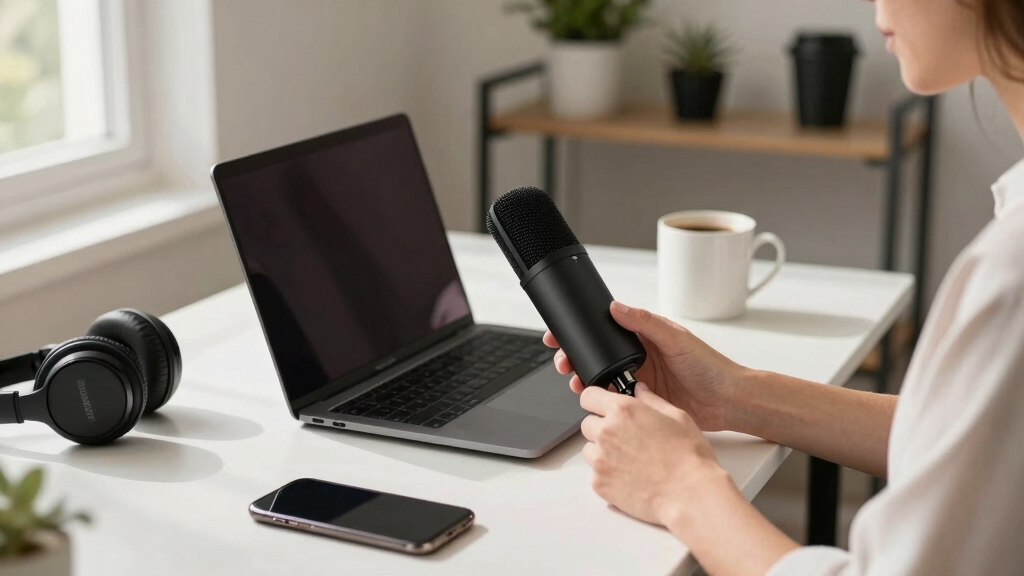
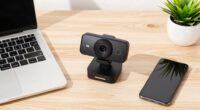
The best USB microphone for most people in 2026 is the Logitech Blue Yeti, thanks to its four polar patterns, rich condenser sound, and plug-and-play setup that suits streaming, podcasting, and calls alike. This guide ranks ten USB microphones on audio quality, pickup patterns, onboard controls, and price, so you can match a mic to your actual use instead of guessing. The main tradeoffs come down to sound quality versus price, condenser sensitivity versus noisy rooms, and full-size versatility versus a compact desk footprint. If you want strong audio for less, the FIFINE K669B delivers metal-build cardioid recording at a fraction of the Yeti’s cost, while the Blue Yeti Nano shrinks the premium formula down for beginners and tight desks. Budget desk and gooseneck mics like the CMTECK G009 trade studio richness for cheap, clear speech on calls. Read on for the full breakdown of all ten picks, ranked from best overall to niche budget options.

Get business pricing on tech for your team
- Business-only prices and quantity discounts
- Tax-exempt purchasing
- Multiple users, one account, clear invoices
Complete the kit



Key Takeaways
- The Blue Yeti’s four polar patterns are what separate it from everything else here — no other pick in this lineup handles solo recording, interviews, and group sessions without repositioning gear or buying a second mic.
- Spending more than about $50 mainly buys versatility and controls, not raw voice quality: the FIFINE K669B’s cardioid recording holds up against mics costing three times as much for solo voice work.
- Every sub-$30 pick in the lineup — the CMTECK G009, the two gooseneck models, and the mini mic — is a speech tool for calls, and none of them produce audio an audience would choose to listen to. That ceiling defined the bottom of the ranking.
- Room noise proved to be the hidden dividing line: sensitive condensers like the Yeti and K669B demand quiet spaces, while the FIFINE USB/XLR dynamic is the only pick that forgives loud keyboards and untreated rooms.
- Onboard controls created the biggest surprise — the budget ZealSound ships with gain, mute, echo, and zero-latency monitoring that the pricier Yeti Nano omits, which matters more for live streaming than capsule specs do.
| CMTECK USB Computer Microphone G009 |  | Best for Beginners | Pickup Pattern: Cardioid | Connectivity: USB | Compatibility: Windows 7/8/10, Mac OS, PS4 | VIEW LATEST PRICE | See Our Full Breakdown |
| ZealSound Podcast Microphone K66 |  | Best for Multi-Device Creators | Frequency Response: 40Hz–18kHz | Sampling Rate: 46kHz | Sensitivity: –45dB ±3dB | VIEW LATEST PRICE | See Our Full Breakdown |
| FIFINE K669B USB Microphone |  | Best Value | Connectivity: USB-A | Cable Length: 5.9 feet | Build: Metal | VIEW LATEST PRICE | See Our Full Breakdown |
| Logitech Blue Yeti Nano USB Microphone |  | Best Overall | Pickup Patterns: Cardioid and Omnidirectional | Capsules: Dual condenser | Connectivity: USB | VIEW LATEST PRICE | See Our Full Breakdown |
| Mini USB Microphone for Laptop & Desktop |  | Best Compact Pick | Microphone Type: Condenser | Connectivity: USB 2.0 | Sensitivity: High | VIEW LATEST PRICE | See Our Full Breakdown |
| Logitech Blue Yeti USB Microphone – Blackout |  | Best Overall | Pickup Patterns: Cardioid, Omni, Bidirectional, Stereo | Connectivity: USB | On-Mic Controls: Headphone volume, pattern selection, mute, mic gain | VIEW LATEST PRICE | See Our Full Breakdown |
| FIFINE USB/XLR Dynamic Microphone (AM8) with RGB Light, Mute Button, Headphones Jack |  | Best Upgrade Path | Frequency Response: 50Hz-16KHz | Connection Types: USB and XLR | RGB Lighting: 3 modes, 10+ colors | VIEW LATEST PRICE | See Our Full Breakdown |
| Tonor Conference USB Microphone, Omnidirectional Condenser PC Mic |  | Best for Conference Rooms | Pickup Pattern: Omnidirectional | Pickup Distance: Up to 11.5 ft | Compatibility: Mac OS X and Windows | VIEW LATEST PRICE | See Our Full Breakdown |
| USB Microphone with Adjustable Gooseneck, Mute Button, and Noise-Canceling Technology |  | Best for Voice Dictation | Design: 360-degree adjustable gooseneck | Connectivity: USB plug & play | Compatibility: Windows 7/8/10/11, macOS | VIEW LATEST PRICE | See Our Full Breakdown |
| Plug & Play USB Computer Microphone with Flexible Gooseneck and Mute Button LED |  | Best Budget Pick | Connection: USB plug & play | Pickup Pattern: Omnidirectional | Pickup Range: 6-12 inches | VIEW LATEST PRICE | See Our Full Breakdown |
| usb microphone | Compatibility | Connectivity |
|---|---|---|
| CMTECK USB Computer Microphone | Windows 7/8/10, Mac OS, PS4 | USB |
| ZealSound Podcast Microphone K | Windows, Mac, iPhone, iPad, Android, PS4, PS5 | USB-C |
| FIFINE K669B USB Microphone | PC, Mac, PS4, PS5 | USB-A |
| Logitech Blue Yeti Nano USB Mi | PC and Mac | USB |
| Mini USB Microphone for Laptop | Windows, Mac, Linux, Chromebook, Raspberry Pi | USB 2.0 |
| Logitech Blue Yeti USB Microph | Mac and PC | USB |
| FIFINE USB/XLR Dynamic Microph | — | — |
| Tonor Conference USB Microphon | Mac OS X and Windows | — |
| USB Microphone with Adjustable | Windows 7/8/10/11, macOS | USB plug & play |
| Plug & Play USB Computer Micro | — | — |
More Details on Our Top Picks
CMTECK USB Computer Microphone G009
For anyone buying a first desktop mic, the CMTECK G009 keeps things simple: plug it in, bend the adjustable gooseneck toward your mouth, and talk. Its cardioid capsule with noise cancelling pulls voices forward on calls, which matters more for Zoom and Discord than studio-grade fidelity. Compared with the Mini USB Microphone, the gooseneck gives far better mic placement, and placement is half of audio quality. The mute button with LED indicator is genuinely useful in meetings — something the FIFINE K669B doesn’t offer. The tradeoff is refinement: the G009’s capture sounds thin next to the Blue Yeti Nano, and there’s no gain control or headphone monitoring. Linux and Raspberry Pi users are locked out entirely. For chat, online classes, and casual gaming, it covers the basics at a very low price.
Pros:- Strong noise cancelling for clear voice pickup on calls
- Plug-and-play setup with no drivers required
- Flexible gooseneck makes positioning effortless
- Mute button with LED status indicator for meetings
Cons:- Audio quality is thin compared with condenser mics like the Blue Yeti Nano
- No support for Linux, Raspberry Pi, or Android devices
- No gain control or headphone monitoring
Best for: First-time buyers who need a cheap, flexible mic for calls, classes, and casual gaming
Not ideal for: Aspiring podcasters or Linux/Raspberry Pi users — the sound is call-grade and those platforms are unsupported
- Pickup Pattern:Cardioid
- Connectivity:USB
- Compatibility:Windows 7/8/10, Mac OS, PS4
- Mute Button:Yes
- LED Indicator:Yes
- Gooseneck:Adjustable
- Power:USB powered
Our verdict“The right first mic for calls and casual use — spend more only if you’re recording content.”
ZealSound Podcast Microphone K66
Most USB mics in this lineup assume you record at one desk on one computer. The ZealSound K66 doesn’t: with USB-C and Lightning adapters in the box, it moves between a Windows PC, a Mac, an iPhone, an iPad, and Android devices without extra purchases — something neither the FIFINE K669B nor the CMTECK G009 can do. Onboard gain, volume, echo, and zero-latency monitoring let podcasters and TikTok creators hear themselves in real time and tune levels without opening software. The tradeoff is jack-of-all-trades physics: its 46kHz sampling and sound character sit below the Blue Yeti Nano for pure vocal polish, and the physical controls feel less precise than a software mixer. If your workflow spans phone and desktop, that flexibility outweighs the sonic gap; if you only record at a PC, the Yeti Nano sounds better for the money.
Pros:- Works with Windows, Mac, iPhone, iPad, Android, PS4, and PS5 out of the box
- Zero-latency headphone monitoring with adjustable echo
- Onboard gain, volume, and mute controls with LED indicator
- Studio-style sound with noise reduction for the price
Cons:- USB-only with no XLR upgrade path
- Physical controls are less precise than software adjustments
- Sound quality trails the Blue Yeti Nano for pure desktop recording
Best for: Creators who record and stream across phones, tablets, and computers and want live monitoring
Not ideal for: Desktop-only users chasing the best possible vocal sound — the Blue Yeti Nano beats it there
- Frequency Response:40Hz–18kHz
- Sampling Rate:46kHz
- Sensitivity:–45dB ±3dB
- Connectivity:USB-C
- Adapters Included:Lightning adapter
- Compatibility:Windows, Mac, iPhone, iPad, Android, PS4, PS5
- Monitoring:Zero-latency headphone output
- Mute Button:Yes, with LED indicator
Our verdict“Buy this if your recording setup spans phone and computer; skip it if you never leave the desk.”
FIFINE K669B USB Microphone
The FIFINE K669B has become a default budget recommendation for a reason: its metal body and cardioid condenser capsule deliver voice quality that embarrasses cheaper mics like the CMTECK G009, at a price still well under the Blue Yeti Nano. The 5.9-foot cable and included tripod suit cramped desks and improvised recording corners, and the single volume knob keeps operation dead simple. Against the ZealSound K66, it trades away monitoring, gain staging, and phone compatibility — you get one knob, one pattern, USB-A only. That simplicity is the point: there’s less to fiddle with and less to break. The real compromise is control. Without a mute button or headphone jack, streamers who need to cough mid-broadcast will reach for the software mute instead. For voiceovers, meetings, and YouTube narration on a tight budget, it hits the sweet spot.
Pros:- Metal construction outlasts plastic rivals like the CMTECK G009
- Clear, crisp vocal capture with solid background noise rejection
- Genuinely plug-and-play on PC, Mac, PS4, and PS5
- Includes tripod stand and long 5.9-foot cable
Cons:- No mute button, headphone jack, or gain control
- USB-A only; no compatibility with Xbox or phones
- Some apps require disabling sound-activation features to work properly
Best for: Budget-conscious buyers recording voiceovers, meetings, or YouTube narration at a single computer
Not ideal for: Streamers who need a hardware mute button or live monitoring — look at the ZealSound K66 instead
- Connectivity:USB-A
- Cable Length:5.9 feet
- Build:Metal
- Pickup Pattern:Cardioid
- Compatibility:PC, Mac, PS4, PS5
- Power:USB powered
- Controls:Volume knob
- Included Accessories:Tripod stand
Our verdict“The most sound-per-dollar in this lineup, as long as you can live without onboard controls.”
Logitech Blue Yeti Nano USB Microphone
The Blue Yeti Nano earns the top spot by doing the most things well rather than one thing cheaply. Dual capsules with cardioid and omnidirectional patterns let it handle a solo stream one day and a two-person podcast the next — a trick none of the single-pattern mics here, including the FIFINE K669B or CMTECK G009, can match. Recording quality is a clear step up from the ZealSound K66, and Blue VO!CE software adds broadcast-style processing without a mixer. Onboard headphone volume, mic mute, and pattern switching cover the controls people actually use mid-session. The tradeoffs: it costs roughly double the FIFINE, there’s no XLR output for a future interface upgrade (the full-size Blue Yeti and FIFINE’s USB/XLR dynamic mic both beat it there), and the software layer can overwhelm casual users. For most people recording at one desk, it’s the best balance of sound, flexibility, and price in the lineup.
Pros:- Two pickup patterns cover solo and multi-person recording
- Best-in-lineup sound quality with dual condenser capsules
- Blue VO!CE software adds professional vocal processing
- Compact footprint with onboard mute, volume, and pattern controls
Cons:- Roughly double the price of the FIFINE K669B
- No XLR output limits future upgrade paths
- Software features have a learning curve for casual users
Best for: Streamers, podcasters, and remote workers who want one mic that handles solo and group recording well
Not ideal for: Buyers planning an eventual XLR/audio-interface upgrade, and bargain hunters — the FIFINE K669B is half the price
- Pickup Patterns:Cardioid and Omnidirectional
- Capsules:Dual condenser
- Connectivity:USB
- Software:Blue VO!CE
- Compatibility:PC and Mac
- Onboard Controls:Headphone volume, mic mute, pattern selector
- Color:Blackout
- Included Accessories:USB cable
Our verdict“The mic most people should buy — flexible enough to grow with you, without needing pro gear.”
Mini USB Microphone for Laptop & Desktop
The Mini USB Microphone is the only pick here that disappears into a laptop bag — smaller than the CMTECK G009 and without the tripod the FIFINE K669B needs to stand. Its high-sensitivity condenser picks up voices from up to 10 feet away, which suits huddle-room calls and lecture capture where the mic can’t sit in front of each speaker. Compatibility is the widest in the group: Windows, Mac, Linux, Chromebook, even Raspberry Pi — a device the CMTECK explicitly refuses to support. The compromises are real, though. There’s no gain control, no mute button, no monitoring, and the wide pickup grabs room noise along with speech, so it can’t compete with the Blue Yeti Nano on recording quality. Buy it as a travel mic or a laptop-audio upgrade for calls; skip it if polished podcast audio is the goal.
Pros:- Smallest and most portable mic in the roundup
- High-sensitivity pickup works from up to 10 feet away
- Broadest compatibility: Windows, Mac, Linux, Chromebook, Raspberry Pi
- True plug-and-play with any recording or meeting software
Cons:- No gain control, mute button, or monitoring of any kind
- Picks up room noise along with speech
- Not suited to professional recording or podcasting
Best for: Frequent travelers and hybrid workers who need better-than-laptop audio that fits in a pocket
Not ideal for: Anyone recording podcasts or music — fixed settings and room-noise pickup rule out serious content work
- Microphone Type:Condenser
- Connectivity:USB 2.0
- Sensitivity:High
- Pickup Range:Up to 10 feet
- Compatibility:Windows, Mac, Linux, Chromebook, Raspberry Pi
- Design:Compact, portable
- Setup:Plug-and-play, no drivers
Our verdict“A smart travel companion for calls and meetings, not a mic for creating content.”
Logitech Blue Yeti USB Microphone – Blackout
The Blue Yeti earns the top spot because no other microphone in this lineup covers as many recording situations. Its four pickup patterns — cardioid, omni, bidirectional, and stereo — mean a solo podcaster, a two-person interview, and a group call all work with one turn of a dial. The FIFINE AM8 matches it on monitoring and adds XLR, but as a dynamic mic with a narrower frequency response, vocals sound flatter out of the box. Compared with the Tonor conference mic, the Yeti is far more controlled: cardioid mode rejects the keyboard clatter that an omnidirectional boundary mic happily captures. The tradeoff is size. This is a large, heavy microphone that dominates a desk, travels poorly, and hides its voice effects behind Logitech’s software. For most buyers building a first serious setup, though, I’d start here.
Pros:- Four pickup patterns cover solo, interview, and group recording in one mic
- Broadcast-quality condenser sound with on-mic gain, mute, and headphone controls
- Zero-latency headphone monitoring built in
- Plug-and-play on Mac and PC with an adjustable desktop stand
Cons:- Bulky, heavy footprint that eats desk space and doesn’t travel well
- Blue VO!CE effects require installing Logitech’s G HUB software
- Condenser capsule picks up room noise if gain is set carelessly
Best for: Streamers, podcasters, and home recordists who want one mic that handles solo vocals, interviews, and group calls without extra gear
Not ideal for: Frequent travelers and small-desk minimalists — it’s tall, heavy, and permanently chained to a USB port
- Pickup Patterns:Cardioid, Omni, Bidirectional, Stereo
- Connectivity:USB
- On-Mic Controls:Headphone volume, pattern selection, mute, mic gain
- Software:Blue VO!CE effects via G HUB
- Monitoring:Headphone output with volume control
- Design:Adjustable desktop stand, pivotable microphone
- Compatibility:Mac and PC
Our verdict“The one USB mic I’d recommend to almost anyone who records more than casual calls and wants room to grow.”
FIFINE USB/XLR Dynamic Microphone (AM8) with RGB Light, Mute Button, Headphones Jack
This option stands out for one reason above all: the dual USB and XLR connections. A beginner can plug it straight into a laptop today, then route it through an audio interface later without replacing the mic — an upgrade path the Blue Yeti simply doesn’t offer. As a dynamic microphone, it also rejects more room noise than condenser rivals like the Yeti, which matters in untreated bedrooms and shared spaces. The catch is that the RGB lighting and mute button only work over USB; switch to XLR and the extras go dark, and the XLR cable isn’t even in the box. The 50Hz-16KHz response captures less low-end warmth than pricier dynamic mics, so deep voices lose a little body. I’d call this the smart buy for streamers who want broadcast styling now and a mixer-ready mic for later.
Pros:- USB and XLR outputs let the mic grow from plug-and-play to interface-based setups
- Dynamic capsule rejects background noise better than condenser alternatives
- Real-time headphone monitoring plus a tap-to-mute button
- RGB lighting with 3 modes and 10+ colors suits streaming setups
Cons:- RGB, mute, and function keys are disabled in XLR mode
- XLR cable not included, adding to the real cost
- 50Hz-16KHz frequency response sounds thinner than full-range mics
Best for: Streamers and new podcasters who want dynamic-mic noise rejection today and an XLR upgrade path for tomorrow
Not ideal for: XLR-only studio users — the RGB, mute, and monitoring extras all shut off without USB, and the XLR cable costs extra
- Frequency Response:50Hz-16KHz
- Connection Types:USB and XLR
- RGB Lighting:3 modes, 10+ colors
- Mute Button:Yes, USB mode only
- Headphones Jack:Yes, real-time monitoring
- Mounting Thread:3/8-inch and 5/8-inch
- Included Accessories:Desktop stand and windscreen
Our verdict“The right first mic for streamers who plan to build a proper audio rig within a year or two.”
Tonor Conference USB Microphone, Omnidirectional Condenser PC Mic
Where the Blue Yeti asks one person to sit close and speak into the capsule, the Tonor flips the idea: it’s a boundary-style omnidirectional mic built to hear everyone around a table from up to 11.5 feet away. That makes it the clear pick for video conferences, online classes, and court reporting — situations where passing a mic around isn’t practical. Compared with the gooseneck models in this roundup, like the Adjustable Gooseneck USB mic, the Tonor captures a whole room instead of one mouth. The downside follows directly from that design: it will also pick up keyboard taps, air conditioning, and side conversations, so it’s a poor choice for solo podcasting or streaming. There’s no speaker built in, and some computers need the input selected manually. For huddle rooms and family calls, though, it’s exactly right.
Pros:- 360-degree pickup hears a whole table from up to 11.5 feet away
- True plug-and-play on both Mac and Windows
- Metal build with anti-slip base stays put on a conference table
- Mute button with blue indicator light for quick privacy
Cons:- Omnidirectional capsule captures ambient room noise along with speech
- No built-in speaker — it’s a microphone only
- Some computers require manually selecting it as the input device
Best for: Small meeting rooms, online classes, and court reporters who need every voice around a table captured by a single mic
Not ideal for: Solo creators recording voiceovers or streams — omnidirectional pickup drags in room echo and keyboard noise
- Pickup Pattern:Omnidirectional
- Pickup Distance:Up to 11.5 ft
- Compatibility:Mac OS X and Windows
- Cable Length:1.8 m
- Construction:Metal body with anti-slip base
- Controls:Mute button with blue indicator light
Our verdict“The mic I’d drop in the middle of any meeting table where several people need to be heard at once.”
USB Microphone with Adjustable Gooseneck, Mute Button, and Noise-Canceling Technology
This pick makes the most sense for people who talk to their computer all day — dictation, voice commands, chat — rather than record for an audience. The 360-degree gooseneck lets you bend the capsule two inches from your mouth, which does more for clarity than any spec sheet number, and the mute button with LED indicator means you can cough mid-meeting without broadcasting it. Against the Tonor conference mic, it’s the opposite philosophy: one voice, up close, with noise-canceling pushing everything else back. Next to the Blue Yeti, raw sound quality isn’t close — this is intelligibility, not broadcast richness. It also won’t work with Xbox, Raspberry Pi, or Android, and sloppy positioning invites background noise right back in. For dictation and everyday calls at a low price, I’d take it over any omnidirectional desk puck.
Pros:- Flexible 360-degree gooseneck positions the capsule right at your mouth
- Noise-canceling technology keeps speech clear at close range
- Mute button with LED indicator for at-a-glance status
- Driver-free plug-and-play setup on Windows and macOS
Cons:- No support for Xbox, Raspberry Pi, or Android devices
- Picks up background noise if the gooseneck isn’t positioned carefully
- Voice clarity over fidelity — not suited to recording vocals or podcasts
Best for: Dictation users, remote workers on back-to-back calls, and gamers who want a close-talking mic without wearing a headset
Not ideal for: Console players and Raspberry Pi or Android tinkerers — it flatly doesn’t support those devices
- Design:360-degree adjustable gooseneck
- Connectivity:USB plug & play
- Compatibility:Windows 7/8/10/11, macOS
- Mute Button:Yes, with LED indicator
- Noise Canceling:Yes
- Cable Length:1.8 m / 6 ft
- Material:Metal and ABS
Our verdict“The practical choice for anyone whose microphone is a work tool for talking, not a studio tool for recording.”
Plug & Play USB Computer Microphone with Flexible Gooseneck and Mute Button LED
Think of this as the stripped-down sibling of the Adjustable Gooseneck mic in this roundup. You get the same basic formula — flexible metal gooseneck, mute button with LED, plug-and-play USB — plus windproof caps, usually at a lower price. What you give up is polish: the pickup is omnidirectional with a quoted 6-12 inch working range, so at close distances it behaves more like the Tonor conference mic, grabbing room sound along with your voice, and there’s no software or gain control for fine-tuning. Compared with the FIFINE AM8 or Blue Yeti, this isn’t a content-creation microphone at all. It’s the one I’d toss in a laptop bag for travel calls or hand to a kid for gaming chat, accepting mediocre tone in exchange for dead-simple setup and a shockproof base that survives being knocked around.
Pros:- Cheapest way in this lineup to get a working desktop mic
- Flexible metal gooseneck with a shockproof ABS base
- Plug-and-play on Windows and Mac with no drivers
- Mute button, LED indicator, and windproof caps included
Cons:- Omnidirectional pickup with only a 6-12 inch effective range
- No software, gain control, or sound card for audio adjustment
- USB-only, with no support for non-USB devices
Best for: Budget buyers who need a simple plug-and-talk mic for travel, casual gaming chat, or a spare desk setup
Not ideal for: Anyone recording podcasts, music, or YouTube audio — the short 6-12 inch range and omnidirectional capsule can’t deliver clean, isolated vocals
- Connection:USB plug & play
- Pickup Pattern:Omnidirectional
- Pickup Range:6-12 inches
- Cable Length:1.8 m / 6 ft
- Build:Metal gooseneck, ABS shockproof base
- Controls:Mute button with LED indicator
- Extras:Windproof fluffy caps
Our verdict“A serviceable spare or travel mic for calls and chat — buy it for the price, not the sound.”
How We Picked
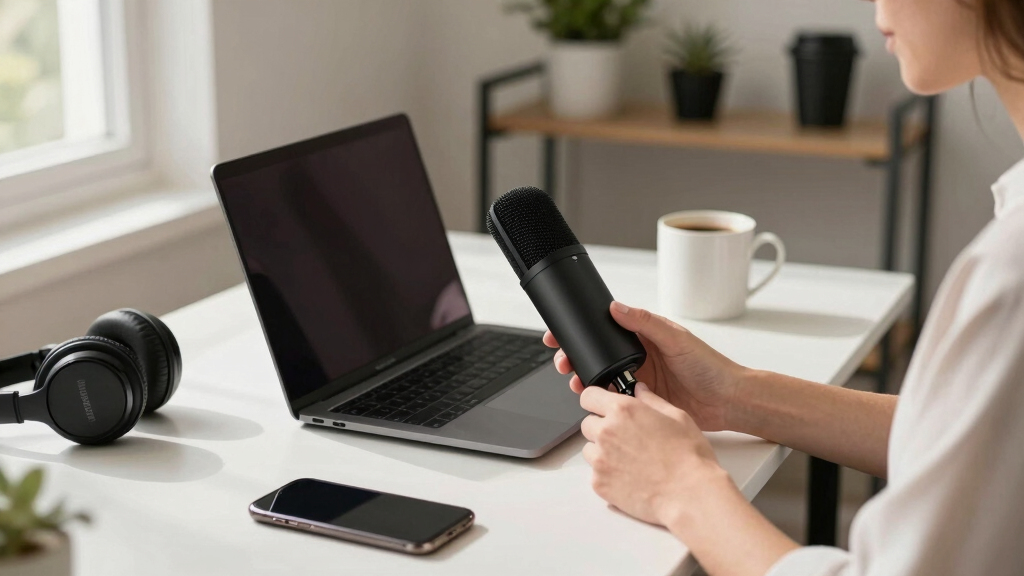
I ranked these ten USB microphones by asking one question: how many buyers does this mic serve well, and at what price? Each pick was weighed on audio quality for spoken voice, pickup pattern and how forgiving it is in a normal room, onboard controls like mute, gain, and headphone monitoring, build quality, plug-and-play compatibility with Mac and Windows, and price. A mic that only handles one narrow task ranked lower than one that covers streaming, calls, and recording, even when the narrow mic is cheaper.
That logic puts the Blue Yeti first because its four polar patterns cover nearly every scenario, and the Blue Yeti Nano next because it keeps most of that sound for less money and less desk space. Mid-table picks like the FIFINE K669B and ZealSound win on performance per dollar but give up patterns or refinement. The gooseneck and mini mics sit at the bottom not because they are bad products, but because they are speech-only tools — right for calls, wrong for anyone recording content.
Factors to Consider When Choosing Usb Microphones
The specs printed on a USB mic box — sample rates, frequency response, capsule size — rarely decide whether you will be happy with it. What actually shapes your experience is the capsule type, the pickup pattern, the controls on the body, and whether the mic can grow with you. These five sections cover what the individual reviews could not: the mistakes buyers repeat, the features worth paying for, and the ones that look good on a listing and then gather dust.
Condenser vs. Dynamic: Match the Mic to Your Room
Most mics in this lineup are condensers, which capture crisp, detailed voice but also hear everything else in the room — fans, keyboards, street noise, echo off bare walls. A condenser shines in a quiet, treated space and punishes you in a noisy one. The FIFINE USB/XLR dynamic works the opposite way: it hears mostly what is directly in front of it, which is why dynamic mics dominate broadcast and gaming setups in untreated rooms. The common mistake is buying the most sensitive mic for the loudest room. If your desk sits next to a window, an air conditioner, or a mechanical keyboard, a dynamic or a cardioid condenser used close to your mouth will sound cleaner than a sensitive multi-pattern mic sitting across the desk. Matching the capsule type to your room does more for your audio than any price jump.
Polar Patterns Matter More Than the Spec Sheet Suggests
A polar pattern describes which directions a mic hears. Cardioid picks up sound from the front and rejects the sides and rear, making it the default for solo streaming, voice-over, and calls. Omnidirectional hears everything equally, which is exactly what you want for a conference table with several speakers — and exactly what you do not want at a noisy solo desk. The Blue Yeti adds bidirectional and stereo modes, which matter only for face-to-face interviews or recording ambience; most buyers never leave cardioid. Paying for four patterns when you only record solo is wasted money, but buying a fixed omnidirectional mic for a home office is a genuine mistake, since it will pull in every sound in the room. Decide how many people will speak into the mic, and let that answer pick the pattern.
Onboard Controls You Will Actually Use
Spec sheets obsess over sample rates, but the features you touch every day are mute buttons, gain knobs, and headphone jacks. A hardware mute saves you during calls and streams in a way no software shortcut matches, and a gain knob lets you fix loudness without opening settings mid-recording. Zero-latency headphone monitoring — hearing your own voice with no delay — is the single feature that separates mics built for creators from mics built for meetings. Budget options like the ZealSound include monitoring and echo controls that even some pricier picks skip, while the cheapest gooseneck mics offer nothing but a mute button. Think about how you work: if you record long sessions or go live, monitoring and physical controls are worth paying for; if you only join meetings, they are not. Check where the controls sit too, since a knob you bump every time you type is worse than none at all.
USB Only vs. USB/XLR: Planning Your Upgrade Path
A pure USB mic is a closed box: the capsule, preamp, and converter are fixed forever, and your only upgrade is replacing the whole mic. That is fine if your needs are stable, but podcasters and musicians often outgrow it. A hybrid USB/XLR mic like the FIFINE dynamic works over USB today and plugs into an audio interface or mixer tomorrow, so the mic survives your upgrade instead of being replaced by it. The tradeoff is that hybrid designs ask more of you — dynamics need closer mic technique and more gain — while pure USB condensers are more forgiving for casual users. If there is any chance you will buy an interface within a year or two, buying the hybrid now costs less than buying twice. If you just want clear calls and the occasional recording, skip the XLR and enjoy the simplicity.
Five Mistakes Buyers Repeat with USB Microphones
The most frequent mistake is shopping by price alone at the budget end. A $25 gooseneck mic and a $130 Yeti both say USB microphone on the box, but one is built for clear speech on Zoom and the other for recording an audience will listen to. Second mistake: placing any mic at arm’s length and blaming the mic for thin, roomy sound — moving closer improves every mic on this list more than any spec upgrade. Third, buying an omnidirectional mic for a solo desk, which guarantees background noise problems no software filter fully fixes. Fourth, ignoring the stand: many budget mics ship with wobbly or fixed stands, and checking boom-arm compatibility before buying saves frustration later. Finally, expecting noise-cancelling claims on cheap mics to rival real pickup-pattern rejection — marketing noise cancellation is usually basic DSP, not magic. Avoid these five traps and even a modest budget buys clean audio.
Frequently Asked Questions
Is a USB microphone good enough for starting a podcast?
Yes, and many successful podcasts started on one. A cardioid USB condenser like the FIFINE K669B or Blue Yeti records voice at a quality listeners will not complain about, provided you record in a quiet room and stay close to the mic. The real limits show up later: USB mics are hard to use in multi-mic setups, since most computers struggle to handle two at once, and you cannot upgrade the preamp or converter separately. If you plan a two-host show in one room, a hybrid USB/XLR mic is the smarter first purchase because it grows into a mixer. For a solo show, a good USB mic can carry you for years before it becomes the bottleneck.
Why does my USB mic pick up so much keyboard and background noise?
In most cases the mic is not broken — it is a sensitive condenser doing its job. Condensers hear detail everywhere, and if the mic sits far from your mouth, your voice and the keyboard arrive at similar volumes, so neither wins. The fixes are free: move the mic within six to eight inches of your mouth, lower the gain so the mic listens to a smaller area, and make sure you are using the cardioid pattern if your mic has one. A dynamic mic like the FIFINE USB/XLR rejects off-axis sound by design, which is why gamers with loud keyboards prefer them. Software noise gates help, but placement solves most of the problem before software gets involved.
What is the difference between the Blue Yeti and the Blue Yeti Nano?
The full-size Yeti gives you four polar patterns — cardioid, omnidirectional, bidirectional, and stereo — plus a gain knob and a larger capsule array, while the Nano keeps only cardioid and omnidirectional and drops the gain knob in a smaller, cheaper body. In practice, solo streamers and podcasters use cardioid almost exclusively, so the Nano covers what most people actually need. The full-size model earns its higher price for interviews, group recording, and anyone who wants finer control. Desk space is a real factor too, since the Nano fits small setups and travels better. Buy the Yeti if you will genuinely use the extra patterns; buy the Nano if you will not.
Can a cheap USB mic under $30 handle Zoom and Teams calls?
Comfortably, yes. Speech for calls is the least demanding job in audio: a narrow frequency range, no audience expecting richness, and platforms that compress everything anyway. Budget gooseneck and desktop mics like the CMTECK G009 or the plug-and-play gooseneck models exist for exactly this, and their built-in mute buttons are more useful on calls than studio fidelity would be. The catch is that these mics are one-trick tools — they will not flatter your voice if you later decide to record a video or stream. If calls are truly all you need, spending more buys little you will hear. If there is any chance of creating content, stretch to a cardioid condenser instead.
Do I need extra gear like a boom arm or pop filter with a USB mic?
A pop filter is the cheapest upgrade that matters: it stops the bursts of air from P and B sounds that clip recordings, and it costs a few dollars. A boom arm matters more than it looks, because it gets the mic off the desk — away from keyboard thumps and bumps — and into the close position that makes any mic sound better. Shock mounts help if your desk transmits vibration, though many budget mics lack the threads to accept one, which is worth checking before you buy accessories. None of this is mandatory on day one, since the included stands work. But if you can only buy one accessory, make it the arm — placement fixes problems that electronics cannot.
Conclusion
The right pick depends on what you will actually plug this mic in to do. For the best overall balance of sound, versatility, and price, the Logitech Blue Yeti remains the mic I would hand to anyone who records, streams, and takes calls at the same desk. The best value is the FIFINE K669B — a metal cardioid condenser that covers solo recording for a third of the price, as long as you can live without extra patterns. Beginners should start with the Blue Yeti Nano: it sounds close to its bigger sibling, takes up little space, and asks nothing of you technically. Streamers and gamers in noisy rooms get more from the FIFINE USB/XLR dynamic, whose background rejection and upgrade path outlast its RGB styling. For a shared conference table, the Tonor omnidirectional mic is the only design here built to hear a whole room. And if you only need clear speech for meetings at the lowest possible cost, the CMTECK G009 or a gooseneck pick does that job honestly — just do not ask it to record your podcast.
Halloween Picks
halloween
As an affiliate, we earn on qualifying purchases.