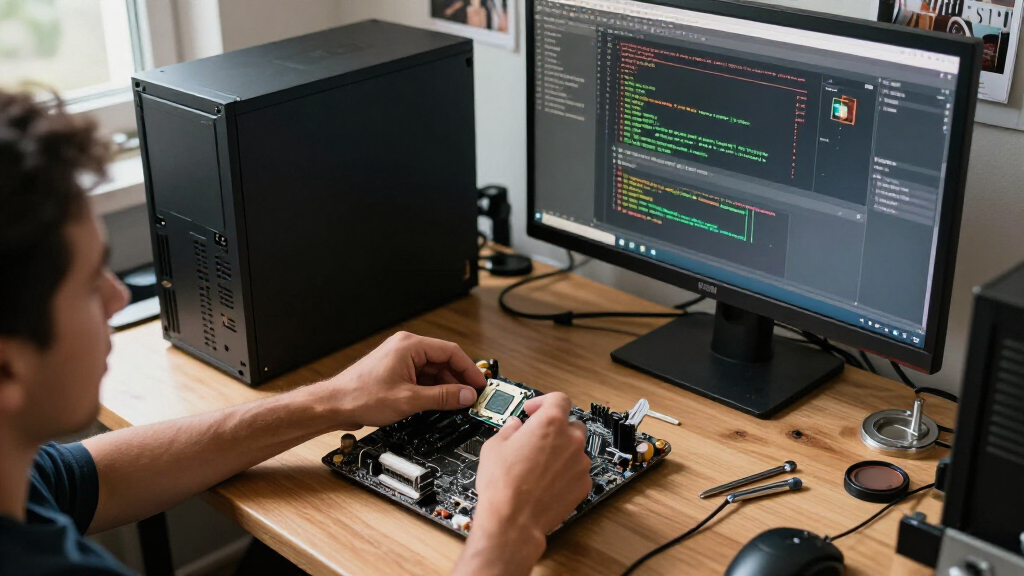

Among these desktop processors, I’d choose the AMD Ryzen 7 9800X3D as the best overall option for buyers focused on high-end gaming, while the Ryzen 7 9700X suits a broader mix of gaming and everyday work. For a lower-cost starting point, the Ryzen 5 5600 includes a stock cooler, though its older platform limits future upgrade choices. The main tradeoffs are gaming-focused performance versus broader multi-core capability, and modern platform features versus the lower-cost appeal of older AM4 processors. I compare all 10 picks by their intended workload, cooling needs, and platform fit so you can choose a processor that matches your build. Continue reading for the full breakdown and buying advice.

Get business pricing on tech for your team
- Business-only prices and quantity discounts
- Tax-exempt purchasing
- Multiple users, one account, clear invoices
Key Takeaways
- The Ryzen 7 9800X3D is the gaming-first pick in this group; its 8-core design makes more sense for gaming-focused builds than paying for the 24-core Intel Core Ultra 9 285K without a matching heavy-workload need.
- The Ryzen 7 9700X is the more balanced modern AM5 choice, while the 6-core Ryzen 5 9600X is a sensible fit when gaming and everyday use matter more than large parallel workloads.
- The Ryzen 7 7800X3D and 5800X3D offer gaming-oriented alternatives, but their different AM5 and AM4 platforms make motherboard compatibility and upgrade plans central to the choice.
- The Ryzen 5 5600 and Ryzen 5 5500 include Wraith Stealth coolers, which can simplify entry-level builds; the older AM4 platform is the tradeoff for keeping a build straightforward.
- The Ryzen 9 7900X and Core Ultra 9 285K are aimed at heavier multi-threaded work, but their higher core counts matter most when the software can use them and the rest of the system can support the workload.




| desktop processor | Cores / threads | Socket | Cache | Memory support |
|---|---|---|---|---|
| AMD Ryzen 7 5700X 8-Core | 8 / 16 | AM4 | 36 MB | DDR4-3200 |
| AMD Ryzen 7 9700X 8-Core | 8 / 16 | AM5 | 40 MB | DDR5-5600 |
| AMD Ryzen 5 9600X 6-Core | 6 / 12 | AM5 | 38 MB | DDR5-5600 |
| AMD Ryzen 7 7800X3D 8-Core | 8 / 16 | AM5 | 8 MB L2 + 96 MB L3 | — |
| AMD Ryzen 7 9800X3D 8-Core | 8 / 16 | AM5 | — | — |
| AMD Ryzen 5 5600 6-Core | 6 / 12 | Socket AM4 | 35 MB | — |
| AMD Ryzen 7 5800X3D 8-Core | 8 / 16 | AM4 | 100 MB | DDR4-3200 |
| Intel Core Ultra 9 285K Deskto | 24 cores (8 P-cores + 16 E-cores) / 24 threads | LGA 1851 | 40 MB installed cache; 36 MB secondary cache | — |
| AMD Ryzen 9 7900X 12-Core | 12 / 24 | AM5 | — | — |
| AMD Ryzen 5 5500 6-Core | 6 / 12 | AM4 | 19 MB | DDR4-3200 |
More Details on Our Top Picks
AMD Ryzen 7 5700X 8-Core, 16-Thread Unlocked Desktop Processor
Eight cores and 16 threads make the Ryzen 7 5700X a practical step up for multitasking, gaming, and creative applications on an existing AM4 system. Its Zen 3 architecture and support for DDR4-3200 let buyers keep compatible memory and, with a suitable X570 or B550 board, access PCIe 4.0. That makes it a different kind of pick from the newer Ryzen 7 9700X, which moves to AM5 and DDR5 rather than extending an older build.
The tradeoff is platform age: buyers starting from scratch may prefer the 9700X’s newer socket and memory support. The 5700X also has no included cooler and needs a discrete graphics card, so those parts must be covered separately. I’d choose it for a capable AM4 refresh, not as the default foundation for a new desktop.
Pros:- Eight cores and 16 threads suit demanding multitasking and creative workloads.
- DDR4-3200 support can preserve compatible memory in an AM4 upgrade.
- PCIe 4.0 is available with compatible X570 and B550 motherboards.
- Unlocked design supports overclocking.
Cons:- Cooler is not included, adding a separate component to the build.
- Requires a discrete graphics card.
- AM4 and DDR4 make it a less forward-looking starting point than the Ryzen 7 9700X.
Best for: AM4 desktop owners who want eight-core performance for gaming and heavier multitasking while keeping compatible DDR4 memory and motherboard.
Not ideal for: First-time builders planning a new platform, or anyone who needs integrated graphics or an included cooler.
- Architecture:AMD Zen 3
- Cores / threads:8 / 16
- Maximum boost speed:4.6 GHz
- Socket:AM4
- Cache:36 MB
- Memory support:DDR4-3200
- Power:65 watts
- Graphics / cooler:Discrete graphics card required; cooler not included
Our verdict“Choose the Ryzen 7 5700X to extend a compatible AM4 desktop with eight-core performance, but look to the Ryzen 7 9700X for a new AM5 build.”
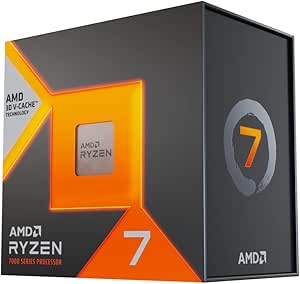
AMD Ryzen 7 9700X 8-Core, 16-Thread Unlocked Desktop Processor
The Ryzen 7 9700X is the strongest general-purpose fit here for buyers who want eight cores and 16 threads on AMD’s newer AM5 platform. Its Zen 5 architecture, boost speed up to 5.5 GHz, and DDR5-5600 support suit a mix of gaming and creative work without moving to a higher-core Ryzen 9. Compared with the AM4-based Ryzen 7 5700X, it requires a newer motherboard and DDR5 memory, but gives a new build a more current platform foundation.
This is not the lineup’s gaming-specialist pick: the Ryzen 7 9800X3D has a large 3D cache designed around gaming workloads. The 9700X is more balanced for varied desktop use, though its cooler is sold separately and PCIe 5.0 support depends on the motherboard. I’d pick it when broad performance and AM5 matter more than specialized gaming features.
Pros:- Eight cores and 16 threads handle gaming and creative workloads.
- Boosts up to 5.5 GHz for workloads that benefit from high clock speeds.
- AM5 socket and DDR5-5600 support suit a newer platform build.
- Unlocked for overclocking.
Cons:- Cooler is not included.
- PCIe 5.0 support depends on the motherboard.
- Moving from AM4 requires a compatible AM5 motherboard and DDR5 memory.
Best for: New desktop builders and AM5 upgraders who split time between gaming, content creation, and general demanding work.
Not ideal for: Buyers seeking a low-cost AM4 refresh, a bundled cooler, or a processor focused specifically on gaming cache.
- Architecture:AMD Zen 5
- Cores / threads:8 / 16
- Processor speed:3.8 GHz
- Maximum boost speed:5.5 GHz
- Socket:AM5
- Cache:40 MB
- Memory support:DDR5-5600
- TDP:105 watts
- Cooling:External cooler required; not included
Our verdict“Pick the Ryzen 7 9700X for a versatile eight-core AM5 desktop, unless gaming-specific cache makes the Ryzen 7 9800X3D a better fit.”
AMD Ryzen 5 9600X 6-Core, 12-Thread Unlocked Desktop Processor
The Ryzen 5 9600X is the lineup’s focused choice for a desktop that needs current-generation performance without stepping up to eight cores. Its six cores and 12 threads, Zen 5 architecture, and boost speed up to 5.4 GHz fit gaming and everyday creative workloads, while AM5 and DDR5-5600 give it the same newer platform direction as the Ryzen 7 9700X. The difference is the workload ceiling: the 9700X’s extra cores make it better suited to sustained multitasking and heavier production tasks.
For a gaming-centered build, the Ryzen 7 7800X3D is the more specialized alternative, with eight cores and a much larger cache. The 9600X instead keeps the core count lower and supports overclocking. Buyers still need to budget for a separate cooler, and PCIe 5.0 depends on the motherboard. I’d choose it for a leaner AM5 build, not for maximum parallel workload capacity.
Pros:- Zen 5 architecture with boost speeds up to 5.4 GHz.
- AM5 and DDR5-5600 support provide a current platform base.
- Unlocked for overclocking.
- 38 MB cache supports a range of gaming and desktop workloads.
Cons:- Six cores and 12 threads trail the Ryzen 7 9700X for heavily parallel work.
- Cooler is not included.
- PCIe 5.0 support depends on the motherboard.
Best for: AM5 builders prioritizing gaming and everyday desktop use who want six cores, DDR5 support, and an unlocked processor.
Not ideal for: People running frequent heavy rendering or other highly threaded workloads, or builders who need a cooler included.
- Architecture:AMD Zen 5
- Cores / threads:6 / 12
- Processor speed:3.9 GHz
- Maximum boost speed:5.4 GHz
- Socket:AM5
- Cache:38 MB
- Memory support:DDR5-5600
- Wattage:65 watts
- Cooler:Not included
Our verdict“Choose the Ryzen 5 9600X for a six-core AM5 desktop, but step up to the Ryzen 7 9700X for heavier creative workloads.”
AMD Ryzen 7 7800X3D 8-Core, 16-Thread Desktop Processor
The Ryzen 7 7800X3D earns its place as the lineup’s gaming specialist through 96 MB of L3 cache and eight cores with 16 threads. That large cache is the defining distinction from the standard Ryzen 7 9700X: the 9700X is a newer Zen 5 all-rounder, while the 7800X3D is built around a gaming-oriented cache design. It also includes AMD Radeon integrated graphics, useful for basic display output or troubleshooting when a discrete card is unavailable.
Its AM5 socket calls for a compatible motherboard, and the listed 120-watt TDP means cooling deserves attention in the build plan. The Ryzen 7 9800X3D is the newer X3D option in this roundup, so buyers prioritizing the latest X3D generation may prefer that model. I’d choose the 7800X3D when gaming is the main workload and its cache-focused design matters more than choosing the newer Zen 5 options.
Pros:- 96 MB of L3 cache distinguishes it from standard Ryzen 7 processors such as the 9700X.
- Eight cores and 16 threads support gaming alongside multitasking.
- Integrated AMD Radeon graphics provide basic graphics capability.
- AM5 socket compatibility.
Cons:- Requires an AM5-compatible motherboard.
- Its 120-watt TDP calls for a cooling plan suited to the build.
- The Ryzen 7 9800X3D is the newer X3D alternative in this roundup.
Best for: Gaming-focused AM5 builders who want eight cores, a large L3 cache, and integrated graphics for basic display needs.
Not ideal for: Buyers seeking the newest Zen 5 architecture or a processor primarily chosen for broad creative workloads.
- Cores / threads:8 / 16
- Base clock speed:4.2 GHz
- Cache:8 MB L2 + 96 MB L3
- Socket:AM5
- Process technology:5 nm
- TDP:120 watts
- Maximum operating temperature:89°C
- Integrated graphics:AMD Radeon Graphics
- Graphics frequency:2200 MHz
Our verdict“Choose the Ryzen 7 7800X3D when gaming-focused cache is your priority, and compare the Ryzen 7 9800X3D if you want the newer X3D option.”
AMD Ryzen 7 9800X3D 8-Core, 16-Thread Desktop Processor
The Ryzen 7 9800X3D is the premium, gaming-oriented choice in this group. It pairs eight cores and 16 threads with 96 MB of L3 cache, a combination aimed at gaming and capable of supporting creative workloads too. Compared with the Ryzen 7 9700X, the 9800X3D puts its identity in the large cache rather than presenting itself as the more general-purpose eight-core option. It also uses the newer Zen 5 generation, while the Ryzen 7 7800X3D is the other cache-focused alternative here.
There are practical costs beyond choosing an AM5 motherboard: this chip lists 140 watts and requires an external cooler, so cooling needs to match the system. Its stated maximum clock is up to 5.2 GHz, below the 9700X’s listed 5.5 GHz boost; clock speed alone does not describe the cache-focused difference. I’d favor it for a gaming-centered AM5 build, not a simple upgrade where cooling or platform changes are unwelcome.
Pros:- 96 MB of L3 cache suits its gaming-focused role.
- Eight cores and 16 threads support gaming and creative workloads.
- Zen 5 architecture on the AM5 platform.
- Maximum clock speed reaches up to 5.2 GHz.
Cons:- Cooler is not included and external cooling is required.
- Listed wattage is 140 watts, so cooling and system planning matter.
- Requires an AM5-compatible motherboard.
Best for: Gaming-focused builders putting together an AM5 desktop who want a Zen 5 processor with a large L3 cache and can provide suitable cooling.
Not ideal for: Buyers on AM4, people needing a bundled cooler, or users whose main priority is a general-purpose high-boost processor.
- Processor series:Ryzen 7
- Cores / threads:8 / 16
- Processor speed:4.7 GHz
- Maximum clock speed:Up to 5.2 GHz
- Socket:AM5
- L3 cache:96 MB
- Secondary cache:8 MB
- Wattage:140 watts
- Cooling:External cooler required; not included
Our verdict“Pick the Ryzen 7 9800X3D for a gaming-centered Zen 5 build with adequate cooling, while the Ryzen 7 9700X is the more general-purpose alternative.”
AMD Ryzen 5 5600 6-Core, 12-Thread Unlocked Desktop Processor with Wraith Stealth Cooler
The Ryzen 5 5600 is a practical pick for buyers who want to keep an existing AM4 system while gaining 6 cores and 12 threads for gaming and everyday multitasking. Its included Wraith Stealth cooler means a compatible build can get up and running without sourcing a separate cooler, unlike the Ryzen 7 5800X3D, which ships without one. The 5600 is also unlocked, giving experienced builders room to tune performance, though overclocking depends on the rest of the system. Compared with the Ryzen 5 5500, this model has more listed cache and a higher stated processor speed, making it the stronger of these two basic AM4 options. Its limits are its older platform and six-core design: buyers building a new high-end system should look at newer-platform choices instead.
Pros:- Six cores and 12 threads suit gaming and routine multitasking
- Wraith Stealth cooler is included
- Unlocked for overclocking
- AM4 socket can fit a compatible existing system
Cons:- AM4 is an older platform compared with the AM5 Ryzen 9 7900X
- Six cores offer less headroom for heavy creation workloads than the Ryzen 7 5800X3D
- The included air cooler may not suit buyers seeking a quieter or higher-capacity cooling setup
Best for: AM4 desktop owners who want a six-core CPU upgrade for gaming and general multitasking while reusing compatible components.
Not ideal for: New-build shoppers seeking a current platform, or buyers whose demanding workloads would benefit from more than six cores.
- Cores / threads:6 / 12
- Processor speed:4.4 GHz
- Socket:Socket AM4
- Cache:35 MB
- Power:65 watts
- Cooling:Wraith Stealth air cooler included
- Overclocking:Unlocked
- Warranty:3 years
Our verdict“Choose the Ryzen 5 5600 for a straightforward six-core upgrade to a compatible AM4 desktop, not for a new high-end build.”
AMD Ryzen 7 5800X3D 8-Core, 16-Thread Desktop Processor
The Ryzen 7 5800X3D suits AM4 owners who want a gaming-focused upgrade without replacing their platform. Its 100 MB of cache, including AMD 3D V-Cache, sets it apart from the six-core Ryzen 5 5600 and 5500; the larger cache is aimed at helping games that benefit from keeping more data close to the processor. Eight cores and 16 threads also give it more multitasking capacity than those Ryzen 5 options. This is not the most flexible choice for a new build, though: it uses older AM4 and DDR4-3200 memory support, while the Ryzen 9 7900X moves to AM5 and offers 12 cores for broader heavy-workload use. The 5800X3D also needs a separately purchased cooler, adding a component to plan around.
Pros:- AMD 3D V-Cache and 100 MB total cache target cache-sensitive gaming workloads
- Eight cores and 16 threads provide more parallel capacity than the Ryzen 5 5600
- Supports DDR4-3200 memory
- PCIe 4.0 support is available with compatible X570 and B550 motherboards
Cons:- Cooler is not included
- AM4 and DDR4 support make it less suitable as the foundation for a new platform
- PCIe 4.0 support depends on a compatible motherboard
Best for: AM4 owners prioritizing gaming performance who want to reuse a compatible motherboard and DDR4 memory.
Not ideal for: New-system builders wanting AM5, or buyers seeking a processor with a bundled cooler and stronger emphasis on high-core-count creation work.
- Cores / threads:8 / 16
- Max boost speed:4.5 GHz
- Cache:100 MB
- Memory support:DDR4-3200
- Socket:AM4
- PCIe support:PCIe 4.0 on compatible X570 and B550 motherboards
- Power:105 watts
- Cooler:Not included
Our verdict“Pick the Ryzen 7 5800X3D when gaming on a compatible AM4 system is the priority and you already have, or plan to buy, suitable cooling.”
Intel Core Ultra 9 285K Desktop Processor, 24 Cores, Up to 5.7 GHz
With 24 cores split between performance and efficiency cores, the Intel Core Ultra 9 285K is aimed at demanding desktops that juggle content creation and other intensive workloads. Its listed maximum frequency of up to 5.7 GHz, DDR5 support and PCIe 5.0 support make it a different class of build from the AM4 Ryzen 5 5600 or 5800X3D, both of which are better suited to reusing older systems. The tradeoff is platform commitment: this chip needs an LGA 1851 motherboard with an Intel 800-series chipset, plus a separately sourced thermal solution. Compared with the AM5 Ryzen 9 7900X, the 285K offers a distinct 24-core layout and Intel platform features, while the AMD option lists 12 cores and 24 threads. Choose based on workload and platform, not core count alone.
Pros:- 24 cores split into 8 P-cores and 16 E-cores
- Maximum frequency reaches up to 5.7 GHz
- Supports DDR5 and PCIe 5.0
- Integrated Intel Graphics is included
Cons:- Requires an LGA 1851 motherboard with an Intel 800-series chipset
- Thermal solution is not included
- 125 W processor base power calls for a build planned around suitable cooling
Best for: Content creators and power users building an Intel 800-series desktop for workloads that can use many cores and modern DDR5 and PCIe connectivity.
Not ideal for: Owners of existing AM4 or AM5 systems, or buyers who want a processor bundled with a thermal solution.
- Cores / threads:24 cores (8 P-cores + 16 E-cores) / 24 threads
- Maximum frequency:Up to 5.7 GHz
- Cache:40 MB installed cache; 36 MB secondary cache
- Processor base power:125 W
- Socket:LGA 1851
- Motherboard compatibility:Intel 800-series chipset
- Memory and PCIe:DDR5; PCIe 5.0 and 4.0
- Thermal solution:Not included
Our verdict“Choose the Core Ultra 9 285K for a new Intel desktop built around demanding, highly parallel workloads, provided you budget for its motherboard and cooling requirements.”
AMD Ryzen 9 7900X 12-Core, 24-Thread Unlocked Desktop Processor
The Ryzen 9 7900X is the AMD choice here for buyers who want a high-core-count desktop on the AM5 platform. Its 12 cores and 24 threads give it more parallel capacity than the Ryzen 7 5800X3D, while its stated boost ceiling of 5.60 GHz and 76 MB of combined cache support a broad mix of demanding work and gaming. Unlike the AM4 Ryzen models in this batch, it requires an AM5 motherboard, so it is a better fit for a new platform build than a drop-in upgrade for an older system. The Intel Core Ultra 9 285K offers more listed cores and DDR5/PCIe 5.0 support, while the 7900X includes Radeon Graphics and a 170 W TDP. That power figure makes cooling and system planning part of the choice.
Pros:- 12 cores and 24 threads support parallel workloads
- Maximum stated speed of 5.60 GHz
- 76 MB total cache
- Integrated AMD Radeon Graphics
Cons:- Requires an AM5 motherboard, unlike the AM4 Ryzen 5 5600 and Ryzen 7 5800X3D
- 170 W TDP calls for attention to cooling and power planning
- The Intel Core Ultra 9 285K lists 24 cores for buyers prioritizing a higher core count
Best for: Builders creating an AM5 desktop for multitasking, content creation and mixed workloads who want 12 cores and integrated Radeon Graphics.
Not ideal for: AM4 owners seeking a simple CPU swap, or compact and low-power builds where a 170 W TDP complicates cooling.
- Cores / threads:12 / 24
- Base clock:4.70 GHz
- Maximum speed:5.60 GHz
- Total cache:76 MB
- Socket:AM5
- Process technology:5 nm
- Graphics:AMD Radeon Graphics
- TDP:170 W
Our verdict“Choose the Ryzen 9 7900X for a new AM5 desktop that needs 12 cores for demanding mixed workloads and can accommodate its 170 W TDP.”
AMD Ryzen 5 5500 6-Core, 12-Thread Desktop Processor with Wraith Stealth Cooler
The Ryzen 5 5500 is a sensible starting point for a basic AM4 desktop, pairing 6 cores and 12 threads with an included Wraith Stealth cooler. It fits a similar entry-level role to the Ryzen 5 5600, but the 5500 has a lower listed maximum speed and less cache, so the 5600 is the better fit for buyers who want more headroom while staying on AM4. Both include cooling and support overclocking, but this 5500 description specifies DDR4-3200 memory and warns that gaming requires a discrete graphics card. That means it cannot drive a gaming display on its own. Compared with the higher-core Ryzen 7 5800X3D, it is a simpler six-core choice rather than a cache-focused gaming upgrade; its appeal is a straightforward, modest AM4 build.
Pros:- Six cores and 12 threads cover everyday desktop tasks and gaming with a discrete GPU
- Wraith Stealth air cooler is included
- Unlocked for overclocking
- Supports DDR4-3200 memory
Cons:- A discrete graphics card is required for gaming
- Lower listed speed and cache than the Ryzen 5 5600
- AM4 is an older platform than the AM5 Ryzen 9 7900X
Best for: First-time desktop builders assembling a modest AM4 system with a separate graphics card and DDR4-3200 memory.
Not ideal for: Buyers who need integrated graphics, want more cache and speed than the Ryzen 5 5600, or are starting a new AM5 build.
- Cores / threads:6 / 12
- Processor speed:Up to 4.2 GHz
- Socket:AM4
- Cache:19 MB
- Memory support:DDR4-3200
- TDP:65 watts
- Cooling:Wraith Stealth air cooler included
- Graphics requirement:Discrete graphics card required for gaming
Our verdict“Choose the Ryzen 5 5500 for a basic, discrete-GPU AM4 build where the included cooler and six-core layout fit the plan.”

How We Picked
I ranked these desktop processors by how clearly each one serves a real buyer need: gaming, mixed everyday use, demanding multi-threaded work, or a lower-cost upgrade. I weighed core and thread counts alongside gaming-focused designs, platform generation, cooler inclusion, and the likelihood that a buyer would need a separate cooling solution. A higher specification alone did not earn a higher position; the processor also had to make sense for its likely workload and the costs and constraints of building around it.
The order favors the Ryzen 7 9800X3D for a gaming-led build, then places balanced modern choices ahead of specialized or older-platform options for most buyers. The Ryzen 9 7900X and Core Ultra 9 285K remain compelling for heavier work, but their extra cores are less useful for buyers whose main task is gaming. I ranked the AM4 chips with their lower platform and included-cooler advantages in mind, while recognizing that those features do not offer the same upgrade path as the newer AM5 options.
| desktop processor | Socket | Memory support |
|---|---|---|
| AMD Ryzen 7 5700X 8-Core | AM4 | DDR4-3200 |
| AMD Ryzen 7 9700X 8-Core | AM5 | DDR5-5600 |
| AMD Ryzen 5 9600X 6-Core | AM5 | DDR5-5600 |
| AMD Ryzen 7 7800X3D 8-Core | AM5 | — |
| AMD Ryzen 7 9800X3D 8-Core | AM5 | — |
| AMD Ryzen 5 5600 6-Core | Socket AM4 | — |
| AMD Ryzen 7 5800X3D 8-Core | AM4 | DDR4-3200 |
| Intel Core Ultra 9 285K Deskto | LGA 1851 | — |
| AMD Ryzen 9 7900X 12-Core | AM5 | — |
| AMD Ryzen 5 5500 6-Core | AM4 | DDR4-3200 |
Factors to Consider When Choosing Desktop Processors
I’d choose a desktop processor by working backward from the system you plan to build, rather than starting with the largest core count. These factors help avoid mismatches between the processor, motherboard, cooler, memory, and the work you actually do.
Match the processor to your heaviest regular workload
Think about the tasks you run for hours, not just the occasional burst of activity. Games and many everyday applications often gain less from very high core counts than rendering, encoding, compiling, or running several demanding applications at once. A 6- or 8-core processor can leave room in the build budget for a stronger graphics card or more memory if gaming is the main goal. Buyers who regularly run parallel workloads should look beyond gaming-focused performance and check whether their software scales across cores. A common mistake is paying for cores a program cannot use, or choosing a gaming-oriented chip for sustained work that benefits from more parallel throughput. Write down your main applications before comparing processor specifications.
Check the motherboard platform before choosing a chip
Processor compatibility is not just a matter of matching a brand name: the socket, chipset, and sometimes motherboard firmware determine whether a CPU can be installed and supported. The AM4 processors in this roundup can suit an existing compatible system, but they do not share the AM5 platform used by the newer Ryzen options. Moving to a newer platform can mean replacing the motherboard and memory as well as the processor, so compare the full upgrade rather than the CPU alone. If you already own a compatible board, keeping it may make an older processor a rational upgrade. If you are building from scratch, consider how much value you place on future CPU upgrades. Check the motherboard maker’s supported-processor list before buying.
Budget for cooling, not just the processor
Some chips in this roundup include a Wraith Stealth cooler, while several other options do not list an included cooler. An included cooler can make a basic system easier to assemble, but it does not automatically mean the setup will suit every workload, case, or noise preference. Sustained heavy use can put more demand on cooling than short desktop tasks, so plan around the processor’s operating requirements and the case’s airflow. A separate cooler also needs to fit the motherboard area and case height limits. Check what is included in the exact product package instead of assuming all processors from one family ship with the same accessories. Leaving cooling out of the build plan can turn an apparently simple upgrade into extra work and expense.
Treat gaming-focused designs as a specific tool
The Ryzen X3D models are the gaming-specialized choices here, but that does not make them the automatic answer for every desktop. Their appeal is strongest when gaming performance is the priority and the rest of the system, especially the graphics card and display, can make use of it. If your workload includes frequent rendering or other heavy multi-threaded work, compare the complete performance profile rather than assuming a gaming-led design is the best all-rounder. Also consider the games you play and the resolution you target, since the graphics card can become the limiting component. For a mixed-use PC, a conventional Ryzen 7 may offer a better balance for your needs. Choose an X3D processor for its gaming role, not simply because the name suggests a higher tier.
Compare total system cost and upgrade value
A processor’s purchase cost is only one part of the system decision; the motherboard, memory, cooler, and possible platform changes affect the final build. An older AM4 chip can be attractive for a compatible system, while a new AM5 build may call for a larger initial platform commitment. Neither route is automatically better: the right choice depends on whether you are replacing one component or building a complete PC. Avoid spending heavily on a processor while pairing it with components that restrict the workload you care about. Conversely, a modest processor can be a poor value if a later upgrade requires replacing several parts. Compare complete build lists and leave room for the component that matters most to your use.
Read core counts alongside software and power needs
Core and thread counts help describe a processor, but they do not predict every application’s behavior. The Ryzen 9 7900X and Intel Core Ultra 9 285K stand out for buyers whose workloads can keep many cores busy; lighter use may not call on that capacity. Maximum boost specifications also do not describe sustained performance by themselves, since cooling, motherboard settings, and workload duration play a part. Before choosing a high-core-count chip, check whether your key software benefits from parallel processing and whether your system can handle its cooling demands. For a gaming and general-use PC, a more modest processor may leave resources for upgrades that have a clearer day-to-day effect. Use your software’s requirements and workload patterns as the tie-breaker.
Frequently Asked Questions
Should I choose the Ryzen 7 9800X3D or the Ryzen 9 7900X for a gaming PC that also does creative work?
I’d start with the work you do most often and how demanding it is. The Ryzen 7 9800X3D is the gaming-focused choice in this pairing, while the Ryzen 9 7900X’s 12 cores and 24 threads make it a stronger fit when creative software can use many cores. Occasional editing alongside gaming does not automatically call for the Ryzen 9; frequent rendering, encoding, or similar sustained tasks make its extra cores more relevant. Compare benchmarks for your specific applications rather than relying on core count alone. Also account for the cooler and platform costs in the full build.
Can I use an AM4 processor in a new build instead of choosing an AM5 model?
Yes, an AM4 processor can make sense if the system is built around a compatible AM4 motherboard and you are comfortable with that platform’s upgrade limits. It may also suit an existing AM4 PC where a processor swap avoids replacing the board and memory. For a fresh build, compare the complete platform cost and the upgrade options you want later, rather than judging the CPU in isolation. Confirm the exact motherboard model supports your chosen processor and check whether a firmware update is required. The Ryzen 5 5600 and Ryzen 5 5500 include a cooler in their listed configurations, but that does not remove the need to verify board compatibility.
Is a 6-core processor enough for gaming and everyday desktop use?
For many gaming and everyday-use builds, a 6-core option such as the Ryzen 5 9600X or Ryzen 5 5600 can be a reasonable starting point. The right one depends on whether you want the newer AM5 platform or prefer an AM4 build with a listed included cooler. More cores can help with demanding multitasking and software that runs work in parallel, but they are not a guarantee of a better experience in every game. Think about whether you stream, edit video, or keep resource-intensive applications open while gaming. If those tasks are central, compare an 8-core or higher option before settling on a 6-core chip.
Do I need to buy a separate CPU cooler for these processors?
Do not assume that every processor in the roundup ships with a cooler. The Ryzen 5 5600 and Ryzen 5 5500 product names specify a Wraith Stealth cooler, while the other listed processors do not name an included cooler. Check the exact retail package and manufacturer requirements before completing a build. Even when a cooler is included, a buyer may prefer an aftermarket option for a particular case, noise target, or sustained workload. Confirm that any separate cooler supports the processor’s socket and fits inside the case.
Is the Intel Core Ultra 9 285K a sensible choice if I mostly play games?
It can run a gaming system, but its 24-core design is most compelling when you also have workloads that can use substantial multi-core capacity. For a gaming-led build in this roundup, the Ryzen 7 9800X3D is the more directly targeted pick, while the Ryzen 7 9700X offers a less specialized modern alternative. The Core Ultra 9 285K may be a better fit if your PC also handles demanding production work or heavy multitasking. Check motherboard, memory, and cooling requirements as part of the decision, since platform choices shape the total build. Choose it for the work you will actually run, not for core count alone.
Conclusion
For a gaming-first desktop, I’d choose the Ryzen 7 9800X3D as the best overall pick. The Ryzen 5 5600 is my value choice for a compatible AM4 build, especially when its listed Wraith Stealth cooler helps keep the parts list simple; buyers starting fresh should compare the AM5 platform before deciding. For a premium mixed-workload system, the Intel Core Ultra 9 285K suits buyers who can use its high core count, while the Ryzen 9 7900X is another strong fit for multi-threaded work. Beginners building a straightforward PC can start with the Ryzen 5 5600 or Ryzen 5 5500, then verify motherboard support and cooler fit. For a modern all-rounder, I’d pick the Ryzen 7 9700X; for a gaming-focused AM4 upgrade, compare the Ryzen 7 5800X3D with your existing board and workload before buying.