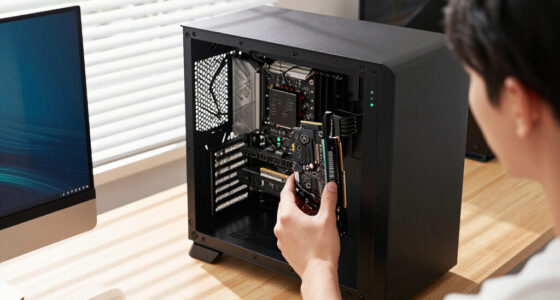
For most new AMD gaming builds, I’d start with the GIGABYTE B850 AORUS Elite WIFI7: it pairs AM5 support with Wi-Fi 7, PCIe 5.0, and three M.2 slots without leaning on the most elaborate enthusiast extras. The MSI MPG X870E Carbon WiFi stands out for a feature-rich premium AM5 build, while the ASUS TUF Gaming B550-PLUS WiFi II suits buyers reusing compatible AM4 parts. Choosing among gaming motherboards means balancing platform compatibility, expansion, connectivity, and how much headroom you need for upgrades. Older AM4 and newer AM5 or Intel options serve different processors, so socket fit matters before any feature comparison. Read on for the full breakdown and guidance on matching a board to your build.

Get tech for your team delivered free — and shop member deals
- Fast, free delivery on millions of items
- Access to Prime Big Deal Days deals on October 6–7
- Prime Video, Amazon Music and more included
Key Takeaways
- The GIGABYTE B850 AORUS Elite WIFI7 is the roundup’s balanced AM5 pick: it combines Wi-Fi 7, three M.2 slots, and PCIe 5.0 support without the extensive premium feature set of the ASUS ROG Strix X870E-E.
- Premium AM5 boards separate themselves through connectivity and expansion: the ASUS ROG Strix X870E-E lists five M.2 slots and USB4, while the MSI MPG X870E Carbon WiFi targets feature-heavy builds.
- AM4 remains a distinct reuse path, not a direct substitute for AM5: the ASUS TUF Gaming B550-PLUS WiFi II and ROG Strix B550-F Gaming WiFi II support DDR4 and AM4 processors, which can suit an existing compatible build.
- The Intel B760 bundle needs extra compatibility checking: its listing names LGA 1851 and Core Ultra Series 2, plus included DDR5 memory, so verify the exact CPU and motherboard specifications before buying.
- Bundle value depends on what is actually included and needed: the MSI B850 GAMING PLUS WIFI listing includes 32GB of DDR5, but a bundle only saves effort if that memory fits the planned build.
| GIGABYTE B850 AORUS Elite WIFI7 AMD AM5 ATX Motherboard |  | Best Overall for a Current AM5 Gaming Build | Socket and chipset: AMD AM5, B850 | Supported processors: AMD Ryzen 7000, 8000, and 9000 Series | Form factor: ATX | VIEW LATEST PRICE | See Our Full Breakdown |
| MSI B760 Gaming Plus WiFi Motherboard with 32GB DDR5 Memory Bundle |  | Best Bundle for a DDR5 Gaming Starter Build | Socket and chipset: LGA 1700, Intel B760 (per detailed description) | Supported processors: Intel Core 12th, 13th, and 14th Gen; Pentium Gold; Celeron (per detailed description) | Form factor: ATX | VIEW LATEST PRICE | See Our Full Breakdown |
| ASUS TUF Gaming B550-PLUS WiFi II AMD AM4 ATX DDR4 Gaming Motherboard |  | Best for Extending an AM4 Gaming Build | Socket and chipset: AMD AM4, B550 | Supported processors: AMD 3rd Generation Ryzen | Form factor: ATX | VIEW LATEST PRICE | See Our Full Breakdown |
| ASUS ROG Strix B550-F Gaming WiFi II AMD AM4 ATX DDR4 Gaming Motherboard |  | Best AM4 Pick for Stronger Power Delivery and Wi-Fi 6E | Socket and chipset: AMD AM4, B550 | Supported processors: AMD Ryzen 3000 and 5000 Series; 4000 and 5000 G-Series desktop processors | Form factor: ATX | VIEW LATEST PRICE | See Our Full Breakdown |
| MSI MPG X870E Carbon WiFi AM5 Gaming Motherboard |  | Best Premium AMD Gaming Platform | Socket and chipset: AMD AM5, X870E | Supported processors: AMD Ryzen 7000, 8000, and 9000 Series | Form factor: ATX | VIEW LATEST PRICE | See Our Full Breakdown |
| ASUS ROG Strix X870-A Gaming WiFi Motherboard |  | Best Overall | Socket: AMD AM5 | Chipset: AMD X870 | Form factor: ATX | VIEW LATEST PRICE | See Our Full Breakdown |
| ASUS ROG Strix B850-A Gaming WiFi AMD AM5 ATX Motherboard |  | Best for Feature-Conscious Builds | Socket: AM5 | Chipset: AMD B850 | Form factor: ATX | VIEW LATEST PRICE | See Our Full Breakdown |
| ASUS ROG Strix X870E-E Gaming WiFi AMD AM5 X870 ATX Motherboard |  | Best Premium Enthusiast Pick | Socket: AM5 | Chipset: AMD X870E | Form factor: ATX | VIEW LATEST PRICE | See Our Full Breakdown |
| MSI B850 GAMING PLUS WIFI Motherboard Bundle with 32GB DDR5 RAM |  | Best Starter Bundle | Socket: AM5 | Chipset: AMD B850 | Form factor: ATX | VIEW LATEST PRICE | See Our Full Breakdown |
| ASUS ROG Strix B650-A Gaming WiFi Motherboard |  | Best for a Straightforward AM5 Build | Socket: AM5 | Chipset: AMD B650 | Form factor: ATX | VIEW LATEST PRICE | See Our Full Breakdown |
| gaming motherboard | Form factor | Storage | Memory | Power design |
|---|---|---|---|---|
| GIGABYTE B850 AORUS Elite WIFI | ATX | 3 M.2 slots, 4 SATA ports | DDR5, 4 DIMM slots | 14+2+2 phases |
| MSI B760 Gaming Plus WiFi Moth | ATX | — | — | 12+1 Duet Rail power system |
| ASUS TUF Gaming B550-PLUS WiFi | ATX | 2 M.2 slots; one PCIe 4.0 x4; 6 SATA ports | DDR4, 4 slots | 8+2 DrMOS power stages |
| ASUS ROG Strix B550-F Gaming W | ATX | 2 M.2 slots | DDR4 | 12+2 teamed power stages |
| MSI MPG X870E Carbon WiFi AM5 | ATX | M.2 Gen5 support, 4 SATA ports | DDR5, 4 slots, up to 256GB | — |
| ASUS ROG Strix X870-A Gaming W | ATX | 4 M.2 slots | DDR5 with AEMP | 16+2+2 power stages, 90A per stage |
| ASUS ROG Strix B850-A Gaming W | ATX | 4 M.2 slots; 2 SATA ports | DDR5, up to 192GB | — |
| ASUS ROG Strix X870E-E Gaming | ATX | 5 M.2 slots: 3 PCIe 5.0 and 2 PCIe 4.0 | DDR5, up to 192GB | 18+2+2 stages, 110A per stage |
| MSI B850 GAMING PLUS WIFI Moth | ATX | M.2 Gen5 slot | — | — |
| ASUS ROG Strix B650-A Gaming W | ATX | 3 M.2 slots: 1 PCIe 5.0 and 2 PCIe 4.0 | DDR5, up to 128GB | 12+2 power stages |
More Details on Our Top Picks
GIGABYTE B850 AORUS Elite WIFI7 AMD AM5 ATX Motherboard
I rank the GIGABYTE B850 AORUS Elite WIFI7 first for builders who want a modern AM5 foundation without stepping up to a flagship chipset. Support for Ryzen 7000, 8000, and 9000 processors gives it a wider CPU upgrade path than the ASUS TUF Gaming B550-PLUS WiFi II, while DDR5 and PCIe 5.0 bring newer memory and expansion standards. Three M.2 slots also make it easier to add game storage without relying on SATA drives. Its Wi-Fi 7, 2.5GbE LAN, and 14+2+2 power design round out a well-balanced gaming platform. The tradeoff is that the listing provides less high-end I/O detail than the MSI MPG X870E Carbon WiFi, and AM5 means replacing an older AM4 CPU rather than carrying it forward.
Pros:- Supports Ryzen 7000, 8000, and 9000 processors, leaving room for future AM5 CPU upgrades.
- Three M.2 slots give game libraries and fast storage more expansion room than the dual-slot B550 options.
- Wi-Fi 7 and 2.5GbE offer up-to-date wireless and wired network connections.
- 14+2+2 power design and VRM/M.2 thermal guards suit a performance-focused gaming build.
Cons:- AM5 requires a compatible processor and DDR5 memory, so it is not a drop-in upgrade for an AM4 system.
- B850 offers a less premium platform feature set than the X870E chipset used by the MSI MPG X870E Carbon WiFi.
- The listed specs do not detail every rear-I/O port configuration.
Best for: PC gamers building a new Ryzen 7000, 8000, or 9000 system who want DDR5, several M.2 drives, and current wireless networking in an ATX board.
Not ideal for: AM4 owners who want to keep their existing processor, or enthusiasts who need the more extensive high-end connectivity of an X870E board.
- Socket and chipset:AMD AM5, B850
- Supported processors:AMD Ryzen 7000, 8000, and 9000 Series
- Form factor:ATX
- Memory:DDR5, 4 DIMM slots
- Power design:14+2+2 phases
- Storage:3 M.2 slots, 4 SATA ports
- Expansion:PCIe 5.0 support
- Networking:Wi-Fi 7, 2.5GbE LAN
Our verdict“Choose this board for a balanced, current-generation Ryzen gaming PC with Wi-Fi 7 and three M.2 slots, but skip it if you are keeping an AM4 CPU or want flagship-tier connectivity.”
MSI B760 Gaming Plus WiFi Motherboard with 32GB DDR5 Memory Bundle
The MSI B760 Gaming Plus WiFi bundle is the practical pick for builders who want memory included rather than sourced separately: the package pairs the board with 32GB of DDR5. Its LGA 1700 socket supports Intel 12th-, 13th-, and 14th-generation processors, making it a fit for a compatible gaming build, and the 12+1 Duet Rail power design with extended heatsinks is aimed at sustained system loads. Compared with the GIGABYTE B850 AORUS Elite WIFI7, this bundle makes the memory decision simpler but uses an older Intel socket and does not list Wi-Fi 7. The product information also conflicts: the title mentions Core Ultra Series 2 and LGA 1851, while the detailed description specifies LGA 1700 and 12th–14th Gen CPUs. I would verify compatibility before buying.
Pros:- Includes 32GB of DDR5 memory, reducing the number of components a new build needs.
- Supports Intel 12th-, 13th-, and 14th-generation processors according to the detailed product description.
- PCIe 5.0 x16 and a Gen5 M.2 slot provide support for newer graphics and storage devices.
- Extended heatsinks and thermal pads are designed to manage heat around the power-delivery components.
Cons:- The title and detailed listing disagree about processor support and socket, so buyers must confirm the exact model compatibility.
- The LGA 1700 platform is a less suitable choice for a new build centered on a newer socket than the AM5 GIGABYTE B850 AORUS Elite WIFI7.
- DDR5 speeds above the listed base support depend on overclocking and compatible components.
Best for: First-time Intel builders who already plan to use a 12th-, 13th-, or 14th-generation LGA 1700 processor and want a 32GB DDR5 kit included.
Not ideal for: Buyers choosing an Intel Core Ultra Series 2 or LGA 1851 processor, or anyone who needs an unambiguous socket listing before ordering.
- Socket and chipset:LGA 1700, Intel B760 (per detailed description)
- Supported processors:Intel Core 12th, 13th, and 14th Gen; Pentium Gold; Celeron (per detailed description)
- Form factor:ATX
- Included memory:32GB DDR5, 2 x 16GB
- Memory support:Up to 6800+ MT/s overclocked
- Power design:12+1 Duet Rail power system
- Graphics expansion:1 x PCIe 5.0 x16
- Storage expansion:1 x M.2 Gen5
Our verdict“This bundle suits an LGA 1700 gaming build that benefits from included 32GB DDR5, but verify the socket and CPU support because the listing details conflict.”
ASUS TUF Gaming B550-PLUS WiFi II AMD AM4 ATX DDR4 Gaming Motherboard
For a gamer who already owns a compatible Ryzen processor and DDR4 memory, the ASUS TUF Gaming B550-PLUS WiFi II can turn those parts into a capable ATX build without forcing a platform change. Its PCIe 4.0 support covers a fast graphics card and one high-speed M.2 drive, while Wi-Fi 6 and 2.5Gb Ethernet give wired and wireless players solid network options. The 8+2 DrMOS power stages and two M.2 slots make it a more feature-rich AM4 choice than a bare-bones board. Compared with the ROG Strix B550-F Gaming WiFi II, it has a less elaborate power design and lacks Wi-Fi 6E, but suits a straightforward gaming setup. Its main limit is the AM4/DDR4 platform, which has less upgrade runway than the B850 AORUS.
Pros:- PCIe 4.0 support accommodates a current-generation graphics card and one fast PCIe 4.0 M.2 drive.
- Wi-Fi 6 and 2.5Gb LAN offer useful network flexibility for online gaming.
- Two M.2 slots provide more NVMe storage options than a single-slot design.
- HDMI 2.1, DisplayPort 1.2, and USB 3.2 Gen 2 add practical connectivity.
Cons:- AM4 and DDR4 limit CPU and memory upgrades compared with the AM5 GIGABYTE B850 AORUS Elite WIFI7.
- Only one of the two M.2 slots is specified as PCIe 4.0 x4.
- Its 8+2 power design is less substantial than the 12+2 stages on the ROG Strix B550-F Gaming WiFi II.
Best for: Gamers reusing a compatible AM4 Ryzen CPU and DDR4 kit who want an ATX board with PCIe 4.0 storage and built-in wireless networking.
Not ideal for: Builders starting fresh with Ryzen 7000 or newer, or anyone who wants DDR5, PCIe 5.0, or a longer-term AM5 upgrade path.
- Socket and chipset:AMD AM4, B550
- Supported processors:AMD 3rd Generation Ryzen
- Form factor:ATX
- Memory:DDR4, 4 slots
- Power design:8+2 DrMOS power stages
- Expansion:PCIe 4.0
- Storage:2 M.2 slots; one PCIe 4.0 x4; 6 SATA ports
- Networking:Wi-Fi 6, 2.5Gb LAN, Bluetooth 5.2
Our verdict“Pick this TUF board to build or refresh an AM4 gaming PC around existing DDR4 parts, not for a new platform with a broad upgrade path.”
ASUS ROG Strix B550-F Gaming WiFi II AMD AM4 ATX DDR4 Gaming Motherboard
The ROG Strix B550-F Gaming WiFi II is the more feature-forward choice for an AM4 gamer who values networking and a stronger listed power design. Its 12+2 teamed power stages distinguish it from the ASUS TUF B550-PLUS WiFi II’s 8+2 design, while Wi-Fi 6E adds access to the 6GHz band when paired with a compatible router. Dual M.2 slots, PCIe 4.0, USB 3.2 Gen 2 Type-C, and BIOS Flashback make it a flexible foundation for a Ryzen 3000 or 5000 build. Against the newer GIGABYTE B850 AORUS Elite WIFI7, though, it remains an AM4/DDR4 board without PCIe 5.0 or Wi-Fi 7. This is a deliberate refinement of an existing platform, not the best starting point for a new-generation system.
Pros:- 12+2 teamed power stages provide a stronger specified power setup than the TUF B550-PLUS WiFi II.
- Wi-Fi 6E and Intel 2.5Gb Ethernet offer flexible network options for gaming.
- BIOS Flashback can help with firmware updates when installing a supported processor.
- Dual M.2, PCIe 4.0, and USB 3.2 Gen 2 Type-C cover useful storage and peripheral needs.
Cons:- AM4 and DDR4 leave less upgrade headroom than the AM5 B850 and X870E boards in this roundup.
- Wi-Fi 6E is an older wireless generation than the Wi-Fi 7 offered by the GIGABYTE B850 AORUS Elite WIFI7.
- The provided data specifies dual M.2 slots but does not detail each slot’s individual speed.
Best for: AM4 gamers with a compatible Ryzen 3000 or 5000 CPU who want Wi-Fi 6E, robust power delivery, and BIOS Flashback in an ATX board.
Not ideal for: New-build shoppers targeting Ryzen 7000 or newer, DDR5, PCIe 5.0, or a platform with a longer CPU upgrade path.
- Socket and chipset:AMD AM4, B550
- Supported processors:AMD Ryzen 3000 and 5000 Series; 4000 and 5000 G-Series desktop processors
- Form factor:ATX
- Memory:DDR4
- Power design:12+2 teamed power stages
- Expansion:PCIe 4.0
- Storage:2 M.2 slots
- Networking:Wi-Fi 6E, Intel 2.5Gb Ethernet, Bluetooth 5.2
Our verdict“Choose the Strix for a well-equipped AM4 gaming build with Wi-Fi 6E and BIOS Flashback, but move to an AM5 board if you are starting a new platform.”
MSI MPG X870E Carbon WiFi AM5 Gaming Motherboard
The MSI MPG X870E Carbon WiFi is the premium choice here for gamers building around a high-end Ryzen system and wanting newer connectivity across the board. Its X870E chipset, PCIe 5.0 support, Gen5 M.2 storage, Wi-Fi 7, and USB ports rated up to 40Gbps give it more ambitious expansion than the GIGABYTE B850 AORUS Elite WIFI7. The Carbon also adds dual LAN, including a listed connection up to 5Gbps, plus an EZ PCIe release button that makes removing a large graphics card less awkward. Four DDR5 slots support up to 256GB. That feature set is more than many gaming builds need, however, and the listing does not spell out exact port configurations. Buyers who want a simpler AM5 board may find the B850 a better-matched platform.
Pros:- X870E platform with PCIe 5.0 and Gen5 M.2 support suits a high-end gaming and storage build.
- Wi-Fi 7, Bluetooth 5.4, and dual LAN provide more network options than the B850 AORUS Elite WIFI7.
- USB connectivity is listed up to 40Gbps for compatible high-bandwidth devices.
- EZ PCIe release button simplifies graphics card removal during upgrades or maintenance.
Cons:- Its premium X870E feature set may be unnecessary for gamers who need only one graphics card and a few drives.
- Requires an AM5 processor and DDR5 memory, so it cannot reuse an AM4 CPU or DDR4 kit.
- The listing does not specify exact port configurations, which makes detailed peripheral planning harder.
Best for: Enthusiast gamers building a Ryzen 7000, 8000, or 9000 PC who want X870E features, Gen5 storage, Wi-Fi 7, and multiple network options.
Not ideal for: Mainstream builders who will not use premium connectivity or Gen5 storage, or shoppers who need a fully detailed port map before choosing a board.
- Socket and chipset:AMD AM5, X870E
- Supported processors:AMD Ryzen 7000, 8000, and 9000 Series
- Form factor:ATX
- Memory:DDR5, 4 slots, up to 256GB
- Memory clock speed:Up to 7800 MHz listed
- Expansion:PCIe 5.0
- Storage:M.2 Gen5 support, 4 SATA ports
- Networking:Wi-Fi 7, Bluetooth 5.4, dual LAN with up to 5Gbps LAN listed
- USB:13 ports listed, up to 40Gbps
Our verdict“Choose the X870E Carbon for an enthusiast Ryzen gaming build that can use its Gen5 storage, Wi-Fi 7, and dual LAN; otherwise, the B850 AORUS is a more restrained fit.”
ASUS ROG Strix X870-A Gaming WiFi Motherboard
The ROG Strix X870-A is my balanced pick for a high-end AM5 gaming build: its 16+2+2 power stages, four M.2 slots, and support for Ryzen 7000, 8000, and 9000 processors leave room for a powerful CPU and a growing game library. WiFi 7 and USB4 add newer connectivity than the B650-era ROG Strix B650-A, while its feature set is less elaborate than the X870E-E’s five M.2 slots and expanded enthusiast controls. ASUS AI tuning tools can make setup less hands-on, though they are not a substitute for choosing stable settings yourself. The tradeoff is a premium-tier X870 feature set in a full-size ATX board; builders with a compact case or modest gaming needs may not benefit enough to justify its extra capability.
Pros:- 16+2+2 power design supports demanding multi-core Ryzen processors.
- Four M.2 slots offer room for multiple fast game and media drives.
- WiFi 7 and USB4 provide newer connectivity than the ROG Strix B650-A.
- AI tuning tools offer guided overclocking and cooling controls.
Cons:- Premium connectivity and X870 features may be excessive for a straightforward gaming build.
- ATX dimensions require a compatible mid-tower or larger case.
Best for: AM5 builders pairing a Ryzen 7000, 8000, or 9000 processor with several NVMe drives and wanting WiFi 7 and USB4.
Not ideal for: Compact-PC builders or gamers who need only basic connectivity and storage; the ATX size and X870 extras may be unnecessary.
- Socket:AMD AM5
- Chipset:AMD X870
- Form factor:ATX
- Processor support:AMD Ryzen 7000, 8000, and 9000 series
- Memory:DDR5 with AEMP
- Wireless:WiFi 7
- Storage:4 M.2 slots
- USB:USB4
- Power design:16+2+2 power stages, 90A per stage
Our verdict“Choose the X870-A for a feature-rich, high-end AM5 gaming PC; skip it if a smaller or simpler board fits your build better.”
ASUS ROG Strix B850-A Gaming WiFi AMD AM5 ATX Motherboard
The ROG Strix B850-A brings a strong gaming-oriented mix of WiFi 7, PCIe 5.0, and four M.2 slots without stepping up to the X870-A’s USB4 platform. Its 14+2+2 power design and support for Ryzen 7000, 8000, and 9000 CPUs suit a broad range of AM5 gaming systems, while AI Networking II and AI Advisor may help less experienced builders with setup and tuning. Compared with the bundled MSI B850 GAMING PLUS WIFI, this ASUS board offers four M.2 slots and a stated 192GB memory ceiling, but the MSI bundle includes 32GB of RAM to get a build started. The B850-A’s clearest compromise is its two SATA ports; it is a weaker fit for gamers reusing several SATA drives.
Pros:- Supports Ryzen 7000, 8000, and 9000 processors on AM5.
- Four M.2 slots provide flexible NVMe storage options.
- WiFi 7 and 2.5G LAN offer both wireless and wired networking.
- AI Advisor and AI Networking II can simplify setup and network tuning.
Cons:- Only two SATA ports limit reuse of older SATA storage.
- Does not list USB4, unlike the ROG Strix X870-A.
Best for: AM5 gamers who want WiFi 7, four M.2 slots, and a high memory ceiling in an ATX board, without requiring USB4.
Not ideal for: Builders with multiple SATA SSDs or hard drives, since the board has only two SATA ports.
- Socket:AM5
- Chipset:AMD B850
- Form factor:ATX
- Processor support:AMD Ryzen 7000, 8000, and 9000 series
- Memory:DDR5, up to 192GB
- Memory speed:Up to 8000 MHz
- Storage:4 M.2 slots; 2 SATA ports
- Networking:WiFi 7 and 2.5G LAN
- USB:17 ports, including USB 20Gbps Type-C
Our verdict“Pick the B850-A for an AM5 gaming build centered on WiFi 7 and multiple M.2 drives, but choose another board if you need more SATA connections.”
ASUS ROG Strix X870E-E Gaming WiFi AMD AM5 X870 ATX Motherboard
For a gaming build where expansion and manual tuning matter as much as the graphics card, the ROG Strix X870E-E is the most fully equipped board in this group. Its five M.2 slots include three PCIe 5.0 connections, and dual USB4 Type-C ports, WiFi 7, and 5 Gb Ethernet give it a broader connectivity mix than the X870-A. The 18+2+2 power solution, rated at 110A per stage, plus Dynamic OC Switcher and Core Flex, cater to builders who want detailed CPU tuning rather than just a simple gaming setup. Compared with the B850-A, it offers more storage and enthusiast controls, but that extra capability can be wasted in a typical single-GPU gaming PC. Its full ATX size and dense feature set also call for a roomy, carefully planned build.
Pros:- Five M.2 slots, including three PCIe 5.0 slots, suit storage-heavy builds.
- Dual USB4 ports, WiFi 7, and 5 Gb Ethernet deliver extensive connectivity.
- 18+2+2 power stages rated at 110A per stage support demanding CPUs and tuning.
- Dynamic OC Switcher and Core Flex add detailed overclocking options.
Cons:- Its extensive features may go unused in a standard gaming PC.
- ATX size and multiple expansion needs call for a spacious case and build plan.
- Advanced tuning options may be more than a plug-and-play builder wants.
Best for: Enthusiast AM5 builders using several NVMe drives, fast wired networking, and advanced Ryzen overclocking controls.
Not ideal for: Gamers building a conventional system with one or two drives who will not use the extra M.2, USB4, or tuning features.
- Socket:AM5
- Chipset:AMD X870E
- Form factor:ATX
- Processor support:AMD Ryzen 7000, 8000, and 9000 series
- Memory:DDR5, up to 192GB
- Power design:18+2+2 stages, 110A per stage
- Storage:5 M.2 slots: 3 PCIe 5.0 and 2 PCIe 4.0
- Networking:WiFi 7 and 5 Gb Ethernet
- USB:Dual USB4 Type-C ports
Our verdict“Choose the X870E-E when your gaming system needs extensive NVMe expansion and hands-on tuning; otherwise, the X870-A is a less elaborate fit.”
MSI B850 GAMING PLUS WIFI Motherboard Bundle with 32GB DDR5 RAM
The MSI bundle’s advantage is practical: it combines an AM5 B850 motherboard with 32GB of DDR5-6000 RAM, so a builder can plan around a core memory kit from the outset. WiFi 7, 5G LAN, and a PCIe 5.0 M.2 connection make it a capable base for a current Ryzen gaming PC, and AMD EXPO offers a straightforward route to memory tuning. Compared with the ROG Strix B850-A, this package includes RAM and faster stated wired networking, but the MSI has only two memory slots, leaving less flexibility to add memory later. The supplied kit’s 6000MHz rating is also below the board’s stated overclocked memory ceiling; that ceiling does not mean every kit or CPU will reach it. Check drive and expansion needs before choosing this bundle.
Pros:- Includes a 32GB DDR5-6000 kit, reducing separate memory selection.
- WiFi 7 and 5G LAN provide high-speed networking options.
- AM5 support covers Ryzen 7000, 8000, and 9000 processors.
- AMD EXPO offers convenient memory profile tuning.
Cons:- Two memory slots leave less flexibility for adding RAM modules later.
- Included memory runs below the board’s stated maximum overclocked speed.
- The supplied specs identify a Gen5 M.2 slot but do not state a full M.2 slot count.
Best for: First-time AM5 builders who want a compatible 32GB DDR5 kit included and value WiFi 7 plus fast wired networking.
Not ideal for: Upgraders planning to expand memory by adding modules later, or builders who want a specified multi-slot M.2 layout before purchase.
- Socket:AM5
- Chipset:AMD B850
- Form factor:ATX
- Memory support:DDR5, up to 8200+ MT/s overclocked
- Included memory:32GB (2x16GB) TEAMGROUP T-Force Delta DDR5-6000
- Expansion:PCIe 5.0 x16 and PCIe 4.0 x16
- Storage:M.2 Gen5 slot
- Wireless:WiFi 7
- Wired networking:5G LAN
Our verdict“Choose this MSI bundle if you want an AM5 gaming foundation with 32GB of RAM included, but look elsewhere if easy memory expansion is a priority.”
ASUS ROG Strix B650-A Gaming WiFi Motherboard
The ROG Strix B650-A suits gamers who want an AM5 board with useful essentials rather than the newest connectivity extras. It supports Ryzen 7000, 8000, and 9000 processors, provides three M.2 slots with one PCIe 5.0 connection, and includes WiFi 6E plus 2.5G Ethernet. That is a solid storage and networking foundation for a conventional gaming PC. Compared with the newer ROG Strix X870-A, it gives up WiFi 7 and USB4, but its B650 platform avoids paying for those higher-tier connections a gamer may not use. The tradeoffs include an older wireless standard and a stated 128GB memory limit; buyers choosing Ryzen 9000 or 8000 should also check whether a BIOS update is needed before installation.
Pros:- Supports Ryzen 7000, 8000, and 9000 processors on AM5.
- Three M.2 slots include one PCIe 5.0 interface for fast storage.
- WiFi 6E and 2.5G Ethernet cover wireless and wired networking.
- 12+2 power stages provide a robust foundation for a gaming CPU.
Cons:- WiFi 6E is an older standard than the WiFi 7 on the X870-A and B850-A.
- Maximum memory capacity is 128GB, below the newer B850-A’s stated 192GB.
- A BIOS update may be needed for Ryzen 9000 or 8000 processors.
Best for: AM5 gamers assembling a standard Ryzen system who need three M.2 slots, WiFi, and one PCIe 5.0 storage connection without USB4.
Not ideal for: Builders seeking WiFi 7, USB4, a memory capacity above 128GB, or a board confirmed ready for Ryzen 9000 without a BIOS check.
- Socket:AM5
- Chipset:AMD B650
- Form factor:ATX
- Processor support:AMD Ryzen 7000, 8000, and 9000 series
- Memory:DDR5, up to 128GB
- Power design:12+2 power stages
- Storage:3 M.2 slots: 1 PCIe 5.0 and 2 PCIe 4.0
- Networking:WiFi 6E and 2.5G Ethernet
- USB:USB 3.2 Gen 2×2 Type-C
Our verdict“Pick the B650-A for a practical AM5 gaming build with PCIe 5.0 storage, but choose a newer board if WiFi 7 or USB4 is on your must-have list.”
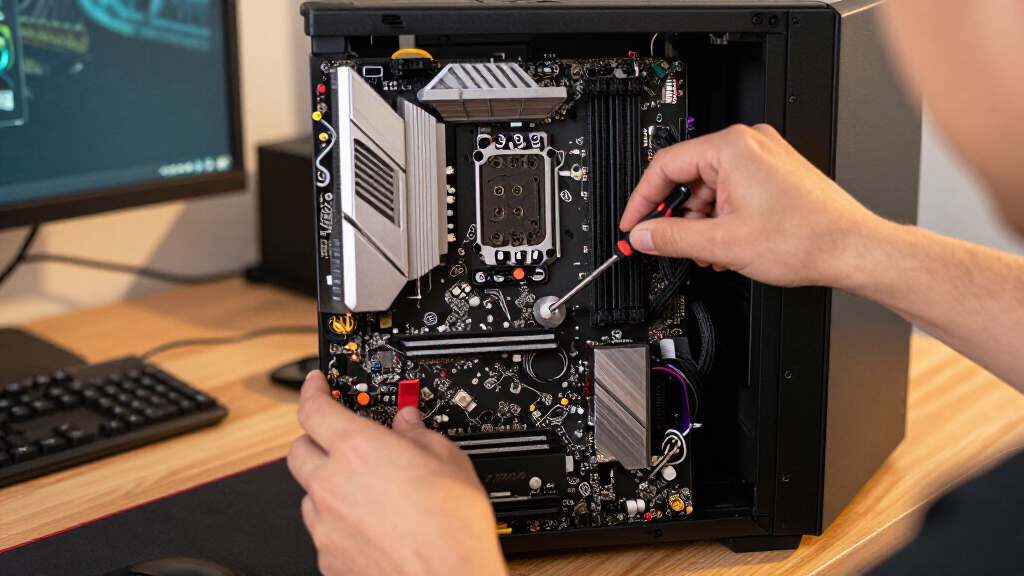
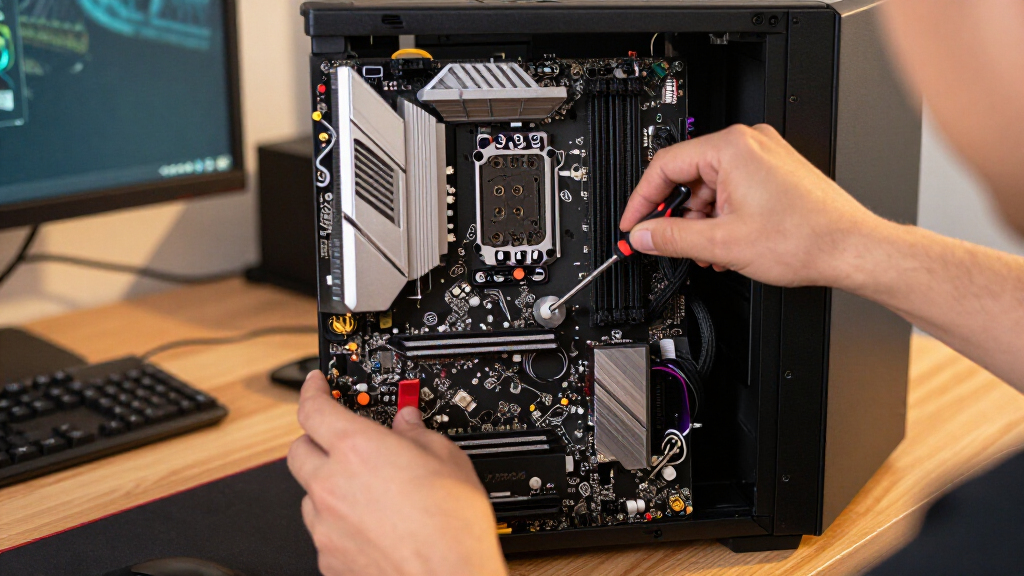
How We Picked
I compared these boards as foundations for gaming PCs, prioritizing processor-socket and memory compatibility, expansion for graphics cards and storage, networking, and the practical usefulness of listed connections. I also weighed build flexibility: board size, number of M.2 slots, BIOS features, and whether a bundle includes memory can shape setup and future upgrades. A feature matters most when it serves a real build need; extra ports or premium tuning features do not automatically make a board a better fit.
The ranking favors balanced capability and broad usefulness over feature count alone. The GIGABYTE B850 AORUS Elite WIFI7 leads for its combination of current AM5 support, Wi-Fi 7, and three M.2 slots. High-end X870E models follow for buyers who can use their added connectivity and expansion, while B850 and B650 models offer a less elaborate AM5 route. AM4 boards and the Intel listing remain valid for buyers with matching parts, but they are less interchangeable with the newer AMD choices. I treat stated product details as selection criteria and recommend checking the exact CPU, memory, and bundle contents before purchase.
| gaming motherboard | Socket and chipset | Supported processors | Expansion | Socket |
|---|---|---|---|---|
| GIGABYTE B850 AORUS Elite WIFI | AMD AM5, B850 | AMD Ryzen 7000, 8000, and 9000 Series | PCIe 5.0 support | — |
| MSI B760 Gaming Plus WiFi Moth | LGA 1700, Intel B760 (per detailed description) | Intel Core 12th, 13th, and 14th Gen; Pentium Gold; Celeron (per detailed description) | — | — |
| ASUS TUF Gaming B550-PLUS WiFi | AMD AM4, B550 | AMD 3rd Generation Ryzen | PCIe 4.0 | — |
| ASUS ROG Strix B550-F Gaming W | AMD AM4, B550 | AMD Ryzen 3000 and 5000 Series; 4000 and 5000 G-Series desktop processors | PCIe 4.0 | — |
| MSI MPG X870E Carbon WiFi AM5 | AMD AM5, X870E | AMD Ryzen 7000, 8000, and 9000 Series | PCIe 5.0 | — |
| ASUS ROG Strix X870-A Gaming W | — | — | — | AMD AM5 |
| ASUS ROG Strix B850-A Gaming W | — | — | — | AM5 |
| ASUS ROG Strix X870E-E Gaming | — | — | — | AM5 |
| MSI B850 GAMING PLUS WIFI Moth | — | — | PCIe 5.0 x16 and PCIe 4.0 x16 | AM5 |
| ASUS ROG Strix B650-A Gaming W | — | — | — | AM5 |
Factors to Consider When Choosing Gaming Motherboards
I’d choose a motherboard by working outward from the parts and games the PC needs to support. A board’s feature list only helps if it matches the processor, case, storage plan, and upgrade goals; paying for unused connectivity can be as poor a fit as running short on expansion.
Match the socket and chipset to your processor
Start with the exact CPU model, then confirm the board’s socket and processor support rather than relying on a family name alone. AM4 B550 boards in this roundup are aimed at compatible Ryzen processors and DDR4, while the AM5 B650, B850, and X870 options use a different platform and DDR5. The Intel B760 listing names LGA 1851 and Core Ultra Series 2, a pairing that merits a careful check against the manufacturer’s full specifications before purchase. A chipset name does not guarantee that every processor feature or upgrade path will be available. Avoid choosing a board first and expecting a CPU from another socket generation to fit. If you already own a processor, compatibility should outweigh a tempting list of ports.
Budget for the full platform, not just the board
Moving between DDR4 and DDR5 changes the memory you can reuse, so compare the total build rather than the motherboard alone. AM4 models here may make sense when a compatible processor and DDR4 kit are already on hand; a fresh AM5 build calls for DDR5. The B760 listing includes 32GB of DDR5 memory, and the MSI B850 GAMING PLUS WIFI listing also describes a 32GB DDR5 bundle. Check the exact kit, speed support, and included contents, since a bundle is only useful if it suits the CPU and your intended capacity. If you are replacing several platform parts, account for that together before judging which board offers better value. Mixing incompatible memory generations is a mistake a feature comparison cannot fix.
Plan storage and expansion around actual use
Count the M.2 drives you expect to install now and later, then check how the board supports them alongside its graphics slot and other devices. The GIGABYTE B850 AORUS Elite WIFI7 lists three M.2 slots, while the ASUS ROG Strix X870E-E lists five, making the latter more relevant to storage-heavy builds. More slots can reduce the need for add-in storage cards, but their value depends on your drive plan. Check the full manual for shared lanes or slot restrictions rather than assuming every connector works at full capability at once. Also confirm that the board fits your case and leaves suitable access around the graphics card. For a gaming PC with one or two drives, extra M.2 capacity may be less useful than spending on other components.
Pay for connectivity you will use
Wireless standards, Ethernet, USB, and display connections matter most when they solve a real setup problem. Wi-Fi 7 on several newer AM5 choices is useful if your network equipment and location can take advantage of it; it will not improve a wired connection by itself. USB4 on the ROG Strix X870E-E may suit a system with compatible high-bandwidth peripherals, while a simpler setup may not benefit from paying for that tier of I/O. Compare the rear ports and internal headers against the devices you already own, including front-panel USB-C if your case has it. Treat a feature name as a prompt to verify its implementation and availability, not proof that it will change gaming performance. Reliable wired networking and enough ports may matter more than the newest wireless label for some players.
Choose a board tier based on expansion, not appearance
Premium gaming boards can add more storage options, connectivity, and firmware tools, but those features do not automatically raise frame rates. The X870E models make more sense when their listed expansion and USB4 or other high-end features fit the rest of the system. A B850 or B650 board can be a more sensible foundation when you need a capable AM5 platform without a large set of enthusiast extras. Power-delivery specifications can help indicate a board’s intended class, yet they should be weighed alongside the processor and cooling plan rather than used as a standalone score. Avoid stretching a build budget for decorative features or controls you will never use. Put the difference toward components that have a clearer effect on your gaming setup.
Check installation and maintenance details
Small usability details can save time during a build, especially for a first-time builder or anyone who updates storage often. Features such as BIOS Flashback and tool-friendly latches can make certain setup or maintenance tasks easier, but confirm the exact procedure in the manual. A BIOS update may be needed for some processor combinations, so check the board’s support list and update instructions before assembling the system. Review the case’s clearance for the board, cooler, graphics card, and cable connections rather than assuming ATX compatibility solves every fit issue. Bundles also deserve a contents check so you know which parts are supplied and which must be purchased separately. Clear documentation and accessible connectors can be more useful day to day than a feature that appears impressive on a spec sheet.
Frequently Asked Questions
Can I reuse an AM4 processor or DDR4 memory with one of the AM5 boards?
No. The AM4 B550 boards in this roundup are a separate platform from the AM5 B650, B850, and X870 models, and the AM5 options use DDR5 rather than DDR4. A compatible AM4 CPU and memory kit can make a B550 board a practical reuse choice. If you are moving to AM5, plan for a compatible processor and DDR5 memory as part of the platform change. Check the exact board’s support list before ordering, since chipset family alone does not confirm support for every processor. This compatibility check should come before comparing wireless or storage features.
Is an X870E motherboard likely to improve gaming performance over a B850 board?
Not simply because it has a higher-tier chipset. Gaming performance depends chiefly on the processor, graphics card, memory configuration, and game, while X870E boards in this selection emphasize additional expansion and connectivity. The ASUS ROG Strix X870E-E lists five M.2 slots and USB4, which may help a system with substantial storage or compatible peripherals. The GIGABYTE B850 AORUS Elite WIFI7 already lists PCIe 5.0, Wi-Fi 7, and three M.2 slots. Choose X870E when its extra features serve your build, not as a shortcut to higher frame rates.
Should I choose a motherboard bundle that includes DDR5 memory?
A bundle can simplify a build when you need memory and the included kit matches your processor, capacity needs, and supported settings. The B760 and MSI B850 GAMING PLUS WIFI listings describe 32GB DDR5 bundles, but you should confirm the precise kit and bundle contents before purchase. If you already own compatible memory, a bundle may add parts you do not need. Check the motherboard’s memory support information and the kit’s specifications instead of assuming every DDR5 kit behaves identically. Compare the complete parts list, including any missing components, before deciding whether the bundle fits.
What should I verify before buying the Intel B760 motherboard listing?
Confirm the exact motherboard model, socket, and supported processor list directly with the manufacturer. The supplied listing describes it as B760 while also naming LGA 1851 and Intel Core Ultra Series 2, so those details should be reconciled before you place an order. Check the memory bundle contents and whether the listed speed requires a particular configuration or overclocking setting. Also verify the required BIOS version and physical fit for your case. This extra check is more useful than assuming the product name alone settles compatibility.
When does an older AM4 motherboard make more sense than an AM5 model?
An AM4 board can make sense when you already have a compatible Ryzen processor and DDR4 memory and want to build around those parts. The ASUS TUF Gaming B550-PLUS WiFi II and ROG Strix B550-F Gaming WiFi II are options for that kind of reuse, rather than direct alternatives for a new AM5 processor. A new platform may offer a different upgrade path and newer connectivity, but it can also require replacing memory and the CPU. Compare the cost and effort of reusing your current parts against moving to AM5 as a complete platform. If the key parts are already compatible and fit your gaming needs, an AM4 choice may avoid an unnecessary rebuild.
Conclusion
For the best overall balance, I recommend the GIGABYTE B850 AORUS Elite WIFI7 for a new AM5 gaming build that needs current connectivity and useful storage expansion without a flagship feature list. For value, look at the MSI B850 GAMING PLUS WIFI bundle if its included 32GB DDR5 kit matches your needs; the ASUS ROG Strix B650-A is another AM5 option to compare when you do not need the extra tier of features. For a premium build, choose the ASUS ROG Strix X870E-E when its five M.2 slots and USB4 have a clear job, or compare the MSI MPG X870E Carbon WiFi for a high-end AM5 configuration. For beginners, the GIGABYTE B850 AORUS Elite WIFI7 offers a balanced feature set, while buyers should check BIOS instructions and case fit before assembly. For specific needs, choose an AM4 B550 board to reuse compatible DDR4 parts, or investigate the B760 listing only after confirming its socket and processor details with the manufacturer. Match the board to your CPU and planned build first; then pay for the expansion and connections you will actually use.
Halloween Picks
halloween
As an affiliate, we earn on qualifying purchases.