

AI automation software tools span agent builders, coding assistants, office copilots, and specialized systems for testing or design, while this roundup compares the guides that teach buyers how to apply them. My best overall pick is OpenCode Custom Workflows because its focus on intelligent agent workflows most directly addresses end-to-end automation. Claude Code Advanced is the stronger choice for experienced software engineers, while The Complete Microsoft 365 and Copilot Handbook – Volume II suits organizations already invested in Microsoft’s workplace ecosystem. The main tradeoffs are code versus no-code control, broad instruction versus workflow-specific depth, and quick accessibility versus room for advanced customization. Continue reading for the full breakdown and buyer-focused ranking logic.

Get business pricing on tech for your team
- Business-only prices and quantity discounts
- Tax-exempt purchasing
- Multiple users, one account, clear invoices
Key Takeaways
- OpenCode Custom Workflows ranks first because agent orchestration aligns more closely with the promise of AI automation than guides limited to one desktop application or isolated task.
- Claude Code Advanced places higher for developers, but its programming focus makes it less accessible than AI Automation Made Simple or Claude AI for Beginners Bible.
- The Microsoft 365 and Copilot handbook offers the broadest workplace path, combining office automation and Power Platform coverage for buyers already committed to that ecosystem.
- 40 Python Programming Projects offers the strongest practical value through project variety, although Python Automation Systems for AI Applications and Smart Tools appears better suited to system architecture.
- Specialized guides win only for matching workflows: the Excel, AutoCAD, email, and software-testing picks are easier to choose when the buyer already knows where automation must be applied.
| OpenCode Custom Workflows: Building Intelligent Automation with AI Agents |  | Best for Custom Agent Workflows | Product type: Instructional book | Primary topic: Intelligent AI automation | Automation method: AI agents | VIEW LATEST PRICE | See Our Full Breakdown |
| Claude Code Advanced: Advanced Agentic Programming for Software Engineers (Claude Code & AI Book 2) |  | Best for Advanced Software Engineers | Product type: Instructional book | Series: Claude Code & AI Book 2 | Audience: Software engineers | VIEW LATEST PRICE | See Our Full Breakdown |
| AI Email Automation for Beginners: Save Time, Increase Productivity, and Automate Your Emails with ChatGPT and Other AI Tools |  | Best for Email Automation Beginners | Product type: Instructional book | Skill level: Beginner | Automation domain: Email | VIEW LATEST PRICE | See Our Full Breakdown |
| AI Integrated Software Automation Testing with Java and Selenium |  | Best for AI-Assisted Test Automation | Product type: AI-integrated software automation testing resource | Programming language: Java | Browser automation framework: Selenium WebDriver | VIEW LATEST PRICE | See Our Full Breakdown |
| Claude AI for Beginners Bible: 5-in-1 Guide to Automate Your Work and Use AI for Results |  | Best All-in-One Claude Primer | Product type: Instructional book | Guide format: 5-in-1 | Skill level: Beginner | VIEW LATEST PRICE | See Our Full Breakdown |
| Software Testing with Generative AI | 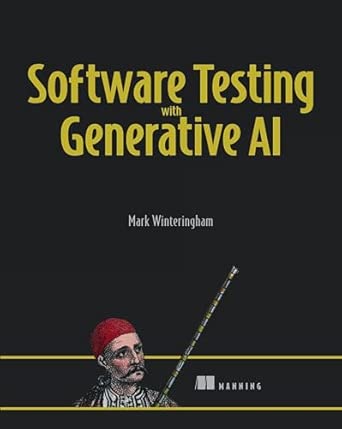 | Best Conceptual Guide to AI Testing | Product type: Instructional book | Primary topic: Generative AI for software testing | Target users: Software developers and testers | VIEW LATEST PRICE | See Our Full Breakdown |
| Learning Generative AI Tools for Excel: Speed Up Your Tasks with Microsoft Excel, Copilot, ChatGPT, and Beyond |  | Best for Excel Automation | Product type: Instructional book | Primary platform: Microsoft Excel | Named AI tools: Microsoft Copilot and ChatGPT | VIEW LATEST PRICE | See Our Full Breakdown |
| Using AI For AutoCAD: Boost Your Drafting, Design, and Workflow with Artificial Intelligence and Automation Tools |  | Best for AutoCAD Workflows | Product type: Instructional book | Primary application: AutoCAD | Technology coverage: Artificial intelligence and automation tools | VIEW LATEST PRICE | See Our Full Breakdown |
| AI for Quality Assurance and Software Testing: The Practitioner’s Complete Guide to AI-Powered Testing, Tools, and Transformation |  | Best for QA Transformation | Product type: Practitioner guide | Primary domain: Quality assurance and software testing | Technology focus: AI-powered testing | VIEW LATEST PRICE | See Our Full Breakdown |
| The Complete Microsoft 365 and Copilot Handbook – Volume II: Advanced Automations, Power Platform Tools, and Expert AI Workflows |  | Best for Microsoft 365 Power Users | Product type: Advanced handbook | Series position: Volume II | Primary ecosystem: Microsoft 365 | VIEW LATEST PRICE | See Our Full Breakdown |
| AI Automation Made Simple |  | Best for Nontechnical Beginners | Product type: Instructional book | Primary topic: AI workflow automation | Target audience: Beginners and professionals | VIEW LATEST PRICE | See Our Full Breakdown |
| Python Automation Systems for AI Applications and Smart Tools |  | Best for End-to-End Workflow Builders | Product type: Technical programming book | Programming language: Python | Build targets: Scripts, APIs, dashboards, and smart tools | VIEW LATEST PRICE | See Our Full Breakdown |
| Python Programming for Automation and AI Apps: Build Scripts, Dashboards, APIs, and Smart Tools |  | Best for Building AI Agents | Product type: Technical programming book | Programming language: Python | Build targets: Scripts, dashboards, APIs, and smart tools | VIEW LATEST PRICE | See Our Full Breakdown |
| 40 Python Programming Projects for AI Agents and Automations |  | Best Project-Based Practice | Product type: Project-based programming book | Programming language: Python | Project count: 40 | VIEW LATEST PRICE | See Our Full Breakdown |
| AI automation software tool | Product type |
|---|---|
| OpenCode Custom Workflows: Bui | Instructional book |
| Claude Code Advanced: Advanced | Instructional book |
| AI Email Automation for Beginn | Instructional book |
| AI Integrated Software Automat | AI-integrated software automation testing resource |
| Claude AI for Beginners Bible: | Instructional book |
| Software Testing with Generati | Instructional book |
| Learning Generative AI Tools f | Instructional book |
| Using AI For AutoCAD: Boost Yo | Instructional book |
| AI for Quality Assurance and S | Practitioner guide |
| The Complete Microsoft 365 and | Advanced handbook |
| AI Automation Made Simple | Instructional book |
| Python Automation Systems for | Technical programming book |
| Python Programming for Automat | Technical programming book |
| 40 Python Programming Projects | Project-based programming book |
More Details on Our Top Picks
OpenCode Custom Workflows: Building Intelligent Automation with AI Agents
I rank OpenCode Custom Workflows as the strongest pick here for readers who want to design their own agent-driven processes rather than automate one narrow task. Its practical workflow focus gives it broader business and technical reach than AI Email Automation for Beginners, while its framing appears less specialized than Claude Code Advanced. That balance suits builders exploring how AI agents can coordinate work across varied applications. The main limitation is that this is a learning resource, not runnable automation software, and the supplied product information names no programming language, platform, integrations, or sample projects. Readers may also need existing AI knowledge to turn the concepts into working systems. I place it high for flexibility, but below a hands-on software package that provides ready-made connectors and deployable templates.
Pros:- Centers on custom workflows rather than a single automation use case
- Explains how AI agents can support intelligent automation
- Uses a practical, application-oriented teaching approach
- Offers broader workflow scope than the email-specific beginner guide
Cons:- Provides instruction rather than executable automation software
- No programming languages, platforms, integrations, or project examples are specified
- May assume prior familiarity with AI and automation concepts
Best for: Technical operators, consultants, and developers who want a practical framework for designing custom AI-agent workflows across multiple applications
Not ideal for: Nontechnical buyers seeking a ready-to-run automation platform with documented integrations, templates, and no-code setup
- Product type:Instructional book
- Primary topic:Intelligent AI automation
- Automation method:AI agents
- Workflow focus:Custom workflow creation
- Teaching approach:Practical guidance
- Application scope:Multiple automation applications
Our verdict“My pick for builders who want adaptable agent-workflow guidance and can supply the missing technical foundation themselves.”
Claude Code Advanced: Advanced Agentic Programming for Software Engineers (Claude Code & AI Book 2)
Claude Code Advanced earns my specialist slot because it targets software engineers who want deeper agentic programming methods, not general productivity shortcuts. Compared with OpenCode Custom Workflows, this book is more tightly tied to programming projects and the integration of AI and agent-based models into software development. It should offer more depth for experienced developers, while OpenCode is the more flexible choice for cross-application workflow planning. That specialization also creates the clearest drawback: beginners may struggle with the concepts, and the product data identifies no code repository, exercises, supported languages, or supplementary materials. It is also guidance rather than an automation platform, so buyers still need their own development environment and implementation plan. I rank it for technical depth, not accessibility or immediate deployment.
Pros:- Provides in-depth coverage of agentic programming
- Targets real software-development integration rather than generic AI use
- Offers practical approaches for engineering projects
- Has greater technical depth than the beginner-focused Claude guide
Cons:- Likely too complex for readers without software-engineering foundations
- No supported languages, exercises, repository, or supplemental resources are listed
- Does not provide a deployable automation system
Best for: Experienced software engineers who want to incorporate agent-based AI patterns into existing programming projects
Not ideal for: Beginners and no-code teams that need guided setup, visual workflow building, or ready-made business automations
- Product type:Instructional book
- Series:Claude Code & AI Book 2
- Audience:Software engineers
- Skill level:Advanced
- Primary method:Agentic programming
- AI approach:AI and agent-based models
- Application context:Software-development projects
Our verdict“I recommend this to seasoned developers seeking agentic programming depth, provided they do not need beginner instruction or packaged tooling.”
AI Email Automation for Beginners: Save Time, Increase Productivity, and Automate Your Emails with ChatGPT and Other AI Tools
I place AI Email Automation for Beginners in the most accessible role because its narrow subject gives newcomers a clear first automation project: reducing repetitive email work with ChatGPT and related tools. It is easier to approach than Claude Code Advanced and more task-specific than Claude AI for Beginners Bible, which covers work automation across a wider range of activities. The payoff is practical relevance for people spending hours drafting, sorting, or responding to messages. The tradeoff is limited growth potential. The description promises practical guidance but names no email service, automation platform, integration, or detailed technical process, so readers may need other resources to build dependable workflows. I see this as an introductory productivity guide, not the right choice for complex routing, compliance-heavy communication, or engineering-grade automation.
Pros:- Keeps the learning scope focused on email automation
- Uses beginner-friendly guidance
- Connects automation techniques to time savings and productivity
- Names ChatGPT as a core tool rather than discussing AI only in the abstract
Cons:- Does not identify compatible email services or automation platforms
- Lacks detailed technical instructions for building robust workflows
- Offers limited depth for experienced automation users
Best for: Solo professionals, assistants, and small-business owners who are new to AI and want to reduce repetitive email work
Not ideal for: Operations teams needing advanced email routing, audited workflows, named platform integrations, or detailed technical implementation
- Product type:Instructional book
- Skill level:Beginner
- Automation domain:Email
- Named AI tool:ChatGPT
- Additional tools:Other AI tools
- Primary goals:Save time and increase productivity
- Teaching approach:Practical guidance
Our verdict“My choice for newcomers with a specific email workload, but not for teams building governed or technically complex automations.”
AI Integrated Software Automation Testing with Java and Selenium
AI Integrated Software Automation Testing with Java and Selenium takes my top specialist position for QA teams because it presents the most concrete technical stack in this batch: Java, Selenium WebDriver, TestNG, and GitHub Co-Pilot. Its machine-learning-based flaky-test detection addresses a costly testing problem by helping teams separate unstable automation from genuine failures. Compared with Claude Code Advanced, this option has a narrower purpose but a clearer implementation setting; compared with OpenCode Custom Workflows, it offers far more specific technologies. That focus limits its audience. Buyers need Java and test-framework knowledge, setup may be demanding, and teams standardized on Python, JavaScript, or non-Selenium tools will gain less value. I also would not treat it as a general business automation choice. It is built around software QA outcomes, where reliability matters more than broad workflow coverage.
Pros:- Uses a clearly defined Java and Selenium WebDriver stack
- Adds machine-learning-based flaky-test detection
- Includes TestNG for structured test execution
- Targets testing reliability rather than generic AI productivity
Cons:- Requires working knowledge of Java and automation-testing frameworks
- Setup may be difficult for beginners or nontechnical QA staff
- Its Java and Selenium focus limits usefulness for other testing stacks
Best for: Java QA engineers and test-automation teams using Selenium who want AI support for identifying flaky tests
Not ideal for: Business automation buyers or testing teams committed to Python, JavaScript, codeless platforms, or non-Selenium frameworks
- Product type:AI-integrated software automation testing resource
- Programming language:Java
- Browser automation framework:Selenium WebDriver
- Test framework:TestNG
- AI integration:Yes
- Named AI coding tool:GitHub Co-Pilot
- Reliability feature:Machine-learning-based flaky-test detection
Our verdict“I would choose this for Java-Selenium teams seeking smarter test reliability, while buyers outside software QA should skip it.”
Claude AI for Beginners Bible: 5-in-1 Guide to Automate Your Work and Use AI for Results
I assign Claude AI for Beginners Bible the broadest beginner role because its 5-in-1 format addresses general work automation rather than one task or an engineering discipline. Compared with AI Email Automation for Beginners, it gives readers more room to explore use cases beyond the inbox. Against Claude Code Advanced, it is the far more approachable starting point, though it cannot match that book’s programming depth. The emphasis on practical strategies and real-world results should help nondevelopers connect Claude with everyday time-saving work. Breadth is also the compromise: the supplied information gives no detailed technical instructions, integrations, project list, or automation platform, and experienced AI users may find the material basic. I view it as a foundation for Claude-led productivity, not a manual for building production agents or controlled enterprise workflows.
Pros:- Combines five beginner-oriented areas in one guide
- Covers work automation more broadly than the email-specific option
- Emphasizes practical strategies and time savings
- Offers an easier entry point than the advanced Claude Code title
Cons:- No detailed technical instructions or supported integrations are identified
- May be too basic for experienced Claude users
- Broad coverage may provide less depth for any single automation workflow
Best for: Claude newcomers, independent professionals, and office workers who want one broad introduction to AI-assisted work automation
Not ideal for: Experienced developers and enterprise automation teams that need technical architecture, integrations, governance, or production deployment guidance
- Product type:Instructional book
- Guide format:5-in-1
- Skill level:Beginner
- Primary AI platform:Claude
- Automation focus:Everyday work tasks
- Teaching approach:Practical strategies
- Stated outcomes:Save time and achieve real-world results
Our verdict“My pick for nontechnical Claude beginners who value broad coverage, while advanced builders will need a more specialized resource.”
Software Testing with Generative AI
I rank Software Testing with Generative AI as the best conceptual introduction to AI-assisted testing because it centers on how generative models can improve test design and process thinking, rather than tying every lesson to one programming stack. That makes it more approachable for mixed developer-and-tester teams than AI Integrated Software Automation Testing with Java and Selenium, which is better aligned with implementation in a named toolchain. It also appears less expansive than AI for Quality Assurance and Software Testing, the stronger choice for practitioners planning wider QA change. The tradeoff is depth: limited technical examples may leave hands-on buyers needing a second resource for code, tool setup, and repeatable exercises. With no customer review record supplied, I would choose it for orientation and shared vocabulary, not as the sole field manual for production automation.
Pros:- Explains how generative AI can improve software testing processes
- Relevant to both software developers and QA professionals
- Avoids dependence on a single testing framework
- Useful for building shared AI-testing vocabulary across teams
Cons:- Limited technical examples reduce its value as an implementation manual
- May require a second resource for code and tool configuration
- No customer reviews are available to indicate practical effectiveness
Best for: Development and testing teams seeking a shared introduction to generative AI applications in software testing
Not ideal for: Automation engineers who need detailed code, platform-specific setup instructions, and production-ready testing examples
- Product type:Instructional book
- Primary topic:Generative AI for software testing
- Target users:Software developers and testers
- Workflow focus:Improving software testing processes
- Method coverage:AI-driven testing techniques
- Technical example depth:Limited
- Customer review data:No reviews available
Our verdict“This is my pick for teams learning the concepts behind AI-assisted testing before committing to a specific automation stack.”
Learning Generative AI Tools for Excel: Speed Up Your Tasks with Microsoft Excel, Copilot, ChatGPT, and Beyond
I place Learning Generative AI Tools for Excel highest for spreadsheet-centered buyers because it offers a direct route from everyday Excel work to AI assistance. Its practical tips around Copilot and ChatGPT should help readers shorten repetitive analysis, formula, and content tasks without first learning a programming language. Compared with The Complete Microsoft 365 and Copilot Handbook – Volume II, this book has a narrower scope and a friendlier task-level focus; the Microsoft 365 guide is better for cross-application Power Platform automation. It is also more accessible than Python Programming for Automation and AI Apps, but offers less control and extensibility. The main limitation is its assumed Excel familiarity. I would not treat it as an Excel primer, and buyers seeking organization-wide automation may outgrow its spreadsheet-first approach.
Pros:- Connects generative AI directly to common Excel tasks
- Covers both Microsoft Copilot and ChatGPT
- Provides practical productivity tips rather than programming-heavy instruction
- Offers a lower technical barrier than Python-based automation guides
Cons:- Assumes readers already understand core Excel workflows
- Narrower automation scope than a Microsoft 365 or Power Platform guide
- Offers less customization than code-based automation resources
Best for: Regular Excel users who want practical ways to automate spreadsheet tasks with Copilot and ChatGPT
Not ideal for: Excel newcomers or operations teams seeking cross-application automation beyond spreadsheet workflows
- Product type:Instructional book
- Primary platform:Microsoft Excel
- Named AI tools:Microsoft Copilot and ChatGPT
- Additional coverage:Other generative AI tools
- Workflow focus:Everyday spreadsheet tasks
- Guidance style:Practical productivity tips
- Suggested knowledge level:Prior Excel knowledge may be required
Our verdict“I recommend this to capable Excel users who want faster spreadsheet work without moving into full-scale software development.”
Using AI For AutoCAD: Boost Your Drafting, Design, and Workflow with Artificial Intelligence and Automation Tools
Using AI For AutoCAD earns my specialist slot because it applies automation to drafting and design work, an area the broader books in this lineup barely address. Compared with Learning Generative AI Tools for Excel, this guide serves a more technical, discipline-specific audience and targets design throughput instead of office productivity. Python Automation Systems for AI Applications and Smart Tools may offer greater freedom for building custom systems, but this AutoCAD-focused option should give existing CAD users a clearer connection between AI methods and their daily projects. That specialization is also its boundary: beginners may find the material technical, while the supplied product information does not identify concrete integrations, feature requirements, or detailed project examples. I would buy it for workflow modernization ideas, not for guaranteed step-by-step coverage of every AutoCAD setup.
Pros:- Focuses specifically on AI applications within AutoCAD
- Connects automation with drafting and design productivity
- Offers a clearer industry use case than broad AI automation books
- Suited to established AutoCAD users modernizing existing workflows
Cons:- Technical subject matter may be difficult for AutoCAD beginners
- Specific integrations and feature requirements are not identified
- May offer less value outside CAD-centered roles
Best for: Experienced AutoCAD users who want to apply AI and automation concepts to drafting, design, and project workflows
Not ideal for: New CAD users who still need basic AutoCAD instruction or buyers requiring documented integration and setup details
- Product type:Instructional book
- Primary application:AutoCAD
- Technology coverage:Artificial intelligence and automation tools
- Core activities:Drafting and design
- Workflow goal:Improved efficiency and productivity
- Target audience:Existing AutoCAD users
- Beginner suitability:May be technically demanding
Our verdict“This is my specialist choice for established AutoCAD users seeking AI workflow ideas tied directly to drafting and design.”
AI for Quality Assurance and Software Testing: The Practitioner’s Complete Guide to AI-Powered Testing, Tools, and Transformation
I rank AI for Quality Assurance and Software Testing as the best choice for QA transformation because its scope extends beyond individual test-generation techniques into tools, methodologies, and organizational strategy. Software Testing with Generative AI is the more approachable conceptual entry, while this practitioner-focused guide makes more sense for QA leads deciding how AI should reshape a broader testing program. It should also provide a wider view than AI Integrated Software Automation Testing with Java and Selenium, which centers on a particular implementation stack. Breadth creates the main tradeoff: the available product data does not identify named platforms, detailed examples, or exact technical coverage, so specialists may still need tool-specific documentation. The lack of user reviews adds uncertainty. Even so, I favor its process-wide perspective for teams moving beyond isolated AI experiments.
Pros:- Covers AI-powered testing tools, methods, and process change
- Addresses QA strategy rather than only isolated test tasks
- Provides practical guidance for working practitioners
- Offers broader coverage than framework-specific testing books
Cons:- Named testing platforms and detailed technical examples are not specified
- Broad scope may not provide enough depth for tool specialists
- No customer reviews are available to validate its effectiveness
Best for: QA leads, test managers, and senior practitioners planning AI adoption across an existing software quality program
Not ideal for: Engineers seeking a code-led tutorial for one testing framework or verified guidance for a named commercial platform
- Product type:Practitioner guide
- Primary domain:Quality assurance and software testing
- Technology focus:AI-powered testing
- Coverage areas:Tools, methodologies, and transformation strategies
- Target audience:QA and software testing practitioners
- Guidance orientation:Practical and process-focused
- Customer review data:No reviews available
Our verdict“I would choose this for QA leaders who need a broad AI adoption guide before selecting framework-specific resources.”
The Complete Microsoft 365 and Copilot Handbook – Volume II: Advanced Automations, Power Platform Tools, and Expert AI Workflows
The Complete Microsoft 365 and Copilot Handbook – Volume II is my pick for Microsoft 365 power users because it joins Copilot with advanced automation, Power Platform tools, and expert workflows across a larger productivity ecosystem. Learning Generative AI Tools for Excel is the better choice for focused spreadsheet help, but this volume should suit buyers who want workflows spanning multiple Microsoft services. It also promises more platform-specific direction than AI Automation Made Simple, though that tighter Microsoft focus reduces its value for mixed software environments. This is clearly not a starting point: the advanced positioning, second-volume format, and assumed Microsoft 365 knowledge create a steep entry barrier. Price information is also absent, making value harder to judge. I would choose it when cross-application Microsoft automation matters more than beginner accessibility or vendor flexibility.
Pros:- Combines Microsoft 365 Copilot with advanced automation guidance
- Covers Power Platform tools and expert AI workflows
- Supports broader cross-application work than an Excel-only guide
- Matches the needs of experienced Microsoft ecosystem users
Cons:- Assumes prior knowledge of Microsoft 365 tools
- Advanced scope may overwhelm beginners
- Microsoft-centered guidance offers limited value in mixed-platform environments
Best for: Experienced Microsoft 365 users building advanced Copilot and Power Platform workflows across multiple business applications
Not ideal for: Beginners, non-Microsoft teams, or Excel-only users who do not need advanced cross-application automation
- Product type:Advanced handbook
- Series position:Volume II
- Primary ecosystem:Microsoft 365
- AI assistant:Microsoft Copilot
- Automation platform:Microsoft Power Platform
- Content level:Advanced and expert
- Knowledge requirement:Prior Microsoft 365 knowledge
- Price information:Not provided
Our verdict“I recommend this volume to experienced Microsoft 365 users ready to build advanced Copilot and Power Platform automations across their work.”
AI Automation Made Simple
I place AI Automation Made Simple in the beginner slot because it focuses on understandable implementation strategies instead of code-heavy system building. That makes it more approachable than Python Automation Systems for AI Applications and Smart Tools, which expects readers to work with scripts, APIs, and dashboards. The practical benefit is a gentler path from identifying repetitive work to planning streamlined processes. Still, this is a learning guide rather than deployable automation software, and the limited detail on advanced functions leaves experienced developers with little technical depth. With no customer feedback supplied, its teaching quality is also harder to judge. I would choose it for orientation and workflow planning, while buyers ready to build working AI applications should move to one of the Python-focused books.
Pros:- Accessible introduction for readers without a programming background
- Connects AI concepts to practical workflow improvements
- Offers implementation strategies that can help readers plan initial automation projects
Cons:- Provides little information about advanced automation methods
- Does not supply detailed technical specifications or stated coding coverage
- Has no customer reviews supplied to indicate teaching quality or depth
Best for: Nontechnical professionals and first-time AI learners who want plain-language guidance for identifying and streamlining repetitive workflows
Not ideal for: Experienced developers who need code examples, architecture guidance, or detailed coverage of advanced automation features
- Product type:Instructional book
- Primary topic:AI workflow automation
- Target audience:Beginners and professionals
- Learning approach:Easy-to-understand implementation guidance
- Primary outcome:Streamlining workflows and processes
- Programming language:Not specified
- Advanced feature coverage:Limited information provided
Our verdict“Choose this guide for an accessible starting point, but skip it if you are ready to build production-oriented AI automations.”
Python Automation Systems for AI Applications and Smart Tools
I rank Python Automation Systems for AI Applications and Smart Tools as the strongest choice for readers who want several connected parts of an automation system, including scripts, APIs, dashboards, and intelligent workflows. Compared with 40 Python Programming Projects for AI Agents and Automations, its stated scope is oriented more toward combining components into usable solutions than completing a large collection of separate exercises. That breadth can help developers move repetitive tasks into repeatable, visible processes with interfaces and integrations. The tradeoff is a steeper technical entry point: prior Python and AI knowledge may be needed, and no price or reader rating is supplied for value comparisons. I would favor it for system-level learning, while readers chiefly interested in building agents from scratch may find Python Programming for Automation and AI Apps more directly aligned.
Pros:- Covers multiple layers of an automation system rather than scripts alone
- Uses practical workflows aimed at real application development
- Helps readers turn repetitive tasks into reusable automated processes
- Includes API and dashboard development alongside AI integration
Cons:- May assume working knowledge of Python and basic AI concepts
- Broad subject coverage may leave less room for depth in each component
- No supplied price or rating data makes value harder to compare
Best for: Python developers who want to connect scripts, APIs, dashboards, and AI workflows into practical automation systems
Not ideal for: New programmers who still need foundational Python instruction before working with APIs, dashboards, and intelligent workflows
- Product type:Technical programming book
- Programming language:Python
- Build targets:Scripts, APIs, dashboards, and smart tools
- Workflow coverage:Intelligent and automated workflows
- Primary use case:Eliminating repetitive tasks
- Project orientation:Real-world AI solutions
- Prior knowledge:Python and AI familiarity may be required
Our verdict“This is the better pick for Python developers seeking broad, system-level automation guidance across back-end logic and user-facing tools.”
Python Programming for Automation and AI Apps: Build Scripts, Dashboards, APIs, and Smart Tools
I give Python Programming for Automation and AI Apps the agent-building role because its scope goes beyond routine scripts to cover creating AI agents from scratch for real problems. Like Python Automation Systems for AI Applications and Smart Tools, it includes dashboards, APIs, and intelligent tools, but the explicit agent-development path makes this title more attractive to readers who want autonomous behavior rather than workflow connections alone. Its range also gives advancing programmers room to grow from task automation into complete AI applications. That same ambition creates the main drawback: complete beginners may face a sharp learning curve, despite the broad audience claim, and the supplied data does not reveal how deeply each subject is taught. I would select it for agent-centered development, not for a quick, nontechnical introduction.
Pros:- Connects Python automation with AI agent development
- Covers scripts, dashboards, APIs, and smart tools in one learning path
- Focuses on building tools that address real-world problems
- Offers subject matter relevant to both automation and AI application development
Cons:- The agent and API material may be too advanced for first-time programmers
- Wide coverage could limit the depth devoted to individual topics
- No detailed chapter, framework, or environment specifications are supplied
Best for: Python learners and working programmers who want to progress from automation scripts to custom AI agents and application interfaces
Not ideal for: Complete beginners seeking no-code automation or slow-paced instruction in basic programming concepts
- Product type:Technical programming book
- Programming language:Python
- Build targets:Scripts, dashboards, APIs, and smart tools
- AI agent coverage:Agents built from scratch
- Primary outcome:Automating repetitive tasks and saving time
- Application focus:Real-world problem solving
- Audience:Beginners and experienced programmers
Our verdict“Pick this title if building custom Python AI agents is the destination and you are comfortable learning several application components along the way.”
40 Python Programming Projects for AI Agents and Automations
I choose 40 Python Programming Projects for AI Agents and Automations for readers who learn by making things, since its defining advantage is a fixed collection of 40 agent, bot, and automation projects. Compared with Python Programming for Automation and AI Apps, this book appears less like a connected curriculum and more like a practice library that can build repetition across varied use cases. That format gives developers many chances to produce working artifacts and adapt ideas to their own tasks. Quantity brings a real compromise, though: some projects may lack detailed explanation, and the absence of stated prerequisites makes it hard to judge where newcomers should begin. I would treat it as a companion for hands-on skill building, while readers needing systematic instruction across scripts, dashboards, and APIs should favor one of the broader guides.
Pros:- Includes 40 distinct projects for repeated hands-on practice
- Covers AI agents, automation systems, bots, and automated tools
- Gives developers varied examples they can adapt to their own workflows
- Project-driven structure supports learning through building
Cons:- Some projects may not include enough explanation for independent learning
- No prerequisites or skill level are stated
- A project collection may provide less conceptual continuity than a structured guide
Best for: Developers with basic Python knowledge who want a large set of practical exercises covering agents, bots, and automated tools
Not ideal for: First-time coders who need detailed explanations, stated prerequisites, and a structured progression through Python fundamentals
- Product type:Project-based programming book
- Programming language:Python
- Project count:40
- Project categories:AI agents, automation systems, bots, and automated tools
- Learning approach:Hands-on project development
- Target audience:Developers interested in intelligent applications
- Prerequisites:Not specified
Our verdict“Buy this as a practical project bank if you already know basic Python and want to strengthen AI automation skills through repeated building.”

How We Picked
I ranked these resources by fit with AI-driven automation, depth of workflow coverage, accessibility, practical application, and usefulness beyond a single prompt or feature. Agent orchestration and reusable systems received more weight than basic AI introductions because they can support multi-step work with less manual intervention. I also examined whether each title points toward repeatable projects, integration with established software, and skills that transfer between tools. Narrow books still earned recognition when their scope solved a defined business or technical problem. Price-independent value was judged by the range of usable outcomes promised by each resource rather than page count or the number of tools named.
The ranking begins with OpenCode Custom Workflows because its stated focus most closely matches full workflow automation, followed by developer and workplace options with strong paths from AI output to action. Beginner resources sit lower when they favor broad introductions over implementation depth, even if they are easier to approach. Specialized Excel, AutoCAD, email, and testing guides are ranked according to audience fit rather than universal appeal. Among overlapping Python and testing titles, I favored the resource with the clearest distinct learning role, such as project practice, systems design, or quality-engineering methodology. This ordering makes breadth useful only when it leads to action; a focused guide can outrank a general one when its workflow is better defined.
| AI automation software tool | Product type |
|---|---|
| OpenCode Custom Workflows: Bui | Instructional book |
| Claude Code Advanced: Advanced | Instructional book |
| AI Email Automation for Beginn | Instructional book |
| AI Integrated Software Automat | AI-integrated software automation testing resource |
| Claude AI for Beginners Bible: | Instructional book |
| Software Testing with Generati | Instructional book |
| Learning Generative AI Tools f | Instructional book |
| Using AI For AutoCAD: Boost Yo | Instructional book |
| AI for Quality Assurance and S | Practitioner guide |
| The Complete Microsoft 365 and | Advanced handbook |
| AI Automation Made Simple | Instructional book |
| Python Automation Systems for | Technical programming book |
| Python Programming for Automat | Technical programming book |
| 40 Python Programming Projects | Project-based programming book |
Factors to Consider When Choosing AI Automation Software Tools
The right choice depends less on how many AI brands a guide mentions and more on what the buyer wants to automate. I would start with the target workflow, decide how much coding is acceptable, and then check whether the material teaches reusable systems or isolated shortcuts. Buyers should also account for the software ecosystem, security needs, and upkeep required after an automation is built. These factors separate a useful working reference from a broad introduction that may soon be outgrown.
Start With the Workflow, Not the AI Brand
I would define the desired output before choosing a guide: processed email, generated code, automated tests, updated spreadsheets, drafted designs, or coordinated agents. A title built around a familiar AI brand can still be a poor match if it does not address the buyer’s actual bottleneck. Workflow-first selection also reveals whether automation needs to trigger actions in other systems or merely generate suggestions for a person to approve. Email and Excel users often need reliable handling of repeated records, while developers may care more about repositories, command execution, and error recovery. A common mistake is buying a broad AI primer when the real need is a repeatable operational process. I would choose the narrow specialist when the task is already known and the broader agent guide when several applications must work together.
Choose Between No-Code Reach and Code-Level Control
No-code and low-code ecosystems reduce setup work, but they can restrict logic, portability, and debugging. Code-first resources demand more skill while giving buyers greater control over APIs, data handling, branching, and custom recovery rules. I would favor Microsoft 365 and Power Platform material for business teams whose files and approvals already live there. Python, OpenCode, and Claude Code resources make more sense when the workflow must extend beyond a single vendor or become part of a software product. Buyers often underestimate the time needed to maintain custom code, yet they also underestimate the licensing and platform limits attached to no-code services. The practical choice is the model the intended owner can repair six months later, not the one that produces the fastest first demo.
Separate Guided Projects From Broad Reference Material
A project-led guide helps buyers move from concepts to working scripts, but a large project count does not automatically provide sound system design. Reference-style books can explain architecture and tool selection more deeply while offering less immediate practice. I would look for input validation, failure handling, testing, and deployment alongside the headline automation. Those topics show whether a project is meant to survive real use rather than work once with clean sample data. Beginners may learn faster from smaller exercises, whereas experienced developers gain more from patterns they can adapt across projects. The best learning format depends on whether the immediate goal is skill-building, a production workflow, or a reusable technical reference.
Plan for Security, Oversight, and Ongoing Maintenance
AI automation can expose email, documents, source code, customer records, or proprietary designs to external services. I would identify what data leaves the organization, where credentials are stored, and which actions require human approval before selecting a workflow. Permission boundaries and audit trails matter more when an agent can send messages, modify files, or run code. Buyers should also expect prompts, models, APIs, and user interfaces to change after a workflow is deployed. A system without logs or fallback behavior can quietly produce incorrect results at scale. Paying more for material that covers monitoring, recovery, and governance makes sense when failed automation carries financial, legal, or customer-facing consequences.
Avoid Paying Twice for Overlapping Coverage
Several resources in this lineup overlap around beginner AI use, Python scripting, or software testing. I would compare chapter-level scope when available and buy a second resource only if it adds a different layer, such as architecture after projects or AI strategy after Selenium implementation. Beginner breadth and advanced depth are complementary, but two general introductions may repeat the same prompt-writing material. Ecosystem commitment also changes value: a Microsoft-centered guide offers less return to a Google Workspace team, regardless of its breadth. Retail price alone is a weak value measure when examples require paid platforms, cloud usage, or extra software licenses. The better calculation combines learning cost, tool cost, and expected reuse across future workflows.
Frequently Asked Questions
Are the products in this roundup actual automation platforms or learning guides?
These 14 products are books and instructional resources about AI automation rather than subscriptions to automation platforms. They teach approaches involving tools such as OpenCode, Claude Code, ChatGPT, Copilot, Power Platform, Python, Selenium, Excel, and AutoCAD. Buyers will still need access to the relevant software, and some workflows may require paid plans, APIs, or cloud services. I would treat each title as a route into a tool ecosystem, not as the tool itself. Anyone seeking a ready-to-run SaaS comparison should use different selection criteria centered on connectors, usage limits, support, and monthly pricing.
Which option makes the most sense for a nontechnical beginner?
AI Automation Made Simple is my clearest starting point for a reader who wants broad accessibility without committing to programming. Claude AI for Beginners Bible offers another approachable path when the buyer specifically wants Claude-centered workflows, while AI Email Automation for Beginners is narrower and more immediately task-focused. I would pick the email guide for one defined productivity problem and the broader beginner guide for exploring several automation ideas. Neither is likely to offer the engineering depth of OpenCode, Claude Code, or Python-focused books. A beginner expecting to build production systems should plan for a later technical step after learning the basic concepts.
Is the Microsoft 365 and Copilot guide the best choice for office automation?
The Complete Microsoft 365 and Copilot Handbook – Volume II is the strongest workplace pick when an organization already relies on Microsoft 365. Its stated mix of advanced automation, Power Platform tools, and AI workflows covers a wider business ecosystem than the email-only or Excel-only guides. The Excel resource is a better fit when spreadsheet productivity is the sole goal and a broad platform guide would add unnecessary material. Teams outside Microsoft’s ecosystem may receive less value because many techniques can depend on vendor-specific services and licensing. I would choose it for cross-application Microsoft workflows, not merely for occasional Copilot prompts.
Should a developer choose OpenCode, Claude Code, or one of the Python books?
I would choose OpenCode Custom Workflows for agent orchestration, Claude Code Advanced for AI-assisted software engineering, and a Python title for building automation components that need direct code ownership. Python Automation Systems for AI Applications and Smart Tools appears oriented toward systems, while Python Programming for Automation and AI Apps spans scripts, dashboards, APIs, and applications. The 40-project collection is better positioned for practice and portfolio-building than for a single connected architecture. The right pick depends on whether the goal is coordinating agents, improving a coding workflow, or creating independent automation services. Developers who need both concepts and repetition may pair one architecture-focused resource with one project book.
Which software-testing guide should a QA professional select?
I would match the testing guide to the buyer’s existing stack and role. AI Integrated Software Automation Testing with Java and Selenium is the clearest fit for implementation work in that specific toolchain. Software Testing with Generative AI appears broader, making it better for teams exploring how generative models can support multiple testing activities. AI for Quality Assurance and Software Testing is positioned as a practitioner-wide guide, which may suit QA leads who need process, tools, and organizational change rather than only test scripts. For hands-on Selenium work, choose specificity; for team-wide QA adoption, choose the broader practitioner resource.
Conclusion
For the widest match with the category, my best overall choice is OpenCode Custom Workflows because it places intelligent agents and reusable workflows at the center. The best value is 40 Python Programming Projects for readers who want many practical exercises, though that judgment reflects project breadth rather than a verified lowest price. AI Automation Made Simple is my beginner pick, while The Complete Microsoft 365 and Copilot Handbook – Volume II is the premium-style choice for buyers seeking broad workplace automation inside one established ecosystem. Software engineers should choose Claude Code Advanced, and builders who want owned, adaptable systems should select the Python title that matches their preferred balance of architecture and projects. For specialized needs, the email, Excel, AutoCAD, Java and Selenium, and broader QA guides make more sense than a general agent book. My final choice would follow the workflow owner: OpenCode for multi-step agents, Microsoft 365 for business teams, Claude Code or Python for developers, and focused domain guides for defined tasks.
Halloween Picks
halloween
As an affiliate, we earn on qualifying purchases.