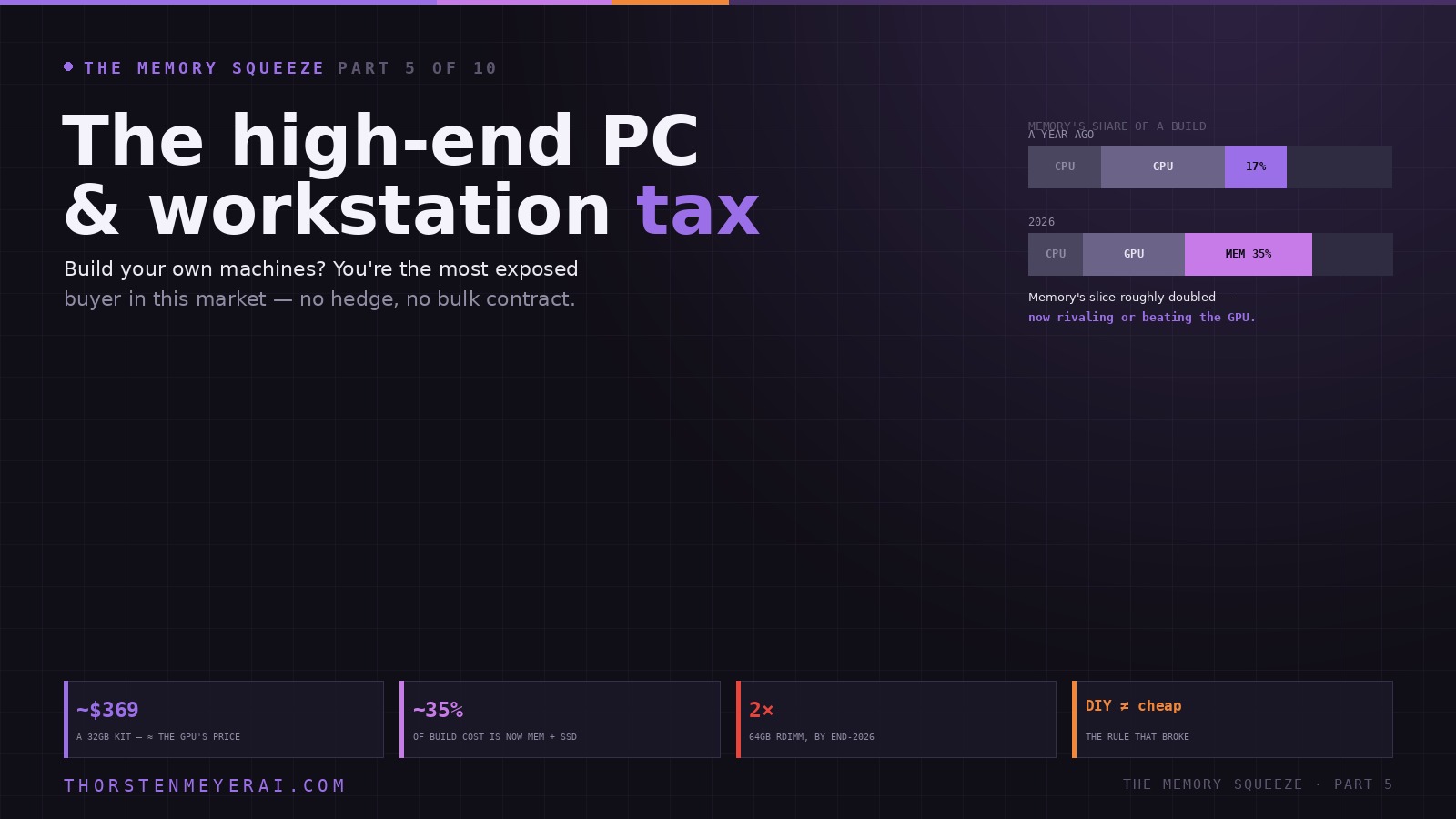

Part 5 of a five-day series on the 2026 memory crunch. Parts 1–4 traced the cause from HBM to RAM to storage. Now it lands on the workbench.

Get business pricing on tech for your team
- Business-only prices and quantity discounts
- Tax-exempt purchasing
- Multiple users, one account, clear invoices
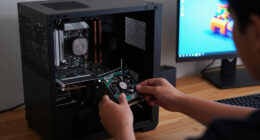
If you build your own machines — or spec the workstations your team runs on — you are, right now, the single most exposed person in this entire story. Not the hyperscaler, who hedged. Not the OEM, who stockpiled. You, with a parts list and a retail cart, watching a number you used to ignore become the biggest line on the invoice.
For twenty years the enthusiast’s instincts were rewarded: buy generous, buy ahead, and build it yourself to save money. In 2026 all three of those instincts are quietly losing you money. Here’s the tax, and how to pay as little of it as possible.
The high-end PC & workstation tax
If you build your own machines or spec your team’s workstations, you’re the most exposed buyer in this market — no hedge, no bulk contract, just a parts cart and a number you used to ignore, now the biggest line on the invoice.
OEMs buy on bulk contracts and hold hedged stock; you pay the spot price on the day. The DIY builder is now the most exposed buyer in the chain — and the prebuilt is sometimes cheaper. Price it before you commit.
96GB & 128GB DDR5 RDIMMs are the scarcest, closest to the server memory makers prioritize. 64GB RDIMM could cost 2× by end-2026 vs early 2025. The parts that define a workstation are the ones squeezed hardest.
The squeeze didn’t just raise prices — it inverted the value system of high-end building. Buy big, buy early, build it yourself: each enthusiast virtue is now a way to overpay. Discipline beats ambition in 2026 — right-size hard, buy deliberately, lean on bundles, treat the prebuilt as a real price check. You can’t avoid the AI tax levied a layer up in the fabs; you can refuse to pay more of it than the job needs. Next: Cloud’s Hidden Memory Bill.
Memory is now the most expensive thing in your build
Start with the number that reframes everything. HP told investors that memory had gone from 15–18% of a PC’s bill of materials to about 35% in a single quarter. Read that as a builder, not an accountant: the RAM and SSD are no longer the cheap afterthoughts you added last. In many mid-and-high-end builds, memory now rivals or exceeds the graphics card as the most expensive component you buy.
A concrete snapshot from a 2026 build comparison makes it vivid: a 32GB DDR5 kit came in around $369 — essentially the same price as the RTX-class GPU in the same build, and more than the CPU and the SSD individually. The part you used to spend ten minutes choosing now costs as much as the part you agonized over. Premium builds that ran $2,000 a year ago now land in the $2,800–$4,500 range, and the swing factor — the thing that moved — is overwhelmingly memory and storage, not silicon you’d consider exciting.
high-performance DDR5 RAM kit 32GB
As an affiliate, we earn on qualifying purchases.
As an affiliate, we earn on qualifying purchases.
The rule that broke: DIY no longer reliably saves money
This is the part that stings for the people reading this. For two decades, building your own PC beat buying a prebuilt, full stop. That rule has inverted at the high end, and the reason is pure market structure.
A big OEM — Dell, HP, Lenovo, a system integrator — buys memory on bulk contracts, holds hedged inventory set aside months ago, and can spread a price spike across a quarter of shipments. You, buying a single kit at retail, pay the spot price on the day, with no hedge and no buffer. So the DIY builder is now the most exposed buyer in the chain, fully naked to a market moving like a stock ticker — while the prebuilt sometimes ends up cheaper than sourcing the same parts yourself. Building still wins on control, on component choice, on repairability. It no longer reliably wins on price. For a high-end machine in 2026, pricing a comparable prebuilt before you commit to a parts list is no longer heresy — it’s diligence.
As an affiliate, we earn on qualifying purchases.
The workstation double-hit
If a gaming build hurts, a workstation gets hit twice.
Workstations and small servers need high-capacity modules — 96GB and 128GB DDR5 RDIMMs — and those are precisely the SKUs in shortest supply, because they’re the closest cousin to the high-margin server memory the manufacturers are prioritizing. The capacity a CAD station, a data-analysis box, or a local-AI workstation actually needs (64–128GB and up) sits right in the “sweet spot” of demand that hyperscalers are competing for with open-ended orders. One analysis projects 64GB DDR5 RDIMM modules could cost twice as much by the end of 2026 as they did in early 2025.
So the professional who needs 128GB or 256GB of registered memory faces the worst of it: the densest modules, the scarcest supply, the steepest per-gigabyte premium, and the longest lead times. The workstation tax isn’t a surcharge on the same parts everyone buys — it’s a surcharge concentrated on exactly the parts that define a workstation.
As an affiliate, we earn on qualifying purchases.
RAM trades like a stock now
The final indignity is that you can’t even time it. Memory pricing has come to behave like a market quote: large single orders, shifting contract prices, currency swings, and thin inventories make retail prices lurch week to week, with multiple price waves landing inside a single month. “Wait for a good day” used to be sound advice. Now the good day and the bad day can be the same week, and the trend under the noise points up.
That changes the nature of the decision. Specifying a build or a fleet refresh in 2026 isn’t a hobbyist’s shopping trip; it’s a procurement problem. The levers that work are the ones procurement managers use: buy when you’ve decided, not when you hope it dips; lock pricing through bundles or reserved quotas; and stage expansions rather than buying all the capacity up front.
As an affiliate, we earn on qualifying purchases.
What the high-end builder should actually do
The practical playbook, distilled:
- Right-size ruthlessly — this is now the biggest lever you have. Buy the capacity the workload uses, not the capacity that feels reassuring. The 128GB “to be safe” kit is the single most expensive habit in this market; in a normal year it cost you a small premium, in 2026 it locks the worst prices in history into RAM you may not touch for years.
- Buy via bundles — CPU-plus-memory and motherboard combos frequently carry memory at meaningfully better pricing than buying the kit alone. It’s become the default way to get RAM near sane prices.
- Stage your upgrades — start at what you need and add later, rather than front-loading capacity at peak prices.
- Price the prebuilt — at the high end, check a comparable OEM machine before committing; the bulk-buying math may beat you.
- Reuse what you can — a working DDR5 kit, a good PSU, a case carry straight into the next build. Don’t re-buy what still works.
The take
The memory squeeze didn’t just raise prices; it inverted the value system of high-end PC building. The enthusiast virtues — buy big, buy early, build it yourself — were rational when memory was cheap and abundant, and each one is now a way to overpay. The discipline that wins in 2026 is almost the opposite: right-size hard, buy deliberately, lean on bundles, and treat the prebuilt as a legitimate price benchmark rather than a compromise.
For an audience that builds — and for anyone repricing a fleet of workstations this year — the honest framing is that you’re paying an AI tax levied one layer up, in fabs you’ll never see, on wafers redirected to data centers. You can’t avoid it. You can refuse to pay more of it than the job requires.
That’s the individual machine. Next in the series, we follow the same tax into the place most people assume escapes it — the cloud: Cloud’s Hidden Memory Bill.
Sources: HP Q1 2026 earnings (memory as ~35% of PC BOM); Tom’s Hardware (RAM price tracker, build-cost commentary); SlashGear (DIY-vs-prebuilt cost inversion, sample build line items); ipc2u and Counterpoint (high-capacity RDIMM scarcity, 64GB RDIMM price projection, RAM volatility); Design Transition Studio (premium build cost ranges). Figures reflect reporting as of late June 2026 and are fast-moving; prices are point-in-time. Analysis and recommendations are the author’s and not financial advice.
Evergreen bestsellers Picks
bestsellers
As an affiliate, we earn on qualifying purchases.