Network attached storage gives households and small offices a central place for backups, shared files, media, and private remote access. My best overall pick is the Synology DS223 because its two-bay design and approachable software offer a strong balance of data protection, flexibility, and ease of management. The UGREEN DH4300 Plus is better for buyers who need four drive bays, faster networking, and far more expansion room, while the BUFFALO LinkStation 210 2TB suits beginners who want storage included. The main tradeoffs are simplicity versus control, included drives versus diskless flexibility, and low initial cost versus room to grow. Buyers also need to decide whether drive-failure protection, media transcoding, or multi-gigabit transfers justify paying more. Continue reading for the full breakdown of which model fits each buyer type.
Key Takeaways
- Synology DS223 takes the best-overall position because its two-bay layout and polished software are more broadly useful than the simpler single-bay BUFFALO models.
- UGREEN DH4300 Plus offers the greatest expansion headroom in this lineup, but its four-bay hardware makes more sense for growing libraries than modest household backups.
- BUFFALO LinkStation 210 models reduce setup work by including storage, though the 2TB, 4TB, and 6TB versions share the same single-bay limitation and cannot mirror data across drives.
- Synology DS225+ earns the premium role through its Intel processor and hardware-transcoding focus, while the UGREEN DXP2800 is the more creator-oriented alternative.
- Advertised capacity does not equal practical value: diskless models require a separate drive budget, and 2.5GbE only improves transfers when the rest of the network can match it.
| BUFFALO LinkStation 710 4TB 1-Bay NAS |  | Best Plug-and-Play NAS | Storage Capacity: 4TB | Drive Bays: 1 | Hard Drive Included: Yes | VIEW LATEST PRICE | See Our Full Breakdown |
| Synology DS223 Home & Office 2-Bay Diskless NAS |  | Best Overall | Brand: Synology | Model: DS223 | Drive Bays: 2 | VIEW LATEST PRICE | See Our Full Breakdown |
| UGREEN NAS DH4300 Plus 4-Bay Network Attached Storage |  | Best for High-Capacity Media Libraries | Maximum Supported Capacity: Up to 128TB | Drive Bays: 4 | Memory: 8GB LPDDR4X | VIEW LATEST PRICE | See Our Full Breakdown |
| UGREEN NAS DH2300 2-Bay Desktop NAS |  | Best for Beginners | Maximum Supported Capacity: 64TB | Drive Bays: 2 | Drive Configuration: Diskless | VIEW LATEST PRICE | See Our Full Breakdown |
| BUFFALO LinkStation 210 2TB 1-Bay NAS |  | Best Budget NAS with Storage Included | Storage Capacity: 2TB | Drive Bays: 1 | Hard Drive Included: Yes | VIEW LATEST PRICE | See Our Full Breakdown |
| BUFFALO LinkStation 210 4TB | | Best Budget Ready-to-Use NAS | Brand: BUFFALO | Model: LS210D0401 | Capacity: 4TB | VIEW LATEST PRICE | See Our Full Breakdown |
| Synology DS225+ |  | Best Media Server | Brand: Synology | Model: DS225+ | Drive Bays: 2 | VIEW LATEST PRICE | See Our Full Breakdown |
| Yxk Zero1 2-Bay Desktop NAS |  | Best for Docker Experimentation | Product: Yxk Zero1 | Drive Bays: 2 | Maximum Capacity: Up to 60TB with drives added | VIEW LATEST PRICE | See Our Full Breakdown |
| UGREEN NAS DXP2800 |  | Best for Content Creators | Brand: UGREEN | Model: NAS DXP2800 | Drive Bays: 2 | VIEW LATEST PRICE | See Our Full Breakdown |
| BUFFALO LinkStation 210 6TB | | Best High-Capacity Plug-and-Play Pick | Brand: BUFFALO | Product Line: LinkStation 210 | Capacity: 6TB | VIEW LATEST PRICE | See Our Full Breakdown |
| network attached storage | Drive Bays | Warranty | Brand | Drive Configuration |
|---|---|---|---|---|
| BUFFALO LinkStation 710 4TB 1- | 1 | 2 years | — | — |
| Synology DS223 Home & Office 2 | 2 | 2 years | Synology | Diskless |
| UGREEN NAS DH4300 Plus 4-Bay N | 4 | — | — | — |
| UGREEN NAS DH2300 2-Bay Deskto | 2 | — | — | Diskless |
| BUFFALO LinkStation 210 2TB 1- | 1 | 2 years | — | — |
| BUFFALO LinkStation 210 4TB | 1 | 2 years | BUFFALO | HDD included |
| Synology DS225+ | 2 | 3 years | Synology | — |
| Yxk Zero1 2-Bay Desktop NAS | 2 | — | — | Diskless |
| UGREEN NAS DXP2800 | 2 | — | UGREEN | — |
| BUFFALO LinkStation 210 6TB | 1 | 2 years | BUFFALO | HDD included |
More Details on Our Top Picks
BUFFALO LinkStation 710 4TB 1-Bay NAS
I rank the BUFFALO LinkStation 710 as the strongest turnkey option because its 4TB hard drive is included, removing the cost and setup decisions that come with diskless models. It is a better ready-to-run choice than the Synology DS223, while its stated speed improvement over the LinkStation 210 makes it better suited to frequent backups and multi-device file access. Dropbox, Azure, and OneDrive integration also gives households and small offices more flexibility than a purely local storage box. The tradeoff is single-bay architecture: capacity cannot be expanded across several drives, and there is no second internal disk for redundancy. Buyers who expect a growing media library should favor the UGREEN DH4300 Plus. I see the LinkStation 710 as a convenient middle ground between basic storage and a configurable NAS platform.
Pros:- Includes a 4TB hard drive for a simpler initial setup
- Faster stated performance than the LinkStation 200 series
- Integrates with Dropbox, Azure, and OneDrive
- Includes 24/7 US-based support and a two-year warranty
Cons:- Single drive bay prevents internal multi-drive redundancy
- Capacity is far less expandable than the four-bay UGREEN DH4300 Plus
- Mobile-app support is not specified
Best for: Households and small offices that want 4TB of ready-to-use shared storage without selecting or installing drives
Not ideal for: Buyers who need multi-drive redundancy, major capacity expansion, or clearly documented mobile-app access
- Storage Capacity:4TB
- Drive Bays:1
- Hard Drive Included:Yes
- Compatibility:Windows and macOS 26
- Performance:Up to 7x faster than LS 200
- Cloud Integrations:Dropbox, Azure, and OneDrive
- Warranty:2 years
- Support:24/7 US-based support
Our verdict“I recommend this model to buyers who value an included drive and straightforward deployment more than expansion or redundancy.”
Synology DS223 Home & Office 2-Bay Diskless NAS
I place the Synology DS223 first for most buyers because its two-bay design balances manageable size with more storage flexibility than either single-bay BUFFALO model. Its private-cloud, remote-access, backup, and IP-camera functions also make it a broader household or small-office hub than a basic network drive. Compared with the UGREEN DH4300 Plus, the DS223 has fewer bays and a lower-performance positioning, so it is less appealing for very large media collections or demanding workloads. It also arrives without hard drives, adding cost and requiring buyers to choose compatible storage. Even so, I think its mix of file organization, surveillance support, and everyday accessibility gives it the clearest general-purpose role. This is the lineup’s most balanced choice, rather than its fastest or highest-capacity option.
Pros:- Two bays offer more storage flexibility than single-bay BUFFALO models
- Centralizes backups and files from multiple devices
- Supports private-cloud access away from home or the office
- Can integrate with IP cameras for surveillance
Cons:- Diskless package raises the complete system cost
- Two bays limit expansion compared with the four-bay UGREEN DH4300 Plus
- Entry-level hardware is not aimed at demanding workloads
Best for: Families and small offices seeking a two-bay private cloud for backups, remote files, and basic camera recording
Not ideal for: Power users running heavy server workloads or buyers who want storage drives included in the purchase
- Brand:Synology
- Model:DS223
- Drive Bays:2
- Drive Configuration:Diskless
- Remote Access:Supported
- Surveillance:IP camera integration
- Warranty:2 years
- UPC:846504004775
Our verdict“I recommend the DS223 as the best all-around choice for buyers who want a flexible private cloud without moving into a larger four-bay system.”
UGREEN NAS DH4300 Plus 4-Bay Network Attached Storage
The UGREEN NAS DH4300 Plus earns its place through scale: four bays and up to 128TB of supported capacity leave far more room for photos, video, and backups than the Synology DS223 or UGREEN DH2300. Its 8GB of memory and 2.5GbE connection also make it the stronger choice when several household devices regularly move large files. A 4K HDMI output adds direct-display flexibility, while AI photo recognition can reduce the work of organizing a large library. I would not rank it first for everyone because it is diskless and Ethernet-only, making the full setup costlier and less convenient to place. Docker support broadens its server role, but the absence of virtual-machine support limits advanced experimentation. I view this as the capacity-first pick for media-heavy homes, not the simplest starter NAS.
Pros:- Four bays support storage pools up to 128TB
- 2.5GbE networking is better suited to large file transfers than the DH2300’s 1GbE port
- 8GB of RAM supports multitasking and Docker workloads
- AI photo recognition and 4K HDMI suit home media use
Cons:- Hard drives must be purchased separately
- Wired Ethernet is the only built-in network connection
- Does not support virtual machines
Best for: Media-heavy households and advanced home users building a large photo, video, and backup library across several drives
Not ideal for: Casual buyers who need included disks, built-in wireless networking, or virtual-machine hosting
- Maximum Supported Capacity:Up to 128TB
- Drive Bays:4
- Memory:8GB LPDDR4X
- Network Interface:2.5GbE
- Video Output:4K HDMI
- Network Connectivity:Wired Ethernet only
- Disks Included:No
- Application Support:Docker supported; virtual machines not supported
- Security Certifications:TRUSTe and ETSI EN 303 645
Our verdict“I recommend the DH4300 Plus when storage headroom and faster networking matter more than low initial cost or wireless placement.”
UGREEN NAS DH2300 2-Bay Desktop NAS
I choose the UGREEN NAS DH2300 for newcomers who want automated backup and photo organization without paying for the DH4300 Plus’s more capable hardware. Its AI photo tagging and duplicate deletion turn technical storage into a practical tool for managing phone and camera libraries, while support for computers, phones, tablets, and televisions suits a mixed-device household. The two bays and 64TB ceiling provide far more growth than the BUFFALO LinkStation 210 2TB. That flexibility comes with extra work and expense because this is a diskless system. Its 1GbE network port also trails the DH4300 Plus’s 2.5GbE connection, and the lack of Docker or virtual-machine support rules out many advanced server projects. I rank it as the friendliest expandable option, but not the model for creators moving large files all day.
Pros:- Beginner-oriented interface reduces the learning curve
- Two bays support capacity up to 64TB
- AI tagging and duplicate deletion simplify photo management
- Works with computers, mobile devices, tablets, and televisions
Cons:- 1GbE networking is slower than the DH4300 Plus’s 2.5GbE interface
- Does not support Docker or virtual machines
- Wi-Fi requires a separate USB adapter
Best for: First-time NAS buyers who want expandable family backups and automatic organization of large personal photo collections
Not ideal for: Content creators and home-lab users who need 2.5GbE speeds, Docker containers, or virtual machines
- Maximum Supported Capacity:64TB
- Drive Bays:2
- Drive Configuration:Diskless
- Memory:4GB
- Network Interface:1GbE
- Drive Interface:Serial ATA
- Drive Form Factor:3.5 inches
- Connectivity:Ethernet, HDMI, SATA, and USB
- Photo Features:AI tagging and automatic duplicate deletion
Our verdict“I recommend the DH2300 for families that want approachable, expandable storage and photo tools without advanced home-server features.”
BUFFALO LinkStation 210 2TB 1-Bay NAS
The BUFFALO LinkStation 210 2TB is my budget pick for buyers who want basic network storage without adding hard drives or recurring cloud fees. Unlike the diskless Synology DS223 and UGREEN DH2300, it includes its 2TB drive, so the total purchase cost is easier to predict. Automated backups, restricted file access, and SSL encryption cover the core needs of a small household, while US-based support adds reassurance for first-time setup. Its simplicity also creates the biggest compromises. The single-bay design offers no internal multi-drive redundancy, and 2TB can fill quickly when several people store videos or full-computer backups. The LinkStation 710 provides twice the capacity and faster stated performance, making it the wiser BUFFALO choice for heavier use. I reserve this model for small, stable storage needs where price matters most.
Pros:- Includes a 2TB hard drive at purchase
- Provides personal-cloud storage without a monthly fee
- Supports automated backup and access restrictions
- Includes 24/7 US-based support and a two-year warranty
Cons:- 2TB capacity is restrictive for large media libraries or several full-system backups
- Single bay provides no internal multi-drive redundancy
- Certain features are limited to macOS 15 and earlier
Best for: Budget-conscious individuals or couples who need simple shared documents, photos, and computer backups under 2TB
Not ideal for: Large households, video collectors, and Mac users who require full support for features beyond macOS 15
- Storage Capacity:2TB
- Drive Bays:1
- Hard Drive Included:Yes
- Compatibility:Windows and macOS
- Encryption:SSL
- Support:24/7 US-based support
- Warranty:2 years
- Country of Manufacture:Japan
Our verdict“I recommend this LinkStation only for buyers with modest storage needs who prioritize a low, predictable entry price.”
BUFFALO LinkStation 210 4TB
I rank the BUFFALO LinkStation 210 4TB as the most approachable ready-to-use choice because its included hard drive removes the added cost and compatibility work of buying disks separately. Compared with the diskless Synology DS225+, it offers fewer apps and no multi-drive redundancy, but it is better suited to buyers who mainly want shared files, automated backups, and remote access without building a system. The fixed 4TB capacity is enough for documents, photos, and modest media libraries, while US-based support adds reassurance for first-time NAS owners. Its single bay prevents storage expansion and cannot protect data through drive mirroring. I would also verify Mac compatibility before buying, since some functions are tied to older macOS releases.
Pros:- Included 4TB hard drive keeps the initial purchase simple
- Automated backup and controlled file-sharing features
- Works with Windows and supported macOS systems
- Two-year warranty with 24/7 US-based support
Cons:- Single drive bay offers no mirroring or expansion path
- Some functions have limited compatibility with newer macOS versions
- Fewer advanced server features than Synology and UGREEN models
Best for: Budget-conscious households that want an included drive for shared files, computer backups, and a subscription-free personal cloud
Not ideal for: Buyers who need drive redundancy, future capacity expansion, or full support for newer macOS releases
- Brand:BUFFALO
- Model:LS210D0401
- Capacity:4TB
- Drive Bays:1
- Drive Configuration:HDD included
- Compatibility:Windows and macOS
- Warranty:2 years
- Support:24/7 US-based support
Our verdict“This is my pick for households seeking an inexpensive, ready-made NAS and willing to accept fixed capacity without drive redundancy.”
Synology DS225+
The Synology DS225+ earns my media-server role through its Intel processor, hardware transcoding, and mature backup tools. Hardware-assisted conversion helps compatible videos play on devices that cannot handle the original format, making this a stronger streaming choice than the simpler BUFFALO LinkStation 210 models. Its two bays also support RAID drive mirroring, snapshots, and layered backups, which provide better recovery options than a one-bay appliance. Compared with the UGREEN DXP2800, Synology lists lower headline capacity and less hardware detail here, but its surveillance support for up to 30 cameras broadens its usefulness. The drawbacks are cost and complexity: drives are separate, setup requires some technical confidence, and two bays impose a tighter expansion ceiling than a four-bay NAS.
Pros:- Intel CPU supports hardware-assisted media transcoding
- Two bays allow RAID redundancy
- Snapshots and multiple backup destinations improve recovery options
- Supports up to 30 IP cameras with AI detection features
Cons:- Hard drives must be purchased separately
- Setup and ongoing administration require technical confidence
- Two-bay design limits later expansion
Best for: Home media enthusiasts who need 4K streaming, hardware transcoding, layered backups, and optional camera monitoring
Not ideal for: Buyers seeking an inexpensive plug-in appliance or more than two drive bays for long-term storage growth
- Brand:Synology
- Model:DS225+
- Drive Bays:2
- Processor:Intel CPU
- Transfer Speed:Up to 282 MB/s
- Media Support:4K streaming and hardware transcoding
- Surveillance Support:Up to 30 IP cameras
- Warranty:3 years
Our verdict“I would choose the DS225+ for a polished two-bay media and backup server, provided the disk cost and learning curve fit the budget.”
Yxk Zero1 2-Bay Desktop NAS
I place the Yxk Zero1 in the experimentation slot because it combines Docker support, remote access, 4K HDMI, and 2.5GbE networking in a compact two-bay design. That mix lets curious home users run extra services while retaining straightforward private-cloud storage. Against the UGREEN DXP2800, however, its 4GB of RAM and 60TB ceiling are less generous than UGREEN’s 8GB and 80TB limits. It also carries the weakest customer-satisfaction signal in this batch, while warranty details are unclear, so I would not rank it above better-established choices for irreplaceable files. Drives add to the final cost, and two bays limit expansion. The Docker flexibility gives it a distinct purpose, but cautious buyers should maintain a separate backup rather than treating this device as their only copy.
Pros:- Docker support allows additional self-hosted services
- 2.5GbE connection supports faster local transfers
- Remote access and permission controls support private-cloud use
- Compact chassis includes 4K HDMI output
Cons:- Low reported customer satisfaction raises reliability and usability concerns
- Warranty and support coverage are not clearly detailed
- Diskless package requires a separate drive purchase
Best for: Home hobbyists who want a compact two-bay NAS for Docker projects, remote file access, and direct 4K HDMI output
Not ideal for: Risk-averse buyers storing irreplaceable data who want stronger customer feedback, clearer warranty coverage, or more than two bays
- Product:Yxk Zero1
- Drive Bays:2
- Maximum Capacity:Up to 60TB with drives added
- Drive Configuration:Diskless
- Network:2.5GbE
- Memory:4GB RAM
- Platform Support:Docker and remote access
- Video Output:4K HDMI
- Weight:2 kg
Our verdict“This is my specialist pick for Docker-curious home users who accept greater support uncertainty in exchange for flexible hardware.”
UGREEN NAS DXP2800
The UGREEN NAS DXP2800 is my choice for content creators because its Intel N100 processor, 8GB of DDR5 memory, and 2.5GbE connection are better matched to large photo and video libraries than the entry-level BUFFALO models. Two M.2 NVMe slots can add fast storage, while AI photo organization reduces the work of sorting growing image collections. It also raises the two-bay capacity ceiling to 80TB, beating the Yxk Zero1’s stated 60TB limit. Compared with the Synology DS225+, UGREEN supplies more specific hardware for the money-conscious creator to weigh, but Synology offers the clearer surveillance and layered-protection story. The DXP2800 remains diskless, and its two bays restrict future expansion; buyers with rapidly growing production archives may be better served by the four-bay UGREEN DH4300 Plus.
Pros:- Intel N100 processor and 8GB DDR5 suit demanding file-management workloads
- 2.5GbE networking speeds up large local transfers
- Two M.2 NVMe slots provide fast-storage options
- AI-powered photo organization benefits large image libraries
Cons:- Diskless design raises the complete system cost
- Two bays limit physical expansion for growing archives
- Initial configuration still requires time and storage planning
Best for: Photographers, videographers, and small creative teams that need fast networking, large-capacity support, and automated photo organization
Not ideal for: High-volume studios expecting to outgrow two bays or buyers who want hard drives included in the purchase
- Brand:UGREEN
- Model:NAS DXP2800
- Drive Bays:2
- Processor:Intel N100 quad-core
- Memory:8GB DDR5
- Maximum Capacity:Up to 80TB
- Network:2.5GbE
- M.2 Slots:2 NVMe slots
- Video Output:4K HDMI
Our verdict“I recommend the DXP2800 to creators who want capable two-bay hardware and photo tools without moving to a larger four-bay enclosure.”
BUFFALO LinkStation 210 6TB
I give the BUFFALO LinkStation 210 6TB the high-capacity plug-and-play role because it supplies 50 percent more storage than the 4TB LinkStation 210 while retaining the same simple, drive-included format. It makes sense for households with larger photo collections or several computers to back up, especially when buying and matching NAS disks feels like needless work. Compared with the UGREEN DXP2800, this BUFFALO is much less expandable and lacks its faster-networking, NVMe, and AI organization features. The single bay is the defining compromise: there is no second disk for mirrored protection, so a separate backup remains necessary. Its 6TB included hard drive, two-year warranty, and US-based support favor convenience, though buyers using a Mac newer than the stated compatibility range should choose another model.
Pros:- Included 6TB hard drive offers more ready-to-use space than the 4TB model
- Simple centralized backup and secure file-sharing controls
- Compatible with supported Windows and macOS systems
- Two-year warranty with 24/7 US-based support
Cons:- One drive bay cannot provide mirrored disk redundancy
- Capacity cannot be expanded by adding another drive
- macOS compatibility is limited to version 15 and earlier
Best for: Households with several computers or a larger media collection that want 6TB of shared storage without selecting separate NAS drives
Not ideal for: Mac users beyond the stated OS support and anyone who needs drive mirroring, faster 2.5GbE networking, or capacity expansion
- Brand:BUFFALO
- Product Line:LinkStation 210
- Capacity:6TB
- Drive Bays:1
- Drive Configuration:HDD included
- Compatibility:Windows and macOS 15 or earlier
- Support:24/7 US-based support
- Warranty:2 years
- Country of Manufacture:Japan
Our verdict“This is my straightforward choice for buyers who want more included storage than the 4TB LinkStation and can live without redundancy or expansion.”
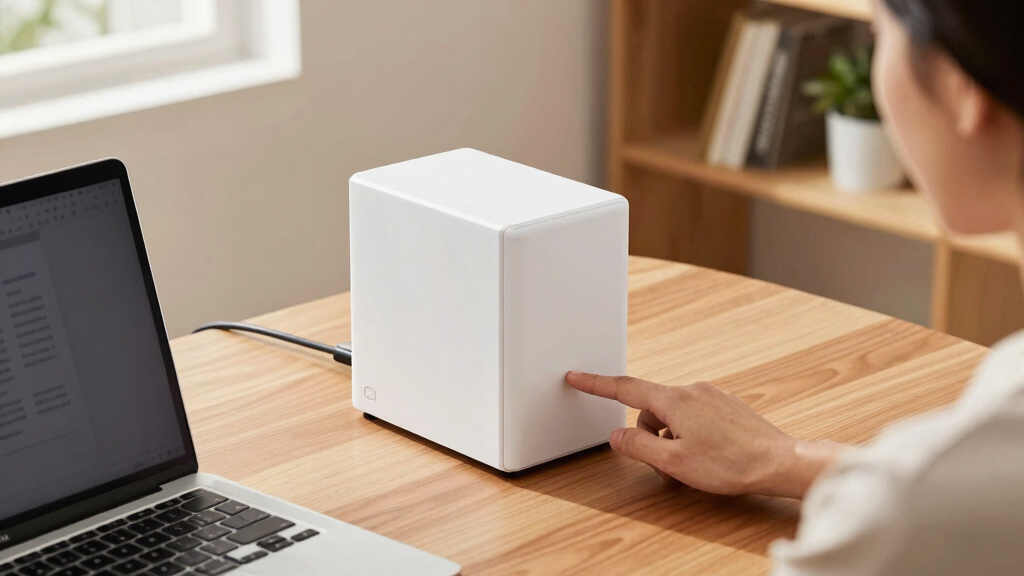
How We Picked
I ranked these products by how well they serve the main reasons buyers choose network attached storage: dependable backups, shared access, media delivery, private cloud features, and manageable long-term ownership. I placed the greatest weight on bay count and data-protection options, software usability, network speed, processor capability, memory, and expansion room. Included storage received credit for convenience, while diskless pricing was judged alongside the cost of suitable NAS drives. I also weighed remote-access tools, application support, maintenance demands, and the maturity of each brand’s software platform. This approach puts versatile two-bay systems ahead of one-bay appliances for most buyers, even when the simpler products cost less.
The Synology DS223 ranks first because it balances capability and accessibility without charging for specialized hardware that many households will never use. The UGREEN DH4300 Plus ranks highly for capacity and stronger hardware, but its extra bays raise the total system cost. The Synology DS225+ and UGREEN DXP2800 move up for demanding media and creator workflows, while the DH2300 occupies the value-focused middle ground. Yxk Zero1 appeals to technical buyers through Docker, HDMI, and 2.5GbE, though a less established software and support ecosystem lowers its broad recommendation. The BUFFALO models remain worthwhile for straightforward storage, but their single-bay architecture and limited upgrade paths place them behind more adaptable choices.
| network attached storage | Brand | Drive Configuration |
|---|---|---|
| BUFFALO LinkStation 710 4TB 1- | — | — |
| Synology DS223 Home & Office 2 | Synology | Diskless |
| UGREEN NAS DH4300 Plus 4-Bay N | — | — |
| UGREEN NAS DH2300 2-Bay Deskto | — | Diskless |
| BUFFALO LinkStation 210 2TB 1- | — | — |
| BUFFALO LinkStation 210 4TB | BUFFALO | HDD included |
| Synology DS225+ | Synology | — |
| Yxk Zero1 2-Bay Desktop NAS | — | Diskless |
| UGREEN NAS DXP2800 | UGREEN | — |
| BUFFALO LinkStation 210 6TB | BUFFALO | HDD included |
Factors to Consider When Choosing Network Attached Storage
I would choose a NAS by working backward from the data, users, and applications it must support. Bay count, drive cost, software quality, and network speed often matter more than the largest capacity number on the box. The sections below explain where buyers commonly overspend, where saving money creates limits, and when stronger hardware earns its price.
Choose Bay Count Before Capacity
A one-bay NAS is compact and inexpensive, but every file depends on a single installed drive. A two-bay enclosure can mirror data across both drives, allowing the system to keep running after one drive fails. Mirroring cuts usable capacity roughly in half, so two 8TB drives usually provide about 8TB of protected space rather than 16TB. Four bays support more flexible storage layouts and easier growth, but they also add drive expense, power use, and management work. I see two bays as the household sweet spot, while four bays make more sense for large media collections, surveillance archives, or several active users. Buyers who only need a secondary copy of replaceable files may still prefer the lower cost of a single-bay model.
Budget for Drives and Usable Space
Diskless NAS pricing can make a capable enclosure appear cheaper than a ready-to-run model. The final budget must include NAS-rated drives, any mirrored capacity, and future expansion rather than the enclosure alone. Drive manufacturers measure capacity differently from operating systems, so displayed space will also be lower than the number printed on the drive. Snapshots, version history, applications, and system files consume additional room over time. I would buy enough capacity for at least a few years of growth instead of filling every bay immediately with small drives. An included-drive BUFFALO model may offer better first-day value, while a diskless Synology or UGREEN system gives the buyer more control over drive brand and capacity.
Match Network Speed to the Rest of the Setup
Gigabit Ethernet is adequate for automated backups, document sharing, and several compressed video streams. A 2.5GbE port becomes more useful when moving large photo catalogs, video projects, or disk images between modern computers. That faster port cannot deliver its full benefit through a gigabit router, switch, or computer adapter. Drive layout also matters because a single mechanical drive may not sustain every workload that a multi-gigabit connection permits. I would treat 2.5GbE as a workflow feature, not an automatic reason to pay more. Creative professionals can save meaningful transfer time, while casual home users may notice little difference during background backups.
Judge the Software as Part of the Product
The enclosure is only half of a NAS; its operating system shapes daily use. Clear backup tools, reliable mobile apps, account permissions, security updates, and simple recovery controls can be more valuable than a faster processor. A broad application catalog also lets a NAS add photo management, synchronization, containers, or surveillance later. Less mature platforms may offer attractive hardware for the price but require more troubleshooting or manual configuration. I would favor Synology for software accessibility, UGREEN for buyers comfortable with a newer platform, and Yxk for technically inclined users who value experimentation. BUFFALO’s simpler approach fits basic file storage but provides less room for advanced services.
Pay More Only for Workloads That Need It
Processor power and memory matter when the NAS runs several applications, containers, indexing tasks, or real-time media conversion. Basic file serving and scheduled backups place far lighter demands on the hardware. Hardware transcoding can help a media server convert unsupported video formats, but direct playback avoids that work and may make a premium processor unnecessary. HDMI output can support direct connection to a display, though many buyers will stream through existing televisions or media players instead. I would pay extra for hardware transcoding, expandable services, or heavier multitasking only when those jobs are part of the planned workflow. Spending the same money on larger drives or a separate backup may provide more value for a storage-first buyer.
Frequently Asked Questions
Should I Buy a One-Bay or Two-Bay NAS for Home Backups?
I would choose a two-bay NAS with drive mirroring when the system will hold the primary shared copy of family photos, documents, or work files. Mirroring keeps the NAS available if one drive fails, but it does not protect against deletion, theft, malware, or damage to the enclosure. A one-bay model costs less and can work well as an additional backup destination for data stored elsewhere. The BUFFALO LinkStation models fit that simpler role, while the Synology DS223 offers stronger failure protection when fitted with two drives. Either setup still needs another backup stored on a separate device or in another location.
Is a Diskless NAS Really Cheaper Than a Model With Storage Included?
A diskless NAS is not always cheaper once suitable hard drives are added. Its advantage is choice: I can select the drive capacity, warranty, noise profile, and storage layout that match the workload. An included-drive model avoids compatibility research and spreads less setup work onto the buyer. The BUFFALO LinkStation 210 2TB can have a lower entry cost, while the UGREEN DH2300 offers more expansion freedom for buyers willing to purchase drives separately. Comparing complete system prices gives a fairer result than comparing enclosure prices.
Do I Need 2.5GbE for Photo or Video Editing?
2.5GbE is worthwhile for frequent large-file transfers, especially when editing high-resolution photos or copying video projects. The computer, switch, cabling, and NAS must all support the faster link before it delivers the expected gain. Remote editing also depends on internet upload speed and latency, so a fast local port will not fix a slow connection away from home. The UGREEN DXP2800 and DH4300 Plus are better aligned with creator workflows than the basic BUFFALO systems. I would keep gigabit networking for routine backup and media playback, then choose 2.5GbE for time-sensitive production work.
Can a NAS Replace Cloud Storage and Online Backup?
A NAS can replace many cloud file-sync and sharing functions, giving the owner more control over storage and recurring fees. It cannot replace an off-site backup when every copy remains in the same home or office. Fire, theft, electrical damage, and account compromise can affect both the NAS and nearby backup drives. I would combine the NAS with encrypted cloud backup or a second device stored elsewhere for irreplaceable files. Private cloud access and disaster recovery solve different problems, so a strong plan uses both.
Which NAS Is Better for Plex and Other Media Servers?
The best choice depends on whether client devices can play stored video formats directly. Direct playback requires little processing power, allowing many entry-level NAS devices to serve media reliably. Real-time format conversion demands stronger hardware, which gives the Intel-based Synology DS225+ an advantage over the DS223 and single-bay BUFFALO models. The UGREEN DH4300 Plus offers more storage headroom for a large library, while HDMI-equipped models can connect directly to a display in selected setups. I would choose Synology DS225+ for transcoding and the DH4300 Plus when library growth matters more than conversion hardware.
Conclusion
For most households and small offices, my best overall recommendation is the Synology DS223 because its two-bay design, approachable software, and broad feature set provide the strongest balance. The UGREEN DH2300 is the best value for buyers who want two drive bays and control over their drive purchases without moving into premium pricing. Beginners who prefer a ready-to-run package should choose the BUFFALO LinkStation 210 2TB, with the 4TB or 6TB versions serving the same simple role at higher capacities. The Synology DS225+ is my premium pick for media users who need hardware transcoding, while the UGREEN DXP2800 better suits active content-creation workflows. For maximum expansion, the four-bay UGREEN DH4300 Plus stands above the two-bay choices; technical users drawn to Docker and HDMI may prefer the Yxk Zero1 despite its less established ecosystem. The BUFFALO LinkStation 710 4TB fits buyers seeking a straightforward higher-tier single-bay appliance, but anyone storing irreplaceable data should favor a multi-bay model plus a separate off-site backup.