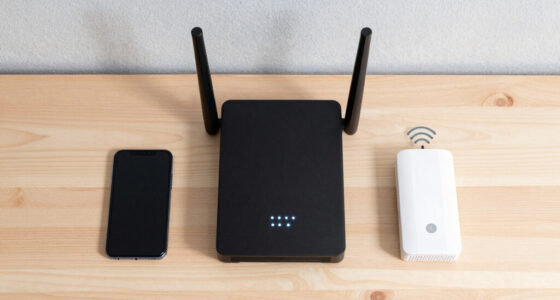
Among these nine Wi-Fi 7 routers, I rank the TP-Link Archer BE550 as the best overall pick because its tri-band design and 2.5G ports offer a useful balance of speed, connection capacity, and price. The TP-Link BE400 is the stronger value choice, while the three-pack Deco BE63 is better suited to large or multi-story homes that need mesh coverage. The main choice is between affordable dual-band hardware and costlier tri-band models that add the faster, less congested 6GHz band. Buyers must also weigh standalone coverage against mesh, along with whether 2.5G or 10G networking will deliver any practical benefit. Continue reading for my full breakdown of which router fits each type of home network.
Key Takeaways
- The Archer BE550 offers the best balance in this lineup: it adds 6GHz and multiple 2.5G connections without pushing into the specialist pricing of the BE600 or BE12000.
- Dual-band models carry the strongest value, led by the BE400 and BE3600, but their lack of 6GHz gives owners less room to separate newer devices from a crowded 5GHz network.
- The Deco BE63 is the clear coverage specialist because it is the only three-node mesh package here; buying a more powerful standalone router is not a substitute for better node placement in a large home.
- 10G connectivity separates the BE600 and BE12000 from the mainstream picks, yet that premium mainly benefits buyers with multi-gig internet, fast local storage, or an upgraded wired network.
- The RS200 is the most broadly appealing Nighthawk option due to its stated 2,500-square-foot coverage and support for 80 devices, while the RS90 and RS140 make more sense when their price or NETGEAR‘s software is the deciding factor.
| TP-Link Archer BE550 |  | Best Overall | WiFi standard: WiFi 7 | Maximum speed: Up to 5760 Mbps | Bands: Tri-band | VIEW LATEST PRICE | See Our Full Breakdown |
| TP-Link BE6500 Dual-Band WiFi 7 Router (BE400) |  | Best Value for Large Homes | WiFi technology: WiFi 7 | Bands: Dual-band | Maximum speed: 5764 Mbps on 5 GHz and 688 Mbps on 2.4 GHz | VIEW LATEST PRICE | See Our Full Breakdown |
| NETGEAR Nighthawk RS90 |  | Best for Straightforward Setup | WiFi speed: Up to 3.6 Gbps | Bands: Dual-band 2.4 GHz and 5 GHz | Coverage: Up to 2,000 sq. ft. | VIEW LATEST PRICE | See Our Full Breakdown |
| NETGEAR Nighthawk RS200 |  | Best Dual-Band Performance | WiFi generation: WiFi 7 | Maximum speed: Up to 6.5 Gbps | Coverage: Up to 2,500 sq. ft. | VIEW LATEST PRICE | See Our Full Breakdown |
| TP-Link Deco BE63 Tri-Band WiFi 7 Mesh System (3-Pack) |  | Best Whole-Home Mesh | WiFi standard: WiFi 7 | System size: 3 units | Coverage: Up to 7,600 sq. ft. | VIEW LATEST PRICE | See Our Full Breakdown |
| TP-Link Archer BE600 |  | Best for Multi-Gig Wired Networks | Wi-Fi technology: Wi-Fi 7 tri-band | Maximum 6 GHz speed: Up to 5,765 Mbps | Coverage: Up to 2,600 sq. ft. | VIEW LATEST PRICE | See Our Full Breakdown |
| NETGEAR Nighthawk RS140 |  | Best for Straightforward Wi-Fi 7 | Wi-Fi technology: Wi-Fi 7 | Band configuration: Dual-band | Wi-Fi speed: Up to 5.0 Gbps | VIEW LATEST PRICE | See Our Full Breakdown |
| TP-Link Archer BE3600 |  | Best Value Pick | Wi-Fi technology: Wi-Fi 7 dual-band | 5 GHz speed: 2,882 Mbps | 2.4 GHz speed: 688 Mbps | VIEW LATEST PRICE | See Our Full Breakdown |
| TP-Link Archer BE12000 |  | Best Premium Single-Router Coverage | Wi-Fi bands: Tri-band: 6 GHz, 5 GHz, and 2.4 GHz | Maximum speeds: 5,765 Mbps at 6 GHz, 5,765 Mbps at 5 GHz, 688 Mbps at 2.4 GHz | Ports: 1×10 Gbps WAN/LAN, 1×2.5 Gbps WAN/LAN, 3×1 Gbps LAN | VIEW LATEST PRICE | See Our Full Breakdown |
| wifi 7 router | Coverage | Security |
|---|---|---|
| TP-Link Archer BE550 | Up to 2,000 sq. ft. | WPA3 and TP-Link HomeShield |
| TP-Link BE6500 Dual-Band WiFi | Up to 2,400 sq. ft. | — |
| NETGEAR Nighthawk RS90 | Up to 2,000 sq. ft. | WPA3 and NETGEAR Armor |
| NETGEAR Nighthawk RS200 | Up to 2,500 sq. ft. | — |
| TP-Link Deco BE63 Tri-Band WiF | Up to 7,600 sq. ft. | — |
| TP-Link Archer BE600 | Up to 2,600 sq. ft. | TP-Link HomeShield and VPN support |
| NETGEAR Nighthawk RS140 | Up to 2,250 sq. ft. | — |
| TP-Link Archer BE3600 | Up to 2,000 sq. ft. | TP-Link HomeShield |
| TP-Link Archer BE12000 | Up to 3,000 sq. ft. | HomeShield and WPA3 |
More Details on Our Top Picks
TP-Link Archer BE550
I rank the TP-Link Archer BE550 first because its tri-band design and five 2.5G Ethernet ports create the most balanced upgrade path in this group. Unlike the dual-band TP-Link BE400, it adds a 6 GHz band, giving compatible devices a less congested route for gaming, large transfers, and high-resolution streaming. It also costs less space and setup effort than the three-unit Deco BE63 system while retaining EasyMesh expansion for later. The tradeoff is reach: its stated 2,000-square-foot coverage suits a medium-size home, not a sprawling property. I also see its deeper HomeShield and network controls as a mixed benefit because buyers seeking a basic plug-in replacement may find the menus excessive. Still, tri-band capacity, wired flexibility, and expandable coverage make it the strongest all-around choice.
Pros:- Tri-band WiFi 7 provides a dedicated 6 GHz option for compatible devices
- One 2.5G WAN port and four 2.5G LAN ports support a full multi-gig wired network
- EasyMesh support allows coverage to grow without replacing the router
- WPA3 and HomeShield provide layered network protection
Cons:- Stated 2,000-square-foot coverage is modest beside larger mesh systems
- HomeShield and advanced network settings may feel complicated to basic users
- A separate modem is required
Best for: Buyers with a medium-size home, several WiFi 7 devices, and multi-gig wired equipment who want room to expand through EasyMesh
Not ideal for: Buyers covering more than 2,000 square feet immediately, since a multi-node system such as the Deco BE63 offers broader reach
- WiFi standard:WiFi 7
- Maximum speed:Up to 5760 Mbps
- Bands:Tri-band
- Streams:6
- Antennas:6 internal antennas
- Coverage:Up to 2,000 sq. ft.
- Ethernet ports:1 x 2.5G WAN and 4 x 2.5G LAN
- Security:WPA3 and TP-Link HomeShield
Our verdict“I recommend the Archer BE550 as the most balanced choice for buyers who want tri-band WiFi 7, abundant 2.5G ports, and future mesh expansion.”
TP-Link BE6500 Dual-Band WiFi 7 Router (BE400)
The TP-Link BE400 is my value-oriented pick for buyers who want broad stated coverage and fast WiFi 7 without paying for a 6 GHz radio. Its 2,400-square-foot reach exceeds the Archer BE550’s stated coverage, while support for 90 devices makes it a practical fit for busy households and remote-work setups. Maximum speeds of 5,764 Mbps on 5 GHz and 688 Mbps on 2.4 GHz also give current dual-band devices plenty of headroom. The compromise is clear: compared with the tri-band Archer BE550 or Deco BE63, this router cannot place compatible clients on a cleaner 6 GHz band. Its port selection is mixed as well, combining two 2.5 Gbps connections with three slower gigabit LAN ports. I would choose it for coverage and capacity per dollar, not for the richest WiFi 7 feature set.
Pros:- Stated coverage reaches up to 2,400 square feet
- Supports as many as 90 connected devices
- Two 2.5 Gbps connections accommodate multi-gig internet and one fast wired client
- EasyMesh and VPN support add useful expansion and remote-access options
Cons:- Dual-band hardware omits the 6 GHz band available on tri-band rivals
- Three gigabit LAN ports can bottleneck faster wired devices
- WiFi 7 benefits depend on compatible client hardware
Best for: Families and remote workers in homes up to 2,400 square feet who have many devices but do not need a 6 GHz band
Not ideal for: Early adopters with 6 GHz WiFi 7 clients or several multi-gig wired devices, since the dual-band design and gigabit LAN ports can restrict them
- WiFi technology:WiFi 7
- Bands:Dual-band
- Maximum speed:5764 Mbps on 5 GHz and 688 Mbps on 2.4 GHz
- Coverage:Up to 2,400 sq. ft.
- Ethernet ports:1 x 2.5 Gbps WAN/LAN, 1 x 2.5 Gbps LAN, and 3 x 1 Gbps LAN
- Device capacity:Up to 90 devices
- Mesh compatibility:EasyMesh
- Processor:Quad-core CPU
Our verdict“I recommend the BE400 to device-heavy households that value broad coverage and speed more than 6 GHz access or an all-multi-gig port layout.”
NETGEAR Nighthawk RS90
I place the NETGEAR Nighthawk RS90 in the beginner-friendly slot because its app and browser setup offer two accessible ways to manage a WiFi 7 network. Its 2.0 GHz quad-core processor, WPA3 support, and 2.5 Gigabit internet port form a capable base for streaming, gaming, and everyday smart-home traffic. Compared with the Nighthawk RS200, though, the RS90 drops from 6.5 Gbps to 3.6 Gbps, covers 500 fewer square feet, and supports 30 fewer devices. Four gigabit LAN ports also mean the multi-gig benefit stops at the WAN connection, unlike the Archer BE550’s all-2.5G arrangement. NETGEAR Armor adds security tools, but buyers may need to check the service terms tied to those features. I see the RS90 as a manageable entry point, provided raw speed and extensive coverage are not the priorities.
Pros:- Setup is available through either the Nighthawk app or a web browser
- WPA3 and NETGEAR Armor strengthen network security
- A 2.0 GHz quad-core processor supports busy household traffic
- Four LAN ports accommodate several wired devices
Cons:- All four LAN ports are limited to Gigabit Ethernet
- 3.6 Gbps rating trails the Nighthawk RS200 and TP-Link BE400
- A separate modem is required, and some ISP setups may need extra configuration
Best for: Apartment and medium-home users supporting up to 50 devices who want app-guided WiFi 7 setup and WPA3 security
Not ideal for: Multi-gig wired households or buyers covering more than 2,000 square feet, because every LAN port is limited to gigabit speed
- WiFi speed:Up to 3.6 Gbps
- Bands:Dual-band 2.4 GHz and 5 GHz
- Coverage:Up to 2,000 sq. ft.
- Device capacity:Up to 50 devices
- WAN port:1 x 2.5 Gigabit Ethernet
- LAN ports:4 x Gigabit Ethernet
- Security:WPA3 and NETGEAR Armor
- Processor:Quad-core 2.0 GHz
Our verdict“I recommend the RS90 for smaller households seeking an approachable WiFi 7 upgrade without paying for speed and capacity they will not use.”
NETGEAR Nighthawk RS200
The NETGEAR Nighthawk RS200 earns my performance role among dual-band models by pairing speeds up to 6.5 Gbps with 2,500-square-foot coverage and capacity for 80 devices. That makes it a stronger match than the Nighthawk RS90 for a larger household running simultaneous game downloads, video calls, security cameras, and 4K streams. It also slightly exceeds the TP-Link BE400’s stated coverage, though that model supports ten more devices and provides a clearer multi-gig LAN configuration. The RS200 still lacks the 6 GHz band found on the Archer BE550, so compatible WiFi 7 clients cannot escape crowded 5 GHz traffic. Its listed WPA2 protocol also trails rivals offering WPA3. I rank it below tri-band choices for that reason, but its high dual-band ceiling suits buyers whose devices remain concentrated on 5 GHz.
Pros:- Rated speed reaches up to 6.5 Gbps
- Stated 2,500-square-foot coverage leads the standalone routers in this batch
- Supports as many as 80 simultaneous devices
- A 2.5 Gigabit internet port supports multi-gig broadband plans
Cons:- Dual-band design omits the 6 GHz spectrum available from tri-band WiFi 7 models
- Listed WPA2 support is behind competitors with WPA3
- Requires a separate modem
Best for: Large households with many 5 GHz devices that want higher dual-band speed and broader single-router coverage
Not ideal for: Security-focused buyers or owners of 6 GHz-capable clients, since the supplied specifications list WPA2 and no 6 GHz band
- WiFi generation:WiFi 7
- Maximum speed:Up to 6.5 Gbps
- Coverage:Up to 2,500 sq. ft.
- Device capacity:Up to 80 devices
- Internet port:2.5 Gigabit Ethernet
- Number of ports:4
- Security protocol:WPA2
- Power:12 volts
Our verdict“I recommend the RS200 for a busy, larger home that wants strong 5 GHz performance but does not need tri-band connectivity.”
TP-Link Deco BE63 Tri-Band WiFi 7 Mesh System (3-Pack)
I give the TP-Link Deco BE63 three-pack the whole-home role because its stated 7,600-square-foot reach sits in a different class from every standalone router here. Three nodes, AI-assisted roaming, and support for more than 200 devices help phones, laptops, cameras, and smart-home gear stay connected while moving between floors. Compared with the Archer BE550, the Deco system offers nearly four times the stated coverage and far greater device capacity; it also places four 2.5G WAN/LAN ports on each unit, creating flexible wired-backhaul options. That scale brings higher cost, more hardware, and a setup process that can feel excessive in an apartment. Some HomeShield capabilities may also depend on the service level offered. For a large or awkwardly shaped property, however, I value its tri-band mesh architecture more than the higher simplicity of a single router.
Pros:- Three-node system covers up to a stated 7,600 square feet
- Tri-band WiFi 7 supports 6 GHz connections and mesh backhaul flexibility
- More than 200-device capacity fits dense smart homes
- Four 2.5G WAN/LAN ports per unit support wired backhaul and fast local devices
Cons:- A three-unit WiFi 7 system costs more and occupies more space than a standalone router
- Initial node placement and feature configuration may challenge less technical buyers
- A separate modem is required
Best for: Owners of large, multi-story, or difficult-layout homes who need roaming coverage for more than 200 wired and wireless devices
Not ideal for: Apartment residents and budget buyers, since three nodes and 7,600 square feet of stated coverage would add cost and hardware without much benefit
- WiFi standard:WiFi 7
- System size:3 units
- Coverage:Up to 7,600 sq. ft.
- 6 GHz speed:Up to 5,188 Mbps
- 5 GHz speed:Up to 4,324 Mbps
- 2.4 GHz speed:Up to 574 Mbps
- Ports per unit:4 x 2.5G WAN/LAN and 1 x USB 3.0
- Device support:More than 200 devices
- Network features:AI-Roaming, VPN support, HomeShield, and mesh networking
Our verdict“I recommend the Deco BE63 three-pack for buyers who need seamless WiFi 7 across a very large home and can justify the added cost and setup.”
TP-Link Archer BE600
I rank the TP-Link Archer BE600 as the strongest choice for homes mixing fast wireless devices with a substantial wired network. Its 10 Gbps WAN/LAN port and four 2.5 Gbps connections provide far more multi-gig flexibility than the Archer BE12000, whose three secondary LAN ports are limited to 1 Gbps. The 6 GHz band, 320 MHz channels, and support for 120 devices also suit busy households with newer laptops, consoles, and network storage. That hardware comes with compromises: the router occupies considerable space, its advanced controls may feel complicated, and buyers pay for capacity they may not use. Compared with the cheaper Archer BE3600, this is a poor fit for basic broadband, but its 2,600-square-foot coverage and stronger port selection make sense for fiber users who want fewer wired bottlenecks.
Pros:- One 10 Gbps and four 2.5 Gbps connections support a capable multi-gig wired network
- 6 GHz speeds up to 5,765 Mbps provide fast short-range links for compatible devices
- Support for up to 120 devices suits connected households
- HomeShield and VPN support provide useful network-management options
Cons:- Advanced configuration can be difficult for buyers seeking a basic setup
- Premium hardware is excessive for slower internet plans
- Large body needs more shelf or desk space than simpler routers
Best for: Fiber subscribers with multi-gig switches, network storage, gaming PCs, and several newer Wi-Fi 7 devices
Not ideal for: Apartment residents on sub-gigabit internet who would gain little from the large chassis, 10 Gbps port, or extensive wired capacity
- Wi-Fi technology:Wi-Fi 7 tri-band
- Maximum 6 GHz speed:Up to 5,765 Mbps
- Coverage:Up to 2,600 sq. ft.
- Device support:Up to 120 devices
- Ports:1×10 Gbps WAN/LAN, 1×2.5 Gbps WAN/LAN, 3×2.5 Gbps LAN
- Security:TP-Link HomeShield and VPN support
- Antennas:6 antennas with beamforming
- Channel bandwidth:Up to 320 MHz
Our verdict“I recommend the Archer BE600 to fiber users who value multi-gig wired capacity as much as fast Wi-Fi 7.”
NETGEAR Nighthawk RS140
The NETGEAR Nighthawk RS140 is my streamlined pick for buyers who want a current-generation router without paying for elaborate tri-band hardware. Its 5.0 Gbps dual-band connection, coverage for up to 2,250 square feet, and capacity for 80 devices are well matched to everyday gaming, streaming, and video calls. It covers more space than the TP-Link Archer BE3600, but the comparison exposes its main limitation: unlike the Archer BE600 and Archer BE12000, the RS140 has no 6 GHz band for compatible clients. Its listed connectivity also centers on a single 2.5 Gig internet port, making it less attractive for ambitious wired networks. I would choose it over more complicated models for a conventional home layout, though buyers must supply a separate cable modem and should skip it if 6 GHz access is the reason they are upgrading.
Pros:- Up to 5.0 Gbps wireless capacity suits streaming, gaming, and video calls
- Coverage reaches up to 2,250 sq. ft.
- Supports as many as 80 connected devices
- 2.5 Gig internet port accommodates faster-than-gigabit service
Cons:- Dual-band design omits the 6 GHz band available on tri-band alternatives
- Limited listed multi-gig connectivity restricts wired expansion
- Requires a separate modem for cable internet service
Best for: Households wanting simple dual-band Wi-Fi 7 coverage for many everyday devices across a medium-size home
Not ideal for: Early adopters seeking a 6 GHz band, several multi-gig wired ports, or an all-in-one cable modem and router
- Wi-Fi technology:Wi-Fi 7
- Band configuration:Dual-band
- Wi-Fi speed:Up to 5.0 Gbps
- Coverage:Up to 2,250 sq. ft.
- Device support:Up to 80 devices
- Internet port:2.5 Gig
Our verdict“I favor the RS140 for buyers who want uncomplicated Wi-Fi 7 coverage and do not need 6 GHz or an extensive wired network.”
TP-Link Archer BE3600
I see the TP-Link Archer BE3600 as the value-focused route into Wi-Fi 7. Its 2,882 Mbps 5 GHz band and 688 Mbps 2.4 GHz band are modest beside the NETGEAR Nighthawk RS200 or tri-band Archer BE600, yet they are ample for typical broadband plans. The combination of a 2.5G WAN/LAN port, USB 3.0, and EasyMesh gives budget-minded buyers useful expansion options that basic routers often omit. EasyMesh also offers a path beyond the stated 2,000-square-foot coverage without replacing the router. The tradeoff is clear: there is no 6 GHz band, only one multi-gig port, and older clients cannot take full advantage of its Wi-Fi 7 features. Compared with the RS140, this model covers less space, but I prefer its USB sharing and mesh flexibility for buyers building a practical home network gradually.
Pros:- Strong dual-band speeds for typical gigabit-class home internet
- 2.5G WAN/LAN port supports faster broadband service
- EasyMesh compatibility allows later coverage expansion
- USB 3.0 port supports shared storage or peripherals
Cons:- No 6 GHz band for newer Wi-Fi 7 clients
- Only one 2.5 Gbps port limits multi-gig wired networking
- Coverage is lower than the RS140 and the tri-band TP-Link models
Best for: Value-conscious households with gigabit or modest multi-gig internet that want USB sharing and the option to add EasyMesh coverage later
Not ideal for: Buyers upgrading specifically for 6 GHz access or needing multiple 2.5 Gbps wired connections
- Wi-Fi technology:Wi-Fi 7 dual-band
- 5 GHz speed:2,882 Mbps
- 2.4 GHz speed:688 Mbps
- Ports:1×2.5G WAN/LAN, 3×1G LAN
- Processor:2.0 GHz quad-core
- Coverage:Up to 2,000 sq. ft.
- Mesh compatibility:EasyMesh
- USB:1×USB 3.0
- Security:TP-Link HomeShield
Our verdict“I recommend the Archer BE3600 as an affordable Wi-Fi 7 starting point for buyers who value mesh and USB flexibility over 6 GHz performance.”
TP-Link Archer BE12000
The TP-Link Archer BE12000 takes my premium single-router position because it pairs tri-band Wi-Fi 7 with the widest stated coverage in this group: up to 3,000 square feet. Matching 5,765 Mbps maximums on both 6 GHz and 5 GHz give new and older compatible clients more high-speed capacity, while the 10 Gbps WAN/LAN connection suits fast fiber service. It reaches farther than the Archer BE600 and adds USB 3.0, but the BE600 is better for a multi-gig wired network because its three additional LAN ports run at 2.5 Gbps rather than 1 Gbps. The BE12000 also cannot join TP-Link’s Deco mesh ecosystem, so its strong single-unit reach must fit the home. I rank it below a Deco BE63 three-pack for difficult multi-floor layouts, though it avoids placing several mesh nodes around a more open home.
Pros:- Tri-band design includes dedicated 6 GHz access for compatible devices
- Up to 3,000 sq. ft. coverage is the widest stated range among these four picks
- 10 Gbps WAN/LAN port supports high-end fiber connections
- USB 3.0 and HomeShield add storage-sharing and security options
Cons:- Three standard LAN ports are limited to 1 Gbps
- Cannot integrate with TP-Link Deco mesh systems
- Feature depth and premium positioning may be excessive for casual users
Best for: Owners of large, fairly open homes who have fast fiber service and want strong tri-band coverage from one router
Not ideal for: Multi-floor homes with stubborn dead zones or buyers planning a Deco mesh system, since this model is not Deco-compatible
- Wi-Fi bands:Tri-band: 6 GHz, 5 GHz, and 2.4 GHz
- Maximum speeds:5,765 Mbps at 6 GHz, 5,765 Mbps at 5 GHz, 688 Mbps at 2.4 GHz
- Ports:1×10 Gbps WAN/LAN, 1×2.5 Gbps WAN/LAN, 3×1 Gbps LAN
- USB:1×USB 3.0
- Coverage:Up to 3,000 sq. ft.
- Antennas:6 high-gain antennas
- Smart-home compatibility:Alexa and Google Assistant
- Security:HomeShield and WPA3
- Dimensions:10.57 × 6.02 × 1.87 inches
Our verdict“I recommend the Archer BE12000 for a large open home where one powerful tri-band router is preferable to a mesh kit.”
How We Picked
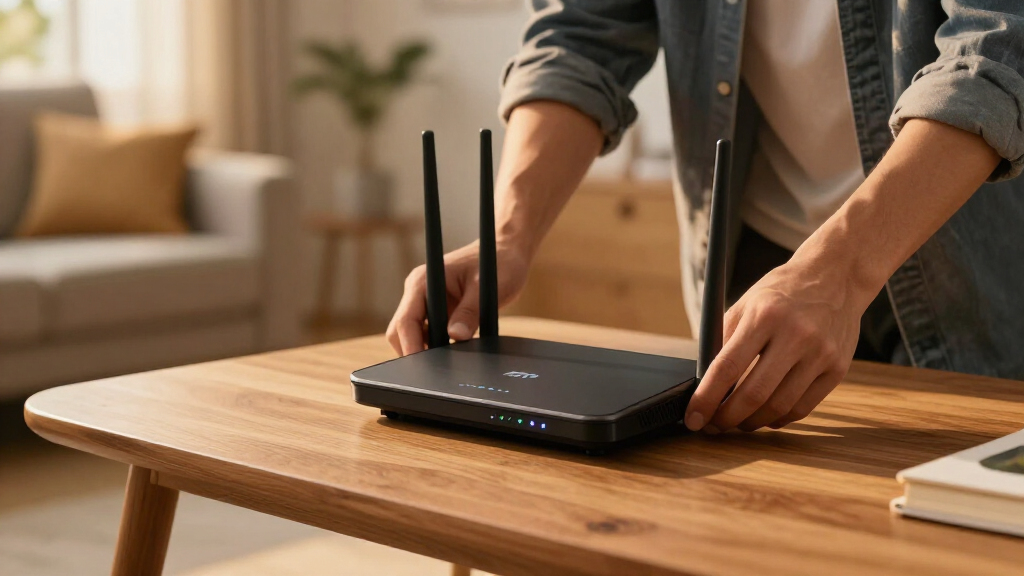
I evaluated these routers around real buyer outcomes: usable band capacity, coverage strategy, multi-gig wired connectivity, setup demands, upgrade headroom, and price. I gave extra weight to 6GHz access because it is one of Wi-Fi 7’s most meaningful advantages in busy homes, but I did not treat a higher advertised speed as an automatic win. Port count and port speed mattered alongside wireless capability, since a slow wired link can cap the entire network. I also compared standalone routers with the Deco mesh system according to the homes they suit rather than treating node count as raw performance.
My ranking favors products with broad usefulness before specialist hardware. That puts the Archer BE550 at the front, while the BE400 and BE3600 gain ground through affordability and approachable features. The RS200 and Deco BE63 rank highly for defined needs such as a preferred NETGEAR ecosystem, many connected devices, or whole-home coverage. I place the BE600 and BE12000 in premium roles because their 10G hardware is powerful but harder for an average household to exploit, while the RS90 and RS140 are more dependent on sale pricing. This approach makes fit, not the largest speed number, the basis of each recommendation.
| wifi 7 router | Security |
|---|---|
| TP-Link Archer BE550 | WPA3 and TP-Link HomeShield |
| TP-Link BE6500 Dual-Band WiFi | — |
| NETGEAR Nighthawk RS90 | WPA3 and NETGEAR Armor |
| NETGEAR Nighthawk RS200 | — |
| TP-Link Deco BE63 Tri-Band WiF | — |
| TP-Link Archer BE600 | TP-Link HomeShield and VPN support |
| NETGEAR Nighthawk RS140 | — |
| TP-Link Archer BE3600 | TP-Link HomeShield |
| TP-Link Archer BE12000 | HomeShield and WPA3 |
Factors to Consider When Choosing Wifi 7 Routers
I would choose a Wi-Fi 7 router by matching its bands, ports, and coverage method to the network that will actually use them. The highest speed printed on the box rarely predicts the best purchase by itself. A lower-cost model can be the smarter choice for a small home, while a mesh system or 10G router earns its price only under the right conditions. The sections below explain where paying more changes the result and where it merely adds unused capacity.
Choose Between Dual-Band and Tri-Band Wi-Fi 7
Dual-band Wi-Fi 7 routers use 2.4GHz and 5GHz, making them affordable upgrades for homes with modest device counts. Tri-band models add 6GHz, which creates a cleaner lane for compatible laptops, phones, and gaming systems. That extra band can reduce contention, but its shorter range and weaker wall penetration mean it works best near the router. In an apartment with mostly older clients, a dual-band model may deliver similar everyday results for less money. In a busy home filled with new devices, I favor tri-band capacity and 6GHz access because they provide more ways to distribute traffic. I would not pay for 6GHz solely because it is newer; I would pay for it when device compatibility, congestion, and room layout support its use.
Match the Ports to Your Internet and Local Network
Wireless speed depends on the wired path feeding the router. A multi-gig WAN port is useful when an internet plan exceeds 1 Gbps, while 2.5G LAN ports let fast computers, switches, and network storage avoid a gigabit bottleneck. A 10G connection makes more sense for large file transfers or a network shared by several high-performance devices than for ordinary browsing and streaming. One common mistake is paying for a 10G router while every connected device remains limited to gigabit Ethernet. I recommend counting how many multi-gig ports can be used at the same time, since a single port may need to serve as the WAN connection. Spend more on 10G connectivity only when the modem, cabling, switch, and client hardware can complete that faster path.
Treat Coverage and Mesh as Different Problems
A powerful standalone router cannot always overcome distance, dense walls, or poor placement. Mesh systems address those obstacles by putting access points closer to users, which often produces steadier service than sending a stronger signal from one corner of the house. Wireless mesh links consume capacity, so Ethernet backhaul is preferable when the home is wired for it. Extra nodes can also interfere with one another when placed too closely, making a three-pack excessive for a compact apartment. I would choose a standalone router for an open, centrally served home and mesh for multiple floors, long layouts, or persistent dead zones. The right comparison is usable coverage in occupied rooms, not the combined theoretical speed of every mesh node.
Check Which Devices Can Use Wi-Fi 7
Wi-Fi 7 benefits require compatible clients, especially for features such as Multi-Link Operation and access to the 6GHz band. Older phones, televisions, and smart-home devices will still connect, but they may behave much like they did on a Wi-Fi 6 network. I recommend listing the devices that handle demanding tasks and checking their wireless standards before paying for a premium router. A new laptop with Wi-Fi 7 can benefit immediately, while a house of 2.4GHz smart plugs gains little from 10G hardware. Router longevity still has value because client devices are replaced over time, but future readiness should have a sensible price limit. For a gradual upgrade cycle, midrange hardware often offers better value than buying the fastest model years before its capacity is needed.
Account for Setup, Security, and Ongoing Costs
Router software shapes daily ownership long after the speed comparison is finished. I look for clear device controls, guest networking, firmware updates, useful troubleshooting tools, and a setup process that does not hide basic settings. Some security, filtering, or parental-control features may require a subscription, so buyers should separate included functions from paid services before comparing prices. App-only simplicity can help beginners, though advanced users may prefer detailed browser-based configuration and control over network settings. Brand familiarity also matters when adding compatible mesh nodes or managing several locations through one account. I would accept a small hardware compromise for software that matches the buyer’s skill level, but not a large recurring fee for features that a rival includes.
Know When the Premium Is Justified
Paying more makes sense when several upgrades work together, such as 6GHz, multiple multi-gig ports, strong processing capacity, and a real need for heavy simultaneous traffic. It makes less sense when the premium comes mainly from a theoretical wireless total that no single device can approach. Gamers often benefit more from a stable wired connection and low local congestion than from buying the router with the largest number on its box. Remote workers may place greater value on reliable coverage, simple recovery tools, and a backup connection strategy. Large households should prioritize band capacity and device management, while smaller households can direct the savings toward better router placement or wired access points. I use the network’s next likely bottleneck to decide whether the next pricing tier is justified.
Frequently Asked Questions
Do I Need Wi-Fi 7 Devices Before Buying One of These Routers?
No, because Wi-Fi 7 routers remain compatible with older Wi-Fi devices. Those older clients will not gain every new feature, so the immediate improvement may come from better routing hardware, multi-gig ports, or improved traffic management rather than Wi-Fi 7 itself. I would buy now if a router already needs replacement and new laptops or phones are planned within the next few years. If the current network is stable and every demanding device uses Wi-Fi 5 or Wi-Fi 6, waiting may provide better prices and a wider choice. The strongest reason to upgrade is a present network problem plus a clear upgrade path, not the standard’s name alone.
Is a Tri-Band Wi-Fi 7 Router Worth More Than a Dual-Band Model?
A tri-band model is worth more when compatible devices can use its 6GHz band and the 5GHz band is already busy. It also gives the router more flexibility when several people are gaming, transferring files, joining video calls, or streaming at once. A dual-band model remains a sound choice for smaller homes, lighter traffic, and households dominated by older devices. The BE400 and BE3600 fit that budget-minded case, while the BE550 offers a more balanced tri-band upgrade. I would choose based on congestion and client mix rather than assuming three bands always produce better coverage.
Should I Buy the Deco BE63 Mesh System or One Powerful Router?
I would choose the Deco BE63 for distributed coverage across multiple floors, a long floor plan, or rooms blocked by dense walls. One powerful router is usually simpler and cheaper when it can sit near the center of a small or medium home. Mesh adds value by shortening the distance between users and access points, not by making each individual connection three times faster. Ethernet backhaul can improve consistency between the Deco nodes, while poorly placed wireless nodes may lose some of their available capacity. If dead zones are the main complaint, better access-point placement usually beats higher standalone specifications.
Will a 10G Router Improve a 1 Gbps Internet Connection?
A 10G port will not make a 1 Gbps internet service exceed its provider limit. It can still accelerate local transfers between compatible computers, network storage, and a multi-gig switch. That use case suits the BE600 or BE12000, but it also requires suitable Ethernet adapters and cabling throughout the faster path. For households focused on internet access rather than local data movement, several 2.5G ports usually provide more practical value. I would treat 10G as specialist wired-network capacity, not a universal speed upgrade.
Which Router Makes Sense if I Prefer NETGEAR Over TP-Link?
The NETGEAR Nighthawk RS200 is my most broadly useful NETGEAR choice in this group because its listed 2,500-square-foot coverage and 80-device support suit a busy medium-size home. The RS90 and RS140 are better treated as price-sensitive alternatives within the same brand rather than automatic upgrades over the TP-Link models. I would compare their current price, port selection, management features, and any paid service costs before choosing between them. Buyers who need 6GHz, mesh coverage, or 10G connectivity may find a closer match among the TP-Link options in this lineup. Choosing NETGEAR makes the most sense when its interface, account system, or existing ecosystem carries real value for the household.
Conclusion
For most buyers, my best overall recommendation is the TP-Link Archer BE550 because it combines tri-band Wi-Fi 7, 6GHz access, and useful 2.5G connectivity without moving into specialist territory. Budget-focused buyers should choose the BE400 for value or the BE3600 for beginner-friendly flexibility. My premium pick is the Archer BE12000 for buyers who can use both its tri-band capacity and 10G connection. For difficult floor plans, the Deco BE63 is the best mesh choice, while the RS200 is my preferred NETGEAR option for a busy medium-size home. The BE600 fills the narrower role of a high-end 10G upgrade with HomeShield, while the RS90 and RS140 are more appealing when discounted or chosen for NETGEAR’s software. I would make the final choice by identifying whether the home needs lower cost, 6GHz capacity, distributed coverage, or faster wired networking, then pay only for the category that solves that need.