
External GPUs (eGPUs) offer a practical way to boost graphics performance for laptops and compact PCs without upgrading their internal components. The best models deliver high power and compatibility, but tradeoffs include size, price, and setup complexity. The Razer Core X V2 stands out for its broad compatibility and affordability, while the ASUS ROG XG Mobile offers premium performance with an integrated design. Many options require balancing performance, ease of use, and budget. Continue reading for a detailed breakdown of the best external GPUs in 2026, tailored to different needs and priorities.

Get business pricing on tech for your team
- Business-only prices and quantity discounts
- Tax-exempt purchasing
- Multiple users, one account, clear invoices
Key Takeaways
- The best external GPUs combine high power delivery with portability, but size and cost vary widely.
- Compatibility with Thunderbolt 3/4 or USB4 significantly impacts ease of setup and performance potential.
- Many high-end options offer PCIe 4.0 support, ensuring future-proof performance for demanding games and creative work.
- Ease of installation and user experience differ; some enclosures are plug-and-play, others require technical setup.
- Price ranges from budget-friendly to premium, making it essential to match the GPU dock to your specific performance needs.
| Razer Core X V2 External Graphics Enclosure (eGPU) |  | Best Overall for Versatile Desktop GPU Compatibility | Compatibility: NVIDIA & AMD desktop GPUs up to 4 slots wide | Connection: Thunderbolt 5, Thunderbolt 4, USB 4 | Cooling: 120 mm active fan with adjustable curve | VIEW LATEST PRICE | See Our Full Breakdown |
| MINISFORUM DEG2 USB4 V2 (TBT5 Compatible) & OCuLink eGPU Dock |  | Best for High-Speed Data and Storage Integration | Transfer Speeds: 80Gbps (USB4 V2), 64Gbps (OCuLink) | Interfaces: USB4 V2 (TBT5), OCuLink | Storage: M.2 2280 NVMe slot | VIEW LATEST PRICE | See Our Full Breakdown |
| PELADN S-3 eGPU Dock with Thunderbolt 5 Cable – External GPU Dock with PCIe 4.0 x4 Slot, Dual Thunderbolt 5 Ports, SD 4.0 Card Slot, Supports ATX/SFX/140W PD |  | Best for Expandable High-Performance GPU Setups | Thunderbolt 5 Ports: 2 | PCIe Slot: PCIe 4.0 x4 | M.2 Slot: PCIe 3.0 | VIEW LATEST PRICE | See Our Full Breakdown |
| ASUS ROG XG Mobile (2025) External Graphics Card with NVIDIA GeForce RTX 5090 |  | Best for Gaming and Creative Power Users | GPU: NVIDIA GeForce RTX 5090 | VRAM: 24GB GDDR7 | Connectivity: Thunderbolt 5 | VIEW LATEST PRICE | See Our Full Breakdown |
| MINISFORUM DEG1 External GPU Dock Station for RTX 4090 and AMD RX 7900 XTX |  | Best for High-Performance Desktop GPU Expansion | Up link: Oculink 4i (PCIE 4.0 x4) | Down link: PCIEx16 (PCIe 4.0 x4) | Power support: ATX/SFX | VIEW LATEST PRICE | See Our Full Breakdown |
| MINISFORUM MGA1 External GPU Docking Station with AMD Radeon 7600M XT |  | Best for Dedicated Mini PC Users | Graphics: AMD Radeon 7600M XT | Video Outputs: 1x HDMI2.1, 2x DisplayPort2.0 | Power Supply: 240W GaN | VIEW LATEST PRICE | See Our Full Breakdown |
| AOOSTAR AG01 External GPU Docking Station Supports NVIDIA and AMD Graphics Cards with 800W Power Supply |  | Best for High-Power, Multi-Platform Setups | Interface: OCuLink | Graphics Card Power Support: up to 600W | Power Supply: 800W | VIEW LATEST PRICE | See Our Full Breakdown |
| MINISFORUM DEG1 eGPU Docking Station for RTX 4090 and AMD RX 7900 XTX |  | Best for Enthusiast High-Performance Gaming | Up Link: Oculink 4i (PCIe 4.0 x4) | Down Link: PCIe x16 (PCIe 4.0 x4) | Power Supply Support: ATX and SFX | VIEW LATEST PRICE | See Our Full Breakdown |
More Details on Our Top Picks
Razer Core X V2 External Graphics Enclosure (eGPU)
The Razer Core X V2 stands out as the most adaptable external GPU enclosure, supporting a wide range of NVIDIA and AMD desktop GPUs with up to 4 slots width. Its Thunderbolt 5 connectivity offers high bandwidth for demanding tasks, making it ideal for gamers and creative professionals who need maximum GPU flexibility. Compared to the ASUS ROG XG Mobile, which is optimized for portability and high-end gaming, the Core X V2 is less compact but more versatile in GPU choices and upgradeability. The tradeoff is that the GPU and PSU are sold separately, adding to the total cost, and it’s incompatible with Macs with M1 or later chips. It’s best for users who prioritize compatibility and upgrade options over size and integrated design.
Pros:- Supports a broad range of NVIDIA and AMD desktop GPUs
- High-speed Thunderbolt 5 connection maximizes performance
- Active cooling with adjustable fan curve improves thermal management
- Supports modular GPU and PSU upgrades
Cons:- GPU and power supply are sold separately, increasing overall cost
- Requires Thunderbolt 4 or 5 port, limiting compatibility with older devices
- Not compatible with Macs with M1 or later chips
Best for: Power users who want to use a variety of desktop GPUs with their Thunderbolt-compatible Windows or Linux laptops
Not ideal for: Mac users with M1 or later chips, or those seeking a compact, all-in-one external GPU solution
- Compatibility:NVIDIA & AMD desktop GPUs up to 4 slots wide
- Connection:Thunderbolt 5, Thunderbolt 4, USB 4
- Cooling:120 mm active fan with adjustable curve
- Support:Modular GPU and ATX PSU support
- Material:Vented steel chassis
- GPU & PSU:Sold separately
Our verdict“This enclosure suits users who need flexible GPU support and are comfortable with separate components and upgrades.”
MINISFORUM DEG2 USB4 V2 (TBT5 Compatible) & OCuLink eGPU Dock
The MINISFORUM DEG2 USB4 V2 is notable for its dual high-speed transfer interfaces supporting up to 80Gbps via USB4 V2 and 64Gbps with OCuLink, making it ideal for professionals handling large files or AI models. Its built-in M.2 NVMe slot adds versatility, combining external GPU expansion with direct storage access. Compared to the PELADN S-3, which emphasizes multi-display support, the DEG2 excels in streamlined data transfer and storage integration, though it might be more complex for less technical users. Its reliance on compatible host devices with USB4 V2 or OCuLink support can limit immediate plug-and-play ease. This model is best suited for users who need rapid data handling and integrated storage alongside external GPU capabilities.
Pros:- Supports ultra-fast data transfer up to 80Gbps
- Built-in M.2 NVMe slot for fast storage
- Universal compatibility with various desktop GPUs
- Single-cable setup simplifies workflow
Cons:- Requires host device with USB4 V2 or OCuLink support, limiting compatibility
- Setup can be complex for non-technical users
- Limited user reviews make long-term reliability uncertain
Best for: Power users requiring high data throughput with integrated storage and GPU expansion on compatible systems
Not ideal for: Less technical users or those with older computers lacking USB4 V2 or OCuLink support
- Transfer Speeds:80Gbps (USB4 V2), 64Gbps (OCuLink)
- Interfaces:USB4 V2 (TBT5), OCuLink
- Storage:M.2 2280 NVMe slot
- Power Compatibility:Supports ATX and SFX power supplies
- Graphics Card Support:Compatible with various desktop GPUs
- Features:Signal booster, single-cable setup
Our verdict“Ideal for tech-savvy professionals needing rapid data transfer and GPU support in one streamlined device.”
PELADN S-3 eGPU Dock with Thunderbolt 5 Cable – External GPU Dock with PCIe 4.0 x4 Slot, Dual Thunderbolt 5 Ports, SD 4.0 Card Slot, Supports ATX/SFX/140W PD
The PELADN S-3 eGPU Dock offers a flexible solution with dual Thunderbolt 5 ports for high-speed data and display connections, along with PCIe 4.0 x4 support for modern GPUs. Its support for multiple storage options, including SD 4.0, adds to its expandability, making it well-suited for content creators and gamers who need multiple peripherals and high bandwidth. Compared with the ASUS ROG XG Mobile, which prioritizes portability and high-end gaming, the S-3 emphasizes expandability and connectivity for diverse setups. The main tradeoff is that setup can be complex, especially for beginners, and it requires compatible power supplies and sufficient space for installation. It’s best for users with existing hardware knowledge and space for detailed configuration.
Pros:- Dual Thunderbolt 5 ports with high bandwidth
- Supports a wide range of GPUs and storage options
- Flexible power supply compatibility
- Multiple peripheral connections including SD card slot
Cons:- Setup can be challenging for inexperienced users
- Requires sufficient space and compatible power supplies
- Complex installation process may deter casual users
Best for: Advanced users wanting a flexible, multi-connection external GPU solution with extensive expandability
Not ideal for: Beginners or users seeking a simple, all-in-one portable solution
- Thunderbolt 5 Ports:2
- PCIe Slot:PCIe 4.0 x4
- M.2 Slot:PCIe 3.0
- SD Card Slot:SD 4.0
- Maximum Power Delivery:140W
- Supported Power Supplies:ATX/SFX up to 180mm length
Our verdict“Designed for experienced users who need a versatile, expandable external GPU docking station for demanding workflows.”
ASUS ROG XG Mobile (2025) External Graphics Card with NVIDIA GeForce RTX 5090
The ASUS ROG XG Mobile (2025) delivers cutting-edge gaming and creative performance with its NVIDIA GeForce RTX 5090 GPU, equipped with 24GB GDDR7 VRAM. Its Thunderbolt 5 connectivity supports 8K video and multiple 4K displays at high refresh rates, ideal for demanding gamers and content creators. Compared to the compact Razer Core X V2, which emphasizes upgrade flexibility and compatibility, the XG Mobile emphasizes portability and integrated design, though at a higher price point. Its lightweight design and advanced cooling make it portable, but the premium cost could be a barrier for some. This device excels when high-end graphics performance in a portable, all-in-one form factor is a priority.
Pros:- Powerful NVIDIA GeForce RTX 5090 GPU with 24GB VRAM
- Supports 8K video output and multiple 4K displays
- Compact and lightweight for portability
- Enhanced cooling with redesigned vapor chamber
Cons:- Premium price due to high-end specifications
- Requires compatible Thunderbolt 5 port and supporting laptop
- Limited upgradeability compared to larger enclosures
Best for: High-end gamers and creators seeking portable, top-tier GPU performance with multiple high-resolution display support
Not ideal for: Budget-conscious users or those who prefer a modular or upgradeable external GPU enclosure
- GPU:NVIDIA GeForce RTX 5090
- VRAM:24GB GDDR7
- Connectivity:Thunderbolt 5
- Supported Displays:8K, three 4K at 144Hz
- Weight:2.09 lbs
- Cooling:Redesigned vapor chamber
Our verdict“Best suited for users who want portable, high-performance graphics with excellent display support and are willing to pay a premium.”
MINISFORUM DEG1 External GPU Dock Station for RTX 4090 and AMD RX 7900 XTX
The MINISFORUM DEG1 is tailored for users with high-performance GPUs like the RTX 4090 or AMD RX 7900 XTX who need a reliable external docking station. Its Oculink interface provides high-speed data transfer, supporting demanding graphics cards with PCIe 4.0 x4 connections. Its support for ATX and SFX power supplies allows flexible power options, making it suitable for custom setups. Compared with the PELADN S-3, the DEG1 offers a more straightforward interface for high-end GPUs, but the Oculink design lacks hot-plug support, requiring careful handling. This model is best for users who understand hardware nuances and need maximum GPU performance with proper setup.
Pros:- Supports top-tier GPUs like RTX 4090 and RX 7900 XTX
- Compatible with ATX and SFX power supplies
- High-speed Oculink interface for data transfer
- Reliable for demanding professional workloads
Cons:- Oculink does not support hot plugging, requiring careful handling
- Limited ease of use for inexperienced users
- Follow-start function only compatible with MINISFORUM Mini PCs
Best for: Enthusiasts and professionals requiring robust external GPU support for high-end desktop graphics cards
Not ideal for: Casual users or those unfamiliar with hardware handling, due to its complex setup and handling requirements
- Up link:Oculink 4i (PCIE 4.0 x4)
- Down link:PCIEx16 (PCIe 4.0 x4)
- Power support:ATX/SFX
- Power button:ForcePowerOn with LED
- Note1:Oculink does not support hot plugging
- Note2:Oculink connector has a fixed locking interface
Our verdict“Designed for expert users seeking maximum GPU performance with high-speed data transfer and flexible power options.”
MINISFORUM MGA1 External GPU Docking Station with AMD Radeon 7600M XT
The MINISFORUM MGA1 excels at providing a high-performance gaming and streaming experience through its AMD Radeon 7600M XT graphics, which leverage RDNA 3.0 architecture for efficient rendering. Compared to the MINISFORUM DEG1, which supports high-end GPUs like the RTX 4090 but requires more setup, the MGA1 offers an integrated solution with a built-in 240W power supply, simplifying connections for compatible MINISFORUM Mini PCs. However, its design is tailored for specific systems, limiting broader compatibility. The triple video outputs support multi-monitor setups, ideal for productivity and immersive gaming. The key tradeoff is that this dock is less portable and mainly designed for users with compatible MINISFORUM hardware. It’s best suited for those who want a plug-and-play upgrade within a mini PC ecosystem, rather than a universal external GPU solution.
Pros:- Supports triple monitor setup for enhanced multitasking.
- High-performance AMD Radeon 7600M XT graphics with RDNA 3.0 architecture.
- Built-in 240W GaN power supply provides ample power for GPU and peripherals.
- Multiple connectivity options including HDMI, DisplayPort, USB-C, and Oculink.
Cons:- Designed primarily for MINISFORUM Mini PCs, limiting cross-compatibility.
- Requires original cables for follow-start, which can be inconvenient.
- Lacks portability and is not suited for mobile setups.
Best for: Mini PC owners looking for a dedicated, high-performance GPU upgrade compatible with their existing system.
Not ideal for: Users with non-MINISFORUM systems or seeking a portable eGPU for flexible use with multiple devices.
- Graphics:AMD Radeon 7600M XT
- Video Outputs:1x HDMI2.1, 2x DisplayPort2.0
- Power Supply:240W GaN
- Interfaces:USB Type-C, USB3.2 Gen2, Oculink PCIe4.0
- Supports Follow Startup:Yes
- Compatibility:Designed for MINISFORUM Mini PCs
Our verdict“Ideal for users with compatible MINISFORUM mini PCs seeking a stable, high-performance GPU upgrade.”
AOOSTAR AG01 External GPU Docking Station Supports NVIDIA and AMD Graphics Cards with 800W Power Supply
The AOOSTAR AG01 stands out for supporting graphics cards up to 600W, making it suitable for high-end gaming cards like the RTX 4090 or AMD RX 7900 XTX. Its open metal design is a key advantage over enclosed enclosures like the Razer Core X V2, allowing for unlimited card lengths and easier maintenance. The 800W power supply ensures ample power for demanding GPUs, and its compatibility with both Mac and Windows broadens its appeal. However, the reliance on Oculink limits hot-plugging capabilities, unlike Thunderbolt-based solutions. This dock is best for users who need to install large, high-power GPUs in a desktop environment and are prepared for a more manual setup process. It’s less suitable for portable or quick-connect scenarios, especially without hot-swap support.
Pros:- Supports very high-power graphics cards up to 600W.
- Open metal design allows unlimited card length and easy upgrades.
- 800W power supply ensures reliable, high-capacity power delivery.
- Compatible with both Mac and Windows systems.
Cons:- Oculink interface does not support hot-plugging, requiring shutdown for connections.
- Limited compatibility since it requires devices with Oculink ports.
- Requires manual connection and disconnection, less convenient for frequent use.
Best for: Power users with desktop setups who want to install and run high-performance GPUs like RTX 4090, regardless of system platform.
Not ideal for: Mobile professionals or those seeking a plug-and-play eGPU experience, due to lack of hot-plugging and portability.
- Interface:OCuLink
- Graphics Card Power Support:up to 600W
- Power Supply:800W
- Input Voltage:220V
- OS Compatibility:Mac, Windows 11 or higher
- Size:8.86″L x 4.33″W x 2.36″H
Our verdict“Best suited for high-end desktop setups where maximum GPU power and flexibility are needed, not for portable or casual use.”
MINISFORUM DEG1 eGPU Docking Station for RTX 4090 and AMD RX 7900 XTX
The MINISFORUM DEG1 is engineered for users who want to run the latest high-end GPUs like the RTX 4090 or AMD RX 7900 XTX. It features Oculink interfaces for rapid data transfer, supporting PCIe 4.0 x4 connections that match the bandwidth needs of these powerful cards, unlike the MGA1 which is more integrated and system-specific. The DEG1’s support for ATX and SFX power supplies allows for flexible customization, but it requires users to supply their own GPU and power supply, adding complexity. Its lack of Thunderbolt and hot-plug support makes it less suitable for quick swaps or portable setups. This dock appeals most to enthusiasts building a dedicated gaming or workstation rig, willing to handle more manual setup and component selection.
Pros:- Supports high-performance GPUs like RTX 4090 and RX 7900 XTX.
- Flexible power options with ATX and SFX compatibility.
- High-speed PCIe 4.0 interfaces for maximum data transfer.
- Supports custom GPU and power supply choices.
Cons:- GPU and power supply are not included, increasing setup complexity.
- No support for hot-plugging or Thunderbolt, requiring system shutdown to connect.
- Requires technical knowledge for installation and configuration.
Best for: Enthusiasts and gamers who want to install premium GPUs like RTX 4090 or RX 7900 XTX in a custom desktop environment.
Not ideal for: Casual users or those seeking a portable eGPU solution, due to the need for manual component installation and lack of hot-plug support.
- Up Link:Oculink 4i (PCIe 4.0 x4)
- Down Link:PCIe x16 (PCIe 4.0 x4)
- Power Supply Support:ATX and SFX
- Interface Support:Oculink only
- Hot Plug Support:No
- GPU Included:No
Our verdict“Designed for experienced builders seeking maximum GPU performance with customization options, not for plug-and-play users.”
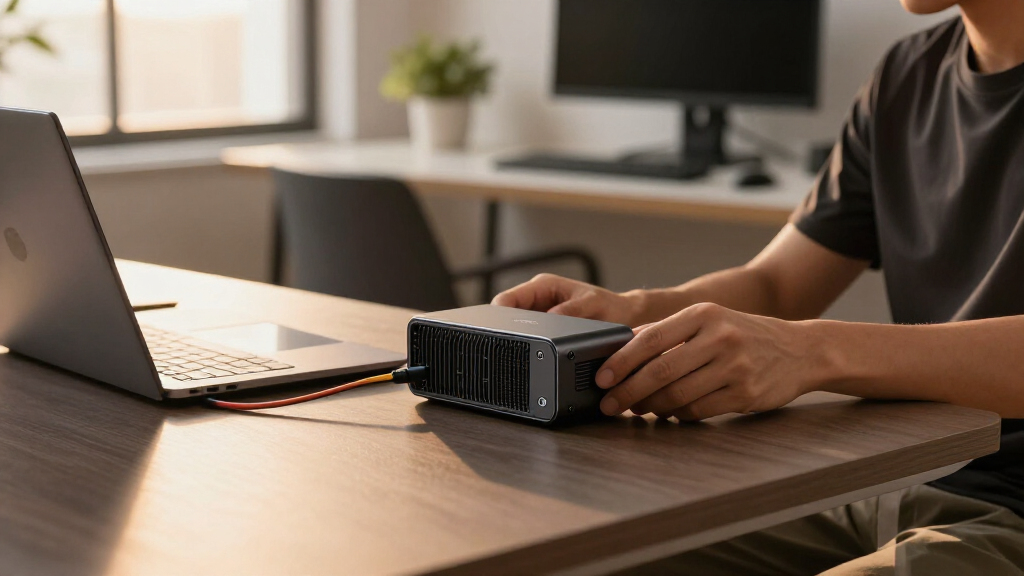
How We Picked
These external GPUs were selected based on a combination of performance, compatibility, build quality, ease of use, and value. We prioritized models that support the latest connection standards like Thunderbolt 4 and USB4, ensuring fast data transfer and broad compatibility. Each product was evaluated for its ability to handle demanding graphics tasks, future-proof features, and user-friendly design. The ranking reflects a balance between high-end performance and practical considerations, helping different types of users find a suitable solution. Cost and expandability also played a key role, ensuring the list covers a diverse range of budgets and needs.Factors to Consider When Choosing External Gpus
Choosing the right external GPU involves understanding your specific use case, compatibility requirements, and budget. Not all eGPUs are created equal, and making the right choice depends on factors like connection standards, power delivery, and size. Whether you’re a gamer, creative professional, or casual user, these considerations can help you avoid common pitfalls and get the best value for your investment.Connection Compatibility and Speed
Most external GPUs rely on Thunderbolt 3 or 4, or USB4, to deliver high-speed data transfer necessary for demanding graphics work. Confirm your laptop or PC supports these standards to avoid bottlenecks. USB4 offers broader compatibility but may have slightly lower performance compared to Thunderbolt 4, which is more common in high-end devices. Choosing a dock with the right connection standard ensures optimal performance and reduces setup frustrations.
Power Delivery and Size
Ensure the eGPU enclosure provides enough power to run your GPU at full capacity, especially for high-end cards like the RTX 4090 or RX 7900 XTX. Many models include built-in power supplies, which simplifies setup. However, larger enclosures tend to house more powerful GPUs and support better cooling, but they can be less portable. Balance your need for performance with your portability requirements to avoid buying a bulky setup you won’t use on the go.
GPU Compatibility and Upgradability
Not all external docks support every GPU, especially larger models like the RTX 5090 or RX 7900 XTX. Check the enclosure’s supported GPU size and power limits before purchase. Some docks allow for GPU upgrades, extending the lifespan of your investment, while others are fixed. Consider future-proof options if you plan to upgrade your GPU within the next few years.
Ease of Use and Setup
For most users, plug-and-play solutions are preferable, especially if you’re not technically inclined. Some enclosures come with software for simple setup, while others might require BIOS tweaks or driver updates. Think about your comfort level with hardware and whether you prefer a sleek, minimal setup or are willing to handle more complex configurations.
Budget and Long-Term Value
Prices for external GPUs vary significantly, from budget options to premium, feature-rich enclosures. Cheaper models may lack high power capacity or future compatibility, leading to potential upgrades sooner. Conversely, investing in a more expensive model with better cooling, higher wattage, and upgrade options can save money long-term. Match your budget to your performance needs to avoid overspending on features you won’t use.
Frequently Asked Questions
Can I use any external GPU enclosure with my laptop?
While many eGPU enclosures support a range of GPUs, compatibility depends on the connection standard (such as Thunderbolt 3/4 or USB4) and physical size limits. It’s essential to verify that your laptop supports the required connection and that the enclosure can physically accommodate your chosen GPU. Checking the manufacturer’s specifications helps ensure a smooth setup and optimal performance.
What performance difference does a high-quality eGPU make for gaming?
A well-chosen external GPU can significantly boost gaming performance, often approaching desktop levels, especially if paired with a fast connection like Thunderbolt 4. However, some performance is lost compared to direct desktop connections due to bandwidth limitations. The impact depends on the GPU’s power, the enclosure’s data transfer speed, and your laptop’s internal components. Expect noticeable improvements in frame rates and visual fidelity with a capable eGPU setup.
Are external GPUs worth the investment for creative work?
For creative professionals working with demanding applications like 3D rendering, video editing, or CAD, external GPUs can drastically reduce processing times and enable higher resolution workflows. They provide a portable upgrade option without replacing a laptop or small PC. Nonetheless, ensure your software leverages GPU acceleration effectively and that your workflow benefits from the added graphics power before investing.
How long does it take to set up an external GPU?
Setup times vary based on the enclosure and your familiarity with hardware. Plug-and-play models with Thunderbolt 4 typically take less than 10 minutes to connect and configure, including driver installations. More complex setups, especially those requiring BIOS adjustments or driver tweaks, can take longer. Planning ahead and reading the manufacturer’s instructions can streamline the process.
Should I buy a pre-installed GPU or upgrade later?
Pre-installed eGPU enclosures with a built-in GPU are convenient but often more expensive and less flexible. If you have specific GPU preferences or want to upgrade over time, choosing a dock that supports GPU upgrades allows for better future-proofing. Consider your technical comfort level and upgrade plans when deciding whether to buy a complete system or a modular setup.
Conclusion
For most users seeking an all-around solution, the Razer Core X V2 offers excellent value with broad compatibility and straightforward setup, making it ideal for general users and gamers. Creative professionals who need top-tier performance should consider the ASUS ROG XG Mobile for its integrated design and powerful GPU. Budget-conscious buyers will find good options among the lower-cost docks that still support high-end GPUs. For those prioritizing portability, compact models like the MINISFORUM MGA1 provide a balance of size and performance. Ultimately, your choice should align with your specific GPU needs, connection standards, and whether portability or upgradeability matters most.