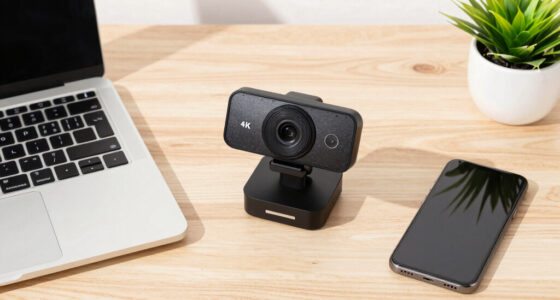

Looking for the best 4k webcams in 2026? The Logitech Brio stands out as the overall top choice thanks to its reliable image quality and versatile features. For those on a budget, the EMEET C960 offers solid 4K performance at a more accessible price. Content creators will appreciate the Acer A640 with AI noise canceling, while professionals may prefer the Philips 4K Webcam for its straightforward setup. The main tradeoffs in this category revolve around balancing image quality, ease of use, and price. Continue reading for a detailed breakdown of each option and what makes them unique.
Complete the kit



Key Takeaways
- Top picks excel in balancing image clarity with ease of use, with Logitech Brio leading as the most versatile overall option.
- Price differences often reflect additional features like AI noise canceling or advanced autofocus, not just resolution.
- Build quality varies significantly; models like Acer A640 feature all-metal bodies, offering better durability.
- Most webcams include dual microphones, but quality and noise reduction capabilities differ, affecting audio clarity.
- Choosing a webcam depends heavily on your primary use case—streaming, meetings, or content creation—each has distinct priorities.
| AOC 4K Webcam for PC with Noise-Canceling Microphone |  | Best Overall for Versatile Professional Use | Resolution: 4K Ultra HD | Field of View: 80° | Tilt: 180° | VIEW LATEST PRICE | See Our Full Breakdown |
| Logitech Brio Ultra 4K HD Webcam for Streaming and Meetings |  | Best for Streaming and Corporate Use with Advanced Features | Resolution: 4K at 30 fps | Field of View: 65°, 78°, 90° | Zoom: 5x digital zoom | VIEW LATEST PRICE | See Our Full Breakdown |
| Acer A640 4K Webcam with AI Noise Canceling Microphone for Streaming and Meetings |  | Best for Professional Clarity and AI Noise Reduction | Resolution: 4K at 30 fps, 2K/1080p at 60 fps | Sensor: Sony 1/2.8-inch | Autofocus: Phase Detection Auto Focus | VIEW LATEST PRICE | See Our Full Breakdown |
| Philips 4K Webcam for PC with Microphone, Computer Camera for Meetings |  | Best for Easy, Plug-and-Play High-Res Video | Resolution: 4K Ultra HD | Microphone: Built-in | Privacy Shutter: Yes | VIEW LATEST PRICE | See Our Full Breakdown |
| Logitech MX Brio Ultra HD 4K Webcam – Graphite |  | Best for Professional-Grade Streaming and Conferencing | Resolution: 4K at 30 fps, 1080p at 60 fps | Sensor Size: 70% larger pixels | Microphones: Dual beamforming noise-reducing | VIEW LATEST PRICE | See Our Full Breakdown |
| EMEET C960 4K Webcam for PC, PDAF Auto Focus, Dual Omni Mics, 73° FOV |  | Best Overall for Versatile 4K Video Conferencing | Resolution: 4K (switchable to 1080P) | Field of View: 73° | Focus: PDAF autofocus | VIEW LATEST PRICE | See Our Full Breakdown |
| Acer 4K Webcam for PC/Mac with All-Metal Unibody, Sony 1/2″ Sensor, PDAF, Dual Mics, Privacy Cover |  | Best Premium Build with Sony Sensor and HDR | Resolution: UHD 4K | Sensor: Sony 1/2″ CMOS | Autofocus: PDAF | VIEW LATEST PRICE | See Our Full Breakdown |
| 4K Webcam for PC with Autofocus and Built-in Microphone |  | Best for Streaming and Online Learning on a Budget | Resolution: 3840x2160P (4K) | Frame Rates: 4K@30fps, 1080P@60fps | Field of View: 78° | VIEW LATEST PRICE | See Our Full Breakdown |
| EMEET NOVA 4K Webcam for PC, Ultra HD, PDAF Autofocus, Dual Microphones |  | Best for Business and Education with Versatile Mounting | Resolution: 4K at 30FPS | Frame Rate: 30FPS | Sensor: CMOS | VIEW LATEST PRICE | See Our Full Breakdown |
| 4k webcam | Resolution | Compatibility | Microphones | Connectivity |
|---|---|---|---|---|
| AOC 4K Webcam for PC with Nois | 4K Ultra HD | USB-C & USB-A | — | — |
| Logitech Brio Ultra 4K HD Webc | 4K at 30 fps | Windows, Mac, ChromeOS | Dual omnidirectional with noise cancellation | — |
| Acer A640 4K Webcam with AI No | 4K at 30 fps, 2K/1080p at 60 fps | — | — | USB-A to C adapter |
| Philips 4K Webcam for PC with | 4K Ultra HD | Windows, macOS | — | — |
| Logitech MX Brio Ultra HD 4K W | 4K at 30 fps, 1080p at 60 fps | Windows, macOS, Chrome OS, Linux | Dual beamforming noise-reducing | USB-C |
| EMEET C960 4K Webcam for PC | 4K (switchable to 1080P) | Windows, macOS, Android TV, Linux | Dual omnidirectional | USB-A |
| Acer 4K Webcam for PC/Mac with | UHD 4K | — | Dual digital | USB-C with adapter |
| 4K Webcam for PC with Autofocu | 3840x2160P (4K) | Windows, macOS, Chrome OS | Dual noise-cancelling | — |
| EMEET NOVA 4K Webcam for PC | 4K at 30FPS | — | Dual omnidirectional | USB 2.0 |
More Details on Our Top Picks
AOC 4K Webcam for PC with Noise-Canceling Microphone
This webcam stands out for its combination of sharp 4K video and flexible physical adjustments, making it an excellent choice for those who need reliable quality across various setups. Compared to the Logitech Brio, it offers similar 4K clarity but lacks advanced features like digital zoom or Windows Hello support, which might matter for streamers or business users. Its wide 80° field of view and full tilt and swivel ensure you can customize framing, while the built-in noise-canceling microphone enhances audio clarity. The privacy cover adds security for sensitive calls, and its USB-C and USB-A compatibility makes it versatile for different devices. The main tradeoff is the absence of zoom or autofocus, which could be limiting for close-up or detailed work. This pick makes the most sense for professionals who want dependable, high-quality video without the bells and whistles.
Pros:- High-quality 4K video with clear detail
- Wide-angle lens with adjustable tilt and swivel
- Built-in privacy cover for security
- Universal USB-C and USB-A compatibility
Cons:- No autofocus or zoom features
- Limited low-light performance without additional lighting
Best for: Content creators and remote workers needing flexible, high-resolution video on multiple devices
Not ideal for: Gamers or streamers who require zoom, autofocus, or advanced lighting controls
- Resolution:4K Ultra HD
- Field of View:80°
- Tilt:180°
- Swivel:360°
- Privacy Cover:Yes
- Compatibility:USB-C & USB-A
Our verdict“This webcam is ideal for professionals seeking reliable 4K quality with flexible positioning but minimal autofocus features.”
Logitech Brio Ultra 4K HD Webcam for Streaming and Meetings
The Logitech Brio delivers stunning 4K resolution at 30 fps with adjustable field of view options ranging from 65° to 90°, making it ideal for those who prioritize customizable framing. Compared with the Acer A640, the Brio offers more versatile zoom and wider compatibility, though it demands good lighting for optimal image quality, which can be a challenge in less bright environments. Its dual noise-canceling microphones ensure clear audio, and the Windows Hello facial recognition support streamlines login procedures. The built-in privacy shutter enhances security, but the higher price may be prohibitive for casual users. The setup can be complex for some, especially if adjusting multiple viewing angles or features. This webcam best suits professionals and streamers who need flexible, high-quality video and integrated security features.
Pros:- Excellent 4K video quality with adjustable FOV
- Effective noise-canceling microphones
- Supports Windows Hello for quick login
- Attachable privacy shutter for security
Cons:- Requires good lighting for best results
- Setup can be somewhat complex and feature-rich
Best for: Streamers, remote professionals, and users needing adjustable viewing angles and facial recognition
Not ideal for: Budget-conscious users or those with limited lighting conditions
- Resolution:4K at 30 fps
- Field of View:65°, 78°, 90°
- Zoom:5x digital zoom
- Microphones:Dual omnidirectional with noise cancellation
- Compatibility:Windows, Mac, ChromeOS
- Privacy Shutter:Yes
Our verdict“This webcam is perfect for users who need flexible angles and security features but are ready to invest in premium quality.”
Acer A640 4K Webcam with AI Noise Canceling Microphone for Streaming and Meetings
The Acer A640 excels in delivering professional-grade 4K video with fast autofocus thanks to phase detection auto focus, making it suitable for detailed work and streaming. Its AI-powered noise cancellation microphone ensures clear audio, comparable to the Acer 4K Webcam, but adds the advantage of automatic low-light correction for consistent quality even in dim environments. The plug-and-play setup with a privacy shutter simplifies use, though it does not include built-in speakers or advanced zoom options. The need to select the A640 as default microphone can be a slight hassle. This webcam fits well for remote professionals and content creators who prioritize clarity and AI features over extensive customization options.
Pros:- High-quality 4K video with fast autofocus
- AI noise cancellation microphone
- Automatic low-light correction
- Plug-and-play with privacy shutter
Cons:- Does not include built-in speakers
- Requires selecting it as default microphone in system settings
Best for: Remote workers and streamers needing high-quality video with AI noise cancellation
Not ideal for: Casual users or gamers who want zoom or extensive customization features
- Resolution:4K at 30 fps, 2K/1080p at 60 fps
- Sensor:Sony 1/2.8-inch
- Autofocus:Phase Detection Auto Focus
- Microphone:AI Noise Canceling
- Connectivity:USB-A to C adapter
- Features:Privacy shutter, automatic low-light correction
Our verdict“This webcam is ideal for professionals seeking sharp video and clear audio with minimal setup complexity.”
Philips 4K Webcam for PC with Microphone, Computer Camera for Meetings
The Philips 4K webcam offers solid ultra HD video quality with a simple plug-and-play setup, making it a practical choice for users who value straightforward operation. Unlike the Logitech Brio, it does not feature adjustable FOV or digital zoom, which limits framing flexibility but keeps the setup simple. Its built-in microphone provides clear audio, and the physical privacy shutter adds peace of mind for security. The main limitation is the potential need for a USB 3.0 port to achieve optimal performance, which may be an obstacle on older or minimalist devices. This webcam suits remote workers or students who want reliable 4K video with minimal fuss and no need for advanced features.
Pros:- High-resolution 4K video quality
- Built-in microphone for clear communication
- Physical privacy shutter for security
- Easy to set up with no extra software
Cons:- May require USB 3.0 for optimal performance
- Limited mounting or adjustable options
Best for: Students or remote employees who prioritize ease of use and high-quality video
Not ideal for: Power users seeking adjustable FOV or extensive customization options
- Resolution:4K Ultra HD
- Microphone:Built-in
- Privacy Shutter:Yes
- Compatibility:Windows, macOS
- Setup:Plug and Play
Our verdict“This webcam is best suited for users wanting high-quality video with effortless setup and basic security features.”
Logitech MX Brio Ultra HD 4K Webcam – Graphite
The Logitech MX Brio excels with its ability to stream in 4K at 30fps or 1080p at 60fps, offering AI-enhanced image quality and highly customizable controls, making it ideal for professional streamers and corporate use. It has dual beamforming microphones that deliver clear audio and a built-in privacy shutter for security. Compared to the Acer A640, it offers more adjustable settings for white balance and lighting, but at a significantly higher price point, which might not appeal to budget buyers. Its USB-C connectivity may limit compatibility for some older devices. This webcam is best for those who demand premium video quality and extensive control over their image output.
Pros:- High-quality 4K streaming with AI enhancements
- Adjustable controls for lighting and white balance
- Excellent noise reduction and privacy features
- Dual microphones for clear audio
Cons:- Premium price may be too high for casual users
- Requires USB-C port, which may not be available on all devices
Best for: Executives, streamers, and content creators seeking professional-grade, customizable video
Not ideal for: Casual users or those with older devices lacking USB-C ports
- Resolution:4K at 30 fps, 1080p at 60 fps
- Sensor Size:70% larger pixels
- Microphones:Dual beamforming noise-reducing
- Compatibility:Windows, macOS, Chrome OS, Linux
- Connectivity:USB-C
- Privacy Feature:Built-in webcam cover
Our verdict“This webcam is perfect for professionals who need top-tier image quality and extensive customization at a premium price.”
EMEET C960 4K Webcam for PC, PDAF Auto Focus, Dual Omni Mics, 73° FOV
The EMEET C960 stands out for delivering true 4K resolution with automatic focus and auto light correction, making it ideal for professional remote meetings or streaming. Compared to the Acer 4K Webcam, it offers more flexible mounting options and ease of use, though it defaults to 1080P and needs software adjustments for full 4K quality. Its dual omnidirectional microphones ensure clear audio, complementing the high-quality video. The lack of built-in Wi-Fi or wireless options slightly limits mobility, but for users who prefer a straightforward USB setup, it offers strong value. This webcam is best suited for remote workers and educators who need reliable, high-quality visuals without complex setup.
Pros:- True 4K resolution with switchable modes
- Automatic focus and auto light correction for clear visuals
- Dual omnidirectional microphones for crisp audio
- Flexible mounting options
Cons:- Video defaults to 1080P; requires software for 4K
- No built-in wireless connectivity
Best for: Remote professionals, educators, and streamers seeking reliable 4K quality with easy setup
Not ideal for: Users needing wireless or portable solutions, as it relies solely on USB-A connection
- Resolution:4K (switchable to 1080P)
- Field of View:73°
- Focus:PDAF autofocus
- Microphones:Dual omnidirectional
- Connectivity:USB-A
- Compatibility:Windows, macOS, Android TV, Linux
Our verdict“This webcam offers a comprehensive mix of high-quality video and audio, ideal for professionals who value versatility and clarity.”
Acer 4K Webcam for PC/Mac with All-Metal Unibody, Sony 1/2″ Sensor, PDAF, Dual Mics, Privacy Cover
The Acer 4K Webcam combines a Sony 1/2″ CMOS sensor with a durable all-metal unibody, offering exceptional image clarity, HDR support, and low-light performance. Compared to the EMEET C960, it provides a more premium feel and better image quality, especially in challenging lighting conditions, thanks to its sensor and HDR. Its PDAF autofocus ensures sharp images, and dual digital microphones deliver clear audio. However, the reliance on USB-C with an included adapter and the absence of wireless connectivity limit flexibility. This model is best suited for users who prioritize premium build quality and superior image detail for professional streaming or content creation.
Pros:- Exceptional image quality with HDR and low-light performance
- Premium all-metal, durable design
- Responsive PDAF autofocus for crisp images
- Includes magnetic privacy cover
Cons:- Requires physical USB-C connection with adapter
- No wireless or built-in Wi-Fi options
Best for: Content creators and professionals demanding high-end build quality and top-tier image quality
Not ideal for: Those seeking a portable, wireless, or budget-friendly webcam, due to its reliance on USB-C and premium features
- Resolution:UHD 4K
- Sensor:Sony 1/2″ CMOS
- Autofocus:PDAF
- Microphones:Dual digital
- Connectivity:USB-C with adapter
- Material:All-metal unibody
Our verdict“Ideal for professionals needing a robust, high-performance webcam with premium materials and image quality.”
4K Webcam for PC with Autofocus and Built-in Microphone
This 4K Webcam offers a solid balance for users who want high resolution at an affordable price, supporting 4K@30fps and 1080P@60fps. Its 78° wide field of view makes it versatile for both meetings and streaming. The PDAF auto-focus keeps images sharp, and the dual noise-cancelling microphones improve audio clarity. Compared with the EMEET C960, it provides comparable resolution but may lack some advanced features like auto light correction. Its default resolution is 1080P, requiring manual switching for full 4K, and it does not include zoom or wireless options. This pick makes the most sense for those starting out or on a budget, who still want decent quality in a straightforward package.
Pros:- Supports 4K at 30fps with smooth streaming
- Fast PDAF autofocus for movement
- Dual noise-cancelling microphones
- Privacy shutter for security
Cons:- Default resolution is 1080P; needs manual switch for 4K
- No zoom or wireless connectivity
Best for: Beginners, students, and casual streamers needing affordable 4K quality
Not ideal for: Power users or professionals requiring advanced features or wireless connectivity
- Resolution:3840x2160P (4K)
- Frame Rates:4K@30fps, 1080P@60fps
- Field of View:78°
- Auto-Focus:PDAF
- Microphones:Dual noise-cancelling
- Compatibility:Windows, macOS, Chrome OS
Our verdict“A budget-friendly 4K webcam suited for beginners and casual streamers who want reliable resolution without complex features.”
EMEET NOVA 4K Webcam for PC, Ultra HD, PDAF Autofocus, Dual Microphones
The EMEET NOVA 4K combines high-definition 4K video with fast PDAF autofocus and dual microphones, making it a flexible choice for business meetings, online teaching, or streaming. Compared with the Acer model, it offers a more affordable price point while maintaining robust features like privacy cover and adjustable angles. Its USB 2.0 connection might seem limiting compared to newer USB-C options, but it offers broad compatibility and straightforward setup. The default 1080P mode requires software adjustment for full 4K, which might be a minor inconvenience. This webcam is best suited for users who need a reliable, versatile device for frequent video calls and streaming without premium build requirements.
Pros:- High-quality 4K video with 30FPS
- Fast PDAF autofocus for sharp images
- Dual microphones with clear stereo sound
- Adjustable mounting and privacy cover
Cons:- Defaults to 1080P; requires software for 4K
- Limited to USB 2.0 connection
Best for: Small business users and educators who want flexible mounting and solid 4K quality without high cost
Not ideal for: Tech enthusiasts requiring wireless or ultra-premium features, as it relies on USB 2.0 and manual 4K activation
- Resolution:4K at 30FPS
- Frame Rate:30FPS
- Sensor:CMOS
- Autofocus:PDAF
- Microphones:Dual omnidirectional
- Connectivity:USB 2.0
Our verdict“This webcam offers dependable 4K quality with versatile mounting for business and educational settings at an accessible price.”

How We Picked
The webcams in this roundup were evaluated based on a combination of performance, usability, build quality, and value. Resolution alone isn’t enough; we prioritized models with consistent 4K quality, reliable autofocus, and good low-light performance. Ease of setup and compatibility also played a role, as did audio quality from integrated microphones. Finally, price-to-feature ratio helped determine which options offer the best bang for your buck, ensuring that both budget-conscious buyers and premium users find suitable choices. The ranking reflects a balance of these factors, emphasizing real-world usability over technical specs alone.| 4k webcam | Compatibility | Microphones | Connectivity |
|---|---|---|---|
| AOC 4K Webcam for PC with Nois | USB-C & USB-A | — | — |
| Logitech Brio Ultra 4K HD Webc | Windows, Mac, ChromeOS | Dual omnidirectional with noise cancellation | — |
| Acer A640 4K Webcam with AI No | — | — | USB-A to C adapter |
| Philips 4K Webcam for PC with | Windows, macOS | — | — |
| Logitech MX Brio Ultra HD 4K W | Windows, macOS, Chrome OS, Linux | Dual beamforming noise-reducing | USB-C |
| EMEET C960 4K Webcam for PC | Windows, macOS, Android TV, Linux | Dual omnidirectional | USB-A |
| Acer 4K Webcam for PC/Mac with | — | Dual digital | USB-C with adapter |
| 4K Webcam for PC with Autofocu | Windows, macOS, Chrome OS | Dual noise-cancelling | — |
| EMEET NOVA 4K Webcam for PC | — | Dual omnidirectional | USB 2.0 |
Factors to Consider When Choosing 4k Webcams
Selecting the right 4k webcam involves more than just resolution. Buyers should consider several key factors to ensure they get a device that meets their specific needs. Features such as autofocus, microphone quality, and low-light performance often make or break the user experience. Understanding these factors can help avoid common pitfalls like choosing a webcam with excellent resolution but poor audio or unreliable autofocus. Additionally, considering the intended use—whether streaming, professional meetings, or content creation—guides prioritization of features and budget.Resolution and Video Quality
While 4K resolution is the main selling point, it’s important to verify that the webcam consistently delivers crisp, sharp images in real-world conditions. Some models may advertise 4K but struggle with compression artifacts or poor low-light performance. Look for webcams with good sensor quality and software optimization to ensure your video looks professional across different environments.
Autofocus and Framing
Accurate autofocus is essential for maintaining sharp images, especially if you move around or change your position during calls or recordings. Some webcams offer PDAF (phase detection autofocus) or AI-driven autofocus, which improves tracking. Poor autofocus can cause frustration, so prioritize models with reliable, fast focusing mechanisms if you need flexibility during use.
Microphone Quality
Built-in microphones are often overlooked but play a key role in overall video quality, especially for meetings and streaming. Look for dual, noise-canceling mics that can filter out background noise and deliver clear audio. Higher-end models often include AI noise reduction, which can be a game-changer for noisy environments.
Build Quality and Design
Durability matters, particularly if your webcam will be moved frequently or used in different settings. Models like the Acer A640 feature all-metal bodies, offering better longevity. Additionally, consider the mounting options—clip, tripod, or built-in stand—that suit your setup and workspace flexibility.
Compatibility and Software
Ensure the webcam is compatible with your operating system and streaming or conferencing software. Some webcams come with dedicated software for image adjustments, cropping, or background removal, which can enhance usability. Compatibility issues or lack of software support can hinder your experience, so verify these before purchasing.
Frequently Asked Questions
Can I use a 4k webcam for streaming on platforms like Twitch or YouTube?
Yes, most 4k webcams are compatible with popular streaming platforms, provided your PC has the necessary processing power and bandwidth. Keep in mind that streaming at 4K requires a robust internet connection and a powerful graphics card to handle the higher data load. Additionally, check that your streaming software supports 4K input to maximize the quality. If your setup isn’t geared for 4K streaming, you might prefer a high-quality 1080p webcam with good color and autofocus instead.
Is a 4k webcam worth it for professional video calls?
For professional meetings, a 4K webcam can offer sharper images and better detail, which helps create a more polished appearance. However, the benefits depend on your lighting and background setup; poor lighting can negate some quality improvements. Also, consider whether your colleagues or clients can view 4K videos comfortably—most video conferencing tools default to lower resolutions. Overall, investing in a 4K webcam makes more sense if your setup supports it and clarity is critical for your work.
Do all 4k webcams include microphones?
Most 4K webcams come with built-in microphones, but their quality varies widely. Some models feature dual microphones with noise-canceling capabilities, providing clearer audio, which is essential for professional use. Others have basic mics that may pick up background noise or sound muffled. If audio quality is a priority, look for webcams explicitly listing noise reduction features or multiple microphones for stereo sound.
How important is low-light performance in a 4k webcam?
Low-light performance is very important, especially if you often work in dim environments or during evening hours. A webcam with good low-light sensors or automatic light correction can significantly improve image clarity without additional lighting. Models with AI-based enhancement tend to perform better under poor lighting conditions, ensuring your image remains sharp and vibrant. Neglecting this aspect can lead to grainy or washed-out images, defeating the purpose of a high-resolution camera.
Should I prioritize a webcam with adjustable field of view?
Adjustable field of view (FOV) is beneficial if you need flexibility in framing your shot. A wider FOV captures more of your environment, useful for presentations or collaborative work, while a narrower FOV focuses more tightly on your face, creating a more professional look. Not all webcams offer this feature, so if versatility in framing matters to you, choose a model with multiple FOV options. Keep in mind that wider FOVs can introduce distortion if not managed properly.
Conclusion
For general professional use and streaming, the Logitech Brio remains the best overall choice thanks to its balanced mix of image quality, features, and reliability. Budget-conscious buyers will find the EMEET C960 offers solid 4K performance without breaking the bank. Content creators seeking advanced noise canceling and autofocus should consider the Acer A640 or EMEET NOVA. Beginners or casual users may prefer simpler models with plug-and-play setups, while those with specific needs like streaming or presentations should prioritize features like adjustable FOV or compatibility with professional software. Your choice depends on how you plan to use the webcam and which features matter most to your workflow.