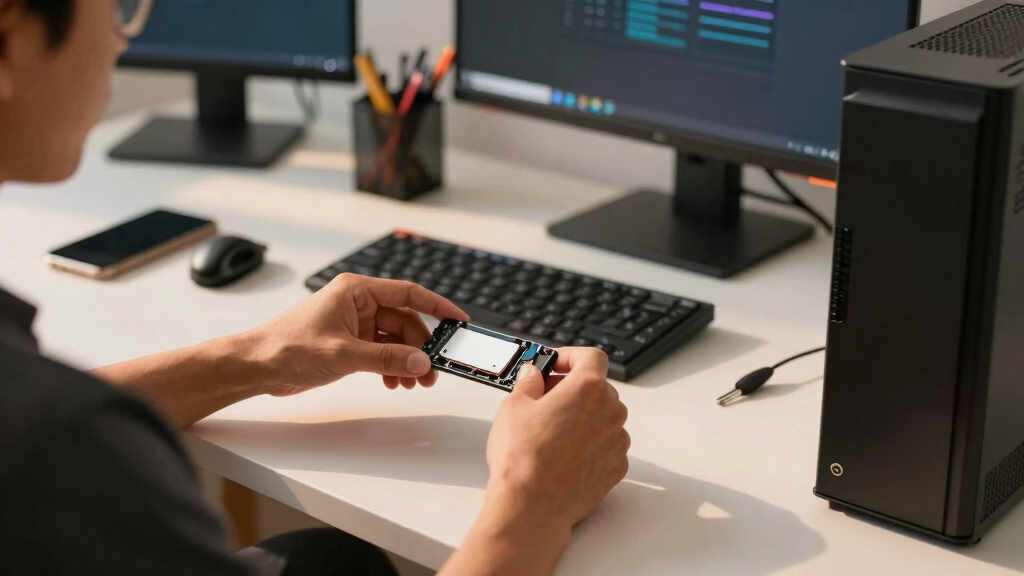

For internal solid state drives prime day deals, my Best Overall pick is the SK Hynix Gold P31 2TB because it offers the most useful blend of capacity, NVMe speed, laptop-friendly efficiency, and sale-day upside. The P3 PCIe Gen3 NVMe 1TB SSD is the value play when the discount is aggressive, while the Corsair MP600 Mini 2TB is the clear specialist for M.2 2230 handhelds and compact systems. The main tradeoff is not just SATA versus NVMe; it is whether a deal gives you the right form factor, enough capacity, and performance you will actually feel. I would be careful with the OWC Express 1M2 because it is an enclosure, not a ready internal drive, and with the Samsung 860 PRO 256GB because its quality is offset by cramped capacity. Keep reading for the full breakdown of which discount deserves attention and which one only looks good at first glance.
Key Takeaways
- I would rank the SK Hynix Gold P31 2TB first because it combines useful 2TB capacity, PCIe NVMe speed, and efficiency in the common M.2 2280 format.
- I see the P3 PCIe Gen3 NVMe 1TB and Kingston NV3 500GB as deal-sensitive picks: one gives better everyday capacity, the other gives a newer Gen4 interface but less room.
- I would only shortlist the Corsair MP600 Mini 2TB if a handheld or mini PC specifically needs M.2 2230 storage.
- I view the BX500 1TB SATA SSD as the easiest upgrade for older PCs, but it gives up the snappy file-transfer gains that NVMe buyers may expect.
- I would separate the OWC Express 1M2 from the internal SSDs because it is an enclosure-only deal, useful for repurposing an NVMe drive but not a direct internal upgrade.
| SK Hynix Gold P31 2TB PCIe NVMe Gen3 M.2 2280 Internal SSD |  | Best Overall Internal SSD Deal | Capacity: 2 TB | Interface: PCIe NVMe 3.0 | Form factor: M.2 2280 | VIEW LATEST PRICE | See Our Full Breakdown |
| Corsair MP600 Mini 2TB M.2 NVMe PCIe Gen4 SSD |  | Best Compact Handheld Upgrade | Capacity: 2 TB | Interface: PCIe Gen4 x4 NVMe 1.4 M.2 | Form factor: M.2 2230 | VIEW LATEST PRICE | See Our Full Breakdown |
| BX500 1TB 3D NAND SATA Internal SSD |  | Best Budget SATA Upgrade | Capacity: 1 TB | Interface: SATA 6.0 Gb/s | Form factor: 2.5-inch | VIEW LATEST PRICE | See Our Full Breakdown |
| Samsung 860 PRO SSD 256GB – 2.5 Inch SATA III with MLC V-NAND Technology |  | Best Endurance-Focused SATA Pick | Capacity: 256 GB | Interface: SATA III | Form factor: 2.5 inches | VIEW LATEST PRICE | See Our Full Breakdown |
| OWC Express 1M2 40Gb/s Portable NVMe SSD USB4 Enclosure Only |  | Best DIY NVMe Enclosure Deal | Product type: NVMe SSD enclosure only | Internal drive support: PCIe x4 NVMe | Connectivity: USB4, Thunderbolt, USB-C | VIEW LATEST PRICE | See Our Full Breakdown |
| Kingston NV3 500GB M.2 2280 NVMe SSD PCIe 4.0 Gen 4×4 |  | Best Budget Gen4 Boot Drive | Capacity: 500GB | Interface: NVMe | PCIe Standard: PCIe 4.0 Gen 4×4 | VIEW LATEST PRICE | See Our Full Breakdown |
| Crucial P3 PCIe Gen3 NVMe 1TB SSD, Up to 3,500MB/s Read, Laptop & Desktop Compatible – CT1000P3SSD8 |  | Best Beginner-Friendly 1TB Upgrade | Capacity: 1TB | Interface: NVMe | PCIe Standard: PCIe Gen3 | VIEW LATEST PRICE | See Our Full Breakdown |
More Details on Our Top Picks
SK Hynix Gold P31 2TB PCIe NVMe Gen3 M.2 2280 Internal SSD
I rank the SK hynix Gold P31 2TB highest because it hits the best Prime Day balance: 2TB capacity, strong Gen3 NVMe speed, and low-heat behavior that suits laptops as well as desktops. It is not as fast on paper as the Corsair MP600 Mini, but its M.2 2280 format fits more standard builds and its 3,500MB/s reads are already far beyond SATA picks like the BX500. The tradeoff is platform fit: it is not for PS5, and Gen4 shoppers chasing headline speeds may want the Corsair instead. I also like that the warranty and endurance specs make it less of a throwaway deal than bargain 500GB drives such as the Kingston NV3.
Pros:- 2TB capacity is roomy for games, media libraries, and work files
- Cool-running Gen3 NVMe design fits many laptops and desktops
- Strong 3,500MB/s read and 3,200MB/s write ratings
- 5-year warranty with up to 1,200 TBW endurance
Cons:- Not compatible with Sony PS5
- Gen3 interface trails newer Gen4 drives like the Corsair MP600 Mini
- No screws, cables, or extra accessories included
Best for: I would point this at laptop and desktop owners with an M.2 2280 slot who want 2TB of fast internal storage without paying extra for Gen4 speed.
Not ideal for: I would skip it for PS5 owners or builders who specifically need Gen4-class speeds for large creative transfers.
- Capacity:2 TB
- Interface:PCIe NVMe 3.0
- Form factor:M.2 2280
- Sequential read speed:Up to 3,500 MB/s
- Sequential write speed:Up to 3,200 MB/s
- NAND:128-layer NAND flash
- Endurance:Up to 1,200 TBW
- MTBF:1.5 million hours
- Warranty:5 years
Bottom line: I would make this the main deal pick for most M.2 2280 buyers who want capacity, speed, and endurance without paying for Gen4 flash.
Corsair MP600 Mini 2TB M.2 NVMe PCIe Gen4 SSD
I place the Corsair MP600 Mini 2TB near the top because it solves a different Prime Day problem than the SK hynix Gold P31: it is built for M.2 2230 devices like the Steam Deck, ROG Ally, MSI Claw, and Surface. Its 7,000MB/s read speed gives it a much higher ceiling than the Gold P31 or BX500, which matters when small systems can accept PCIe Gen4 storage. The catch is fit and price. This is a compact specialist drive, not the broadest desktop upgrade, and some handhelds may cap real speed below the spec sheet. I would buy it over the Kingston NV3 when size and handheld compatibility matter more than cheapest-per-gigabyte math.
Pros:- Fast PCIe Gen4 ratings for a small 2230 SSD
- 2TB capacity is strong for handheld PCs and compact devices
- Fits Steam Deck, ROG Ally, MSI Claw, and Microsoft Surface
- 3D TLC NAND balances speed and endurance
Cons:- Premium pricing is likely versus larger M.2 2280 drives
- 2230 format is less useful for many desktop motherboards
- Actual speeds depend on host device support
Best for: I would aim this at handheld PC and Surface owners who need a high-capacity M.2 2230 upgrade during Prime Day.
Not ideal for: I would skip it for standard desktop builders who have room for cheaper M.2 2280 options like the SK hynix Gold P31.
- Capacity:2 TB
- Interface:PCIe Gen4 x4 NVMe 1.4 M.2
- Form factor:M.2 2230
- Sequential read speed:7,000 MB/s
- Sequential write speed:6,200 MB/s
- NAND type:3D TLC NAND
- Compatibility:Steam Deck, ASUS ROG Ally, MSI Claw, Microsoft Surface
- Drive type:Internal SSD
Bottom line: I would choose this for a handheld or ultra-thin device where M.2 2230 fit matters as much as speed.
BX500 1TB 3D NAND SATA Internal SSD
I give the BX500 1TB the budget SATA role because Prime Day shoppers often just need an older laptop or desktop to feel quick again. Compared with the Samsung 860 PRO, it offers far more capacity in this lineup, but it gives up the PRO model’s MLC positioning and higher write rating. Against the SK hynix Gold P31, the BX500 is much slower, yet its 2.5-inch SATA fit is the point: it works where M.2 NVMe drives cannot. I would watch the deal price closely, since SATA SSDs should feel like clear savings next to NVMe picks. Its 1TB size and low weight make it a practical rescue upgrade, not a performance trophy.
Pros:- 1TB capacity is generous for replacing an aging boot drive
- 2.5-inch SATA form factor fits many older laptops and desktops
- 540MB/s read rating is a large jump from hard drives
- Energy-efficient design can help laptop battery life
Cons:- SATA speeds are far behind NVMe options like the SK hynix Gold P31
- Older systems without SATA 6Gb/s support may limit performance
- Value depends heavily on a Prime Day discount versus cheap NVMe drives
Best for: I would point this at owners of older 2.5-inch SATA laptops or desktops who want a low-cost 1TB boot-drive upgrade.
Not ideal for: I would skip it for gamers or creators with an M.2 slot who can use faster NVMe drives such as the SK hynix Gold P31.
- Capacity:1 TB
- Interface:SATA 6.0 Gb/s
- Form factor:2.5-inch
- Read speed:Up to 540 MB/s
- NAND technology:3D NAND
- Weight:0.03 kg
- Warranty:3-year limited warranty
- Drive type:Internal SSD
Bottom line: I would choose this when the deal price is low and the machine cannot take an M.2 NVMe drive.
Samsung 860 PRO SSD 256GB – 2.5 Inch SATA III with MLC V-NAND Technology
I treat the Samsung 860 PRO 256GB as the endurance-minded SATA pick rather than a value leader. Its MLC V-NAND and 560MB/s read, 530MB/s write ratings make it more performance-focused than the BX500, especially for buyers who prize consistency on SATA hardware. The problem is capacity: 256GB feels tight next to the 1TB BX500 and far smaller than the 2TB SK hynix Gold P31. During Prime Day, I would only move this up the list if the discount narrows the premium, because many buyers can get more room for the same budget. Its broad OS support is useful, but this is best as a reliable boot drive or workstation scratch disk, not a mass-storage bargain.
Pros:- MLC V-NAND suits heavier SATA workloads better than many basic drives
- Strong SATA read and write ratings
- Broad Windows, macOS, and Linux compatibility
- Good fit for reliable boot-drive or scratch-disk use
Cons:- 256GB capacity is cramped for modern games and media libraries
- Premium pricing can weaken its Prime Day value
- Still limited by SATA speeds versus NVMe drives
Best for: I would point this at workstation owners or business users who need a dependable small SATA boot drive more than bulk capacity.
Not ideal for: I would skip it for buyers trying to maximize gigabytes per dollar, since the BX500 and Gold P31 offer far more room.
- Capacity:256 GB
- Interface:SATA III
- Form factor:2.5 inches
- Sequential read speed:Up to 560 MB/s
- Sequential write speed:Up to 530 MB/s
- NAND technology:MLC V-NAND
- Compatibility:Windows, macOS, Linux
- Drive type:Internal SSD
Bottom line: I would pick this only when reliability on SATA matters more than capacity or raw NVMe speed.
OWC Express 1M2 40Gb/s Portable NVMe SSD USB4 Enclosure Only
I rank the OWC Express 1M2 as the wildcard deal because it is not an internal SSD at all; it is an NVMe enclosure only. That makes it less direct than the SK hynix Gold P31 or Corsair MP600 Mini, but more flexible if a buyer already has a spare M.2 drive or wants fast removable storage. Its USB4 and Thunderbolt compatibility, heat-sink body, and claimed real-world speed up to 3,836MB/s put it closer to performance storage than a basic external case. The tradeoff is obvious: there is no SSD included, so the final price depends on the drive you add. I would shortlist it for Prime Day only when the enclosure itself drops enough to beat prebuilt external SSDs.
Pros:- USB4, Thunderbolt, and USB-C support covers many modern machines
- Supports M.2 2280, 2242, and 2230 NVMe SSDs
- Aluminum heat-sink enclosure helps sustain speed silently
- Includes 40Gb/s USB-C cable and screwdriver
Cons:- Enclosure only, so buyers must supply the NVMe SSD
- External portable use does not replace an internal boot-drive upgrade
- Costs can climb once a high-capacity SSD is added
Best for: I would point this at tinkerers with a spare NVMe drive who want fast portable storage from a Prime Day enclosure deal.
Not ideal for: I would skip it for shoppers who need a ready-to-install internal SSD for a laptop, desktop, PS5, or handheld PC.
- Product type:NVMe SSD enclosure only
- Internal drive support:PCIe x4 NVMe
- Connectivity:USB4, Thunderbolt, USB-C
- Supported SSD sizes:M.2 2280, 2242, 2230
- Claimed real-world performance:Up to 3,836 MB/s
- Listed read speed:3,151 MB/s
- Power:Bus-powered
- Material:Aluminum heat-sink enclosure
- Warranty:2-year enclosure warranty or 3-year solution warranty
Bottom line: I would choose it only as a DIY add-on, not as a substitute for an internal SSD deal.
Kingston NV3 500GB M.2 2280 NVMe SSD PCIe 4.0 Gen 4×4
Kingston NV3 500GB earns its spot as the deal pick I would watch for buyers who want PCIe 4.0 speed without paying for excess capacity. Its listed 5,000MB/s read and 3,000MB/s write speeds put it well ahead of SATA drives like the Crucial BX500, so boot times, game loads, and large file moves should feel much quicker on a compatible system. Compared with the Crucial P3 1TB, the NV3 has the faster Gen4 interface, but the tradeoff is capacity: 500GB can disappear fast once Windows, apps, and a few big games are installed. It also lacks clear warranty and endurance detail in the provided data, which matters for buyers planning heavy daily writes. This pick makes the most sense when the Prime Day discount is sharp and speed matters more than storage depth.
Pros:- PCIe 4.0 NVMe performance is much faster than SATA SSD options in the roundup
- Compact M.2 2280 form factor suits many modern desktops and laptops
- Low power design is useful for laptop upgrades
- Product family scales up to 4TB for buyers who want the same line in larger sizes
Cons:- 500GB capacity is limited for large games, media libraries, or creative workloads
- Warranty and endurance details are not clear in the provided product data
- Best speed benefits require a compatible PCIe 4.0 M.2 slot
Best for: Desktop or laptop upgraders with a PCIe 4.0 M.2 slot who want a fast, affordable boot drive and keep bulk files elsewhere.
Not ideal for: Game library hoarders or creators storing large project files locally, since 500GB can feel tight quickly.
- Capacity:500GB
- Interface:NVMe
- PCIe Standard:PCIe 4.0 Gen 4×4
- Form Factor:M.2 2280
- Read Speed:5,000MB/s listed
- Write Speed:3,000MB/s listed
- Dimensions:3.15 x 0.15 x 0.89 inches
- Weight:6.53g
- Maximum Capacity In Line:Up to 4TB
Bottom line: Choose the Kingston NV3 500GB if the Prime Day price is low and you want a fast Gen4 system drive more than a spacious one.
Crucial P3 PCIe Gen3 NVMe 1TB SSD, Up to 3,500MB/s Read, Laptop & Desktop Compatible – CT1000P3SSD8
Crucial P3 1TB is the more practical Prime Day target for buyers who care less about headline Gen4 speed and more about a simple, roomy NVMe upgrade. Compared with the Kingston NV3 500GB, it gives up raw interface speed, topping out at up to 3,500MB/s reads, but doubles the storage capacity, which is often the better everyday trade for a family PC, student laptop, or older desktop. It also stands apart from bare-bones drives through its Acronis cloning software bundle, making migration less intimidating for first-time upgraders. The downside is that PCIe Gen3 performance will not satisfy buyers chasing maximum transfer rates, and the included Adobe trial should not drive the purchase. For the right discount, though, this is the safer capacity-first buy.
Pros:- 1TB capacity is more comfortable than 500GB for apps, documents, photos, and several large games
- Up to 3,500MB/s read speed is a strong everyday jump from SATA drives
- Acronis cloning software helps simplify drive migration
- Micron 3D NAND and 1.5 million hour MTTF rating support long-term home use
Cons:- PCIe Gen3 speeds trail Gen4 options like the Kingston NV3 and Corsair MP600 Mini
- Write speed is not provided in the product data, making performance comparison less complete
- Adobe Creative Cloud trial is short-term and should be treated as a bonus, not core value
Best for: Home users, students, and first-time SSD upgraders who want a 1TB internal drive with cloning software for an easier move from an older drive.
Not ideal for: Performance-focused builders with PCIe 4.0 systems who want the fastest load and transfer speeds available in this roundup.
- Capacity:1TB
- Interface:NVMe
- PCIe Standard:PCIe Gen3
- Read Speed:Up to 3,500MB/s
- Compatibility:Laptop and desktop PC compatible
- Backward Compatibility:Works with PCIe Gen2-enabled systems
- NAND Type:Micron 3D NAND
- Reliability Rating:Over 1.5 million hours MTTF
- Included Software:Acronis True Image and one-month Adobe Creative Cloud All-Apps subscription
Bottom line: Pick the Crucial P3 1TB if the Prime Day deal favors capacity, easy migration, and dependable everyday performance over Gen4 speed.
How We Picked
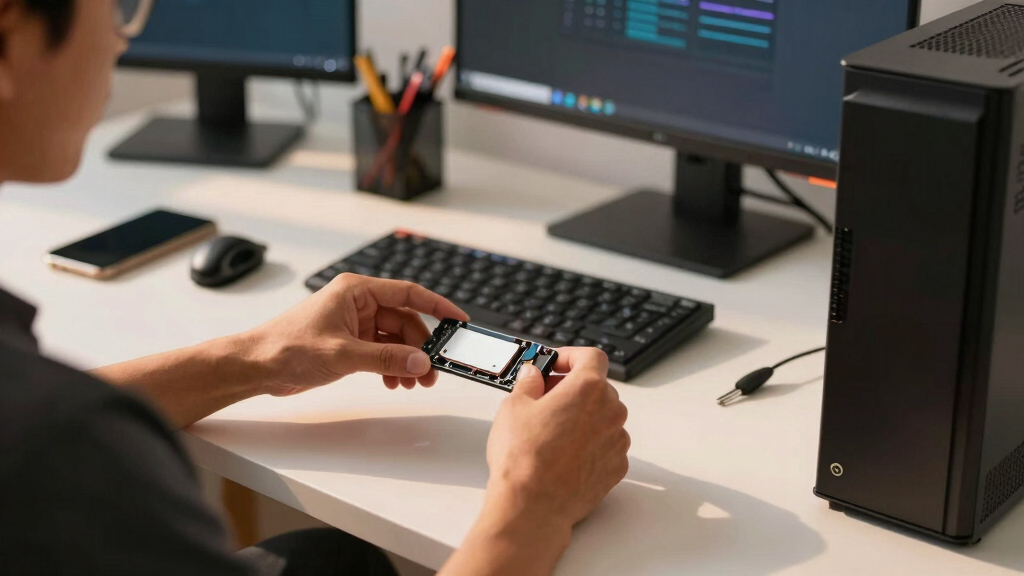
I ranked these deals around buyer fit before discount size. Internal SSD Prime Day pricing can make an awkward drive look tempting, so I weighted form factor, interface, capacity, speed class, installation friction, and long-term usefulness. The M.2 NVMe 2280 drives earned the broadest appeal because they fit many modern desktops and laptops, while SATA models stayed in the list for older machines where an NVMe drive is not an option. Compact 2230 storage and external enclosures were scored as specialist picks rather than universal buys.
For the final order, I gave the most credit to drives that solve a real upgrade problem at a sale price: more room for games and files, faster boot and load times, or a clean fit in a device with limited space. I treated tiny-capacity premium models more harshly because a low sale price can still leave the buyer short on storage. I also checked advertised specs and role fit against available manufacturer information, including Kingston’s NV3 spec sheet, while avoiding live-price claims that can change during Prime Day. That is why the SK Hynix Gold P31 2TB sits ahead of flashier but narrower options.
Factors to Consider When Choosing Internal Solid State Drives Prime Day Deals
A Prime Day SSD deal is only good if it fits the machine and fixes the bottleneck that buyer actually has. I start with the slot, then capacity, then performance, then price. That order keeps a flashy markdown from pulling attention away from compatibility or everyday usefulness. The sections below explain the choices that separate a smart internal SSD buy from a discount that sits unused in a drawer.
Match The Slot Before The Sale Price
The first filter is physical fit, because a cheap SSD is a poor buy if the motherboard or laptop cannot use it. Most modern internal NVMe drives here are M.2 2280, while the Corsair MP600 Mini 2TB uses the shorter M.2 2230 shape for handhelds and compact machines. SATA drives such as the BX500 1TB and Samsung 860 PRO 256GB work in older 2.5-inch bays, which can make them more useful than faster NVMe drives in legacy systems. I would check whether the device supports SATA, NVMe, PCIe Gen3, PCIe Gen4, and the exact drive length before getting pulled in by the discount. Adapters can help in desktops, but laptop and handheld storage bays leave little room for improvising. This is why I rank broad-fit 2280 NVMe models above niche hardware unless the buyer has that niche need.
Capacity Usually Matters More Than Peak Speed
Prime Day listings often lead with read speed, but capacity shapes daily use more often. A 2TB drive like the SK Hynix Gold P31 can hold a game library, creative files, and a system image without constant cleanup, which is why it beats many smaller drives even when they post higher interface numbers. The Kingston NV3 500GB can be fast, yet 500GB fills quickly once Windows, a few major games, and media files land on it. For buyers upgrading from a hard drive, even a SATA SSD feels dramatic, but running out of space forces painful compromises later. I treat 1TB as the practical floor for a main PC drive when the budget allows. Smaller drives make sense for boot-only builds, repair machines, or low-cost secondary storage.
SATA Still Has A Place, But The Price Must Be Right
SATA SSDs are capped far below NVMe drives on paper, yet they still turn an older hard-drive PC into a much quicker machine. The BX500 1TB SATA SSD is the beginner-friendly route because the capacity is sensible and installation is familiar for many desktops. The Samsung 860 PRO 256GB has a more premium storage design, but its small size makes it harder to recommend unless the sale price is unusually low. Compared with the P3 PCIe Gen3 NVMe 1TB, both SATA options lose the speed race in machines that support M.2 NVMe. I would buy SATA during Prime Day only when the target system lacks a useful M.2 slot or when the discount is far stronger than the NVMe alternatives. Paying near-NVMe money for SATA is the mistake I would avoid.
Do Not Mistake Enclosures For Internal Drives
The OWC Express 1M2 is the odd one in this lineup because it is an enclosure only, not a complete internal SSD. That can still be a smart Prime Day buy if the goal is to reuse an NVMe stick as a fast USB4 or Thunderbolt-compatible external drive. It should not replace the SK Hynix Gold P31, P3, or Kingston NV3 for someone trying to upgrade a laptop or desktop from the inside. The hidden cost is that the buyer still needs a separate NVMe SSD, so the apparent deal price can understate the total spend. Enclosures also add heat, cable dependence, and one more item to carry. I treat this type of product as a workflow accessory, not a storage upgrade for the main internal slot.
Use Endurance And Warranty As Tie Breakers
After fit and capacity, I use endurance ratings, warranty length, and memory type as tie breakers. Drives built for heavier write loads can make sense for photo catalogs, scratch disks, virtual machines, and frequent game installs, while light office use rarely needs the priciest NAND. That is where the Samsung 860 PRO remains appealing despite its age and size, because its premium SATA positioning is aimed at buyers who value durability over raw capacity. The tradeoff is simple: paying for endurance on a 256GB drive may be less useful than buying a roomier SSD and keeping good backups. Budget NVMe models can be perfectly sensible, but I would avoid treating every Gen4 label as proof of better sustained performance. For most sale shoppers, a balanced 1TB or 2TB drive with a solid warranty is the better long-term bet.
Frequently Asked Questions
Should I Buy SATA Or NVMe During Prime Day?
I would choose NVMe if the system has a compatible M.2 slot, because the SK Hynix Gold P31, P3, and Kingston NV3 offer more speed headroom than 2.5-inch SATA drives. SATA makes sense when the machine is older, the install path is easier, or the discount is much stronger. The BX500 1TB is the friendlier older-PC upgrade, while the Samsung 860 PRO 256GB is harder to justify unless durability matters more than space. I would not pay close to NVMe prices for SATA unless the PC cannot use NVMe. The best choice starts with the slot, not the sale badge.
Is A 500GB SSD Still Worth Buying As A Prime Day Deal?
A 500GB SSD can still work, but I would treat it as a budget boot drive rather than a roomy main drive. The Kingston NV3 500GB has the appeal of a PCIe 4.0 interface, yet capacity is the constraint that will be felt first by gamers and media-heavy users. If the 1TB P3 is close in price during Prime Day, I would usually move up to the larger drive. For a family PC, office desktop, or repair build, 500GB can be enough when cloud storage or a secondary drive handles bulk files. The deal only makes sense if the low price leaves room in the budget for future storage.
Why Is The SK Hynix Gold P31 Ranked Above Newer Gen4 Drives?
The SK Hynix Gold P31 2TB ranks higher because this roundup rewards balanced buying, not the newest interface label. Its 2TB capacity, common M.2 2280 fit, and efficient NVMe profile make it useful in more laptops and desktops than a smaller budget Gen4 drive. The Kingston NV3 500GB may show a higher generation on the listing, but the smaller capacity limits its role. Compared with the Corsair MP600 Mini 2TB, the Gold P31 also fits the broader market rather than focusing on 2230 devices. I would only move a Gen4 drive ahead if the buyer’s machine can use the extra bandwidth and the sale price does not punish capacity.
Is The OWC Express 1M2 A Good Pick For Internal SSD Shoppers?
The OWC Express 1M2 is good for the right buyer, but it is not the same kind of purchase as the internal SSDs here. It is an enclosure-only product, so it needs a separate NVMe drive before it becomes usable storage. I would shortlist it for video editors, photographers, or anyone who wants fast portable storage from an existing M.2 SSD. I would skip it for a laptop or desktop upgrade where the goal is to replace the internal boot drive. In that case, the SK Hynix Gold P31 or P3 is the cleaner deal.
Which Drive Should I Buy For A Handheld Gaming PC?
For a handheld gaming PC, I would start with the Corsair MP600 Mini 2TB because the M.2 2230 form factor is the make-or-break requirement. A standard 2280 drive like the SK Hynix Gold P31 may be better value for a laptop or desktop, but it will not fit many handheld devices. The 2TB capacity also matters because modern game installs can crowd a smaller drive quickly. The tradeoff is price: compact 2230 drives often cost more per gigabyte than mainstream 2280 models. I would only choose it over a 2280 drive when the device physically demands the shorter module.
Conclusion
My Best Overall recommendation is the SK Hynix Gold P31 2TB, because it gives the broadest group of buyers the best mix of capacity, speed, efficiency, and sale-day value. For Best Value, I would watch the P3 PCIe Gen3 NVMe 1TB when it drops well below smaller or older alternatives; for budget Gen4, the Kingston NV3 500GB works when price matters more than room.
The BX500 1TB SATA SSD is my Best For Beginners pick for older PCs, while the Samsung 860 PRO 256GB is the Best Premium SATA choice only for buyers who value durability and can live with limited capacity. For specific needs, choose the Corsair MP600 Mini 2TB for handhelds or M.2 2230 systems, and choose the OWC Express 1M2 only when the deal you need is a high-speed external NVMe enclosure. If I were sorting these Prime Day deals quickly, I would start with Gold P31 for most builds, P3 for low-cost NVMe, and MP600 Mini for compact devices.