
Part 7 of a five-day series on the 2026 memory crunch. Part 6 showed why renting hides the bill; this one prices the alternative — running the models yourself.

Get tech for your team delivered free — and shop member deals
- Fast, free delivery on millions of items
- Access to Prime Big Deal Days deals on October 6–7
- Prime Video, Amazon Music and more included
If you’ve followed the series this far, you already know the punchline the cloud chapter set up: for steady, high-utilization AI work, owning the hardware beats renting it. So the obvious question for anyone who wants to run models locally — to keep prompts private, to cut a cloud bill that now only goes up, to actually own the thing — is what does that cost in 2026, and where does the money go?
The answer is unintuitive, and it’s good news for disciplined buyers. The most expensive local-inference rig is almost never the smartest one. Here’s how the math actually works.
The real cost of a local-inference rig
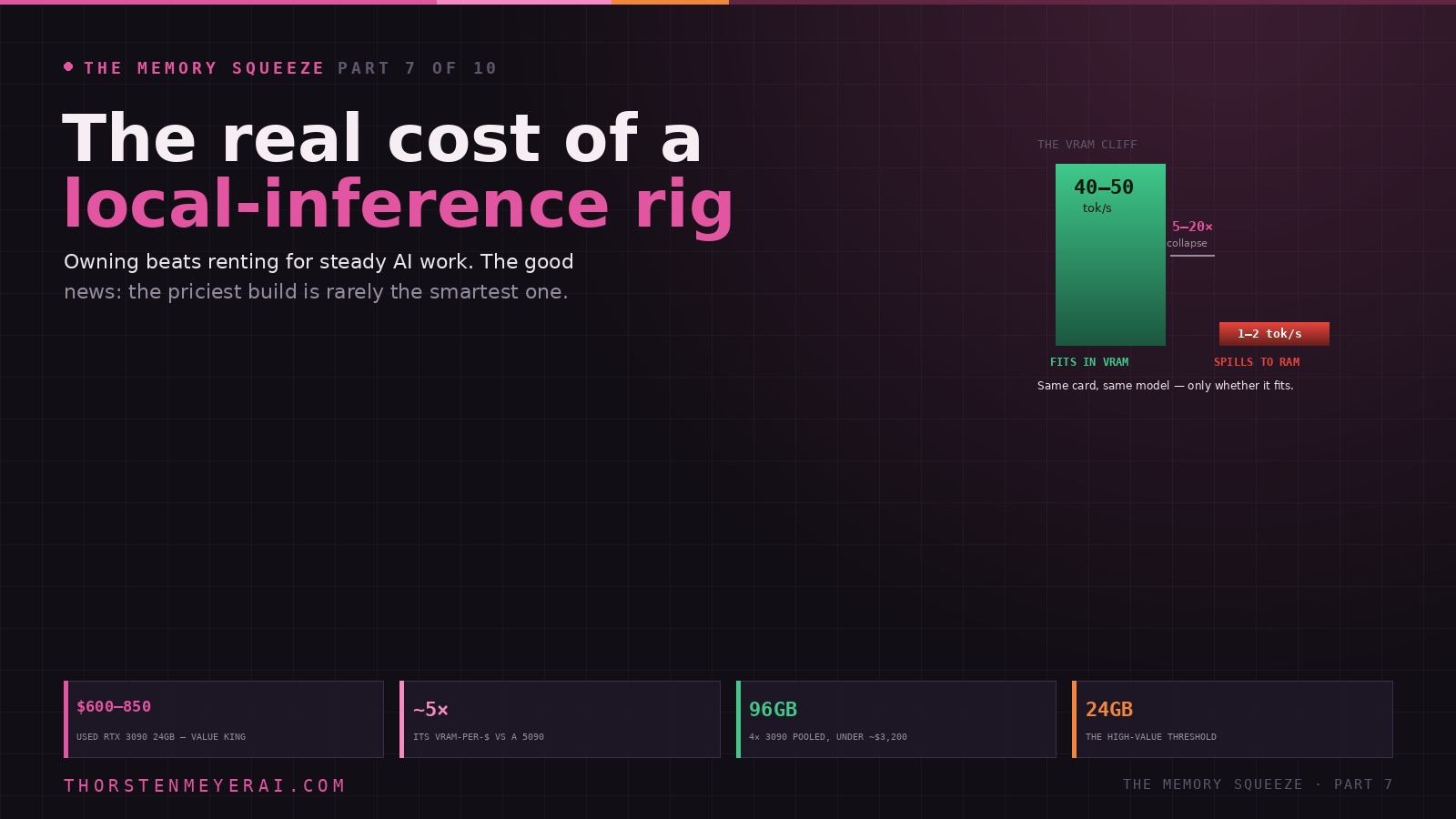
Owning beats renting for steady AI work — so what does a local rig cost in 2026? The unintuitive, good news: the most expensive build is almost never the smartest one. It all comes down to one rule.
The difference is only whether the weights fit. LLM inference is memory-bandwidth-bound — VRAM capacity is the hard limit you build around. Compute specs are mostly noise.
The squeeze reframes the rig like everything else in this series: discipline beats maximalism. VRAM is exactly the memory under most pressure, so over-buying it is the 128GB-“to-be-safe” trap, only worse per gigabyte. Take the cheap, high-value step to 24GB (the gateway to the 30B class), reach for used 3090s and MoE models, and use quantization to climb a tier without buying silicon. Sized right, the rig pays for itself against the cloud’s ever-rising hidden bill. Next: Apple Silicon’s quiet memory advantage.
The one rule: the VRAM cliff
Everything about a local-inference build reduces to a single, unforgiving rule. If the model fits in your GPU’s video memory, it runs fast. If it doesn’t, it falls off a cliff.
This isn’t a gentle slope. A benchmark that recurs across the community: an RTX 5090 running a 70B model entirely in VRAM produces around 40–50 tokens per second — faster than you can read. The same card, same model, spilling even partially into system RAM, collapses to 1–2 tokens per second — slower than reading speed, and unusable for real work. That’s a 5-to-20× cliff, and it governs every decision you make.
The reason is that LLM inference is memory-bandwidth-bound, not compute-bound. The GPU can do the arithmetic far faster than memory can feed it weights, so the bottleneck is how fast data moves through VRAM. This is why raw compute specs — CUDA core counts, teraflops — are mostly noise for this use, and why VRAM capacity is the hard limit you build around. Fit the model you want in fast memory, and the rest is detail. Miss, and no amount of GPU horsepower saves you.
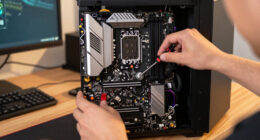
NVIDIA RTX 3090 24GB graphics card
As an affiliate, we earn on qualifying purchases.
As an affiliate, we earn on qualifying purchases.
Sizing the model to the memory
The arithmetic is simple enough to do in your head. A model needs roughly 2GB of memory per billion parameters at full (FP16) precision. Quantization — compressing the weights — cuts that hard: Q8 halves it, Q4 quarters it, with surprisingly modest quality loss, which is exactly why Q4 is what most people actually run.
So the map from model to memory looks like this (at Q4):
- 7–8B models (Llama, Qwen, Mistral Small): ~6–8GB. Run on almost anything modern.
- 26–32B models (Qwen3 32B ~20GB, Gemma 4 ~18–20GB): fit a single 24GB card with room to spare. This is where local models start replacing API calls.
- 70B models (Llama 3.3 70B ~43GB): need more than one 24GB card — a 32GB RTX 5090, dual GPUs, a 48–64GB Mac, or aggressive Q3 to squeeze under 30GB.
- 100B+ and MoE (and the 405B / 671B giants): need 60–130GB+ — multi-GPU or large-unified-memory Macs, and the truly enormous ones stay impractical without heavy offload.
A note that matters for value: Mixture-of-Experts models punch above their weight. Qwen3’s 30B MoE activates only ~3B parameters per token, so it runs at small-model speed while delivering near-32B quality — a free lunch the squeeze makes worth seeking out.
As an affiliate, we earn on qualifying purchases.
The counterintuitive value play: VRAM-per-dollar, not newest
Here’s where most buyers overspend. Faced with the cliff, the instinct is to buy the newest, biggest card. But for inference, the smart metric isn’t performance — it’s gigabytes of VRAM per dollar, and on that metric the newest cards lose badly.
A used RTX 3090 (24GB) runs about $600–850 and delivers roughly five times the VRAM-per-dollar of an RTX 5090. It’s a generation old, sold without warranty, often ex-mining — and for inference, where VRAM capacity beats raw speed, it’s the value champion. It also keeps a feature the 4090 and 5090 dropped: NVLink, which lets two 3090s present a single unified 48GB pool. That makes multi-3090 the cheapest serious path to big models: four used 3090s give you 96GB of pooled VRAM for under ~$3,200 in cards — enough to run a 70B model at high quality or a 120B at Q4, on a budget a single flagship can’t touch.
The flagship still has its place. The RTX 5090 (32GB) is the only single consumer card that fits a Q4 70B model entirely in VRAM at 40–50 tok/s, and its ~1,792 GB/s bandwidth (about 78% more than the 4090) translates directly into speed because inference is bandwidth-bound. If you want one card, no NVLink fuss, and gaming on the side, it’s the pick — at ~$2,000 MSRP and often a good deal more on the street, drawing 575W. But “one expensive card” and “smartest dollar” are rarely the same answer in 2026.
As an affiliate, we earn on qualifying purchases.
The build tiers
Map your “target intelligence” — the model class you’ll actually run daily — to hardware, and stop there:
- Entry (7–14B): RTX 5070 Ti 16GB (~$750, the current value sweet spot) or a used 3090. Runs coding assistants and local agents at 100+ tok/s.
- Mid (26–32B): a single 24GB card — used 3090 or 4090. The point where a local model genuinely replaces many API calls; Qwen3 32B and Gemma 4 live here.
- Pro (70B): an RTX 5090 32GB (Q4, single card), or dual/quad 3090s for the pooled VRAM, or an M4 Max with 48–64GB unified memory.
- Frontier (100B+): large-unified-memory Macs (128GB+) or multi-GPU rigs — the only consumer routes to models that rival commercial APIs.
The high-value threshold, the one upgrade worth stretching for, is getting to 24GB. A 24GB card costs only marginally more than a 16GB one but unlocks the entire 26–32B class — the tier where local inference becomes a real substitute for the cloud. Past that, every additional gigabyte should be justified by a model you genuinely run, not a model you might.
As an affiliate, we earn on qualifying purchases.
The Apple Silicon shortcut
There’s a second path that breaks the GPU rules entirely, and it’s the natural home for the biggest local models: Apple Silicon’s unified memory. On an M-series chip, system RAM is VRAM — any of it is usable by the GPU — which makes Macs the only consumer machines that reach 100GB+ of effective video memory at all. An M5 Max with 64GB can run models that would otherwise demand an H100; a Mac Studio with 128GB+ becomes a genuine local rival to commercial-grade models.
The trade-off is speed: a big Mac generates tokens slower than a discrete GPU — a Mac Ultra in the teens of tokens per second against an RTX 4090’s 50+. You buy capacity, not raw throughput. But for running the largest models that simply won’t fit on consumer GPUs, capacity is the whole game — and it’s exactly why this path gets its own chapter next. (NVIDIA’s announced $3,000 Project DIGITS desktop, 128GB unified memory for 200B+ models, signals this category is now a product, not just a DIY hack — when and at what real spec it ships remains to be seen.)
The rest of the rig
Memory is the story, but the supporting cast matters. Budget a fast NVMe SSD with 100–500GB free — model files routinely exceed 200GB and you’ll reload them often (and yes, NAND prices climbed too, per Part 4, so size this deliberately). System RAM wants 32GB as a comfortable floor, 128GB if you plan to offload large models to the CPU. The CPU itself barely matters when a GPU is present — any modern 8-core chip is fine. And on software, Ollama, llama.cpp, and vLLM are the runtimes that matter, with NVIDIA’s 2026 optimizations adding up to ~35% faster token generation for free.
The take
The memory squeeze reframes the local rig the same way it reframed every other front in this series: the winning move is discipline, not maximalism. VRAM and unified memory are precisely the memory under the most pressure, so over-buying capacity is the same expensive mistake as the 128GB “to be safe” DDR5 kit — only worse, because GPU VRAM costs far more per gigabyte. Size the build to the model class you actually run; take the cheap, high-value step to 24GB; reach for used 3090s and MoE models where they beat the flagships on value; and use quantization to reach the next tier without buying more silicon — a lever Part 9 is built around.
Do that, and the rig pays for itself against the cloud’s ever-rising, ever-hidden bill — which was the whole point. The squeeze made memory expensive everywhere; it also made owning the right amount of it one of the few moves that still puts you ahead.
Next in the series, the path that quietly turned the memory shortage into an advantage: Apple Silicon’s Quiet Memory Advantage.
Sources: Core Lab, Kunal Ganglani, BSWEN, Local AI Master, Compute Market, IntuitionLabs, Overchat AI Hub (VRAM-per-dollar tiers, GPU prices and bandwidth, model-to-VRAM sizing, multi-GPU/NVLink configurations, Apple Silicon unified-memory capability, runtime performance); benchmark figures for tokens/sec reflect community testing (r/LocalLLaMA and cited labs). Hardware prices are point-in-time, late June 2026, and fast-moving. Analysis and recommendations are the author’s and not financial advice.
Halloween Picks
halloween
As an affiliate, we earn on qualifying purchases.